


55,19 €
Mehr erfahren.
- Herausgeber: Packt Publishing
- Kategorie: Wissenschaft und neue Technologien
- Sprache: Englisch
Make the most of PowerShell's features to manage all aspects of your Exchange Server 2016 environment.
About This Book
- Learn to integrate PowerShell with Exchange Server 2016
- Write scripts and functions to run tasks automatically, and generate complex reports with PowerShell
- Use these effective recipes to learn all popular and important PowersShell scripts to manage tasks and avoid errors
Who This Book Is For
This book is for messaging professionals who want to build real-world scripts with Windows PowerShell and the Exchange Management Shell. You'll also find it indispensable if you're a network or systems administrator responsible for managing and maintaining Exchange Server 2016.
What You Will Learn
- Master the new features and capabilities of PowerShell and Exchange Server 2016
- Get to grips with the core PowerShell concepts
- Use simple PowerShell scripts and commands to get powerful results
- Generate detailed reports, send the output of commands by email , and schedule scripts to run automatically
- Import, export, and move mailboxes, and delete messages from mailboxes using the command line
- Configure transport server settings such as mail relay, tracking logs, transport rules, delivery reports, and more
- Manage mailbox and public folders
- Monitor the health of an Exchange environment through built-in cmdlets and other methods
- Integrate Exchange with Office Online Server, Skype for Business Server, and Exchange Online (Office 365)
In Detail
We start with a set of recipes on core PowerShell concepts. This will provide you with a foundation for the examples in the book. Next, you'll see how to implement some of the common exchange management shell tasks, so you can effectively write scripts with this latest release. You will then learn to manage Exchange recipients, automate recipient-related tasks in your environment, manage mailboxes, and understand distribution group management within the Exchange Management Shell.
Moving on, we'll work through several scenarios where PowerShell scripting can be used to increase your efficiency when managing databases, which are the most critical resources in your Exchange environment. Towards the end, you'll discover how to achieve Exchange High Availability and how to secure your environment, monitor the health of Exchange, and integrate Exchange with Office Online Server, Skype for Business Server, and Exchange Online (Office 365).
By the end of the book, you will be able to perform administrative tasks efficiently.
Style and approach
This practical guide is packed with handy recipes to help you perform common administration tasks, as well as complex tasks in Exchange Server, without any hassle.
Sie lesen das E-Book in den Legimi-Apps auf:
Seitenzahl: 718
Veröffentlichungsjahr: 2017
Ähnliche



















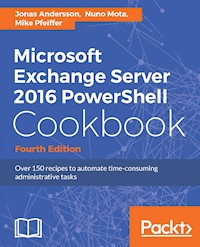
Microsoft Exchange Server 2016 PowerShell Cookbook
Fourth Edition
BIRMINGHAM - MUMBAI
Microsoft Exchange Server 2016 PowerShell Cookbook
Fourth Edition
Copyright © 2017 Packt Publishing
All rights reserved. No part of this book may be reproduced, stored in a retrieval system, or transmitted in any form or by any means, without the prior written permission of the publisher, except in the case of brief quotations embedded in critical articles or reviews. Every effort has been made in the preparation of this book to ensure the accuracy of the information presented. However, the information contained in this book is sold without warranty, either express or implied. Neither the authors, nor Packt Publishing, and its dealers and distributors will be held liable for any damages caused or alleged to be caused directly or indirectly by this book. Packt Publishing has endeavored to provide trademark information about all of the companies and products mentioned in this book by the appropriate use of capitals. However, Packt Publishing cannot guarantee the accuracy of this information.
First published: July 2011
Second edition: May 2013
Third edition: July 2015
Fourth edition: July 2017
Production reference: 1130717
ISBN 978-1-78712-693-0
www.packtpub.com
Credits
Authors
Jonas Andersson
Nuno Mota
Mike Pfeiffer
Copy Editor
Safis Editing
Reviewers
Florian Klaffenbach
Anderson Patricio
Project Coordinator
Virginia Dias
Commissioning Editor
Vijin Boricha
Proofreader
Safis Editing
Acquisition Editor
Meeta Rajani
Indexer
Rekha Nair
Content Development Editor
Sweeny Dias
Graphics
Kirk D'Penha
Technical Editor
Mohit Hassija
Production Coordinator
Aparna Bhagat
About the Authors
Jonas Andersson is devoted to constantly developing himself and his skills. He started out in the IT business in 2004 and initially worked in a support center, where he acquired a basic knowledge of the industry. In 2007, he started his career as a Microsoft Infrastructure consultant, and from 2008 onwards his focus has been on Unified Communication. At the start of 2010, he was employed at a large outsourcing company as a messaging specialist, specializing in Microsoft Exchange. His work included designing, implementing, and developing messaging solutions for enterprise customers. In 2014, he joined Microsoft Consulting Services, and from then onward his main focus has been Office 365. His role was of a deployment consultant with Microsoft's Office 365 Global Practice EMEA team. In 2016, he started to work for Sweden's largest retail companies with a known brand as a Product Specialist for Office 365, mostly focusing on Skype for Business Online but also on the other workloads. As a reward for his work in the community, he was awarded the Microsoft Most Valuable Professional for the Microsoft Exchange Server product in 2014.
Nuno Mota is a Senior Microsoft Messaging Consultant currently working for a large sovereign wealth fund. He has been responsible for designing and deploying Exchange and Office 365 solutions for organizations across the UK. He also shares a passion for Skype for Business, Active Directory, and PowerShell.Besides writing his personal Exchange blog, called LetsExchange, he is also an author on the MSExchange website with dozens of published articles and product reviews as well as multiple scripts on TechNet.
He has also been awarded the Microsoft Most Valuable Professional (MVP) on Exchange five times since 2012.
Mike Pfeiffer is a 20-year IT industry veteran, published author, and international conference speaker. He's a former architect for Amazon Web Services and engineer for Microsoft. Today, Pfeiffer serves as chief technologist for CloudSkills, a cloud computing training and consulting firm.
About the Reviewers
Florian Klaffenbach started in 2004 with his IT carrier as a 1st and 2nd Level IT Support Technician and IT Salesman Trainee for a B2B online shop. After that, he joined a small company as an IT Project Manager, planning, implementing, and integrating from industrial plants & laundries into enterprise IT. After spending some years there, he changed his path to join Dell Germany. There, he started from scratch as an Enterprise technical Support Analyst and later worked on a project to start Dell technical Communities and support over social media in Europe and outside of the U.S. Currently, he is working as a Solutions Architect & Consultant for Microsoft Infrastructure & Cloud, specializing in Microsoft Hyper-V, Fileservices, System Center Virtual Machine Manager, and Microsoft Azure IaaS.
In addition to his job engagement, he is active as a Microsoft blogger and lecturer. He blogs, for example, on his own page Datacenter-Flo.de or Brocade Germany Community. Together with a very good friend, he founded the Windows Server User Group Berlin to create a network of Microsoft ITPros in Berlin. Florian maintains a very tight network with many vendors such as Cisco, Dell, or Microsoft and Communities. That helps him expand his experience and get the best out of a solution for his customers. Since 2016, he has also been Co-Chairman of Azure Community Germany. In April 2016, Microsoft awarded and recognized Florian as Microsoft Most Valuable Professional for Cloud and Datacenter Management.
Florian worked for several companies such as Dell Germany, CGI Germany, or his first employer, TACK GmbH. Currently, he is working at msg service ag as a Sr. Consultant, Microsoft Cloud Infrastructure.
He has also contributed to these books:
Taking Control with System Center App Controller
Microsoft Azure Storage Essentials
Mastering Microsoft Azure Development
Mastering Microsoft Deployment Toolkit 2013
Windows Server 2016 Cookbook
Anderson Patricio is a Canadian Microsoft MVP and an IT Consultant based in Toronto. His areas of expertise include Microsoft Exchange, Skype for Business, Azure, System Center, and Active Directory.
Anderson is an active member of the Exchange Community, and he contributes to forums, blogs, articles, and videos. In English, he contributes regularly at ITPROCentral, MSExchange, and TechGenix websites, besides his speaking engagements at TechED in South America and MVA Academy training courses. In Portuguese, his website contains thousands of Microsoft Tutorials to help the local community. You can follow him on Twitter.
He has been a reviewer of several books such as Windows PowerShell in Action by Bruce Payette, PowerShell in Practice by Richard Siddaway, and Microsoft Exchange 2010 PowerShell Cookbook by Mike Pfeiffer.
www.PacktPub.com
For support files and downloads related to your book, please visit www.PacktPub.com. Did you know that Packt offers eBook versions of every book published, with PDF and ePub files available? You can upgrade to the eBook version at www.PacktPub.comand as a print book customer, you are entitled to a discount on the eBook copy. Get in touch with us at [email protected] for more details. At www.PacktPub.com, you can also read a collection of free technical articles, sign up for a range of free newsletters and receive exclusive discounts and offers on Packt books and eBooks.
https://www.packtpub.com/mapt
Get the most in-demand software skills with Mapt. Mapt gives you full access to all Packt books and video courses, as well as industry-leading tools to help you plan your personal development and advance your career.
Why subscribe?
Fully searchable across every book published by Packt
Copy and paste, print, and bookmark content
On demand and accessible via a web browser
Customer Feedback
Thanks for purchasing this Packt book. At Packt, quality is at the heart of our editorial process. To help us improve, please leave us an honest review on this book's Amazon page at http://www.amazon.in/dp/1787126935. If you'd like to join our team of regular reviewers, you can e-mail us at [email protected]. We award our regular reviewers with free eBooks and videos in exchange for their valuable feedback. Help us be relentless in improving our products!
Table of Contents
Preface
What this book covers
What you need for this book
Who this book is for
Sections
Getting ready
How to do it…
How it works…
There's more…
See also
Conventions
Reader feedback
Customer support
Downloading the example code
Downloading the color images of this book
Errata
Piracy
Questions
PowerShell Key Concepts
Introduction
Performing some basic steps
Using the help system
How to do it...
How it works...
There's more...
Getting help with cmdlets and functions
See also
Understanding command syntax and parameters
How to do it...
How it works...
There's more...
See also
Command aliases
How to do it...
How it works...
See also
Setting up a PowerShell profile
How to do it...
How it works...
There's more...
See also
Understanding the pipeline
How to do it...
How it works...
There's more...
See also
Working with variables and objects
How to do it...
How it works...
There's more...
Variable expansion in strings
Strongly typed variables
Working with arrays and hash tables
How to do it...
How it works...
There's more...
See also
Looping through items
How to do it...
How it works...
There's more...
See also
Creating custom objects
How to do it...
How it works...
There's more...
See also
Using debugger functions
How to do it...
How it works...
There's more...
See also
Understanding the new execution policy
How to do it...
How it works...
There's more...
See also
Using the Save-Help function
How to do it...
How it works...
See also
Working with script repositories
How to do it...
How it works...
There's more...
See also
Exchange Management Shell Common Tasks
Introduction
Performing some basic steps
Manually configuring remote PowerShell connections
Getting ready
How to do it...
How it works...
There's more...
See also
Using explicit credentials with PowerShell cmdlets
How to do it...
How it works...
There's more...
See also
Transferring files through remote shell connections
How to do it...
How it works...
There's more...
See also
Managing domains or an entire forest using a recipient scope
How to do it...
How it works...
There's more...
Exporting reports to text and CSV files
How to do it...
How it works...
There's more...
See also
Sending SMTP emails through PowerShell
How to do it...
How it works...
There's more...
Sending messages with attachments
Sending command output in the body of a message
See also
Scheduling scripts to run at a later time
How to do it...
How it works...
There's more...
See also
Logging shell sessions to a transcript
How to do it...
How it works...
There's more...
See also
Automating tasks with the scripting agent
Getting ready
How to do it...
How it works...
There's more...
Using multiple cmdlets with the OnComplete API
See also
Scripting an Exchange server installation
Getting ready
How to do it...
How it works...
There's more...
See also
Managing Recipients
Introduction
Performing some basic steps
Creating, modifying, and removing mailboxes
How to do it...
How it works...
There's more...
Setting Active Directory attributes
See also
Working with contacts
How to do it...
How it works...
There's more...
See also
Managing distribution groups
How to do it...
How it works...
There's more...
See also
Managing resource mailboxes
How to do it...
How it works...
There's more...
Converting mailboxes
See also
Creating recipients in bulk using a CSV file
Getting ready
How to do it...
How it works...
There's more...
Taking it a step further
See also
Configuring MailTips
How to do it...
How it works...
There's more...
See also
Working with recipient filters
How to do it...
How it works...
There's more...
Understanding variables in filters
See also
Adding and removing recipient email addresses
How to do it...
How it works...
There's more...
See also
Hiding recipients from address lists
How to do it...
How it works...
There's more...
See also
Configuring recipient moderation
How to do it...
How it works...
There's more...
See also
Configuring message delivery restrictions
How to do it...
How it works...
There's more...
See also
Managing automatic replies and out-of-office settings for a user
How to do it...
How it works...
There's more...
Adding, modifying, and removing server-side inbox rules
How to do it...
How it works...
There's more...
See also
Managing mailbox folder permissions
How to do it...
How it works...
There's more...
See also
Importing user photos into Active Directory
Getting ready
How to do it...
How it works...
There's more...
Taking it a step further
See also
Managing Mailboxes
Introduction
Performing some basic steps
Reporting on mailbox sizes
How to do it...
How it works...
There's more...
See also
Reporting on the mailbox creation time
How to do it...
How it works...
There's more...
See also
Working with move requests and performing mailbox moves
How to do it...
How it works...
There's more...
Removing move requests
Moving archive mailboxes
Moving mailboxes in batches
Moving mailboxes with corrupt items
See also
Email notification on mailbox moves
How to do it...
How it works...
There's more…
See also
Importing and exporting mailboxes
How to do it...
How it works...
There's more…
Importing data into mailboxes
Taking it a step further
See also
Deleting messages from mailboxes using Search-Mailbox
How to do it...
How it works...
There's more…
Running reports before deleting data
Deleting messages in bulk
See also
Deleting messages from mailboxes using Compliance Search
How to do it...
How it works...
See also
Managing disconnected mailboxes
How to do it...
How it works...
There's more…
Purging mailboxes
Cleaning databases
See also
Setting storage quotas for mailboxes
How to do it...
How it works...
There's more...
See also
Finding email addresses with numbers
How to do it...
How it works...
There's more...
See also
Finding mailboxes with different SIP and Primary SMTP addresses
How to do it...
How it works...
There's more...
See also
Finding inactive mailboxes
How to do it...
How it works...
There's more...
See also
Detecting and fixing corrupt mailboxes
How to do it...
How it works...
There's more...
Restoring deleted items from mailboxes
How to do it...
How it works...
There's more...
See also
Managing public folder mailboxes
How to do it...
How it works...
There's more…
Public folder quotas
See also
Reporting on public folder statistics
How to do it...
How it works...
See also
Managing user access to public folders
How to do it...
How it works...
There's more…
See also
Distribution Groups and Address Lists
Introduction
Performing some basic steps
Reporting on distribution group membership
How to do it...
How it works...
There's more...
See also
Adding members to a distribution group from an external file
How to do it...
How it works...
There's more...
See also
Previewing dynamic distribution group membership
How to do it...
How it works...
There's more...
See also
Backing up distribution groups membership
How to do it...
How it works...
There's more...
See also
Excluding hidden recipients from a dynamic distribution group
How to do it...
How it works...
There's more...
See also
Converting and upgrading distribution groups
How to do it...
How it works...
There's more...
See also
Allowing managers to modify group permissions
How to do it...
How it works...
There's more...
See also
Removing disabled users from distribution groups
How to do it...
How it works...
There's more...
See also
Working with distribution group naming policies
How to do it...
How it works...
There's more...
See also
Working with distribution group membership approval
How to do it...
How it works...
There's more...
See also
Creating address lists
How to do it...
How it works...
There's more...
See also
Exporting address list membership to a CSV file
How to do it...
How it works...
There's more...
See also
Configuring hierarchical address books
How to do it...
How it works...
There's more...
See also
Mailbox Database Management
Introduction
Performing some basic steps
Managing the mailbox databases
How to do it...
How it works...
There's more...
Understanding automatic mailbox distribution
Taking it a step further
See also
Moving databases and logs to another location
How to do it...
How it works...
There's more...
Manually moving databases
Taking it a step further
See also
Configuring the mailbox database limits
How to do it...
How it works...
There's more...
Taking it a step further
See also
Reporting on mailbox database size
How to do it...
How it works...
There's more...
See also
Finding the total number of mailboxes in a database
How to do it...
How it works...
There's more...
See also
Determining the average mailbox size per database
How to do it...
How it works...
There's more...
See also
Reporting on database backup status
How to do it...
How it works...
There's more...
See also
Restoring data from a recovery database
How to do it...
How it works...
There's more...
Understanding target mailbox identity
Learning about other useful parameters
Understanding mailbox restore request cmdlets
Taking it a step further
See also
Managing Client Access
Introduction
Performing some basic steps
Managing ActiveSync, OWA, POP3, and IMAP4 mailbox settings
How to do it...
How it works...
There's more...
See also
Setting internal and external CAS URLs
How to do it...
How it works...
There's more...
Command syntax for the remaining virtual directories
See also
Managing Outlook Anywhere settings
How to do it...
How it works...
There's more...
See also
Blocking Outlook clients from connecting to Exchange
How to do it...
How it works...
There's more...
Reporting on active OWA and RPC connections
How to do it...
How it works...
There's more...
See also
Controlling ActiveSync device access
How to do it...
How it works...
There's more...
See also
Reporting on ActiveSync devices
How to do it...
How it works...
There's more...
See also
Managing Transport Servers
Introduction
Performing some basic steps
Configuring transport limits
How to do it...
How it works...
There's more...
See also
Managing connectors
How to do it...
How it works...
There's more...
See also
Allowing application servers to relay emails
How to do it...
How it works...
There's more...
See also
Checking if the IP address is in a receive connector
How to do it...
How it works...
There's more...
See also
Comparing receive connectors
How to do it...
How it works...
See also
Adding IP address to receive connectors
How to do it...
How it works...
There's more...
See also
Working with custom DSN messages
How to do it...
How it works...
There's more...
Managing connectivity and protocol logs
How to do it...
How it works...
There's more...
Parsing log files
POP and IMAP logging
Searching message tracking logs
How to do it...
How it works...
There's more...
Taking it a step further
See also
Determining which email client sent an email
How to do it...
How it works...
There's more...
See also
Working with messages in transport queues
How to do it...
How it works...
There's more...
See also
Searching anti-spam agent logs
How to do it...
How it works...
There's more...
See also
Implementing a header firewall
How to do it...
How it works...
There's more...
See also
Configuring the Edge Transport server role
How to do it...
How it works...
There's more...
See also
Exchange Security
Introduction
Performing some basic steps
Granting users full access permissions to mailboxes
How to do it...
How it works...
There's more...
See also
Finding users with full access to mailboxes
How to do it...
How it works...
There's more...
Sending email messages as another user or group
How to do it...
How it works...
There's more...
Throttling client connections
How to do it...
How it works...
There's more...
See also
Working with Role Based Access Control
How to do it...
How it works...
There's more...
RBAC for end users
See also
Creating a custom RBAC role for administrators
How to do it...
How it works...
There's more...
See also
Creating a custom RBAC role for end users
How to do it...
How it works...
There's more...
See also
Troubleshooting RBAC
How to do it...
How it works...
There's more...
See also
Generating a certificate request
How to do it...
How it works...
There's more...
See also
Installing certificates and enabling services
How to do it...
How it works...
There's more...
See also
Importing certificates on multiple Exchange servers
How to do it...
How it works...
There's more...
See also
Configuring Domain Security
How to do it...
How it works...
See also
Configuring S/MIME for OWA
How to do it...
How it works...
See also
Configuring Windows Defender Exclusions
How to do it...
How it works...
There's more...
Compliance and Audit Logging
Introduction
Performing some basic steps
Configuring journaling
How to do it...
How it works...
There's more...
Managing archive mailboxes
How to do it...
How it works...
There's more...
See also
Configuring archive mailbox quotas
How to do it...
How it works...
There's more...
See also
Creating retention tags and policies
How to do it...
How it works...
There's more...
Understanding default tags
See also
Applying retention policies to mailboxes
How to do it...
How it works...
There's more...
See also
Placing mailboxes on retention hold
How to do it...
How it works...
There's more...
See also
Placing mailboxes on in-place hold or litigation hold
How to do it...
How it works...
There's more...
See also
Searching and placing a hold on public folders
How to do it...
How it works...
There's more...
See also
Performing eDiscovery searches
How to do it...
How it works...
There's more...
See also
Performing Compliance searches
How to do it...
How it works...
There's more...
See also
Configuring data loss prevention
How to do it...
How it works...
There's more...
Configuring administrator audit logging
How to do it...
How it works...
There's more...
See also
Searching the administrator audit logs
How to do it...
How it works...
There's more...
See also
Configuring mailbox audit logging
How to do it...
How it works...
Searching mailbox audit logs
How to do it...
How it works...
There's more...
High Availability
Introduction
Performing some basic steps
Creating a Database Availability Group
How to do it...
How it works...
There's more...
See also
Adding mailbox servers to a Database Availability Group
How to do it...
How it works...
There's more...
See also
Configuring Database Availability Group network settings
How to do it...
How it works...
There's more...
Renaming and removing DAG networks
Replication compression and encryption
Adding mailbox copies to a Database Availability Group
How to do it...
How it works...
There's more...
See also
Activating mailbox database copies
How to do it...
How it works...
There's more...
Blocking database moves
See also
Reseeding a database copy
How to do it...
How it works...
There's more...
See also
Working with lagged database copies
How to do it...
How it works...
There's more...
Lagged copy play down
Using the automatic reseed feature
How to do it...
How it works...
See also
Performing maintenance on Database Availability Group members
How to do it...
How it works...
There's more...
Reporting on database status, redundancy, and replication
How to do it...
How it works...
There's more...
Understanding switchover and failover metrics
Understanding replication metrics
See also
Monitoring Exchange Health
Introduction
Performing some basic steps
Using Exchange test cmdlets
How to do it...
How it works...
There's more...
Using Health Probe checks
How to do it...
How it works...
There's more...
Checking the server health and health sets
How to do it...
How it works...
There's more...
See also
Monitoring transaction logs
How to do it...
How it works...
Monitoring the disk space
How to do it...
How it works...
There's more...
See also
Checking database redundancy
How to do it...
How it works...
See also
Integration
Introduction
Performing some basic steps
OAuth configuration
How to do it...
How it works...
See also
Configuring Exchange archiving for Skype for Business Server
How to do it...
How it works...
See also
Configuring and enabling the Unified Contact Store
How to do it...
How it works...
See also
Integrating Skype for Business with Outlook on the web
How to do it...
How it works...
See also
Configuring a user with a high-resolution photo
How to do it...
How it works...
See also
Office Online Server integration
Getting ready
How to do it...
How it works...
See also
Validating Exchange hybrid
Getting ready
How to do it...
How it works...
See also
Scripting with the Exchange Web Services Managed API
Introduction
Performing some basic steps
Getting connected to EWS
How to do it...
How it works...
There's more...
Certificates matter
Sending email messages with EWS
How to do it...
How it works...
There's more...
See also
Working with impersonation
Getting ready
How to do it...
How it works...
There's more...
Searching mailboxes
How to do it...
How it works...
There's more...
See also
Retrieving the headers of an email message
How to do it...
How it works...
There's more...
See also
Deleting email items from a mailbox
How to do it...
How it works...
There's more...
See also
Creating calendar items
How to do it...
How it works...
There's more...
See also
Exporting attachments from a mailbox
How to do it...
How it works...
There's more...
See also
Common Shell Information
Exchange Management Shell reference
Commonly-used shell variables
Commonly-used type accelerators
Scripts available in the $Exscripts directory
Properties that can be used with the -Filter parameter
Properties that can be used with the -RecipientFilter parameter
Query Syntaxes
Using the word phrase search
Examples
Using a date range search
Examples
Using the message type search
Examples
Using search operators
Examples
Preface
The book is full of immediately usable task-based recipes for managing and maintaining your Microsoft Exchange 2016 environment with Windows PowerShell 5.0 and the Exchange Management Shell. The focus of this book is to show you how to automate routine tasks and solve common problems. While the Exchange Management Shell literally provides hundreds of cmdlets, we will not cover every single one of them individually. Instead, we'll focus on common, real-world scenarios. You'll be able to leverage these recipes right away, allowing you to get the job done quickly, and the techniques that you'll learn will allow you to write your own amazing one-liners and scripts with ease.
What this book covers
Chapter1, PowerShell Key Concepts, introduces several core PowerShell concepts such as command syntax and parameters, working with the pipeline, and loops and conditional logic. The topics covered in this chapter lay the foundation for the remaining code samples in each chapter.
Chapter2, Exchange Management Shell Command Tasks, covers day-to-day tasks and general techniques for managing Exchange from the command line. Topics include configuring manual remote shell connections, exporting reports to external files, sending email messages from scripts, and scheduling scripts to run with the Task Scheduler.
Chapter3, Managing Recipients, demonstrates some of the most common recipient-related management tasks, such as creating mailboxes, distribution groups, and contacts. You'll also learn how to manage server-side inbox rules and Out of Office settings and import user photos.
Chapter4, Managing Mailboxes, shows how to perform various mailbox management tasks including moving mailboxes, importing and exporting mailbox data, and the detection and repair of corrupt mailboxes. In addition, you'll learn how to delete and restore items from a mailbox and manage public folders.
Chapter5, Distribution Groups and Address Lists, takes you deeper into distribution group management. Topics include distribution group reporting, distribution group naming policies, and allowing end users to manage distribution group membership. You'll also learn how to create Address Lists and Hierarchal Address Books.
Chapter6, Mailbox Database Management, shows how to set database settings and limits. Report generation for mailbox database size, average mailbox size per database, and backup status are also covered in this chapter.
Chapter7, Managing Client Access, covers the management of ActiveSync, OWA, POP, and IMAP as well as the configuration of these components in Exchange 2016. We'll also take a look at controlling connections from various clients, including ActiveSync devices.
Chapter8, Managing Transport Servers, explains various methods used to control mail flow within your Exchange organization. You'll learn how to create send and receive connectors, allow application servers to relay mail, search message tracking logs, and manage transport queues.
Chapter9, Exchange Security, introduces the new Role Based Access Control (RBAC) permissions model. You'll learn how to create custom RBAC roles for administrators and end users and also how to manage mailbox permissions and implement SSL certificates.
Chapter10, Compliance and Audit Logging, covers the compliance and auditing features included in Exchange 2016. Topics such as Journaling, Data Loss Prevention, Archive mailboxes, and eDiscovery searches are covered here as well as administrator and mailbox audit logging.
Chapter11, High Availability, covers the implementation and management tasks related to Database Availability Groups (DAGs). Topics include creating DAGs, adding mailbox database copies, and performing maintenance on DAG members. It also covers the new feature called Automatic Reseed.
Chapter12, Monitoring Exchange Health, explores how to check and monitor the health of an Exchange environment using the built-in test commands, health probes, and through several purpose-built reports to monitor mail queues and database redundancy, for example.
Chapter13, Integration, explains different integrations that can be established between Exchange Server and Skype for Business and Office Online Server, and to wrap this up, we have a section on how to validate the Exchange Hybrid configuration.
Chapter14, Scripting with the Exchange Web Services Managed API, introduces advanced scripting topics that leverage Exchange Web Services. In this chapter, you'll learn how to write scripts and functions that go beyond the capabilities of the Exchange Management Shell cmdlets.
Appendix A,Common Shell Information, is an appendix to be used as a reference for commonly used automatic shell variables and type accelerators, along with a list of scripts that come with Exchange 2016. Additionally, common filterable properties supported by shell cmdlets that include filter parameters are outlined in detail.
Appendix B, Query Syntaxes, should be used as a reference for the Keyword Query Language (KQL). Here you will find many different examples that can be used in the real world.
What you need for this book
To complete the recipes in this book, you'll need the following:
PowerShell v5, which is installed by default on Windows 10 and Windows Server 2016, is recommended, but v4 will work for the majority of the recipes.
Ideally, your Exchange Servers will run on Windows Server 2016, but they can also run on Windows Server 2012 R2, if preferred.
A fully operational lab environment with an Active Directory forest and Exchange organization is needed.
You'll need to have at least one Microsoft Exchange 2016 server, but note that some topics such as Database Availability Groups require two servers.
It is assumed that the account you are using is a member the Organization Management role group. The user account used to install Exchange 2016 is automatically added to this group.
If possible, you'll want to run the commands, scripts, and functions in this book from a client machine. The 64-bit version of Windows 10 with the Exchange 2016 Management Tools installed is a good choice. You can also run the tools on Windows 8.1, for example. Each client will need some additional prerequisites in order to run the tools, so refer to Microsoft's TechNet documentation for full details.
If you don't have a client machine, you can run the management shell from an Exchange 2016 server.
Chapter 14,
Scripting with the Exchange Web Services Managed API
requires the Exchange Web Services Managed API version 2.2, which can be downloaded from the following URL:
http://www.microsoft.com/en-us/download/details.aspx?id=42951
The code samples in this book should be run in a lab environment and fully tested before being deployed into production. If you don't have a lab environment set up, you can download the software from http://technet.microsoft.com/en-us/exchange/ and then build the servers on your preferred virtualization engine.
Who this book is for
This book is for messaging professionals who want to learn how to build real-world scripts with Windows PowerShell 5.0 and the Exchange Management Shell. If you are a network or systems administrator responsible for managing and maintaining the on-premises version of Exchange Server 2016, then this book is for you.
The recipes in this cookbook touch on each of the core Exchange 2016 server roles and require a working knowledge of the supporting technologies, such as Windows Server 2012 R2 or 2016, Active Directory, and DNS.
All of the topics in the book are focused on the on-premises version of Exchange 2016, the only exception being the validation of Exchange Hybrid configuration. In this book, we will not cover Microsoft's hosted version of Exchange Online in Office 365. However, the concepts you'll learn in this book will allow you to hit the ground running with that platform since it will give you an understanding of PowerShell's command syntax and object-based nature. Additionally, many scripts and tasks presented in this book also apply to Exchange Online.
Sections
In this book, you will find several headings that appear frequently (Getting ready, How to do it…, How it works…, There's more…, and See also). To give clear instructions on how to complete a recipe, we use these sections as follows:
Getting ready
This section tells you what to expect in the recipe, and describes how to set up any software or any preliminary settings required for the recipe.
How to do it…
This section contains the steps required to follow the recipe.
How it works…
This section usually consists of a detailed explanation of what happened in the previous section.
There's more…
This section consists of additional information about the recipe in order to make the reader more knowledgeable about the recipe.
See also
This section provides helpful links to other useful information for the recipe.
Conventions
In this book, you will find a number of styles of text that distinguish between different kinds of information. Here are some examples of these styles, and an explanation of their meaning.
Code words in text are shown as follows: "We can read the content of a file into the shell using the Get-Content cmdlet"
Commands and blocks of code are set as follows:
Get-Mailbox –ResultSize Unlimited | Out-File C:\report.txt
Commands like this can be invoked interactively in the shell, or from within a script or function.
Most of the commands you'll be working with will be very long. In order for them to fit into the pages of this book, we'll need to use line continuation. For example, here is a command that creates a mailbox:
New-Mailbox -UserPrincipalName [email protected] `
-FirstName John `
-LastName Smith `
-Alias jsmith `
-Database DB1 `
-Password $password
Notice that the last character on each line is the backtick (`) symbol, also referred to as the grave accent. This is PowerShell's line continuation character. You can run this command as is, but make sure there aren't any trailing spaces at the end of each line. You can also remove the backtick and carriage returns, and run the command on one single line. Just ensure that the spaces between the parameters and arguments are maintained.
You'll also see long pipeline commands formatted like the following example:
Get-Mailbox -ResultSize Unlimited |
Select-Object DisplayName, ServerName, Database |
Export-Csv c:\mbreport.csv -NoTypeInformation
PowerShell uses the pipe character (|) to send objects' output from a command down the pipeline, so it can be used as input by another command. The pipe character does not need to be escaped. You can enter the previous command as is or you can format the command so that everything is in one line.
Any command-line input or output that must be done interactively at the shell console is written as follows:
[PS] C:\>Get-Mailbox administrator | FT ServerName, Database -Auto
ServerName Database
---------- --------
mbx1 DB01
New terms and important words are shown in bold. Words that you see on the screen, in menus or dialog boxes for example, appear in the text like this: "Clicking the Next button moves you to the next screen."
Warnings or important notes appear in a box like this.
Tips and tricks appear like this.
Reader feedback
Feedback from our readers is always welcome. Let us know what you think about this book-what you liked or disliked. Reader feedback is important for us as it helps us develop titles that you will really get the most out of. To send us general feedback, simply e-mail [email protected], and mention the book's title in the subject of your message. If there is a topic that you have expertise in and you are interested in either writing or contributing to a book, see our author guide at www.packtpub.com/authors .
Customer support
Now that you are the proud owner of a Packt book, we have a number of things to help you to get the most from your purchase.
Downloading the example code
You can download the example code files for this book from your account at http://www.packtpub.com. If you purchased this book elsewhere, you can visit http://www.packtpub.com/support and register to have the files e-mailed directly to you. You can download the code files by following these steps:
Log in or register to our website using your e-mail address and password.
Hover the mouse pointer on the
SUPPORT
tab at the top.
Click on
Code Downloads & Errata
.
Enter the name of the book in the
Search
box.
Select the book for which you're looking to download the code files.
Choose from the drop-down menu where you purchased this book from.
Click on
Code Download
.
You can also download the code files by clicking on the Code Files button on the book's webpage at the Packt Publishing website. This page can be accessed by entering the book's name in the Search box. Please note that you need to be logged in to your Packt account. Once the file is downloaded, please make sure that you unzip or extract the folder using the latest version of:
WinRAR / 7-Zip for Windows
Zipeg / iZip / UnRarX for Mac
7-Zip / PeaZip for Linux
The code bundle for the book is also hosted on GitHub at https://github.com/PacktPublishing/Microsoft-Exchange-Server-2016-PowerShell-Cookbook-Fourth-Edition. We also have other code bundles from our rich catalog of books and videos available at https://github.com/PacktPublishing/. Check them out!
Downloading the color images of this book
We also provide you with a PDF file that has color images of the screenshots/diagrams used in this book. The color images will help you better understand the changes in the output. You can download this file from https://www.packtpub.com/sites/default/files/downloads/MicrosoftExchangeServer2016PowerShellCookbookFourthEdition_ColorImages.pdf.
Errata
Although we have taken every care to ensure the accuracy of our content, mistakes do happen. If you find a mistake in one of our books-maybe a mistake in the text or the code-we would be grateful if you could report this to us. By doing so, you can save other readers from frustration and help us improve subsequent versions of this book. If you find any errata, please report them by visiting http://www.packtpub.com/submit-errata, selecting your book, clicking on the Errata Submission Form link, and entering the details of your errata. Once your errata are verified, your submission will be accepted and the errata will be uploaded to our website or added to any list of existing errata under the Errata section of that title. To view the previously submitted errata, go to https://www.packtpub.com/books/content/support and enter the name of the book in the search field. The required information will appear under the Errata section.
Piracy
Piracy of copyrighted material on the Internet is an ongoing problem across all media. At Packt, we take the protection of our copyright and licenses very seriously. If you come across any illegal copies of our works in any form on the Internet, please provide us with the location address or website name immediately so that we can pursue a remedy. Please contact us at [email protected] with a link to the suspected pirated material. We appreciate your help in protecting our authors and our ability to bring you valuable content.
Questions
If you have a problem with any aspect of this book, you can contact us at [email protected], and we will do our best to address the problem.
PowerShell Key Concepts
In this chapter, we will cover the following:
Using the help system
Understanding command syntax and parameters
Command aliases
Setting up a PowerShell profile
Understanding the pipeline
Working with variables and objects
Working with arrays and hash tables
Looping through items
Creating custom objects
Using debugger functions
Understanding the new execution policy
Using the Save-Help function
Working with script repositories
Introduction
So, your organization has decided to move to Exchange Server 2016 to take advantage of the many exciting new features such as integrated email archiving, discovery capabilities, and high availability functionality. Like it or not, you've realized that PowerShell is now an integral part of Exchange Server management and you need to learn the basics and have a point of reference for building your own scripts. That's what this book is all about. In this chapter, we'll cover some core PowerShell concepts that will provide you with a foundation of knowledge for using the remaining examples in this book. If you are already familiar with PowerShell, you may want to use this chapter as a review or as a reference for later after you've started writing scripts.
If you're completely new to PowerShell, the concept may be familiar if you've worked with UNIX command shells. Like UNIX-based shells, PowerShell allows you to string multiple commands together on one line using a technique called pipelining. This means that the output of one command becomes the input for another. But, unlike UNIX shells that pass text output from one command to another, PowerShell uses an object model based on the .NET Framework, and objects are passed between commands in a pipeline, as opposed to plain text. From an Exchange perspective, working with objects gives us the ability to access very detailed information about servers, mailboxes, databases, and more. For example, every mailbox you manage within the shell is an object with multiple properties, such as an email address, database location, or send and receive limits. The ability to access this type of information through simple commands means that we can build powerful scripts that generate reports, make configuration changes, and perform maintenance tasks with ease.
Using the help system
The Exchange Management Shell includes over 830 cmdlets, each with a set of multiple parameters. For instance, the New-Mailbox cmdlet accepts up to more than 60 parameters, and the Set-Mailbox cmdlet has approximately 200 available parameters. It's safe to say that even the most experienced PowerShell expert would be at a disadvantage without a good help system. In this recipe, we'll take a look at how to get help in the Exchange Management Shell.
How to do it...
To get help information for a cmdlet, type Get-Help, followed by the cmdlet name. For example, to get help information about the Get-Mailbox cmdlet, run the following command:
Get-Help Get-Mailbox -full
How it works...
When running Get-Help for a cmdlet, a synopsis and description for the cmdlet will be displayed in the shell. The Get-Help cmdlet is one of the best discovery tools to use in PowerShell. You can use it when you're not quite sure how a cmdlet works or what parameters it provides.
You can use the following switch parameters to get specific information using the Get-Help cmdlet:
Detailed
: The detailed view provides parameter descriptions and examples and uses the following syntax:
Get-Help <cmdletname> -Detailed
Examples
: You can view multiple examples of how to use a cmdlet by running the following syntax:
Get-Help <cmdletname> -Examples
Full
: Use the following syntax to view the complete contents of the help file for a cmdlet:
Get-Help <cmdletname> -Full
Online
: Use the following syntax to view the online version of the contents for the help file of a cmdlet:
Get-Help <cmdletname> -Online
Some parameters accept simple strings as input, while others require an actual object. When creating a mailbox using the New-Mailbox cmdlet, you'll need to provide a secure string object for the -Password parameter. You can determine the data type required for a parameter using Get-Help:
You can see from the command output that we get several pieces of key information about the -Password parameter. In addition to the required data type of <SecureString>, we can see that this is a named parameter. It is required when running the New-Mailbox cmdlet and it does not accept wildcard characters. You can use Get-Help when examining the parameters for any cmdlet to determine whether or not they support these settings.
You could run Get-Help New-Mailbox -Examples to determine the syntax required to create a secure string password object and how to use it to create a mailbox. This is also covered in detail in the recipe titled Adding, modifying, and removing mailboxes in Chapter 3, Managing Recipients.
There's more...
There will be times when you'll need to search for a cmdlet without knowing its full name. In this case, there are a couple of commands you can use to find the cmdlets you are looking for.
To find all cmdlets that contain the word "mailbox", you can use a wildcard, as shown in the following command:
Get-Command *Mailbox*
You can use the -Verb parameter to find all cmdlets starting with a particular verb:
Get-Command -Verb Set
To search for commands that use a particular noun, specify the name with the -Noun parameter:
Get-Command -Noun Mailbox
The Get-Command cmdlet is a built-in PowerShell core cmdlet, and it will return commands from both Windows PowerShell as well as the Exchange Management Shell. The Exchange Management Shell also adds a special function called Get-Ex command that will return only Exchange specific commands.
In addition to getting cmdlet help for cmdlets, you can use Get-Help to view supplemental help files that explain general PowerShell concepts that focus primarily on scripting. To display the help file for a particular concept, type Get-Help about_ followed by the concept name. For example, to view the help for the core PowerShell commands type the following:
Get-Help about_Core_Commands
You can view the entire list of conceptual help files using the following command:
Get-Help about_*
Don't worry about trying to memorize all the Exchange or PowerShell cmdlet names. As long as you can remember Get-Command and Get-Help, you can search for commands and figure out the syntax to do just about anything.
Getting help with cmdlets and functions
One of the things that can be confusing at first is the distinction between cmdlets and functions. When you launch the Exchange Management Shell, a remote PowerShell session is initiated to an Exchange server and specific commands, called proxy functions, are imported into your shell session. These proxy functions are essentially just blocks of code that have a name, such as Get-Mailbox, and that correspond to the compiled cmdlets installed on the server. This is true even if you have a single server and when you are running the shell locally on a server.
When you run the Get-Mailbox function from the shell, data is passed between your machine and the Exchange server through a remote PowerShell session. The Get-Mailbox cmdlet is actually executing on the remote Exchange server, and the results are being passed back to your machine. One of the benefits of this is that it allows you to run the cmdlets remotely regardless of whether your servers are on-premises or in the cloud.
We'll get into the details of all this throughout the remaining chapters in the book. The bottom line is that, for now, you need to understand that, when you are working with the help system, the Exchange 2016 cmdlets will show up as functions and not as cmdlets.
Consider the following command and output:
Here we are running Get-Command against a PowerShell v5 core cmdlet. Notice that the CommandType shows that this is a Cmdlet.
Now try the same thing for the Get-Mailbox cmdlet:
And as you can see, the CommandType for the Get-Mailbox cmdlet shows that it is actually a Function. So, there are a couple of key points to take away from this. First, throughout the course of this book, we will refer to the Exchange 2016 cmdlets as cmdlets, even though they will show up as functions when running Get-Command. Second, keep in mind that you can run Get-Help against any function name, such as Get-Mailbox, and you'll still get the help file for that cmdlet. But if you are unsure of the exact name of a cmdlet, use Get-Command to perform a wildcard search as an aid in the discovery process. Once you've determined the name of the cmdlet you are looking for, you can run Get-Help against that cmdlet for complete details on how to use it.
Try using the help system before going to the internet to find answers. You'll find that the answers to most of your questions are already documented within the built-in cmdlet help.
See also
The
Understanding command syntax and parameters
recipe in this chapter
The
Manually configuring remote PowerShell connections
recipe from
Chapter 2
,
Exchange Management Shell Common Tasks
The
Working with Role Based Access Control
recipe from
Chapter 10
,
Exchange Security
Understanding command syntax and parameters
Windows PowerShell provides a large number of built-in cmdlets (pronounced command-lets) that perform specific operations. The Exchange Management Shell adds an additional set of PowerShell cmdlets used specifically for managing Exchange. We can also run these cmdlets interactively in the shell, or through automated scripts. When executing a cmdlet, parameters can be used to provide information, such as which mailbox or server to work with, or which attribute of those objects should be modified. In this recipe, we'll take a look at basic PowerShell command syntax and how parameters are used with cmdlets.
How to do it...
When running a PowerShell command, you type the cmdlet name, followed by any parameters required. Parameter names are preceded by a hyphen (-) followed by the value of the parameter. Let's start with a basic example. To get mailbox information for a user named testuser, use the following command syntax:
Get-Mailbox -Identity testuser
Alternatively, the following syntax also works and provides the same output, because the -Identity parameter is a positional parameter:
Get-Mailbox testuser
Most cmdlets support a number of parameters that can be used within a single command. We can use the following command to modify two separate settings on the testuser mailbox:
Set-Mailbox testuser -MaxSendSize 50Mb -MaxReceiveSize 50Mb
How it works...
All cmdlets follow a standard verb-noun naming convention. For example, to get a list of mailboxes you use the Get-Mailbox cmdlet. You can change the configuration of a mailbox using the Set-Mailbox cmdlet. In both examples, the verb (Get or Set) is the action you want to take on the noun (Mailbox). The verb is always separated from the noun using the hyphen (-) character. With the exception of a few Exchange Management Shell cmdlets, the noun is always singular.
Cmdlet names and parameters are not case sensitive. You can use a combination of upper and lowercase letters to improve the readability of your scripts, but it is not required.
Parameter input is either optional or required, depending on the parameter and cmdlet you are working with. You don't have to assign a value to the -Identity parameter since it is not required when running the Get-Mailbox cmdlet. If you simply run Get-Mailbox without any arguments, the first 1,000 mailboxes in the organization will be returned.




