


17,99 €
Mehr erfahren.
- Herausgeber: John Wiley & Sons
- Kategorie: Wissenschaft und neue Technologien
- Serie: Top 100 Simplified Tips & Tricks
- Sprache: Englisch
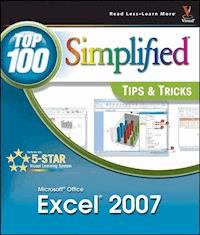
You already know Excel 2007. Now you'd like to go beyond withshortcuts, tricks, and tips that let you work smarter and faster.And because you learn more easily when someone shows you how, thisis the book for you. Inside, you'll find clear, illustratedinstructions for 100 tasks that reveal cool secrets, teachtimesaving tricks, and explain great tips guaranteedto make youmore productive with Excel 2007. * Minimal text and maximum illustrations * Task-oriented, step-by-step approach * Navigational aids connect instructions to illustrations * Self-contained, two-page lessons * Uniform layout makes it easy to read less, learn more How easy is it? Look for these symbols marking the difficulty of each task. * Demonstrates a new spin on a common task * Introduces a new skill or a new task * Combines multiple skills requiring in-depth knowledge * Requires extensive skill and may involve other technologies
Sie lesen das E-Book in den Legimi-Apps auf:
Seitenzahl: 254
Veröffentlichungsjahr: 2011
Ähnliche


















Excel® 2007: Top 100 Simplified® Tips & Tricks
Table of Contents
Excel® 2007: Top 100 Simplified® Tips & Tricks
by Denise Etheridge
Published by
Wiley Publishing, Inc.
111 River Street Hoboken, NJ 07030-5774
Published simultaneously in Canada
Copyright © 2007 by Wiley Publishing, Inc., Indianapolis, Indiana
Library of Congress Control Number: 2007926010 ISBN: 978-1-118-07895-2
Manufactured in the United States of America
10 9 8 7 6 5 4 3 2 1
No part of this publication may be reproduced, stored in a retrieval system or transmitted in any form or by any means, electronic, mechanical, photocopying, recording, scanning or otherwise, except as permitted under Sections 107 or 108 of the 1976 United States Copyright Act, without either the prior written permission of the Publisher, or authorization through payment of the appropriate per-copy fee to the Copyright Clearance Center, 222 Rosewood Drive, Danvers, MA 01923, 978-750-8400, fax 978-646-8600. Requests to the Publisher for permission should be addressed to the Legal Department, Wiley Publishing, Inc., 10475 Crosspoint Blvd., Indianapolis, IN 46256, 317-572-3447, fax 317-572-4355, online: www.wiley.com/go/permissions.
Trademark Acknowledgments
Wiley, the Wiley Publishing logo, Visual, the Visual logo, Simplified, Read Less - Learn More, and related trade dress are trademarks or registered trademarks of John Wiley & Sons, Inc. and/or its affiliates. Microsoft and Excel are registered trademarks of Microsoft Corporation in the U.S. and/or other countries. All other trademarks are the property of their respective owners. Wiley Publishing, Inc. is not associated with any product or vendor mentioned in this book.
Contact Us
For general information on our other products and services contact our Customer Care Department within the U.S. at 800-762-2974, outside the U.S. at 317-572-3993, or fax 317-572-4002.
For technical support please visit www.wiley.com/techsupport.
LIMIT OF LIABILITY/DISCLAIMER OF WARRANTY: THE PUBLISHER AND THE AUTHOR MAKE NO REPRESENTATIONS OR WARRANTIES WITH RESPECT TO THE ACCURACY OR COMPLETENESS OF THE CONTENTS OF THIS WORK AND SPECIFICALLY DISCLAIM ALL WARRANTIES, INCLUDING WITHOUT LIMITATION WARRANTIES OF FITNESS FOR A PARTICULAR PURPOSE. NO WARRANTY MAY BE CREATED OR EXTENDED BY SALES OR PROMOTIONAL MATERIALS. THE ADVICE AND STRATEGIES CONTAINED HEREIN MAY NOT BE SUITABLE FOR EVERY SITUATION. THIS WORK IS SOLD WITH THE UNDERSTANDING THAT THE PUBLISHER IS NOT ENGAGED IN RENDERING LEGAL, ACCOUNTING, OR OTHER PROFESSIONAL SERVICES. IF PROFESSIONAL ASSISTANCE IS REQUIRED, THE SERVICES OF A COMPETENT PROFESSIONAL PERSON SHOULD BE SOUGHT. NEITHER THE PUBLISHER NOR THE AUTHOR SHALL BE LIABLE FOR DAMAGES ARISING HEREFROM. THE FACT THAT AN ORGANIZATION OR WEBSITE IS REFERRED TO IN THIS WORK AS A CITATION AND/OR A POTENTIAL SOURCE OF FURTHER INFORMATION DOES NOT MEAN THAT THE AUTHOR OR THE PUBLISHER ENDORSES THE INFORMATION THE ORGANIZATION OR WEBSITE MAY PROVIDE OR RECOMMENDATIONS IT MAY MAKE. FURTHER, READERS SHOULD BE AWARE THAT INTERNET WEBSITES LISTED IN THIS WORK MAY HAVE CHANGED OR DISAPPEARED BETWEEN WHEN THIS WORK WAS WRITTEN AND WHEN IT IS READ.
FOR PURPOSES OF ILLUSTRATING THE CONCEPTS AND TECHNIQUES DESCRIBED IN THIS BOOK, THE AUTHOR HAS CREATED VARIOUS NAMES, COMPANY NAMES, MAILING, E-MAIL AND INTERNET ADDRESSES, PHONE AND FAX NUMBERS AND SIMILAR INFORMATION, ALL OF WHICH ARE FICTITIOUS. ANY RESEMBLANCE OF THESE FICTITIOUS NAMES, ADDRESSES, PHONE AND FAX NUMBERS AND SIMILAR INFORMATION TO ANY ACTUAL PERSON, COMPANY AND/OR ORGANIZATION IS UNINTENTIONAL AND PURELY COINCIDENTAL.
U.S. Sales Contact Wiley at (800) 762-2974 or fax (317) 572-4002.
Praise for Visual Books
“I have to praise you and your company on the fine products you turn out. I have twelve Visual books in my house. They were instrumental in helping me pass a difficult computer course. Thank you for creating books that are easy to follow. Keep turning out those quality books.”
Gordon Justin (Brielle, NJ)
“What fantastic teaching books you have produced! Congratulations to you and your staff. You deserve the Nobel prize in Education. Thanks for helping me understand computers.”
Bruno Tonon (Melbourne, Australia)
“A Picture Is Worth A Thousand Words! If your learning method is by observing or hands-on training, this is the book for you!”
Lorri Pegan-Durastante (Wickliffe, OH)
“Over time, I have bought a number of your ‘Read Less - Learn More’ books. For me, they are THE way to learn anything easily. I learn easiest using your method of teaching.”
José A. Mazón (Cuba, NY)
“You’ve got a fan for life!! Thanks so much!!”
Kevin P. Quinn (Oakland, CA)
“I have several books from the Visual series and have always found them to be valuable resources.”
Stephen P. Miller (Ballston Spa, NY)
“I have several of your Visual books and they are the best I have ever used.”
Stanley Clark (Crawfordville, FL)
“Like a lot of other people, I understand things best when I see them visually. Your books really make learning easy and life more fun.”
John T. Frey (Cadillac, MI)
“I have quite a few of your Visual books and have been very pleased with all of them. I love the way the lessons are presented!”
Mary Jane Newman (Yorba Linda, CA)
“Thank you, thank you, thank you...for making it so easy for me to break into this high-tech world.”
Gay O’Donnell (Calgary, Alberta,Canada)
“I write to extend my thanks and appreciation for your books. They are clear, easy to follow, and straight to the point. Keep up the good work! I bought several of your books and they are just right! No regrets! I will always buy your books because they are the best.”
Seward Kollie (Dakar, Senegal)
“I would like to take this time to thank you and your company for producing great and easy-to-learn products. I bought two of your books from a local bookstore, and it was the best investment I’ve ever made! Thank you for thinking of us ordinary people.”
Jeff Eastman (West Des Moines, IA)
“Compliments to the chef!! Your books are extraordinary! Or, simply put, extra-ordinary, meaning way above the rest! THANKYOU THANKYOU THANKYOU! I buy them for friends, family, and colleagues.”
Christine J. Manfrin (Castle Rock, CO)
Credits
Project Editor
Sarah Hellert
Acquisitions Editor
Jody Lefevere
Copy Editor
Kim Heusel
Technical Editor
Suzanne Borys, PhDJames Floyd Kelly
Editorial Manager
Robyn Siesky
Business Manager
Amy Knies
Editorial Assistant
Laura Sinise
Manufacturing
Allan ConleyLinda CookPaul GilchristJennifer Guynn
Book Design
Kathie Rickard
Production Coordinator
Erin Smith
Layout
Carrie A. FosterJennifer MayberryHeather PopeAmanda Spagnuolo
Screen Artist
Jill A. Proll
Proofreader
Broccoli Information Management
Quality Control
Cynthia FieldsJessica KramerCharles Spencer
Indexer
Infodex Indexing Services, Inc.
Wiley Bicentennial Logo
Richard J. Pacifico
Special Help
Malinda McCainBarbara MooreChristine Williams
Vice President and Executive Group Publisher
Richard Swadley
Vice President and Publisher
Barry Pruett
Composition Director
Debbie Stailey
About the Author
Denise Etheridge is a certified public accountant as well as the president and founder of Baycon Group, Inc. She publishes Web sites, provides consulting services on accounting-related software, and authors computer-related books. You can visit www.baycongroup.com to view her online tutorials.
This book is dedicated to my mother, Catherine Austin Etheridge
How To Use This Book
Excel 2007: Top 100 Simplified® Tips & Tricks includes 100 tasks that reveal cool secrets, teach timesaving tricks, and explain great tips guaranteed to make you more productive with Excel. The easy-to-use layout lets you work through all the tasks from beginning to end or jump in at random.
Who is this book for?
You already know Excel basics. Now you’d like to go beyond, with shortcuts, tricks, and tips that let you work smarter and faster. And because you learn more easily when someone shows you how, this is the book for you.
Conventions Used In This Book
Steps
This book uses step-by-step instructions to guide you easily through each task. Numbered callouts on every screen shot show you exactly how to perform each task, step by step.
Tips
Practical tips provide insights to save you time and trouble, caution you about hazards to avoid, and reveal how to do things in Excel 2007 that you never thought possible!
Task Numbers
Task numbers from 1 to 100 indicate which lesson you are working on.
Difficulty Levels
For quick reference, the symbols below mark the difficulty level of each task.
Demonstrates a new spin on a common task
Introduces a new skill or a new task
Combines multiple skills requiring in-depth knowledge
Requires extensive skill and may involve other technologies
Chapter 1: Boost Your Efficiency
You can use Microsoft Excel 2007 to work with numbers. In fact, wherever you use numbers — doing taxes, running a small business, maintaining a budget, or anything else — Excel can help make your work easier, quicker, and more accurate.
Excel 2007 provides you with many ways to enter, present, explore, and analyze data. This chapter focuses on ways in which you can boost your efficiency when using Excel. You learn how to use the Excel AutoFill feature, to group and outline, to check the accuracy of your data and more.
The AutoFill feature enables you to fill a row or column quickly with a series of values, numbers, dates, or times generated from one or more values you have entered. This chapter will show you how to use the AutoFills that come standard with Excel and how to create your own AutoFills.
You can use grouping and outlining to hide parts of your worksheet, enabling you to focus in on the data in which you are interested, thereby making data analysis easier. This chapter steps you through the process of grouping and outlining.
Sometimes you may want to double-check the accuracy of your data. One of the final tasks in this chapter teaches you how you can increase the accuracy of your data entry by letting Excel read back your data to you.
Validate with a Validation List
Validate with Data Entry Rules
Extend a Series with AutoFill
Insert Symbols or Special Characters
Hide Rows by Grouping and Outlining
Find and Replace Formats
Add Comments to Your Worksheet
Let Excel Read Back Your Data
Create Your Own Sort or AutoFill
Validate with a Validation List
Excel enables you to restrict the values a user can enter in a cell. By restricting values, you ensure that your worksheet entries are valid and that calculations based on them thereby are valid as well. During dataentry, a validation list forces anyone using your worksheet to select a value from a drop-down menu rather than typing it and potentially typing the wrong information. In this way, validation lists save time and reduce errors.
Lesen Sie weiter in der vollständigen Ausgabe!
Lesen Sie weiter in der vollständigen Ausgabe!
Lesen Sie weiter in der vollständigen Ausgabe!
Lesen Sie weiter in der vollständigen Ausgabe!
Lesen Sie weiter in der vollständigen Ausgabe!
Lesen Sie weiter in der vollständigen Ausgabe!
Lesen Sie weiter in der vollständigen Ausgabe!
Lesen Sie weiter in der vollständigen Ausgabe!
Lesen Sie weiter in der vollständigen Ausgabe!




