


23,99 €
Mehr erfahren.
- Herausgeber: Packt Publishing
- Kategorie: Wissenschaft und neue Technologien
- Sprache: Englisch
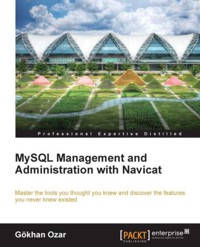
Any database designer who wants to accomplish both everyday tasks and more advanced actions with a few clicks or drag-and-drops can now do so using Navicat's advanced tools and this book.
Starting with the basics before progressing with advanced features, this book can be read from cover to cover, or simply used as a reference guide for any problems you encounter.
The book features 'work along' tutorials, some of which will surprise you by revealing features of Navicat which you may never have known existed ñ features such as designing functions and stored procedures, event triggers, creating batch jobs and scheduling.
"MySQL Management and Administration with Navicat" is an ideal resource to master Navicat and unlock its true potential.
Das E-Book können Sie in Legimi-Apps oder einer beliebigen App lesen, die das folgende Format unterstützen:
Seitenzahl: 144
Veröffentlichungsjahr: 2012
Ähnliche



















Table of Contents
MySQL Management and Administration with Navicat
MySQL Management and Administration with Navicat
Copyright © 2012 Packt Publishing
All rights reserved. No part of this book may be reproduced, stored in a retrieval system, or transmitted in any form or by any means, without the prior written permission of the publisher, except in the case of brief quotations embedded in critical articles or reviews.
Every effort has been made in the preparation of this book to ensure the accuracy of the information presented. However, the information contained in this book is sold without warranty, either express or implied. Neither the author, nor Packt Publishing, and its dealers and distributors will be held liable for any damages caused or alleged to be caused directly or indirectly by this book.
Packt Publishing has endeavored to provide trademark information about all of the companies and products mentioned in this book by the appropriate use of capitals. However, Packt Publishing cannot guarantee the accuracy of this information.
First published: September 2012
Production Reference: 1060912
Published by Packt Publishing Ltd.
Livery Place
35 Livery Street
Birmingham B3 2PB, UK.
ISBN 9781849687-46-1
www.packtpub.com
Cover Image by Artie Ng (<[email protected]>)
Credits
Author
Gökhan Ozar
Reviewers
Nick Au
Matthew Yau
Acquisition Editor
Alex Newbury
Lead Technical Editor
Alex Newbury
Technical Editor
Kaustubh S. Mayekar
Copy Editor
Insiya Morbiwala
Project Coordinator
Abhishek Kori
Proofreader
Maria Gould
Indexer
Monica Ajmera Mehta
Production Coordinator
Nitesh Thakur
Cover Work
Nitesh Thakur
About the Author
Gökhan Ozar is an IT professional with both hands-on and outsourcing expertise in the areas of application development, database design, data analysis, project management, systems integration, training, support, and delegation of support.
A graduate in 1999 of Bilkent University in Ankara, Turkey, he started his career as a Web Designer and Developer, making database-driven web applications on a variety of platforms.
During his high school years at the age of 16, he was known within the Mac user communities in Turkey as the maker of an adventure game called The Journey, made exclusively for older Macs running on Mac OS versions prior to OS X.
He has had experience in various domains of IT, such as business intelligence, data warehousing, and quality assurance, besides software development mainly on Java EE and .NET platforms. He went on to build his career working with the Business Process Management/Electronic Document Workflow software.
He also runs several blogs, which are accessible from his personal website at http://gokhan.ozar.net, and also welcomes new followers on Twitter (twitter.com/skyhan).
About the Reviewers
Nick Au, who graduated from the Hong Kong University of Science and Technology, has been working as a Software Developer at PremiumSoft for over 10 years. Now he is the lead developer for the Windows version of Navicat, leading a team of over 10 programmers.
Matthew Yau joined PremiumSoft after he graduated from the Hong Kong Polytechnic University in 2000. After taking up a position in web programming for the first 2 years, he has focused on developing the Navicat series since 2002. Now, he is working at the managerial level for the development of Navicat and other softwares for the Company.
www.PacktPub.com
Support files, eBooks, discount offers, and more
You might want to visit www.PacktPub.com for support files and downloads related to your book.
Did you know that Packt offers eBook versions of every book published, with PDF and ePub files available? You can upgrade to the eBook version at www.PacktPub.com and as a print book customer, you are entitled to a discount on the eBook copy. Get in touch with us at <[email protected]> for more details.
At www.PacktPub.com, you can also read a collection of free technical articles, sign up for a range of free newsletters and receive exclusive discounts and offers on Packt books and eBooks.
http://PacktLib.PacktPub.com
Do you need instant solutions to your IT questions? PacktLib is Packt's online digital book library. Here, you can access, read and search across Packt's entire library of books.
Why Subscribe?
Free Access for Packt account holders
If you have an account with Packt at www.PacktPub.com, you can use this to access PacktLib today and view nine entirely free books. Simply use your login credentials for immediate access.
Instant Updates on New Packt Books
Get notified! Find out when new books are published by following @PacktEnterprise on Twitter, or the Packt Enterprise Facebook page.
Preface
Navicat is a GUI tool used for managing every aspect of a MySQL Server, such as managing visual tools as well as an intelligent code editor for handcoding SQL and stored procedures. While some of its features are fairly intuitive, some of them require guidance to be discovered and learned.
The book starts with creating basic server connection setups, designing databases from scratch, or importing existing data. Then it continues with using advanced features, such as designing functions and stored procedures, creating event triggers, and creating and scheduling batch jobs.
The chapters are ordered in a logical progression, where the user starts from simple structures to complex design, and is gradually introduced to advanced features. By the end of the last chapter, the reader should be able to handle every aspect of database administration as well as how to master the intelligent code editor, in the case of a development need, such as functions and procedures.
For intermediate and advanced level MySQL users and administrators, the book could be used as a reference guide, and chapters need not be followed in any order.
What this book covers
Chapter 1, Getting Started, gives an introduction to the Navicat Database Administration tool with a GUI and describes how to set up different kinds of connections, from basic settings to advanced configurations.
Chapter 2, Working with Databases, discusses the fundamentals of working with database objects, such as tables, views, functions, and events, along with designing queries using Navicat's visual tools.
Chapter 3, Data Management with Navicat, takes you through the process of data management. The topics covered are import and export of data in a variety of formats, direct data transfer between different databases, data and structure synchronization, backup/restore operations, and creating and scheduling of batch jobs.
Chapter 4, Data Modeling with Navicat, guides you through the steps involved in visual data modeling, so as to help us learn how to design data models using GUI tools; create, edit, and manipulate table structures from within the visual editor; forward-engineer a data model into a .sql file; and reverse-engineer an existing database into visual representations.
Chapter 5 , Database Maintenance and Security Management, discusses the essentials of basic DBA functions regarding the security and maintenance of MySQL using Navicat. It walks you through the necessary steps to create and edit MySQL users, manage the access privileges, and perform maintenance tasks, such as database analysis, optimization, and repairs.
Chapter 6, Designing Reports with Navicat, discusses report design and provides instructions on the various steps involved in conceiving, creating, and customizing reports based on your MySQL database objects.
Appendix, Additional Tips and Tricks, provides some additional tips and tricks to make the most of Navicat, with guided instructions on how to copy your settings to another Navicat user or computer, monitor the MySQL server, intervene the running processes, power search databases, and discover a new way of designing queries.
What you need for this book
To run the examples in the book, the following software will be required:
Who this book is for
This book is especially for:
Non-IT people who just want to extract sensible data from a MySQL database (both novice and expert), and people who need to have at least some basic knowledge of databases in a client/server architecture will find this book useful.
Beginners can learn from scratch the fundamentals of database design and administration (and even some development), especially, thanks to the tutorials featured in this book.
Experts can unlock certain mysteries of Navicat, which consist of useful, but seemingly hidden or unobvious features.
Reader feedback
Feedback from our readers is always welcome. Let us know what you think about this book—what you liked or may have disliked. Reader feedback is important for us to develop titles that you really get the most out of.
To send us general feedback, simply send an e-mail to <[email protected]>, and mention the book title through the subject of your message.
If there is a topic that you have expertise in and you are interested in either writing or contributing to a book, see our author guide on www.packtpub.com/authors.
Customer support
Now that you are the proud owner of a Packt book, we have a number of things to help you to get the most from your purchase.
Errata
Although we have taken every care to ensure the accuracy of our content, mistakes do happen. If you find a mistake in one of our books—maybe a mistake in the text or the code—we would be grateful if you would report this to us. By doing so, you can save other readers from frustration and help us improve subsequent versions of this book. If you find any errata, please report them by visiting http://www.packtpub.com/support, selecting your book, clicking on the erratasubmissionform link, and entering the details of your errata. Once your errata are verified, your submission will be accepted and the errata will be uploaded to our website, or added to any list of existing errata, under the Errata section of that title.
Piracy
Piracy of copyright material on the Internet is an ongoing problem across all media. At Packt, we take the protection of our copyright and licenses very seriously. If you come across any illegal copies of our works, in any form, on the Internet, please provide us with the location address or website name immediately so that we can pursue a remedy.
Please contact us at <[email protected]> with a link to the suspected pirated material.
We appreciate your help in protecting our authors, and our ability to bring you valuable content.
Questions
You can contact us at <[email protected]> if you are having a problem with any aspect of the book, and we will do our best to address it.
Chapter 1. Getting Started
This chapter is intended as an introduction to the Navicat Database Administration tool with a graphical user interface (GUI), and describes how to set up different kinds of connections and basic settings to advanced configurations, such as SSH, to an installed MySQL server. In this chapter, you will learn about the following:
Enter Navicat
Navicat is not only a powerful, sophisticated, and easy-to-use database administration tool with a GUI , but also a very useful aide for developers who work on database-driven applications. It is available for Windows, Mac, and Linux.
NavicatforMySQL is the first member of the Navicat family with advanced features allowing you to import/export data, back up, or transfer an entire database to another server and design queries in a GUI with point-and-click and drag-and-drop features.
NavicatPremium is the ultimate member of the family, an all-in-one database administration, and migration tool combining all Navicat versions enabling the user to connect to MySQL, SQL Server, SQLite, Oracle, and PostgreSQL databases simultaneously within a single application, making database administration of multiple brands of databases substantially easier.
While databases other than MySQL are outside the scope of this book, you may want to check out other titles from Packt, such as those on Oracle database (www.packtpub.com/books/oracle-database) and Microsoft SQL Server (www.packtpub.com/books/microsoft-sql-server).
Navicat is not a free product, but you can easily obtain a 30-day evaluation from the website of PremiumSoft, the company that created the product and brought it to the market.
Throughout the book, the examples will be shown using Navicat Premium version 10.0.9, although you can follow every example and exercise using Navicat for MySQL 10.0.9. Even if you have a version of Navicat as old as v.8.0, you should be able to keep up with the book for most of the examples.
To download Navicat, you can go to www.navicat.com/download/download.html and get either Navicat for MySQL or Navicat Premium. The most up-to-date version was 10.0.9 at the time of this writing.
Setting up a connection to the database
At this point, I assume you already have your MySQL server installed, set up, and running as well as Navicat, so that we can get our hands dirty with Navicat right away.
To launch Navicat in Windows 7 and earlier, go to Start menu | All Programs | PremiumSoft and click on the version of Navicat you have installed on your PC.
If you're using a Mac, Navicat should simply be in your Applications folder unless you dragged and dropped it elsewhere from the installer window.
In order to define a new connection, go to the File menu or the Connection button, which is the first icon in the Navicat's main toolbar (or ribbon, as we might call it) and select File | New Connection | MySQL




