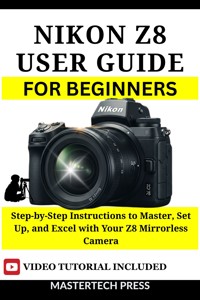
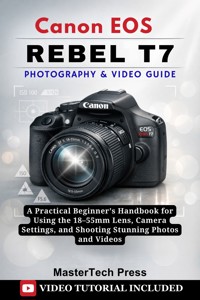
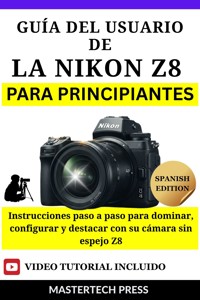
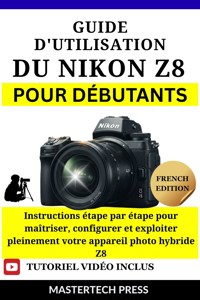
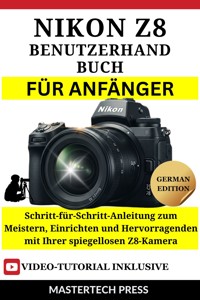
Nikon Z8 User Guide for Beginners
Step-by-Step Instructions to Master, Set Up, and Excel with Your Z8 Mirrorless Camera
MasterTech Press
Copyright © 2025 MasterTech Press
All rights reserved. No part of this publication may be reproduced, distributed, or transmitted in any form or by any means, including photocopying, recording, or other electronic or mechanical methods, without the prior written permission of the publisher, except in the case of brief quotations embodied in critical reviews and certain other noncommercial uses permitted by copyright law
Disclaimer
The information provided in this book is intended for educational and informational purposes only. While every effort has been made to ensure the accuracy of the content, the author and publisher do not assume any responsibility for errors, omissions, or inaccuracies in the material. The use of the Nikon Z8 camera, accessories, or any settings mentioned in this guide is at your own risk.
The Nikon Z8 is a product of Nikon Corporation, and the brand names, trademarks, and logos used in this book are the property of their respective owners. This guide is an independent work and is not endorsed, sponsored, or affiliated with Nikon or any of its subsidiaries.
The author does not guarantee that the tips, techniques, or settings described will result in specific outcomes or that they will be applicable to all users or all shooting scenarios. Users are encouraged to refer to the official Nikon Z8 manual and resources provided by Nikon for official guidance and support.
By purchasing and using this guide, you acknowledge and agree that the author, publisher, and affiliates are not liable for any direct, indirect, incidental, or consequential damages that may arise from the use or misuse of the content within this book.
Contents
Introduction
Who This Guide Is For
What You Can Expect to Learn
How to Use This Guide for Maximum Success
Why This Guide Will Change the Way You Shoot
Chapter 1: Getting Started with the Nikon Z8
Unboxing Your Nikon Z8
Charging Your Battery and Preparing the Camera
Understanding the Camera Body Layout
Attaching the Lens for the First Time
How to Insert and Format Memory Cards
Chapter 2: Understanding Nikon Z8 Features and Key Components
Overview of the Nikon Z8’s Key Features
Button Layout: What Each Button Does
Customizing Buttons for Quick Access
How to Customize the Buttons
Chapter 3: Setting Up Your Nikon Z8
Initial Setup: Language, Date, and Time
Inserting and Formatting Memory Cards
Charging and Inserting the Battery
Setting Custom Function Buttons for Quick Access
Adjusting the Diopter for the Viewfinder
Chapter 4: Mastering Nikon Z8’s Autofocus System
Understanding AF Modes: Single, Continuous, and Hybrid
Tracking Moving Subjects with 3D Tracking
Using the Focus Point: Customizing for Precision
Focus Peaking for Manual Focus
Troubleshooting Autofocus Issues
Chapter 5: Exploring Nikon Z8’s Photography Settings
Choosing the Right Shooting Mode: Auto vs. Manual
Aperture Priority, Shutter Priority, and Manual Mode Explained
ISO Settings and Managing Noise
Using the Histogram for Proper Exposure
White Balance: How to Get Accurate Colors
Metering Modes and How They Affect Your Shot
Real-World Photography Scenarios (Outdoor, Portrait, Action)
Chapter 6: Getting Creative with Nikon Z8’s Exposure Settings
Exposure Compensation and When to Use It
Understanding the Exposure Triangle
Using the Live View for Exposure Control
Bracketing for HDR Shots
Using Long Exposure Techniques for Artistic Shots
Special Effects with Nikon Z8 (Black and White, Sepia, etc.)
Chapter 7: Capturing High-Quality Videos with the Nikon Z8
Understanding 8K and 4K Video Options
Choosing the Best Video Resolution and Frame Rate
ProRes RAW and N-RAW: Advanced Video Features
Using the Nikon Z8’s Autofocus for Smooth Video
Stabilization and Lens Recommendations for Video
Audio Settings and External Microphone Setup
Tips for Professional-Quality Video Production
Chapter 8: Customizing Your Nikon Z8 for Personal Use
Custom Buttons: Creating Your Personal Setup
Assigning Frequently Used Features to the Function Buttons
Using the My Menu for Quick Access to Settings
Setting Up Auto Focus and Custom AF Points
Adjusting Image Quality and File Formats
Saving Custom Profiles for Different Shooting Situations
Chapter 9: Advanced Features and Settings
Time-lapse Photography with Nikon Z8
Using the Interval Timer for Long-Term Projects
Managing High-Speed Burst Photography
Enabling Wireless Features: Bluetooth and Wi-Fi for Remote Shooting
Using Nikon’s SnapBridge App for Easy Sharing and Control
Using External Flash and Lighting for Professional Shoots
Chapter 10: Maintaining Your Nikon Z8
Cleaning the Camera: Sensor and Lens Care
Firmware Updates: How and When to Update Your Z8
Troubleshooting Common Issues
Proper Storage and Handling to Protect Your Gear
Extending Battery Life and Maximizing Performance
Protecting Your Z8 During Outdoor Shoots
Chapter 11: Frequently Asked Questions
Common Questions from New Z8 Users
Troubleshooting Tips for Quick Fixes
How to Avoid Common Mistakes in Photography and Video
Maximizing Your Z8’s Battery Life
Conclusion
Further Reading
BONUS: VIDEO TUTORIAL
Introduction
Congratulations on your new Nikon Z8! If you’ve found yourself holding this powerhouse of a camera in your hands, you’re likely already aware that this is no ordinary piece of equipment. The Nikon Z8 isn’t just another mirrorless camera—it’s a game-changer for both photographers and videographers alike. But with all of its incredible features, high-resolution capabilities, and advanced settings, it can also feel a bit intimidating if you’re new to this level of technology. That’s where this guide comes in.
Imagine having a camera that allows you to capture breathtaking photos in stunning 45.7MP detail, shoot cinematic 8K video, and track fast-moving subjects with pinpoint autofocus—this is the Nikon Z8, and it’s built to help you bring your creative vision to life. But like any powerful tool, its true potential isn’t immediately apparent when you first turn it on. This guide is here to unlock that potential for you.
You don’t need to be a professional photographer or videographer to get the most out of this camera. In fact, this guide is specifically designed for beginners—whether you’re stepping up from a smartphone or a simpler digital camera, or whether you’re new to mirrorless systems altogether. With a friendly, approachable tone and easy-to-follow, step-by-step instructions, we’ll help you quickly learn the ins and outs of your Nikon Z8.
We know that diving into a camera like the Z8 can feel like learning a new language. There are so many buttons, menus, and settings to explore. But don’t worry. In this guide, we break everything down into simple, digestible pieces. From setting up your camera for the first time, to unlocking advanced video features, to taking control of the camera’s professional-grade autofocus, you’ll find all the information you need to start shooting with confidence—no matter your skill level.
Who This Guide Is For
This guide is for anyone who has just unpacked their Nikon Z8 and wants to hit the ground running. If you’ve ever felt overwhelmed by the sheer number of features a professional camera offers, don’t fret—you’re not alone. We’ve all been there. Whether you’ve never used a DSLR or mirrorless camera before or you’re upgrading from an older model, this guide will take you from beginner to confident user in no time.
If you’re a photographer with dreams of capturing crisp, detailed landscapes, beautiful portraits, or stunning night photography, the Z8 is here to help you bring that vision to life. Maybe you’re a budding videographer, ready to explore the world of 4K and 8K filming, seeking a camera that can shoot professional-grade video without breaking the bank. Or perhaps you’re just someone who’s always wanted to step up their creative game with a camera that will grow with you as your skills improve. If any of that sounds like you, then this guide is made specifically for you.
This guide is also for those of you who want to take the mystery out of all those buttons and settings. We’re going to walk you through the Z8’s various functions, features, and settings in a way that makes sense, ensuring you never feel like you’re drowning in technical jargon. By the end of this book, you’ll understand the why behind each setting and how to adjust it to capture the perfect shot or video every time.
What You Can Expect to Learn
Inside this guide, you’ll discover everything you need to get the most out of your Nikon Z8. We’ll start with the basics—unboxing the camera, charging the battery, and setting it up for the first time. Then, as you gain confidence, we’ll explore its key features and how to leverage them in real-world shooting situations. Here's a glimpse of what’s in store:
Camera Setup and Customization: From the first time you power it on, you’ll learn how to set up your Z8, customize the buttons, and tweak the settings to suit your unique shooting style.
Mastering Autofocus: Nikon’s autofocus system on the Z8 is one of the best in the business, and we’ll show you exactly how to use it for fast-moving subjects, portrait shots, and everything in between.
Photography Features: You’ll learn how to navigate through shooting modes, control exposure, adjust ISO, and set white balance for different lighting conditions. We’ll also dive into advanced techniques, like long exposures, bracketing, and creating stunning HDR shots.
Video Capabilities: The Z8’s 8K and 4K video modes are mind-blowing. Whether you’re looking to capture high-quality YouTube videos, cinematic B-roll, or pro-level footage, this guide will teach you how to use the Z8’s video features like a pro.
Troubleshooting: We’ll cover common issues beginners face and how to troubleshoot them, along with tips to maintain your camera’s performance for years to come.
By the end of this guide, you’ll be equipped with the knowledge you need to take your photography and videography to the next level, confidently utilizing every feature the Z8 has to offer.
How to Use This Guide for Maximum Success
The Nikon Z8 is an incredible camera, but to truly unlock its potential, you’ll need to take it one step at a time. That’s where this guide comes in. We recommend reading each chapter in order, as we’ve designed the flow to gradually build your knowledge, from setting up the camera to mastering its advanced settings. Each chapter contains practical, real-world examples and exercises designed to help you apply what you’ve learned.
As you move through the chapters, don’t be afraid to experiment with the settings and features we cover. The best way to learn a camera like the Z8 is by practicing and making mistakes. We’ll be here to guide you every step of the way.
You’ll also find helpful images and diagrams throughout the guide that will give you visual examples of settings, buttons, and camera layouts. We encourage you to refer back to these visuals whenever you need a quick refresher.
And remember: This isn’t just a guide to reading. It’s a guide to learning. As you master each new feature, you’ll be ready to take on the next challenge, whether it’s shooting your first professional-level portrait, capturing a dynamic video sequence, or simply pushing the limits of your creativity.
Why This Guide Will Change the Way You Shoot
By following the instructions in this guide, you’ll unlock the true potential of your Nikon Z8. It’s not just about knowing how to press buttons; it’s about understanding the craft of photography and video creation. You’ll gain the knowledge and confidence to approach any shooting situation with ease—whether you’re shooting at night, in challenging lighting conditions, or during fast-paced action scenes.
This guide doesn’t just teach you how to use a camera; it’s designed to teach you how to become a better photographer and videographer. When you understand the why behind every setting and feature, you’ll be able to make quick decisions on the fly, confident that you’re getting the best shot possible.
The Nikon Z8 is an incredible tool, but it’s up to you to make the most of it. By the end of this guide, you’ll have the skills to produce professional-quality work, whether you’re shooting for personal projects, professional gigs, or just for fun.
Let’s Get Started!
Ready to dive in? It’s time to start your Nikon Z8 journey. This guide is packed with all the information you need to master your new camera, and we’re excited to be with you every step of the way. Grab your Z8, open up the first chapter, and let’s get started!
Chapter 1: Getting Started with the Nikon Z8
Unboxing Your Nikon Z8
The moment you’ve been waiting for has arrived. You’ve purchased the Nikon Z8, and now it’s time to dive into your new world of professional photography and videography. Unboxing a new camera is always exciting, but when you’ve invested in a camera like the Nikon Z8, that excitement comes with a sense of anticipation. The Z8 isn’t just any camera; it’s a tool that will allow you to capture breathtaking images and videos, unlocking your creative potential.
As you open the box, take a moment to appreciate the care and design that has gone into packaging this piece of technology. The Nikon Z8 is sleek, sophisticated, and built with the kind of precision you'd expect from Nikon’s flagship products. Whether you're a seasoned photographer or a beginner, this camera represents a leap forward in both technology and craftsmanship. Let’s take a close look at what’s inside and set the stage for a smooth setup.
What’s in the Box?
Before we get into the fun stuff, let’s first go through the contents of the box. Nikon has a reputation for well-packaged products, and the Z8 is no exception. Once you lift the lid, you’ll find the following essentials neatly arranged:
Nikon Z8 Camera Body
The heart of the system, this full-frame mirrorless body is built for both serious photographers and videographers. It’s compact but packed with power, featuring a 45.7MP sensor and 8K video recording. This is the centerpiece, and everything else in the box is here to complement and support it.
EN-EL15c Rechargeable Battery
The Nikon Z8 comes with the EN-EL15c lithium-ion rechargeable battery, known for its long-lasting performance. Depending on how you use your camera (shooting stills, videos, or live view), the battery life will vary. However, always charge a backup battery, especially for long shoots.
Battery Charger (MH-25a)
The charger ensures you can keep your batteries powered up and ready to go. It’s simple to use—just plug it into the wall and slot the battery in.
USB Type-C Cable
For charging or transferring images and videos directly to your computer or device, the USB Type-C cable allows for fast data transfer and efficient charging.
Strap
The Nikon Z8 includes a camera strap for comfort and safety while shooting. It’s sturdy and adjustable, ensuring your camera is secure on your person during transport.
Viewfinder Cap
The viewfinder cap protects the electronic viewfinder (EVF) from dust and scratches when not in use. It’s a small but essential item to ensure the longevity of your camera.
User Manual and Warranty Information
While you’ll mostly be using this guide to help you set up and learn the Nikon Z8, Nikon also includes a printed user manual for quick reference. You’ll also find warranty information in case you need it.
Accessory Kit (optional)
Depending on where you bought your Z8, some kits may include additional items like a lens cleaning kit, HDMI cable, or SD card. Double-check to see if there are any extra accessories in your box.
Charging Your Battery and Preparing the Camera
Now that you’ve unboxed everything, it’s time to power up your Nikon Z8. The battery is vital to the camera’s operation, and it’s essential that you charge it before using it for an extended period.
Charging the EN-EL15c Battery
Plug the battery charger (MH-25a) into a power outlet, then slide the EN-EL15c battery into the charger. The charger will indicate with a red light that the battery is charging and a green light when it’s fully charged. Charging time can take around 2 hours, so it’s a good idea to charge it fully before your first use.
If you’re going on an extended shoot, consider purchasing additional batteries. The Z8's 8K video recording and rapid burst shooting can drain the battery quickly, so extra power is always a good idea.
Battery Insertion
Once the battery is fully charged, it’s time to insert it into the camera. Locate the battery compartment on the bottom of the camera. Open the compartment door, then insert the battery with the label facing upwards. Close the door securely to ensure the battery stays in place.
Powering On the Camera
With the battery inserted, you can now power up your Nikon Z8. Turn the power switch (located on the top right) to the "ON" position. The camera will boot up, and you’ll see the LCD screen light up with the Nikon Z8 logo.
Understanding the Camera Body Layout
Before you start capturing images, it’s important to get familiar with the layout of the Nikon Z8’s body. Understanding where the controls are will make shooting easier and faster.
Front of the Camera
Lens Mount: The Z8 uses the Nikon Z-mount system. The large mount allows for faster and better light transmission, making it ideal for both stills and video.
Custom Buttons: On the front right of the body, you’ll notice a few customizable buttons. These are helpful for quick access to functions like ISO, white balance, and focus modes.
Focus Mode Switch: Just below the lens mount, you’ll find the switch for manual and autofocus modes.
Top of the Camera
Mode Dial: The mode dial gives you quick access to shooting modes such as Auto, Aperture Priority (A), Shutter Priority (S), and Manual (M). It also includes specific settings for video.
Shutter Button: The shutter button is located on the top right. This is used to take still photos.
Display: The small LCD screen on the top provides quick information about settings such as shutter speed, aperture, and ISO.
Back of the Camera
LCD Screen: The Nikon Z8 features a tilting 3.2-inch LCD screen, which allows for flexible shooting angles. You can rotate it to face forward for selfies or downward for low-angle shots.
Control Dials: These dials are used to adjust settings like ISO, aperture, and shutter speed. The rear dial adjusts your exposure settings quickly while maintaining full control.
Menu Button: The "Menu" button is located in the middle of the rear section of the camera. This button gives you access to the full camera settings menu, where you can fine-tune all aspects of the Z8.
Attaching the Lens for the First Time
Now that you’re familiar with the camera body, it’s time to attach your first lens to the Nikon Z8. The Z8 uses Nikon’s Z-mount lenses, which provide exceptional quality and performance.
Preparing the Lens and Camera
Make sure both the camera body and the lens are clean before attaching them. Dust or smudges on the lens or mount can affect image quality. Use a lens blower to gently clean both before proceeding.
Aligning the Lens with the Mount
With the lens facing forward, line up the white dot on the lens with the corresponding white dot on the camera mount. Once aligned, gently insert the lens into the mount, then rotate it clockwise until it clicks into place. You’ll know the lens is secure when you hear the click.
Checking the Lens
Once the lens is attached, you can power up the camera. Check the display to ensure the lens is functioning properly, and take a few test shots to confirm that autofocus and image stabilization are working.
How to Insert and Format Memory Cards
To capture high-quality images and videos with your Nikon Z8, you’ll need a memory card. The Z8 supports CFexpress/XQD cards and SD cards (UHS-II), both of which are necessary to handle the high data rates required for 8K video and rapid continuous shooting.
Inserting the Memory Card
Open the memory card compartment on the side of the camera. The Z8 has two card slots: one for CFexpress/XQD cards and one for SD cards.
Insert the CFexpress/XQD card into the top slot and the SD card into the bottom slot, ensuring they are facing the correct direction. Press the card in gently until it clicks into place.
Formatting the Cards
Once the cards are inserted, you’ll need to format them for use with your Nikon Z8. This ensures the camera can write to the cards without any issues.
Go to the “Menu” on your Z8, navigate to the “Setup Menu,” and select “Format Memory Card.” Choose the appropriate slot and confirm the format. Remember, formatting a card will erase all data on it, so make sure you back up any important files before proceeding.
Verifying the Cards