


5,99 €
5,99 €
oder
-100%
Sammeln Sie Punkte in unserem Gutscheinprogramm und kaufen Sie E-Books und Hörbücher mit bis zu 100% Rabatt.
Mehr erfahren.
Mehr erfahren.
- Herausgeber: BookRix
- Kategorie: Wissenschaft und neue Technologien
- Sprache: Englisch
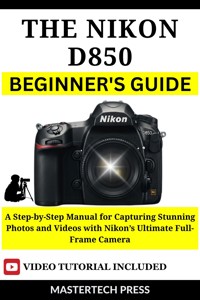
The Nikon D850 DSLR Beginner's Guide
Ready to take your photography to the next level? The Nikon D850 DSLR is packed with advanced features, but unlocking its full potential can be overwhelming for beginners. This comprehensive guide is designed to help you master your camera and start capturing breathtaking photos and videos with ease.
Inside this book, you will discover:
- A Beginner’s Roadmap: Clear, step-by-step instructions for setting up and using the Nikon D850, from the initial unboxing to understanding key settings like ISO, aperture, and shutter speed.
- Mastering Autofocus & Exposure: Learn how to use the camera’s powerful autofocus system and exposure settings to get the perfect shot every time, no matter the lighting or subject.
- Essential Lenses & Accessories: A guide to the best lenses and accessories for portraits, landscapes, and action shots, ensuring you have the right tools for every situation.
- Creative Techniques: Unlock advanced features like focus stacking, time-lapse photography, and long exposure to add creative flair to your work.
- Post-Processing Made Simple: Discover tips for editing your photos, including how to use RAW vs. JPEG, and the basics of editing in Lightroom and Photoshop.
- Troubleshooting & Maintenance: Quick fixes for common issues like blurry photos, plus tips for maintaining your camera and ensuring it performs at its best for years to come.
Das E-Book können Sie in Legimi-Apps oder einer beliebigen App lesen, die das folgende Format unterstützen:
Veröffentlichungsjahr: 2025
0,0
Bewertungen werden von Nutzern von Legimi sowie anderen Partner-Webseiten vergeben.
Legimi prüft nicht, ob Rezensionen von Nutzern stammen, die den betreffenden Titel tatsächlich gekauft oder gelesen/gehört haben. Wir entfernen aber gefälschte Rezensionen.
Ähnliche
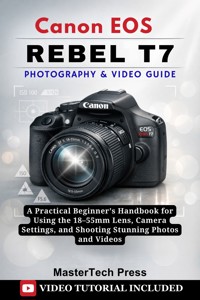
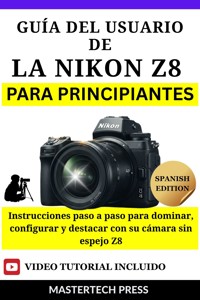
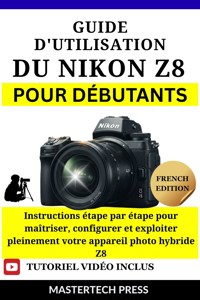
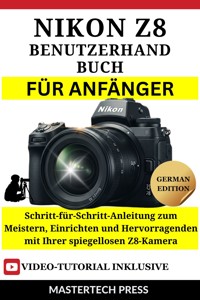
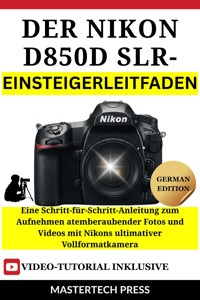



The Nikon D850 DSLR Beginner's Guide
A Step-by-Step Manual for Capturing Stunning Photos and Videos with Nikon’s Ultimate Full-Frame Camera
MasterTech Press
Copyright © 2025 MasterTech Press
All rights reserved. No part of this publication may be reproduced, distributed, or transmitted in any form or by any means, including photocopying, recording, or other electronic or mechanical methods, without the prior written permission of the publisher, except in the case of brief quotations embodied in critical reviews and certain other noncommercial uses permitted by copyright law
Disclaimer
The information in this guide is intended for educational purposes only. While every effort has been made to ensure the accuracy of the content, Author makes no representations or warranties regarding the completeness, reliability, or suitability of the information provided. The reader is solely responsible for their use of the Nikon D850 DSLR and any third-party products or services referenced in this guide.
The guide covers the functionality and features of the Nikon D850 DSLR as of its publication date. Changes in software, firmware, or product specifications may have occurred after the publication of this book, and we recommend checking the Nikon official website or consulting Nikon support for the most up-to-date information.
The publisher and the author(s) are not affiliated with Nikon Corporation, nor is this guide endorsed by Nikon. All product names, trademarks, and registered trademarks are the property of their respective owners.
Table of Contents
Introduction
Chapter 1: Getting Started with Your Nikon D850
Unboxing the Nikon D850: What’s Inside
Understanding the Camera Body and Buttons
Inserting the Battery and Memory Cards
Setting Up Your Camera for the First Time
Basic Settings: Language, Time, and Date
Chapter 2: Camera Modes and Settings
Understanding the Different Shooting Modes
How to Choose the Right Mode for Your Shots
Basic Camera Settings Overview
Customizing Your Camera Settings for Convenience
Chapter 3: Navigating the Nikon D850 Menus
What’s Inside the Nikon D850 Menu System?
How to Access and Customize Your Menu Settings
Exploring the Menu Categories
How to Customize Your Menu Settings
Quick Access Buttons and Custom Function Keys
Exploring the Info Display and Live View
What is Live View?
Chapter 4: Mastering Autofocus and Exposure
Understanding the Autofocus System: Single, Continuous, and Dynamic AF
Setting Focus Points for Sharp, Clear Images
Exposure Triangle: Shutter Speed, Aperture, and ISO
Metering Modes Explained (Matrix, Spot, and Center-weighted)
How to Achieve Proper Exposure in Different Lighting Conditions
Chapter 5: Capturing Stunning Photos
How to Take Great Landscape Shots with the Nikon D850
Portrait Photography Tips
Action and Sports Photography with Fast Autofocus
Low-Light Photography and Using the D850’s High ISO Capabilities
Macro and Close-Up Photography Techniques
Chapter 6: Shooting Video with the Nikon D850
Overview of Video Capabilities: 4K and Full HD
Key Features of Video on the Nikon D850
Using Manual Focus for Cinematic Shots
Audio Settings and Microphone Options for Clear Sound
Using External Microphones for Better Audio
Setting Levels for External Microphones
Tips for Smooth and Professional-Looking Video
Chapter 7: Post-Processing Your Images
Introduction to RAW vs JPEG: Which to Choose?
Basic Editing in Nikon’s ViewNX-i Software
Navigating the ViewNX-i Interface
Adjusting Exposure, Contrast, and Color Balance
Using Lightroom or Photoshop for Advanced Edits
Basic Adjustments in the Develop Module
Opening Your Image in Photoshop
Exporting Your Photos for Print and Web Use
Chapter 8: Advanced Features of the Nikon D850
Using Focus Stacking for Maximum Depth of Field
How to Set Up Focus Stacking on the Nikon D850
Tips for Successful Focus Stacking
Time-Lapse Photography with the Nikon D850
How to Set Up Time-Lapse Photography on the D850
Long Exposure Techniques and ND Filters
Using the Nikon D850 for Night Photography
Shooting in Different Weather Conditions
Shooting in Snow and Cold Conditions
Shooting in Bright Sunlight
Chapter 9: Troubleshooting and Maintenance
Common Issues and How to Fix Them (Blurry Photos, Focus Problems, etc.)
Cleaning and Caring for Your Camera
How to Maintain Your Camera’s Performance Over Time
Firmware Updates: Why They Matter and How to Install Them
Chapter 10: Customizing Your Nikon D850
Setting Custom Buttons for Quick Access to Settings
How to Set Up Custom Buttons on the Nikon D850
Custom Button Assignment Examples
Adjusting the Camera’s Autofocus and Metering for Your Style
Customizing Autofocus Settings for Your Style
Understanding Metering Modes
Using the Nikon D850’s Wireless Features (Wi-Fi, Bluetooth, and SnapBridge)
How to Set Up and Use Wi-Fi on the Nikon D850
How to Set Up and Use Bluetooth on the Nikon D850
SnapBridge App: Your Ultimate Mobile Companion
Creating Custom Presets for Different Shooting Scenarios
Chapter 11: Recommended Accessories and Lenses
Essential Lenses for Portrait, Landscape, and Action Photography
Best Accessories for Enhancing Your Nikon D850 Experience
Bags, Straps, and Other Must-Have Gear for the D850
Conclusion
Appendices
BONUS: VIDEO TUTORIAL
Introduction
Welcome to The Nikon D850 DSLR Beginner’s Guide—your gateway to mastering one of the most powerful and versatile cameras ever created. Whether you’re stepping up from a smartphone or upgrading from a beginner DSLR, this guide will transform your understanding of photography and video, helping you unlock the true potential of your Nikon D850.
You’ve chosen a remarkable camera. The Nikon D850 isn't just another DSLR—it's a masterpiece built to push the limits of what a camera can do. With a 45.7-megapixel full-frame sensor, 4K video recording, and a 153-point autofocus system, it’s a tool that allows you to capture stunning images and cinematic videos with ease. But like any high-end tool, it’s easy to get lost in its vast array of features if you don’t know where to start. That’s where this guide comes in.
What makes this book different is that it’s designed for beginners—those who may feel overwhelmed by the complexity of a pro-level camera but are eager to master it. You don’t need to be a technical expert to get beautiful results with the D850. In fact, this guide will show you how to get incredible shots and videos right out of the box. We’ll walk you through everything—from the very first setup to advanced shooting techniques—in a way that’s clear, simple, and engaging.
The truth is, the Nikon D850 is more than just a camera—it’s a creative tool that allows you to bring your vision to life. Whether you’re capturing the perfect sunset, shooting a high-action sporting event, or filming a family vacation, the D850’s stunning image quality and versatility will allow you to create work that rivals professional photographers. But first, you need to understand how to make it work for you—and that’s exactly what this guide will teach you.
You might be wondering, why should I keep reading? Well, here’s what this guide offers:
A step-by-step walkthrough to help you set up and use your camera efficiently and confidently.
Expert tips that simplify complex photography concepts, making them accessible and actionable.
Real-world scenarios where you’ll learn how to apply your new skills to capture extraordinary photos and videos in any situation.
Bonus insights and tricks from seasoned photographers to help you stand out in the crowded world of photography.
But this guide is more than just technical instructions—it’s about unlocking your creative potential. Once you understand how to harness the power of the Nikon D850, you’ll realize that the camera isn’t just a piece of equipment—it’s an extension of your creativity.
With each chapter, you’ll not only gain technical knowledge but also grow in your ability to see the world differently through your lens. From exposure settings and focus modes to advanced shooting techniques for dynamic compositions, by the end of this guide, you’ll be shooting like a pro. And don’t worry—you won’t have to memorize a bunch of confusing terms to get there.
In this book, we’ll strip away the jargon, break down every setting in simple terms, and give you a comprehensive understanding of how to make the Nikon D850 work for you—not the other way around.
Who is this guide for? If you're ready to take your photography or videography skills to new heights but have been hesitant to dive into the world of professional cameras, this is your perfect starting point. Whether you're an absolute beginner or someone who’s already tried DSLR photography but feels like you haven’t fully tapped into the camera’s potential, this book will guide you at your pace, offering insights and advice to suit your learning style.
The beauty of the Nikon D850 is that it doesn’t just make you a better photographer—it inspires you to experiment, try new things, and express yourself in ways you may have never imagined before. This guide is your creative companion on that journey. By the time you finish, you’ll have a solid understanding of how to use this camera’s advanced features to bring your unique vision to life.
So, are you ready to unlock the full potential of your Nikon D850? Let’s get started!
Chapter 1: Getting Started with Your Nikon D850
When you first pick up the Nikon D850, it's easy to feel both excited and a bit overwhelmed. The D850 is a sophisticated, high-performance DSLR that offers an incredible amount of power. With its large 45.7-megapixel sensor, fast autofocus system, and 4K video capabilities, it's a camera designed for both professional photographers and serious enthusiasts alike. But don't worry—while the camera has many features, it’s not difficult to learn how to use them with the right guidance.
If you’ve never used a professional DSLR before, the Nikon D850 may feel like a lot to take in at first. But trust me, it’s not as complicated as it seems. Think of this as your first step on an exciting photography journey where you’ll gradually unlock the full potential of this powerful camera. Let’s begin by unboxing your D850 and understanding everything that comes with it.
Unboxing the Nikon D850: What’s Inside
Opening the box of a new camera is always an exciting moment. When you first take your Nikon D850 out of its packaging, you’ll notice that it’s securely packed, ensuring the camera and accessories are well-protected. Here's what you should expect to find when you open the box:
Nikon D850 Camera Body: This is the main event—the camera itself. The D850 has a professional-grade build that feels solid in your hands. It’s not excessively heavy, but it has enough weight to make it feel like a quality, durable piece of equipment. As you hold the camera, you’ll notice its sleek design and the easy-to-reach controls on the body.
EN-EL15a Rechargeable Battery: The D850 uses the EN-EL15a rechargeable battery. This battery is fairly large, and it provides a good amount of power for long shoots. Depending on how often you use the camera, this battery should last you several hundred shots before it needs recharging.
Charger: The battery charger is included for easy recharging. You’ll need to connect the charger to an electrical outlet to charge your battery before your first use. It’s always good to have the battery fully charged before your first photo shoot, as this ensures you don’t run out of power while exploring the camera’s features.
USB Cable: This cable can be used to transfer your images and videos from your camera to your computer. It’s a standard USB-to-Micro-USB cable, and you can also use it to connect your camera to certain devices for remote shooting.
Neck Strap: The D850 comes with a Nikon-branded neck strap to make carrying your camera easier and more comfortable. If you plan to use your camera for long periods or in different environments, this strap can make a big difference in terms of comfort and security.
Quick Start Guide and Manuals: You’ll find a quick start guide, as well as more detailed manuals. The quick start guide is perfect for your first steps, but the full manual is packed with detailed information on every feature, button, and setting of your Nikon D850. For now, focus on the quick start guide to help you set things up.
Body Caps: There will be a body cap to protect the sensor and a rear lens cap. It’s important to keep these caps on when you’re not using your camera or when swapping lenses to protect the sensitive components inside.
Accessory Kit (sometimes included): Depending on where you buy your camera, you may also receive an accessory kit that includes things like a lens cleaning cloth, an SD card, or even additional cables for different types of connections.
Once you've unpacked everything, take a moment to ensure that all the components listed above are present and accounted for. If anything is missing or seems damaged, reach out to the seller or Nikon support for assistance.
Understanding the Camera Body and Buttons
Now that you've unboxed the Nikon D850, let’s take a closer look at the camera body itself. It’s essential to familiarize yourself with the layout of the buttons and features before you start shooting, as this will make using your camera much easier.
Here’s an overview of the key components:
Front of the Camera:
Lens Mount: The lens mount is where you attach the lens. The Nikon D850 uses the Nikon F-mount, which is compatible with many lenses in Nikon’s extensive lineup. Take note of the alignment marks to help you attach your lens securely.
Shutter Button: The shutter button is located on the top-right side of the camera (as you’re holding it). This is the button you’ll press to take photos. Half-pressing it activates autofocus, while pressing it all the way down takes the photo.
AF-ON Button: Located just behind the shutter button, the AF-ON button is a dedicated autofocus button. It’s used for back-button autofocus, allowing you to separate focus and shutter release for greater control.
Lens Release Button: This small button allows you to release and remove the lens from the camera body.
Back of the Camera:
LCD Screen: The 3.2-inch LCD screen on the back of the D850 displays your images and settings. This screen is also touch-sensitive, which means you can tap on it to change settings or focus.
Live View/Info Button: This button allows you to activate Live View, which is useful when you want to compose your shot without using the optical viewfinder. It’s also used to display detailed settings on the screen, giving you a live preview of your settings.
Multi-Selector (D-Pad): The multi-selector is the directional pad located near the bottom-right of the camera’s back. It’s used for navigating menus, adjusting settings, and moving the autofocus points on the screen.
Menu Button: The menu button opens up the camera's menu system, where you can adjust settings like exposure, focus, and shooting modes. This button is essential for customizing your camera to your specific needs.
Playback Button: After you’ve taken some photos, the playback button lets you review them on the LCD screen. It’s the button you press to see your captured images and zoom in for a detailed view.
Top of the Camera:
Mode Dial: This is one of the most important components of the Nikon D850. The mode dial allows you to switch between different shooting modes, such as Auto, Manual, Aperture Priority, and Shutter Priority. These modes control how much influence the camera has over settings like shutter speed, aperture, and ISO.
Exposure Compensation Dial: This dial helps adjust the exposure of your photos if they are too bright or too dark. It’s perfect for fine-tuning images without switching into manual mode.
ISO Button: Located just behind the mode dial, the ISO button allows you to quickly change the ISO setting, which controls the camera’s sensitivity to light.
On/Off Switch: This switch powers the camera on and off. It's typically located near the top-right of the camera body.
Inserting the Battery and Memory Cards
Before you start taking photos, you’ll need to insert the battery and memory card into the camera. This is a straightforward process, but it’s important to do it correctly to avoid any issues down the line.
Inserting the Battery:
Locate the Battery Compartment: The battery compartment is located on the bottom of the camera. To open it, slide the latch to the side.
Insert the Battery: The EN-EL15a battery is designed to fit into the compartment in only one direction. Look for the battery orientation guide inside the compartment, which shows you exactly how to insert the battery.
Close the Compartment: Once the battery is in place, close the compartment securely. Make sure it clicks into place, so you don’t accidentally open it while shooting.
Inserting the Memory Card:
Locate the Memory Card Slot: The memory card slot is just beneath the battery compartment. It holds an SD card, so make sure you’re using one that’s compatible with the D850.
Insert the Card: Gently push the SD card into the slot until it clicks into place. Make sure the card is oriented correctly (the label should face outward).
Close the Slot: Close the compartment carefully, ensuring the memory card is secure.
Setting Up Your Camera for the First Time
With the battery and memory card inserted, it’s time to power up your Nikon D850 and make some initial adjustments.
Turn the Camera On: Flip the On/Off switch located on the top of the camera to the "On" position.
Set the Language: The camera will prompt you to select your preferred language. Use the Multi-Selector to scroll through the available languages and press OK to confirm your selection.
Set the Time and Date: The next step will ask you to set the date and time. This is important for organizing your photos later, so set it correctly. Use the Multi-Selector to adjust the time, date, and format (12-hour or 24-hour). Press OK when you’re done.
Tip: If you travel to different time zones often, the D850 allows you to easily adjust the time and date through the camera’s menu system without needing to reset everything.
Basic Settings: Language, Time, and Date
Now that your camera is turned on, let's adjust a few basic settings to make sure everything is ready for your first shoot.




