


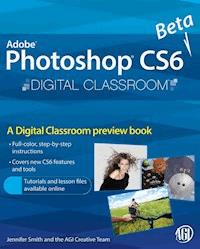
Photoshop CS6 Beta New Features E-Book
0,99 €
Mehr erfahren.
- Herausgeber: John Wiley & Sons
- Kategorie: Fachliteratur
- Serie: Digital Classroom
- Sprache: Englisch
Discover many of the hottest new features and cool capabilities ofthe Photoshop CS6 Beta in this preview mini book. Written byPhotoshop Digital Classroom author and Photoshop Expert JenniferSmith, you'll get step-by-step instructions introducing youto key new features of the program. Also included is access to freelesson files to accompany the mini book that can be downloaded freefrom the Digital Classroom website. This mini book guides youthrough the new Photoshop CS6 Beta interface, brushes, contentaware features, layer filters, and much more. Digital Classroom isa great way to learn the new features in Photoshop CS6 Beta.
Sie lesen das E-Book in den Legimi-Apps auf:
Seitenzahl: 19
Veröffentlichungsjahr: 2012
Ähnliche




















Photoshop CS6 Beta Tutorial: New Features Overview
What you’ll learn in this Photoshop CS6 Tutorial:
Discover the new Photoshop CS6 User InterfaceWhere to find new Photoshop CS6 Brush tipsHow to use new content-aware tools in Photoshop CS6All about strokes and fillsHow to take advantage of the new layer filter featuresWhere to apply new pattern scriptsWhat the new Photoshop CS6 features for 3D includeIn this preview book excerpt from the authors of the Photoshop Digital Classroom book, you’ll discover some of the new features of the Photoshop CS6 Beta. The features that are covered are broad and include improvements that affect print, web, 3D, and multimedia designers. This lesson summarizes the new features so you can quickly find out what’s new. Don’t worry about understanding all the new features, since many of these features and other workflow improvements are incorporated into the lessons throughout this book.
About this Photoshop CS6 Beta book excerpt
This tutorial is an introductory lesson covering new features in Photoshop CS6 Beta. When the final version of Photoshop CS6 is released, turn to the Digital Classroom for Photoshop Books that cover all the new features. If you are a teacher or educator, contact your Wiley educational representative for additional tools available for using the Photoshop Digital Classroom for teaching Photoshop and digital imaging classes.
Starting up
This lesson is an introduction to new features in Photoshop CS6. Some of the features are major, such as the newly-added, content-aware Move and Patch tools, and the options for vector strokes and fills. Other new features may seem minor to new users, but current users will recognize them as important improvements. An example of an important improvement is the Layers panel and its new options for keeping track of complicated layered images. This lesson does not include step-by-step exercises for each feature that is discussed, but you will learn about some of the features that will likely have the most impact on the way you work in Photoshop. Keep in mind that some of the new features that are discussed are existing features that have been renamed or made more prominent and easier to find in the user interface.




