


30,99 €
Mehr erfahren.
- Herausgeber: John Wiley & Sons
- Kategorie: Wissenschaft und neue Technologien
- Sprache: Englisch
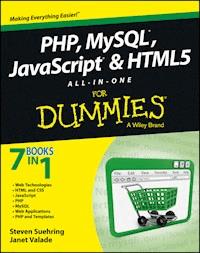
Get the basics on four key web programming tools in one greatbook! PHP, JavaScript, and HTML5 are essential programming languagesfor creating dynamic websites that work with the MySQL database.PHP and MySQL provide a robust, easy-to-learn, open-source solutionfor creating superb e-commerce sites and content management.JavaScript and HTML5 add support for the most current multimediaeffects. This one-stop guide gives you what you need to know aboutall four! Seven self-contained minibooks cover web technologies,HTML5 and CSS3, PHP programming, MySQL databases, JavaScript, PHPwith templates, and web applications. * Addresses how PHP, MySQL, JavaScript, and HTML5 are vital toolsfor creating dynamic, database-driven websites and are especiallyimportant for e-commerce sites * Serves as essential reading for web designers who are new tothese technologies, offering a crash course covering all of thesepowerful technologies in this handy volume of seven self-containedminibooks * Covers how to program in PHP and how to create and administer aMySQL database as well as how to manipulate MySQL data via a webinterface * Shows how to create a secure website and how to code populare-business applications such as login programs and shoppingcarts With seven books in one, PHP, MySQL, JavaScript & HTML5All-in-One For Dummies will turn your website into the centerof attention in no time at all.
Sie lesen das E-Book in den Legimi-Apps auf:
Seitenzahl: 843
Veröffentlichungsjahr: 2013
Ähnliche




















PHP, MySQL®, JavaScript® & HTML5 All-in-One For Dummies®
Published byJohn Wiley & Sons, Inc.111 River StreetHoboken, NJ 07030-5774www.wiley.com
Copyright © 2013 by John Wiley & Sons, Inc., Hoboken, New Jersey
Published by John Wiley & Sons, Inc., Hoboken, New Jersey
Published simultaneously in Canada
No part of this publication may be reproduced, stored in a retrieval system or transmitted in any form or by any means, electronic, mechanical, photocopying, recording, scanning or otherwise, except as permitted under Sections 107 or 108 of the 1976 United States Copyright Act, without either the prior written permission of the Publisher, or authorization through payment of the appropriate per-copy fee to the Copyright Clearance Center, 222 Rosewood Drive, Danvers, MA 01923, (978) 750-8400, fax (978) 646-8600. Requests to the Publisher for permission should be addressed to the Permissions Department, John Wiley & Sons, Inc., 111 River Street, Hoboken, NJ 07030, (201) 748-6011, fax (201) 748-6008, or online at http://www.wiley.com/go/permissions.
Trademarks: Wiley, the Wiley logo, For Dummies, the Dummies Man logo, A Reference for the Rest of Us!, The Dummies Way, Dummies Daily, The Fun and Easy Way, Dummies.com, Making Everything Easier, and related trade dress are trademarks or registered trademarks of John Wiley & Sons, Inc. and/or its affiliates in the United States and other countries, and may not be used without written permission. MySQL is a registered trademark of MySQL AB. JavaScript is a registered trademark of Oracle America, Inc. All other trademarks are the property of their respective owners. John Wiley & Sons, Inc. is not associated with any product or vendor mentioned in this book.
Limit of Liability/Disclaimer of Warranty:The publisher and the author make no representations or warranties with respect to the accuracy or completeness of the contents of this work and specifically disclaim all warranties, including without limitation warranties of fitness for a particular purpose. No warranty may be created or extended by sales or promotional materials. The advice and strategies contained herein may not be suitable for every situation. This work is sold with the understanding that the publisher is not engaged in rendering legal, accounting, or other professional services. If professional assistance is required, the services of a competent professional person should be sought. Neither the publisher nor the author shall be liable for damages arising herefrom. The fact that an organization or Website is referred to in this work as a citation and/or a potential source of further information does not mean that the author or the publisher endorses the information the organization or Website may provide or recommendations it may make. Further, readers should be aware that Internet Websites listed in this work may have changed or disappeared between when this work was written and when it is read.
For general information on our other products and services, please contact our Customer Care Department within the U.S. at 877-762-2974, outside the U.S. at 317-572-3993, or fax 317-572-4002.
For technical support, please visit www.wiley.com/techsupport.
Wiley publishes in a variety of print and electronic formats and by print-on-demand. Some material included with standard print versions of this book may not be included in e-books or in print-on-demand. If this book refers to media such as a CD or DVD that is not included in the version you purchased, you may download this material at http://booksupport.wiley.com. For more information about Wiley products, visit www.wiley.com.
Library of Congress Control Number: 2013932114
ISBN 978-1-118-21370-4 (pbk); ISBN 978-1-118-22874-6 (ebk); ISBN 978-1-118-23134-0 (ebk); ISBN 978-1-118-26617-5 (ebk)
Manufactured in the United States of America
10 9 8 7 6 5 4 3 2 1
About the Authors
Steve Suehring is the author of several technology books. Steve has written web applications, big and small, for a variety of organizations and in a variety of programming languages. Steve’s expertise is in finding creative solutions to complex problems and complex solutions to simple problems.
Janet Valade is the author of PHP & MySQL For Dummies, which is in its third edition. She has also written PHP & MySQL Everyday Apps For Dummies and PHP & MySQL: Your visual blueprint for creating dynamic, database-driven Web sites. In addition, Janet is the author of Spring into Linux and a coauthor of Mastering Visually Dreamweaver CS3 and Flash CS3 Professional.
Janet has 20 years of experience in the computing field. Most recently, she worked as a Web designer and programmer in an engineering firm for four years. Prior to that, Janet worked for 13 years in a university environment, where she was a systems analyst. During her tenure, she supervised the installation and operation of computing resources, designed and developed a data archive, supported faculty and students in their computer usage, wrote numerous technical papers, and developed and presented seminars on a variety of technology topics.
Dedication
To Bob and Mary.
– Steve Suehring
This book is dedicated to everyone who finds it useful.
– Janet Valade
Authors’ Acknowledgments
From Steve Suehring: For these acknowledgements, I decided to look back at the acknowledgements section that I wrote more than 10 years ago for my first book, MySQL Bible. I was curious who, of all of the people I thanked in that book (and there were a lot), should be thanked in this book, 10+ years later. The answer: All of them. They (and you, the reader) have contributed to my ability to continue to write books (and articles, and blog posts, and everything else.) I look forward to continued success together.
From Janet Valade: First, I wish to express my appreciation to the entire open source community. Without those who give their time and talent, there would be no cool PHP and MySQL for me to write about. Furthermore, I never would have learned this software without the lists where people generously spend their time answering foolish questions from beginners.
I want to thank my mother for passing on a writing gene, along with many other things. And my children always for everything.
And, of course, I want to thank the professionals who make it all possible. Without my agent and the people at Wiley Publishing, Inc., this book would not exist. Because they all do their jobs so well, I can contribute my part to this joint project.
Publisher’s Acknowledgments
We’re proud of this book; please send us your comments at http://dummies.custhelp.com. For other comments, please contact our Customer Care Department within the U.S. at 877-762-2974, outside the U.S. at 317-572-3993, or fax 317-572-4002.
Some of the people who helped bring this book to market include the following:
Acquisitions, Editorial, and Vertical Websites
Project Editor: Heidi Unger (Previous Edition: Jean Nelson)
Acquisitions Editor: Kyle Looper
Copy Editor: Debbye Butler
Technical Editor: Peter Veverka
Editorial Manager: Kevin Kirschner
Vertical Websites: Richard Graves
Editorial Assistant: Annie Sullivan
Sr. Editorial Assistant: Cherie Case
Cover Photo: © pagadesign/iStockphoto
Composition Services
Project Coordinator: Patrick Redmond
Layout and Graphics: Jennifer Creasey
Proofreaders: Jessica Kramer, Sossity R. Smith
Indexer: BIM Indexing & Proofreading Services
Publishing and Editorial for Technology Dummies
Richard Swadley, Vice President and Executive Group Publisher
Andy Cummings, Vice President and Publisher
Mary Bednarek, Executive Acquisitions Director
Mary C. Corder, Editorial Director
Publishing for Consumer Dummies
Kathleen Nebenhaus, Vice President and Executive Publisher
Composition Services
Debbie Stailey, Director of Composition Services
PHP, MySQL®, JavaScript® & HTML5 All-in-One For Dummies®
Visit www.dummies.com/cheatsheet/phpmysqljavascripthtml5aio to view this book's cheat sheet.
Table of Contents
Introduction
About This Book
Foolish Assumptions
How This Book Is Organized
Book I: Getting Started with PHP and MySQL
Book II: HTML and CSS
Book III: JavaScript
Book IV:PHP
Book V: MySQL
Book VI: Web Applications
Book VII: PHP and Templates
Companion Website
Icons Used in This Book
Where to Go from Here
Book I: Getting Started with PHP & MySQL
Chapter 1: Understanding the Languages of the Web
Understanding How the Web Works
The web browser
The web server
Understanding Web Page Languages
Marking up with HTML
Styling pages with CSS
Changing behaviors with JavaScript
Understanding the Language of Web Servers
Building dynamic web applications with PHP and MySQL
Sending the page to the browser with Apache
Choosing How You Want to Develop
Choosing a host for your website
Hosting for a company website
Choosing a web-hosting company
Using a hosted website
Setting Up Your Local Computer for Development
Installing the web server
Installing PHP
Installing MySQL
Chapter 2: Installing a Web Server
Testing Your Web Server
Obtaining Apache
Selecting a version of Apache
Downloading from the Apache website
Obtaining Apache for Windows
Obtaining Apache for Linux
Obtaining Apache for Mac
Obtaining all-in-one installation kits
Verifying a downloaded file
Installing Apache
Installing Apache on Windows
Installing Apache on a Mac
Installing Apache from source code on Linux and Mac
Starting and Stopping Apache
Starting and stopping Apache on Windows
Starting Apache on Linux, Unix, and Mac
Restarting Apache on Linux, Unix, and Mac
Stopping Apache on Linux, Unix, and Mac
Getting Information from Apache
Getting Apache information on Windows
Getting Apache information on Linux, Unix, and Mac
Configuring Apache
Changing settings
Changing the location of your Document Root
Changing the port number
Chapter 3: Installing PHP
Checking the PHP Installation
Obtaining PHP
Downloading from the PHP website
Obtaining PHP for Windows
Obtaining PHP for Linux
Obtaining PHP for the Mac OS
Obtaining all-in-one installation kits
Verifying a downloaded file
Installing PHP
Installing on Unix and Linux
Installing on Mac OS X
Installation options for Unix, Linux, and Mac
Installing on Windows
Configuring Your Web Server for PHP
Configuring your web server on Windows
Configuring Apache on Linux and Mac
Configuring PHP
Testing PHP
Troubleshooting
Unable to change PHP settings
Displays error message: Undefined function
Displays a blank page or HTML output only
Chapter 4: Setting Up MySQL
Checking the MySQL Installation
Finding out if MySQL is running or installed
Starting MySQL
Obtaining MySQL
Downloading from the MySQL website
Obtaining MySQL for Windows
Obtaining MySQL for Linux and Unix
Obtaining MySQL for Mac
Obtaining all-in-one installation kits
Verifying a downloaded file
Installing MySQL
Running the MySQL Setup Wizard on Windows
Installing MySQL on Linux from an RPM file
Installing MySQL on Mac from a DMG file
Installing MySQL from source files
Configuring MySQL
Starting and Stopping the MySQL Server
Controlling the server on Windows
Controlling the MySQL server on Linux and Mac
Testing MySQL
Troubleshooting MySQL
Displays error message: Access denied
Displays error message: Client does not support authentication protocol
Displays error message: Can’t connect to . . .
MySQL error log
The MySQL Administration Program
Activating MySQL Support
Activating MySQL support on Windows
Activating MySQL support on Linux and the Mac OS
Checking MySQL support
Troubleshooting PHP and MySQL
Displays error message: Undefined function
MySQL functions not activated (Windows)
Chapter 5: Setting Up Your Web Development Environment with the XAMPP Package
Obtaining XAMPP
Installing XAMPP
Using the XAMPP Control Panel
Testing Your Development Environment
Opening the XAMPP web page
Testing phpMyAdmin
Testing PHP
Configuring Your Development Environment
Configuring PHP
Configuring Apache
Configuring MySQL
Uninstalling and Reinstalling XAMPP
Troubleshooting
Book II: HTML and CSS
Chapter 1: Creating a Basic Page with HTML
Understanding the HTML Building Blocks
Document types
Sections of an HTML Document
The root element
The head section and title element
The body section
Creating Good HTML
Using the appropriate elements
Putting text on a page
Creating your first page
Choosing block-level or inline elements
Inserting line breaks and spaces
Making your document easier to maintain
Adding lists and tables
Practicing Creating a Table
Including Links and Images on Your Web Page
Adding links
Adding images
Writing Valid HTML
Validating Your HTML
Chapter 2: Adding Style with CSS
Discovering What CSS Can and Can’t Do for Your Web Page
What is CSS?
Why use CSS?
Limitations of CSS
Connecting CSS to a Page
Adding styling to an HTML element
Using an internal style sheet
Using an external style sheet
Targeting Styles
Selecting HTML elements
Selecting individual elements
Selecting a group of elements
Changing Fonts
Setting the font family
Setting font size
Setting the font color
Adding Borders
Changing List Styles
Changing bullet styles
Removing bullets
Adding a Background
Changing the background color
Adding a background image
Creating Page Layouts
Creating a single-column layout
Creating a two-column layout
Adding Headers and Footers to a Page
Creating a header, header menu, and footer
Examining the HTML and CSS files
Chapter 3: Creating and Styling Web Forms
Using Web Forms to Get Information
Understanding web forms
Looking at form elements
Creating a Form
All about the form element
Adding a text input
Adding a drop-down box
Creating check boxes
Using radio buttons
Submitting and clearing the form
Using CSS to Align Form Fields
Book III: JavaScript
Chapter 1: Understanding JavaScript Basics
Viewing the World of JavaScript
JavaScript isn’t Java
Knowing what JavaScript can do
Examining the Ways to Add JavaScript to a Page
Adding the JavaScript tag
Adding JavaScript to a page’s HTML
Using external JavaScript
Chapter 2: Building a JavaScript Program
Getting Started with JavaScript Programming
Sending an alert to the screen
Adding comments
Holding data for later in variables
Holding multiple values in an array
Creating strings to keep track of words
Working with numbers
Testing Things with Conditionals
Performing Actions Multiple Times with Loops
For what it’s worth
While you’re here
Using Functions to Avoid Repeating Yourself
Creating functions
Adding function arguments
Calling a function
Improving the addNumbers function
Returning results from functions
Objects in Brief
Creating objects
Adding properties to objects
Working with HTML Documents
Accessing HTML with JavaScript
Using GetElementById to access a specific element
Working with Web Browsers
Detecting the browser
Redirecting to another page
Chapter 3: Adding jQuery
jQuery Introduced
Installing jQuery
Installing jQuery locally
Using CDN-hosted jQuery
Adding jQuery to a Page
Adding local jQuery to a page
Adding CDN jQuery to a page
Incorporating the jQuery ready() Function
Selecting Elements with jQuery
jQuery selectors up close
Filtering
Working with HTML Using jQuery
Adding HTML to a page
Changing elements
Changing Attributes and Styles
Reading attributes
Writing attributes
Changing CSS
Chapter 4: Reacting to Events with JavaScript and jQuery
Understanding Events
Working with Forms
Adding a Submit Handler
Checking for blank fields
Monitoring Mouse Events
Capturing mouse clicks
Watching mouse movements
Reacting to Keyboard Events
Counting characters
Preventing character input
Chapter 5: Troubleshooting JavaScript Programs
Employing Basic JavaScript Troubleshooting Techniques
Adding alerts
Using comments in JavaScript
Identifying JavaScript Problems with Firebug
Installing Firebug
Using Firebug
Book IV: PHP
Chapter 1: Understanding PHP Basics
How PHP Works
Examining the Structure of a PHP Script
Looking at PHP Syntax
Using simple statements
Using complex statements
Writing PHP Code
Displaying Content in a Web Page
Using PHP Variables
Naming a variable
Creating and assigning values to variables
Using variable variables
Displaying variable values
Using PHP Constants
Understanding Data Types
Working with integers and floating-point numbers
Working with character strings
Working with the Boolean data type
Working with the NULL data type
Using Arrays
Creating arrays
Viewing arrays
Removing values from arrays
Sorting arrays
Getting values from arrays
Walking through an array
Storing values with multidimensional arrays
Using Dates and Times
Setting local time
Formatting a date
Storing a timestamp in a variable
Understanding PHP Error Messages
Types of PHP error messages
Displaying error messages
Logging error messages
Adding Comments to Your PHP Script
Chapter 2: Building PHP Scripts
Setting Up Conditions
Comparing values
Checking variable content
Pattern matching with regular expressions
Joining multiple comparisons
Using Conditional Statements
Using if statements
Using switch statements
Repeating Actions with Loops
Using for loops
Using while loops
Using do..while loops
Avoiding infinite loops
Breaking out of a loop
Using Functions
Creating a function
Using variables in functions
Passing values to a function
Returning a value from a function
Using built-in functions
Organizing Scripts
Separating display code from logic code
Reusing code
Organizing with functions
Organizing with include files
Chapter 3: PHP and Your Operating System
Managing Files
Getting information about files
Copying, renaming, and deleting files
Organizing files
Using Operating System Commands
Using backticks
Using the system function
Using the exec function
Using the passthru function
Accessing error messages from system commands
Understanding security issues
Using FTP
Logging in to the FTP server
Getting a directory listing
Downloading and uploading files with FTP
Looking at other FTP functions
Reading and Writing Files
Accessing files
Writing to a file
Reading from a file
Exchanging Data with Other Programs
Exchanging data in flat files
Exchanging data in comma-delimited format
Using other delimiters
Using SQLite
Chapter 4: Object-Oriented Programming
Introducing Object-Oriented Programming
Objects and classes
Properties
Methods
Inheritance
Developing an Object-Oriented Script
Choosing objects
Selecting properties and methods for each object
Creating and using an object
Defining a Class
Writing a class statement
Setting properties
Accessing properties using $this
Adding methods
Understanding public and private properties and methods
Writing the constructor
Putting it all together
Using a Class in a Script
Using Abstract Methods in Abstract Classes and Interfaces
Using an abstract class
Using interfaces
Preventing Changes to a Class or Method
Handling Errors with Exceptions
Copying Objects
Comparing Objects
Getting Information about Objects and Classes
Destroying Objects
Chapter 5: Considering PHP Security
Securing the Server
Hardening the server
Using a firewall
Securing Apache
Securing PHP applications with SuExec
mod_security
Setting Security Options in php.ini
Handling Errors Safely
Understanding the dangers
Testing for unexpected input
Handling the unexpected
Checking all form data
Sanitizing Variables
Converting HTML special characters
Uploading files without compromising the filesystem
Avoiding DoS attacks on the filesystem
Validating files
Using FTP functions to ensure safe file uploads
Chapter 6: Tracking Visitors with Sessions
Understanding Sessions and Cookies
Looking at sessions
Working with cookies
Checking if cookies are enabled
Using Sessions to Pass Data
Starting a session
Closing a session
Using session_write_close()
Understanding Other Session Options
Book V: MySQL
Chapter 1: Introducing MySQL
Examining How MySQL Works
Understanding Database Structure
Communicating with MySQL
Building SQL queries
Sending SQL queries
Using the mysql client
Protecting Your MySQL Databases
Chapter 2: Administering MySQL
Understanding the Administrator Responsibilities
Default Access to Your Data
Controlling Access to Your Data
Account names and hostnames
Passwords
Account privileges
Setting Up MySQL Accounts
Identifying what accounts currently exist
Adding accounts
Adding and changing passwords
Changing privileges
Removing accounts
Backing Up Your Database
Backing up on Windows
Backing up on Linux, Unix, and Mac
Restoring Your Data
Upgrading MySQL
Chapter 3: Designing and Building a Database
Designing a Database
Choosing the data
Organizing the data
Creating relationships between tables
Storing different types of data
Designing a Sample Database
Writing Down Your Design
Building a Database
Creating a new database
Creating and deleting a database
Adding tables and specifying a primary key
Removing a table
Changing the Database Structure
Chapter 4: Using the Database
Adding Information to a Database
Adding one row at a time
Adding a bunch of data
Looking at the Data in a Database
Retrieving Information from a Database
Retrieving specific information
Retrieving data in a specific order
Retrieving data from specific rows
Combining information from more than one table
Updating Information in a Database
Removing Information from a Database
Chapter 5: Communicating with the Database from PHP Scripts
Knowing How MySQL and PHP Work Together
PHP Functions That Communicate with MySQL
Communicating with MySQL
Connecting to the MySQL server
Sending an SQL statement
Sending multiple queries
Selecting a Database
Handling MySQL Errors
Using Other Helpful mysqli Functions
Counting the number of rows returned by a query
Determining the last auto entry
Counting affected rows
Escaping characters
Converting mysqli Functions to mysql Functions
Book VI: Web Applications
Chapter 1: Improving Your PHP Programs
Automatically Including Helper Functions
Using auto_prepend_file
Starting sessions with a prepended file
Using classes for efficiency
Reusing Code
Using functions
Using object-oriented programming
Chapter 2: Creating and Using a Web Service
Understanding Web Services
Returning Data from a Web Service
Returning the date
Returning web service data from a database
Accepting Input to a Web Service
Querying with input data
Returning XML results
Returning JSON and XML
Chapter 3: Validating Web Forms with JavaScript and PHP
Understanding How to Validate Web Forms
Always assume bad data
Never assume JavaScript
Sometimes mirror client- and server-side validation
Performing Basic JavaScript Validation
Looking at the form HTML and CSS
Adding JavaScript validation
Performing PHP Validation
Validating required fields
Validating text
Validating drop-downs, radio buttons, and check boxes
Validating numbers
Validating URLs and e-mail addresses
Making sure the passwords match
Creating a validation function
Chapter 4: Building a Members-Only Website
Understanding a Members-Only Site
Creating the User Database
Designing the Customer database
Building the Customer database
Accessing the Customer database
Creating Base Functions
Creating Web Forms
Creating the registration pages
Building a success page
Creating the login page
Creating a User Object
Building the User class
Building the login-process PHP file
Adding Authenticated Pages
Building a protected page
Building a log out page
Adding E-mail Functionality
Building the password reset database
Building the password recovery page
Building the process files
Building the class methods
Book VII: PHP and Templates
Chapter 1: Configuring PHP
Understanding the php.ini
Working with the php.ini
Making changes outside of the php.ini
Understanding Common Configuration Changes
Changing session timeout
Changing other session parameters
Disabling functions and classes
Changing error display
Changing resource limits
Chapter 2: Building a Templating System
Understanding Template Systems
Building a PHP Template
Creating a template class
Creating the top of the page
Creating the bottom of the page
Connecting the top, bottom, and middle
Extending the Template
Building an About page
Building a Contact page
Introduction
Although web development has changed over the years, the actual core details of creating a web page have stayed the same. You create a document and put it out on the web for people to view. Of course, to put something on the web you need to learn the special languages that are spoken on the web. No, we’re not talking about OMG, BRB, and all the other cryptic shorthand to communicate. We’re talking about the languages that are used to create web documents and sites.
This book looks at many aspects of web development, including the language used to make web pages and ways to make web pages look good, make web pages accept information from visitors, and create programs to create other web pages! If that seems like a lot of information, don’t worry. It’s all broken up into manageable pieces so that you can consume the information at your own pace.
About This Book
This book is intended as both a reference and, in certain places, a tutorial. Most of the information in the book doesn’t need to be read in a certain order. However, certain areas build on each other and, if you find that you’re stuck in one of the later chapters, you might find that reading an earlier chapter will reveal the information that you need.
Foolish Assumptions
To be successful with this book, you should have a computer with a recent version of Windows, Mac OS X, or Linux on it. You don’t need to know anything about programming or creating web pages but you should be comfortable with moving around on the computer. Words like files,directories or folders,editor,browsers, and other such terms should be familiar to you. You should also be familiar with installing software on whatever operating system you’re using.
How This Book Is Organized
This book is divided into seven minibooks, with several chapters in each minibook. The content in the book ranges from HTML to CSS to JavaScript to PHP to MySQL and many points in between.
Book I: Getting Started with PHP and MySQL
Book I looks at the technologies involved in sending a web page over the Internet. More specifically, in Book I, you learn how to install software to send web pages, how to install PHP to program web pages, and how to set up MySQL to provide data.
Book II: HTML and CSS
In Book II, you learn about the two primary languages of the web, HTML and CSS. You learn how to create a web page with HTML and then style it to look a bit nicer with CSS.
Book III: JavaScript
Book III is all about JavaScript, which you learn has really nothing to do with Java at all. You can use JavaScript to enhance your web pages even further.
Book IV:PHP
PHP is discussed in Book IV. You see how to use PHP to create dynamic web pages behind the scenes.
Book V: MySQL
Many websites use a database to provide information. In Book V, you’ll learn about MySQL, a powerful and free database system that you can use with PHP.
Book VI: Web Applications
Book VI puts all that information from the previous five books to good use to create web services, validate web forms, and set up a members-only website.
Book VII: PHP and Templates
Book VII wraps up the book with some additional configuration options for PHP and also shows how to build a templating system using PHP. With a templating system, you can have PHP do a lot of the repetitive tasks of creating multiple pages, and you see how to create one in the last chapter of Book VII.
Companion Website
We put most of the code examples presented in this book on the Dummies.com website so you don't have to type out long code blocks. Point your browser to www.dummies.com/go/code/phpmysqljavascripthtml5aio to download the code samples.
Icons Used in This Book
We use some basic icons throughout this book to help you quickly scan and find useful information and tips.
Tips provide information for a specific purpose. Tips can save you time and effort, so they’re worth checking out.
This icon is a sticky note of sorts, highlighting information that’s worth committing to memory.
You should always read warnings. They emphasize actions that you must take or must avoid to prevent dire consequences.
This icon flags information and techniques that are extra geeky. The information here can be interesting and helpful, but you don’t need to understand it to use the information in the book.
Where to Go from Here
Begin the process of web development at the beginning, Book I, Chapter 1. Before you know it, you’ll be programming complex and nice-looking websites.
Occasionally, we have updates to our technology books. If this book does have technical updates, they'll be posted at www.dummies.com/go/phpmysqljavascripthtml5aioupdates.
Book I
Visit www.dummies.com for great Dummies content online.
Contents at a Glance
Chapter 1: Understanding the Languages of the Web
Understanding How the Web Works
Understanding Web Page Languages
Understanding the Language of Web Servers
Choosing How You Want to Develop
Setting Up Your Local Computer for Development
Chapter 2: Installing a Web Server
Testing Your Web Server
Obtaining Apache
Installing Apache
Starting and Stopping Apache
Getting Information from Apache
Configuring Apache
Chapter 3: Installing PHP
Checking the PHP Installation
Obtaining PHP
Installing PHP
Configuring Your Web Server for PHP
Configuring PHP
Testing PHP
Troubleshooting
Chapter 4: Setting Up MySQL
Checking the MySQL Installation
Obtaining MySQL
Installing MySQL
Configuring MySQL
Starting and Stopping the MySQL Server
Testing MySQL
Troubleshooting MySQL
The MySQL Administration Program
Activating MySQL Support
Troubleshooting PHP and MySQL
Chapter 5: Setting Up Your Web Development Environment with the XAMPP Package
Obtaining XAMPP
Installing XAMPP
Using the XAMPP Control Panel
Testing Your Development Environment
Configuring Your Development Environment
Uninstalling and Reinstalling XAMPP
Troubleshooting
Chapter 1: Understanding the Languages of the Web
In This Chapter
Understanding how the web works
Discovering the language of web browsers
Defining the language of web servers
Lesen Sie weiter in der vollständigen Ausgabe!
Lesen Sie weiter in der vollständigen Ausgabe!
Lesen Sie weiter in der vollständigen Ausgabe!
Lesen Sie weiter in der vollständigen Ausgabe!
Lesen Sie weiter in der vollständigen Ausgabe!
Lesen Sie weiter in der vollständigen Ausgabe!
Lesen Sie weiter in der vollständigen Ausgabe!
Lesen Sie weiter in der vollständigen Ausgabe!
Lesen Sie weiter in der vollständigen Ausgabe!
Lesen Sie weiter in der vollständigen Ausgabe!
Lesen Sie weiter in der vollständigen Ausgabe!
Lesen Sie weiter in der vollständigen Ausgabe!
Lesen Sie weiter in der vollständigen Ausgabe!
Lesen Sie weiter in der vollständigen Ausgabe!
Lesen Sie weiter in der vollständigen Ausgabe!
Lesen Sie weiter in der vollständigen Ausgabe!
Lesen Sie weiter in der vollständigen Ausgabe!
Lesen Sie weiter in der vollständigen Ausgabe!
Lesen Sie weiter in der vollständigen Ausgabe!
Lesen Sie weiter in der vollständigen Ausgabe!
Lesen Sie weiter in der vollständigen Ausgabe!
Lesen Sie weiter in der vollständigen Ausgabe!
Lesen Sie weiter in der vollständigen Ausgabe!
Lesen Sie weiter in der vollständigen Ausgabe!
Lesen Sie weiter in der vollständigen Ausgabe!
Lesen Sie weiter in der vollständigen Ausgabe!
Lesen Sie weiter in der vollständigen Ausgabe!
Lesen Sie weiter in der vollständigen Ausgabe!
Lesen Sie weiter in der vollständigen Ausgabe!
Lesen Sie weiter in der vollständigen Ausgabe!
Lesen Sie weiter in der vollständigen Ausgabe!
Lesen Sie weiter in der vollständigen Ausgabe!
Lesen Sie weiter in der vollständigen Ausgabe!
Lesen Sie weiter in der vollständigen Ausgabe!
Lesen Sie weiter in der vollständigen Ausgabe!
Lesen Sie weiter in der vollständigen Ausgabe!




