


14,99 €
Mehr erfahren.
- Herausgeber: Scarlet Publishing House
- Kategorie: Wissenschaft und neue Technologien
- Sprache: Englisch
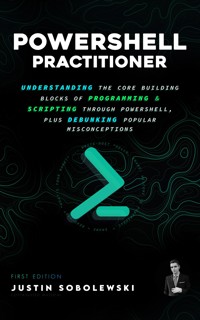
PowerShell Practitioner acquaints readers with fundamental programming knowledge first. You will be sufficiently armed to approach problems programmatically, better understand and tackle real-world business challenges, develop and implement business solutions, and iteratively enhance existing solutions to help drive CPI (continuous process improvement). PowerShell Practitioner is a comprehensive guide spanning just under 200 pages; a non-fiction work geared toward tech-centric individuals and seasoned IT professionals interested in programming or a desire to sharpen existing skill sets. With almost a decade of cumulative experience in Information Technology, I commit to personally leading you through the fundamentals and popular misconceptions of entry-level programming and scripting.
CHAPTER 1
INTRODUCTION TO PROGRAMMING AND SCRIPTING
CHAPTER 2
FOUNDATIONS OF PROGRAMMING: CONCEPTS, TERMS, AND ESSENTIALS
CHAPTER 3
GETTING STARTED WITH POWERSHELL
CHAPTER 5
A CLOSER LOOK
CHAPTER 6
POWERSHELL INTEGRATED SCRIPTING ENVIRONMENT (ISE)
CHAPTER 6
FILTERING AND SORTING DATA
CHAPTER 7
PROFILES AND PROVIDERS
CHAPTER 8
DEBUGGING AND ERROR HANDLING
CHAPTER 9
EXPLORING ADVANCED CONCEPTS AND TECHNIQUES IN POWERSHELL
CHAPTER 10
BEST PRACTICES
CHAPTER 11
STUDY SMARTER: BEYOND HOUR COUNTING AND MISCONCEPTIONS
Das E-Book können Sie in Legimi-Apps oder einer beliebigen App lesen, die das folgende Format unterstützen:
Veröffentlichungsjahr: 2023
Ähnliche



















PowerShell Practitioner
Understanding the Core Building Blocks of Programming & Scripting through PowerShell, plus Debunking Popular Misconceptions
© 2023 by Justin Stevens-Sobolewski. All rights reserved.
First Edition.
No part of this book may be reproduced or used in any manner without the express written permission of the author, except for brief quotations in reviews.
Author and Designer: Justin Stevens-Sobolewski
Printed in The United States of America
For more information please visit:
MeetStevens.com
Chapter 1
INTRODUCTION TO PROGRAMMING AND SCRIPTING
CHAPTER 2
FOUNDATIONS OF PROGRAMMING: CONCEPTS, TERMS, AND ESSENTIALS
CHAPTER 3
GETTING STARTED WITH POWERSHELL
CHAPTER 5
A CLOSER LOOK
CHAPTER 6
PowerShell Integrated Scripting Environment (ISE)
CHAPTER 6
Filtering and Sorting Data
CHAPTER 7
Profiles and Providers
CHAPTER 8
Debugging and Error Handling
CHAPTER 9
Exploring Advanced Concepts and Techniques in PowerShell
CHAPTER 10
Best Practices
CHAPTER 11
STUDY SMARTER: BEYOND HOUR COUNTING AND MISCONCEPTIONS
Chapter 1: INTRODUCTION TO PROGRAMMING AND SCRIPTING
Introduction to Programming
Welcome to the exciting world of programming! Let's start with a brief overview of programming and how it has evolved over the years.
Programming is the act of creating instructions for a computer to follow. These instructions, also known as code, are written in a specific programming language (of which there are many). For instance, think of it like giving step-by-step instructions on how to make a PB&J sandwich. Just as one would detail the steps for spreading peanut butter on one slice of bread and jelly on another, programmers detail steps for the computer to perform tasks. These instructions are used to tell a computer to perform a wide variety of tasks, from simple calculations to complex software.
The first programming language to be created was called Machine Language, developed in the 1940s. Machine Language was very basic, consisting only of a series of 0s and 1s that could be read and understood by a computer's processor. Since then, many other programming languages have been developed, each with unique features and capabilities. Some of the most popular programming languages today include Python, Java, C++, and JavaScript.
Nowadays, you’ll interact with programming in almost every aspect of daily life, from the apps on your phone to the websites you visit to the cars you drive. Writing code is a field that is constantly evolving and offers endless opportunities for creativity and innovation.
Learning to code will allow you to bring your ideas to life. Additionally, it’s a highly valuable skill to have in today's job market. Companies (and not just tech companies) are looking for talented programmers to help them build and maintain software applications, and the demand for these professionals is only expected to increase in the coming years. But perhaps the best thing about programming is that it's a skill that can be learned by anyone. All it takes is a bit of motivation, some time, and the right resources. So if you're ready to embark on this exciting journey, grab your computer and let's get coding! Oh, and one last thing – remember, the best way to learn programming is to have fun with it! Get creative and don't be afraid to experiment or make mistakes.
Common Programming Languages & Uses
There are many different programming languages to choose from. This chapter delves deeper into some of the most commonly used programming languages, while providing coding samples and detailed insights into their unique features and associated use cases.
Python
Python is a popular, high-level programming language celebrated for its readability and versatility. It is frequently chosen for web development, scientific computing, data analysis, and Artificial Intelligence. One of Python's standout features is its vast and active community of users. This community has contributed numerous libraries and frameworks that simplify the process of building intricate applications. Some renowned Python libraries include Django (a web framework), NumPy (a scientific computing library), and TensorFlow (a machine learning library).
Sample Python Code:

Java
Java is a widely-used, object-oriented programming language. In the programming context, "object-oriented" refers to a design paradigm where data and functions are bundled into units called "objects". Java's strength lies in its portability; Java code can execute on any device with a Java Virtual Machine (JVM) installed. This makes it the go-to choice for Android application and software development, as Android's primary supported language. Additionally, many large corporations depend on Java for their crucial business systems.
Sample Java Code:

C++
C++ stands out as a high-performance, compiled language. For beginners, a "compiled" language means that the written code is transformed into machine code by a compiler before it's executed. C++ is a top pick for crafting extensive software systems like operating systems, web browsers, and games. Its efficiency allows programmers to write code that's "close to the hardware level", meaning it can interact directly with system hardware, offering faster performance. C++ is also favored for high-performance applications, such as financial trading systems and simulations, due to its ability to process vast amounts of data swiftly.
Sample C++ Code:
JavaScript
JavaScript is a dynamic programming language essential for crafting interactive web applications. It can alter a web page's content, layout, and behavior, and is commonly paired with HTML and CSS to produce visually captivating and adaptable websites. Beyond web development, JavaScript finds its use in mobile and desktop application development, courtesy of frameworks like Electron and Cordova. Additionally, server-side development often employs JavaScript, especially with libraries like Node.js.
Sample JavaScript Code:
There are many more languages than these four we’ve briefly overviewed, but this should give you a sense of the wide range and flexibility across different languages. You should eventually gain familiarity with all of the major languages to be able to work across all stacks of development.
Introduction to Scripting
Scripting is the act of writing small scripts, or programs, that can automate tasks. Scripting can help you automate tasks and streamline your workflows. These scripts can be written in a variety of languages, such as Python, Bash, or PowerShell, and are used to perform a wide range of tasks, from simple file management to complex system configurations.
While at their heart scripting and programing both involve giving instructions to a computer, the key difference between the two is the scope of the tasks they are used for. Programming languages are typically used to build large, complex applications that have a wide range of features. Scripting languages, are often used for more focused tasks, like automating a series of commands or integrating different applications.
Scripting allows you to automate tasks that would otherwise be time-consuming or tedious to do manually. For example, if you need to rename a large number of files or update the configuration of multiple servers, you can use a script to do the work for you in a fraction of the time it would take to do it manually. This approach also lets you write scripts once and reuse them multiple times. This can save you a lot of time and effort, especially if you find yourself performing the same tasks on a regular basis. By writing scripts, you'll gain a deeper understanding of how different systems and applications interact and how to manipulate them to achieve your desired results.
There are many scripting languages to choose from, each with its own unique features and capabilities.
Common Scripting Languages & Uses
PowerShell
PowerShell is like the multitool in a Windows admin's toolkit. Developed by Microsoft, it's designed to streamline and automate the nitty-gritty of system administration. From managing files and processes to configuring services and extracting data, PowerShell offers a robust set of cmdlets that make life easier for those navigating the Windows ecosystem.
Alright, you've got a book with "PowerShell" boldly stamped on the cover. No pretenses here; we both know why you're here. Looking for some shortcuts or tech wizardry? Maybe a bit of both? Hold onto that curiosity. As we progress, we'll get hands-on with all the practical PowerShell know-how you're itching for.
Sample PowerShell Code:

PHP
PHP is a longstanding programming language primarily designed for web development. It's responsible for driving a significant portion of the web, notably platforms like WordPress. Despite occasional criticisms regarding its design, it remains a widely-used choice for creating dynamic web content.
Sample PHP Code:

Ruby
Ruby is a programming language known for its clear and expressive syntax, making coding more efficient and readable. Its real strength shines when combined with the Rails framework, turning it into a formidable tool for robust web application development.
Sample Ruby Code:

Bash
Bash is an essential command-line interface for Unix-based systems. It provides tools and commands for a range of tasks, from server configuration to routine file management. For many system administrators and users, Bash is the primary tool for efficient operations on Unix platforms.
Sample Bash Code:

What’s the Difference Between Programming and Scripting?
‣Programming and scripting are both ways of writing instructions for computers to execute, but they differ in their scope and purpose.
‣Programming is the act of designing and building software applications, which are complex programs that perform a wide range of tasks. These tasks can range from simple data processing to highly sophisticated artificial intelligence algorithms.
‣On the other hand, scripting refers to the writing of scripts, which are small programs that automate simple, repetitive tasks. These tasks are often associated with web development, system administration, and automating routine jobs.
‣In terms of difficulty, programming is generally considered to be more challenging than scripting. This is because programming involves the creation of new software from scratch, which requires a deep understanding of algorithms, data structures, and other advanced computer science concepts. Scripting, on the other hand, involves piecing together smaller blocks of pre-existing code and customizing them to fit a specific need.
‣Another key difference between programming and scripting is the level of control and customization they offer. Programming allows developers to have complete control over every aspect of the software they are building. This includes the design, functionality, and performance of the program. Scripting, on the other hand, is more limited in scope and is primarily used to automate simple, repetitive tasks.
‣Consider the task of building a house. Programming is like designing and constructing a house from the ground up. It requires a detailed blueprint, a strong foundation, and a skilled team of builders. Scripting, on the other hand, is like hiring a handyman to take care of small repairs and renovations around the house. It involves piecing together pre-existing solutions to solve specific problems.
‣Ready for a byte of laughter?
Why did the computer get glasses? To improve its web-sight!
Why did the developer stay calm in the dark? Because he had a backup light.
Why was the computer cold at work? It was next to too many fans.
Chapter 2: FOUNDATIONS OF PROGRAMMING: CONCEPTS, TERMS, AND ESSENTIALS
Many IT professionals, especially those in infrastructure, delve into scripting without first getting a handle on core programming concepts. Now, if you're not a full-time programmer, mastering every nuance isn't essential. However, equipping yourself with a foundational understanding can be a game-changer. Not to fear, you've come to the right place! Let me be your guide.
Binary system
Imagine a row of light bulbs. Each bulb can be either off (0) or on (1). That's how the binary system works, using just two numbers: 0 and 1. Just like light bulbs being on or off, computers use this system because their inner parts, called transistors, can also be on or off. When we see a series of these numbers, like 1011, it's a way of representing information, similar to how a pattern of lit and unlit bulbs can convey a message.
High-Level and Low-Level Languages
In the world of computer science, there is a distinction between high-level languages and low-level languages. At a high level (pun intended), high-level languages are programming languages that are designed to be more human-readable and generally easier to use than low-level languages. They are typically closer to the way humans speak and write in natural language. Examples of high-level languages include Python, Java, and C#, which all include English words and, in some cases, read closer to an actual sentence.
High-level languages are more abstract than low-level languages, meaning that they are farther removed from the underlying hardware and operating system, and are more focused on solving problems and accomplishing tasks. As a result, high-level languages are often easier to learn and use, and are more flexible and powerful than low-level languages.
Low-level languages, on the other hand, are programming languages that are closer to the machine code that runs on a computer. They are often used to write operating systems, drivers, and other types of system software that need to interact directly with the hardware. Examples of low-level languages include C, Assembly, and machine code. Low-level languages are generally more difficult to learn and use than high-level languages, as they require a deeper understanding of the underlying hardware and operating system.
Low level languages are also less flexible and less powerful than high-level languages, as they are more focused on the specific tasks and problems they were designed to solve.
Sample High-Level Language (Python)

Sample Low-Level Language (Assembly - x86)

Installing programming languages
It's like adding a new app to your computer. You download the language's installer from its official website, run it, and follow the setup steps. Once done, you can start coding in a text editor or a more advanced IDE, depending on your needs.
Text Editors versus IDes
A text editor is like a basic notepad. You can write and edit code, but that's mostly it. Think of it as using plain paper and a pen to jot down notes. Examples include Notepad++, Atom, and Sublime Text. In contrast, IDEs (Integrated Development Environments) are advanced toolkits. They're like having a smart pen that underlines your mistakes and offers suggestions. With an IDE, as you type code, it can predict and suggest completions, thanks to features like IntelliSense. Additionally, you can enhance IDEs with plugins or extensions to assist with specific tasks. Examples include Visual Studio, Eclipse, and PyCharm.
Syntax and Structure
Syntax is the set of rules for writing code, like grammar in a sentence. If you break the rules, the code won't work. Structure is how you organize that code, like arranging sentences to form a clear story. Proper syntax and structure ensure your code is understood and runs correctly.
Variables and Data Types
Variables are like containers. The "age" variable might store a number like 26, while "lastName" holds text like "Stevens" or "Sobolewski". The kind of data a variable can store is its data type, ensuring everything fits and works right in your code.
Input and output
"Input" is akin to telling the computer something, such as pressing a key or clicking the mouse. For example, a video game might prompt you to enter your name into a text box, storing this input in a "variable". "Output" is the computer's response, displayed as words on a screen or sounds from speakers. As the game's story unfolds, your name might appear in dialogues or on leaderboards, creating a personalized and immersive experience. This exchange of giving and receiving information is like a two-way conversation between you and the computer, epitomizing the essence of basic input and output.
Operators
Operators perform actions or make comparisons between values. There are four primary types of operators. Arithmetic Operators are used for mathematical operations. Comparison Operators are employed to compare two values. Logical Operators are utilized to combine multiple conditions, and Assignment Operators are used to assign values to variables.
Control Structures
In programming, control structures help decide what parts of the code should run and when. Think of them like traffic signals. Loops are like roundabouts, where you go around multiple times. Conditionals are like stop signs, where you only go if a specific thing happens or is true.




