


32,99 €
Mehr erfahren.
- Herausgeber: John Wiley & Sons
- Kategorie: Wissenschaft und neue Technologien
- Sprache: Englisch
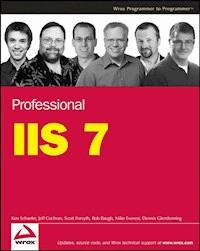
As the first update to Microsoft's server operating system in nearly five years, Windows Server 2008 boasts the new Internet Information Services 7.0 (IIS 7), which is the largest departure from previous versions of IIS ever. Written by an author team that includes four Microsoft MVPs, this book shows you how to take advantage of these exciting new features of IIS 7. With a clear understanding of IIS 7, you'll learn to deploy, install, monitor, manage, and secure an IIS environment with confidence and ease. Note: CD-ROM/DVD and other supplementary materials are not included as part of eBook file.
Sie lesen das E-Book in den Legimi-Apps auf:
Seitenzahl: 1290
Veröffentlichungsjahr: 2011
Ähnliche


















Table of Contents
Cover
Title Page
Copyright
About the Authors
Credits
Introduction
Who This Book Is For
How This Book Is Structured
What You Need to Use This Book
Conventions
Source Code
Errata
p2p.wrox.com
Part I: Introduction and Deployment
Chapter 1: Background on IIS and New Features in IIS 7.0
IIS Versions 1.0 to 4.0
IIS 5.0 and 5.1
IIS 6.0
IIS 7.0 Versions
IIS 7.0 Features
Summary
Chapter 2: IIS 7.0 Architecture
IIS 4.0 and Previous Versions
IIS 5.0
IIS 6.0
IIS 7.0 Architecture
Windows Server 2008 Architecture
Summary
Chapter 3: Planning Your Deployment
Windows 2008 Server Deployment Planning
IIS 7.0 Deployment Planning
Application Deployment Planning
Automation and Deployment Tools
Capacity Planning
Summary
Chapter 4: Installing IIS 7.0
Clean Installation
Upgrade Installation
Adding Features to an Existing Installation
Automated Installation and Configuration
Server Core Command-Line Installation
Hosting Service Recommendations
Shared Configuration
Installing IIS 7.0 on Windows Vista
Summary
Part II: Administration
Chapter 5: Administration Tools
Key Characteristics
IIS Manager
IIS Manager Extensibility
Configuration Settings
Command-Line Management
Web Management Service and Remote Administration
Summary
Chapter 6: Web-Site Administration
Web Sites, Applications, and Virtual Directories
Creating a New Web Site
Configuring Logging
Configuring Host Headers
Administering Applications
Administering Virtual Directories
Authentication
Configuring Compression
Configuring Default Document Settings
Configuring MIME Settings
Basic Administration Tasks
Summary
Chapter 7: Web Application Administration
Application Administration
ASP
ASP.NET
ISAPI
CGI
FastCGI
Windows Process Activation Service
Summary
Chapter 8: Web Application Pool Administration
A Background of Web-Site Separation
Defining Applications
Comparing Virtual Directories to Applications
Understanding the w3wp.exe Process
Working with Application Pools
Application Pool Security
Noteworthy Advanced Settings
Application Pool Users
Summary
Chapter 9: Delegating Remote Administration
Introducing the Main Characters
IIS Manager Remote Access
Delegation Settings
Summary
Chapter 10: Configuring Other Services
FTP — Shipping Version
FTP 7
FrontPage Server Extensions
SMTP
LogParser
Summary
Part III: Advanced Administration
Chapter 11: Core Server
Background
Core Server and Modules
Server Workload Customization
ASP.NET and the IIS Pipeline
Legacy ISAPI Support
Summary
Chapter 12: Core Server Extensibility
Extensibility Overview
IIS Module Concepts
An Example Native Module
Managed Code Modules
An Example Managed Module
Event Tracing from Modules
Extending IIS Configuration
Extending the IIS Administration Tool
Summary
Chapter 13: Securing the Server
What Is Security?
Types of Attacks
Securing the Server
Securing IIS 7.0
Summary
Chapter 14: Authentication and Authorization
Authentication in IIS 7.0
Configuring Anonymous Authentication
Configuring Basic Authentication
Configuring Digest Authentication
Configuring NTLM Authentication
Configuring UNC Authentication
Configuring Client Certificate Authentication
Configuring Forms-Based Authentication
Configuring Delegation
Configuring Protocol Transition
Configuring Authorization
Understanding IIS 7.0 User Accounts
Summary
Chapter 15: SSL and TLS
Securing a Web Site with TLS
Securing an SMTP Virtual Server with TLS
Securing an FTP Site with TLS
Summary
Chapter 16: Configuring and Load-Balancing Web Farms
IIS 7.0 and Web Farms
Content Configuration
Content Replication
Complete Redundancy
Load Balancing
Other Considerations
Summary
Chapter 17: Programmatic Configuration and Management
Direct Configuration
Programmatic Configuration
Summary
Part IV: Managing and Operating IIS 7.0
Chapter 18: IIS and Operations Management
Management Approaches and Principles
Operational Tasks
Summary
Chapter 19: Monitoring and Performance Tuning
Monitoring Web Sites
Performance Tuning
Summary
Chapter 20: Diagnostics and Troubleshooting
Types of Issues
Runtime Status and Control API (RSCA)
IIS 7.0 Error Pages
Failed Request Tracing
Logging
ASP.NET Tracing
Troubleshooting Tips
Additional Built-in Tools
Installable Tools
Summary
Appendix A: Module Reference
Utility Modules
Managed Engine: ASP.NET Integration
IIS 7.0 Native Modules
Managed Modules
Appendix B: IIS Status Codes
HTTP
FTP
Appendix C: WCF Primer
Service-Oriented Applications
WCF and ASP.NET Web Services
WAS and WCF
Configuring a WCF Application
Appendix D: Resources
IIS Product Group Resources
IIS Public Newsgroups
Standards Documents
Blogs
Microsoft Documentation
Third-Party Products and Tools
Security Documentation
Index
Advertisement
Professional IIS 7.0
Published byWiley Publishing, Inc. 10475 Crosspoint Boulevard Indianapolis, IN 46256www.wiley.com
Copyright © 2008 by Wiley Publishing, Inc., Indianapolis, Indiana
Published simultaneously in Canada
ISBN: 978-0-470-09782-3
Manufactured in the United States of America
10 9 8 7 6 5 4 3 2 1
Library of Congress Cataloging-in-Publication Data
Professional IIS 7 / Ken Schaefer ... [et al.].
p. cm.
Includes index.
ISBN 978-0-470-09782-3 (paper/website)
1. Microsoft Internet information server. 2. Web servers. I. Schaefer, Ken. II. Title: Professional Internet Information Server 7.
TK5105.875.I57P755 2008
005.7’1376--dc22
2008001369
No part of this publication may be reproduced, stored in a retrieval system or transmitted in any form or by any means, electronic, mechanical, photocopying, recording, scanning or otherwise, except as permitted under Sections 107 or 108 of the 1976 United States Copyright Act, without either the prior written permission of the Publisher, or authorization through payment of the appropriate per-copy fee to the Copyright Clearance Center, 222 Rosewood Drive, Danvers, MA 01923, (978) 750-8400, fax (978) 646-8600. Requests to the Publisher for permission should be addressed to the Legal Department, Wiley Publishing, Inc., 10475 Crosspoint Blvd., Indianapolis, IN 46256, (317) 572-3447, fax (317) 572-4355, or online at http://www.wiley.com/go/permissions.
Limit of Liability/Disclaimer of Warranty: The publisher and the author make no representations or warranties with respect to the accuracy or completeness of the contents of this work and specifically disclaim all warranties, including without limitation warranties of fitness for a particular purpose. No warranty may be created or extended by sales or promotional materials. The advice and strategies contained herein may not be suitable for every situation. This work is sold with the understanding that the publisher is not engaged in rendering legal, accounting, or other professional services. If professional assistance is required, the services of a competent professional person should be sought. Neither the publisher nor the author shall be liable for damages arising herefrom. The fact that an organization or Website is referred to in this work as a citation and/or a potential source of further information does not mean that the author or the publisher endorses the information the organization or Website may provide or recommendations it may make. Further, readers should be aware that Internet Websites listed in this work may have changed or disappeared between when this work was written and when it is read.
For general information on our other products and services, please contact our Customer Care Department within the United States at (800) 762-2974, outside the United States at (317) 572-3993 or fax (317) 572-4002.
Trademarks: Wiley, the Wiley logo, Wrox, the Wrox logo, Wrox Programmer to Programmer, and related trade dress are trademarks or registered trademarks of John Wiley & Sons, Inc. and/or its affiliates, in the United States and other countries, and may not be used without written permission. All other trademarks are the property of their respective owners. Wiley Publishing, Inc., is not associated with any product or vendor mentioned in this book.
Wiley also publishes its books in a variety of electronic formats. Some content that appears in print may not be available in electronic books.
About the Authors
Ken Schaefer is a systems engineer consultant for global systems integrator Avanade. Avanade is a joint partnership between Microsoft and Accenture and focuses on enterprise projects across the Microsoft product stack. Ken has worked with IIS for around 10 years and has been a Microsoft MVP for IIS since 2003. He has presented at numerous Microsoft Tech.Ed events across the United States, Australia, and Asia; written articles for Microsoft TechNet; and spent countless hours talking about IIS at other events, user group meetings, and road shows. He is currently an MCSE, MCDBA, MCTS, and holds a Masters in Business and Technology from UNSW. When he isn’t thinking about IIS, Ken can usually be found tinkering with Active Directory, Operations Manager, SQL Server, Windows Media Center, Virtual PC…
Thank you, Julia, Sebastien, and Theo for putting up with the trials, tribulations, and late nights involved in writing a book, again. This would not have been possible without your love and support.
As the lead author, on behalf of all the authors, I’d like to thank Bob Elliot and John Sleeva and the rest of the team from Wiley for their never-ending patience whilst we put this book together.
Jeff Cochran is a Senior Network Specialist for the City of Naples, Florida, and has been employed in the computer networking industry for nearly two decades. Beginning with computer bulletin boards on a Commodore 64 in the early 1980s, he has worked with nearly every method of communication via computer since. In the early 1990s, he started the first commercial ISP in Southwest Florida, using Windows NT 3.51 systems for mail, web, and FTP servers.
Jeff is married to Zina, a self-employed graphic designer, and spends his free time remodeling a 1950s home in Naples. Although most of his personal hobbies revolve around computers, he enjoys Geocaching and collecting pinball machines, and is still addicted to Age of Empires.
Writing for this book, I must thank members of the IIS team, especially Chris, Carlos, Alexis, Mai-lan, Faith, Robert, Anil, Bilal, Eric, and Thomas. I also thank my coauthors for their suggestions and insight.
To Zina, without whom there would be no reason to write.
Scott Forsyth works for ORCS Web, Inc. as the Director of IT. ORCS Web is a Microsoft Certified Partner offering web hosting services utilizing the IIS platform for hosting of ASP.NET, SharePoint, SQL Server, Exchange and other technologies. He is a Microsoft MVP for ASP.NET, an ASP Insider and has multiple MCP certifications.
Scott is married and has two kids, Joel and Alisha, who don’t work with IIS yet but do spend countless hours on the computer. When he’s not in front of a computer, Scott leads a youth group at his local church, plays the drums and enjoys playing table tennis.
For my wife, Melissa, and my children, Joel and Alisha, who patiently support me in work and writing.
Rob Baugh is the VP of IT for Anres Technologies. He has been in the IT field since 1999 and has worked with IIS the entire time. He has multiple Microsoft Certified Professional certifications.
Rob is married to Stacy and they have one daughter, Emily. His passion (when away from computers) is scuba diving, so he recently relocated to Merida, Mexico to be closer to the blue waters of the Caribbean.
Thanks to my ever faithful bride, Stacy, for supporting me throughout the many late nights spent writing.
Mike Everest has had an interest in computing from the time he first laid eyes on a PC at high school in 1978. He operated a series of Bulletin Board Systems throughout the 1980s while completing his undergraduate studies and experimenting with early Internet technologies.
Mike began working with web servers in the early 1990s and established the first commercial web hosting platform in his regional hometown of Geelong, Australia. Since then, specializing in Internet infrastructure, hosting services, and ISP systems, he has participated in establishing and developing no fewer than seven technology companies, sold two, and maintains an ongoing interest in three.
Mike is delighted to have had the opportunity to contribute to this book and is more than happy to receive comments, questions, and criticisms from readers.
Special thanks to all of the IIS 7.0 team at Microsoft, for without such an excellent product we would have nothing to write about.
Dennis Glendenning (MA, MBA, MCSA+Msg, MCSE, PMP) is a Principal Systems Engineer with Avanade, where he provides design and delivery leadership for large-scale technology integration projects. Dennis’s background includes graduate training, professional certifications, and a blend of technical and project management experience that spans more than 15 years. In addition to delivering technology architectures for Fortune 500 companies, Dennis has led several eCommerce infrastructure teams to leverage IIS in the public safety, insurance, and financial industries. Although he travels the United States for work, Dennis lives in Cleveland, Ohio with his wife and two children, and he revels in hiking, history, great speeches, and epic FPS PC games. Dennis can be reached at [email protected].
I would like to thank Ken Schaefer for offering the opportunity to contribute and for coordinating many tasks among the authors. John Sleeva has my thanks for doing a fantastic job editing, with much of the quality of my contributions due to John’s terrific advice. Finally, Greg Molnar also has my gratitude, for giving support and accommodations, advice, and friendship during this project.
To my lovely wife and new mother, Melissa Jean, and to our amazing children, Jessica and Nicolas: May you see, do, and love all that life promises.
Credits
Executive Editor Robert Elliott
Development Editor John Sleeva
Technical Editor Pierre Greborio
Production Editor Daniel Scribner
Copy Editor Catherine Caffrey
Editorial Manager Mary Beth Wakefield
Production Manager Tim Tate
Vice President and Executive Group Publisher Richard Swadley
Vice President and Executive Publisher Joseph B. Wikert
Project Coordinator, Cover Lynsey Stanford
Proofreaders Christopher M. Jones, Kate Reilly, Corina Copp, Jeremy Bagai
IndexerRobert Swanson
Compositors Craig Thomas, Craig WoodsHappenstance Type-O-Rama
Introduction
Windows Server 2008 is the first update to Microsoft’s server operating system in nearly five years, and among the major changes is the new Internet Information Services 7.0, which probably marks the biggest departure from previous IIS versions that we have ever seen.
Previous recent releases of IIS have concentrated on improving security and reliability and thus have mostly involved changes “under the hood.” For administrators and developers, adaptation to the new products had been relatively simple.
With IIS 7.0, however, Microsoft has fundamentally changed the way the product works, with new configuration, delegated administration, and extensibility options designed to address perceived feature weakness compared to competing products. At the same time, IIS 7.0 now has new, real-time diagnostic and troubleshooting features and absorbs functionality from ASP.NET (such as caching and forms-based authentication), making this available across all requests.
With the addition of a brand-new FTP server and FastCGI support, IIS 7.0 leapfrogs its major competitors in feature and flexibility options and indicates a clear effort by Microsoft to capture more of the public-facing web server market, in addition to its existing strong presence in the corporate sphere.
For administrators and developers, the fundamental changes in the way that IIS 7.0 works, is administered, and can be extended mean that the knowledge required to fully take advantage of IIS 7.0’s new features is substantially greater than in previous versions.
The authors have focused on capturing the very best of the new features in IIS 7.0 and how you can take advantage of them. The writing styles vary from chapter to chapter because some of the foremost experts on IIS 7.0 have contributed to this book. Drawing on our expertise in deployment, hosting, development, and enterprise operations, we believe that this book captures much of what today’s IIS administrators need in their day-to-day work.
Who This Book Is For
This book is aimed at IIS administrators (or those who need to ramp up quickly in anticipation of having to administer IIS). What differentiates this book is that it doesn’t just focus on features and how to configure them using a GUI administrative tool. Instead, we explain how features work (for example, how Kerberos authentication actually works under the covers) so that you can better troubleshoot issues when something goes wrong.
Additionally, since most administrators need to be able to automate common procedures, we have included specific chapters on programmatic administration and command-line tools as well as code snippets (using AppCmd.exe, WMI, and .NET) throughout the book.
This book covers features that many other IIS books don’t touch (such as high availability and web farm scenarios, or extending IIS) and has a dedicated chapter on troubleshooting and diagnostics.
Real-life IIS administration is about people, processes, and technology. Although a technical book can’t teach you much about hiring the right people, this book doesn’t focus solely on technology. Operations management and monitoring (key components of good processes) are also addressed.
Overall, we think that this book provides comprehensive coverage of the real-life challenges facing IIS administrators: getting up to speed on the new features of a product, understanding how the product works under the covers, and being able to operate and manage the product effectively over the long term.
How This Book Is Structured
The book is divided into four major parts. Part I covers the new features and architecture of IIS 7.0, as well as deployment and installation considerations.
Part II discusses the basics of the new administration tools (both GUI and command-line) as well as basic administrative tasks for web sites, delegated administration, and supporting services (such as FTP, SMTP, and publishing options).
Part III introduces more advanced topics, such as extending IIS 7.0, programmatic administration, web farms and high availability, and security.
Finally, Part IV covers topics that go beyond the initial understanding of the new feature set. We cover topics that administrators will need on an ongoing basis, such as operations management, performance monitoring and tuning, and diagnostics and troubleshooting.
What You Need to Use This Book
Although IIS 7.0 ships in both Vista and Windows Server 2008, certain functionality (such as load balancing) is available only in the server edition. Because the full functionality of IIS 7.0 is available in Windows Server 2008, the authors have focused on that product for this book.
For IIS 7.0 extensibility, Microsoft Visual Studio 2008 has been used throughout the book; however, any IDE suitable for .NET development can be used for implementing the code samples presented.
Conventions
To help you get the most from the text and keep track of what’s happening, we’ve used several conventions throughout the book.
Sidebar
Boxes like this one hold important, not-to-be forgotten information that is directly relevant to the surrounding text.
Tips, hints, tricks, and asides to the current discussion are offset and placed in italics like this.
As for styles in the text:
We highlight new terms and important words when we introduce them.We show keyboard strokes like this: Ctrl+A.We show file names, URLs, and code within the text like so: persistence.properties. We present code in two different ways:In code examples we highlight new and important code with a gray background.
The gray highlighting is not used for code that's less important in the present context, or has been shown before.
Source Code
As you work through the examples in this book, you may choose either to type in all the code manually or to use the source code files that accompany the book. All the source code used in this book is available for download at www.wrox.com. Once at the site, simply locate the book’s title (either by using the Search box or by using one of the title lists), and click the Download Code link on the book’s detail page to obtain all the source code for the book.
Because many books have similar titles, you may find it easiest to search by ISBN; this book’s ISBN is 978-0-470-09782-3.
Once you download the code, just decompress it with your favorite compression tool. Alternately, you can go to the main Wrox code download page at www.wrox.com/dynamic/books/download.aspx to see the code available for this book and all other Wrox books.
Errata
We make every effort to ensure that there are no errors in the text or in the code. However, no one is perfect, and mistakes do occur. If you find an error in one of our books, like a spelling mistake or a faulty piece of code, we would be very grateful for your feedback. By sending in errata you may save another reader hours of frustration, and at the same time you will be helping us provide even higher quality information.
To find the errata page for this book, go to www.wrox.com, and locate the title using the Search box or one of the title lists. Then, on the book details page, click the Book Errata link. On this page, you can view all errata that have been submitted for this book and posted by Wrox editors. A complete book list including links to each book’s errata is also available at www.wrox.com/misc-pages/booklist.shtml.
If you don’t spot “your” error on the Book Errata page, go to www.wrox.com/contact/techsupport.shtml and complete the form there to send us the error you have found. We’ll check the information and, if appropriate, post a message to the book’s errata page and fix the problem in subsequent editions of the book.
p2p.wrox.com
For author and peer discussion, join the P2P forums at p2p.wrox.com. The forums are a Web-based system for you to post messages relating to Wrox books and related technologies and interact with other readers and technology users. The forums offer a subscription feature to e-mail you topics of interest of your choosing when new posts are made to the forums. Wrox authors, editors, other industry experts, and your fellow readers are present on these forums.
At http://p2p.wrox.com, you will find several different forums that will help you not only as you read this book, but also as you develop your own applications. To join the forums, just follow these steps:
1. Go to p2p.wrox.com and click the Register link.
2. Read the terms of use and click Agree.
3. Complete the required information to join as well as any optional information you wish to provide and click Submit.
4. You will receive an e-mail with information describing how to verify your account and complete the joining process.
You can read messages in the forums without joining P2P, but in order to post your own messages, you must join.
Once you join, you can post new messages and respond to messages other users post. You can read messages at any time on the Web. If you would like to have new messages from a particular forum e-mailed to you, click the “Subscribe to this Forum” icon by the forum name in the forum listing.
For more information about how to use the Wrox P2P, be sure to read the P2P FAQs for answers to questions about how the forum software works as well as many common questions specific to P2P and Wrox books. To read the FAQs, click the FAQ link on any P2P page.
Part I
Introduction and Deployment
Chapter 1: Background on IIS and New Features in IIS 7.0
Chapter 2: IIS 7.0 Architecture
Chapter 3: Planning Your Deployment
Chapter 4: Installing IIS 7.0
Chapter 1
Background on IIS and New Features in IIS 7.0
Microsoft’s Internet Information Services (IIS) has been around for more than a decade, from its first incarnation in Windows NT 3.51 to the current release of IIS 7.0 on the Windows Server 2008 and Vista platforms. It has evolved from providing basic service as an HTTP server, as well as additional Internet services such as Gopher and WAIS, to a fully configurable application services platform integrated with the operating system.
IIS 7.0 is a dramatic change in the way IIS is configured and managed. Modularity, granularity, and interoperability are the guiding factors across the entire product, from setup to security, management to automation. Integrated heavily into the operating system, IIS 7.0 benefits from the improvements in the Windows Server 2008 operating system but IIS has been re-engineered to meet the demands of a true application platform.
This chapter will provide you with an overview of the changes in IIS 7.0 as well as a sampling of some of the new technologies. If you are familiar with IIS 6.0, you will want to skim through this chapter for changes before digging into future chapters for specifics. If you are new to IIS, this chapter will provide an introduction to the features in IIS 7.0 and provide you with a basis for understanding future chapters. And if you’re the kind of reader who just wants to skip to the part that applies to your immediate needs, this chapter can help you figure out in what area those needs will lie.
IIS Versions 1.0 to 4.0
IIS was released with Service Pack 3 for Windows NT 3.51, as a set of services providing HTTP, Gopher, and WAIS functionality. Although the functions were there, most users chose alternates from third-party vendors such as O’Reilly’s Website or Netscape’s server. Although these services had been available for years with the various flavors of UNIX operating systems, native Internet services for Windows were mostly an afterthought, with little integration with the Windows operating system.
With the advent of Windows NT 4.0, IIS also matured in version 2.0. The most notable improvement in IIS version 2.0 was closer integration with the Windows NT operating system, taking advantage of Windows security accounts and providing integrated administration through a management console similar to many other Windows services. IIS 2.0 introduced support for HTTP Host headers, which allowed multiple sites to run on a single IP address, and aligned Microsoft’s IIS development with NCSA standards, providing for NCSA common log formats and NCSA-style map files. IIS 2.0 also introduced a web browser interface for management, and content indexing through Microsoft’s Index Server.
IIS version 3.0 was introduced with Windows NT Service Pack 3 and introduced the world to ASP (Active Server Pages) and Microsoft’s concept of an application server. A precursor to the ASP.NET environment, ASP (now referred to as classic ASP) is a server-side scripting environment for the creation of dynamic web pages. Using VBScript, JScript or any other active scripting engine, programmers finally had a viable competitor to CGI and scripting technologies available on non-Microsoft platforms, such as Perl.
IIS 4.0, available in the NT Option Pack, introduced ASP 2.0, an object-based version of ASP that included six built-in objects to provide standardized functionality in ASP pages. IIS 4.0 was the last version of IIS that could be downloaded and installed outside of the operating system.
IIS 5.0 and 5.1
With the release of Windows 2000, IIS became integrated with the operating system. Version numbers reflected the operating system, and there were no upgrades to IIS available without upgrading the operating system. IIS 5.0 shipped with Windows 2000 Server versions and Windows 2000 Professional, and IIS version 5.1 shipped with Windows XP Professional, but not Windows XP Home Edition. For all essential functions, IIS 5.0 and IIS 5.1 are identical, differing only slightly as needed by the changes to the operating system.
Lesen Sie weiter in der vollständigen Ausgabe!
Lesen Sie weiter in der vollständigen Ausgabe!
Lesen Sie weiter in der vollständigen Ausgabe!
Lesen Sie weiter in der vollständigen Ausgabe!
Lesen Sie weiter in der vollständigen Ausgabe!
Lesen Sie weiter in der vollständigen Ausgabe!
Lesen Sie weiter in der vollständigen Ausgabe!
Lesen Sie weiter in der vollständigen Ausgabe!
Lesen Sie weiter in der vollständigen Ausgabe!
Lesen Sie weiter in der vollständigen Ausgabe!
Lesen Sie weiter in der vollständigen Ausgabe!
Lesen Sie weiter in der vollständigen Ausgabe!
Lesen Sie weiter in der vollständigen Ausgabe!
Lesen Sie weiter in der vollständigen Ausgabe!
Lesen Sie weiter in der vollständigen Ausgabe!
Lesen Sie weiter in der vollständigen Ausgabe!
Lesen Sie weiter in der vollständigen Ausgabe!
Lesen Sie weiter in der vollständigen Ausgabe!
Lesen Sie weiter in der vollständigen Ausgabe!
Lesen Sie weiter in der vollständigen Ausgabe!
Lesen Sie weiter in der vollständigen Ausgabe!
Lesen Sie weiter in der vollständigen Ausgabe!
Lesen Sie weiter in der vollständigen Ausgabe!
Lesen Sie weiter in der vollständigen Ausgabe!
Lesen Sie weiter in der vollständigen Ausgabe!
Lesen Sie weiter in der vollständigen Ausgabe!
Lesen Sie weiter in der vollständigen Ausgabe!
Lesen Sie weiter in der vollständigen Ausgabe!




