


34,79 €
Mehr erfahren.
- Herausgeber: Packt Publishing
- Kategorie: Wissenschaft und neue Technologien
- Sprache: Englisch
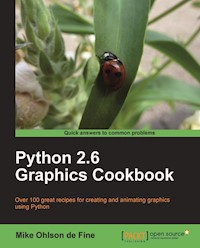
Python is a great object-oriented and interactive programming language that lets you develop graphics, both static and animated, using built-in vector graphics functions that are provided with Python.
Python 2.6 Graphics Cookbook is a collection of straightforward recipes and illustrative screenshots for creating and animating graphic objects using the Python language. This book makes the process of developing graphics interesting and entertaining by working in a graphic workspace without the burden of mastering complicated language definitions and opaque examples.
If you choose to work through all the recipes from the beginning, you will learn to install Python and create basic programs for making lines and shapes using the built-in Tkinter module. The confusing topic of color manipulation is explored in detail using existing Python tools as well as some new tools in the recipes. Next you will learn to manipulate font size, color, and placement of text as placing text exactly where you want on a screen can be tricky because font height, inter-character spacing, and text window dimensions all interfere with each other. Then you will learn how to animate graphics, for example having more than one independent graphic object co-exist and interact using various Python methods.
You will also learn how you can work with raster images, such as converting their formats using the Python Imaging Library. Next you will learn how you can combine vector images with raster images so that you can animate the raster images with ease. You will also walk through a set of recipes with the help of which you can handle and manipulate blocks of raw data that may be hundreds of megabytes in size using datastreams, files, and hard drives. You will also learn how you can use Inkscape to dismantle existing images and use parts of them for your own graphics and Python programs. At the end of the book you will learn how you can create GUIs for different purposes.
Das E-Book können Sie in Legimi-Apps oder einer beliebigen App lesen, die das folgende Format unterstützen:
Seitenzahl: 272
Veröffentlichungsjahr: 2010
Ähnliche




















Table of Contents
Python 2.6 Graphics Cookbook
Python 2.6 Graphics Cookbook
Copyright © 2010 Packt Publishing
All rights reserved. No part of this book may be reproduced, stored in a retrieval system, or transmitted in any form or by any means, without the prior written permission of the publisher, except in the case of brief quotations embedded in critical articles or reviews.
Every effort has been made in the preparation of this book to ensure the accuracy of the information presented. However, the information contained in this book is sold without warranty, either express or implied. Neither the author, nor Packt Publishing, and its dealers and distributors will be held liable for any damages caused or alleged to be caused directly or indirectly by this book.
Packt Publishing has endeavored to provide trademark information about all of the companies and products mentioned in this book by the appropriate use of capitals. However, Packt Publishing cannot guarantee the accuracy of this information.
First published: November, 2010
Production Reference: 1181110
Published by Packt Publishing Ltd.
32 Lincoln Road
Olton
Birmingham, B27 6PA, UK.
ISBN 978-1-849513-84-5
www.packtpub.com
Cover Image by Asher Wishkerman (<[email protected]>)
Credits
Author
Mike Ohlson de Fine
Reviewers
Flavio Barbosa
Michael Driscoll
Warren Noronha
Acquisition Editor
Dilip Venkatesh
Development Editor
Meeta Rajani
Technical Editor
Gauri Iyer
Indexer
Tejal Daruwale
Editorial Team Leader
Mithun Sehgal
Project Team Leader
Ashwin Shetty
Project Coordinator
Michelle Quadros
Proofreader
Mario Cecere
Graphics
Nilesh R. Mohite
Production Coordinator
Aparna Bhagat
Cover Work
Aparna Bhagat
About the Author
Mike Ohlson de Fine is a graduate Electrical Engineer specializing in industrial process measurement and control. He has a Diploma in Electronics and Instrumentation from Technikon Witwatersrand, an Electrical Engineering degree from the University of Cape Town, and a Masters in Automatic Control from Rand Afrikaans University. He has worked for mining and mineral extraction companies for the last 30 years. His first encounter with computers was learning Fortran 4 using punched cards on an IBM 360 as an undergraduate. Since then, he has experimented with Pascal, Forth, Intel 8080 Assembler, MS Basic, C, and C++, but was never satisfied with any of these. Always restricted by corporate control of computing activities, he encountered Linux in 2006 and Python in 2007 and became free at last.
As a working engineer he needs tools that facilitate the understanding and solution of industrial process control problems using simulations and computer models of real processes. Linux and Python proved to be excellent tools for these challenges. When he retires he would like to be part of setting up a Free and Open Source engineering virtual workshop for his countrymen and people in other poor countries to enable the bright youngsters of these countries to be intellectually free at last.
His hobbies are writing computer simulations, paddling kayaks in wild water, and surf skiing in the sea.
At the top of the pyramid of people who have helped and encouraged me to write this book is my wonderful wife Suzanne. Thank you Suzy, with all my heart. I want to dedicate this book also to three courageous people, Genevieve, Candace, and Peter, who have bravely chosen a steep and difficult path in their lives. I salute you.
Next who I would like to thank are the very professional and pleasant staff of PACKT Publishing. A special thanks to the restrained and long suffering reviewers Mike Driscoll, Warren Noronha, and Flavio Barbosa. Your criticism was invaluable.
About the Reviewers
Michael Driscoll has been programming Python since 2006 and has dabbled in other languages since the late nineties. He graduated from university with a Bachelors in Science degree, majoring in Management Information Systems. Michael enjoys programming for fun and profit. His hobbies include Biblical apologetics, blogging about Python at http://www.blog.pythonlibrary.org/ and learning photography. Michael currently works for local government where he programs with Python as much as possible. Michael was also a technical editor for Python 3: Object Oriented Programming by Dusty Phillips.
I would like to thank my brothers for their support and the fun times they share with me and my dad for his indirect support. Most of all, I want to thank Jesus for saving me from myself.
Warren Noronha is an entrepreneur and geek. Computers have been part of Warren’s life since he was four years old. He began his career as a system administrator, but ended up doing everything from security and design to product development. He enjoys managing people as much as he does managing code or machines. Having worked with small startups as well as Fortune 500 companies, Warren is also a staunch supporter of free software and free speech. He has been a frequent speaker at various colleges and events, discussing subjects ranging from technology and media to launching a startup.
Warren loves working with new technologies; a trait which lead him to become one of the first users of GNU/Linux, Drupal, and Ruby on Rails, much before they grew exponentially and became mainstream technologies. He spends his time working on databases, distributed computing, social computing, and enjoys using internet and communication technology to bridge the digital divide.
Preface
Python 2.6 Graphics Cookbook is a collection of straightforward recipes and illustrative screenshots for creating and animating graphic objects using the Python language. This book makes the process of developing graphics interesting and entertaining by working in a graphic workspace, without the burden of mastering complicated language definitions and opaque examples.
What this book covers
Chapter 1, Start your Engines: This chapter explains how to acquire and install the Python interpreter, for MS Windows or Linux as well as how to verify that Python is correctly installed. This chapter explains how to create complete working programs that can be run on client computers that do not have Python installed.
Chapter 2, Drawing Fundamental Shapes: This shows how to create all the fundamental graphic elements including lines, circles, ovals, rectangles, polygons, and complex curves. Simple examples are provided to demonstrate how to draw the elementary shapes. The examples also provide a ready for reference for later use.
Chapter 3, Handling Text: This chapter demonstrates how to control font size, color, and position using any of the font typefaces installed on the specific operating system being used. A simple means of discovering and demonstrating all available fonts on the operating system is shown.
Chapter 4, Animation Principles: This chapter starts with examples of simple sequences of a circle in different positions and systematically progresses to smoothly-moving animations of elastic balls bouncing inside a gravity field.
Chapter 5, The Magic of Color: This chapter begins with the assembling of color palettes using color names recognizable to Python. The way colors are constructed using numbers to mix controlled amounts of red, green, and blue is explained. Tools for matching colors to any sample are constructed. This chapter demonstrates how to vary shadings of one color into another.
Chapter 6, Working with Pictures: This chapter reveals how to acquire and use the Python Imaging Library to manipulate photo images. It also shows methods of image format conversion, re-sizing, rotating, color transforming, and complex filtering.
Chapter 7, Combining Vector and Raster Images: This chapter demonstrates the ways of combining animated vector graphics with photographic images to produce complex animations.
Chapter 8, Data in and Data Out: This chapter starts with basic storing and retrieving of files to a hard drive and progresses to the construction of programs that are tools for creating, storing, and retrieving free-form shapes drawn using a mouse.
Chapter 9, Exchanging Inkscape SVG Drawings with Tkinter Shapes: This chapter shows in detail how to use the Inkscape drawing tool to convert shapes traced from a photographic image into a sequence of points which reproduce the shape in Python. Once a line is expressed as a Python sequence, it can be transformed numerically in many ways.
Chapter 10, GUI Construction: Part 1: This chapter provides basic examples of how to create buttons, data entry boxes, drop-down menus, list-boxes, and text labels. It also covers how to customize button appearance.
Chapter 11, GUI Construction: Part 2: Here the Grid Layout Manager and the Pack Layout Manager are explained and demonstrated. Examples of radio buttons, check buttons, scrollbars, frames, and keystroke event coding are given. It also shows how to construct widgets using graphic elements on a canvas.
Appendix, Quick tips for running Python programs in Microsoft Windows: This gives explanations of how to overcome some of the difficulties a new python programmer might encounter when trying to use Python in Windows.
What you need for this book
To run the code in this book, the reader will need a Linux operating system or Microsoft Windows, and some way of downloading Python, the Python Imaging Library, and Inkscape from the internet. All these applications are free and open source. The code has been developed on Linux Ubuntu version 9.04, Microsoft Windows XP, and Windows 7.
Who this book is for
This book is for Python programmers wanting simple, clear examples of graphic programming using Python. The examples are aimed at anyone wanting to use graphic elements and images inside Python programs with the minimum of complexity. The intended reader ranges from scholars and teachers to engineers and technicians.
Reader feedback
Feedback from our readers is always welcome. Let us know what you think about this book—what you liked or may have disliked. Reader feedback is important for us to develop titles that you really get the most out of.
To send us general feedback, simply send an e-mail to <[email protected]>, and mention the book title via the subject of your message.
If there is a book that you need and would like to see us publish, please send us a note in the SUGGEST A TITLE form on www.packtpub.com or e-mail <[email protected]>.
If there is a topic that you have expertise in and you are interested in either writing or contributing to a book, see our author guide on www.packtpub.com/authors.
Customer support
Now that you are the proud owner of a Packt book, we have a number of things to help you to get the most from your purchase.
Tip
Downloading the example code for this book
You can download the example code files for all Packt books you have purchased from your account at http://www.PacktPub.com. If you purchased this book elsewhere, you can visit http://www.PacktPub.com/support and register to have the files e-mailed directly to you.
Errata
Although we have taken every care to ensure the accuracy of our content, mistakes do happen. If you find a mistake in one of our books—maybe a mistake in the text or the code—we would be grateful if you would report this to us. By doing so, you can save other readers from frustration and help us improve subsequent versions of this book. If you find any errata, please report them by visiting http://www.packtpub.com/support, selecting your book, clicking on the errata submission form link, and entering the details of your errata. Once your errata are verified, your submission will be accepted and the errata will be uploaded on our website, or added to any list of existing errata, under the Errata section of that title. Any existing errata can be viewed by selecting your title from http://www.packtpub.com/support.
Piracy
Piracy of copyright material on the Internet is an ongoing problem across all media. At Packt, we take the protection of our copyright and licenses very seriously. If you come across any illegal copies of our works, in any form, on the Internet, please provide us with the location address or website name immediately so that we can pursue a remedy.
Please contact us at <[email protected]> with a link to the suspected pirated material.
We appreciate your help in protecting our authors, and our ability to bring you valuable content.
Questions
You can contact us at <[email protected]> if you are having a problem with any aspect of the book, and we will do our best to address it.
Chapter 1. Start your Engines
In this chapter, we will cover:
Introduction
This book is a collection of code recipes for creating and animating graphic objects using the marvelous Python language. In order to create and manipulate graphic objects, Python makes use of the Tkinter module. The prerequisite for using Python and Tkinter is obviously to have both installed. Both are free and Open Source and instructions for obtaining and installing them are abundantly available on the web. Just Google phrases like "install Python" and you will be spoilt for choice.
Our first task is to prove that Python and Tkinter are installed and working on our computer. In this book, we use Python version 2.6. Python 3.0 which came out in 2010 requires some changes in syntax that we won't be using in this book.
Let's look at some simple tests to check if Python is installed. If we download and install Python on Windows, it automatically includes Tkinter as one of the essential modules so we do not need to acquire and install it separately.
Running a shortest Python program
We need a one line Python program that will prove that the Python interpreter is installed and working on our computer platform.
How to do it...
How it works...
Any instructions you type into a Linux X terminal or DOS terminal in MS Windows are treated as operating system commands. By starting these commands from within the same directory where your Python program is stored you do not have to tell the Python and operating system where to search for your code. You could store the code in another directory but you would then need to precede the program name with the path.
There's more...
Try the longer version of the same basic print instructions shown in the following program.
All the text between the """ (triple quotation marks) is purely for the sake of good documentation and record keeping. It is for the use of programmers, and that includes you. Alas, the human memory is imperfect. Bitter experience will persuade you that it is wise to provide fairly complete information as a header in your programs as well as comments inside the program.
However, in the interest of saving space and avoiding distractions, these header comments have been left out in the rest of this book.
Ensuring that the Python modules are present
Here is a slightly longer version of the previous program. However, the following modules are commanded to "report for duty" inside our program even though they are not actually used at this time: Tkinter, math, random, time, tkFont.
We need the assurance that all the Python modules we will be using later are present and accessible to Python, and therefore, to our code. Each module is a self-contained library of code functions and objects that are called frequently by the commands in your programs.
How to do it...
This proves that your Python interpreter can access the necessary library functions it will need.
How it works...
The print command is an instruction to write or print any text between quotation marks like "show these words" onto the monitor screen attached to your computer. It will also print the values of any named variables or expressions typed after print.
For example: print "dog's name:", dog_name. Where dog_name is the name of a variable used to store some data.
The print command is very useful when you are debugging a complicated sequence of code because even if the execution fails to complete because of errors, any print commands encountered before the error is reached will be respected. So by thoughtful placing of various print statements in your code, you are able to zero in on what is causing your program to crash.
There's more...
When you are writing a piece of Python code for the first time, you are often a bit unsure if your understanding of the logic is completely correct. So we would like to watch the progress of instruction execution in an exploratory way. It is a great help to be able to see that at least part of the code works. A major strength of Python is the way it takes our instructions one at a time and executes them progressively. It will only stop when the end is reached or a when programming flaw halts progress. If we have a twenty line program and only the first five lines are bug-free and the rest are unexecutable garbage, the Python interpreter will at least execute the first five. This is where the print command is a really potent little tool.
This is how you use print and the Python interpreter. When we are having trouble with our code and it just won't work and we are battling to figure out why, we can just insert print statements at various chosen points in our program. This way you can get some intermediate values of variables as your own private status reports. When we want to switch off our print watchdogs we simply type a hash (#) symbol in front, thus transforming them into passive comments. Later on, if you change your mind and want the prints to be active again you just remove the leading hash symbols.




