


31,19 €
Mehr erfahren.
- Herausgeber: Packt Publishing
- Kategorie: Wissenschaft und neue Technologien
- Sprache: Englisch
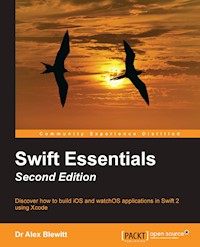
Discover how to build iOS and watchOS applications in Swift 2 using Xcode
About This Book
- Gets you up and running with Swift programming without any prior iOS development experience.
- A fast paced guide showing best practices and lets you get up to speed with Swift to quickly build your own iOS applications
- A unique practical approach to make your life with Swift easy.
Who This Book Is For
Are you interested in learning Swift? Do you want to write iOS applications in Swift? If yes, then this is the book for you. No prior iOS programming experience is assumed; however, having some experience with any programming language will be beneficial.
What You Will Learn
- Dive into Swift and explore its innovative and powerful syntax
- Work with Swift in Xcode to get a unique and productive approach to development
- Find out how to create complete iOS applications
- Discover rapid prototyping with a Swift playground
- Get to know how to use the Swift storyboard to develop multi-page applications
- Get to grips with parsing JSON and XML data from network sources
- Build a network client for GitHub repositories, with full source code on GitHub
In Detail
Swift was considered one of the biggest innovations last year, and certainly with Swift 2 announced at WWDC in 2015, this segment of the developer space will continue to be hot and dominating.
This is a fast-paced guide to provide an overview of Swift programming and then walks you through in detail how to write iOS applications. Progress through chapters on custom views, networking, parsing and build a complete application as a Git repository, all by using Swift as the core language
Style and approach
This fast-paced practical guide will quickly give you hands-on experience with all the features of Swift programming. Following the practical examples in the book will help you successfully create your own iOS applications.
Sie lesen das E-Book in den Legimi-Apps auf:
Seitenzahl: 273
Veröffentlichungsjahr: 2016
Ähnliche


















Table of Contents
Swift Essentials Second Edition
Swift Essentials Second Edition
Copyright © 2016 Packt Publishing
All rights reserved. No part of this book may be reproduced, stored in a retrieval system, or transmitted in any form or by any means, without the prior written permission of the publisher, except in the case of brief quotations embedded in critical articles or reviews.
Every effort has been made in the preparation of this book to ensure the accuracy of the information presented. However, the information contained in this book is sold without warranty, either express or implied. Neither the author nor Packt Publishing, and its dealers and distributors will be held liable for any damages caused or alleged to be caused directly or indirectly by this book.
Packt Publishing has endeavored to provide trademark information about all of the companies and products mentioned in this book by the appropriate use of capitals. However, Packt Publishing cannot guarantee the accuracy of this information.
First published: December 2014
Second Edition: January 2016
Production reference: 1200116
Published by Packt Publishing Ltd.
Livery Place
35 Livery Street
Birmingham B3 2PB, UK.
ISBN 978-1-78588-887-8
www.packtpub.com
Credits
Author
Dr Alex Blewitt
Reviewer
Antonio Bello
Commissioning Editor
Kartikey Pandey
Acquisition Editor
Denim Pinto
Content Development Editor
Preeti Singh
Technical Editor
Siddhesh Patil
Copy Editor
Priyanka Ravi
Project Coordinator
Milton D'souza
Proofreader
Safis Editing
Indexer
Hemangini Bari
Graphics
Disha Haria
Production Coordinator
Arvindkumar Gupta
Cover Work
Arvindkumar Gupta
About the Author
Dr Alex Blewitt has over 20 years of experience in Objective-C, and he has been using Apple frameworks since NeXTstep 3.0. He upgraded his NeXTstation for a TiBook when Apple released Mac OS X in 2001, and he has been developing on it ever since.
Alex currently works for an investment bank in London, writes for the online technology news site InfoQ, and has published two other books for Packt Publishing. He also has a number of apps on the Apple AppStore through Bandlem Limited. When he's not working on technology and if the weather is nice, he likes to go flying from the nearby Cranfield airport.
Alex writes regularly at his blog, http://alblue.bandlem.com, as well tweeting regularly on Twitter as @alblue.
Acknowledgments
This book would not have been possible without the ongoing love and support of my wife, Amy, who has helped me through both the highs and lows of life. She gave me the freedom to work during the many late nights and weekends that it takes to produce a book and its associated code repository. She truly is the Lem of my life.
I'd also like to thank my parents, Ann and Derek, for their encouragement and support during my formative years. It was this work ethic that allowed me to start my technology career as a teenager and to incorporate my first company before I was 25. I'd also like to congratulate them on their 50th wedding anniversary in 2015, and I look forward to reaching that goal with Amy.
Thanks are due, especially, to the reviewer of this version of the book: Antonio Bello, as well as the previous version of this book: Nate Cook, James Robert, and Arvid Gerstmann, who provided excellent feedback on the contents of this book during development and caught many errors in both the text and code. Any remaining errors are my own.
I'd also like to thank my children Sam and Holly for inspiring me, and I hope that they too can achieve anything that they set their minds to.
Finally, I'd like to thank Ben Moseley, and Eren Kotan, both of whom introduced me to NeXT in the first place and set my career going on a twenty year journey to this book
About the Reviewer
Antonio Bello is a veteran software developer who started writing code when memory was measured in bytes instead of gigabytes and storage was an optional add-on. During his professional career, he's worked with several languages and technologies until he landed on the Apple planet.
Today, he loves developing apps for the iPhone, Apple Watch, Apple TV, and their respective backends. Although he still thinks Objective-C is a great and unconventional language, he prefers and has used Swift ever since it's been announced.
www.PacktPub.com
Support files, eBooks, discount offers, and more
For support files and downloads related to your book, please visit www.PacktPub.com.
Did you know that Packt offers eBook versions of every book published, with PDF and ePub files available? You can upgrade to the eBook version at www.PacktPub.com and as a print book customer, you are entitled to a discount on the eBook copy. Get in touch with us at <[email protected]> for more details.
At www.PacktPub.com, you can also read a collection of free technical articles, sign up for a range of free newsletters and receive exclusive discounts and offers on Packt books and eBooks.
https://www2.packtpub.com/books/subscription/packtlib
Do you need instant solutions to your IT questions? PacktLib is Packt's online digital book library. Here, you can search, access, and read Packt's entire library of books.
Why subscribe?
Free access for Packt account holders
If you have an account with Packt at www.PacktPub.com, you can use this to access PacktLib today and view nine entirely free books. Simply use your login credentials for immediate access.
Preface
Swift Essentials provides an overview of the Swift language and the tooling necessary to write iOS applications. From simple Swift commands on the command line using the open source version of Swift, to interactively testing graphical content on OS X with the Xcode Playground editor, Swift language and syntax is introduced by examples.
This book also introduces end-to-end iOS application development on OS X with Xcode by showing how a simple iOS application can be created, followed by how to use storyboards and custom views to build a more complex networked application.
The book concludes by providing a worked example from scratch that builds up a GitHub repository browser for iOS, along with an Apple Watch application.
What this book covers
Chapter 1, Exploring Swift, presents the open source version of Swift with the Swift Read-Evaluate-Print-Loop (REPL) and introduces the Swift language through examples of standard data types, functions, and looping.
Chapter 2, Playing with Swift, demonstrates Swift Xcode Playgrounds as a means to interactively play with Swift code and see graphical results. It also introduces the playground format and shows how playgrounds can be documented.
Chapter 3, Creating an iOS Swift App, shows how to create and test an iOS application built in Swift using Xcode, along with an overview of Swift classes, protocols, and enums.
Chapter 4, Storyboard Applications with Swift and iOS, introduces the concept of Storyboards as a means of creating a multiscreen iOS application and shows how views in the Interface Builder can be wired to Swift outlets and actions.
Chapter 5, Creating Custom Views in Swift, covers custom views in Swift using custom table views, laying out nested views, and drawing custom graphics and layered animations.
Chapter 6, Parsing Networked Data, demonstrates how Swift can talk to networked services using both HTTP and custom stream-based protocols.
Chapter 7, Building a Repository Browser, uses the techniques described in this book to build a repository browser that can display information about users' GitHub repositories.
Chapter 8, Adding Watch Support, introduces the capabilities of the Apple Watch and shows how to build an extension for the iOS app to provide data directly on the watch.
The Appendix, References to Swift-related Websites, Blogs, and Notable Twitter Users, provides additional references and resources to continue learning about Swift.
What you need for this book
The exercises in this book were written and tested for Swift 2.1, which is bundled with Xcode 7.2, and verified against a development build of Swift 2.2. To experiment with Swift, you will need either a Mac OS X or Linux computer that meets the requirements shown at https://swift.org/download/.
To run the exercises involving Xcode in Chapters 2–8, you need to have a Mac OS X computer running 10.9 or above with Xcode 7.2 or above. If newer versions of Swift are released, check the book's GitHub repository or the book's errata page at Packtpub for details about any changes that may affect the book's content.
Note
The Swift playground (described in Chapter 2, Playing with Swift) is only available as part of Xcode on OS X and is not part of the open source version of Swift.
Also, iOS and watchOS development (Chapters 3-8) is only possible on OS X with Xcode; it is not possible to create iOS or watchOS applications on other platforms. Most of the required libraries and modules for iOS development are not available as part of the open source version of Swift.
Xcode can be installed via the App Store as a free download; search for Xcode in the search box. Alternatively, Xcode can be downloaded from https://developer.apple.com/xcode/downloads/, which is referenced from the iOS Developer Center at https://developer.apple.com/devcenter/ios/.
Once Xcode has been installed, it can be launched from /Applications/Xcode.app or from Finder. To run the command line-based exercises, Terminal can be launched from /Applications/Utilities/Terminal.app, and if Xcode is installed successfully, swift can be launched by running xcrun swift.
The iOS applications can be developed and tested in the iOS simulator, which comes bundled with Xcode. It is not necessary to have an iOS device to write or test the code. If you want to run the code on your own iOS device, then you will need an Apple ID to sign in, but the application will be limited to directly connected devices. Similarly, the watch application can be tested in a local simulator or on a local device.
Publishing the application to the AppStore requires that you join the Apple Developer Program. More information is available at https://developer.apple.com/programs/.
Who this book is for
This book is aimed at developers who are interested in learning the Swift programming language, either using the open source version of Swift on Linux or the version bundled with Xcode on OS X. However, after Chapter 1, Exploring Swift, the remainder of the chapters use Xcode features or have iOS examples which can only be used on OS X with Xcode. These chapters show how to write iOS applications on OS X using Swift. No prior programming experience for iOS is assumed, though a basic level of programming experience in a dynamically or statically typed programming language is expected. The reader will be familiar with navigating and using Mac OS X and, in the cases where Terminal commands are required, the developer will have experience of simple shell commands or can pick it up quickly from the examples given.
Developers familiar with Objective-C will know many of the frameworks and libraries mentioned; however, existing knowledge of Objective-C and its frameworks is neither necessary nor assumed.
The sources are provided in a GitHub repository at https://github.com/alblue/com.packtpub.swift.essentials/, and they can be used to switch between the content of chapters using the tags in the repository. Knowledge of Git is helpful if you are wanting to navigate between different versions; alternatively, the web-based interface at GitHub may be used instead. It is highly recommended that the reader becomes familiar with Git as it is the standard version control system for Xcode and the de facto standard for open source projects. The reader is invited to read the Git topics at the author's blog http://alblue.bandlem.com/Tag/git/ if they are unfamiliar and interested in learning more.
Trademarks
GitHub is a trademark of GitHub Inc., and the examples in this book have not been endorsed, reviewed, or approved by GitHub Inc. Mac and OS X are trademarks of Apple Inc., registered in the U.S. and other countries. iOS is a trademark or registered trademark of Cisco in the U.S. and other countries and is used under license.
Reader feedback
Feedback from our readers is always welcome. Let us know what you think about this book—what you liked or disliked. Reader feedback is important for us as it helps us develop titles that you will really get the most out of.
To send us general feedback, simply e-mail <[email protected]>, and mention the book's title in the subject of your message.
If there is a topic that you have expertise in and you are interested in either writing or contributing to a book, see our author guide at www.packtpub.com/authors.
Customer support
Now that you are the proud owner of a Packt book, we have a number of things to help you to get the most from your purchase.
Downloading the example code
You can download the example code files from your account at http://www.packtpub.com for all the Packt Publishing books you have purchased. If you purchased this book elsewhere, you can visit http://www.packtpub.com/support and register to have the files e-mailed directly to you.
Errata
Although we have taken every care to ensure the accuracy of our content, mistakes do happen. If you find a mistake in one of our books—maybe a mistake in the text or the code—we would be grateful if you could report this to us. By doing so, you can save other readers from frustration and help us improve subsequent versions of this book. If you find any errata, please report them by visiting http://www.packtpub.com/submit-errata, selecting your book, clicking on the Errata Submission Form link, and entering the details of your errata. Once your errata are verified, your submission will be accepted and the errata will be uploaded to our website or added to any list of existing errata under the Errata section of that title.
To view the previously submitted errata, go to https://www.packtpub.com/books/content/support and enter the name of the book in the search field. The required information will appear under the Errata section.
Piracy
Piracy of copyrighted material on the Internet is an ongoing problem across all media. At Packt, we take the protection of our copyright and licenses very seriously. If you come across any illegal copies of our works in any form on the Internet, please provide us with the location address or website name immediately so that we can pursue a remedy.
Please contact us at <[email protected]> with a link to the suspected pirated material.
We appreciate your help in protecting our authors and our ability to bring you valuable content.
Questions
If you have a problem with any aspect of this book, you can contact us at <[email protected]>, and we will do our best to address the problem.
Chapter 1. Exploring Swift
Apple announced Swift at WWDC 2014 as a new programming language that combines experience with the Objective-C platform and advances in dynamic and statically typed languages over the last few decades. Before Swift, most code written for iOS and OS X applications was in Objective-C, a set of object-oriented extensions to the C programming language. Swift aims to build upon patterns and frameworks of Objective-C but with a more modern runtime and automatic memory management. In December 2015, Apple open sourced Swift at https://swift.org and made binaries available for Linux as well as OS X. The content in this chapter can be run on either Linux or OS X, but the remainder of the book is either Xcode-specific or depends on iOS frameworks that are not open source. Developing iOS applications requires Xcode and OS X.
This chapter will present the following topics:
Open source Swift
Apple released Swift as an open source project in December 2015, hosted at https://github.com/apple/swift/ and related repositories. Information about the open source version of Swift is available from the https://swift.org site. The open-source version of Swift is similar from a runtime perspective on both Linux and OS X; however, the set of libraries available differ between the two platforms.
For example, the Objective-C runtime was not present in the initial release of Swift for Linux; as a result, several methods that are delegated to Objective-C implementations are not available. "hello".hasPrefix("he") compiles and runs successfully on OS X and iOS but is a compile error in the first Swift release for Linux. In addition to missing functions, there is also a different set of modules (frameworks) between the two platforms. The base functionality on OS X and iOS is provided by the Darwin module, but on Linux, the base functionality is provided by the Glibc module. The Foundation module, which provides many of the data types that are outside of the base-collections library, is implemented in Objective-C on OS X and iOS, but on Linux, it is a clean-room reimplementation in Swift. As Swift on Linux evolves, more of this functionality will be filled in, but it is worth testing on both OS X and Linux specifically if cross platform functionality is required.
Finally, although the Swift language and core libraries have been open sourced, this does not apply to the iOS libraries or other functionality in Xcode. As a result, it is not possible to compile iOS or OS X applications from Linux, and building iOS applications and editing user interfaces is something that must be done in Xcode on OS X.




