


20,99 €
Mehr erfahren.
- Herausgeber: John Wiley & Sons
- Kategorie: Wissenschaft und neue Technologien
- Serie: Teach Yourself VISUALLY (Tech)
- Sprache: Englisch
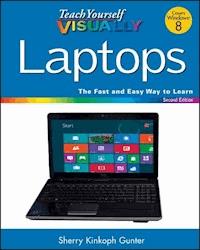
The fast and easy way to learn about buying, maintaining, andtroubleshooting, a laptop How do I find the right laptop for me? Now that I have a laptop,how do I set it up and maintain it? What are some tips for gettingthe most out of software systems? How do I begin to troubleshoot mylaptop? If you are a visual learner and have ever asked yourselfany of those questions, then this is just the book you need.Visual, step-by-step guidance walks you through finding the rightlaptop to meet your needs, getting comfortable with the latestversions of Windows and the Microsoft Office Suite, andunderstanding the most important security aspects of keeping youronline experiences safe. * Helps visual learners get comfortable and confident with theirlaptops * Features full-color screen shots and numbered, step-by-stepinstructions on how to get up and running * Walks you through using the latest hardware add-ons, theInternet, and popular software applications Teach Yourself VISUALLY Laptops, Second Edition offersyou an easy-to-follow and visually appealing way to learn!
Sie lesen das E-Book in den Legimi-Apps auf:
Seitenzahl: 334
Veröffentlichungsjahr: 2012
Ähnliche

















Teach Yourself VISUALLY Laptops, 2nd Edition
Table of Contents
Chapter 1: Introducing Laptops
Study Laptop Anatomy
Review Types of Laptops
Explore Microprocessors
Explore Power Options
Understanding Hard Drives
Understanding Types of Data Storage
Understanding Types of Slots and Ports
Chapter 2: Shopping for a Laptop
Choose an Operating System
Select a Microprocessor
Choose the Right Weight
Choose the Best Battery
Compare Monitor Display Sizes
Assess Graphics Capabilities
Explore Wireless Capabilities
Determine Memory and Storage Needs
Compare Keyboard and Mouse Features
Consider Extra Features and Add-Ons
Make a Shopping List
Find the Best Laptop
Chapter 3: Adding Peripherals and Accessories
Get Extra Cables
Add Input Devices
Add External Storage Devices
Find the Right Laptop Case
Using Cooling Pads
Using Docking Stations
Add a Printer or Scanner
Add Security Items
Add Headphones
Add Portable Accessories
Add Memory
Chapter 4: Setting Up Your New Laptop
Understanding Laptop Basic Operations
Connect Cables and Peripherals
Charge the Battery
Charge the Battery
Turn the Laptop On
Turn the Laptop On
Using a Touchpad
Using a Touchpad
Explore a Wireless Mouse
Get to Know the Keyboard
Connect a Printer or Hardware Device from Windows
Connect a Printer or Hardware Device from Windows
Chapter 5: Exploring Windows 8
Introducing Windows 8
Explore New Navigation Techniques
Log On to Windows 8
Log On to Windows 8
Get to Know the Windows 8 Start Screen
Access the Windows 8 Start Screen
Access the Windows 8 Start Screen
Launch Windows 8 Apps
Launch Windows 8 Apps
Find an App
Find an App
Shop for Apps
Shop for Apps
Work with the Charms Bar
Work with the Charms Bar
Work with the App Bar
Work with the App Bar
Access PC Settings
Access PC Settings
Pin Items to the Start Screen
Pin Items to the Start Screen
Shut Down Windows 8
Shut Down Windows 8
Access the Desktop
Access the Desktop
Get to Know the Windows Desktop
View Your Computer’s Contents
View Your Computer’s Contents
Empty the Recycle Bin
Empty the Recycle Bin
View Mobility Settings
View Mobility Settings
Find Help
Find Help
Chapter 6: Personalizing Your Laptop
Change the Screen Resolution
Change the Screen Resolution
Change Your Account Picture
Change Your Account Picture
Customize the Start Screen
Customize the Start Screen
Personalize the Lock Screen
Personalize the Lock Screen
Customize Start Screen Tiles
Customize Start Screen Tiles
Add a New User Account
Add a New User Account
Change the Desktop Background
Change the Desktop Background
Set the Date and Time
Set the Date and Time
Adjust Laptop Volume
Adjust Laptop Volume
Chapter 7: Working with Software
Understanding Software
Install a Program
Install a Program
Open and Close a Program
Open and Close a Program
Explore a Program Window
Resize and Move Program Windows
Resize and Move Program Windows
Work with Multiple Program Windows
Work with Multiple Program Windows
Using a Ribbon
Explore the Ribbon
Using Menus, Buttons, and Lists
Using Menus, Buttons, and Lists
Work with Dialog Boxes
Create and Save a File
Create and Save a File
Open a File
Open a File
Print a File
Print a File
Chapter 8: Performing Popular Software Tasks
Schedule Dates with the Calendar App
Schedule Dates with the Calendar App
Find a Location with the Maps App
Find a Location with the Maps App
Explore Windows Accessories
Enter and Edit Text in WordPad
Enter and Edit Text in WordPad
Format Text in WordPad
Format Text in WordPad
Create Pictures with Windows Paint
Explore Microsoft Office
Add a Game App
Chapter 9: Managing Computer Files and Folders
Understanding File Formats
View Files and Folders
View Files and Folders
Navigate Folder Windows
Open Files and Folders
Open Files and Folders
Create a New Folder
Create a New Folder
Select Files and Folders
Select Files and Folders
Move and Copy Files and Folders
Move and Copy Files and Folders
Rename a File or Folder
Rename a File or Folder
Compress a File or Folder
Compress a File or Folder
Extract Compressed Files
Extract Compressed Files
Search for Files and Folders
Search for Files and Folders
Sort and Filter Files
Sort and Filter Files
Tag Files
Tag Files
Delete a File or Folder
Delete a File or Folder
Chapter 10: Connecting to a Network
Understanding Computer Networks and Devices
Understanding Wireless Computing
Review a Home-based Network Setup in Windows 8
Connect to a Wireless Network
Connect to a Wireless Network
Share Files and Folders via Public Folders
Share Files and Folders via Public Folders
Set Up a Homegroup
Set Up a Homegroup
Share Within Your Homegroup
Share Within Your Homegroup
Chapter 11: Exploring the Internet
Understanding the Internet and the World Wide Web
Launch the Internet Explorer Windows 8 App
Launch the Internet Explorer Windows 8 App
Launch the Desktop Internet Explorer Browser
Launch the Desktop Internet Explorer Browser
Open a Web Page
Open a Web Page
Search the Web
Search the Web
Keep Track of Your Favorite Pages
Keep Track of Your Favorite Pages
Change Your Home Page
Change Your Home Page
Chapter 12: Communicating Online
Understanding E-Mail
Using the Mail App
Using the Mail App
Add an Account to the Mail App
Add an Account to the Mail App
Send an E-Mail with the Mail App
Send an E-Mail with the Mail App
Reply to a Message
Reply to a Message
Forward a Message
Forward a Message
Work with File Attachments
Work with File Attachments
Save a Message as a Draft
Save a Message as a Draft
Move a Message to a Folder
Move a Message to a Folder
Using the People App
Using the People App
Using the Messaging App
Using the Messaging App
Explore Video Conferencing
Chapter 13: Working with Digital Images
View Photos with the Photos App
View Photos with the Photos App
View Photos in the Pictures Library
View Photos in the Pictures Library
View Photos with Windows Photo Viewer
View Photos with Windows Photo Viewer
Play a Slide Show Using Windows Photo Viewer
Play a Slide Show Using Windows Photo Viewer
Explore Windows Live Photo Gallery
Import Pictures from a Camera
Import Pictures from a Camera
Batch-Rename Photo Files
Batch-Rename Photo Files
Tag Photo Files
Tag Photo Files
Auto-Adjust a Photo
Auto-Adjust a Photo
Crop a Photo
Crop a Photo
Create and Publish an Online Photo Album
Create and Publish an Online Photo Album
Chapter 14: Working with Audio and Video
Use the Music and Video Apps
Use the Music and Video Apps
Open Windows Media Player
Open Windows Media Player
Build Your Media Library
Build Your Media Library
Listen to Music
Listen to Music
Watch Video Content
Watch Video Content
Create and Save Playlists
Create and Save Playlists
Burn CDs and DVDs
Burn CDs and DVDs
Connect and Test a Microphone
Connect and Test a Microphone
Chapter 15: Managing Laptop Power
Understanding Power Management
Create a Power Plan
Create a Power Plan
Adjust Screen Brightness
Adjust Screen Brightness
Check Battery Charge
Check Battery Charge
Using Your Battery Efficiently
Control Power Button Function
Control Power Button Function
Chapter 16: Maintaining Your Laptop
View PC Settings
View PC Settings
Explore the Control Panel
Explore the Control Panel
Update Your Operating System
Update Your Operating System
Back Up Data with File History
Back Up Data with File History
Free Up Disk Space
Free Up Disk Space
Defragment Your Hard Drive
Defragment Your Hard Drive
Check Your Hard Drive for Errors
Check Your Hard Drive for Errors
Clean and Protect Your Screen and Keyboard
Chapter 17: Keeping Your Laptop Secure
Understanding Computer Security
Protect Your Laptop on the Road
Protect Yourself Online
Improve Email Privacy
Understanding Password Protection Strategies
Password-Protect Your Laptop
Password-Protect Your Laptop
Set a Picture Password
Set a Picture Password
Encrypt Your Data
Encrypt Your Data
Thwart Intruders with Windows Firewall
Thwart Intruders with Windows Firewall
Enable Parental Controls
Enable Parental Controls
Filter Spam and Scams with Windows Live Mail
Filter Spam and Scams with Windows Live Mail
Check for Spyware with Windows Defender
Check for Spyware with Windows Defender
Check Problems with the Action Center
Check Problems with the Action Center
Teach Yourself VISUALLY™ Laptops, 2nd Edition
Published by John Wiley & Sons, Inc.10475 Crosspoint BoulevardIndianapolis, IN 46256
www.wiley.com
Published simultaneously in Canada
Copyright © 2012 by John Wiley & Sons, Inc., Indianapolis, Indiana
No part of this publication may be reproduced, stored in a retrieval system or transmitted in any form or by any means, electronic, mechanical, photocopying, recording, scanning or otherwise, except as permitted under Sections 107 or 108 of the 1976 United States Copyright Act, without either the prior written permission of the Publisher, or authorization through payment of the appropriate per-copy fee to the Copyright Clearance Center, 222 Rosewood Drive, Danvers, MA 01923, (978) 750-8400, fax (978) 646-8600. Requests to the Publisher for permission should be addressed to the Permissions Department, John Wiley & Sons, Inc., 111 River Street, Hoboken, NJ 07030, 201-748-6011, fax 201-748-6008, or online at www.wiley.com/go/permissions.
Wiley publishes in a variety of print and electronic formats and by print-on-demand. Some material included with standard print versions of this book may not be included in e-books or in print-on-demand. If this book refers to media such as a CD or DVD that is not included in the version you purchased, you may download this material at http://booksupport.wiley.com. For more information about Wiley products, visit www.wiley.com.
Library of Congress Control Number: 2012946063
ISBN: 978-1-118-25291-8
Manufactured in the United States of America
10 9 8 7 6 5 4 3 2 1
Trademark Acknowledgments
Wiley, the Wiley logo, Visual, the Visual logo, Teach Yourself VISUALLY, Read Less - Learn More and related trade dress are trademarks or registered trademarks of John Wiley & Sons, Inc. and/or its affiliates. All other trademarks are the property of their respective owners. John Wiley & Sons, Inc. is not associated with any product or vendor mentioned in this book.
LIMIT OF LIABILITY/DISCLAIMER OF WARRANTY: THE PUBLISHER AND THE AUTHOR MAKE NO REPRESENTATIONS OR WARRANTIES WITH RESPECT TO THE ACCURACY OR COMPLETENESS OF THE CONTENTS OF THIS WORK AND SPECIFICALLY DISCLAIM ALL WARRANTIES, INCLUDING WITHOUT LIMITATION WARRANTIES OF FITNESS FOR A PARTICULAR PURPOSE. NO WARRANTY MAY BE CREATED OR EXTENDED BY SALES OR PROMOTIONAL MATERIALS. THE ADVICE AND STRATEGIES CONTAINED HEREIN MAY NOT BE SUITABLE FOR EVERY SITUATION. THIS WORK IS SOLD WITH THE UNDERSTANDING THAT THE PUBLISHER IS NOT ENGAGED IN RENDERING LEGAL, ACCOUNTING, OR OTHER PROFESSIONAL SERVICES. IF PROFESSIONAL ASSISTANCE IS REQUIRED, THE SERVICES OF A COMPETENT PROFESSIONAL PERSON SHOULD BE SOUGHT. NEITHER THE PUBLISHER NOR THE AUTHOR SHALL BE LIABLE FOR DAMAGES ARISING HEREFROM. THE FACT THAT AN ORGANIZATION OR WEBSITE IS REFERRED TO IN THIS WORK AS A CITATION AND/OR A POTENTIAL SOURCE OF FURTHER INFORMATION DOES NOT MEAN THAT THE AUTHOR OR THE PUBLISHER ENDORSES THE INFORMATION THE ORGANIZATION OR WEBSITE MAY PROVIDE OR RECOMMENDATIONS IT MAY MAKE. FURTHER, READERS SHOULD BE AWARE THAT INTERNET WEBSITES LISTED IN THIS WORK MAY HAVE CHANGED OR DISAPPEARED BETWEEN WHEN THIS WORK WAS WRITTEN AND WHEN IT IS READ.
FOR PURPOSES OF ILLUSTRATING THE CONCEPTS AND TECHNIQUES DESCRIBED IN THIS BOOK, THE AUTHOR HAS CREATED VARIOUS NAMES, COMPANY NAMES, MAILING, E-MAIL AND INTERNET ADDRESSES, PHONE AND FAX NUMBERS AND SIMILAR INFORMATION, ALL OF WHICH ARE FICTITIOUS. ANY RESEMBLANCE OF THESE FICTITIOUS NAMES, ADDRESSES, PHONE AND FAX NUMBERS AND SIMILAR INFORMATION TO ANY ACTUAL PERSON, COMPANY AND/OR ORGANIZATION IS UNINTENTIONAL AND PURELY COINCIDENTAL.
Contact Us
For general information on our other products and services please contact our Customer Care Department within the U.S. at 877-762-2974, outside the U.S. at 317-572-3993 or fax 317-572-4002.
For technical support please visit www.wiley.com/techsupport.
Sales | Contact Wiley at (877) 762-2974 or fax (317) 572-4002.
Credits
Acquisitions Editor
Aaron Black
Project Editor
Terri Edwards
Technical Editor
Vince Averello
Copy Editor
Scott Tullis
Editorial Director
Robyn Siesky
Business Manager
Amy Knies
Senior Marketing Manager
Sandy Smith
Vice President and Executive Group Publisher
Richard Swadley
Vice President and Executive Publisher
Barry Pruett
Project Coordinator
Sheree Montgomery
Graphics and Production Specialists
Carrie A. Cesavice
Jennifer Mayberry
Sennett Vaughan Johnson
Quality Control Technician
Melanie Hoffman
Proofreading and Indexing
BIM Indexing & Proofreading Services
About the Author
Sherry Kinkoph Gunter has written and edited oodles of books over the past 20 years covering a wide variety of computer topics, including Microsoft Office programs, digital photography, and web applications. Her recent titles include Easy Microsoft Word 2010, Sam’s Teach Yourself Facebook, 3E, and Microsoft Office 2008 for Mac Bible. Sherry began writing computer books back in 1992, and her flexible writing style has allowed her to author for a varied assortment of imprints and formats. Sherry’s ongoing quest is to aid users of all levels in the mastering of ever-changing computer technologies, helping users make sense of it all and get the most out of their machines and online experiences. Sherry currently resides in a swamp in the wilds of east central Indiana with a lovable ogre and a menagerie of interesting creatures.
Author’s Acknowledgments
Special thanks go out to Aaron Black, for allowing me the opportunity to tackle this project; development editor Terri Edwards, for her dedication and patience in shepherding this project; to copy editor Scott Tullis, for ensuring that all the i’s were dotted and t’s were crossed; to technical editor Vince Averello, for skillfully checking each step and offering valuable input along the way; and finally to the production team at Wiley, for their talents in creating such a helpful, much-needed, and incredibly good-looking book. Also, special thanks to Matty, for his love and support, and for always providing much needed humor.
How to Use This Book
Who This Book Is For
This book is for the reader who has never used this particular technology or software application. It is also for readers who want to expand their knowledge.
The Conventions in This Book
Steps
This book uses a step-by-step format to guide you easily through each task. Numbered steps are actions you must do; bulleted steps clarify a point, step, or optional feature; and indented steps give you the result.
Notes
Notes give additional information — special conditions that may occur during an operation, a situation that you want to avoid, or a cross-reference to a related area of the book.
Icons and Buttons
Icons and buttons show you exactly what you need to click to perform a step.
Tips
Tips offer additional information, including warnings and shortcuts.
Bold
Bold type shows command names or options that you must click or text or numbers you must type.
Italics
Italic type introduces and defines a new term.
Chapter 1: Introducing Laptops
Portable computers, referred to as notebooks or laptops, began as a great tool for people who travel and want to take their computer along. Today, laptops with high-end displays and huge processing power are taking over the desktop, as well. Laptops are lighter and more durable than ever before, making them a practical choice for most computing needs.
Study Laptop Anatomy
Review Types of Laptops
Explore Microprocessors
Explore Power Options
Understanding Hard Drives
Understanding Types of Data Storage
Lesen Sie weiter in der vollständigen Ausgabe!
Lesen Sie weiter in der vollständigen Ausgabe!
Lesen Sie weiter in der vollständigen Ausgabe!
Lesen Sie weiter in der vollständigen Ausgabe!
Lesen Sie weiter in der vollständigen Ausgabe!
Lesen Sie weiter in der vollständigen Ausgabe!
Lesen Sie weiter in der vollständigen Ausgabe!
Lesen Sie weiter in der vollständigen Ausgabe!
Lesen Sie weiter in der vollständigen Ausgabe!
Lesen Sie weiter in der vollständigen Ausgabe!
Lesen Sie weiter in der vollständigen Ausgabe!
Lesen Sie weiter in der vollständigen Ausgabe!
Lesen Sie weiter in der vollständigen Ausgabe!
Lesen Sie weiter in der vollständigen Ausgabe!
Lesen Sie weiter in der vollständigen Ausgabe!
Lesen Sie weiter in der vollständigen Ausgabe!




