


21,99 €
Mehr erfahren.
- Herausgeber: John Wiley & Sons
- Kategorie: Wissenschaft und neue Technologien
- Sprache: Englisch
The follow-up to Cory Althoff's bestselling The Self-Taught Programmer, which inspired hundreds of thousands of professionals to learn to program outside of school! Fresh out of college and with just a year of self-study behind him, Cory Althoff was offered a dream first job as a software engineer for a well-known tech company, but he quickly found himself overwhelmed by the amount of things he needed to know, but hadn't learned yet. This experience combined with his personal journey learning to program inspired his widely praised guide, The Self-Taught Programmer. Now Cory's back with another guide for the self-taught community of learners focusing on the foundations of computer science. The Self-Taught Computer Scientist introduces beginner and self-taught programmers to computer science fundamentals that are essential for success in programming and software engineering fields. Computer science is a massive subject that could cover an entire lifetime of learning. This book does not aim to cover everything you would learn about if you went to school to get a computer science degree. Instead, Cory's goal is to give you an introduction to some of the most important concepts in computer science that apply to a programming career. With a focus on data structures and algorithms, The Self-Taught Computer Scientist helps you fill gaps in your knowledge, prepare for a technical interview, feel knowledgeable and confident on the job, and ultimately, become a better programmer. * Learn different algorithms including linear and binary search and test your knowledge with feedback loops * Understand what a data structure is and study arrays, linked lists, stacks, queues, hash tables, binary trees, binary heaps, and graphs * Prepare for technical interviews and feel comfortable working with more experienced colleagues * Discover additional resources and tools to expand your skillset and continue your learning journey It's as simple as this: You have to study computer science if you want to become a successful programmer, and if you don't understand computer science, you won't get hired. Ready for a career in programming, coding, or software engineering and willing to embrace an "always be learning" mindset? The Self-Taught Computer Scientist is for you.
Sie lesen das E-Book in den Legimi-Apps auf:
Seitenzahl: 315
Veröffentlichungsjahr: 2021
Ähnliche




















Table of Contents
Cover
Title Page
Introduction
What You Will Learn
Who Is This Book For?
Self-Taught Success Stories
Getting Started
Sticking with It
I: Introduction to Algorithms
1 What Is an Algorithm?
Analyzing Algorithms
Constant Time
Logarithmic Time
Linear Time
Log-Linear Time
Quadratic Time
Cubic Time
Exponential Time
Best-Case vs. Worst-Case Complexity
Space Complexity
Why Is This Important?
Vocabulary
Challenge
2 Recursion
When to Use Recursion
Vocabulary
Challenge
3 Search Algorithms
Linear Search
When to Use a Linear Search
Binary Search
When to Use a Binary Search
Searching for Characters
Vocabulary
Challenge
4 Sorting Algorithms
Bubble Sort
When to Use Bubble Sort
Insertion Sort
When to Use Insertion Sort
Merge Sort
When to Use Merge Sort
Sorting Algorithms in Python
Vocabulary
Challenge
5 String Algorithms
Anagram Detection
Palindrome Detection
Last Digit
Caesar Cipher
Vocabulary
Challenge
6 Math
Binary
Bitwise Operators
FizzBuzz
Greatest Common Factor
Euclid's Algorithm
Primes
Vocabulary
Challenge
7 Self-Taught Inspiration: Margaret Hamilton
II: Data Structures
8 What Is a Data Structure?
Vocabulary
Challenge
9 Arrays
Array Performance
Creating an Array
Moving Zeros
Combining Two Lists
Finding the Duplicates in a List
Finding the Intersection of Two Lists
Vocabulary
Challenge
10 Linked Lists
Linked List Performance
Create a Linked List
Search a Linked List
Removing a Node from a Linked List
Finding a Linked List Cycle
Vocabulary
Challenges
11 Stacks
When to Use Stacks
Creating a Stack
Using Stacks to Reverse Strings
Min Stack
Stacked Parentheses
Vocabulary
Challenges
12 Queues
When to Use Queues
Creating a Queue
Python's Built-In Queue Class
Create a Queue Using Two Stacks
Vocabulary
Challenge
13 Hash Tables
When to Use Hash Tables
Characters in a String
Two Sum
Vocabulary
Challenge
14 Binary Trees
When to Use Trees
Creating a Binary Tree
Breadth-First Tree Traversal
More Tree Traversals
Invert a Binary Tree
Vocabulary
Challenges
15 Binary Heaps
When to Use Heaps
Creating a Heap
Connecting Ropes with Minimal Cost
Vocabulary
Challenge
16 Graphs
When to Use Graphs
Creating a Graph
Dijkstra's Algorithm
Vocabulary
Challenge
17 Self-Taught Inspiration: Elon Musk
18 Next Steps
What’s Next?
Climbing the Freelance Ladder
How to Get an Interview
How to Prepare for a Technical Interview
Additional Resources
Final Thoughts
Index
Copyright
Dedication
About the Author
About the Technical Editor
Acknowledgments
End User License Agreement
List of Illustrations
Chapter 1
Figure 1.1 Constant complexity
Figure 1.2 Logarithmic complexity
Figure 1.3 Linear complexity
Figure 1.4 Log-linear complexity
Figure 1.5 Quadratic complexity
Figure 1.6 Big O complexity chart
Chapter 3
Figure 3.1 Sorted data set for a binary search
Figure 3.2 A binary search first locates the middle number.
Figure 3.3 The next step in a binary search eliminates the half of the data ...
Figure 3.4 A binary search then finds the middle number again.
Figure 3.5 Our binary search found our number.
Figure 3.6 Exponential notation versus logarithmic notation
Figure 3.7 ASCII chart
Chapter 4
Figure 4.1 The first part of a merge sort
Chapter 5
Figure 5.1 You use modulo arithmetic when you tell time.
Figure 5.2 Eight hours after 9 is 5.
Chapter 6
Figure 6.1 The place values for the number 1,452 in base 10
Figure 6.2 The powers of 10 used in the place values in base 10
Figure 6.3 The powers of 2 used in the place values in base 2
Chapter 9
Figure 9.1 An example of data in an array
Figure 9.2 Array operation run times
Figure 9.3 An array stored in a computer's memory
Figure 9.4 Adding data to an array often means changing many memory location...
Chapter 10
Figure 10.1 A linked list is a chain of nodes.
Figure 10.2 A linked list does not need to store nodes in consecutive memory...
Figure 10.3 Pointers map the nodes of a linked list.
Figure 10.4 Inserting an element into a linked list requires adjusting two p...
Figure 10.5 A doubly linked list has pointers that go in two directions.
Figure 10.6 A circular linked list points from the end back to the head.
Figure 10.7 Linked list operation run times
Figure 10.8 To remove a node, change the previous node's pointer.
Figure 10.9 Reversing a linked list
Chapter 11
Figure 11.1 Data can be pushed on a stack or popped from it.
Figure 11.2 Stack operation run times
Figure 11.3 If you pop off the characters of
super
, you get
repus
.
Chapter 12
Figure 12.1 In a queue, you add items to the rear and remove them from the f...
Figure 12.2 The primary operations of queues are enqueueing and dequeueing....
Figure 12.3 Queue operation run times
Figure 12.4 When there is one item in your queue, it is both the front and t...
Figure 12.5 Now the node with 1 in it is the front, and the node with 2 in i...
Figure 12.6 The node with 1 in it is the front, and the node with 3 in it is...
Figure 12.7 When you dequeue the 1, the front changes to the node with 2 in ...
Figure 12.8 When you dequeue again, there is only one item left, so it is bo...
Figure 12.9 Now your queue is empty.
Chapter 13
Figure 13.1 A hash table stores key-value pairs in an array.
Figure 13.2 To store 86 in the hash table, you perform modulo by the number ...
Figure 13.3 To store 90 in the hash table, you perform modulo by the number ...
Figure 13.4 Your hash table after adding all the numbers
Figure 13.5 Hash table operation run times
Chapter 14
Figure 14.1 An example of a tree data structure
Figure 14.2 A tree with a root node, parent nodes, child nodes, and edges
Figure 14.3 A path through a tree
Figure 14.4 In a binary tree, a parent node can have only two child nodes.
Figure 14.5 An example of a binary search tree
Figure 14.6 A simple tree showing the root node, A, and its descendants
Figure 14.7 Binary search trees operation run times
Figure 14.8 An example of folders in a tree
Figure 14.9 The document object model
Figure 14.10 A tree for evaluating a mathematical expression
Figure 14.11 A binary tree with five nodes
Figure 14.12 Levels in a binary tree
Figure 14.13 A book represented as a tree
Figure 14.14 A postorder tree traversal
Figure 14.15 An in-order tree traversal
Chapter 15
Figure 15.1 You create a binary heap using a binary tree.
Figure 15.2 A max heap has the highest priority node as the root.
Figure 15.3 A min heap has the lowest priority node as the root.
Figure 15.4 The result of heapifying an array
Figure 15.5 Swapping values to balance a heap
Figure 15.6 Swapping D and T is the first step to balance this he...
Figure 15.7 The left side of the heap was already balanced.
Figure 15.8 Balancing the tree at the next level
Figure 15.9 C is now the root node in your binary heap.
Figure 15.10 The R node trickles down the tree as long as it has a larger va...
Figure 15.11 A balanced heap
Figure 15.12 An array with keys at indexes based on their position in the tr...
Figure 15.13 The right child of the root is at index 2.
Chapter 16
Figure 16.1 A graph contains vertices, edges, payloads, and weight.
Figure 16.2 A directed graph moves in a specific direction.
Figure 16.3 An undirected graph can move in either direction.
Figure 16.4 A complete graph has connections among all vertices.
Figure 16.5 An incomplete graph has some connected vertices.
Figure 16.6 A graph path follows a specific sequence.
Figure 16.7 An example of a graph that contains a cycle
Figure 16.8 A graph with four vertices
Figure 16.9 An adjacency matrix of the graph in Figure 16.8
Figure 16.10 Graphs can represent 3D shapes.
Figure 16.11 A graph with four vertices
Figure 16.12 Set the path to the starting vertex to zero and the other paths...
Figure 16.13 What the data structures in your algorithm look like when it fi...
Figure 16.14 The data structures after visiting vertex A
Figure 16.15 The data structures after visiting vertex B
Figure 16.16 The data structures after visiting vertex C
Figure 16.17 The data structures after visiting vertex D
Guide
Cover Page
Table of Contents
Title Page
Copyright
Dedication
About the Author
About the Technical Editor
Acknowledgments
Introduction
Begin Reading
Index
End User License Agreement
Pages
i
xiv
xv
xvi
xvii
xviii
xix
xx
xxi
xxii
1
3
4
5
6
7
8
9
10
11
12
13
14
15
16
17
18
19
20
21
22
23
25
26
27
28
29
30
31
32
33
34
35
37
38
39
40
41
42
43
44
45
46
47
48
49
50
51
52
53
54
55
56
57
58
59
60
61
63
64
65
66
67
68
69
70
71
72
73
74
75
76
77
78
79
80
81
83
84
85
86
87
88
89
90
91
92
93
94
95
96
97
98
99
100
101
102
103
104
105
106
107
108
109
110
111
112
113
114
115
116
117
118
119
120
121
122
123
124
125
127
128
129
130
131
132
133
134
135
136
137
138
139
140
141
142
143
144
145
147
148
149
150
151
152
153
154
155
156
157
158
159
160
161
162
163
164
165
166
167
168
169
170
171
173
174
175
176
177
178
179
180
181
182
183
184
185
186
187
189
190
191
192
193
194
195
196
197
198
199
200
201
ii
iii
iv
v
vi
202
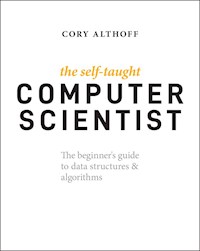
The Self-Taught Computer Scientist
The beginner’s guide to data structures & algorithms
Cory Althoff
Introduction
My journey learning to code started when I graduated from college with a political science degree. After I left school, I struggled to get a job. I didn't have the skills employers were looking for, and I watched as my friends who studied more practical subjects went on to get high-paying jobs. Meanwhile, I was stuck applying for jobs and not getting them, making no money, and feeling like a failure. So, living in Silicon Valley and being surrounded by coders, I decided to try to learn to program. Little did I know that I was about to start the craziest and most fulfilling journey of my life.
This attempt wasn't my first shot at learning to code: I had tried to learn to program in the past without success. During my freshman year of college, I took a programming class, found it impossible to understand, and quickly dropped it. Unfortunately, most schools teach Java as a first programming language, which is challenging for beginners to understand. Instead of Java, I decided to teach myself Python, one of the easiest languages for beginners to learn. Despite learning an easy-to-understand language, I still almost gave up. I had to piece together information from many different sources, which was frustrating. It also didn't help that I felt like I was on my journey alone. I didn't have a class full of students I could study with and lean on for support.
I was close to giving up when I started spending more time in online programming communities like Stack Overflow. Joining a community kept me motivated, and I began to gain momentum again. There were many ups and downs, and at times I felt like quitting, but less than a year after I made my fateful decision to learn to program, I was working as a software engineer at eBay. A year earlier, I would have been lucky to get a customer support job. Now, I was getting paid $50 an hour to program for a well-known tech company. I couldn't believe it! The best part wasn't the money, though. Once I became a software engineer, my confidence increased tenfold. After learning to code, I felt like I could accomplish anything.
After eBay, I started working at a startup in Palo Alto. Eventually, I decided to take some time off work and go on a backpacking trip to Southeast Asia. I was in the backseat of a taxi driving through the narrow streets of Seminyak, Bali, in the rain when I had an idea. Back home, people were always asking me about my experience as a software engineer. Working as a software engineer in Silicon Valley is not unusual, but I was different from many of my peers because I do not have a computer science degree.
My idea was to write a book called The Self-Taught Programmer: not only about programming but about everything I learned to get hired as a software engineer. In other words, I wanted to help people take the same journey I did. So I set out to create a roadmap for aspiring self-taught programmers. I spent a year writing The Self-Taught Programmer and self-published it. I wasn't sure if anyone would read it, and I thought most likely no one would, but I wanted to share my experience anyway. To my surprise, it sold thousands of copies in the first few months. With those sales came messages from people from around the world who were either self-taught programmers or wanted to become one.
These messages inspired me, so I decided to help solve another problem I faced learning to program: feeling alone on the journey. My solution was to create a Facebook group called Self-Taught Programmers, a place for programmers to support one another. It now has more than 60,000 members and has evolved into a supportive community filled with self-taught programmers helping each other by answering questions, trading knowledge, and sharing success stories. If you want to become part of our community, you can join at https://facebook.com/groups/selftaughtprogrammers. You can also subscribe to my newsletter at theselftaughtprogrammer.io.
When I used to post things online about working as a software engineer without a computer science degree, I would always get at least a few negative comments that it is impossible to work as a programmer without a degree. Some people would cry, “What do you self-taught programmers think you are doing? You need a degree! No company is going to take you seriously!” These days, the comments are few and far between. When they do come, I point the commenter to the Self-Taught Programmers group. We have self-taught programmers working at companies worldwide in every position, from junior software engineers to principal software engineers.
Meanwhile, my book continued to sell better than I ever thought possible and is even a popular Udemy course as well. Interacting with so many wonderful people learning to program has been an amazing and humbling experience, and I am excited to continue my journey with this book. This book is my follow-up to my first book, The Self-Taught Programmer, so if you haven't already read it, you should go back and read that first, unless you already understand programming basics. This book assumes you can program in Python, so if you can't, you can either go back and read my first book, take my Udemy course, or learn Python using whatever resource works best for you.
What You Will Learn
While my first book, The Self-Taught Programmer, introduces programming and the skills you need to learn to program professionally, this book is an introduction to computer science. Specifically, it is an introduction to data structures and algorithms. Computer science is the study of computers and how they work. When you go to college to become a software engineer, you don't major in programming; you major in computer science. Computer science students study math, computer architecture, compilers, operating systems, data structures and algorithms, network programming, and more.
Each of these topics is the subject of many very long books, and covering them all is way beyond the scope of this book. Computer science is a massive subject. You can study it your entire life and still have more to learn. This book does not aim to cover everything you would learn about if you went to school to get a computer science degree. Instead, my goal is to give you an introduction to some of the essential concepts in computer science so that you will excel in different situations as a self-taught programmer.
As a self-taught programmer, the two most important subjects for you to understand are data structures and algorithms, which is why I decided to focus this book on them. I divided this book into two parts. Part I is an introduction to algorithms. You will learn what an algorithm is and what makes one better than another, and you will learn different algorithms such as linear and binary search. Part II is an introduction to data structures. You will learn what a data structure is and study arrays, linked lists, stacks, queues, hash tables, binary trees, binary heaps, and graphs. Then, I wrap up by covering what to do once you've finished this book, including the next steps you can take and other resources to help you on your journey learning to program.
In my previous book, I explained how it doesn't make sense to study computer science before you learn to program. That doesn't mean you can ignore it, though. You have to study computer science if you want to become a successful programmer. It is as simple as this: if you don't understand computer science, you will not get hired. Almost every company that employs programmers makes them pass a technical interview as part of the application process, and technical interviews all focus on the same subject: computer science. Specifically, they focus on data structures and algorithms. To get hired at Facebook, Google, Airbnb, and all of today's hottest companies, big and small alike, you have to pass a technical interview focusing on data structures and algorithms. If you don't have a depth of knowledge in these two subjects, you will get crushed in your technical interviews. A technical interview is not something you can wing. Your potential employer will ask you detailed questions about data structures, algorithms, and more, and you better know the answers if you want to get hired.
On top of that, when you get hired for your first job, your employer and co-workers will expect you to know computer science basics. If they have to explain to you why an O(n**3) algorithm is not a good solution, they won't be happy with you. That is the situation I found myself in when I got my first programming job at eBay. I was on a team with incredibly talented programmers from Stanford, Berkley, and Cal Tech. They all had a deep understanding of computer science, and I felt insecure and out of place. As a self-taught programmer, studying computer science will help you avoid this fate.
Furthermore, studying data structures and algorithms will make you a better programmer. Feedback loops are the key to mastering a skill. A feedback loop is when you practice a skill and get immediate feedback on whether you did a good job. When you are practicing programming, there is no feedback loop. For example, if you create a website, the website may work, but your code could be horrible. There is no feedback loop to tell you if your code is any good or not. When you are studying algorithms, however, that is not the case. There are many famous computer science algorithms, which means you can write code to solve a problem, compare your result to the existing algorithm, and instantly know whether you wrote a decent solution. Practicing with a positive feedback loop like this will improve your coding skills.
The biggest mistake I made as a new self-taught programmer attempting to break into the software industry was not spending enough time studying data structures and algorithms. If I had spent more time studying them, my journey would have been much more manageable. You don't have to make that mistake!
As I mentioned, computer science is a massive subject. There is a reason why computer science students spend four years studying it: there is a lot to learn. You may not have four years to spend studying computer science. Fortunately, you don't have to. This book covers many of the most important things you need to know to have a successful career as a software engineer. Reading this book will not replace a four-year computer science degree. However, if you read this book and practice the examples, you will have a solid foundation for passing a technical interview. You will start feeling comfortable on a team of computer science majors, and you will also significantly improve as a programmer.
Who Is This Book For?
So I've convinced you that self-taught programmers can program professionally and that you need to study computer science, especially data structures and algorithms. But does that mean you can't read this book unless you are learning to program outside of school? Of course not! Everyone is welcome in the self-taught community! My first book was surprisingly popular with college students. A few college professors even contacted me and told me they were teaching their programming classes using my book.
College students studying computer science often ask me if they should drop out. My goal is to inspire as many people to learn to program as possible. That means letting people know it is possible to program professionally without a degree in computer science. If you are already in school studying computer science, that works too, and no, you should not drop out. Stay in school, kids! Even if you are in school, you can still be part of the self-taught community by applying our “always be learning” mindset to your schoolwork and going above and beyond to learn even more than your professors teach you.
So how do you know if you are ready to study computer science? Easy. If you already know how to program, you are ready! I wrote this book for anyone who wants to learn more about computer science. Whether you are reading this book to fill in the gaps in your knowledge, prepare for a technical interview, feel knowledgeable at your job, or become a better programmer, I wrote this book for you.
Self-Taught Success Stories
I got hired as a software engineer without a degree, and I hear new success stories from self-taught programmers every day. As a self-taught programmer, you absolutely can have a successful career as a software engineer without a degree. I know this can be a sticking point for some people, so before we dive into computer science, I want to share a few self-taught programmer success stories from my Facebook group.
Matt Munson
First up is Matt Munson, a member of the Self-Taught Programmers Facebook group. Here is his story in his own words:
It all started when I lost my job at Fintech. To make ends meet, I started working odd jobs: cutting lenses for glasses, fixing and tuning cars, working as a carnie, and doing small side programming projects. Despite my best efforts, after a few months, I lost my apartment. This is the story of how I escaped homelessness by becoming a programmer.
When I lost my job, I was enrolled in school. After I lost my house, I kept doing schoolwork out of my car and tent for a couple of months. My family wasn't able to help me. They didn't understand minimum wage jobs don't pay anywhere near enough to feed one person and keep gas in the tank while keeping a roof over your head. Nonetheless, I was still unwilling to reach out to my friends for help. In September, I sold my truck, cashed what I had left in a 401(k), and drove the 1,800 or so miles from my hometown in Helena, Montana, to take my chances in Austin, Texas.
Within a week, I had two or three interviews, but no companies wanted to take a chance on a homeless guy, skilled or not. After a few months of this, I had friends and strangers donating to my GoFundMe to try to help me get back on my feet. At this point, I was eating about once a day, seldom anything good, in any sense of the word. My only shot at getting out of this situation was becoming a programmer.
Finally, I decided to do one last push. I sent out my résumé en masse to any job I remotely had a chance of being qualified for. The next day, a small startup called me for an interview. I did my best to look decent. I shaved, put on clean clothes, tied my hair back, showered (a hell of a task for the homeless), and showed up. I came clean, explained my situation, explained why I took my chances here in Austin, did my best during the interview to show I may not be the best as I stood there at that moment, but given an opportunity, I would work my ass off to show that one day I could be the best.
I left feeling like I bombed the interview. I thought maybe my honesty had sunk my chances, but a week and a half later, after feeling like giving up entirely, the startup called me back in for a second interview.
When I showed up, it was only the big dog. The boss said he was impressed by my honesty, and he wanted to give me a chance. He told me I had a decent foundation, and I was like a box: a sturdy but relatively empty box. He thought I was sturdy enough to handle anything they threw at me, and I would learn on the job. Finally, he told me I would start on December 6.
One year later, I live in a much nicer apartment than before becoming a programmer. I am respected among my co-workers, and they even ask my opinion on significant company matters. You can do or be anything. Never be afraid to try, even if it means taking a real chance at everything falling apart.
Tianni Myers
Next up is Tianni Myers, who read The Self-Taught Programmer and emailed me the following story about his journey learning to code outside of school:
My self-taught journey started in a web design class I took in college while working toward a bachelor's degree in media communications. At the time, I was interested in writing and had dreams of working in marketing. My goals shifted after deciding to learn to program. I'm writing to share my self-taught story about how I went from retail cashier to a junior web developer in 12 months.
I started out learning the basics of HTML and CSS on Code Academy. I wrote my first Python program, a numbers game; the computer picked a random number, and the user had three tries to guess the correct one. That project and Python got me excited about computers.
My mornings started at 4 a.m., making a cup of coffee. I spent 6 to 10 hours a day reading programming books and writing code. At the time, I was 21, and I worked part-time at Goodwill to make ends meet. I had never been happier because I spent most of my day doing what I loved, which was building and creating various programming languages as my tools.
I was on Indeed one day casually applying for jobs. I wasn't expecting to get a response, but I did a few days later from a marketing agency. I did a SQL assessment on Indeed followed by a phone interview, then a code assessment, and soon after an in-person interview. During my interview, the web development director and two senior developers sat down and reviewed my answers for the code assessment. I felt good because they were blown away by some of my answers and pleasantly surprised when I told them I was self-taught. They told me some of my answers were better than ones given by senior developers that they had previously given the same code assessment. Two weeks later, they hired me.
If you can put in the work and get through the pain, then you can make your dreams come true as I did.
Getting Started
The code examples in this book are in Python. I chose Python because it is one of the easiest programming languages to read. Throughout the book, I formatted the code examples like this:
for i in range(100):
print("Hello, World!")
>> Hello, World!
>> Hello, World!
>> Hello, World!
The text # http://tinyurl.com/h4qntgk contains a URL that takes you to a web page that contains the code from it, so you can easily copy and paste it into Python's IDLE text editor if you are having problems getting the code to run. The text that comes after >> is the output of Python's interactive shell. Ellipses after an output (…) mean “and so on.” If there is no >> after an example, it means either the program doesn't produce any output or I am explaining a concept, and the output is not important. Anything in a paragraph in monospaced font is some form of code or code output or programming jargon.
Installing Python
To follow the examples in this book, you need to have Python version 3 installed. You can download Python for Windows and Unix at http://python.org/downloads. If you are on Ubuntu, Python 3 comes installed by default. Make sure you download Python 3, not Python 2. Some of the examples in this book will not work if you are using Python 2.
Python is available for 32-bit and 64-bit computers. If you purchased your computer after 2007, it is most likely a 64-bit computer. If you aren't sure, an Internet search should help you figure it out.
If you are on Windows or a Mac, download the 32- or 64-bit version of Python, open the file, and follow the instructions. You can also visit http://theselftaughtprogrammer.io/installpython for videos explaining how to install Python on each operating system.
Troubleshooting
If you are having difficulties installing Python, please post a message in the Self-Taught Programmers Facebook group. You can find it at https://facebook.com/groups/selftaughtprogrammers. When you post code in the Self-Taught Programmer Facebook group (or anywhere else online asking for help), make sure to put your code in a GitHub Gist. Never send a screenshot of your code. When people help you, they often need to run your program themselves. When you send a screenshot, they have to type all of your code by hand, whereas if you send your code in a GitHub Gist, they can quickly copy and paste it into their IDE.
Challenges
Many of the chapters in this book end with a coding challenge for you to solve. These challenges are meant to test your understanding of the material, make you a better programmer, and help prepare you for a technical interview. You can find the solutions to all of the challenges in this book on GitHub at https://github.com/calthoff/tstcs_challenge_solutions.
As you are reading this book and solving the challenges, I encourage you to share your wins with the self-taught community by using #selftaughtcoder on Twitter. Whenever you feel like you are making exciting progress on your journey learning to code, send a motivational tweet using #selftaughtcoder so other people in the community can get motivated by your progress. Feel free to also tag me: @coryalthoff.
Sticking with It
There is one last thing I want to cover before you dive into learning computer science. If you are reading this book, you've already taught yourself to program. As you know, the most challenging part about picking up a new skill like programming isn't the difficulty of the material: it is sticking with it. Sticking with learning new things is something I struggled with for years until I finally learned a trick that I would like to share with you, called Don't Break the Chain.
Jerry Seinfeld invented Don't Break the Chain. He came up with it when he was crafting his first stand-up comedy routine. First, he hung a calendar up in his room. Then, if he wrote a joke at the end of each day, he gave himself a red X (I like the idea of green check marks better) on the calendar for that day. That's it. That is the entire trick, and it is incredibly powerful.
Once you start a chain (two or more green check marks in a row), you will not want to break it. Two green check marks in a row become five green check marks in a row. Then 10. Then 20. The longer your streak gets, the harder it will be for you to break it. Imagine it is the end of the month, and you are looking at your calendar. You have 29 green check marks. You need only one more for a perfect month. There is no way you won't accomplish your task that day. Or as Jerry Seinfeld describes it:
After a few days, you'll have a chain. Just keep at it, and the chain will grow longer every day. You'll like seeing that chain, especially when you get a few weeks under your belt. Your only job next is to not break the chain.
My dedication to preserving one of my chains has led me to do crazy things, like going to the gym in the middle of the night, to keep it intact. There is no better feeling than looking back at the calendar page containing your first perfect month and seeing it filled with green check marks. If you are ever in a rut, you can always look back at that page and think about the month where you did everything right.
Technical books are hard to get through. I've lost count of how many I've abandoned partway through. I tried to make this book as fun and easy to read as possible, but to give yourself extra insurance, try using Don't Break the Chain to ensure you finish this book. I also partnered with monday.com to create a free Self-Taught Programmer template and app that keeps track of your coding streaks for you. You can try it at https://hey.monday.com/CoryAlthoff.
With that said, are you ready to study computer science?
Let's get started!
IIntroduction to Algorithms
Chapter 1
: What Is an Algorithm?
Chapter 2
: Recursion
Chapter 3
: Search Algorithms
Chapter 4
: Sorting Algorithms
Chapter 5
: String Algorithms
Chapter 6
: Math
Chapter 7
: Self-Taught Inspiration: Margaret Hamilton
1What Is an Algorithm?
Whether you want to uncover the secrets of the universe or you just want to pursue a career in the 21st century, basic computer programming is an essential skill to learn.
Stephen Hawking
An algorithm




