


20,99 €
Mehr erfahren.
- Herausgeber: John Wiley & Sons
- Kategorie: Wissenschaft und neue Technologien
- Sprache: Englisch
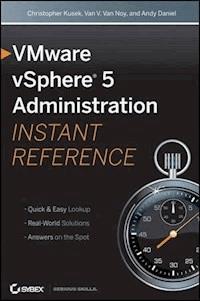
Compact and portable reference guide for quick answers to VMwarevSphere If you're looking to migrate to the newest version of VMwarevSphere, this concise guide will get you up to speed and down tobusiness in no time. If you're new to VMware vSphere, this book isfor you too! The compact size of this quick reference makes it easyfor you to have by your side--whether you're in the field,server room, or at your desk. Helpful elements for findinginformation such as thumb tabs, tables of contents with pagenumbers at the beginning of each chapter, and special headers putswhat you need at your fingertips, fast. No matter your skill level, this book's focus on essentialday-to-day tasks for administering vSphere make it a handyreference for anyone. * Covers the highly anticipated release of VMware vSphere * Allows you to hit the ground running with the latest VMwarevSphere software * Provides you answers on the spot with concise, no-nonsenseinstruction Designed for busy IT professionals, this instant reference isthe perfect go-to resource.
Sie lesen das E-Book in den Legimi-Apps auf:
Seitenzahl: 439
Veröffentlichungsjahr: 2011
Ähnliche




















Contents
Acknowledgments
About the Authors
Introduction
PART I: Building a VMware vSphere Environment
Chapter 1: Introduction to vSphere
Understand the Legacy Features of vSphere
Understand the New Features of vSphere
Chapter 2: Installing and Configuring ESXi
Prepare for Installation
Install ESXi
Configure Post-Install Options
Chapter 3: Installing and Configuring vCenter Server
Prepare for Installation
Install a Database
Prepare and Install vCenter Server
Install vSphere Client
Configure vCenter Server
Chapter 4: Understanding Licensing
Become Familiar with VMware Licensing
Manage Licenses
Review Installed Licenses
Chapter 5: Upgrading to vSphere 5
Prepare for the Upgrade
Upgrade vCenter Server
Upgrade ESX/ESXi Hosts
Perform Postupgrade Tasks
PART II: Configuring Your vSphere Environment
Chapter 6: Creating and Managing Virtual Networking
Understand the Basics
Network with vSwitches
Network with vSphere Distributed Switches
Understand Advanced Networking
Chapter 7: Configuring and Managing Storage
Become Familiar with Storage Concepts
Configure Fibre Channel SAN Storage
Configure iSCSI SAN Storage
Configure NFS Storage
Chapter 8: High Availability and Business Continuity
Minimize Planned Downtime
Protect Against Host Failure
Guard Against VM Failure
Chapter 9: Managing Virtual Machines
Create Virtual Machines
Modify Virtual Machines
Manage Virtual Machine Hardware Versions
Perform Other Virtual Machine Management Tasks
Chapter 10: Importing and Exporting Virtual Machines
Understand the Migration Process
Perform a Physical-to-Virtual Migration
Perform a Virtual-to-Virtual Migration
Import an Open Virtualization Format Template
Chapter 11: Configuring Security
Configure vCenter Server Access Control
Secure vCenter Server
Secure Your ESXi and ESXi Hosts
Secure Your Virtual Machines
Chapter 12: Managing Resources and Performance
Understand Resource Allocation
Allocate Resources to Virtual Machines
Use Resource Pools
Monitor Performance
Index
Acquisitions Editor: Agatha Kim
Development Editor: Stef Jones
Technical Editor: Jason Boche
Production Editor: Christine O’Connor
Copy Editor: Alexa Murphy
Editorial Manager: Pete Gaughan
Production Manager: Tim Tate
Vice President and Executive Group Publisher: Richard Swadley
Vice President and Publisher: Neil Edde
Book Designer: Chris Gillespie, Happenstance Type-O-Rama
Proofreaders: Paul Sagan and Sheilah Ledwidge, Word One New York
Indexer: Robert Swanson
Project Coordinator, Cover: Katherine Crocker
Cover Designer: Ryan Sneed
Copyright © 2012 by John Wiley & Sons, Inc., Indianapolis, Indiana
Chapters 1, 5, 11, and 12 and the Appendix are published courtesy of EMC Corporation
ISBN: 978-1-118-02443-0
ISBN: 978-1-118-22200-3 (ebk.)
ISBN: 978-1-118-23578-2 (ebk.)
ISBN: 978-1-118-25263-5 (ebk.)
No part of this publication may be reproduced, stored in a retrieval system or transmitted in any form or by any means, electronic, mechanical, photocopying, recording, scanning or otherwise, except as permitted under Sections 107 or 108 of the 1976 United States Copyright Act, without either the prior written permission of the Publisher, or authorization through payment of the appropriate per-copy fee to the Copyright Clearance Center, 222 Rosewood Drive, Danvers, MA 01923, (978) 750-8400, fax (978) 646-8600. Requests to the Publisher for permission should be addressed to the Permissions Department, John Wiley & Sons, Inc., 111 River Street, Hoboken, NJ 07030, (201) 748-6011, fax (201) 748-6008, or online at http://www.wiley.com/go/permissions.
Limit of Liability/Disclaimer of Warranty: The publisher and the author make no representations or warranties with respect to the accuracy or completeness of the contents of this work and specifically disclaim all warranties, including without limitation warranties of fitness for a particular purpose. No warranty may be created or extended by sales or promotional materials. The advice and strategies contained herein may not be suitable for every situation. This work is sold with the understanding that the publisher is not engaged in rendering legal, accounting, or other professional services. If professional assistance is required, the services of a competent professional person should be sought. Neither the publisher nor the author shall be liable for damages arising herefrom. The fact that an organization or Web site is referred to in this work as a citation and/or a potential source of further information does not mean that the author or the publisher endorses the information the organization or Web site may provide or recommendations it may make. Further, readers should be aware that Internet Web sites listed in this work may have changed or disappeared between when this work was written and when it is read.
For general information on our other products and services or to obtain technical support, please contact our Customer Care Department within the U.S. at (877) 762-2974, outside the U.S. at (317) 572-3993 or fax (317) 572-4002.
Wiley publishes in a variety of print and electronic formats and by print-on-demand. Some material included with standard print versions of this book may not be included in e-books or in print-on-demand. If this book refers to media such as a CD or DVD that is not included in the version you purchased, you may download this material at http://booksupport.wiley.com. For more information about Wiley products, visit www.wiley.com.
Library of Congress Control Number: 2011940391
TRADEMARKS: Wiley, the Wiley logo, and the Sybex logo are trademarks or registered trademarks of John Wiley & Sons, Inc. and/or its affiliates, in the United States and other countries, and may not be used without written permission. VMware vSphere is a registered trademark of VMware, Inc. All other trademarks are the property of their respective owners. John Wiley & Sons, Inc. is not associated with any product or vendor mentioned in this book.
Dear Reader,
Thank you for choosing VMware vSphere 5 Administration Instant Reference. This book is part of a family of premium-quality Sybex books, all of which are written by outstanding authors who combine practical experience with a gift for teaching.
Sybex was founded in 1976. More than 30 years later, we’re still committed to producing consistently exceptional books. With each of our titles, we’re working hard to set a new standard for the industry. From the paper we print on, to the authors we work with, our goal is to bring you the best books available.
I hope you see all that reflected in these pages. I’d be very interested to hear your comments and get your feedback on how we’re doing. Feel free to let me know what you think about this or any other Sybex book by sending me an email at [email protected]. If you think you’ve found a technical error in this book, please visit http://sybex.custhelp.com. Customer feedback is critical to our efforts at Sybex.
Best regards,
Neil Edde
Vice President and Publisher
Sybex, an Imprint of Wiley
To my wife Courtney, who provides me endless inspiration and whom I can always count on to have limitless patience when my head is in the clouds.
—Andy
I dedicate this book to my son Alexander and my godson Erehwon. They are the future of technology and will be the recipients of all of the gifts we imbue within the clouds from here and forever.
—Christopher
I dedicate this book to my wife Laurie and my two kids Henry and Avabella. They are the reason I get up every day and push myself to do more and be better than the day before.
—Van
Acknowledgments
I’d like to thank all those at Wiley for the opportunity to participate in the writing of this book. Agatha Kim and Stef Jones, thank you for your patience as I struggled to squeeze yet another item into my schedule. Many thanks to my coauthors, Christopher Kusek and Van V. Van Noy, for their dedication to this project, and to Jason Boche for his keen eye on the technical details. I’d like to thank all of my colleagues and customers with whom I’ve had the pleasure of “breaking stuff” (and fixing some, too) over the years. A very special thanks to Charlie Gautreaux. Without you, my words would not be here. I’d also like to thank my family. First, my parents, who have always taught by example. It is their tireless work ethic that I mimicked from an early age that has taken me far. Finally, my wife, Courtney, who always has patience for “just a few more minutes,” and who never fails to encourage my ambition. I can’t imagine success without you by my side.
—Andy
No man is an island (except for the Isle of Man) and this book would not have been possible without everyone involved! I’d like to thank the team at Wiley for making this book a reality—especially Agatha Kim, Stef Jones and Christine O’Connor. To my coauthors Van V. Van Noy and Andy Daniel, you guys were a blast to work with, and your candid natures will take you great distances. I personally want to thank John Troyer, a rock star in his own right and well deserving of all thanks he receives. Without Joseph DAngelo, I’d never have gotten through the legal wrangling of internal protocol! My contribution to this book would have never been possible if not for the motivation and inspiration given to me by Shanley Kane: you helped drive me towards great things. It goes without saying, but the vExpert community was a great source of inspiration and perspective to help produce a book that is technically accurate and current. I’d like to thank those Starbucks baristas and staff who tolerated me writing while sipping on vanilla red rooibos tea and wearing cat ears. I am also grateful for my family and my son Alexander, who understood that sometimes I needed to focus on my writing and could tolerate this dedication. And last but not least, I’d like to thank the VMware community. Without your dedication to using and making these technologies better, we wouldn’t have a reason to write books to help spread the good word of virtualization. You are truly our future and the reason we write what we do, whether in blogs, books, or tweets. Keep inspiring us to do better and keeping us honest to improve ourselves.
—Christopher
I would like to first thank Wiley for inviting me to be part of this project—it’s been quite the adventure. I am truly honored. Thanks to Christopher Kusek and Andy Daniel for all of their hard work and time on their parts of the book. I know you are as proud of this book as I am. Thanks to Agatha Kim, Stef Jones, and Christine O’Connor. You were a tremendous help to me along the way. I would also like to thank Jason Boche for making sure that everything is technically accurate. Without John Troyer and Matt Graybiel from VMware, I would not have been able to be part of this book. Finally, I want to thank my family. My father, Bill, for taking care of things around the house that I was too busy to get to. My mother, Fran, for reading through drafts of chapters, ensuring that everything made sense and was stated clearly. And finally and most importantly, thanks to my wife and kids for the time missed over the past six months. Thank you for always allowing me to pursue my passions.
—Van
About the Authors
Andy Daniel is a Senior IT Engineer at TIAA-CREF, specializing in virtualization, networking, and IP-based storage area networks. He is VCAP-DCA #29, and before joining TIAA-CREF, he worked as a Senior VMware Consultant where he architected and provided pre-sales support for VMware solutions utilizing Cisco UCS servers, Nexus 1kv, 2k, 5k switches, and NetApp FAS storage systems. Andy has designed, implemented, and managed multisite, multitenant virtual environments and large multisite VMware SRM-protected vSphere deployments. He’s an avid blogger at his site, vnephos.com, and is leader of the Richmond, Virginia VMware User Group.
Christopher Kusek is the Global Virtualization Lead for EMC, where he leads a global team of Cloud and Virtualization Professionals. Personally, he has a hardened focus on Virtualization, Applications, Security, and Cloud, both from an overarching strategic standpoint as a technology evangelist, as well as a practical and tactical standpoint with a direct focus on customers. Christopher is founder of multiple user groups and maintains an active role within the technical communities, both locally and globally. Working with x86 Virtualization going back to VMware’s roots, Christopher also has been actively involved with Citrix and Microsoft Virtualization solutions over the past 15 years. Recognized as a VMware vExpert, Christopher maintains an active profile on both where Virtualization is from a here-and-now strategy but also looking forward years in advance to the future of IT. Two common misconceptions are that Christopher doesn’t sleep and that he is a cat. Only one of those statements is correct. Maintaining an industry active social profile, Christopher is also an official EMC Blogger posting on EMC and Industry at his blog, PKGuild.com, and has heavy interaction within social media and Twitter via @CXI. A frequent presenter at conferences, he is comfortable leading the vision from high with the executives while also earning the respect of the troops deep in the trenches.
Van V. Van Noy has worked for over 16 years with a variety of different operating systems, including more than six years experience working with VMware in an enterprise IT environment. He is currently a Systems Engineer for one of the nation’s largest department store chains and consults for other businesses during his free time. In 2009 and 2010, Van was awarded VMware’s vExpert Award for his work in Arkansas promoting VMware. Van is the chair of the Central Arkansas VMware User Group and continues to promote VMware whenever possible.
Introduction
For those of us who have been working in the virtualization industry since its earliest days, it’s hard to imagine what datacenters were like without virtualization. Still, there are some organizations that have yet to adopt virtualization within their datacenter. With the release of VMware vSphere 5, VMware’s flagship enterprise-class virtualization solution, VMware aims to change that reality.
However, even though virtualization has many benefits—not the least of which include reducing your hardware footprint, enabling faster server provisioning, and simplifying disaster recovery—some people feel that virtualization also has a steep learning curve. IT professionals who want to become more familiar with virtualization need to learn about terms like vMotion, vSphere Distributed Switch, vSphere Fault Tolerance, and VMkernel interfaces. All these new terms and new technologies can seem confusing to someone not familiar with how all the pieces fit together.
In addition, virtualization sometimes forces IT professionals to think differently about how to solve old challenges. The “traditional” way of doing things often isn’t the best way of handling something after you’ve virtualized your datacenter.
This book is intended to help address these concerns. For administrators who might be new to virtualization, this book explains how virtualization works, what the components are, and how these components fit together—in a hands-on, how-to approach. We believe this approach will help new vSphere administrators get up to speed quickly.
For administrators who are familiar with previous versions of VMware’s virtualization product suite but not VMware vSphere 5, this book will fill in the gaps through the step-by-step review of vSphere’s new features and functionality—such as vSphere Web Client Server.
While this book isn’t an in-depth, highly technical view of VMware vSphere—that’s what you’ll find in Mastering VMware vSphere 5, also from Sybex—it is a comprehensive reference guide for finding information quickly, just when you need it. We hope that it will earn its place on your reference bookshelf as a book to which you can return when you need a little extra guidance on how something works or how to perform a task within VMware vSphere.
What Is Covered in This Book
This book is written as a blend of explanatory text and “cookbook-style” recipes that are intended to help administrators become more familiar with installing, configuring, managing, and monitoring a virtual environment using the VMware vSphere product suite. We start by introducing the vSphere product suite and all of its great features. After introducing all the bells and whistles, this book details how to install the product, including considerations and steps you should take to upgrade to VMware vSphere 5. After showing you how to install vSphere, we move on to configuring VMware vSphere to meet your specific needs. This includes configuring VMware vSphere’s extensive networking and storage functionality. Next, the book moves into virtual machine creation and management, importing and exporting virtual machines, security, and finally monitoring and resource management.
You can read this book from cover to cover to gain an understanding of the vSphere product suite in preparation for a new virtual environment, but you might find it more useful as a reference work to which you can refer when you’re stuck and can’t remember exactly how something works. If you’re an IT professional who is new to virtualization with VMware vSphere, this book is intended to help you hit the ground running.
Here is a glance at what’s in each chapter:
Chapter 1: Introduction to vSphere Chapter 1 takes a look at the features of VMware vSphere 5. This includes vSphere’s “legacy” features—those features that were also present in earlier versions of VMware’s enterprise virtualization products—as well as the new features specific to VMware vSphere 5. This feature overview should provide you with some idea of how VMware vSphere can address business problems.
Chapter 2: Installing and Configuring ESXi VMware ESXi is the foundation of the vSphere product suite, and Chapter 2 provides information on how to install and configure VMware ESXi.
Chapter 3: Installing and Configuring vCenter Server Many of the advanced features within the VMware vSphere product suite are only present when you also have vCenter Server, the management server for VMware ESXi. Chapter 3 describes how to install and configure vCenter Server and vCenter Server Appliance to manage your ESXi hosts and your virtual machines.
Chapter 4: Understanding Licensing VMware vSphere 5 continues use of an integrated licensing mechanism. How to install licenses, how to assign and manage licenses, and how to review current license usage are all covered in Chapter 4.
Chapter 5: Upgrading to vSphere 5 Perhaps you already use vSphere 4 but are looking to upgrade to VMware vSphere 5. This chapter provides information on the upgrade process, including which tasks should come first, and the various methods for upgrading the different components.
Chapter 6: Creating and Managing Virtual Networking Chapter 6 provides information and procedures for creating and configuring VMware vSphere’s virtual networking features. This includes vSphere Standard Switches as well as vSphere Distributed Switches.
Chapter 7: Configuring and Managing Storage Storage is an essential part of every virtualization implementation, so Chapter 7 covers the different types of storage that are supported by VMware vSphere 5 and how to configure each of them.
Chapter 8: High Availability and Business Continuity Chapter 8 discusses the different ways that administrators can configure VMware vSphere to provide high availability for virtual machines. Features like vSphere High Availability, VM failure monitoring, and vSphere Fault Tolerance are all covered.
Chapter 9: Managing Virtual Machines Managing virtual machines is a pretty broad topic, but Chapter 9 attempts to cover it by discussing the most frequently performed tasks. Tasks such as creating virtual machines, adding or removing hardware from virtual machines, managing virtual machine power state, and managing virtual hardware versions are all covered in this chapter.
Chapter 10: Importing and Exporting Virtual Machines Creating new virtual machines sometimes means converting physical systems to virtual machines. This type of migration, a physical-to-virtual migration, is one of a couple of different types of imports discussed in Chapter 10. This chapter also provides information on how to export VMs out of VMware vSphere for use with other VMware virtualization products.
Chapter 11: Configuring Security Chapter 11 covers security-related aspects of VMware vSphere, such as role-based access controls and how to harden vSphere 5.
Chapter 12: Managing Resources and Performance Chapter 12 covers the important topics of resource management and performance, two areas that are closely related. This chapter discusses how to allocate resources, how to modify resource allocation behaviors, and how to identify performance concerns related to resource allocation.
Appendix: Fundamentals of the Command-Line Interface To help build your proficiency with command-line tasks, this online appendix focuses on navigating through the Direct Console User Interface and performing management, configuration, and troubleshooting tasks. You can find the appendix online at www.sybex.com/go/vsphere5instantref.
Who Should Buy This Book
This book is for IT professionals looking to strengthen their knowledge of constructing and managing a virtual infrastructure on VMware vSphere 5. Although the book can be helpful for those new to IT, we assume the target reader has the following:
A basic understanding of networking architectureExperience working in a Microsoft Windows environmentExperience managing the domain name system (DNS) and Dynamic Host Configuration Protocol (DHCP)A basic understanding of how virtualization differs from traditional physical infrastructuresA basic understanding of hardware and software components in standard x86 and x64 computingHow to Contact the Authors
We welcome feedback from you about this book or about books you’d like to see from us in the future.
You can contact Andy Daniel by messaging @vnephos on Twitter, by writing to [email protected], or by visiting his blog at http://vnephos.com.
You can contact Christopher Kusek by messaging @CXI on Twitter, by email to [email protected], or via his blog http://pkguild.com.
You can contact Van V. Van Noy by writing to [email protected] or by visiting his blog at http://triplevpc.com.
PART I
Building a VMware vSphere Environment
IN THIS PART
CHAPTER 1: Introduction to vSphere
CHAPTER 2: Installing and Configuring ESXi
CHAPTER 3: Installing and Configuring vCenter Server
CHAPTER 4: Understanding Licensing
CHAPTER 5: Upgrading to vSphere 5
Chapter 1
Introduction to vSphere
IN THIS CHAPTER, YOU WILL LEARN TO:
UNDERSTAND THE LEGACY FEATURES OF VSPHEREvMotionVMware ClusterDistributed Resource SchedulerHigh AvailabilityVMware vCenter ConverterVMware vSphere Update Manager64-BitVMware Capacity PlannerHost ProfilesvCenter Linked ModeDistributed Power ManagementEnhanced vMotion CompatibilityVMware Data RecoveryvSphere ClientVMkernel ProtectionVirtual Disk Thin ProvisioningVMware DCUIvSphere Web ClientUNDERSTAND THE NEW FEATURES OF VSPHEREEnhancements in StorageStorage DRSEnhancements in VMFS-5Enhancements in Storage vMotionVirtual Machine ScalabilityvCenter ImprovementsFault ToleranceNetworking EnhancementsVMware vShield 5 SuiteVSphere 5 is here! With this fifth-generation release, the VMware Virtual Datacenter operating system continues to transform x86 IT infrastructure into the most efficient shared on-demand utility, with built-in availability, scalability, and security services for all applications and simple, proactive automated management.
Administrators who have been around for a while may think of the new product as the fifth generation, or simply VMware Infrastructure 5. However, this release better aligns the new product with the direction that virtual datacenters are taking. It introduces many new features that promise to continue to revolutionize the infrastructure of the modern and evolving datacenter, making this release even bigger than the VI4 release. The most sought-after three features—vMotion, Distributed Resource Scheduler (DRS), High Availability (HA)—have been improved and are better than ever.
Understand the Legacy Features of vSphere
Welcome to the legacy features of vSphere. They serve as the foundation that brings tremendous flexibility to managing an x86 environment. There are many legacy features, but we’ll be covering the top three here:
Lesen Sie weiter in der vollständigen Ausgabe!
Lesen Sie weiter in der vollständigen Ausgabe!
Lesen Sie weiter in der vollständigen Ausgabe!
Lesen Sie weiter in der vollständigen Ausgabe!
Lesen Sie weiter in der vollständigen Ausgabe!
Lesen Sie weiter in der vollständigen Ausgabe!
Lesen Sie weiter in der vollständigen Ausgabe!
Lesen Sie weiter in der vollständigen Ausgabe!
Lesen Sie weiter in der vollständigen Ausgabe!
Lesen Sie weiter in der vollständigen Ausgabe!
Lesen Sie weiter in der vollständigen Ausgabe!
Lesen Sie weiter in der vollständigen Ausgabe!
Lesen Sie weiter in der vollständigen Ausgabe!




