


7,99 €
Mehr erfahren.
- Herausgeber: BookRix
- Kategorie: Geisteswissenschaft
- Sprache: Englisch
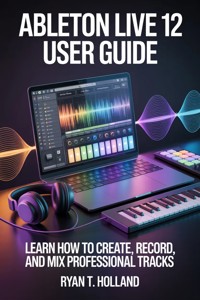
Unlock your full music production potential with Ableton Live 12 User Guide: Learn How to Create, Record, and Mix Professional Tracks. Whether you’re a beginner, aspiring producer, or seasoned musician looking to master Live 12, this comprehensive guide takes you step by step through the creative and technical process of producing professional-quality music.
Inside this book, you’ll discover how to:
- Navigate Ableton Live 12’s interface with confidence and efficiency
- Record vocals, instruments, and external gear like a pro
- Design unique sounds using MIDI instruments, synths, and effects
- Program drums, build grooves, and layer beats for maximum impact
- Arrange, automate, and structure full songs across multiple genres
- Mix and master tracks to industry standards for streaming, performance, or release
- Use advanced techniques, creative tools, and hidden features to elevate your productions
- Build live sets and optimize workflow for real-time performance
Whether you’re producing at home, collaborating with other artists, or preparing for live performances, Ableton Live 12 User Guide is your ultimate companion for mastering one of the most powerful DAWs in the world. Start creating, start experimenting, and start producing music that stands out.
Das E-Book können Sie in Legimi-Apps oder einer beliebigen App lesen, die das folgende Format unterstützen:
Veröffentlichungsjahr: 2026
Ähnliche














Ryan T. Holland
Ableton Live 12 User Guide
Learn How to Create, Record, and Mix Professional Tracks
First published by Ryan T. Holland 2026
Copyright © 2026 by Ryan T. Holland
All rights reserved. No part of this publication may be reproduced, stored, or transmitted in any form or by any means, electronic, mechanical, photocopying, recording, scanning, or otherwise without written permission from the publisher. It is illegal to copy this book, post it to a website, or distribute it by any other means without permission.
Ryan T. Holland asserts the moral right to be identified as the author of this work.
First edition
This book was professionally typeset on Reedsy Find out more at reedsy.com
Contents
Disclaimer
Introduction
Why Ableton Live 12 Changes Everything
Who This Book Is For (Beginners, Producers, Musicians, and Creators)
What Makes Ableton Live 12 Different From Other DAWs
How to Use This Guide for Fast, Real Results
Setting Expectations: From First Sound to Finished Track
Chapter 1
Getting Started With Ableton Live 12
Installing Ableton Live 12 on Windows and macOS
Understanding Versions and Editions (Intro, Standard, Suite)
Navigating the Ableton Interface With Confidence
Session View vs Arrangement View Explained
Essential Preferences and Settings for Best Performance
Chapter 2
Understanding Tracks, Clips, and the Ableton Workflow
Audio Tracks, MIDI Tracks, and Return Tracks
How Clips Work in Ableton Live
Launching, Looping, and Editing Clips
Using Scenes to Build Song Sections
Developing a Fast and Creative Workflow
Chapter 3
Recording Audio Like a Professional
Setting Up Audio Interfaces and Microphones
Recording Vocals, Instruments, and External Gear
Managing Input Levels and Avoiding Clipping
Comping Takes for the Best Performance
Working With Warp Modes for Tight Timing
Chapter 4
MIDI, Instruments, and Virtual Sound Design
Understanding MIDI in Ableton Live 12
Using Built-In Instruments and Presets
Creating Melodies, Chords, and Basslines
MIDI Effects for Creativity and Control
Humanizing MIDI for Natural-Sounding Performances
Chapter 5
Beats, Drums, and Groove Creation
Using Drum Racks Effectively
Programming Drum Patterns From Scratch
Working With Groove Pool and Swing
Layering Drums for Punch and Depth
Creating Genre-Specific Beats
Chapter 6
Sound Design With Ableton Live 12
Exploring Wavetable, Operator, and Sampler
Using Envelopes, LFOs, and Modulation
Designing Leads, Pads, and Textures
Resampling and Creative Sound Manipulation
Building Signature Sounds That Stand Out
Chapter 7
Arrangement and Song Structure
Turning Loops Into Full Songs
Structuring Verses, Choruses, and Drops
Using Automation for Movement and Energy
Transitions, Builds, and Breakdowns
Arranging for Different Music Genres
Chapter 8
Mixing Fundamentals in Ableton Live 12
Understanding Levels, Panning, and Balance
Using EQ Eight for Clean and Clear Mixes
Compression Techniques for Control and Punch
Reverb and Delay for Space and Depth
Avoiding Common Mixing Mistakes
Chapter 9
Advanced Mixing Techniques
Bus Processing and Group Tracks
Parallel Compression and Saturation
Sidechain Compression for Modern Tracks
Using Reference Tracks Effectively
Preparing a Mix for Mastering
Chapter 10
Mastering Your Tracks Inside Ableton Live
Understanding Loudness and Dynamics
Using Limiting, EQ, and Multiband Processing
Mastering for Streaming Platforms
Export Settings for Professional Results
Common Mastering Errors to Avoid
Chapter 11
Creative Tools and Hidden Features in Ableton Live 12
MIDI Transformations and Generative Tools
Using Max for Live Devices
Racks, Macros, and Workflow Shortcuts
Automation Tricks and Time-Saving Features
Custom Templates for Faster Production
Chapter 12
Live Performance and Automation
Using Ableton Live for Live Sets
Mapping MIDI Controllers
Building Performance-Ready Sessions
Managing Tempo and Real-Time Effects
Avoiding Performance Pitfalls
Chapter 13
Collaboration and File Management
Working With Other Producers
Managing Samples, Projects, and Backups
Exporting Stems and Sessions
Keeping Projects Organized and Scalable
Chapter 14
Troubleshooting and Optimization
Fixing Latency and Audio Dropouts
CPU Management and Performance Tweaks
Recovering Crashed or Corrupted Projects
Common Beginner and Intermediate Errors
Chapter 15
From Beginner to Confident Producer
Building a Daily Production Routine
Improving Speed Without Sacrificing Quality
Developing Your Unique Sound
Next Steps for Growth and Professional Success
Conclusion
Disclaimer
The information provided in this book, Ableton Live 12 User Guide: Learn How to Create, Record, and Mix Professional Tracks, is for educational and informational purposes only. While every effort has been made to ensure the accuracy and reliability of the content, the author and publisher make no guarantees regarding the completeness, suitability, or applicability of the techniques and advice described herein.
The practices, workflows, and tutorials outlined in this guide are intended to help users understand and use Ableton Live 12 effectively. However, results may vary depending on the user’s experience, equipment, software version, and individual creative approach. Readers are encouraged to exercise their own judgment and discretion when applying the information in their music production projects.
This book is not affiliated with, endorsed by, or sponsored by Ableton AG or any other third-party software or hardware manufacturers. All product names, logos, and trademarks mentioned are the property of their respective owners and are used solely for educational and descriptive purposes.
The author and publisher disclaim any liability for any loss, damage, or adverse outcomes resulting from the use or application of the techniques and methods presented in this book. Readers assume full responsibility for their actions and results when using Ableton Live 12 or any related tools and equipment.
By reading and applying the information in this book, you acknowledge and accept this disclaimer.
Introduction
Ableton Live 12 is not just another update or incremental improvement to an already popular digital audio workstation. It represents a shift in how music creation feels, flows, and responds to the way modern creators actually think. Music today is rarely linear from the start. Ideas come in fragments, rhythms form before melodies, and inspiration often arrives in short bursts rather than carefully planned sessions. Ableton Live has always embraced that reality, but version 12 pushes it further by making the creative process faster, more intuitive, and more expressive than ever before.
For years, producers and musicians have struggled with software that feels rigid or overly technical, forcing creativity to conform to predefined workflows. Ableton Live 12 breaks that pattern by putting creative freedom at the center of the experience. Whether you are sketching ideas late at night, building beats on the fly, or refining a complex arrangement, Live 12 adapts to your process instead of fighting it. The result is a DAW that feels less like a tool you must learn to operate and more like an extension of your musical instincts.
This guide exists because powerful software alone is not enough. Ableton Live 12 is deep, flexible, and capable of professional-level results, but without clear guidance, that power can feel overwhelming. Menus, devices, clips, and workflows can blur together, especially for new users. Even experienced producers can miss features that dramatically improve speed and sound quality simply because they are buried beneath layers of possibility. This book is designed to remove that friction and help you use Ableton Live 12 with confidence, clarity, and purpose.
Throughout this guide, the focus is not on memorizing buttons or blindly following steps, but on understanding how Ableton Live 12 thinks. Once you grasp the logic behind the software, everything becomes easier. Recording feels natural. Mixing becomes intentional. Sound design turns from guesswork into creative choice. The goal is not just to teach you how to use Ableton Live 12, but to help you think like a producer who knows exactly why they are doing what they are doing.
By the end of this book, Ableton Live 12 will no longer feel like a complex piece of software you are trying to figure out. It will feel like a familiar creative environment where ideas move quickly from your head to your speakers. That transformation starts here, with a clear understanding of why Ableton Live 12 matters and how to approach it the right way from the very beginning.
Why Ableton Live 12 Changes Everything
Ableton Live 12 changes everything because it redefines what it means to create music inside a digital environment. Instead of forcing users into a traditional, timeline-based mindset from the start, it allows ideas to develop organically. This is crucial in a time where genres blend, workflows are personal, and creators are no longer limited to a single role. You might be a producer one moment, a songwriter the next, and a sound designer after that. Ableton Live 12 supports all of those identities without asking you to change tools or mental modes.
One of the biggest shifts in Live 12 is how it enhances musical expression without adding unnecessary complexity. Features like improved MIDI tools, smarter scale awareness, and deeper modulation options are designed to help you make better musical decisions, not just more technical ones. You are encouraged to experiment without fear of breaking your project or getting lost in technical details. The software actively supports exploration, which is where the most interesting music often comes from.
Live 12 also improves the relationship between creativity and control. In earlier versions of many DAWs, users often felt forced to choose between fast idea generation and precise editing. Ableton Live 12 closes that gap. You can sketch ideas quickly in Session View, refine them with detail in Arrangement View, and move seamlessly between the two. This fluidity is one of the core reasons Live has become the industry standard for electronic music, live performance, and modern production workflows.
Another major reason Ableton Live 12 stands out is how it integrates sound design, recording, mixing, and performance into a single, cohesive environment. You do not need separate software to experiment with sounds, record vocals, or polish a final mix. Everything lives in one place, designed to work together rather than feeling like disconnected modules. This reduces friction and keeps you focused on the music instead of the technology.
Ultimately, Ableton Live 12 changes everything because it respects the creative process. It acknowledges that inspiration is fragile and that the best software is the one that gets out of the way. Instead of demanding your attention, Live 12 supports your flow, allowing ideas to grow naturally into complete, professional tracks.
Who This Book Is For (Beginners, Producers, Musicians, and Creators)
This book is written for beginners who may be opening Ableton Live 12 for the first time and wondering where to start. If you have ever felt intimidated by music software or unsure whether you have the technical skills to produce music, this guide is for you. It assumes no prior knowledge of Ableton Live and explains concepts in a way that builds confidence gradually. You will not be rushed or overwhelmed, and every idea is introduced with clarity and context.
At the same time, this guide is equally valuable for producers who already have experience with music production but want to master Ableton Live 12 specifically. Perhaps you have used other DAWs and are transitioning to Ableton, or maybe you have used earlier versions of Live and want to fully understand what version 12 offers. This book helps bridge that gap, showing not just what has changed, but how to use those changes to improve your workflow and results.
Musicians who come from a traditional background will also find this guide approachable and practical. If you are a guitarist, keyboardist, singer, or instrumentalist looking to record, arrange, and produce your own music, Ableton Live 12 can feel like unfamiliar territory at first. This book translates technical concepts into musical ones, helping you see the software as a creative partner rather than a technical obstacle.
Creators of all kinds are included in this audience as well. Whether you are making beats for artists, composing for film, producing content for social media, or performing live, Ableton Live 12 adapts to your goals. This guide does not assume a single genre or creative outcome. Instead, it focuses on core principles that apply across styles, allowing you to shape the tools around your unique creative identity.
Most importantly, this book is for anyone who wants to move beyond tutorials and fragmented learning. It provides a structured, end-to-end understanding of Ableton Live 12, helping you develop a complete skill set rather than isolated tricks. No matter where you are starting from, the goal is to help you finish tracks with confidence and consistency.
What Makes Ableton Live 12 Different From Other DAWs
Ableton Live 12 stands apart from other digital audio workstations because it was built around the concept of performance and experimentation rather than traditional recording alone. While many DAWs evolved from studio tape workflows, Ableton Live was designed from the beginning to handle loops, improvisation, and real-time manipulation. Version 12 refines this philosophy, making it more powerful and accessible than ever.
One of the most distinctive features of Ableton Live is the dual-view system: Session View and Arrangement View. This alone changes how music is made. Session View allows you to work with ideas as modular building blocks rather than fixed timelines. You can trigger clips, rearrange sections, and explore variations without committing to a final structure. This encourages creativity and reduces the pressure to get things right immediately.
Another key difference lies in Ableton’s approach to MIDI and musical intelligence. Live 12 introduces smarter tools that help users stay in key, explore harmonic relationships, and generate ideas without relying on external plugins. These tools do not replace creativity; they enhance it by removing common technical barriers that can slow down the creative process.
Ableton Live 12 also excels in integration. Audio effects, instruments, MIDI tools, and modulation systems are designed to work seamlessly together. You do not feel like you are stitching together unrelated components. Instead, everything feels part of a single, coherent system. This makes advanced techniques more accessible because they are built into the workflow rather than hidden behind complex setups.




