


7,99 €
Mehr erfahren.
- Herausgeber: BookRix
- Kategorie: Geisteswissenschaft
- Sprache: Englisch
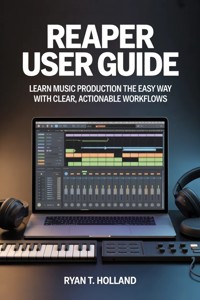
Unlock the full potential of REAPER and take your music production skills to the next level with Reaper User Guide: Learn Music Production the Easy Way with Clear, Actionable Workflows. Whether you’re a beginner stepping into the world of digital audio workstations or an intermediate producer looking to streamline your workflow, this guide offers everything you need to create professional-quality tracks with confidence.
Inside, you’ll find step-by-step instructions, practical tips, and hands-on techniques that make complex concepts simple and actionable. Learn how to record vocals, instruments, and MIDI, edit audio with precision, craft polished mixes, and arrange full songs efficiently. You’ll also discover how to harness REAPER’s powerful automation, effects, and workflow customization features, giving you the tools to work faster, smarter, and more creatively.
This guide goes beyond features—it teaches a philosophy of consistent, professional music production. From setting up your home studio and optimizing your interface to mastering tracks and exporting for streaming platforms, every chapter is designed to build your skills and confidence. With real-world examples and actionable workflows, you’ll be able to apply what you learn immediately to your own projects.
Whether your goal is producing beats, recording podcasts, mixing client projects, or composing full-length songs, Reaper User Guide is the ultimate companion for music producers who want results without frustration. Take control of your music production journey, streamline your workflow, and start making tracks that sound professional today.
Das E-Book können Sie in Legimi-Apps oder einer beliebigen App lesen, die das folgende Format unterstützen:
Veröffentlichungsjahr: 2026
Ähnliche



















Ryan T. Holland
Reaper User Guide
Learn Music Production the Easy Way with Clear, Actionable Workflows
First published by Ryan T. Holland 2026
Copyright © 2026 by Ryan T. Holland
All rights reserved. No part of this publication may be reproduced, stored, or transmitted in any form or by any means, electronic, mechanical, photocopying, recording, scanning, or otherwise without written permission from the publisher. It is illegal to copy this book, post it to a website, or distribute it by any other means without permission.
Ryan T. Holland asserts the moral right to be identified as the author of this work.
First edition
This book was professionally typeset on Reedsy Find out more at reedsy.com
Contents
Disclaimer
Introduction
Who This Guide Is For and How to Use It
What You’ll Be Able to Create After Finishing This Book
Understanding REAPER’s Philosophy and Workflow Advantage
Chapter 1
Getting Started with REAPER the Right Way
Downloading, Installing, and Activating REAPER
Understanding Licensing and Why REAPER Is Affordable
First Launch: Essential Setup for Beginners
Optimizing REAPER for Your Computer and Audio Interface
Chapter 2
Understanding the REAPER Interface Without Overwhelm
The Track Control Panel Explained
The Arrange View and Timeline Made Simple
The Mixer Window and Signal Flow Basics
Customizing Layouts for Faster Workflow
Chapter 3
Setting Up Your Home Studio in REAPER
Audio Interfaces, Drivers, and Sample Rate Settings
Configuring MIDI Controllers and Keyboards
Input, Output, and Monitoring the Correct Way
Creating a Stable Recording Environment
Chapter 4
Recording Audio with Clean, Professional Results
Recording Vocals, Instruments, and External Gear
Understanding Takes, Loop Recording, and Punch-In
Managing Latency and Avoiding Common Recording Mistakes
Saving and Organizing Recording Sessions
Chapter 5
MIDI and Virtual Instruments Made Easy
Creating and Editing MIDI Tracks
Using the MIDI Editor Efficiently
Loading and Managing Virtual Instruments
Programming Drums, Basslines, and Melodies
Chapter 6
Editing Audio Like a Pro
Cutting, Trimming, and Splitting Clips
Time-Stretching and Pitch Correction Basics
Using Fades and Crossfades Smoothly
Cleaning Up Noisy or Messy Recordings
Chapter 7
Mixing Fundamentals in REAPER
Understanding Gain Staging and Levels
Using EQ, Compression, and Reverb Effectively
Panning and Creating Space in Your Mix
Using REAPER’s Built-In Plugins to Save Money
Chapter 8
Automation and Workflow Power Tools
Volume, Pan, and FX Automation Explained
Using Envelopes Without Confusion
Keyboard Shortcuts and Actions for Speed
Creating Custom Workflows That Match Your Style
Chapter 9
Working with Effects and FX Chains
Inserting and Managing Effects
Creating Reusable FX Chains
Using Sends, Buses, and Submixes
Avoiding Overprocessing and CPU Overload
Chapter 10
Arranging and Structuring Complete Songs
Building Intros, Verses, Choruses, and Bridges
Using Markers and Regions for Song Structure
Transitions, Drops, and Energy Control
Finishing Tracks Without Overthinking
Chapter 11
Mastering Basics for Final Polish
Preparing Your Mix for Mastering
Loudness, Limiting, and Clarity Essentials
Exporting for Streaming Platforms and Sharing
Avoiding Common Mastering Mistakes
Chapter 12
Exporting, Rendering, and File Management
Render Settings Explained Step-by-Step
Exporting Stems and Multitracks
Project Backups and Version Control
Managing Large Projects Safely
Chapter 13
Customization and Advanced REAPER Features
Themes, Layouts, and Visual Customization
Using Scripts and Extensions
Creating Templates for Faster Projects
Unlocking REAPER’s Full Power Gradually
Chapter 14
Real-World Production Workflows
Recording a Song from Start to Finish
Producing Beats and Instrumentals
Editing Podcasts and Voiceovers
Mixing Client Projects Efficiently
Chapter 15
Troubleshooting and Common Problems
Audio Dropouts and Glitches
Latency, Distortion, and CPU Issues
Plugin Compatibility Problems
Recovering Crashed or Corrupted Projects
Conclusion
Disclaimer
The information provided in this book, Reaper User Guide: Learn Music Production the Easy Way with Clear, Actionable Workflows, is intended for educational and informational purposes only. While every effort has been made to ensure the accuracy and reliability of the content, the author and publisher make no warranties or representations regarding the completeness, accuracy, or applicability of the information contained herein.
This guide provides general instructions, techniques, and workflows for using REAPER software. Individual results may vary depending on hardware, operating system, audio interface, plugins, and user experience. The author and publisher are not responsible for any damage, loss of data, or technical issues that may occur while using the software or applying the methods described in this book.
All product names, trademarks, and registered trademarks are the property of their respective owners. Any mention of third-party software, plugins, or hardware is for illustrative purposes only and does not imply endorsement by the manufacturer.
Readers are encouraged to use their discretion and follow all safety and operational instructions provided by software and hardware manufacturers. The information in this book is not a substitute for professional audio engineering or technical support.
By using this book, you agree that the author and publisher are not liable for any outcomes—financial, creative, or technical—that may result from applying the guidance provided.
Introduction
Music production used to feel like a locked room. Expensive software, confusing terminology, rigid workflows, and a sense that you had to “do things the right way” or not at all. For a lot of beginners and even experienced musicians, that pressure killed creativity before it ever had a chance to grow. REAPER quietly changed that dynamic. Instead of demanding that you adapt to the software, it adapts to you. That shift alone is why so many producers, composers, podcasters, and sound designers eventually find their way to it.
This book exists because learning REAPER doesn’t have to feel overwhelming, technical, or frustrating. While REAPER is famously deep and flexible, most guides either drown readers in settings or assume a level of experience that leaves newcomers behind. The goal here is different. This guide is designed to walk you through REAPER the way a patient producer would sit next to you in a studio, explaining not just what to click, but why it matters and how it fits into real creative work.
Music production is not about memorizing menus or mastering every feature. It’s about flow. It’s about capturing ideas before they disappear, shaping sounds into something meaningful, and finishing projects instead of abandoning them halfway through. REAPER excels at supporting that process, but only if you understand how to work with it rather than fight it. This introduction sets the foundation for that understanding.
Throughout this book, you’ll notice a strong emphasis on clarity and practicality. Every concept is explained in context, every workflow is connected to a real-world use case, and nothing is presented just because it exists in the software. REAPER can do almost anything, but you don’t need everything at once. Learning what matters now is far more important than learning everything eventually.
By the time you finish this guide, REAPER won’t feel like a complicated piece of software anymore. It will feel like a creative environment you understand, control, and trust. That sense of confidence is what turns curiosity into consistency and ideas into finished work.
Why REAPER Is the Smart Choice for Modern Music Production
REAPER stands out in a crowded world of digital audio workstations because it doesn’t try to be flashy or trendy. Instead, it focuses on efficiency, stability, and user control. While other DAWs often push predefined workflows or lock advanced features behind expensive tiers, REAPER gives you the same professional-level power from day one. That approach has made it a favorite among independent producers and professionals alike.
One of REAPER’s biggest advantages is its performance. It runs smoothly on modest systems, loads quickly, and handles large projects without grinding your computer to a halt. This matters more than many people realize. When your software slows you down, creativity suffers. REAPER’s lightweight design ensures that your system resources are spent on making sound, not managing unnecessary visual effects or bloated features.
Cost is another major reason REAPER makes sense in today’s music landscape. Its licensing model is honest and accessible, especially for beginners and small creators. You are not punished for growing slowly, experimenting, or working independently. This removes financial pressure and makes music production feel like an open door rather than a gated community.
REAPER also thrives in a world where music production is no longer limited to recording bands in studios. Today’s creators make beats, podcasts, film scores, audiobooks, sound effects, and experimental audio projects from home. REAPER is built to handle all of that without forcing you into a single creative lane. The same tools you use to record a vocal can be used to edit dialogue, design soundscapes, or produce an entire album.
Perhaps most importantly, REAPER respects its users. It doesn’t assume you want things done one specific way. It gives you tools, then gets out of the way. That philosophy aligns perfectly with modern creators who value flexibility, speed, and personal workflow over rigid systems. Choosing REAPER is not just choosing software; it’s choosing a mindset that prioritizes creativity over constraint.
Who This Guide Is For and How to Use It
This guide is written for anyone who wants to make music or work with audio but doesn’t want to feel overwhelmed by technical jargon or complex theory. You might be a complete beginner opening a DAW for the first time, or you might be someone who has tried other software and felt limited or frustrated. You could even be an experienced REAPER user who knows the basics but wants a clearer, more structured understanding of how everything fits together.
You do not need a background in music theory, audio engineering, or technology to benefit from this book. Concepts are explained in plain language, with the assumption that you are here to learn, not to prove anything. When technical terms are used, they are introduced carefully and reinforced through practical examples rather than abstract definitions.
The best way to use this guide is sequentially, especially if you are new to REAPER. Each chapter builds on the previous one, gradually expanding your understanding and confidence. That said, REAPER users often work in non-linear ways, and the book is structured so you can revisit sections as needed without feeling lost. Think of it as both a learning path and a reference you can return to whenever something clicks into place.
You are encouraged to work inside REAPER as you read. Open the software, try things out, make mistakes, and explore. This book is not about perfection. It’s about familiarity and momentum. The more you interact with REAPER while reading, the faster the concepts will stick and the more natural your workflow will feel.
Above all, this guide is for people who want to create consistently. Not just start projects, but finish them. Not just learn tools, but use them confidently. If that sounds like what you’re aiming for, you’re in the right place.
What You’ll Be Able to Create After Finishing This Book
By the end of this book, you will be able to open REAPER and know exactly where to start. That may sound simple, but it’s one of the biggest hurdles new producers face. Instead of staring at a blank screen, you’ll understand how to set up a project, record audio or MIDI, edit performances, and shape sound with intention.
You’ll be capable of producing complete songs from start to finish. This includes recording vocals and instruments, programming drums and melodies, arranging sections, mixing tracks, and exporting polished final versions. The goal is not to turn you into a mastering engineer overnight, but to give you the skills needed to produce music that sounds clear, balanced, and intentional.
Beyond music, you’ll also be equipped to work on other audio projects. Podcast episodes, voiceovers, audiobooks, and sound design tasks will feel approachable rather than intimidating. REAPER’s flexibility means the same skills transfer across creative disciplines, and this book emphasizes that adaptability.
You’ll also develop a strong sense of workflow. Instead of clicking randomly or relying on trial and error, you’ll understand why certain steps come before others and how to move through a project efficiently. This reduces frustration and makes long sessions more productive and enjoyable.
Perhaps the most important outcome is confidence. You’ll trust your ability to solve problems, experiment creatively, and adapt REAPER to your needs. That confidence is what allows you to grow beyond tutorials and presets and start developing a sound and workflow that are truly your own.
Understanding REAPER’s Philosophy and Workflow Advantage
REAPER was designed around a simple but powerful idea: the software should not dictate creativity. Instead of locking users into fixed structures, it provides a toolkit that can be shaped around individual workflows. This philosophy is evident in everything from track handling to customization options.
In REAPER, tracks are not rigidly defined as audio or MIDI tracks. They are flexible containers that can hold anything. This eliminates unnecessary mental barriers and simplifies project organization. You don’t have to think about technical categories; you focus on what you’re creating.




