


27,59 €
Mehr erfahren.
- Herausgeber: Packt Publishing
- Kategorie: Fachliteratur
- Sprache: Englisch
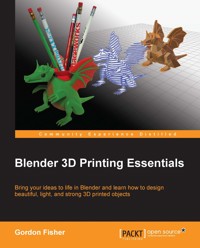
Like computing, 3D printing has been around for decades but it was expensive and was only used for making complex prototypes. Now, prices have dropped and third-party printing services such as Shapeways have become available, making the technology available to everyone.Blender is an open source modeling and animation program popular in the 3D printing community. 3D printing demands more of a modeler than animation or virtual reality. The model maker must engineer their model to work in the real world. They must keep in mind the particular needs of the materials and printers that they are planning to use to print their model. This practical guide gives Blender users all the information they need to design high-quality 3D printed objects. With a solid exploration of the 3D modeling process, design considerations for 3D printing, plus step-by-step exercises, you will soon be comfortable making 3D objects for real-world enjoyment. Starting with an overview of 3D printing, this guide moves onto to precision measurement, fixing problems in a 3D model, and how to make it light and strong enough for real-world use.You will learn how to scale, build, and detail a model for a 3D printer. You will learn to color and decorate it, as well as making parts precisely in the size you want them, so that multi-part objects fit together smoothly. You will also learn tips on saving money when you have printed your model.With the help of this guide, you will be able to complete your project and learn how to export the file so it is ready for a variety of 3D printers.
Das E-Book können Sie in Legimi-Apps oder einer beliebigen App lesen, die das folgende Format unterstützen:
Seitenzahl: 142
Veröffentlichungsjahr: 2013
Ähnliche


















Table of Contents
Blender 3D Printing Essentials
Blender 3D Printing Essentials
Copyright © 2013 Packt Publishing
All rights reserved. No part of this book may be reproduced, stored in a retrieval system, or transmitted in any form or by any means, without the prior written permission of the publisher, except in the case of brief quotations embedded in critical articles or reviews.
Every effort has been made in the preparation of this book to ensure the accuracy of the information presented. However, the information contained in this book is sold without warranty, either express or implied. Neither the author, nor Packt Publishing, and its dealers and distributors will be held liable for any damages caused or alleged to be caused directly or indirectly by this book.
Packt Publishing has endeavored to provide trademark information about all of the companies and products mentioned in this book by the appropriate use of capitals. However, Packt Publishing cannot guarantee the accuracy of this information.
First published: November 2013
Production Reference: 1141113
Published by Packt Publishing Ltd.
Livery Place
35 Livery Street
Birmingham B3 2PB, UK.
ISBN 978-1-78328-459-7
www.packtpub.com
Cover Image by Gordon Fisher (<[email protected]>)
Credits
Author
Gordon Fisher
Reviewers
Sandra Gilbert
Taylor Petrick
Acquisition Editor
Sam Birch
Commissioning Editor
Subho Gupta
Technical Editors
Novina Kewalramani
Harshad Vairat
Project Coordinator
Amey Sawant
Proofreader
Paul Hindle
Indexer
Rekha Nair
Production Coordinator
Nitesh Thakur
Cover Work
Nitesh Thakur
About the Author
Gordon Fisher, as a teenager, studied drafting and built plastic model cars. He got his start in 3D computer modeling back when one would have to create a 3D engineering drawing with a pencil and then input the information into a computer, vertex-by-vertex.
He led a three-person crew in building 3D models of 80 aircraft for the U.S. Army Visual Aircraft Recognition program. He also built an accurate model of the 17th and 18th holes of the Pebble Beach golf course for Callaway Golf's golf simulator. He's currently working with the Open Luna Foundation to create models, X3D and 3D printed, of their parts of their proposed lunar base.
He is the Creative Director at Point Happy Interactive. He has been using Blender professionally since 2002 and has given classes on using Blender and using Python with Blender at Python conferences in Texas and Arkansas. His work has been displayed at the National Air and Space Museum. He is also the author of the book Blender 3D Basics, published by Packt Publishing.
I would like to thank all the people who helped me write this book, especially Subho Gupta, the Commissioning Editor, and Amey Sawant, the Project Coordinator. I'd also like to thank Bart Veldhuisen of Blender Nation and Shapeways and Gary Fudge of mCor Technologies for taking the time to answer all my questions, and all the people who have devoted so many hours to developing better and less expensive 3D printers.
About the Reviewers
Sandra Gilbert started using Blender in the fall of 2000. Back then, there were not as many tutorials or educational resources available for Blender artists, so she, like many others, figured it out as she went along. Over the years, Sandra has seen not only Blender, but the community itself grow and mature. Now, there is a wealth of tutorials and educational materials available.
She is the Managing Editor of Blenderart Magazine. In 2005, she and her friend, Gaurav Nawani, decided to start Blenderart Magazine. Blenderart Magazine is a theme-based community magazine offering Blender tutorials, interviews, and making of articles.
Having been part of such a large open source community and watching how the community comes together to create and accomplish large projects, she knows that Blenderart's success is due in large part to the Blender community itself. The community supports their endeavor in many ways, the biggest being by contributing articles, tutorials, and images to be published in each issue.
I would like to thank all the talented writers and educators in the Blender community for sharing their knowledge and helping in teaching a new generation of Blender users.
Taylor Petrick is currently a student at the University of Waterloo in Canada. He took an interest in 3D graphics and modeling in middle school and has continued to develop his skills ever since. He has a strong programming background, with over six years of practical experience using C++ and technologies such as OpenGL, DirectX, and CUDA. Currently, he is working with ray tracing and investigating its potential for use in real-time applications.
He uses Blender3D both as a tool for his projects and to create artwork as a hobby. He first started using Blender to make models and animations for a video game project and has actively used it ever since. He is excited about 3D printing and how quickly it is entering widespread use. He is particularly interested in the Peachy Printer, a new low-cost option that interfaces directly with Blender.
I'd like to thank Packt for giving me the opportunity to be involved in the review process of this book. It was the first time I had a chance to work on such a project and I was fortunate enough to be chosen as a technical reviewer. Sharing knowledge has always been important to me, so I was glad to contribute my skills to help others learn. I enjoyed working with the team and becoming more familiar with the review process in general.
www.PacktPub.com
Support files, eBooks, discount offers and more
You might want to visit www.PacktPub.com for support files and downloads related to your book.
Did you know that Packt offers eBook versions of every book published, with PDF and ePub files available? You can upgrade to the eBook version at www.PacktPub.com and as a print book customer, you are entitled to a discount on the eBook copy. Get in touch with us at <[email protected]> for more details.
At www.PacktPub.com, you can also read a collection of free technical articles, sign up for a range of free newsletters and receive exclusive discounts and offers on Packt books and eBooks.
http://PacktLib.PacktPub.com
Do you need instant solutions to your IT questions? PacktLib is Packt's online digital book library. Here, you can access, read and search across Packt's entire library of books.
Why Subscribe?
Free Access for Packt account holders
If you have an account with Packt at www.PacktPub.com, you can use this to access PacktLib today and view nine entirely free books. Simply use your login credentials for immediate access.
Preface
You know that 3D printing is hot. You wouldn't have bought this book if you didn't. What I hope you will get from this book is an introduction to building a model in Blender so it will make a good object in a 3D printer.
This is fairly simple. Mostly, you need to know what information the 3D printer needs to make an object, what considerations you need to make when designing your object, and which techniques you can use to achieve your goals.
I have tried to avoid being printer-specific. 3D printing is in the phase where new printers are appearing every day. At some point, there will be a shakeout where the best printer makers prevail, but it's too early to guess which companies those will be. But among all kinds of printers, there are basic rules that will work with any printer, and you will learn how to tailor your objects for particular printers.
While I have worked to ensure that you could do each step demonstrated, I assume that you have a general knowledge of operating Blender, such as one would get from my book Blender 3D Basics, also available on the Packt website.
Let's get started!
What this book covers
Chapter 1, Designing Objects for 3D Printing, gives you a glimpse into the general issues affecting 3D printing and background on what is going on, so you understand why you may have to do things differently to make an object in Blender for 3D printing than you do for animation or the game engine.
Chapter 2, Measuring and Texturing Techniques for 3D Printing, explains how to prepare a file to be used in 3D printing. We will cover using the Ruler/Protractor tool to measure objects and some methods used in texturing the model.
Chapter 3, Making a Blender Model that's Ready to Print, explains how to make models that are watertight, manifold, and will print well.
Chapter 4, Making Strong, Light Objects with the Solidify Modifier, explains how to make an object strong and light using the Solidify modifier and how to clean up the model. You will also learn about doing precision modeling, dealing with overhangs, and finally you will learn how to export the completed file.
Appendix, contains links to good background material on 3D printing, 3D printing services, hobbyist-level 3D printers, industrial-level 3D printers, and Blender objects available on the web.
What you need for this book
Blender 2.67 or higher and a general understanding of standard modeling techniques, such as described in Blender 3D Basics.
Who this book is for
People who want to be able to build 3D printed objects using Blender to model the object(s).
Conventions
In this book, you will find a number of styles of text that distinguish between different kinds of information. Here are some examples of these styles, and an explanation of their meaning.
Code words in text are shown as follows: "Set the radius of the brush to about 25 and the strength to 1.0".
New terms and important words are shown in bold. Words that you see on the screen, in menus or dialog boxes for example, appear in the text like this: "In the UV/Image Editor header, select Image".
Note
Warnings or important notes appear in a box like this.
Tip
Tips and tricks appear like this.
Reader feedback
Feedback from our readers is always welcome. Let us know what you think about this book—what you liked or may have disliked. Reader feedback is important for us to develop titles that you really get the most out of.
To send us general feedback, simply send an e-mail to <[email protected]>, and mention the book title via the subject of your message. If there is a topic that you have expertise in and you are interested in either writing or contributing to a book, see our author guide on www.packtpub.com/authors.
Customer support
Now that you are the proud owner of a Packt book, we have a number of things to help you to get the most from your purchase.
Downloading the example code
You can download the example code files for all Packt books you have purchased from your account at http://www.packtpub.com. If you purchased this book elsewhere, you can visit http://www.packtpub.com/support and register to have the files e-mailed directly to you.
Downloading the color images of this book
We also provide you a PDF file that has color images of the screenshots/diagrams used in this book. The color images will help you better understand the changes in the output. You can download this file from http://www.packtpub.com/sites/default/files/downloads/4597OS_ColoredGraphics.pdf
Errata
Although we have taken every care to ensure the accuracy of our content, mistakes do happen. If you find a mistake in one of our books—maybe a mistake in the text or the code—we would be grateful if you would report this to us. By doing so, you can save other readers from frustration and help us improve subsequent versions of this book. If you find any errata, please report them by visiting http://www.packtpub.com/submit-errata, selecting your book, clicking on the erratasubmissionform link, and entering the details of your errata. Once your errata are verified, your submission will be accepted and the errata will be uploaded on our website, or added to any list of existing errata, under the Errata section of that title. Any existing errata can be viewed by selecting your title from http://www.packtpub.com/support.
Piracy
Piracy of copyright material on the Internet is an ongoing problem across all media. At Packt, we take the protection of our copyright and licenses very seriously. If you come across any illegal copies of our works, in any form, on the Internet, please provide us with the location address or website name immediately so that we can pursue a remedy.
Please contact us at <[email protected]> with a link to the suspected pirated material.
We appreciate your help in protecting our authors, and our ability to bring you valuable content.
Questions
You can contact us at <[email protected]> if you are having a problem with any aspect of the book, and we will do our best to address it.
Chapter 1. Designing Objects for 3D Printing
3D printing! It's big, it's exciting, and it's fun! It's so important that Microsoft made being 3D printing compatible a high priority for Windows 8.1. This book will help you get started in using Blender to make objects specifically for 3D printing. We will not recommend any particular printer or printing service. If you already have a 3D printer, you will know what you need to do for printing. If not, you'll probably be depending on someone else to do the actual printing and you'll need to know what they need from you, and what you need to keep in mind as you model in Blender.
In this chapter, we will look into general issues affecting 3D printing and give you a little background on what is going on so you understand why you may have to do things differently to make an object in Blender for 3D printing than you do for animation or a game engine.
The following are the topics we'll be covering in this chapter:
Opportunities to use your 3D printer
3D printing is not the




