


29,99 €
Mehr erfahren.
- Herausgeber: Packt Publishing
- Kategorie: Fachliteratur
- Sprache: Englisch
With its many features, easy-to-use interface, and flexibility, Burp Suite is the top choice for professionals looking to strengthen web application and API security.
This book offers solutions to challenges related to identifying, testing, and exploiting vulnerabilities in web applications and APIs. It provides guidance on identifying security weaknesses in diverse environments by using different test cases. Once you’ve learned how to configure Burp Suite, the book will demonstrate the effective utilization of its tools, such as Live tasks, Scanner, Intruder, Repeater, and Decoder, enabling you to evaluate the security vulnerability of target applications. Additionally, you’ll explore various Burp extensions and the latest features of Burp Suite, including DOM Invader.
By the end of this book, you’ll have acquired the skills needed to confidently use Burp Suite to conduct comprehensive security assessments of web applications and APIs.
Das E-Book können Sie in Legimi-Apps oder einer beliebigen App lesen, die das folgende Format unterstützen:
Seitenzahl: 242
Veröffentlichungsjahr: 2023
Ähnliche



















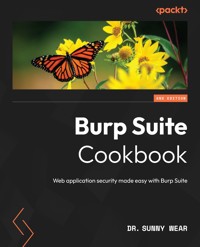
Burp Suite Cookbook
Web application security made easy with Burp Suite
Dr. Sunny Wear
BIRMINGHAM—MUMBAI
Burp Suite Cookbook
Copyright © 2023 Packt Publishing
All rights reserved. No part of this book may be reproduced, stored in a retrieval system, or transmitted in any form or by any means, without the prior written permission of the publisher, except in the case of brief quotations embedded in critical articles or reviews.
Every effort has been made in the preparation of this book to ensure the accuracy of the information presented. However, the information contained in this book is sold without warranty, either express or implied. Neither the author, nor Packt Publishing or its dealers and distributors, will be held liable for any damages caused or alleged to have been caused directly or indirectly by this book.
Packt Publishing has endeavored to provide trademark information about all of the companies and products mentioned in this book by the appropriate use of capitals. However, Packt Publishing cannot guarantee the accuracy of this information.
Group Product Manager: Pavan Ramchandani
Publishing Product Manager: Prachi Rana
Book Project Manager: Sean Lobo
Senior Editor: Romy Dias
Technical Editor: Nithik Cheruvakodan
Copy Editor: Safis Editing
Proofreader: Safis Editing
Indexer: Sejal Dsilva
Production Designer: Joshua Misquitta
Marketing Coordinators: Marylou De Mello and Shruthi Shetty
First published: September 2018
Second edition: September 2023
Production reference: 1210923
Published by Packt Publishing Ltd
Grosvenor House
11 St Paul’s Square
Birmingham
B3 1RB
ISBN 978-1-83508-107-5
www.packtpub.com
To the memory of my parents, whom I miss and love very much.
Contributors
About the author
Dr. Sunny Wear is a web security architect and penetration tester. She provides secure coding classes, creates software, and performs penetration testing on web/API and mobile applications. Sunny has more than 25 years of hands-on software programming, architecture, and security experience and holds a Doctor of Science in Cybersecurity. She is a content creator on Pluralsight, with three courses on Burp Suite. She is a published author, a developer of mobile apps such as Burp Tool Buddy, and a content creator on courses related to web security and penetration testing. She regularly speaks and holds classes at security conferences such as Defcon, Hackfest, and BSides.
I want to thank the people who have been close to me and supported me, especially my wife, Gladys, and my parents.
About the reviewer
Sachin Wagh is a senior security consultant at NetSPI. His core areas of expertise include vulnerability analysis and penetration testing. He has spoken at various cyber security conferences, including Hack in Paris, Infosecurity Europe, and Hakon India. In his spare time, Sachin enjoys refining his photography skills and capturing the beauty of landscapes through his camera lens.
Thanks to my family and friends for all of their support.
Table of Contents
Preface
1
Getting Started with Burp Suite
Downloading Burp Suite (Community and Professional editions)
Getting ready
How to do it...
Setting up a web app pentesting lab
Getting ready
How to do it...
How it works…
Creating a PortSwigger account to access Web Security Academy
Getting ready
How to do it…
Starting Burp Suite at a command line or as an executable
How to do it...
How it works...
Listening for HTTP traffic using Burp
Getting ready
How to do it...
How it works...
There’s more…
2
Getting to Know the Burp Suite of Tools
Technical requirements
Setting the Target Site Map
Getting ready
How to do it...
How it works...
Understanding the message editor
Getting ready
How to do it...
Repeating with Repeater
Getting ready
How to do it...
Decoding with Decoder
Getting ready
How to do it...
There’s more...
Intruding with Intruder
Getting ready
How to do it...
3
Configuring, Crawling, Auditing, and Reporting with Burp
Technical requirements
Establishing trust over HTTPS
Getting ready
How to do it...
There’s more...
Setting project configurations
How to do it…
Setting user configurations
How to do it…
How it works…
There’s more...
Crawling target sites
Getting ready
How to do it...
Creating a custom scan script
Getting ready
How to do it...
There’s more...
Reporting issues
Getting ready
How to do it...
4
Assessing Authentication Schemes
Technical requirements
Testing for account enumeration and guessable accounts
Getting ready
How to do it...
Testing for weak lockout mechanisms
Getting ready
How to do it...
Testing for bypassing authentication schemes
Getting ready
How to do it...
How it works…
Testing for browser cache weaknesses
Getting ready
How to do it...
How it works…
Testing the account provisioning process via the REST API
Getting ready
How to do it...
How it works…
5
Assessing Authorization Checks
Technical requirements
Testing for directory traversal
Getting ready
How to do it...
How it works...
Testing for LFI
Getting ready
How to do it...
How it works...
Testing for RFI
Getting ready
How to do it...
How it works...
Testing for privilege escalation
Getting ready
How to do it...
How it works...
Testing for IDOR
Getting ready
How to do it...
How it works...
6
Assessing Session Management Mechanisms
Technical requirements
Testing session token strength using Sequencer
Getting ready
How to do it...
How it works...
Testing for cookie attributes
Getting ready
How to do it...
How it works...
Testing for session fixation
Getting ready
How to do it...
How it works...
Testing for exposed session variables
Getting ready
How to do it...
How it works...
Testing for cross-site request forgery
Getting ready
How to do it...
How it works...
7
Assessing Business Logic
Technical requirements
Testing business logic data validation
Getting ready
How to do it...
How it works...
Unrestricted file upload – bypassing weak validation
Getting ready
How to do it...
How it works...
Performing process-timing attacks
Getting ready
How to do it...
How it works...
There’s more...
Testing for the circumvention of workflows
Getting ready
How to do it...
How it works...
Uploading malicious files – polyglots
Getting ready
How to do it...
How it works...
There’s more...
8
Evaluating Input Validation Checks
Technical requirements
Testing for reflected cross-site scripting
Getting ready
How to do it...
How it works...
Testing for stored cross-site scripting
Getting ready
How to do it...
How it works...
Testing for HTTP verb tampering
Getting ready
How to do it...
How it works...
Testing for HTTP parameter pollution
Getting ready
How to do it...
How it works...
Testing for SQL injection
Getting ready
How to do it...
How it works...
There’s more...
Testing for command injection
Getting ready
How to do it...
How it works...
9
Attacking the Client
Technical requirements
Testing for clickjacking
Getting ready
How to do it...
How it works...
Testing for DOM-based cross-site scripting
Getting ready
How to do it...
How it works...
Leveraging DOM Invader for testing DOM XSS
Getting ready
How to do it...
How it works...
There’s more...
Testing for JavaScript execution
Getting ready
How to do it...
How it works...
Testing for HTML injection
Getting ready
How to do it...
How it works...
Testing for client-side resource manipulation
Getting ready
How to do it...
How it works...
10
Working with Burp Suite Macros and Extensions
Technical requirements
Creating session-handling macros
Getting ready
How to do it...
How it works...
Getting caught in the cookie jar
Getting ready
How to do it...
How it works...
Adding great pentester plugins
Getting ready
How to do it...
How it works...
Creating new issues via the Add & Track Custom Issues extension
Getting ready
How to do it...
How it works...
See also
Working with the Active Scan++ extension
Getting ready
How to do it...
How it works...
Using Burp Suite extensions for bug bounties
Getting ready
How to do it...
How it works...
11
Implementing Advanced Topic Attacks
Technical requirements
Performing XXE attacks
Getting ready
How to do it...
How it works...
Working with JWTs
Getting ready
How to do it...
How it works...
Using Burp Suite Collaborator to determine SSRF
Getting ready
How to do it...
How it works...
See also
Testing CORS
Getting ready
How to do it...
How it works...
See also
Performing Java deserialization attacks
Getting ready
How to do it...
How it works...
Hacking GraphQL using Burp Suite
Getting ready
How to do it...
How it works...
There’s more...
Index
Other Books You May Enjoy
Preface
Burp Suite is a Java-based platform for testing the security of your web applications and has been adopted widely by professional enterprise testers.
The Open Web Application Security Project (OWASP) offers many resources to developers and testers for securing web and API applications. This book leverages test cases from OWASP with slight modifications for use in Burp Suite to give you hands-on practice. Toward the end of this book, more advanced concepts are included, giving you recipes to be applied in bug bounty hunting, penetration testing, and application security.
By the end of the book, you will be up and running with using Burp Suite to test the security posture of your web applications and APIs.
Who this book is for
If you are a security professional, web pentester, or software developer who wants to adopt Burp Suite for testing application and API security, this book is for you.
What this book covers
Chapter 1, Getting Started with Burp Suite, provides the setup instructions necessary to proceed through the material of the book.
Chapter 2, Getting to Know the Burp Suite of Tools, begins by establishing the target scope and provides overviews of the most commonly used tools within Burp Suite.
Chapter 3,Configuring, Crawling, Auditing, and Reporting with Burp, helps testers to calibrate Burp Suite settings to be less abusive toward the target application.
Chapter 4, Assessing Authentication Schemes, covers the basics of authentication, including an explanation that it is the act of verifying that a person or object’s claim is true.
Chapter 5, Assessing Authorization Checks, helps you understand the basics of authorization, including an explanation that it how an application uses roles to determine user functions.
Chapter 6, Assessing Session Management Mechanisms, dives into the basics of session management, including an explanation that it is how an application keeps track of user activity on a website.
Chapter 7, Assessing Business Logic, covers the basics of business logic testing, including an explanation of some of the more common tests performed in this area.
Chapter 8, Evaluating Input Validation Checks, delves into the basics of data validation testing, including an explanation of some of the more common tests performed in this area.
Chapter 9, Attacking the Client, helps you understand how client-side testing is concerned with the execution of code on the client, typically natively within a web browser or browser plugin. You’ll learn how to use Burp Suite to test the execution of code on the client side to determine the presence of Cross-Site Scripting (XSS). You’ll also learn about using DOM Invader within the Burp Suite browser to uncover DOM-based vulnerabilities.
Chapter 10, Working with Burp Suite Macros and Extensions, teaches you how Burp Suite macros enable penetration testers to automate events such as logins or response parameter reads to overcome potential error situations. You will also learn about extensions as additional functionality to Burp Suite, especially a few choice ones for bug bounty hunting.
Chapter 11, Implementing Advanced Topic Attacks, provides a brief explanation of XXE as a vulnerability class targeting applications that parse XML and SSRF as a vulnerability class allowing an attacker to force applications to make unauthorized requests on the attacker’s behalf. You will also learn about hacking GraphQL and JSON Web Tokens (JWTs) using Burp Suite.
To get the most out of this book
All the requirements are updated in the Technical requirements section for each of the chapters.
The following table is a list of software requirements. You will need the items in the table throughout the book. The preliminary steps of each recipe will inform you what software is required.
Software/hardware covered in the book
OS and other requirements
Oracle VirtualBox
Windows, macOS, and Linux (any)
Mozilla Firefox browser
OWASP Broken Web Applications (BWA) VM
7-Zip file archiver
Burp Suite Community or Professional
Oracle Java
PortSwigger account to access labs
Each recipe contains a setup stage called Getting ready, which provides links and instructions for the required software prior to performing the individual steps.
Conventions used
There are a number of text conventions used throughout this book.
Code in text: Indicates code words in text, database table names, folder names, filenames, file extensions, pathnames, dummy URLs, user input, and Twitter handles. Here is an example: "Allow the attack to continue until you reach payload 50.”
A block of code is set as follows:
<%@ page import="java.util.*,java.io.*"%> <% if (request.getParameter("cmd") != null) { out.println("Webshell cmd: " + request.getParameter("cmd")Any command-line input or output is written as follows:
C:\Burp Jar Files>java -jar burpsuite_pro_v2023.4.3.jarBold: Indicates a new term, an important word, or words that you see onscreen. For example, words in menus or dialog boxes appear in the text like this. Here is an example: “Select a tool from the drop-down listing and click the Lookup Tool button.”
Tips or important notes
Appear like this.
Sections
In this book, you will find several headings that appear frequently (Getting ready, How to do it..., How it works..., There’s more..., and See also).
To give clear instructions on how to complete a recipe, use these sections as follows:
Getting ready
This section tells you what to expect in the recipe and describes how to set up any software or any preliminary settings required for the recipe.
How to do it…
This section contains the steps required to follow the recipe.
How it works…
This section usually consists of a detailed explanation of what happened in the previous section.
There’s more…
This section consists of additional information about the recipe in order to make you more knowledgeable about the recipe.
See also
This section provides helpful links to other useful information for the recipe.
Get in touch
Feedback from our readers is always welcome.
General feedback: If you have questions about any aspect of this book, mention the book title in the subject of your message and email us at [email protected].
Errata: Although we have taken every care to ensure the accuracy of our content, mistakes do happen. If you have found a mistake in this book, we would be grateful if you would report this to us. Please visit www.packtpub.com/support/errata, selecting your book, clicking on the Errata Submission Form link, and entering the details.
Piracy: If you come across any illegal copies of our works in any form on the Internet, we would be grateful if you would provide us with the location address or website name. Please contact us at [email protected] with a link to the material.
If you are interested in becoming an author: If there is a topic that you have expertise in and you are interested in either writing or contributing to a book, please visit authors.packtpub.com
Share your thoughts
Once you’ve read Burp Suite Cookbook - Second Edition, we’d love to hear your thoughts! Please click here to go straight to the Amazon review page for this book and share your feedback.
Your review is important to us and the tech community and will help us make sure we’re delivering excellent quality content.
Download a free PDF copy of this book
Thanks for purchasing this book!
Do you like to read on the go but are unable to carry your print books everywhere?
Is your eBook purchase not compatible with the device of your choice?
Don’t worry, now with every Packt book you get a DRM-free PDF version of that book at no cost.
Read anywhere, any place, on any device. Search, copy, and paste code from your favorite technical books directly into your application.
The perks don’t stop there, you can get exclusive access to discounts, newsletters, and great free content in your inbox daily
Follow these simple steps to get the benefits:
Scan the QR code or visit the link belowhttps://packt.link/free-ebook/9781835081075
Submit your proof of purchaseThat’s it! We’ll send your free PDF and other benefits to your email directly1
Getting Started with Burp Suite
This chapter provides the setup instructions necessary to proceed through the material in this book. Starting with downloading Burp, the details include the two main Burp editions available and their distinguishing characteristics.
To use Burp Suite, a penetration tester requires a target application. This chapter includes instructions on downloading and installing OWASP applications contained within a Virtual Machine (VM). Such applications will be used throughout this book as targeted vulnerable web applications.
This chapter includes instructions to configure the Burp Suite Proxy listener. This listener is required to capture all HTTP traffic flowing between your local browser and the target website. Default settings for the listener include an Internet Protocol (IP) address, 127.0.0.1, and a port number, 8080.
Finally, this chapter will conclude with the options for starting Burp Suite. This includes how to start Burp Suite at the command line, with an optional headless mode, and using the executable.
In this chapter, we will cover the following recipes:
Downloading Burp Suite (Community and Professional editions)Setting up a web app pentesting labCreating a PortSwigger account to access Web Security AcademyStarting Burp Suite at a command line or as an executableListening for HTTP traffic using BurpDownloading Burp Suite (Community and Professional editions)
The first step in learning the techniques contained within this book is to download the Burp Suite application. The download page is available here: https://portswigger.net/burp/. You will need to decide which edition of Burp Suite you would like to download from the following:
ProfessionalCommunityEnterprise (not covered): This product is designed for large companies to run Burp Scanner across thousands of targetsDastardly (not covered): This edition only provides Burp Scanner capabilities and is specifically designed to integrate with Jenkins and other CI tools as jobs within a DevOps pipelineWhat is now termed Community was once labeled Free Edition. You may see both referenced on the internet, but they are the same. At the time of writing, the Professional edition costs $449.
To help you make your decision, let’s compare the two. The Community version offers many of the functions used in this book, but not all. For example, the Community version does not include any scanning functionality. In addition, the Community version contains some forced throttling of threads when using the Burp Suite Intruder functionality. There are no built-in payloads in the Community version, though you can load custom ones. And, finally, several Burp Suite extensions that require the Professional edition will, obviously, not work in the Community edition.
The Professional version has all the functionality enabled, including passive and active scanners. There is no forced throttling. PortSwigger (that is, the name of the company that writes and maintains Burp Suite) provides several built-in payloads for fuzzing and brute-forcing. Burp Suite extensions that use scanner-related API calls work in the Professional version as well.
In this book, we will be using the Professional version, which provides access to an extensive array of functionality compared to the Community edition. However, when a feature is used in this book that’s specific to the Professional edition, a special icon will indicate this:
Figure 1.1 – Burp Suite Professional icon
Getting ready
To begin our adventure together, go to https://portswigger.net/burp and download the edition of Burp Suite you wish to use. The page provides a slider, as shown here, which highlights the features of Professional and Community, allowing you to compare them:
Figure 1.2 – Burp Suite Professional versus Community features
You may wish to choose the Community edition to gain familiarity with the product before purchasing the Professional version.
Should you choose to purchase or use the trial version of the Professional edition, you will need to complete forms or payments and subsequent email confirmations will be sent to you. Once your account is created, you may log in and perform the download from the links provided in our account.
Software tool requirements
To complete this recipe, you will need the following:
Oracle Java (https://www.oracle.com/java/technologies/downloads/)Burp Proxy Community or Professional (https://portswigger.net/burp/) Mozilla Firefox browser (https://www.mozilla.org/en-US/firefox/new/)How to do it...
After deciding on the edition you need, you have two installation options, including an executable or a plain JAR file. The executable is only available in Windows and is offered in both 32-bit and 64-bit versions. The plain JAR file is available for Windows, macOS, and Linux. You can find all the available download options here: https://portswigger.net/burp/releases/professional-community-2023-4-5?requestededition=community&requestedplatform=.
The Windows executable is self-contained and will create icons in your program listing. However, the plain JAR file requires your platform to have Java (https://www.oracle.com/java/technologies/downloads/) pre-installed. You may choose the current version of Java (JRE or JDK), so feel free to choose the latest version:
Figure 1.3 – PortSwigger’s Downloads page
Setting up a web app pentesting lab
The Broken Web Application (BWA) is an OWASP project that provides a self-contained VM complete with a variety of applications with known vulnerabilities. The applications within this VM enable students to learn about web application security, practice and observe web attacks, and make use of penetration tools such as Burp Suite.
To follow the recipes shown in this book, we will utilize OWASP’s BWA VM. At the time of writing this book, the OWASP BWA VM can be downloaded from https://sourceforge.net/projects/owaspbwa/files/.
Getting ready
We will download the OWASP BWA VM along with supportive tools to create our web app pentesting lab.
Software tool requirements
To complete this recipe, you will need the following:
Oracle VirtualBox (https://www.virtualbox.org/wiki/Downloads): Choose an executable specific to your platformMozilla Firefox browser (https://www.mozilla.org/en-US/firefox/new/)7-Zip file archiver (https://www.7-zip.org/download.html)OWASP BWA VM (https://sourceforge.net/projects/owaspbwa/files/)Burp Proxy Community or Professional (https://portswigger.net/burp/)Oracle Java (https://www.oracle.com/java/technologies/downloads/)How to do it...
For this recipe, you will need to download the OWASP BWA VM and install it by performing the following steps:
Click Download Latest Version after clicking the OWASP BWA VM link provided earlier and unzip the OWASP_Broken_Web_Apps_VM_1.2.7z file.You will be presented with a listing of several files, as follows:Figure 1.4 – File listing after unzipping OWASP_Broken_Web_Apps_VM_1.2.7z
All file extensions shown indicate that the VM can be imported into Oracle VirtualBox or VMware Player/Workstation. To set up the web application pentesting lab for this book, we will use Oracle VirtualBox.Make a note of the OWASP Broken Web Apps-cl1.vmdk file. Open VirtualBox Manager (that is, the Oracle VM VirtualBox program).Within the VirtualBox Manager screen, select Machine | New from the top menu and type a name for the machine – for example, OWASP BWA.Set Type to Linux and Version to Ubuntu (64-bit), and then click Next, as follows:Figure 1.5 – Create Virtual Machine
The next screen allows you to adjust the RAM or leave it as-is. Click Next.On the next screen, choose Use an existing virtual hard disk file.Use the folder icon on the right to select the OWASP Broken Web Apps-cl1.vmdk file from the extracted list and click Create, as follows:Figure 1.6 – Hard disk allocation
Your VM will have been loaded into VirtualBox Manager. Let’s make some minor adjustments. Highlight the OWASP BWA entry and select Settings from the top menu.Select the Network section in the left-hand pane and change Attached to: to Host-only Adapter. Click OK:Figure 1.7 – Network adapter settings
Now, let’s start the VM. Right-click and then choose Start | Normal Start:Figure 1.8 – Starting the VM
Wait until the Linux system is fully booted, which may take a few minutes. After the booting process is complete, you should see the following screen. Note that the IP address shown will be different for your machine:Figure 1.9 – Your assigned IP address for the VM
The information presented on this screen identifies the URL where you can access vulnerable web applications running on the VM. For example, in the previous screenshot, the URL is http://192.168.56.101/. You will be given a prompt to administer the VM, but it is not necessary to log in at this time.Open the Firefox browser on your host system, not in the VM. Using the Firefox browser on your host machine, enter the URL provided (for example, http://192.168.56.101/), where the IP address is specific to your machine.In your browser, you will be presented with an index page containing links to vulnerable web applications. These applications will be used as targets throughout this book:Figure 1.10 – Splash page of the VM
How it works…
Leveraging a customized VM created by OWASP, we can quickly set up a web app pentesting lab containing purposefully vulnerable applications that we can use as legal targets for our exercises throughout this book.
Creating a PortSwigger account to access Web Security Academy
In this edition, we’ve added more web security-related labs to enrich your experience with Burp Suite. To follow along and complete these labs, you must register an account with PortSwigger.
PortSwigger provides free, online web security training through Web Security Academy (https://portswigger.net/web-security). Academy consists of learning materials, hands-on labs, and practice exams. We will use some of these labs to demonstrate hacking techniques within this book.
Getting ready
Browse to the PortSwigger site (https://portswigger.net/) and look for the LOGIN button. Click the LOGIN button to navigate to the login page, which has a registration button:
Figure 1.11 – PortSwigger LOGIN button
How to do it…
Follow these steps:
Go to https://portswigger.net/users and select the Create account button at the bottom, next to the Log In button:Figure 1.12 – The Create account button
You must provide a valid email address to receive your password for logging into the site:Figure 1.13 – PortSwigger account creation page
You should receive the password for the account within a short amount of time.
Starting Burp Suite at a command line or as an executable
For non-Windows users or those Windows users who chose the plain JAR file option, you will start Burp at a command line each time you wish to run it. As such, you will require a particular Java command to do so.
In some circumstances, such as automated scripting, you may wish to invoke Burp at the command line as a line item in your shell script. Additionally, you may wish to run Burp without a Graphical User Interface (GUI), referred to as headless mode. This recipe describes how to perform these tasks.
How to do it...
We will review the commands and actions required to start the Burp Suite product:
After running the installer from the downloaded .exe file, start Burp in Windows by double-clicking the icon on your desktop or selecting it from the programs listing:Figure 1.14 – Burp Suite menu items after installation
When using the plain JAR file, the java executable is followed by the option of -jar, followed by the name of the download JAR file.Start Burp at the command line (minimal) with the plain JAR file (Java must be installed first):
C:\Burp Jar Files>java -jar burpsuite_pro_v2023.4.3.jarIf you wish to have more control over the heap size settings (that is, the amount of memory allocated for the program), you may modify the java command.
The java executable is followed by -jar, followed by the memory allocation. In this case, 2 GB (that is, 2g) is allocated for read access memory (RAM), followed by the name of the JAR file. If you receive an error to the effect that you cannot allocate that much memory, just drop the amount down to something like 1,024 MB (that is, 1024m) instead.
Start Burp at the command line (optimize) with the plain JAR file (Java must be installed first):
C:\Burp Jar Files>java -jar -Xmx2g burpsuite_pro_v2023.4.3.jarIt is possible to start Burp Suite from the command line and run it in headless mode. Headless mode means running Burp without the GUI.Note
For this book, we will not be running Burp in headless mode since we are learning through the GUI. However, you may require this information in the future, which is why it is presented here.
Start Burp Suite from the command line so that it can be run in headless mode with the plain JAR file (Java must be installed first):
C:\Burp Jar Files>java -jar -Djava.awt.headless=true burpsuite_pro_v2023.4.3.jarNote the placement of the -Djava.awt.headless=true parameter immediately following the -jar option and before the name of the JAR file.
If successful, you should see the following:
proxy: Proxy service started on 127.0.0.1:8080Press Ctrl + C or Ctrl + Z to stop the process.
It is possible to provide a configuration file to the headless mode command so that you can customize the port number and IP address where the proxy listener is located.
Note
Please consult PortSwigger’s support pages for more information on this topic: https://support.portswigger.net/customer/portal/questions/16805563-burp-command-line.
In each startup scenario described, you should be presented with a splash screen:
The splash screen label will match whichever edition you decided to download, either Professional or Community:Figure 1.15 – Burp Suite splash screen




