


39,59 €
Mehr erfahren.
- Herausgeber: Packt Publishing
- Kategorie: Fachliteratur
- Sprache: Englisch
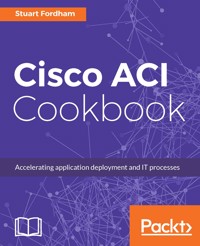
Cisco Application Centric Infrastructure (ACI) is a tough architecture that automates IT tasks and accelerates data-center application deployments.
This book focuses on practical recipes to help you quickly build, manage, and customize hybrid environment for your organization using Cisco ACI. You will begin by understanding the Cisco ACI architecture and its major components. You will then configure Cisco ACI policies and tenants. Next you will connect to hypervisors and other third-party devices. Moving on, you will configure routing to external networks and within ACI tenants and also learn to secure ACI through RBAC. Furthermore, you will understand how to set up quality of service and network programming with REST, XML, Python and so on. Finally you will learn to monitor and troubleshoot ACI in the event of any issues that arise.
By the end of the book, you will gain have mastered automating your IT tasks and accelerating the deployment of your applications.
Das E-Book können Sie in Legimi-Apps oder einer beliebigen App lesen, die das folgende Format unterstützen:
Seitenzahl: 204
Veröffentlichungsjahr: 2017
Ähnliche

















Title Page
Copyright
Cisco ACI Cookbook
Copyright © 2017 Packt Publishing
All rights reserved. No part of this book may be reproduced, stored in a retrieval system, or transmitted in any form or by any means, without the prior written permission of the publisher, except in the case of brief quotations embedded in critical articles or reviews.
Every effort has been made in the preparation of this book to ensure the accuracy of the information presented. However, the information contained in this book is sold without warranty, either express or implied. Neither the author, nor Packt Publishing, and its dealers and distributors will be held liable for any damages caused or alleged to be caused directly or indirectly by this book.
Packt Publishing has endeavored to provide trademark information about all of the companies and products mentioned in this book by the appropriate use of capitals. However, Packt Publishing cannot guarantee the accuracy of this information.
First published: May 2017
Production reference: 1190517
ISBN 978-1-78712-921-4
www.packtpub.com
Credits
Author
Stuart Fordham
Copy Editor
Madhusudan Uchil
Reviewers
Muhammad Rafi
Vijay AR
Project Coordinator
Virginia Dias
Commissioning Editor
Pratik Shah
Proofreader
Safis Editing
Acquisition Editor
Meeta Rajani
Indexer
Mariammal Chettiyar
Content Development Editor
Sweeny Dias
Graphics
Kirk D'Penha
Technical Editor
Mohit Hassija
Production Coordinator
Melwyn Dsa
About the Author
Stuart Fordham is a networking engineer who focuses on security and DevOps. He is CCIE #49337 (Routing and Switching), along with other qualifications such as CCDP, CEH, RHCSA, and MCSE. He has also been a Cisco Champion for 2017 and has authored a series of networking books. He is the network manager for a leading global Communication-as-a-Service company and has worked for hedge funds, the government, and the National Health Service.
About the Reviewers
Muhammad Rafi, CCIE #49281, is an IP design consultant with one of the UK’s largest mobile network operators. He has been in the field of IT and networking for more than 7 years and has worked on several small-to-medium sized network design deployment projects. His entire educational background is related to IT; he holds a BS in electronics engineering from SSUET Karachi and a master's in telecommunication and computer network engineering from London South Bank University, London. Apart from holding a BS, MS, and CCIE, he also possesses certifications from VMware, Microsoft, Citrix, and several others. As technology is changing rapidly, he is never going to stop learning and having bigger dreams, as everyone else does. You can follow him on LinkedIn.
Vijay AR is a cloud architect at OneCloud Consulting with over 10 years of expertise in designing and building solutions for complex enterprise projects across infrastructure, virtualization, and cloud computing. He is also a certified trainer for VMware, Cisco, Microsoft, and NetApp, responsible for training and consulting for both partners and internal teams. He specializes in converged-infrastructure, cloud-computing, and data-center solutions.
www.PacktPub.com
For support files and downloads related to your book, please visit www.PacktPub.com.
Did you know that Packt offers eBook versions of every book published, with PDF and ePub files available? You can upgrade to the eBook version at www.PacktPub.comand as a print book customer, you are entitled to a discount on the eBook copy. Get in touch with us at [email protected] for more details.
At www.PacktPub.com, you can also read a collection of free technical articles, sign up for a range of free newsletters and receive exclusive discounts and offers on Packt books and eBooks.
https://www.packtpub.com/mapt
Get the most in-demand software skills with Mapt. Mapt gives you full access to all Packt books and video courses, as well as industry-leading tools to help you plan your personal development and advance your career.
Why subscribe?
Fully searchable across every book published by Packt
Copy and paste, print, and bookmark content
On demand and accessible via a web browser
Customer Feedback
Thanks for purchasing this Packt book. At Packt, quality is at the heart of our editorial process. To help us improve, please leave us an honest review on this book's Amazon page at https://www.amazon.com/dp/1787129217.
If you'd like to join our team of regular reviewers, you can e-mail us at [email protected]. We award our regular reviewers with free eBooks and videos in exchange for their valuable feedback. Help us be relentless in improving our products!
Table of Contents
Preface
What this book covers
What you need for this book
Who this book is for
Sections
Getting ready
How to do it…
How it works…
There's more…
See also
Conventions
Reader feedback
Customer support
Downloading the color images of this book
Errata
Piracy
Questions
Understanding Components and the ACI Fabric
Introduction
Understanding ACI and the APIC
An overview of the ACI fabric
ACI hardware
Understanding third-party integration
Converting Cisco from Nexus NX-OS mode to ACI mode
Uploading the ACI image
How to do it...
Method 2 - Using SCP to copy the ACI image from another SCP server
Method 3 - Using a USB drive to copy the ACI image
Upgrading the image
How to do it...
Logging in
How to do it...
Reverting to NX-OS mode
ACI fabric overlay
An introduction to the GUI
System menu
Tenants menu
Fabric menu
VM Networking
L4-L7 Services
Admin
Operations
Configuring Policies and Tenants
Introduction
Creating fabric policies
How to do it...
How it works...
Creating access policies
How to do it...
How it works...
There's more...
Creating tenants
How to do it...
How it works...
Configuring bridge domains
How to do it...
How it works...
Configuring contexts
How to do it...
How it works...
There's more...
Creating application network profiles
How to do it...
Creating endpoint groups
How to do it...
How it works...
Using contracts between tenants
How to do it...
How it works...
Creating filters
How to do it...
Creating contracts within tenants
How to do it...
Creating management contracts
How to do it...
How it works...
Hypervisor Integration (and Other Third Parties)
Introduction
Installing device packages
How to do it...
How it works...
There's more...
Creating VMM domains and integrating VMWare
How to do it...
There's more...
Associating vCenter domains with a tenant
How to do it...
How it works...
Deploying the AVS
How to do it...
How it works...
There's more...
Discovering VMWare endpoints
How to do it...
How it works...
Adding virtual machines to a tenant
How to do it...
How it works...
Tracking ACI endpoints
How to do it...
How it works...
There's more...
Integrating with A10
How to do it...
How it works...
There's more...
Deploying the ASAv
How to do it...
How it works...
There's more...
Integrating with OpenStack
How to do it...
How it works...
There's more...
Integrating with F5
Getting ready
How to do it...
There's more...
Integrating with Citrix NetScaler
Getting ready
How to do it...
There's more...
Routing in ACI
Introduction
Creating a DHCP relay
How to do it...
Creating a DHCP relay using the Common tenant
Creating a global DHCP relay
How it works...
There's more...
Utilizing DNS
How to do it...
How it works...
There's more...
Routing with BGP
How to do it...
Configuring a layer-3 outside interface for tenant networks
How to do it...
Creating routed interfaces
Configuring an external SVI
Configuring routed sub-interfaces
Associating a bridge domain with an external network
How to do it...
Using route reflectors
How to do it...
How it works...
Routing with OSPF
How to do it...
Routing with EIGRP
How to do it...
Using IPv6 within ACI
How to do it...
How it works...
Setting up multicast for ACI tenants
How to do it...
How it works...
Configuring multicast on the bridge domain and interfaces
How it works...
How it works...
There's more...
ACI transit routing and route peering
How to do it...
How it works...
There's more...
ACI Security
Introduction
AAA and multiple tenant support
Understanding ACI role-based access control (RBAC)
Creating local users
How to do it...
How it works...
Creating security domains
How to do it...
Limiting users to tenants
How to do it...
Connecting to a RADIUS server
How to do it...
How it works...
Connecting to an LDAP server
How to do it...
Connecting to a TACACS+ server
How to do it...
Implementing Quality of Service in ACI
Introduction
Preserving existing CoS settings
How to do it...
How it works...
There's more...
Configuring user-defined classes
How to do it...
How it works...
There's more...
Creating a basic QoS configuration
How to do it...
How it works...
There's more...
Verifying QoS
How to do it...
Network Programmability with ACI
Introduction
Browsing the object store using the Object Store Browser
How to do it...
Programming the ACI through REST
Getting ready
How to do it...
Authenticating through REST and XML
How to do it...
How it works...
Creating a tenant using REST and XML
How to do it...
How it works...
Deleting a tenant using REST and XML
How to do it...
How it works...
Creating an APN and an EPG using REST and XML
How to do it...
How it works...
Creating an application profile and EPG using REST
How to do it...
How it works...
Authenticating through REST and JSON
How to do it...
How it works...
Creating a tenant using REST and JSON
How to do it...
How it works...
Using the Python SDK
Getting ready
How to do it...
Logging into the APIC using Cobra
How to do it...
Creating a tenant using the SDK
How to do it...
Monitoring ACI
Introduction
Finding faults
How to do it...
There's more...
Viewing events
How to do it...
Tenant events
Fabric events
AAA events
Navigating the audit logs
How to do it...
Setting up Call Home
How to do it...
How it works...
There's more...
Configuring SNMP
Getting ready
How to do it...
How it works...
There's more...
Configuring Syslog
How to do it...
How it works...
Configuring NetFlow
How to do it...
There's more...
Troubleshooting ACI
Introduction
Layer 2 troubleshooting
How to do it...
FEX troubleshooting
How to do it...
There's more...
SSL troubleshooting
How to do it...
There's more...
Switch diagnostics
How to do it...
How it works...
APIC troubleshooting
How to do it...
There's more...
Upgrading the ACI software
Getting ready
How to do it...
There's more...
VMM troubleshooting
How to do it...
Routing verifications
How to do it...
Troubleshooting external connectivity
How to do it...
Multicast troubleshooting
How to do it...
QoS troubleshooting
How to do it...
There's more...
An End-to-End Example Using the NX-OS CLI
Introduction
Background
Before you start...
Setting up in-band and out-of-band access to the nodes
How to do it...
How it works...
Creating the security domain
How to do it...
Creating the VLAN domain
How to do it...
How it works...
Creating the VMWare domain
How to do it...
How it works...
Creating the tenant
How to do it...
How it works...
Creating the VRF
How to do it...
How it works...
Creating the bridge domains
How to do it...
How it works...
Creating the applications and EPGs
How to do it...
How it works...
Creating the contract
How to do it...
How it works...
Creating an L4-L7 device
How to do it...
How it works...
There's more...
Creating service templates
How to do it...
How it works...
Setting up the client VMs
How to do it...
Preface
Welcome to the Cisco ACI cookbook! Through a series of easy-to-follow recipes, you will learn how ACI can solve a number of data-center challenges and how to create tenants, implement policies, integrate virtualization technologies, perform routing, secure your ACI Fabric, and troubleshoot and monitor it.
What this book covers
Chapter 1, Understanding Components and the ACI Fabric, covers the issues that ACI can overcome and the building blocks of the ACI fabric and walks you through the interface of the controller.
Chapter 2, Configuring Policies and Tenants, begins our journey of creating an environment for our tenants and applying policies to them.
Chapter 3, Hypervisor Integration (and Other Third Parties), builds on the foundation of our fabric and extends it, using VMWare and third-party devices.
Chapter 4, Routing in ACI, shows how we will unleash our ACI fabric to the rest of the network using IPv4, IPv6, and multicast.
Chapter 5, ACI Security, secures our fabric by implementing centralized role-based security.
Chapter 6, Implementing Quality of Service in ACI, walks us through prioritizing our traffic through the fabric.
Chapter 7, Network Programmability with ACI, explores the ways in which we can control our fabric through APIs.
Chapter 8, Monitoring ACI, shows us how to stay on top of any issues as they arise.
Chapter 9, Troubleshooting ACI, walks us through a bottom-up troubleshooting approach.
Chapter 10, An End-to-End Example Using the NX-OS CLI, brings everything we have covered into one complete scenario.
What you need for this book
All you need is a computer with Internet access, some time, and some coffee.
The majority of the recipes in this book can be performed using the free Cisco Devnet sandboxes, which are browser based.
Who this book is for
This book is meant for network engineers looking to learn about ACI.
A basic understanding of routing protocols, SNMP, and NetFlow is recommended.
Sections
In this book, you will find several headings that appear frequently (Getting ready, How to do it, How it works, There's more, and See also).
To give clear instructions on how to complete a recipe, we use these sections as follows:
Getting ready
This section tells you what to expect in the recipe, and describes how to set up any software or any preliminary settings required for the recipe.
How to do it…
This section contains the steps required to follow the recipe.
How it works…
This section usually consists of a detailed explanation of what happened in the previous section.
There's more…
This section consists of additional information about the recipe in order to make the reader more knowledgeable about the recipe.
See also
This section provides helpful links to other useful information for the recipe.
Conventions
In this book, you will find a number of text styles that distinguish between different kinds of information. Here are some examples of these styles and an explanation of their meaning.
Code words in text, database table names, folder names, filenames, file extensions, pathnames, dummy URLs, user input, and Twitter handles are shown as follows: "Create a new user for JIRA in the database and grant the user access to the jiradb database we just created using the following command:"
A block of code is set as follows:
<Contextpath="/jira"docBase="${catalina.home}/atlassian- jira" reloadable="false" useHttpOnly="true">
Any command-line input or output is written as follows:
mysql -u root -p
New terms and important words are shown in bold. Words that you see on the screen, for example, in menus or dialog boxes, appear in the text like this: "Select System info from the Administration panel."
Reader feedback
Feedback from our readers is always welcome. Let us know what you think about this book-what you liked or disliked. Reader feedback is important for us as it helps us develop titles that you will really get the most out of.
To send us general feedback, simply e-mail [email protected], and mention the book's title in the subject of your message.
If there is a topic that you have expertise in and you are interested in either writing or contributing to a book, see our author guide at www.packtpub.com/authors .
Customer support
Now that you are the proud owner of a Packt book, we have a number of things to help you to get the most from your purchase.
Downloading the color images of this book
We also provide you with a PDF file that has color images of the screenshots/diagrams used in this book. The color images will help you better understand the changes in the output. You can download this file from https://www.packtpub.com/sites/default/files/downloads/CiscoACICookbook_ColorImages.pdf.
Errata
Although we have taken every care to ensure the accuracy of our content, mistakes do happen. If you find a mistake in one of our books-maybe a mistake in the text or the code-we would be grateful if you could report this to us. By doing so, you can save other readers from frustration and help us improve subsequent versions of this book. If you find any errata, please report them by visiting http://www.packtpub.com/submit-errata, selecting your book, clicking on the Errata Submission Form link, and entering the details of your errata. Once your errata are verified, your submission will be accepted and the errata will be uploaded to our website or added to any list of existing errata under the Errata section of that title.
To view the previously submitted errata, go to https://www.packtpub.com/books/content/support and enter the name of the book in the search field. The required information will appear under the Errata section.
Piracy
Piracy of copyrighted material on the Internet is an ongoing problem across all media. At Packt, we take the protection of our copyright and licenses very seriously. If you come across any illegal copies of our works in any form on the Internet, please provide us with the location address or website name immediately so that we can pursue a remedy.
Please contact us at [email protected] with a link to the suspected pirated material.
We appreciate your help in protecting our authors and our ability to bring you valuable content.
Questions
If you have a problem with any aspect of this book, you can contact us at [email protected], and we will do our best to address the problem.
Understanding Components and the ACI Fabric
In this chapter, we will cover the following:
Understanding ACI and the APIC
An overview of the ACI fabric
Converting Cisco Nexus from NX-OS mode to ACI mode
ACI fabric overlay
An introduction to the GUI
Introduction
Cisco's Application Centric Infrastructure (ACI) is a big evolutionary step in data center networking, not because it adds programmability to the network--this has been a rising trend over the last few years--but because of the increased compatibility between vendors. This is where the real benefits are.
We can see the start of this evolutionary step with Cisco's FlexPod (an amalgam of Cisco UCS, VMWare hypervisors, and NetApp storage). Here we see properly validated designs that span more than one vendor. This in itself was a big step; after all, it makes sense for a vendor to try and encourage the end user to purchase their equipment instead of their competitors'. This is done for two reasons: compatibility between devices and the vendor's financial success.
So, what of networks where one vendor can supply all of the equipment, from the networking to the storage and compute elements? It is actually quite rare to find an environment comprising one single vendor in the real world; most networks (and I am including virtualization platforms and storage within this term) have equipment from more than one vendor, because when you are looking for the best performance, you go with the big names (VMWare for virtualization, NetApp for storage, and so on) because they have longevity in the industry and the knowledge and support options that are required. The network becomes heterogeneous, because it needs to be in order to fulfill user, application, and business demands.
The downside to this is that we lose some degree of compatibility. There are industry-standard protocols that provide some level of compatibility back, such as SNMP (Simple Network Management Protocol), Syslog, and LLDP (Link Layer Discovery Protocol), that can facilitate alerting, logging, and communication between devices, but ACI takes this all one step further, taking the heterogeneous data center network and making it, well, homogenous. Through ACI, the data center can be configured rapidly as the application demands, and this includes physical and virtual network elements from multiple vendors. All of this can be performed through one GUI.
Before we dive in, let’s take a few moments to understand what ACI is all about, dispelling some of the myths along the way.
Myth: ACI is too expensive
ACI is not cheap to purchase; it is engineered for the data center, so it commands data center prices. Even the most basic of starter kits has a list price of $250,000. While a quarter of a million dollars is enough to get you started in the world of ACI, it is probably out of reach of most people. Even trying to sell ACI, as a "this could revolutionize our business" proposal, within most companies would be difficult. Despite the fact that most companies do not pay list price, ACI represents a huge risk, and for a number of reasons.




