


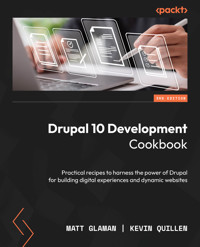
35,99 €
Mehr erfahren.
- Herausgeber: Packt Publishing
- Kategorie: Wissenschaft und neue Technologien
- Sprache: Englisch
This new and improved third edition cookbook is packed with the latest Drupal 10 features such as a new, flexible default frontend theme - Olivero, and improved administrative experience with a new theme - Claro. This comprehensive recipe book provides updated content on the WYSIWYG (What You See Is What You Get) editing experience, improved core code performance, and code cleanup.
Drupal 10 Development Cookbook begins by helping you create and manage a Drupal site. Next, you’ll get acquainted with configuring the content structure and editing content. You’ll also get to grips with all new updates of this edition, such as creating custom pages, accessing and working with entities, running and writing tests with Drupal, migrating external data into Drupal, and turning Drupal into an API platform. As you advance, you’ll learn how to customize Drupal’s features with out-of-the-box modules, contribute extensions, and write custom code to extend Drupal.
By the end of this book, you’ll be able to create and manage Drupal sites, customize them to your requirements, and build custom code to deliver your projects.
Das E-Book können Sie in Legimi-Apps oder einer beliebigen App lesen, die das folgende Format unterstützen:
Seitenzahl: 426
Veröffentlichungsjahr: 2023
Ähnliche



















Drupal 10 Development Cookbook
Practical recipes to harness the power of Drupal for building digital experiences and dynamic websites
Matt Glaman
Kevin Quillen
BIRMINGHAM—MUMBAI
Drupal 10 Development Cookbook
Copyright © 2023 Packt Publishing
All rights reserved. No part of this book may be reproduced, stored in a retrieval system, or transmitted in any form or by any means, without the prior written permission of the publisher, except in the case of brief quotations embedded in critical articles or reviews.
Every effort has been made in the preparation of this book to ensure the accuracy of the information presented. However, the information contained in this book is sold without warranty, either express or implied. Neither the author, nor Packt Publishing or its dealers and distributors, will be held liable for any damages caused or alleged to have been caused directly or indirectly by this book.
Packt Publishing has endeavored to provide trademark information about all of the companies and products mentioned in this book by the appropriate use of capitals. However, Packt Publishing cannot guarantee the accuracy of this information.
Associate Group Product Manager: Alok Dhuri
Publishing Product Manager: Akshay Dani
Content Development Editor: Rosal Colaco
Technical Editor: Maran Fernandes
Copy Editor: Safis Editing
Project Coordinator: Manisha Singh
Proofreader: Safis Editing
Indexer: Manju Arasan
Production Designer: Prashant Ghare
Business Development Executive: Puneet Kaur
Developer Relations Marketing Executive: Rayyan Khan and Deepak Kumar
First published: March 2016
Second edition: September 2017
Third edition: January 2023
Production reference: 1200123
Published by Packt Publishing Ltd.
Livery Place
35 Livery Street
Birmingham
B3 2PB, UK.
ISBN 978-1-80323-496-0
www.packtpub.com
Contributors
About the authors
Matt Glaman is an open source developer who has been working with Drupal since 2013. Since then, he has contributed to Drupal core and over 60 community projects. He is also a speaker at multiple Drupal community events, including DrupalCon. Matt is currently a principal software engineer at Acquia and was previously a product lead at Centarro, helping maintain Drupal Commerce.
I would like to thank, and am grateful to, my beautiful and loving wife for putting up with the late nights split between work, spending time contributing to the Drupal community, and writing this book. I would also like to thank my children; thank you for giving up your playtime so that Daddy could write this book.
Thank you, Andy Giles, for helping get me to my first Drupal camp and kicking off my Drupal career. I would also like to thank my mentors, Bojan Živanović, David Snopek, and Ryan Szrama, as well as everyone else in the Drupal community!
Kevin Quillen has been working with Drupal since 2006. He’s contributed several community modules, and built websites using Drupal for brands such as Dogfish Head Craft Brewery, the National Bureau of Economics, Harvard University, MTV, Yale University, Verizon, the Museum of Science, and countless others. You can find him engaged and helping community members on Slack, Drupal StackExchange, or sharing his thoughts on his personal blog. Kevin is also an Acquia Triple Certified Drupal Expert, an Acquia Certified Site Studio Site Builder, and an Acquia Certified Cloud Platform Pro. He is currently a principal developer and Drupal practice lead at Velir.
Thank you to years of unyielding support from family, friends, and colleagues who believe I can go the distance and continually push me to succeed. I am also eternally grateful and extremely thankful to the entire Drupal community and everyone I have met along the way as a result. Let’s continue the journey!
About the reviewers
Justin Cornell is a Software Engineering Lead with 10 years of Drupal experience. He has developed and led teams through web projects ranging from brochure-style sites for local businesses to complex, high-traffic web applications for global industry leaders..
Tyler Marshall has been a professional full-stack developer since 2013. He started working at a small web development company specializing in Drupal for e-commerce. Since then, he has worked in a variety of fields and gained experience at many different software companies. As of 2019, Tyler now works full time for his own software development company at Dovetail Digital Inc. He is currently focusing on building projects using the MACH architecture and building automation software for his 3D printing company, Gamer Gadgetry. During his time off, you can find him training in Brazilian jiu-jitsu, fishing, spending time with loved ones, or thinking about his next big software project to take on.
Francesco Placella is a software engineer with over 15 years of experience in web design and development. He has been contributing to Drupal core since 2009. Having performed foundational work in terms of entities, language negotiation, and content translation, he has served as a subsystem maintainer and subsequently as a core committer since 2020. He currently works for Tag1 Consulting, which he joined after running his own web agency for 7 years in Venice, Italy.
Table of Contents
Preface
1
Up and Running with Drupal
Technical requirements
Creating a Drupal site
Getting ready
How to do it...
How it works…
There’s more…
See also
Running your Drupal site locally
Getting ready
How to do it…
How it works…
There’s more…
See also
Using the Drush command-line tool
Getting ready
How to do it…
How it works…
There’s more…
See also
Adding and managing module and theme extensions
How to do it…
How it works…
There’s more…
See also
Managing your Drupal code with version control
Getting ready
How to do it…
How it works…
See also
Successfully deploying your Drupal site
Getting ready
How to do it…
How it works…
There’s more…
See also
2
Content Building Experience
Configuring the WYSIWYG editor
Getting ready
How to do it…
How it works…
There’s more…
See also
Creating an editorial workflow with content moderation
Getting ready
How to do it…
How it works…
See also
Creating a custom content type with custom fields
How to do it…
How it works…
Customizing the form display for editing content
How to do it…
How it works…
There’s more…
Customizing the display output of content
How to do it…
How it works…
There’s more…
Using layouts to build landing pages
Getting ready
How to do it…
How it works…
There’s more…
See also
Creating menus and linking content
Getting ready
How to do it…
How it works…
There’s more…
Using Workspaces to create content staging areas
Getting ready
How to do it…
How it works…
There’s more…
See also
3
Displaying Content through Views
Creating a blog landing page
How to do it…
How it works…
There’s more…
Creating a block of recent blogs
How to do it…
How it works…
There’s more…
Exposing filters and sorts to users to control listings
How to do it…
How it works…
There’s more…
Contextual filters for filtering by path parameters
How to do it…
How it works…
There’s more…
Adding related data in a view with relationships
How to do it…
How it works…
There’s more…
Providing an entity reference result view
How to do it…
How it works…
Displaying charts using Views
Getting ready
How to do it…
How it works…
See also
4
Extending Drupal with Custom Code
Technical requirements
Creating a module
How to do it…
How it works…
There’s more…
See more…
Providing configuration settings for your module
Getting ready
How to do it…
How it works…
There’s more…
See also
Defining permissions and checking whether a user has access
Getting ready
How to do it…
How it works…
There’s more…
See also…
Hooking into Drupal to react to entity changes
How to do it…
How it works…
There’s more…
Creating an event subscriber to react to events
How to do it…
How it works…
There’s more…
See also
Creating a custom Drush command
How to do it…
How it works…
See also
5
Creating Custom Pages
Technical requirements
Defining a controller to provide a custom page
How to do it…
How it works…
There’s more…
See also
Using route parameters
Getting started
How to do it…
How it works…
See also
Creating a dynamic redirect page
How to do it…
How it works…
See also
Creating a JSON response
How to do it…
How it works…
There’s more…
See also
Serving files for download
Getting started
How to do it…
How it works…
6
Accessing and Working with Entities
Technical requirements
Creating and saving an entity
How to do it…
How it works…
Querying and loading entities
How to do it…
How it works…
There’s more…
Checking entity access
How to do it…
How it works…
Updating an entity’s field values
How to do it…
How it works…
Performing entity validation
How to do it…
How it works…
There’s more…
Deleting an entity
How to do it…
How it works…
7
Creating Forms with the Form API
Technical requirements
Creating a custom form and saving configuration changes
How to do it…
How it works…
There’s more…
See also
Validating form data
Getting ready
How to do it…
How it works…
See also
Specifying conditional form elements
How to do it…
How it works…
Using AJAX in a Drupal form
How to do it…
How it works…
There’s more…
See also
Customizing existing forms in Drupal
How to do it…
How it works…
8
Plug and Play with Plugins
Technical requirements
Creating blocks using plugins
How to do it…
How it works…
There’s more…
See also
Creating a custom field type
Getting ready
How to do it…
How it works…
There’s more…
Creating a custom field widget
Getting ready
How to do it…
How it works…
There’s more…
Creating a custom field formatter
Getting ready
How to do it…
How it works…
There’s more...
Creating a custom plugin type
How to do it…
How it works…
There’s more…
9
Creating Custom Entity Types
Technical requirements
Using custom classes for entity bundles
Getting started
How to do it…
How it works…
See also
Creating a configuration entity type
How to do it…
How it works…
There’s more…
See also
Creating a content entity type
How to do it…
How it works…
There’s more…
Creating a bundle for a content entity type
How to do it…
How it works…
Implementing access control for an entity
Getting ready
How to do it…
How it works…
There’s more...
Providing a custom storage handler
How to do it…
How it works…
10
Theming and Frontend Development
Technical requirements
Creating a custom theme to style your Drupal site
How to do it…
How it works…
There’s more
See also
Adding CSS and JavaScript to your theme
Getting ready
How to do it…
How it works…
There’s more
See also
Using Twig templates in your theme
Getting ready
How to do it…
How it works…
There’s more
See also
Delivering responsive images
How to do it…
How it works…
See also
Compiling CSS and JavaScript pre- and post-processors with Laravel Mix
Getting ready
How to do it…
How it works…
See also
Using Laravel Mix to theme your Drupal site with live reloading
Getting started
How to do it…
How it works…
There’s more
See also
11
Multilingual and Internationalization
Determining how the current language is selected
Getting ready
How to do it…
How it works…
There’s more…
Translating administrative interfaces
Getting ready
How to do it…
How it works…
There’s more…
See also
Translating configuration
Getting ready
How to do it…
How it works…
There’s more…
Translating content
Getting ready
How to do it…
How it works…
There’s more…
Creating multilingual views
Getting ready
How to do it…
How it works…
There’s more…
12
Building APIs with Drupal
Technical requirements
Fetching data from Drupal using JSON:API
Getting ready
How to do it…
How it works…
There’s more…
See also
Using POST to create data with JSON:API
Getting ready
How to do it…
How it works…
See also
Using PATCH to update data with JSON:API
How to do it…
How it works…
Using DELETE to remove data with JSON:API
How to do it…
How it works…
Using Views to provide custom data sources
Getting ready
How to do it…
How it works…
There’s more…
Using OAuth methods
Getting ready
How to do it…
How it works…
13
Writing Automated Tests in Drupal
Types of tests
Unit tests
Kernel tests
Functional tests
Functional JavaScript tests
NightwatchJS tests
Installing the PHPUnit test suite
Getting ready
How to do it…
How it works…
There’s more…
Running PHPUnit
How to do it…
How it works…
Writing a unit test
Getting ready
How to do it…
How it works…
There’s more…
See also
Writing a kernel test
How to do it…
How it works…
Writing a functional test
How to do it…
How it works…
See also
Writing a functional JavaScript test
How to do it…
How it works…
Writing a NightwatchJS test
Getting ready
How to do it…
How it works…
14
Migrating External Data into Drupal
Technical requirements
Migrating from a previous version of Drupal
Getting ready
How to do it…
How it works…
Migrating data from CSV file(s)
Getting ready
How to do it…
Migrating data from an HTTP API
How to do it…
How it works…
There’s more…
Writing a custom migration source plugin
How to do it…
How it works…
Writing a custom process plugin for migrations
How to do it…
How it works…
See also
Index
Other Books You May Enjoy
Preface
Drupal is a popular content management system used to build websites for small businesses, e-commerce, enterprise systems, and much more. Created by over 4,500 contributors, Drupal 10 brings many new features to Drupal. Whether you are new to Drupal or an experienced Drupalista, Drupal 10 Development Cookbook contains recipes to dive into what Drupal 10 has to offer. We begin by helping you create and maintain your Drupal site. Next, familiarize yourself with configuring content structure and editing content. You can also find out about all new updates for this edition. These include creating custom pages, accessing and manipulating entities, running and creating tests using Drupal, and migrating external data to Drupal. As you progress, you'll learn how to customize Drupal's functionality using out-of-the-box modules, provide extensions, and write custom code to extend Drupal. You will also learn how to design a digital experience platform with robust content management and editorial workflows.
You can adapt Drupal to your needs by writing custom modules to create custom plugins, entity types, and pages. You can also power your Drupal site with modern front-end development build tools. You'll be able to create and manage code bases for Drupal sites. You can take advantage of Drupal by making Drupal your API platform, and serving content to your consumers.
What this book covers
Chapter 1, Up and Running with Drupal, walks through how to create a new Drupal site and the system requirements for running Drupal, and then run the Drupal site locally using modern local development tools based around Docker.
Chapter 2, Content Building Experience, dives into how to set up your content editing experience and add an editorial review workflow.
Chapter 3, Displaying Content through Views, walks through creating a page to list blogs and a companion block to display five of the most recent blogs using the views module, a visual query builder.
Chapter 4, Extending Drupal with Custom Code, explores how to create a custom module that can be installed onto your Drupal site.
Chapter 5, Creating Custom Pages, demonstrates how to create custom pages with controllers and routes. Creating custom pages allows you to extend Drupal beyond just content pages.
Chapter 6, Accessing and Working with Entities, covers create, read, update, and delete (CRUD) operations when working with entities in Drupal. We will create a series of routes to create, read, update, and delete nodes that are articles.
Chapter 7, Creating Forms with the Form API, covers the usage of the Form API, which is used to create forms in Drupal without writing any HTML.
Chapter 8, Plug and Play with Plugins, covers implementing a block plugin. We will use the Plugin API to provide a custom field type along with a widget and a formatter for the field. The last recipe will show you how to create and use a custom plugin type.
Chapter 9, Creating Custom Entity Types, explains how to create custom entity types for custom data models.
Chapter 10, Theming and Frontend Development, covers how to create a theme, work with the Twig templating system, and harness Drupal’s responsive design features.
Chapter 11, Multilingual and Internationalization, demonstrates the multilingual and internationalization features of Drupal 10,
Chapter 12, Building APIs with Drupal, walks through how to create RESTful APIs in Drupal with JSON:API, showing you how to read and manipulate data through HTTP requests.
Chapter 13, Running and Writing Tests with Drupal, dives into running and writing automated tests with PHPUnit for your custom module code.
Chapter 14, Migrating External Data into Drupal, explains how to migrate from an older version of Drupal to Drupal 10, and walks through using the Migration module to migrate content and data from CSV files and HTTP APIs.
What you need for this book
In order to work with Drupal 10 and to run the code examples found in this book, the following software will be required:
Software
Operating system requirements
A local web server running in Docker (DDEV, Lando, Docksal, or Docker4Drupal) or an alternative such as MAMP
Windows, macOS, or Linux
PhpStorm or VS Code for code editing
Windows, macOS, or Linux
Terminal, iTerm, or a similar command-line tool
Windows, macOS, or Linux
NodeJS, npm, and Laravel Mix
Windows, macOS, or Linux
Note that there are several free open source tools that you can use to run Drupal locally – DDEV, Lando, Docksal, and Docker4Drupal are the top four community solutions. You are advised to use the one you are most comfortable with or already established with. This book’s first chapter covers running Drupal with DDEV. Unfortunately, we cannot cover all possible solutions in depth.
It is a good idea to keep the documentation of whichever solution you use handy when using this book, as examples may be generalized, particularly when it comes to running commands.
Who this book is for
This book is for those who have been working with Drupal, such as site builders, backend and frontend developers, and those who are eager to see what awaits them when they start using Drupal 10.
Sections
In this book, you will find several headings that appear frequently (Getting ready, Howto do it…, How it works…, There’s more…, and See also).
To give clear instructions on how to complete a recipe, we use these sections as follows.
Getting ready
This section tells you what to expect in the recipe, and describes how to set up any software or preliminary settings required for the recipe.
How to do it…
This section contains the steps required to follow the recipe.
How it works…
This section usually consists of a detailed explanation of what happened in the previous section.
There’s more…
This section consists of additional information about the recipe in order to make you more knowledgeable about the recipe.
See also
This section provides helpful links to other useful information for the recipe.
Download the color images
We also provide a PDF file that has color images of the screenshots and diagrams used in this book. You can download it here: https://packt.link/N7EpQ.
Download the example code files
You can download the example code files for this book from GitHub at https://github.com/PacktPublishing/Drupal-10-Development-Cookbook. If there’s an update to the code, it will be updated in the GitHub repository.
We also have other code bundles from our rich catalog of books and videos available at https://github.com/PacktPublishing/. Check them out!
Conventions used
In this book, you will find a number of text styles that distinguish between different kinds of information. Here are some examples of these styles and an explanation of their meaning.
Code words in text, database table names, folder names, filenames, file extensions, pathnames, dummy URLs, user input, and Twitter handles are shown as follows: “Create a file named Announcement.php in the newly created directory so that we can define the Announcement class for our entity type.”
A block of code is set as follows:
{% for tag in node.getTags %} <div>Tag: {{ tag.label }}</div> {% endfor %}Any command-line input or output is written as follows:
mkdir -p src/EntityNew terms and important words are shown in bold. Words that you see on the screen, for example, in menus or dialog boxes, appear in the text like this: “You will see the generated permissions on the Permissions form.”
Tips or important notes
Appear like this.
Get in touch
Feedback from our readers is always welcome.
General feedback: If you have questions about any aspect of this book, email us at [email protected] and mention the book title in the subject of your message.
Errata: Although we have taken every care to ensure the accuracy of our content, mistakes do happen. If you have found a mistake in this book, we would be grateful if you would report this to us. Please visit www.packtpub.com/support/errata and fill in the form.
Piracy: If you come across any illegal copies of our works in any form on the internet, we would be grateful if you would provide us with the location address or website name. Please contact us at [email protected] with a link to the material.
If you are interested in becoming an author: If there is a topic that you have expertise in and you are interested in either writing or contributing to a book, please visit authors.packtpub.com.
Share Your Thoughts
Once you’ve read Drupal 10 Development Cookbook, we’d love to hear your thoughts! Please click here to go straight to the Amazon review page for this book and share your feedback.
Your review is important to us and the tech community and will help us make sure we’re delivering excellent quality content.
Download a free PDF copy of this book
Thanks for purchasing this book!
Do you like to read on the go but are unable to carry your print books everywhere? Is your eBook purchase not compatible with the device of your choice?
Don’t worry, now with every Packt book you get a DRM-free PDF version of that book at no cost.
Read anywhere, any place, on any device. Search, copy, and paste code from your favorite technical books directly into your application.
The perks don’t stop there, you can get exclusive access to discounts, newsletters, and great free content in your inbox daily
Follow these simple steps to get the benefits:
Scan the QR code or visit the link belowhttps://packt.link/free-ebook/9781803234960
Submit your proof of purchaseThat’s it! We’ll send your free PDF and other benefits to your email directly




