


14,99 €
Mehr erfahren.
- Herausgeber: John Wiley & Sons
- Kategorie: Fachliteratur
- Sprache: Englisch
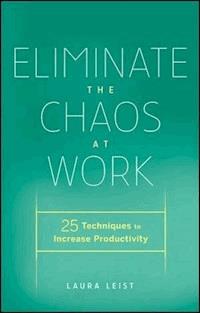
Create office efficiency and business productivity with this helpful book. Eliminate the Chaos at Work increases your business productivity and peace of mind by showing you how to create streamlined information systems, processes and workflows. Laura's proven 25 techniques are easy to implement, realistic and results oriented. Using these techniques, you can take control over your time and information to create workable systems built to reflect how you think and process information. Eliminate the Chaos at Work breaks down the everyday organization and productivity challenges you face at work into four areas: time, paper and information management as well as managing all of the stuff in your office. You'll learn effective time and information management techniques including how to: * Produce logical, user friendly information management systems to ensure information is organized and easily retrievable * Schedule and manage meetings that aren't total time wasters * Implement a system to process and follow up on e-mail * Create an organized e-mail filing structure for easy retrieval * De-clutter paper files, decide what can be stored, scanned, shredded or recycled * Learn what paper management system will work best for you and how to create the filing structure * Use the PAPERS method for maintaining efficient paper management systems * Determine which task management system is right for your needs and how to manage your tasks and projects daily using the 20-minute rule * Use the 10-step process to organize the stuff in your office Imagine working in an office where you feel in control and on top of things, instead of overwhelmed. Setup a comfortable workspace and make yourself and your team's office more productive, supported and in control with Eliminate the Chaos at Work.
Sie lesen das E-Book in den Legimi-Apps auf:
Seitenzahl: 247
Veröffentlichungsjahr: 2011
Ähnliche



















Contents
Cover
Title Page
Copyright
Dedication
Acknowledgments
Introduction
1: How Long Will It Take?
2: Biggest Mistakes
Technique #1: Identify Problem Areas Up Front and Set Yourself Up for Success
I: Time Management
3: Can You Really Manage Time?
Technique #2: Learn How to Manage Your Actions and Choose to Spend Your Time
4: 10 of the Biggest Time Wasters at Work and How to Eliminate Them
Technique #3: Identify Time Wasters and Implement Solutions to Eliminate Them
5: Three Priorities a Day Keep Chaos and Clutter Away
Technique #4: Develop Strategies for Accomplishing the Most Important Action Items Each Day in Order to Meet Your Goals and Complete Projects on Time
6: Creating an Effective Action Item Task Management System
Technique #5: Implement an Action Item Task Management System, and Use It Daily to Help You Manage Priorities and Time
Technique #6: Use the 20-Minute Rule When Entering Tasks into Your Electronic Task Management System
Don’t Confuse a Task with a Project
Tasks—Microsoft Outlook
7: Task Management Applications and How to Use Them
Technique #7: Standardize on One Electronic Task-Management System
Applications—Computer and Cloud-Based
8: Planning Your Day, Week, Month, and Year—Looking Forward and Back
Technique #8: Devise Systems to Plan Your Day, Week, Month, and Year
9: Planning and Participating in Productive Meetings
Technique #9: Conduct and Participate in Productive Meetings
10: Make Time for Time Management Maintenance
Technique #10: Make Time for Time Management Maintenance
II: Paper Management
11: Paper Management Systems Defined
Technique #11: Implement One or Several Paper Management Systems for Your Office, Depending on Your Needs, Including Daily Action Center™, Reference System, Operational or Archival
Why You Need to Use a Variety of Systems, Rather Than Just One
Client Examples
12: Eliminate It—Paper to Recycle or Shred Now and in the Near Future
Technique #12: Get in the Habit of Eliminating Paper and Information Immediately If Not Needed or After the Purpose Has Been Served
13: Turning Piles into Files
Technique #13: Use the 10-Step Process to Turn Paper Piles into Files
14: Implementing the PAPERS™ Method
Technique #14: Use the PAPERS Method Daily
How the PAPERS Method Works
15: More Than Just a Label
Technique #15: Design the Paper Management Structure First, and Then Create the Labels
III: Electronic Information Management
16: Manage Information Overload
Technique #16: Develop and Implement Strategies to Help Alter Behavior and Habits That Will Reduce Your Feeling of Information Overload
Resetting Expectations: The Taxi Accident Example
17: Using Naming Conventions and Version Control on Your Computer Files
Technique #17: Implement File Naming Convention Best Practices
Technique #18: Implement Version Control for Your Electronic Documents
Version Control
18: How to Take Control of E-Mail and Implement a System for Tracking and Organization
Technique #19: Implement Strategies to Help You Control E-Mail, Implement a System to Keep Track of It All, and Eliminate the Vast Quantity of Messages in Your Inbox
Organize the Subject Matter of Your E-Mail
Processing E-Mail
Personal E-Mail File Structure
Creating and Using E-Mail Templates
Additional Outlook Productivity Resources
19: Considerations When Purchasing a Smartphone
Technique #20: Understand the Questions You Should Ask, and Answer These Questions before You Purchase Your Next Mobile Device
20: Tools and Resources
Technique #21: Connect to Your Files and Applications Securely from Anywhere via the Internet
Technique #22: Organize and Share Notes, Thoughts, Photos, and Ideas in a Way You Can Find Them
Technique #23: Find Out If a CRM Is Right for You, and Have All the Answers When It Is Time to Implement One
File Sharing
Remote Desktop Services
Note Taking and Archiving Applications and Services
Customer Relationship Management
Additional Resources
21: Preparing for a Data Disaster
Technique #24: Implement a Disaster Recovery Plan for Your Electronic Data
What You Need to Know If You Work at a Large Corporation
What You Need to Know If You Are a Small Business Owner
Remote Backup Solutions
Backup Solutions for Those Who Value Data More Than Money
Do You Know Where Your Software Is Stored?
IV: Organizing The Stuff
22: The 10-Step Process to Organize Your Work Space or Office
Technique #25: Use the Eliminate Chaos 10-Step Process as Your Guide to Create the Organized Spaces You Desire in Your Office
Step 1: Dedicate Time
Step 2: Gather Supplies
Step 3: Establish a Staging Area
Step 4: Sort
Step 5: Eliminate
Step 6: Group Like Items Together
Step 7: Examine Your Space
Step 8: Shop
Step 9: Install Product
Step 10: Maintain
About the Author
Index
Copyright © 2011 Laura Leist. All rights reserved.
Published by John Wiley & Sons, Inc., Hoboken, New Jersey. Published simultaneously in Canada.
No part of this publication may be reproduced, stored in a retrieval system, or transmitted in any form or by any means, electronic, mechanical, photocopying, recording, scanning, or otherwise, except as permitted under Section 107 or 108 of the 1976 United States Copyright Act, without either the prior written permission of the Publisher, or authorization through payment of the appropriate per-copy fee to the Copyright Clearance Center, Inc., 222 Rosewood Drive, Danvers, MA 01923, (978) 750-8400, fax (978) 646-8600, or on the web at www.copyright.com. Requests to the Publisher for permission should be addressed to the Permissions Department, John Wiley & Sons, Inc., 111 River Street, Hoboken, NJ 07030, (201) 748-6011, fax (201) 748-6008, or online at http://www.wiley.com/go/permissions.
Limit of Liability/Disclaimer of Warranty: While the publisher and author have used their best efforts in preparing this book, they make no representations or warranties with respect to the accuracy or completeness of the contents of this book and specifically disclaim any implied warranties of merchantability or fitness for a particular purpose. No warranty may be created or extended by sales representatives or written sales materials. The advice and strategies contained herein may not be suitable for your situation. You should consult with a professional where appropriate. Neither the publisher nor author shall be liable for any loss of profit or any other commercial damages, including but not limited to special, incidental, consequential, or other damages.
Designations used by companies to distinguish their products are often claimed as trademarks. In all instances where John Wiley & Sons, Inc. is aware of a claim, the product names appear in initial capital or all capital letters. Readers, however, should contact the appropriate companies for more complete information regarding trademarks and registrations.
For general information on our other products and services or for technical support, please contact our Customer Care Department within the United States at (800) 762-2974, outside the United States at (317) 572-3993 or fax (317) 572-4002.
Wiley also publishes its books in a variety of electronic formats. Some content that appears in print may not be available in electronic books. For more information about Wiley products, visit our web site at www.wiley.com.
ISBN 978-0-470-87899-6 (cloth); ISBN 978-1-118-03042-4 (ebk); ISBN 978-1-118-03043-1 (ebk); ISBN 978-1-118-03044-8 (ebk)
To my fiancé, Robert Strasser, who joined me on this journey and provided his technology expertise to this book. I love you!
Acknowledgments
I am grateful to so many individuals who helped make this book possible. Our clients and seminar participants provide many opportunities for me and our company Specialists to solve their office productivity and organization challenges. Each client brings a unique situation and encourages us to continually devise custom solutions to eliminate their chaos at work.
I thank my editor at John Wiley & Sons who reached out to me to inquire if I would be interested in writing a book on office organization and productivity. Thank you, Matt Holt, publisher, for the opportunity to collaborate with Wiley on this project.
Early in my career, I learned that I can’t do it all and that I must delegate and trust the amazing employees I’ve hired for their expertise. I am grateful for each of you for your amazing gifts and skill sets you offer to our clients. Thank you to each of you for believing in me and being part of our team.
As much as I wanted to write a book on productivity in the workplace and office organization, I did not want to add one more thing to my plate in 2010 when this manuscript was written. I had to consider that during this time I was still co-managing our practice, working with clients, speaking around the country, planning a wedding, and serving as the president of the National Association of Professional Organizers (NAPO). At the urging of Robert Strasser, my fiancé and our Business Systems Consultant, we figured out a way to make it all possible—agreeing that we would postpone our wedding until 2011. I tried to convince Robert to co-author the book with me, but he wasn’t interested, instead choosing to play a more behind-the-scenes role in the process and take on many more responsibilities at home so I could focus my time on writing. Thank you, Rob, for sharing your expertise and insights and for your love and support—I know this book would not have been possible during this time if it wasn’t for you. Now, let’s go plan our wedding!
Introduction
By picking up this book, you have made the decision to either be more productive at work or work in a more organized environment. Now the question remains: Where do I start? It’s a question you need to answer as you begin this process. Your definition of working productively or being organized may be entirely different than the next individual’s—and that’s okay.
It doesn’t matter what industry you work in, or what your job title is; all offices can be broken down into four areas that usually require streamlined systems and processes to be created and maintained. While not every office will require work in all four areas, you need to identify at the onset which ones need improvement, so that you’re clear about the goals you want to accomplish. Making statements like “I need to get organized” or “I really wish I knew how to be more productive” will get you nowhere if you do not understand exactly what is standing in your way or which areas need the most help.
Lesen Sie weiter in der vollständigen Ausgabe!
Lesen Sie weiter in der vollständigen Ausgabe!
Lesen Sie weiter in der vollständigen Ausgabe!
Lesen Sie weiter in der vollständigen Ausgabe!
Lesen Sie weiter in der vollständigen Ausgabe!
Lesen Sie weiter in der vollständigen Ausgabe!
Lesen Sie weiter in der vollständigen Ausgabe!
Lesen Sie weiter in der vollständigen Ausgabe!
Lesen Sie weiter in der vollständigen Ausgabe!
Lesen Sie weiter in der vollständigen Ausgabe!
Lesen Sie weiter in der vollständigen Ausgabe!
Lesen Sie weiter in der vollständigen Ausgabe!
Lesen Sie weiter in der vollständigen Ausgabe!
Lesen Sie weiter in der vollständigen Ausgabe!
Lesen Sie weiter in der vollständigen Ausgabe!
Lesen Sie weiter in der vollständigen Ausgabe!
Lesen Sie weiter in der vollständigen Ausgabe!
Lesen Sie weiter in der vollständigen Ausgabe!
Lesen Sie weiter in der vollständigen Ausgabe!
Lesen Sie weiter in der vollständigen Ausgabe!
Lesen Sie weiter in der vollständigen Ausgabe!
Lesen Sie weiter in der vollständigen Ausgabe!
Lesen Sie weiter in der vollständigen Ausgabe!
Lesen Sie weiter in der vollständigen Ausgabe!
Lesen Sie weiter in der vollständigen Ausgabe!
Lesen Sie weiter in der vollständigen Ausgabe!
Lesen Sie weiter in der vollständigen Ausgabe!
Lesen Sie weiter in der vollständigen Ausgabe!




