


23,99 €
Mehr erfahren.
- Herausgeber: Packt Publishing
- Kategorie: Fachliteratur
- Sprache: Englisch
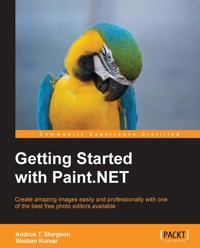
Paint.NET is a free, reliable program that rivals the most expensive photo editing programs currently on the market.Paint.NET supports plugins, which add image adjustments, effects, and support for additional file types. They can be programmed using any .NET programming language, though they are most commonly written in C#.
This book will teach you everything you need to know to edit and manipulate images. Written with very clear walkthroughs, hands-on tutorials,and amazing resources, this book will turn you into a photo wizard with Paint.NET. The book starts with simple tool-based tasks, introduces you to the workpane and then builds up to more complex areas taking a deep dive into the commonly-used features of Paint.NET.
With this book, you will learn how to do everything from making simple adjustments to full artistic rendering with tools not available in any other program. Starting with the very basics of photo editing, you will gain an understanding of the basic principles of manipulating images. From layering to special effects, this book will give you all the knowledge you need to create images that leave a lasting impression.
This book has everything you need to make amazing, artistic photos using completely free software. Filled with fun exercises and valuable information, you will learn how to master every tool and every effect in Paint.NET. Within minutes, you will be able to resize images, make adjustments to brightness and contrast, and apply color correction. By the end of this book, you will be working with layers and effects to create images that rival some of the most advised and expensive pieces of software.
With simple exercises and information, this book will take you from absolute novice to an accomplished photo editor quickly and easily.
Das E-Book können Sie in Legimi-Apps oder einer beliebigen App lesen, die das folgende Format unterstützen:
Seitenzahl: 113
Veröffentlichungsjahr: 2013
Ähnliche



















Table of Contents
Getting Started with Paint.NET
Getting Started with Paint.NET
Copyright © 2013 Packt Publishing
All rights reserved. No part of this book may be reproduced, stored in a retrieval system, or transmitted in any form or by any means, without the prior written permission of the publisher, except in the case of brief quotations embedded in critical articles or reviews.
Every effort has been made in the preparation of this book to ensure the accuracy of the information presented. However, the information contained in this book is sold without warranty, either express or implied. Neither the authors, nor Packt Publishing, and its dealers and distributors will be held liable for any damages caused or alleged to be caused directly or indirectly by this book.
Packt Publishing has endeavored to provide trademark information about all of the companies and products mentioned in this book by the appropriate use of capitals. However, Packt Publishing cannot guarantee the accuracy of this information.
First published: December 2013
Production Reference: 1181213
Published by Packt Publishing Ltd.
Livery Place
35 Livery Street
Birmingham B3 2PB, UK.
ISBN 978-1-78355-143-9
www.packtpub.com
Cover Image by John Quick (<[email protected]>)
Credits
Authors
Andros T. Sturgeon
Shoban Kumar
Reviewer
Matt Penner
Acquisition Editor
Owen Roberts
Commissioning Editors
Sharvari Tawde
Priyanka Shah
Technical Editor
Dennis John
Copy Editors
Roshni Banerjee
Brandt D'Mello
Tanvi Gaitonde
Deepa Nambiar
Shambhavi Pai
Lavina Pereira
Project Coordinator
Akash Poojary
Proofreaders
Ameesha Green
Paul Hindle
Indexer
Mehreen Deshmukh
Graphics
Sheetal Aute
Production Coordinator
Kirtee Shingan
Cover Work
Kirtee Shingan
About the Authors
Andros T. Sturgeon is an average-sized human. His business card says that he is a futurist. He lives in Southern California, developing interactive experiences and original content for the Web. He is the founder of a transmedia agency named Starchild Interactive.
You can find out more about him via Google by searching for Andros Sturgeon or Starchild Interactive or by visiting www.starchild.us.
This is his first book.
Although writing is a solitary act, nothing is ever done without the assistance of others. I'd like to thank Packt Publishing and all of the people who helped in the creation of this book. A special thanks to Nathalie, because she is the most awesome.
Shoban Kumar currently works as a SharePoint consultant. In his free time, he develops open source desktop applications and Windows Phone apps. You can view all of his apps on his site at http://shobankumar.com.
He is an active contributor to the Stack Overflow forums and also runs a SharePoint blog at http://allaboutmoss.com.
You can follow him on Twitter via @shobankr.
About the Reviewer
Matt Penner is the Director of Information and Instructional Technology, CCTO, for the Val Verde Unified School District in Perris, California. In this role, he continues to grow a team that is passionate about excellence in service and works with other colleagues around the state to promote the building of successful technology support teams that people love.
Prior to this, he earned his B.Sc. degree in Computer Science from California Polytechnic University (Cal Poly) of Pomona, California, in 2002, and he has been a passionate advocate of software development for the last 20 years. He is an officer of the Inland Empire .NET Users' Group and was a frequent presenter at the Microsoft offices in Irvine, California, for the SQL Server 2008 launch and during the Windows 7 Phone launch events in the Inland Empire. He has been a professional small business consultant and still continues to moonlight with software development as and when time permits.
Matt has been a hobbyist graphics developer since Adobe Photoshop 2.0 in 1994 and has been an avid user of Paint.NET for over five years. Paint.NET is one of the few professional-level projects that continues to grow in ability and has a devout fan-following while still remaining free to download and use.
When he is not at work, Matt's other passions are his family. He enjoys spending time with his wife and three children and being involved in their church activities, little league games, music, games, and occasionally playing the prince at his daughter's imaginary castle.
I would love to thank my wife and family, who are my rock and my island of sanity. Nothing would be worth doing without them to return home to. I'd love to thank Packt for this opportunity and the authors, Andros T. Sturgeon and Shoban Kumar, who put in the real time and effort to promote a great project they love and to write a book, making an easy tool even easier to master. Above all, I'd like to thank God, who gave me my family, my passion, and talents, and through whom I consider myself one of the most blessed individuals in the world.
www.PacktPub.com
Support files, eBooks, discount offers and more
You might want to visit www.PacktPub.com for support files and downloads related to your book.
Did you know that Packt offers eBook versions of every book published, with PDF and ePub files available? You can upgrade to the eBook version at www.PacktPub.com and as a print book customer, you are entitled to a discount on the eBook copy. Get in touch with us at <[email protected]> for more details.
At www.PacktPub.com, you can also read a collection of free technical articles, sign up for a range of free newsletters and receive exclusive discounts and offers on Packt books and eBooks.
http://PacktLib.PacktPub.com
Do you need instant solutions to your IT questions? PacktLib is Packt's online digital book library. Here, you can access, read and search across Packt's entire library of books.
Why Subscribe?
Free Access for Packt account holders
If you have an account with Packt at www.PacktPub.com, you can use this to access PacktLib today and view nine entirely free books. Simply use your login credentials for immediate access.
Preface
Paint.NET is a free image editing tool available for the Windows operating system. Its user interface is very user-friendly and is similar to most of the popular paid image editing tools. Paint.NET can be used by both beginners and advanced users to create stunning images.
Even though it is not as powerful as the paid tools (for example, Photoshop), Paint.NET does a very good job. It can be used for most image manipulation tasks.
Plugins add more effects and functionality, thereby making Paint.NET one of the best free tools available.
What this book covers
Chapter 1, Welcome to Paint.NET, will cover a quick overview of Paint.NET, some of its functions, and how to install the program using a step-by-step approach.
Chapter 2, The Paint.NET Workspace, goes over the main window and functions of Paint.NET. It provides an overview of the main work area where we edit a picture.
Chapter 3, The Tools in Paint.NET, explains the different tools such as selection and move tools that are available in the main toolbar.
Chapter 4, Image Resizing and Editing, covers basic image editing, resizing, and removal of a background for advanced image processing.
Chapter 5, Adjustments, explains the various adjustment options such as Auto-Level, Hue, and Saturation that are available with Paint.NET.
Chapter 6, Working with Effects, covers all of the effects that you can apply to a photo. You will also learn how to apply effects differently to make your photo stand out.
Chapter 7, Working with Layers, covers how layers work in Paint.NET. You will learn how to merge different layers, delete layers, and how to adjust them.
Chapter 8,Supercharging Paint.NET, explains how you can extend Paint.NET using plugins to make it more useful. You will also learn how you can contribute to Paint.NET 's development.
What you need for this book
You will only need Paint.NET for this book. The latest version can be downloaded from http://www.getpaint.net/download.html.
Who this book is for
If you have ever wanted to create photos and images that go beyond simple point-and-shoot results, this book is for you. This book will help you create artistic images in ways that are limited only by your imagination. No prior knowledge of photo editing or editing software is required.
Conventions
In this book, you will find a number of styles of text that distinguish between different kinds of information. Here are some examples of these styles, and an explanation of their meaning.
New terms and important words are shown in bold. Words that you see on the screen, for example, in menus or dialog boxes, appear in the text like this: "For simplicity, choose Quick Installation and then hit Next".
Note
Warnings or important notes appear in a box like this.
Tip
Tips and tricks appear like this.
Reader feedback
Feedback from our readers is always welcome. Let us know what you think about this book—what you liked or may have disliked. Reader feedback is important for us to develop titles that you really get the most out of.
To send us general feedback, simply send an e-mail to <[email protected]>, and mention the book title via the subject of your message.
If there is a topic that you have expertise in and you are interested in either writing or contributing to a book, see our author guide on www.packtpub.com/authors.
Customer support
Now that you are the proud owner of a Packt book, we have a number of things to help you to get the most from your purchase.
Downloading the color images of this book
We also provide you a PDF file that has color images of the screenshots/diagrams used in this book. The color images will help you better understand the changes in the output. You can download this file from https://www.packtpub.com/sites/default/files/downloads/1439OT_GraphicsBundle.pdf.
Errata
Although we have taken every care to ensure the accuracy of our content, mistakes do happen. If you find a mistake in one of our books—maybe a mistake in the text or the code—we would be grateful if you would report this to us. By doing so, you can save other readers from frustration and help us improve subsequent versions of this book. If you find any errata, please report them by visiting http://www.packtpub.com/submit-errata, selecting your book, clicking on the erratasubmissionform




