


61,99 €
Mehr erfahren.
- Herausgeber: John Wiley & Sons
- Kategorie: Fachliteratur
- Serie: Wiley Finance Series
- Sprache: Englisch
Accessible VBA coding for complex financial modelling
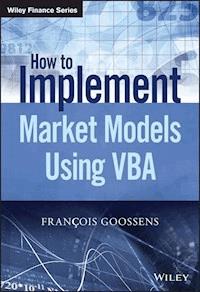
How to Implement Market Models Using VBA makes solving complex valuation issues accessible to any financial professional with a taste for mathematics. With a focus on the clarity of code, this practical introductory guide includes chapters on VBA fundamentals and essential mathematical techniques, helping readers master the numerical methods to build an algorithm that can be used in a wide range of pricing problems. Coverage includes general algorithms, vanilla instruments, multi-asset instruments, yield curve models, interest rate exotics, and more, guiding readers thoroughly through pricing in the capital markets area. The companion website (http://implementmodinvba.com/) features additional VBA code and algorithmic techniques, and the interactive blog provides a forum for discussion of code with programmers and financial engineers, giving readers insight into the different applications and customisations possible for even more advanced problem solving..
Financial engineers implement models from a mathematical representation of an asset's performance by building a program that performs a valuation of securities based on this asset. How to Implement Market Models Using VBA makes this technical process understandable, with well-explained algorithms, VBA code, and accessible theoretical explanations.
- Decide which numerical method to use in which scenario
- Identify the necessary building blocks of an algorithm
- Write clear, functional VBA code for a variety of problems
- Apply algorithms to different instruments and models
Designed for finance professionals, this book brings more accurate modelling within reach for anyone with interest in the market. For clearer code, patient explanation, and practical instruction, How to Implement Market Models Using VBA is an essential introductory guide.
Sie lesen das E-Book in den Legimi-Apps auf:
Seitenzahl: 331
Veröffentlichungsjahr: 2015
Ähnliche



















Table of Contents
Title Page
Copyright
Preface
Acknowledgements
Abbreviations
About the Author
Chapter 1: The Basics of VBA Programming
1.1 Getting started
1.2 VBA objects and syntax
1.3 Variables
1.4 Arithmetic
1.5 Subroutines and functions
1.6 Custom objects
1.7 Debugging
Chapter 2: Mathematical Algorithms
2.1 Introduction
2.2 Sorting lists
2.3 Implicit equations
2.4 Search for extrema
2.5 Linear algebra
Chapter 3: Vanilla Instruments
3.1 Definitions
3.2 Fixed income
3.3 Vanilla derivatives
3.4 Options basics
3.5 First generation exotic options
Chapter 4: Numerical Solutions
4.1 Finite differences
4.2 Trees
4.3 Monte-Carlo scenarios
4.4 Simulation and regression
4.5 Double-barrier analytical approximation
Chapter 5: Monte-Carlo Pricing Issues
5.1 Multi-asset simulation
5.2 Discretization schemes
5.3 Variance reduction techniques
Chapter 6: Yield Curve Models
6.1 Short rate models
6.2 Forward rate models
Chapter 7: Stochastic Volatilities
7.1 The Heston model
7.2 Barrier options
7.3 Asian-style options
7.4 SABR model
Chapter 8: Interest Rate Exotics
8.1 CMS swaps
8.2 Cancelable swaps
8.3 Target redemption note
Bibliography
Index
End User License Agreement
Pages
ix
x
xi
xiii
xv
1
2
3
4
5
6
7
8
9
10
11
12
13
14
15
16
17
18
19
20
21
22
23
24
25
26
27
29
30
31
32
33
34
35
36
37
38
39
40
41
42
43
44
45
46
47
48
49
50
51
52
53
54
55
56
57
58
59
60
61
62
63
64
65
66
67
68
69
70
71
72
73
74
75
76
77
78
79
80
81
82
83
84
85
86
87
88
89
90
91
92
93
94
95
96
97
98
99
100
101
102
103
104
105
106
107
108
109
110
111
112
113
114
115
116
117
118
119
120
121
122
123
124
125
126
127
128
129
130
131
132
133
134
135
136
137
139
140
141
142
143
144
145
146
147
148
149
150
151
152
153
154
155
156
157
158
159
160
161
163
164
165
166
167
168
169
170
171
172
173
174
175
191
176
177
178
179
180
181
182
183
184
185
186
187
188
189
190
192
193
194
195
196
197
198
199
200
201
202
203
204
205
206
207
208
209
210
211
212
213
214
215
216
217
218
219
220
221
222
223
224
225
226
227
228
229
230
231
232
233
234
235
236
237
238
239
240
241
242
243
244
245
246
247
248
249
250
251
252
253
254
255
256
257
258
259
260
261
262
263
264
265
266
267
268
269
270
271
272
273
274
275
276
277
278
279
280
281
282
283
284
285
286
287
289
290
291
292
293
Guide
Cover
Table of Contents
Preface
Begin Reading
List of Illustrations
Figure 4.1
Figure 4.2
Figure 4.3
Figure 4.4
Figure 5.1
Figure 5.2
Figure 6.1
Figure 6.2
List of Tables
Table 6.1
Table 6.2
Table 6.3
Table 6.4
Table 6.5
Table 7.1
Table 7.3
Table 7.4
Table 7.5
Table 7.6
Table 7.7
How to Implement Market Models Using VBA
FRANÇOIS GOOSSENS
This edition first published 2015
© 2015 François Goossens
Registered office
John Wiley & Sons Ltd, The Atrium, Southern Gate, Chichester, West Sussex, PO19 8SQ, United Kingdom
For details of our global editorial offices, for customer services and for information about how to apply for permission to reuse the copyright material in this book please see our website at www.wiley.com.
All rights reserved. No part of this publication may be reproduced, stored in a retrieval system, or transmitted, in any form or by any means, electronic, mechanical, photocopying, recording or otherwise, except as permitted by the UK Copyright, Designs and Patents Act 1988, without the prior permission of the publisher.
Wiley publishes in a variety of print and electronic formats and by print-on-demand. Some material included with standard print versions of this book may not be included in e-books or in print-on-demand. If this book refers to media such as a CD or DVD that is not included in the version you purchased, you may download this material at http://booksupport.wiley.com. For more information about Wiley products, visit www.wiley.com.
Designations used by companies to distinguish their products are often claimed as trademarks. All brand names and product names used in this book are trade names, service marks, trademarks or registered trademarks of their respective owners. The publisher is not associated with any product or vendor mentioned in this book.
Limit of Liability/Disclaimer of Warranty: While the publisher and author have used their best efforts in preparing this book, they make no representations or warranties with the respect to the accuracy or completeness of the contents of this book and specifically disclaim any implied warranties of merchantability or fitness for a particular purpose. It is sold on the understanding that the publisher is not engaged in rendering professional services and neither the publisher nor the author shall be liable for damages arising herefrom. If professional advice or other expert assistance is required, the services of a competent professional should be sought.
Library of Congress Cataloging-in-Publication Data
Goossens, Francois, 1960–
How to implement market models using VBA / Francois Goossens.
pages cm
Includes index.
ISBN 978-1-118-96200-8 (hardback)
1. Finance–Mathematical models–Computer programs. 2. Visual Basic for Applications (Computer program language) I. Title.
HG106.G66 2015
332.0285′5133–dc23
2014041091
Cover Design: Wiley
Top Image: ©iStock.com/pixel_dreams;
Bottom Image: ©iStock.com/awstok
Preface
Graduate students and practitioners coming to the area of quantitative finance may be daunted by the abstruseness of stochastic matters, coupled with the austerity of scientific programming languages. Learning these disciplines is a challenge that some are reluctant to tackle. Then, to get some hands-on expertise of complex valuation issues with an easy-to-learn programming language, without delving too deeply into the theory, proves to be an attractive alternative: this is what this book invites you to do. For this purpose, VBA has been chosen for its accessible code and its connection with Excel and its easy-to-use spreadsheet format.
What sort of financial applications may be run in VBA?
Contrary to common belief, you can run a lot of complex pricings with VBA, almost as fast as in C++ even if VBA is not going to compete with C++ as the engine of big risk management systems. This book will not specifically address the computing performance topic: for a comprehensive approach to this see, e.g., Webber (2011). However, one thing to remember is that, not only in terms of accuracy, but also in terms of computational cost, VBA is an efficient tool to get fast and in-depth understanding skills on complex derivatives.
How this book can help you
To complete a pricing project from scratch is a road paved with challenging steps. If you are holding this book it means you are already a VBA developer, or you intend to become one, and you have some taste for quantitative matters: it is already a good start. Guiding you through the technical obstacles and making you familiar with the means to fix them is the ambition of this book. The quicker you complete your first Monte-Carlo algorithm or tree-based pricing program, the more self-confidence you get, if you are a newcomer in applications coding. To strengthen this self-confidence, no aspect of quantitative issues must remain in the shadow: you will probably notice that barrier option valuation theory and yield curve modeling are developed in detail, for they illustrate best the key notions of stochastic calculus.
Knowledge prerequisites
No VBA knowledge is required. The essentials presented in this book should suffice. You must have basic notions of analysis (continuity, derivability, integration) and linear algebra basics (matrix calculus). In the capital markets domain, you must be familiar with vanilla derivatives (forward contracts, European-style options) and, preferably, have some knowledge of the common risk management issues, such as delta or gamma positions. As regards the stochastic calculus theory, this book helps you to apply theory with a practical approach.
Structure of the book
Chapter 1 delivers the essential syntax and vocabulary elements to start coding algorithms in VBA; some emphasis is put on matricial calculus, as it occupies a prominent place in numerical algorithms and Monte-Carlo scenarios.
Chapter 2 introduces common algorithms that fix unavoidable numerical problems in the course of a pricing algorithm. In fact, every valuation program will encounter at least one interpolation or optimization hurdle at some stage of the algorithm.
Chapter 3 gives the reader an opportunity to check his knowledge of the capital market fundamentals. For complete VBA beginners, it also provides some training exercises to put into practice VBA techniques, such as loops. In a second part, one key aspect of the stochastic calculus theory, the change of probability measure is addressed. This technique is implemented via barrier options pricing.
Chapter 4 deals with numerical solutions that are called in aid when no analytical solution is available: to put it bluntly, it fixes 99% of the problems. This is the core material of the book, since every pricing algorithm refers more or less to one of the recipes presented in this chapter.
Chapter 5 deals with classes of assets that are valued using Monte-Carlo simulation methods. It covers multi-asset and path-dependent instruments. Variance reduction techniques are logically investigated in this chapter.
Chapter 6 addresses widely used yield curve models and the critical calibration issues. It introduces first Hull & White and Gaussian short rate models, secondly Heath-Jarrow-Morton and LIBOR market forward rate curve models.
Chapter 7: as a widespread standard stochastic volatility model, Heston's is here presented in detail. Some recipes to tackle exotic pricings using this model are developed. In addition, one paragraph is devoted to SABR.
Chapter 8: in this chapter, our yield curve modelings are put into application to implement numerical algorithms aimed at some “standard” interest rate exotics: CMS Swaps, Cancelable Swaps, and Target Redemption Notes. Solutions resulting from different models or numerical methods will be compared.
Acknowledgements
My thanks go first to the staff of Wiley for their patience and assistance in the unenviable task of correcting the manuscript.
I would also like to thank the practitioners and principal lecturers at the Paris Dauphine and Paris-Sorbonne universities who provided time from their busy schedules to review or comment on this book. Advice and encouragement given by Sofiane Aboura especially have been of great help in completing the work.
Last but not least, I would like to express my gratitude to the authors, some are mentioned in the bibliography, who succeeded in making quantitative finance an appealing matter: I owe them an incurable taste for financial algorithms.
Abbreviations
ATM
At-the-money (options)
BGM
Benhamou/Gobet/Miri approximation method (Heston model)
BS
Black–Scholes
CMS
Constant Maturity Swap
HJM
Heath-Jarrow-Morton model
IRS
Interest Rate Swap
LMM
LIBOR Market Model
OTC
Over-The-Counter
RNG
Random Number Generator
RV
Random Variable
TARN
TArget Redemption Note
About the Author
François Goossens has 12 years' experience in Java and VBA programming of pricing algorithms. As a consultant, he currently trains students and young practitioners in computational finance through VBA coding. Prior to that he ran, over 15 years, interest-rates and equity related trading desks with Credit Lyonnais and Ixis, and was strongly involved in exotic derivatives' management.
François graduated from École Centrale in Paris.
Chapter 1The Basics of VBA Programming
1.1 Getting started
To access the VBA editor, point to the Developer (VBA menu on the ribbon). In case this menu is not visible, proceed like this:
Office 2007
Click the Microsoft Office Button
then click on Excel Options (bottom right). Point to Popular and mark Show Developer tab in the Ribbon check box, then OK: the Developer tab is now displayed on the ribbon
Office 2010 and beyond
Point the File menu and select Options
Click on Customize Ribbon, and mark Developer
When you click on Developer, Excel displays a minimum of three groups:
Code
: this is the group from which you open the VBA editor
Controls
: user interface components, to create Windows-like applications
XML
: converts XML files into Excel files and vice versa.
From the Code group, click on “Visual basic” icon (far left). If you work on a newly created file, the VBA editor looks like this:
The bar on the top provides three especially useful menus:
View
: a menu that lists windows editing information regarding the code execution. Also hides or shows the project explorer (on the left). At creation, the project reduces to three open sheets and an empty
module
named
ThisWorkbook
. As new contents are added in your project, they appear in one of the following items:
Module
Class Module
UserForm
Insert
: from this menu, you can add modules to edit your procedures, or class modules if you need to create customized objects. You can also build UserForms from this menu.
Debug
: from this menu, you can toggle breakpoints where the execution of the code is interrupted. To track algorithmic mistakes, you can also activate the execution step by step (shortcut F8) and watch the changes in some variables, displayed in the
Immediate window
or
Local variables window
(see View menu).
You cannot write any code on the central gray colored zone: all the procedures must be coded within a module.
The specific ThisWorkbook component contains macros that are executed automatically at the opening of the workbook or when special events, such as the updating of one sheet, come up.
1.2 VBA objects and syntax
VBA objects are essentially visible pieces of Excel applications. This definition includes sheets, ranges of cells, icons on the ribbon, and custom interfaces.
To handle objects, one must specify their types. For instance, a range of cells is given the type Range. To locate a Range in the Excel application, we use its physical coordinates on the sheet. For instance the cell “D5” is identified by
Range("D5") or [D5]
A range of cells (e.g., D5:F8) is identified as
Range("D5:F8") or [D5:F8]
Objects of the same type can also be pulled together into a Collection, a set of indexed elements. We list below some common collections of objects in VBA:
Worksheets
: collection of worksheet-type in a file
Sheets
: collection of worksheets + charts + dialog sheets
Cells
: collection of cells within a range
Workbooks
: collection of Excel application files open at the same time.
How do you access an element of a collection?
either through the
name
of the element (e.g., Worksheets(“VAT”))
or its
index
(e.g., Worksheets(2): 2nd Excel sheet tab)
We highly recommend designating the cells of a sheet through their coordinates (). For example
Cells(i,j)
denotes the cell at the intersection of the i-th row and the j-th column of the sheet.
You must be aware that charts are members of the sheets collection, just like worksheets: if your project includes charts, you must be aware that the order has changed in the collection.
1.2.1 The object-oriented basic syntax
Between objects, there exists some kind of hierarchy, or ties of belonging. By nature, an Excel sheet belongs to the Worksheets collection, and itself contains a collection of cells. The collection of worksheets itself belongs to a Workbook instance.
Therefore, the comprehensive identification of an object should mention its “pedigree”. In other words,
Range("D5")
denotes an object that is not completely defined since its location remains vague.
Which worksheet does this cell belong to?
In which workbook (more than one Excel file can be open at the same time)?
To link one object and its parent, we use the dot character “.” For instance
Workbooks("Bonds").Worksheets(3)
.
Range("D5")
provides a more exhaustive identification of the cell.
Also, cells are somewhat complex objects that have numerous properties: color, borders, values, etc. To access one property of an object, we similarly use the dot character. For instance
Range("D5").Column
denotes the number of column D, i.e., 4.
1.2.2 Using objects
When populating an Excel sheet with data and formulas, you are probably used to performing actions such as activating a worksheet, or copying and pasting a range of cells. In VBA, the piece of code needed to copy values displayed in [A3:D8] is, for instance,
Range("A3:D8").Copy
This statement does the work, and no return value is expected. However, things are generally different when manipulating objects: when you change anything in an object, you generate a new instance of this object. The modifications operated can involve two kinds of attributes: and .
Lesen Sie weiter in der vollständigen Ausgabe!
Lesen Sie weiter in der vollständigen Ausgabe!
Lesen Sie weiter in der vollständigen Ausgabe!
Lesen Sie weiter in der vollständigen Ausgabe!
Lesen Sie weiter in der vollständigen Ausgabe!
Lesen Sie weiter in der vollständigen Ausgabe!
Lesen Sie weiter in der vollständigen Ausgabe!
Lesen Sie weiter in der vollständigen Ausgabe!
Lesen Sie weiter in der vollständigen Ausgabe!
Lesen Sie weiter in der vollständigen Ausgabe!
Lesen Sie weiter in der vollständigen Ausgabe!
Lesen Sie weiter in der vollständigen Ausgabe!




