


39,59 €
Mehr erfahren.
- Herausgeber: Packt Publishing
- Kategorie: Fachliteratur
- Sprache: Englisch
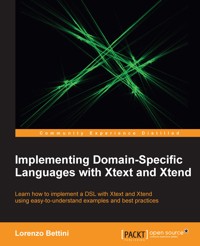
Xtext is an open source Eclipse framework for implementing domain-specific languages together with its IDE functionalities. It lets you implement languages really quickly, and, most of all, it covers all aspects of a complete language infrastructure, starting from the parser, code generator, interpreter, and more. "Implementing Domain-Specific Languages with Xtext and Xtend" will teach you how to develop a DSL with Xtext, an Eclipse framework for implementing domain-specific languages. The chapters are like tutorials that describe the main concepts of Xtext such as grammar definition, validation, code generation, customizations, and many more, through uncomplicated and easy-to-understand examples. Starting with briefly covering the features of Xtext that are involved in a DSL implementation, including integration in an IDE, the book will then introduce you to Xtend as this language will be used in all the examples throughout the book. We then proceed by explaining the main concepts of Xtext, such as validation, code generation, and customizations of runtime and UI aspects. By the end of the book, you will have learned how to test a DSL implemented in Xtext with Junit, in order to follow a test-driven development strategy that will help the developer implement maintainable code that is much faster and cleaner. A test-driven approach is used throughout the book when presenting advanced concepts such as type checking and scoping. The book also shows you how to build and release a DSL so that it can be installed in Eclipse, and gives you hints on how to build the DSL headlessly in a continuous integration server. "Implementing Domain-Specific Languages with Xtext and Xtend" aims to complement the official Xtext documentation to explain the main concepts through simplified examples and to teach the best practices for a DSL implementation in Xtext. It is a Beginner's Guide which should set you up for professional development DSL and its Eclipse IDE tooling.
Das E-Book können Sie in Legimi-Apps oder einer beliebigen App lesen, die das folgende Format unterstützen:
Seitenzahl: 405
Veröffentlichungsjahr: 2013
Ähnliche



















Table of Contents
Implementing Domain-Specific Languages with Xtext and Xtend
Implementing Domain-Specific Languages with Xtext and Xtend
Copyright © 2013 Packt Publishing
All rights reserved. No part of this book may be reproduced, stored in a retrieval system, or transmitted in any form or by any means, without the prior written permission of the publisher, except in the case of brief quotations embedded in critical articles or reviews.
Every effort has been made in the preparation of this book to ensure the accuracy of the information presented. However, the information contained in this book is sold without warranty, either express or implied. Neither the author, nor Packt Publishing, and its dealers and distributors will be held liable for any damages caused or alleged to be caused directly or indirectly by this book.
Packt Publishing has endeavored to provide trademark information about all of the companies and products mentioned in this book by the appropriate use of capitals. However, Packt Publishing cannot guarantee the accuracy of this information.
First published: August 2013
Production Reference: 1140813
Published by Packt Publishing Ltd.
Livery Place
35 Livery Street
Birmingham B3 2PB, UK.
ISBN 978-1-78216-030-4
www.packtpub.com
Cover Image by Suresh Mogre (<[email protected]>)
Credits
Author
Lorenzo Bettini
Reviewers
Dr. Jan Koehnlein
Henrik Lindberg
Pedro J. Molina
Sebastian Zarnekow
Acquisition Editor
James Jones
Lead Technical Editor
Neeshma Ramakrishnan
Technical Editors
Dipika Gaonkar
Anita Nayak
Sonali S. Vernekar
Project Coordinators
Shiksha Chaturvedi
Hardik Patel
Proofreader
Paul Hindle
Indexer
Rekha Nair
Graphics
Sheetal Aute
Ronak Dhruv
Abhinash Sahu
Production Coordinator
Aparna Bhagat
Kirtee Shingan
Cover Work
Aparna Bhagat
About the Author
Lorenzo Bettini is an assistant professor (Researcher) in computer science at Dipartimento di Informatica, Università di Torino, Italy. Previously, he was a Postdoc and a contractual researcher at Dipartimento di Sistemi e Informatica, Università di Firenze, Italy.
He has a Masters Degree in computer science and a PhD in theoretical computer science.
His research interests cover design, theory, and the implementation of programming languages (in particular, object-oriented languages and network-aware languages).
He has been using Xtext since version 0.7. He has used Xtext and Xtend for implementing many Domain Specific Languages and Java-like programming languages.
He is also the author of about 60 papers published in international conferences and international journals.
You can contact him at http://www.lorenzobettini.it.
Acknowledgement
First of all, I would like to thank the main reviewers of this book, Jan Koehnlein, Henrik Lindberg, Pedro J. Molina, and Sebastian Zarnekow. Their constructive criticism, extensive suggestions, and careful error reporting helped extremely in improving the book. I also thank the additional reviewers, Marian Edu, Mayur Hule, and Neeshma Ramakrishnan.
I'm also grateful to all the people from Packt I dealt with, Shiksha Chaturvedi, Amber Dsouza, James Jones, James Keane, Anita Nayak, Hardik Patel, Neeshma Ramakrishnan, and Sonali S. Vernekar.
This book would not have been possible without the efforts that all the skilled Xtext developers have put in this framework. Most of them are always present in the Xtext forum and are very active in providing help to the users. Many other people not necessarily involved with Xtext development are always present in the forum and are willing to provide help and suggestions in solving typical problems about Xtext. They also regularly write on their own blogs about examples and best practices with Xtext. Most of the contents in this book is inspired by the material found on the forum and on such blogs. The list would be quite long, so I will only mention the ones with whom I interacted most: Meinte Boersma, Christian Dietrich, Moritz Eysholdt, Peter Friese, Dennis Huebner, Dr. Jan Koehnlein, Henrik Lindberg, Ed Merks, Alexander Nittka, Karsten Thoms, Hallvard Trætteberg, and Sebastian Zarnekow.
A very special thanks to Sven Efftinge, the project lead for Xtext and Xtend, for creating Xtext.
I'm also grateful to itemis Schweiz for sponsoring the writing of this book, and in particular, I'm thankful to Serano Colameo.
Last but not least, a big thank you to my parents for always supporting me through all these years. A warm thank you to my Silvia, the "rainbow" of my life, for being there and for not complaining about all the spare time that this book has stolen from us.
About the Reviewers
Dr. Jan Koehnlein is a core committer of the Xtext project and the Xtend language. He has several years of experience in model-driven software development and on the Eclipse platform. Jan is currently working as a consultant and software architect for itemis in Germany.
Henrik Lindberg has worked for many companies since the early 80s, and he has had the opportunity to work with most aspects of software development from operating systems to applications as a developer, architect, CTO, and founder.
He is currently CTO and founder of Cloudsmith Inc, a Puppet Labs Inc. partner specializing in services and tools for the creation, testing, and deployment of software stacks in local and cloud infrastructures. Prior to Cloudsmith, he ran the BEA/JRockit development office (now Oracle's JVM division).
Henrik always had a passion for computer languages and parser technology, and he has worked with Eclipse Xtext on several projects, most recently the Puppet Language IDE called Geppetto. He is an Eclipse committer on Eclipse p2 and leads the Eclipse Buckminster and b3 projects. He is a frequent contributor to the Xtext forum.
You can contact him on Twitter as @hel and also on the Eclipse and Puppet IRCs with the tag helindbe as well as on the Eclipse forums.
I would like to thank Carl Barks and The Junior Woodchucks Guidebook that in an early Swedish edition contained a section with the Woodchucks Crypto—this inspired me to invent several written and spoken languages that I tried to teach my friends. This had limited success, we were after all only 7 years old.
Pedro J. Molina is a practitioner and researcher in the field of model-driven development. From his masters thesis in 1998 to his PhD in 2004, he worked on the research of conceptual user interface patterns for code generation on business applications and published more than 20 papers and 2 books.
Within industry, he has been working for CARE Technologies developing commercial code generators and doing consultancy and software architecture for Capgemini. Nowadays, he is the chief architect officer for Icinetic, a firm building modeling and code generation tools with a strong focus on architecture.
Pedro has been taking part in the program committee for Code Generation Conference for the last 7 years and keeps up-to-date with industrial MDD efforts. He maintains a blog: The Metalevel, where he talks about MDD and code-generation at http://pjmolina.com/metalevel.
www.PacktPub.com
Support files, eBooks, discount offers, and more
You might want to visit www.PacktPub.com for support files and downloads related to your book.
Did you know that Packt offers eBook versions of every book published, with PDF and ePub files available? You can upgrade to the eBook version at www.PacktPub.com and as a print book customer, you are entitled to a discount on the eBook copy. Get in touch with us at <[email protected]> for more details.
At www.PacktPub.com, you can also read a collection of free technical articles, sign up for a range of free newsletters and receive exclusive discounts and offers on Packt books and eBooks.
http://PacktLib.PacktPub.com
Do you need instant solutions to your IT questions? PacktLib is Packt's online digital book library. Here, you can access, read and search across Packt's entire library of books.
Why Subscribe?
Free Access for Packt account holders
If you have an account with Packt at www.PacktPub.com, you can use this to access PacktLib today and view nine entirely free books. Simply use your login credentials for immediate access.
Preface
Xtext is an open source Eclipse framework for implementing Domain Specific Languages together with their integration in the Eclipse IDE. Xtext lets you implement languages quickly by covering all aspects of a complete language infrastructure, starting from the parser, code generator, or interpreter, up to a full Eclipse IDE integration (with all the typical IDE features such as editor with syntax highlighting, code completion, error markers, automatic build infrastructure, and so on).
This book will incrementally guide you through the very basics of DSL implementation with Xtext and Xtend, such as grammar definition, validation, and code generation; the book will then cover advanced concepts such as unit testing, type checking, and scoping. Xtext comes with good and smart default implementations for all these aspects. However, every single aspect can be customized by the programmer.
Although Java can be used for customizing the implementation of a DSL, Xtext fosters the use of Xtend, a Java-like programming language completely interoperable with the Java type system which features a more compact and easier to use syntax and advanced features such as type inference and lambda expressions. For this reason, we will use Xtend throughout the book.
Most of the chapters have a tutorial nature and will describe the main concepts of Xtext through uncomplicated examples. The book also uses test driven development extensively.
This book aims at being complementary to the official documentation, trying to give you enough information to start being productive in implementing a DSL with Xtext. This book will try to teach you some methodologies and best practices when using Xtext, filling some bits of information that are not present in the official documentation.
The chapters are meant to be read in order, since they typically refer to concepts that were introduced in the previous chapters.
All the examples shown in the book are available online, see the section Downloading the example code. We strongly suggest that you first try to develop the examples while reading the chapters and then compare their implementations with the ones provided by the author.
What this book covers
After a small introduction to the features that a DSL implementation should cover (including integration in an IDE), the book will introduce Xtend since it will be used in all the examples. The book proceeds by explaining the main concepts of Xtext; for example, validation, code generation, and customizations of runtime and UI aspects. The book will then show how to test a DSL implemented in Xtext with Junit in order to follow a Test Driven Development strategy that will help you to quickly implement cleaner and more maintainable code. The test-driven approach is used in the rest of the book when presenting advanced concepts such as type checking and Scoping. The book also shows how to build and release a DSL so that it can be installed in Eclipse and hints on how to build the DSL headlessly in a continuous integration server. The last chapter briefly introduces Xbase.
Chapter 1, Implementing a DSL, gives a brief introduction to Domain Specific Languages (DSL) and sketches the main tasks for implementing a DSL and its integration in an IDE. The chapter also shows how to install Xtext and gives a first idea of what you can do with Xtext.
Chapter 2, Creating Your First Xtext Language, shows a first example of a DSL implemented with Xtext and gives an introduction to some features of the Xtext grammar language. The chapter describes the typical development workflow of programming with Xtext and provides a small introduction to EMF (Eclipse Modeling Framework), a framework on which Xtext is based.
Chapter 3, The Xtend Programming Language, describes the main features of the Xtend programming language, a Java-like language interoperable with Java. We will use Xtend to implement every aspect of an Xtext DSL.
Chapter 4, Validation, describes validation, in particular, the Xtext mechanism to implement validation, that is, the validator. This chapter is about implementing additional constraint checks that cannot be done at parsing time. It also shows how to implement quickfixes corresponding to the errors generated by the validator.
Chapter 5, Code Generation, shows how to write a code generator for an Xtext DSL using the Xtend programming language. The chapter also shows how a DSL implementation can be exported as a Java standalone command-line compiler.
Chapter 6, Customizations, describes the main mechanism for customizing Xtext components, Google Guice, a Dependency Injection framework. In particular, the chapter shows how to customize both the runtime and the UI aspects of an Xtext DSL.
Chapter 7, Testing, describes how to test a DSL implementation using Junit and the additional utility classes provided by Xtext. The chapter shows the typical techniques for testing both the runtime and the UI aspects of a DSL implemented in Xtext.
Chapter 8, An Expression Language, covers the implementation of a DSL for expressions, including arithmetic, boolean, and string expressions. The chapter shows how to deal with recursive rules and with typical problems when writing Xtext grammars. The implementation will be described incrementally and in a test-driven way. The chapter also shows how to implement a type system for checking that expressions are correct with respect to types and how to implement an interpreter for these expressions.
Chapter 9, Type Checking, covers the implementation of a small object-oriented DSL, which can be seen as a smaller version of Java that we call SmallJava. This chapter shows how to implement some type checking techniques that deal with object-oriented features, such as inheritance and subtyping.
Chapter 10, Scoping, covers the main mechanism behind visibility and cross-reference resolution in Xtext. Since scoping and typing are often strictly connected and inter-dependent especially for object-oriented languages, the chapter is based on the SmallJava DSL introduced in the previous chapter. The chapter describes both local and global scoping and how to customize them.
Chapter 11, Building and Releasing, describes how you can release your DSL implementation by creating an Eclipse p2 repository so that others can easily install it in Eclipse. The chapter is based on the Xtext wizard that creates the infrastructure to build a p2 repository with Buckminster. The wizard will also create all the needed files to build your projects and test them in a headless way so that you can easily run your builds in a continuous integration server.
Chapter 12, Xbase, describes Xbase a reusable expression language interoperable with Java. By using Xbase in your DSL, you will inherit all the Xbase mechanisms for performing type checking according to the Java type system and the automatic Java code generation.
What you need for this book
The book assumes that you have a good knowledge of Java; it also assumes that you are familiar with Eclipse and its main features. Existing basic knowledge of a compiler implementation would be useful, though not strictly required, since the book will explain all the stages of the development of a DSL.
Who this book is for
This book is for programmers who want to learn about Xtext and how to use it to implement a DSL or a programming language together with the Eclipse IDE tooling.
Conventions
In this book, you will find a number of styles of text that distinguish between different kinds of information. Here are some examples of these styles, and an explanation of their meaning.
Code words in text are shown as follows: "We can include other contexts through the use of the include directive".
A block of code is set as follows:
Where keywords of the languages are typeset in bold and static members are typeset in italics (for example, Java static methods and fields).
Bibliographic references are of the form "Author" "year" when there is a single author, or "First author et al." "year" when there is more than one author. Bibliographic references are used for books, printed articles, or articles published on the Web. The Bibliography can be found at the end of the book.
New terms and important words are shown in bold. Words that you see on the screen, in menus or dialog boxes for example, appear in the text like this: "clicking on the Next button moves you to the next screen". When the user is requested to select submenus, we separate each menu with a pipe, like this: "To create a new project, navigate to File | New | Project...".
Note
Warnings or important notes appear in a box like this.
Tip
Tips and tricks appear like this.
Reader feedback
Feedback from our readers is always welcome. Let us know what you think about this book—what you liked or may have disliked. Reader feedback is important for us to develop titles that you really get the most out of.
To send us general feedback, simply send an e-mail to <[email protected]>, and mention the book title via the subject of your message. If there is a topic that you have expertise in and you are interested in either writing or contributing to a book, see our author guide on www.packtpub.com/authors.
Customer support
Now that you are the proud owner of a Packt book, we have a number of things to help you to get the most from your purchase.
Downloading the example code
You can download the example code files for all Packt books you have purchased from your account at http://www.packtpub.com. If you purchased this book elsewhere, you can visit http://www.packtpub.com/support and register to have the files e-mailed directly to you.
The example code for this book is also available on a Git repository at https://github.com/LorenzoBettini/packtpub-xtext-book-examples.
Errata
Although we have taken every care to ensure the accuracy of our content, mistakes do happen. If you find a mistake in one of our books—maybe a mistake in the text or the code—we would be grateful if you would report this to us. By doing so, you can save other readers from frustration and help us improve subsequent versions of this book. If you find any errata, please report them by visiting http://www.packtpub.com/submit-errata, selecting your book, clicking on the erratasubmissionform link, and entering the details of your errata. Once your errata are verified, your submission will be accepted and the errata will be uploaded on our website, or added to any list of existing errata, under the Errata section of that title. Any existing errata can be viewed by selecting your title from http://www.packtpub.com/support.
Piracy
Piracy of copyright material on the Internet is an ongoing problem across all media. At Packt, we take the protection of our copyright and licenses very seriously. If you come across any illegal copies of our works, in any form, on the Internet, please provide us with the location address or website name immediately so that we can pursue a remedy.
Please contact us at <[email protected]> with a link to the suspected pirated material.
We appreciate your help in protecting our authors, and our ability to bring you valuable content.
Questions
You can contact us at <[email protected]> if you are having a problem with any aspect of the book, and we will do our best to address it.
Chapter 1. Implementing a DSL
In this chapter, we will give a brief introduction on Domain Specific Languages (DSL) and the issues concerning their implementation, especially in the context of an IDE. The initial part of the chapter is informal: we will sketch the main tasks for implementing a DSL and its integration in an IDE. At the end of the chapter, we will also show you how to install Xtext and will give you a glimpse of what you can do with Xtext. Xtext is an Eclipse framework for the development of DSLs that covers all aspects of a language implementation, including its integration in the Eclipse IDE.
Domain Specific Languages
Domain Specific Languages, abbreviated as DSL, are programming languages or specification languages that target a specific problem domain. They are not meant to provide features for solving all kinds of problems; you probably will not be able to implement all programs you can implement with, for instance, Java or C (which are known as General Purpose Languages). But if your problem's domain is covered by a particular DSL, you will be able to solve that problem easier and faster by using that DSL instead of a general purpose language.
Some examples of DSLs are SQL (for querying relational databases), Mathematica (for symbolic mathematics), HTML, and many others you have probably used in the past. A program or specification written in a DSL can then be interpreted or compiled into a general purpose language; in other cases, the specification can represent simply data that will be processed by other systems.
For a wider introduction to DSLs, you should refer to Fowler 2010, Ghosh 2010, and Voelter 2013.
So, why should you create a new language?
You may now wonder why you need to introduce a new DSL for describing specific data, for example, models or applications, instead of using XML, which allows you to describe data in a machine in human-readable form. There are so many tools now that, starting from an XML schema definition, allow you to read, write, or exchange data in XML without having to parse such data according to a specific syntax. There is basically only one syntax to learn (the XML tag syntax) and then all data can be represented with XML.
Of course, this is also a matter of taste, but many people (including the author himself) find that XML is surely machine-readable, but not so much human-readable. It is fine to exchange data in XML if the data in that format is produced by a program. But often, people (programmers and users) are requested to specify data in XML manually; for instance, for specifying an application's specific configuration.
If writing an XML file can be a pain, reading it back can be even worse. In fact, XML tends to be verbose, and it fills documents with too much additional syntax noise due to all the tags. The tags help a computer to process XML, but they surely distract people when they have to read and write XML files.
Consider a very simple example of an XML file describing people:
It is not straightforward for a human to grasp the actual information about a person from such a specification: a human is distracted by all those tags. Also, writing such a specification may be a burden. An editor might help with some syntax highlighting and early user feedback concerning validation, but still there are too many additional details.
How about this version written in an ad-hoc DSL?:
This contains less noise and the information is easier to grasp. We could even do better and have a more compact specification:
After all, since this DSL only lets users describe the name and age of people, why not design it to make the description both compact and easy to read?
IDE integration
Even once you have implemented your DSL, that is, the mechanisms to read, validate, and execute programs written in your DSL, your work cannot really be considered finished.
Nowadays, a DSL should be shipped with good IDE support: all the IDE tooling that programmers are used to could really make the adoption of your DSL successful.
If your DSL is supported by all the powerful features in an IDE such as a syntax-aware editor, immediate feedback, incremental syntax checking, suggested corrections, auto-completion, and so on, then it will be easier to learn, use, and maintain.
In the following sections we will see the most important features concerning IDE integration; in particular, we will assume Eclipse as the underlying IDE (since Xtext is an Eclipse framework).
Syntax highlighting
The ability to see the program colored and formatted with different visual styles according to the elements of the language (for example, comments, keywords, strings, and so on) is not just "cosmetic".
First of all, it gives immediate feedback concerning the syntactic correctness of what you are writing. For instance, if string constants (typically enclosed in quotes) are rendered as red, and you see that at some point in the editor the rest of your program is all red, you may soon get an idea that somewhere in between you forgot to insert the closing quotation mark.
Moreover, colors and fonts will help the programmer to see the structure of the program directly, making it easier to visually separate the parts of the program.
Background parsing
The programming cycle consisting of writing a program with a text editor, saving it, shifting to the command line, running the compiler, and, in case of errors, shifting back to the text editor is surely not productive.
The programming environment should not let the programmer realize about errors too late; on the contrary, it should continuously check the program in the background while the programmer is writing, even if the current file has not been saved yet. The sooner the environment can tell the programmer about errors the better. The longer it takes to realize that there is an error, the higher the cost in terms of time and mental effort to correct.
Error markers
When your DSL parser and checker issue some errors, the programmer should not have to go to the console to discover such errors; your implementation should highlight the parts of the program with errors directly in the editor by underlining (for instance, in red) only the parts that actually contain the errors; it should also put some error markers (with an explicit message) on the left of the editor in correspondence to the lines with errors, and should also fill the Problem view with all these errors. The programmer will then have the chance to easily spot the parts of the program that need to be fixed.
Content assist
It is nice to have the editor propose some content when you write your programs in Eclipse. This is especially true when the proposed content makes sense in that particular program context. Content assist is the feature that automatically, or on demand, provides suggestions on how to complete the statement/expression the programmer just typed. For instance, when editing a Java file, after the keyword new, Eclipse proposes only Java class names as possible completions.
Again, this has to do with productivity; it does not make much sense to be forced to know all the syntax of a programming language by heart (especially for DSLs, which are not common languages such as Java), neither to know all the language's library classes and functions.
It is much better to let the editor help you with contextualized proposals.
In Eclipse the content assist is usually accessed with the keyboard shortcut Ctrl + Space bar.
Hyperlinking
Hyperlinking is a feature that makes it possible to navigate between references in a program; for example, from a variable to its declaration, or from a function call to where the function is defined. If your DSL provides declarations of any sort (for instance, variable declarations or functions) and a way to refer to them (for instance, referring to a variable or invoking a declared function), then it should also provide Hyperlinking: from a token referring to a declaration, it should be possible to directly jump to the corresponding declaration. This is particularly useful if the declaration is in a file different from the one being edited. In Eclipse this corresponds to pressing F3 or using Ctrl + click.
This functionality really helps a lot if the programmer needs to inspect a specific declaration. For instance, when invoking a Java method, the programmer may need to check what that method actually does.
Hovering is a similar IDE feature: if you need some information about a specific program element, just hovering on that element should display a pop-up window with some documentation about that element.
Quickfixes
If the programmer made a mistake and your DSL implementation is able to fix it somehow, why not help the programmer by offering suggested quickfixes?
As an example, in the Eclipse Java editor, if you invoke a method that does not exist in the corresponding class, you are provided with some quickfixes (try to experiment with this); for instance, you are given a chance to fix this problem by actually creating such a method. This is typically implemented by a context menu available from the error marker.
In a test driven scenario this is actually a methodology. Since you write tests before the actual code to test, you can simply write the test that invokes a method that does not exist yet, and then employ the quickfix to let the IDE create that method for you.
Outline
If a program is big, it is surely helpful to have an outline of it showing only the main components; clicking on an element of the outline should bring the programmer directly to the corresponding source line in the editor.
Think about the outline view you get in Eclipse when editing a Java source file. The outline shows, in a compact form, all the classes and the corresponding methods of the currently edited Java file without the corresponding method bodies. Therefore, it is easy to have a quick overview of the contents of the file and to quickly jump to a specific class or method through the outline view.
Furthermore, the outline can also include other pieces of information such as types and structure that are not immediately understood by just looking at the program text. It is handy to have a view that is organized differently, perhaps sorted alphabetically to help with navigation.
Automatic build
In Eclipse, you have a Java project, and when you modify one Java file and save it, you know that Eclipse will automatically compile that file and, consequently, all the files that depend on the file you have just modified.
Having such functionality for your DSL will make its users happier.
Summarizing DSL implementation
In this section we briefly and informally introduced the main steps to implement a DSL.
The IDE tooling can be implemented on top of Eclipse, which already provides a comprehensive framework.
Indeed, all the features of the Eclipse Java editor (which is part of the project JDT, Java Development Tools) are based on the Eclipse framework, thus, you can employ all the functionalities offered by Eclipse to implement the same features for your own DSL.
Unfortunately, this task is not really easy: it certainly requires a deep knowledge of the internals of the Eclipse framework and lot of programming.
Finally, the parser will have to be connected to the Eclipse editing framework.
To make things a little bit worse, if you learned how to use all these tools (and this requires time) for implementing a DSL, when it comes to implement a new DSL, your existing knowledge will help you, but the time to implement the new DSL will still be huge.
All these learning and timing issues might push you to stick with XML, since the effort to produce a new DSL does not seem to be worthwhile. Indeed, there are many existing parsing and processing technologies for XML for different platforms that can be used, not to mention existing editors and IDE tooling for XML.
But what if there was a framework that lets you achieve all these tasks in a very quick way? What if this framework, once learned (yes, you cannot avoid learning new things), will let you implement new DSLs even quicker than the previous ones?
Enter Xtext
Xtext is an Eclipse framework for implementing programming languages and DSLs. It lets you implement languages quickly, and most of all, it covers all aspects of a complete language infrastructure, starting from the parser, code generator, or interpreter, up to a complete Eclipse IDE integration (with all the typical IDE features we discussed previously).
The really amazing thing about Xtext is that to start a DSL implementation, it only needs a grammar specification similar to ANTLR; it does not need to annotate the rules with actions to build the AST, since the creation of the AST (and the Java classes to store the AST) is handled automatically by Xtext itself. Starting from this specification, Xtext will automatically generate all the mechanisms sketched previously. It will generate the lexer, the parser, the AST model, the construction of the AST to represent the parsed program, and the Eclipse editor with all the IDE features!
Xtext comes with good and smart default implementations for all these aspects, and indeed most of these defaults will surely fit your needs. However, every single aspect can be customized by the programmer.
With all these features, Xtext is easy to use, it produces a professional result quickly, and it is even fun to use.
Installing Xtext
Xtext is an Eclipse framework, thus it can be installed into your Eclipse installation using the update site as follows:
http://download.eclipse.org/modeling/tmf/xtext/updates/composite/releases
Just copy this URL into the dialog you get when you navigate to Help | Install new software... in the textbox Work with and press Enter; after some time (required to contact the update site), you will be presented with lots of possible features to install. The important features to install are Xtend SDK 2.4.2 and Xtext SDK 2.4.2.
Alternatively, an Eclipse distribution for DSL developers based on Xtext is also available from the main Eclipse downloads page, http://www.eclipse.org/downloads, called Eclipse IDE for Java and DSL Developers.
Note
At the time of writing this book, the current version of Xtext was 2.4.2, and this is the version used in this book.
Let's try Xtext
Hopefully, by now you should be eager of seeing for yourself what Xtext can do! In this section we will briefly present the steps to write your first Xtext project and see what you get. Do not worry if you have no clue about most of the things you will see in this demo; they will be explained in the coming chapters.
The wizard will create three projects and will open the file MyDsl.xtext, which is the grammar definition of the new DSL we are about to implement. You do not need to understand all the details of this file's contents for the moment. But if you understood how the grammar definitions work from the examples in the previous sections, you might have an idea of what this DSL does. It accepts lines starting with the keyword Hello followed by an identifier, then followed by !.
Now it is time to start the first Xtext generation, so navigate to the file MyDsl.xtext in the project org.xtext.example.mydsl, right-click on it, and navigate to Run As | Generate Xtext Artifacts. The output of the generation will be shown in the Console view. You will note that (only for the first invocation) you will be prompted with a question in the console:




