


20,99 €
Mehr erfahren.
- Herausgeber: John Wiley & Sons
- Kategorie: Geisteswissenschaft
- Sprache: Englisch
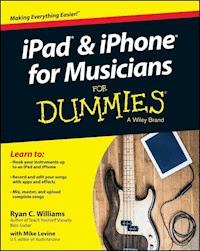
The easy way to use your iPad or iPhone to make amazing music If you are a budding or established musician looking to use your iPad or iPhone as a portable musical instrument, recording studio, or composition tool, then you've come to the right place! iPad and iPhone For Musicians For Dummies explains in plain English how to hook up your preferred instrument to your iPad or iPhone to work on music projects within a plethora of recording apps. You'll also learn how to incorporate both real and MIDI instruments and audio, edit individual tracks, work with effects and chain multiple apps together, and mix and master songs. Thanks to apps such as AmpliTube, AudioBus, and Apple's own GarageBand, musicians can record entire songs in the comfort of their own homes and then mix, master, and distribute them right there on their iPads or iPhones. Packed with tons of step-by-step instructions, this friendly guide shows you how to use your device to go from recording a basic piece of music to creating and uploading complete songs with full instrumentation and multiple tracks, instruments, and effects. * Demonstrates how to hook up your guitar or keyboard directly to your iPad or iPhone to record professional-grade tracks * Helps musicians get the most out of their iPads or iPhones as portable musical instruments, recording studios, and composition tools * Written by an industry expert and former senior writer for IK Multimedia, a leading manufacturer of music apps and hardware accessories for the iOS market * Coverage goes beyond GarageBand to include other popular technologies Don't let the limitations and expense of yesterday's home studios keep you from recording awesome music--let iPad and iPhone For Musicians For Dummies show you how easy it is to record and master your own music right from your living room.
Sie lesen das E-Book in den Legimi-Apps auf:
Seitenzahl: 507
Veröffentlichungsjahr: 2015
Ähnliche




















iPhone® & iPad® for Musicians For Dummies®
Published by: John Wiley & Sons, Inc., 111 River Street, Hoboken, NJ 07030-5774, www.wiley.com
Copyright © 2015 by John Wiley & Sons, Inc., Hoboken, New Jersey
Media and software compilation copyright © 2015 by John Wiley & Sons, Inc. All rights reserved.
Published simultaneously in Canada
No part of this publication may be reproduced, stored in a retrieval system or transmitted in any form or by any means, electronic, mechanical, photocopying, recording, scanning or otherwise, except as permitted under Sections 107 or 108 of the 1976 United States Copyright Act, without the prior written permission of the Publisher. Requests to the Publisher for permission should be addressed to the Permissions Department, John Wiley & Sons, Inc., 111 River Street, Hoboken, NJ 07030, (201) 748-6011, fax (201) 748-6008, or online at www.wiley.com/go/permissions.
Trademarks: Wiley, For Dummies, the Dummies Man logo, Dummies.com, Making Everything Easier, and related trade dress are trademarks or registered trademarks of John Wiley & Sons, Inc. and may not be used without written permission. iPhone and iPad are registered trademarks of Apple, Inc. All other trademarks are the property of their respective owners. John Wiley & Sons, Inc. is not associated with any product or vendor mentioned in this book. iPhone & iPad for Musicians For Dummies® is an independent publication and has not been authorized, sponsored, or otherwise approved by Apple.
LIMIT OF LIABILITY/DISCLAIMER OF WARRANTY: THE PUBLISHER AND THE AUTHOR MAKE NO REPRESENTATIONS OR WARRANTIES WITH RESPECT TO THE ACCURACY OR COMPLETENESS OF THE CONTENTS OF THIS WORK AND SPECIFICALLY DISCLAIM ALL WARRANTIES, INCLUDING WITHOUT LIMITATION WARRANTIES OF FITNESS FOR A PARTICULAR PURPOSE. NO WARRANTY MAY BE CREATED OR EXTENDED BY SALES OR PROMOTIONAL MATERIALS. THE ADVICE AND STRATEGIES CONTAINED HEREIN MAY NOT BE SUITABLE FOR EVERY SITUATION. THIS WORK IS SOLD WITH THE UNDERSTANDING THAT THE PUBLISHER IS NOT ENGAGED IN RENDERING LEGAL, ACCOUNTING, OR OTHER PROFESSIONAL SERVICES. IF PROFESSIONAL ASSISTANCE IS REQUIRED, THE SERVICES OF A COMPETENT PROFESSIONAL PERSON SHOULD BE SOUGHT. NEITHER THE PUBLISHER NOR THE AUTHOR SHALL BE LIABLE FOR DAMAGES ARISING HEREFROM. THE FACT THAT AN ORGANIZATION OR WEBSITE IS REFERRED TO IN THIS WORK AS A CITATION AND/OR A POTENTIAL SOURCE OF FURTHER INFORMATION DOES NOT MEAN THAT THE AUTHOR OR THE PUBLISHER ENDORSES THE INFORMATION THE ORGANIZATION OR WEBSITE MAY PROVIDE OR RECOMMENDATIONS IT MAY MAKE. FURTHER, READERS SHOULD BE AWARE THAT INTERNET WEBSITES LISTED IN THIS WORK MAY HAVE CHANGED OR DISAPPEARED BETWEEN WHEN THIS WORK WAS WRITTEN AND WHEN IT IS READ.
For general information on our other products and services, please contact our Customer Care Department within the U.S. at 877-762-2974, outside the U.S. at 317-572-3993, or fax 317-572-4002. For technical support, please visit www.wiley.com/techsupport.
Wiley publishes in a variety of print and electronic formats and by print-on-demand. Some material included with standard print versions of this book may not be included in e-books or in print-on-demand. If this book refers to media such as a CD or DVD that is not included in the version you purchased, you may download this material at http://booksupport.wiley.com. For more information about Wiley products, visit www.wiley.com.
Library of Congress Control Number: 2014954666
ISBN 978-1-118-99116-9 (pbk); ISBN 978-1-118-99126-8(ebk); ISBN 978-1-118-99130-5 (ebk)
iPhone® and iPad® for Musicians For Dummies®
Visit www.dummies.com/cheatsheet/ipadandiphoneformusicians to view this book's cheat sheet.
Table of Contents
Cover
Title Page
Introduction
About This Book
Foolish Assumptions
Icons Used in This Book
Beyond the Book
Where to Go from Here
Part I: Getting Started with iOS Music
Chapter 1: Digging into iOS
What Is iOS?
Understanding the History of iOS
Exploring the Possibilities
Surveying the App World
Chapter 2: Choosing Your iOS Device
Comparing the Advantages of iPad and iPhone
Exploring Device Generation and OS Versions
Looking at Ports and Connectors
Checking Out the Music-Related Improvements in iOS 8
Chapter 3: Downloading Apps from the iTunes Store
Setting Up Your Account
Understanding iPhone, iPad, and Universal Apps
Searching for Apps
Researching Apps before Buying
Installing and Managing Your Apps
Arranging Apps on Your iOS Device
Updating Your Apps
Expanding Your Apps via In-App Purchases
Part II: Playing Music on Your iOS Device
Chapter 4: Exploring iOS Instruments
Emulating Conventional Instruments
Exploring Dedicated iOS Instruments
Chapter 5: Playing iOS Instruments
Playing from the Touchscreen
Playing from an External MIDI Keyboard
Connecting a MIDI Controller
Features of a Typical Controller Keyboard
How Control Change Messages Work
Playing with Alternate Controllers
Understanding and Minimizing Latency
Chapter 6: Playing Your Guitar or Bass through Your iOS Device
Choosing Your Connection Options
Using Multi-Effects Modeling Apps
Adding a Virtual Pedalboard
Exploring the Features in Guitar Multi-Effects Apps
Choosing a Guitar Multi-Effects Modeling App
Chapter 7: Connecting Your Mic to Your iOS Device
Using a Dedicated iOS Mic
Selecting an Audio Interface
Understanding Mic Types
Understanding Mic Response Patterns
So Which Mic Should I Buy?
Vocal Effects Apps
Chapter 8: Performing with Your iOS Device
Using Guitar Multi-Effects Apps Live
Performing with Keyboard Apps
Reading Music and Lyrics Onstage
Holding Your Device Securely Onstage
Part III: Setting Up Your iOS Studio
Chapter 9: Planning Your Rig
Getting the Gear You Need
Deciding Whether to Go Fully Mobile
Preparing a Gear Checklist
Chapter 10: Working with Digital Audio Workstations and Other Recording Apps
Using DAW Apps
Surveying the Major DAW Apps
Choosing the Right DAW for You
Using MIDI Workstation Apps
Recording with Loopers
Remixing Apps
Chapter 11: Monitoring with Speakers and Headphones
Deciding If You Need Speakers
Choosing the Right Type of Headphones
Part IV: Your Recording Workflow
Chapter 12: Recording Live or Layered?
Weighing the Pros and Cons of Layering
Choosing to Record Multiple Simultaneous Sources
Chapter 13: Getting the Best Recording Quality
Understanding Audio Settings
Managing Your Audio Tracks
Chapter 14: Recording in the Field
Surveying Field Recording Apps
Deciding on Stereo Mics
Recording with the Best Possible Audio Quality
Proper Mic Techniques
Part V: Using Multiple Apps Together
Chapter 15: Working with Multiple Apps Together
Using Background Audio
Copying and Pasting Audio between Apps
Chapter 16: Using Inter-App Audio
Understanding How Inter-App Audio Works
Creating an Inter-App Audio Session
Chapter 17: Using Audiobus
Understanding the Basic Audiobus Structure
How Audiobus Differs from Inter-App Audio
Finding Audiobus-Compatible Apps
Setting Up an Audiobus Session
Staying in Sync
Chapter 18: Other Multi-App Possibilities
Using Virtual MIDI
Using Korg WIST
Using Retronym’s Tabletop
Part VI: Editing, Mixing, and Sharing Your Projects
Chapter 19: Editing Your Material
Getting to Know the Typical Editing Features
Cutting, Pasting, and Rearranging Sections
Chapter 20: Mixing Your Music
Adopting a Mixing Strategy
Applying EQ
Using Compression
Adding Reverb and Delay
Understanding the Soundscape and Panning
Controlling the Mix with Level Setting and Automation
Mixing Better with These Tips and Tricks
Mastering
Chapter 21: Exporting Your Finished Masterpiece
Understanding File Formats
Knowing Your Export Options
How to Use SoundCloud
Sharing Your Music on Social Media
Heading to Bandcamp
Part VII: The Part of Tens
Chapter 22: Ten Music Apps You Can’t Live Without
Korg Gadget
Notion
Thor
iMaschine
DM1
iMPC Pro
iStroboSoft
Musyc Pro
SampleWiz
FL Studio Mobile HD
Chapter 23: Ten Great Free Music Apps
Novation Launchpad
Take
AmpliTube Free
Keezy
Modular Synthesizer
Tape
LP-5
Hokusai
TF7
GrainProc
Chapter 24: Ten Other Musical Uses for Your iOS Device
Tuners
Metronomes
SPL Meters
Real-Time Analyzers
Notation Apps
Sheet Music and Tablature Apps
Computer DAW Controllers
Live Sound Mixer Controllers
Instrument Remote Controls
Education and Learning Apps
About the Author
Cheat Sheet
Connect with Dummies
End User License Agreement
Guide
Cover
Table of Contents
Begin Reading
Pages
iii
iv
1
2
3
4
5
6
7
8
9
10
11
12
13
14
15
16
17
18
19
20
21
22
23
24
25
26
27
28
29
30
31
32
33
34
35
36
37
38
39
40
41
42
43
44
45
46
47
48
49
50
51
52
53
54
55
56
57
58
59
60
61
62
63
64
65
66
67
68
69
70
71
72
73
74
75
76
77
78
79
80
81
82
83
84
85
86
87
88
89
90
91
92
93
94
95
96
97
98
99
100
101
102
103
104
105
106
107
108
109
110
111
112
113
114
115
116
117
118
119
120
121
122
123
124
125
126
127
128
129
130
131
132
133
134
135
136
137
138
139
140
141
142
143
144
145
146
147
148
149
150
151
152
153
154
155
156
157
158
159
160
161
162
163
164
165
166
167
168
169
170
171
172
173
174
175
176
177
178
179
180
181
182
183
184
185
186
187
188
189
190
191
192
193
194
195
196
197
198
199
200
201
202
203
204
205
206
207
208
209
210
211
212
213
214
215
216
217
218
219
220
221
222
223
224
225
226
227
228
229
230
231
232
233
234
235
236
237
238
239
240
241
242
243
244
245
246
247
248
249
250
251
252
253
254
255
256
257
258
259
260
261
262
263
264
265
266
267
268
269
270
271
272
273
274
275
276
277
278
279
280
281
282
283
284
285
286
287
288
289
290
291
292
293
294
295
296
297
298
299
300
301
302
303
304
305
306
307
308
309
310
311
312
313
314
315
316
317
318
319
320
321
322
323
324
325
326
327
328
329
330
331
332
333
334
335
336
337
338
339
340
341
342
343
344
345
346
347
348
349
350
351
352
353
354
355
356
357
358
359
360
361
362
363
364
365
366
367
368
369
370
391
392
Introduction
A professor in one of my first music technology classes imagined a world where the recording studio wouldn’t even use physical controls — instead, it would have just a series of computer panels projecting the necessary controls on the screens that interacted with human touch. Just a few (all right, slightly more than a few) years later, those virtual controls became reality. But those panels didn’t remain in the confines of a recording studio. Instead, you can carry them around in your pocket or bag, laying down tracks in between social media posts and a quick game.
This book doesn’t try to introduce you to the future. Instead, iPad & iPhone for Musicians For Dummies introduces you to the wonderful present where your iOS device can act as a virtual instrument, a guitar and pedal simulator, or even the portable recording rig you always wanted to carry around with you so you’d never forget another hit song. You can do all this and more with your device and a few apps — no need to wait for the future!
About This Book
This book includes several different parts that take a look at different aspects of making music on your iPhone or iPad. Depending on what you want to accomplish or learn about, you can skip around the book and just read what you want, or you can read the book from cover to cover. It’s up to you!
Let’s take a look at the parts of the book so you can make an informed decision.
Part I: Getting Started with iOS Music
This section takes you back in time, all the way back to when the first iPhone arrived to a desperate public (lo, those many years ago). When you’re up to speed on your history lesson, you’ll find out what makes the iOS device such a valuable musical tool, how to choose the best device for your needs, and the apps you’ll need to make everything function.
Part II: Playing Music on Your iOS Device
This part contains some fun information about playing your iOS device as if it were an actual musical instrument — because it is! Whether you connect your device to an external controller or use the touchscreen to control new and different instruments, this part gets you up and running. You’ll also learn how to connect other instruments (like a guitar or bass) to the device for optimum performance.
Part III: Setting Up Your iOS Studio
Want to record your songs, anytime, and anywhere? This part helps you set up your recording rig, so you can pull together all the parts you need. You’ll also learn about the apps you need to make your recordings happen, along with the headphones and monitors you’ll use to hear your genius once you finish (and help make it better).
Part IV: Your Recording Workflow
Whether you record in the field or at home, this part helps you plot out your recording projects. You’ll gain the knowledge you need to get all of the audio you need on your iOS device and create the tracks you want.
Part V: Using Multiple Apps Together
iOS apps don’t have to live separately from each other — the best music comes from using the tools you want in harmony (puns fully intended) with each other. Learn how to make Inter-App Audio, Audiobus, Virtual MIDI, and more options to get your apps interacting.
Part VI: Editing, Mixing, and Sharing Your Projects
After you record all of your audio, you must bring it all together to make the files your listeners can download or stream. This part shows you the tools and techniques you’ll need to get your music together and ready to ship, from making large edits to the little tweaks that symbolize perfection. Or at least as close as you can possibly get. No judgment here.
Part VII: The Part of Tens
This part adds a little something extra to the book, giving you some insights into some other apps you can use to make music beyond what you look at in the book itself (both paid and free). You’ll also get some insight to the other musical uses you have for your iOS device, from sheet music to tuning your guitar or bass.
Foolish Assumptions
This book tries to address the widest possible audience without regards to how advanced of a musician you are, but I do have to assume a couple of things to make the information in this book useful:
You must have an interest in music of some fashion:
If you’re not interested in making or recording music, you probably have better things to do than read this book. Note that I’m not assuming you’re a virtuoso on your chosen instrument — just that you actually want to make some righteous noise with your iOS device.
You must use an iOS device (either an iPhone, iPod touch, or iPad) running iOS 7 or 8:
No other device will work — sorry. And while you may be able to scrape by using some apps on iOS 6, the overall experience probably won’t function well. The newer iOS versions just offer too much good stuff to overlook.
And that’s it! Fulfill these two basic requirements, and you’re good to go!
Icons Used in This Book
Throughout the book, you’ll see some icons in the margins that offer some additional information. Some icons just augment your already stellar reading experience, while others contain some knowledge that definitely requires your attention. Let’s take a look at those icons so you know how you wish to interact with them.
This icon gives you a little extra information beyond the current topic. You can live without it, but a little time spent on the knowledge could be helpful.
Definitely pay some attention to this icon — failure to do so could put you in danger of losing music or data. Anytime you see the lit fuse, stop and read!
I tend to get a little nerdy and drop some information in the book that appeals to those who really want to dig deep (and probably not anybody else). You can skip it and come back to it later, but I promise the information will be useful at some point.
Everybody needs a friendly reminder sometimes. This icon calls out information you should keep in mind as you go on.
Beyond the Book
A lot of extra content that you won’t find in this book is available at www.dummies.com. Go online to find the following:
Online articles covering additional topics at
www.dummies.com/extras/ipadandiphoneformusicians
Here you’ll find out the four types of devices you can connect to your iPad, the four tools all recording studios need, how to record audio in a DAW, and much more.
The Cheat Sheet for this book is at
www.dummies.com/cheatsheet/ipadandiphoneformusicians
Here you’ll find a recording checklist, downloading options, and more.
Updates to this book, if we have any, are also available at
www.dummies.com/extras/ipadandiphoneformusicians
Where to Go from Here
As I stated before, you should feel free to read from cover to cover or just skip to the sections that interest you the most. Whatever gets your task accomplished! Most of all, have fun and make wonderful music!
Part I
Getting Started with iOS Music
Visit www.dummies.com for great For Dummies content online.
In this part . . .
Get the basics of creating music with iOS.
Choose the right device for your music.
Explore the iTunes App Store.
Select the right apps to create your masterpieces.
Lesen Sie weiter in der vollständigen Ausgabe!
Lesen Sie weiter in der vollständigen Ausgabe!
Lesen Sie weiter in der vollständigen Ausgabe!
Lesen Sie weiter in der vollständigen Ausgabe!
Lesen Sie weiter in der vollständigen Ausgabe!
Lesen Sie weiter in der vollständigen Ausgabe!
Lesen Sie weiter in der vollständigen Ausgabe!
Lesen Sie weiter in der vollständigen Ausgabe!
Lesen Sie weiter in der vollständigen Ausgabe!
Lesen Sie weiter in der vollständigen Ausgabe!
Lesen Sie weiter in der vollständigen Ausgabe!
Lesen Sie weiter in der vollständigen Ausgabe!
Lesen Sie weiter in der vollständigen Ausgabe!
Lesen Sie weiter in der vollständigen Ausgabe!
Lesen Sie weiter in der vollständigen Ausgabe!
Lesen Sie weiter in der vollständigen Ausgabe!
Lesen Sie weiter in der vollständigen Ausgabe!
Lesen Sie weiter in der vollständigen Ausgabe!
Lesen Sie weiter in der vollständigen Ausgabe!
Lesen Sie weiter in der vollständigen Ausgabe!
Lesen Sie weiter in der vollständigen Ausgabe!
Lesen Sie weiter in der vollständigen Ausgabe!
Lesen Sie weiter in der vollständigen Ausgabe!
Lesen Sie weiter in der vollständigen Ausgabe!
Lesen Sie weiter in der vollständigen Ausgabe!
Lesen Sie weiter in der vollständigen Ausgabe!
Lesen Sie weiter in der vollständigen Ausgabe!
Lesen Sie weiter in der vollständigen Ausgabe!
Lesen Sie weiter in der vollständigen Ausgabe!
Lesen Sie weiter in der vollständigen Ausgabe!
Lesen Sie weiter in der vollständigen Ausgabe!
Lesen Sie weiter in der vollständigen Ausgabe!
Lesen Sie weiter in der vollständigen Ausgabe!
Lesen Sie weiter in der vollständigen Ausgabe!




