


34,79 €
Mehr erfahren.
- Herausgeber: Packt Publishing
- Kategorie: Fachliteratur
- Sprache: Englisch
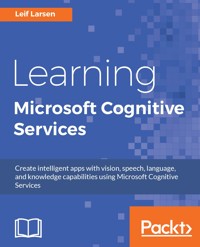
Take your app development to the next level with Learning Microsoft Cognitive Services. Using Leif's knowledge of each of the powerful APIs, you'll learn how to create smarter apps with more human-like capabilities. ? Discover what each API has to offer and learn how to add it to your app ? Study each AI using theory and practical examples ? Learn current API best practices
Das E-Book können Sie in Legimi-Apps oder einer beliebigen App lesen, die das folgende Format unterstützen:
Seitenzahl: 351
Veröffentlichungsjahr: 2017
Ähnliche


















Table of Contents
Learning Microsoft Cognitive Services
Learning Microsoft Cognitive Services
Copyright © 2017 Packt Publishing
All rights reserved. No part of this book may be reproduced, stored in a retrieval system, or transmitted in any form or by any means, without the prior written permission of the publisher, except in the case of brief quotations embedded in critical articles or reviews.
Every effort has been made in the preparation of this book to ensure the accuracy of the information presented. However, the information contained in this book is sold without warranty, either express or implied. Neither the author, nor Packt Publishing, and its dealers and distributors will be held liable for any damages caused or alleged to be caused directly or indirectly by this book.
Packt Publishing has endeavored to provide trademark information about all of the companies and products mentioned in this book by the appropriate use of capitals. However, Packt Publishing cannot guarantee the accuracy of this information.
First published: March 2017
Production reference: 1150317
Published by Packt Publishing Ltd.
Livery Place
35 Livery Street
Birmingham
B3 2PB, UK.
ISBN 978-1-78646-784-3
www.packtpub.com
Credits
Author
Leif Larsen
Copy Editor
Safis Editing
Reviewer
Abhishek Kumar
Project Coordinator
Vaidehi Sawant
Commissioning Editor
Wilson D'souza
Proofreader
Safis Editing
Acquisition Editor
Denim Pinto
Indexer
Mariammal Chettiyar
Content Development Editor
Rohit Kumar Singh
Graphics
Jason Monteiro
Technical Editor
Pavan Ramchandani
Production Coordinator
Arvindkumar Gupta
About the Author
Leif Henning Larsen is a software engineer based in Norway. After earning a degree in computer engineering, he went on to work with the design and configuration of industrial control systems, for the most part, in the oil and gas industry. Over the last few years, he has worked as a developer, developing and maintaining geographical information systems, working with .NET technology. In his spare time, he develops mobile apps and explores new technologies to keep up with a high-paced tech world.
You can find out more about him by checking his blog (http://blog.leiflarsen.org/) and following him on Twitter (https://twitter.com/leif_larsen) and LinkedIn (https://www.linkedin.com/in/lhlarsen).
Writing a book requires a lot of work from a team of people. I would like to give a huge thanks to the team at Packt Publishing, who have helped make this book a reality. Specifically, I would like to thank Rohit Kumar Singh, for excellent guidance and feedback for each chapter, and Denim Pinto, for proposing the book and guiding me through the start. I also need to direct a thanks to Abhishek Kumar for providing good technical feedback.
Also, I would like to say thanks to my friends and colleagues who have been supportive and patient when I have not been able to give them as much time as they deserve.
Thanks to my mom and my dad for always supporting me.
Thanks to my sister, Susanne, and my friend Steffen for providing me with ideas from the start, and images where needed.
I need to thank John Sonmez and his great work, without which, I probably would not have got the chance to write this book.
Last, and most importantly, I would like to thank my girlfriend, Miriam, for always supporting me through this process, for pushing me to work when I was stuck, and being there when I needed time off. I could not have done this without her.
About the Reviewer
Abhishek Kumar works as a consultant with Datacom, New Zealand, with more than 9 years of experience in the field of designing, building, and implementing Microsoft Solution. He is a coauthor of the book Robust Cloud Integration with Azure, Packt Publishing.
Abhishek is a Microsoft Azure MVP and has worked with multiple clients worldwide on modern integration strategies and solutions. He started his career in India with Tata Consultancy Services before taking up multiple roles as consultant at Cognizant Technology Services and Robert Bosch GmbH.
He has published several articles on modern integration strategy over the Web and Microsoft TechNet wiki. His areas of interest include technologies such as Logic Apps, API Apps, Azure Functions, Cognitive Services, PowerBI, and Microsoft BizTalk Server.
His Twitter username is @Abhishekcskumar.
I would like to thank the people close to my heart, my mom, dad, and elder bothers, Suyasham and Anket, for the their continuous support in all phases of life.
I would also like to take this opportunity to thank Datacom and my manager, Brett Atkins, to for their guidance and support throughout our write-up journey.
www.PacktPub.com
For support files and downloads related to your book, please visit www.PacktPub.com.
Did you know that Packt offers eBook versions of every book published, with PDF and ePub files available? You can upgrade to the eBook version at www.PacktPub.com and as a print book customer, you are entitled to a discount on the eBook copy. Get in touch with us at [email protected] for more details.
At www.PacktPub.com, you can also read a collection of free technical articles, sign up for a range of free newsletters and receive exclusive discounts and offers on Packt books and eBooks.
https://www.packtpub.com/mapt
Get the most in-demand software skills with Mapt. Mapt gives you full access to all Packt books and video courses, as well as industry-leading tools to help you plan your personal development and advance your career.
Why subscribe?
Customer Feedback
Thanks for purchasing this Packt book. At Packt, quality is at the heart of our editorial process. To help us improve, please leave us an honest review on this book's Amazon page at https://www.amazon.com/dp/1786467844.
If you'd like to join our team of regular reviewers, you can e-mail us at [email protected]. We award our regular reviewers with free eBooks and videos in exchange for their valuable feedback. Help us be relentless in improving our products!
Preface
Artificial intelligence and machine learning are complex topics, and adding such features to applications has historically required a lot of processing power, not to mention tremendous amounts of learning. The introduction of Microsoft Cognitive Service gives developers the possibility to add these features with ease. It allows us to make smarter and more human-like applications.
This book aims to teach you how to utilize the APIs from Microsoft Cognitive Services. You will learn what each API has to offer and how you can add it to your application. We will see what the different API calls expect in terms of input data and what you can expect in return. Most of the APIs in this book are covered with both theory and practical examples.
This book has been written to help you get started. It focuses on showing how to use Microsoft Cognitive Service, keeping current best practices in mind. It is not intended to show advanced use cases, but to give you a starting point to start playing with the APIs yourself.
What this book covers
Chapter 1, Getting Started with Microsoft Cognitive Services, introduces Microsoft Cognitive Services by describing what it offers and providing some basic examples.
Chapter 2, Analyzing Images to Recognize a Face, covers most of the image APIs, introducing face recognition and identification, image analysis, optical character recognition, and more.
Chapter 3, Analyzing Videos, introduces emotion analysis and a variety of video operations.
Chapter 4, Letting Applications Understand Commands, goes deep into setting up Language Understanding Intelligent Service (LUIS) to allow your application to understand the end users' intents.
Chapter 5,Speak with Your Application, dives into different speech APIs, covering text-to-speech and speech-to-text conversions, speaker recognition and identification, and recognizing custom speaking styles and environments.
Chapter 6, Understanding Text, covers a different way to analyze text, utilizing powerful linguistic analysis tools, web language models and much more.
Chapter 7, Extending Knowledge Based on Context, introduces entity linking based on the context. In addition, it moves more into e-commerce, where it covers the Recommendation API.
Chapter 8, Querying Structured Data in a Natural Way, deals with the exploration of academic papers and journals. Through this chapter, we look into how to use the Academic API and set up a similar service ourselves.
Chapter 9, Adding Specialized Search, takes a deep dive into the different search APIs from Bing. This includes news, web, image, and video search as well as auto suggestions.
Chapter 10, Connecting the Pieces, ties several APIs together and concludes the book by looking at some natural steps from here.
Appendix A, LUIS Entities and Intents, presents a complete list of all pre-built LUIS entities and intents.
Appendix B, Additional Information on Linguistic Analysis, presents a complete list of part-of-speech tags and phrase types.
Appendix C, License Information, presents relevant license information for all third-party libraries used in the example code.
What you need for this book
To follow the examples in this book you will need Visual Studio 2015 Community Edition or later. You will also need a working Internet connection and a subscription to Microsoft Azure; a trial subscriptions is OK too.
To get the full experience of the examples, you should have access to a web camera and have speakers and a microphone connected to the computer; however, neither is mandatory.
Who this book is for
This book is for .NET developers with some programming experience. It is assumed that you know how to do basic programming tasks as well as how to navigate in Visual Studio. No prior knowledge of artificial intelligence or machine learning is required to follow this book.
It is beneficial, but not required, to understand how web requests work.
Reader feedback
Feedback from our readers is always welcome. Let us know what you think about this book-what you liked or disliked. Reader feedback is important for us as it helps us develop titles that you will really get the most out of. To send us general feedback, simply e-mail [email protected], and mention the book's title in the subject of your message. If there is a topic that you have expertise in and you are interested in either writing or contributing to a book, see our author guide at www.packtpub.com/authors.
Customer support
Now that you are the proud owner of a Packt book, we have a number of things to help you to get the most from your purchase.
Downloading the example code
You can download the example code files for this book from your account at http://www.packtpub.com. If you purchased this book elsewhere, you can visit http://www.packtpub.com/support and register to have the files e-mailed directly to you.
You can download the code files by following these steps:
Once the file is downloaded, please make sure that you unzip or extract the folder using the latest version of:
The code bundle for the book is also hosted on GitHub at https://github.com/PacktPublishing/Learning-Microsoft-Cognitive-Services. We also have other code bundles from our rich catalog of books and videos available at https://github.com/PacktPublishing/. Check them out!
Downloading the color images of this book
We also provide you with a PDF file that has color images of the screenshots/diagrams used in this book. The color images will help you better understand the changes in the output. You can download this file from https://www.packtpub.com/sites/default/files/downloads/LearningMicrosoftCognitiveServices_ColorImages.pdf.
Errata
Although we have taken every care to ensure the accuracy of our content, mistakes do happen. If you find a mistake in one of our books-maybe a mistake in the text or the code-we would be grateful if you could report this to us. By doing so, you can save other readers from frustration and help us improve subsequent versions of this book. If you find any errata, please report them by visiting http://www.packtpub.com/submit-errata, selecting your book, clicking on the Errata Submission Form link, and entering the details of your errata. Once your errata are verified, your submission will be accepted and the errata will be uploaded to our website or added to any list of existing errata under the Errata section of that title.
To view the previously submitted errata, go to https://www.packtpub.com/books/content/support and enter the name of the book in the search field. The required information will appear under the Errata section.
Piracy
Piracy of copyrighted material on the Internet is an ongoing problem across all media. At Packt, we take the protection of our copyright and licenses very seriously. If you come across any illegal copies of our works in any form on the Internet, please provide us with the location address or website name immediately so that we can pursue a remedy.
Please contact us at [email protected] with a link to the suspected pirated material.
We appreciate your help in protecting our authors and our ability to bring you valuable content.
Questions
If you have a problem with any aspect of this book, you can contact us at [email protected], and we will do our best to address the problem.
Chapter 1. Getting Started with Microsoft Cognitive Services
You have just started on the road to learn about Microsoft Cognitive Services. This chapter will serve as a gentle introduction to the services. The end goal is to understand a bit more about what these cognitive APIs can do for you. By the end of this chapter, we will have created an easy-to-use project template. You will have learned how to detect faces in images, and have the number of faces spoken back to you.
Throughout this chapter, we will cover the following topics:
Cognitive Services in action for fun and life changing purposes
The best way to introduce Microsoft Cognitive Services is to see how it can be used in action. Microsoft, and others, has created a lot of example applications, to show off the capabilities. Several may be seen as silly, such as the How-Old.net (http://how-old.net/) image analysis and the what if I were that person application. These applications have generated quite some buzz, and they show off some of the APIs in a good way.
The one demonstration that is truly inspiring though, is the one featuring a visually impaired person. Talking computers inspired him to create an application to allow blind and visually impaired people to understand what is going on around them. The application has been built upon Microsoft Cognitive Services. It gives a good idea of how the APIs can be used to change the world, for the better. Before moving on, head over to https://www.youtube.com/watch?v=R2mC-NUAmMk and take a peek into the world of Microsoft Cognitive Services.
Overview of what we are dealing with
Now that you have seen a basic example of how to detect faces, it is time to learn a bit about what else Cognitive Services can do for you. When using Cognitive Services, you have 21 different APIs to hand. These are in turn separated into five top-level domains according to what they do. They are vision, speech, language, knowledge, and search. Let's look at more about them in the following sections.
Vision
APIs under the Vision flags allows your apps to understand images and video content. It allows you to retrieve information about faces, feelings, and other visual content. You can stabilize videos and recognize celebrities. You can read text in images and generate thumbnails from videos and images.
There are four APIs contained in the Vision area, which we will look at now.
Computer Vision
Using the Computer Vision API, you can retrieve actionable information from images. This means you can identify content (such as image format, image size, colors, faces, and more). You can detect whether or not an image is adult/racy. This API can recognize text in images and extract it to machine-readable words. It can detect celebrities from a variety of areas. Lastly it can generate storage-efficient thumbnails with smart cropping functionality.
We will look into Computer Vision in Chapter 2, Analyzing Images to Recognize a Face.
Emotion
The Emotion API allows you to recognize emotions, both in images and videos. This can allow for more personalized experiences in applications. Emotions detected are cross-cultural emotions: anger, contempt, disgust, fear, happiness, neutral, sadness, and surprise.
We will cover Emotion API over two chapters, Chapter 2, Analyzing Images to Recognize a Face, for image-based emotions, and Chapter 3, Analyzing Videos, for video-based emotions.
Face
We have already seen the very basic example of what the Face API can do. The rest of the API revolves around the same, to detect, identify, organize, and tag faces in photos. Apart from face detection, you can see how likely it is that two faces belong to the same person. You can identify faces and also find similar-looking faces.
We will dive further into Face API in Chapter 2, Analyzing Images to Recognize a Face.
Video
The Video API is about the analyzing, editing, and processing of videos in your app. If you have a video that is shaky, the API allows you to stabilize it. You can detect and track faces in videos. If a video contains a stationary background, you can detect motion. The API lets you generate thumbnail summaries for videos, which allows users to see previews or snapshots quickly.
Video will be covered throughout Chapter 3, Analyzing Videos.
Speech
Adding one of the Speech APIs allows your application to hear and speak to your users. The APIs can filter noise and identify speakers. They can drive further actions in your application, based on the recognized intent.
Speech contains three APIs that are discussed as follows.
Bing Speech
Adding the Bing Speech




