


39,59 €
Mehr erfahren.
- Herausgeber: Packt Publishing
- Kategorie: Fachliteratur
- Sprache: Englisch
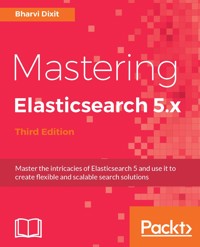
Elasticsearch is a modern, fast, distributed, scalable, fault tolerant, and open source search and analytics engine. Elasticsearch leverages the capabilities of Apache Lucene, and provides a new level of control over how you can index and search even huge sets of data.
This book will give you a brief recap of the basics and also introduce you to the new features of Elasticsearch 5. We will guide you through the intermediate and advanced functionalities of Elasticsearch, such as querying, indexing, searching, and modifying data. We’ll also explore advanced concepts, including aggregation, index control, sharding, replication, and clustering.
We’ll show you the modules of monitoring and administration available in Elasticsearch, and will also cover backup and recovery. You will get an understanding of how you can scale your Elasticsearch cluster to contextualize it and improve its performance. We’ll also show you how you can create your own analysis plugin in Elasticsearch.
By the end of the book, you will have all the knowledge necessary to master Elasticsearch and put it to efficient use.
Das E-Book können Sie in Legimi-Apps oder einer beliebigen App lesen, die das folgende Format unterstützen:
Veröffentlichungsjahr: 2017
Ähnliche

















Table of Contents
Mastering Elasticsearch 5.x - Third Edition
Mastering Elasticsearch 5.x - Third Edition
Copyright © 2017 Packt Publishing
All rights reserved. No part of this book may be reproduced, stored in a retrieval system, or transmitted in any form or by any means, without the prior written permission of the publisher, except in the case of brief quotations embedded in critical articles or reviews.
Every effort has been made in the preparation of this book to ensure the accuracy of the information presented. However, the information contained in this book is sold without warranty, either express or implied. Neither the author, nor Packt Publishing, and its dealers and distributors will be held liable for any damages caused or alleged to be caused directly or indirectly by this book.
Packt Publishing has endeavored to provide trademark information about all of the companies and products mentioned in this book by the appropriate use of capitals. However, Packt Publishing cannot guarantee the accuracy of this information.
First published: October 2013
Second edition: February 2015
Third edition: February 2017
Production reference: 1160217
Published by Packt Publishing Ltd.
Livery Place
35 Livery Street
Birmingham
B3 2PB, UK.
ISBN 978-1-78646-018-9
www.packtpub.com
Credits
Author
Bharvi Dixit
Copy Editor
Safis Editing
Reviewer
Marcelo Ochoa
Project Coordinator
Nidhi Joshi
Commissioning Editor
Amey Varangaonkar
Proofreader
Safis Editing
Acquisition Editor
Divya Poojari
Indexer
Tejal Daruwale Soni
Content Development Editor
Cheryl Dsa
Graphics
Tania Dutta
Technical Editor
Prasad Ramesh
Production Coordinator
Nilesh Mohite
About the Author
Bharvi Dixit is an IT professional with extensive experience of working on search servers, NoSQL databases, and cloud services. He holds a master's degree in computer science and is currently working with Sentieo, a USA-based financial data and equity research platform, where he leads the overall platform and architecture of the company spanning across hundreds of servers. At Sentieo, he also plays a key role in the search and data team.
He is also the organizer of Delhi's Elasticsearch Meetup Group, where he speaks about Elasticsearch and Lucene and is continuously building the community around these technologies.
Bharvi also works as a freelance Elasticsearch consultant and has helped more than half a dozen organizations adapt Elasticsearch to solve their complex search problems around different use cases, such as creating search solutions for big data-automated intelligence platforms in the area of counter-terrorism and risk management, as well as in other domains, such as recruitment, e-commerce, finance, social search, and log monitoring.
He has a keen interest in creating scalable backend platforms. His other areas of interests are search engineering, data analytics, and distributed computing. Java and Python are the primary languages in which he loves to write code. He has also built a proprietary software for consultancy firms.
In 2013, he started working on Lucene and Elasticsearch, and in 2016, he authored his first book, Elasticsearch Essentials, which was published by Packt. He has also worked as a technical reviewer for the book Learning Kibana 5.0 by Packt.
You can connect with him on LinkedIn at https://in.linkedin.com/in/bharvidixit or can follow him on Twitter @d_bharvi.
Acknowledgements
This is my second book on Elasticsearch, and I am really fascinated by the love and feedback I got from the readers of my first book, Elasticsearch Essentials. The book you are holding covers Elasticsearch 5.x, the release of Elasticsearch that brings a whole lot of features and improvements to this great search server. Hopefully, after reading this book, you will not only get to know the underlying architecture of Lucene and Elasticsearch, but also posses a command over many advanced concepts, such as scripting, improving cluster performance, writing custom Java-based plugins, and many more.
Now it is time to say thank you.
I would like to thank my family for their continuous support, especially my brother, Patanjali Dixit, who has been a pillar of strength for me at each step throughout my career. I extend my big thanks to Lavleen for the love, support, and encouragement she gave during all those days when I was busy writing this book or solving complex problems at work.
I would like to extend my thanks to the Packt team working on this book, including our technical reviewer. Without their incredible support, the book wouldn't have been as great as it is now.
I would also like to thank all the people I'm working with at Sentieo for all their love and for creating a culture that helps make work more fun. At Sentieo, I extend my special thanks to Atul Shah, who always inspired me to go into the intricacies of Lucene and Elasticsearch and solve some really complex problems using these technologies.
Finally, thanks to Shay Banon for creating Elasticsearch and to all the people who contributed to the libraries and modules published around this project.
Once again, thank you.
About the Reviewer
Marcelo Ochoa works at the system laboratory of Facultad de Ciencias Exactas of the Universidad Nacional del Centro de la Provincia de Buenos Aires and is the CTO at scotas, a company that specializes in near real-time search solutions using Apache Solr and Oracle. He divides his time between university jobs and external projects related to Oracle and big data technologies. He has worked on several Oracle-related projects, such as the translation of Oracle manuals and multimedia CBTs. His background is in database, network, web, and Java technologies. In the XML world, he is known as the developer of the DB Generator for the Apache Cocoon project. He has worked on open source projects such as DBPrism and DBPrism CMS, the Lucene-Oracle integration using the Oracle JVM Directory implementation, and the Restlet.org project, where he worked on the Oracle XDB Restlet Adapter, which is an alternative to writing native REST web services inside a database resident JVM. Since 2006, he has been part of an Oracle ACE program. Oracle ACEs are known for their strong credentials as Oracle community enthusiasts and advocates, with candidates nominated by ACEs in the Oracle technology and applications communities. He has coauthored Oracle Database Programming using Java and Web Services by Digital Press and Professional XML Databases by Wrox Press, and has worked as a technical reviewer for several Packt books, such as Apache Solr 4 Cookbook, ElasticSearch Server, and others.
www.PacktPub.com
For support files and downloads related to your book, please visit www.PacktPub.com.
Did you know that Packt offers eBook versions of every book published, with PDF and ePub files available? You can upgrade to the eBook version at www.PacktPub.com and as a print book customer, you are entitled to a discount on the eBook copy. Get in touch with us at [email protected] for more details.
At www.PacktPub.com, you can also read a collection of free technical articles, sign up for a range of free newsletters and receive exclusive discounts and offers on Packt books and eBooks.
https://www.packtpub.com/mapt
Get the most in-demand software skills with Mapt. Mapt gives you full access to all Packt books and video courses, as well as industry-leading tools to help you plan your personal development and advance your career.
Why subscribe?
Customer Feedback
Thanks for purchasing this Packt book. At Packt, quality is at the heart of our editorial process. To help us improve, please leave us an honest review on this book's Amazon page at https://www.amazon.com/dp/1786460181.
If you'd like to join our team of regular reviewers, you can e-mail us at [email protected]. We award our regular reviewers with free eBooks and videos in exchange for their valuable feedback. Help us be relentless in improving our products!
Preface
Welcome to the world of Elasticsearch and Mastering Elasticsearch 5.x, Third Edition. While reading the book, you'll be taken through different topics—all connected to Elasticsearch. Please remember though that this book is not meant for beginners, and we really treat the book as a follow-up to Mastering Elasticsearch 5.x, Second Edition, which was based on Elasticsearch version 1.4.x. There is a lot of new content in the book since Elasticsearch has gone through many changes between versions 1.x and 5.x.
Throughout the book, we will discuss different topics related to Elasticsearch and Lucene. We start with an introduction to the world of Lucene and Elasticsearch to introduce you to the world of queries provided by Elasticsearch, where we discuss different topics related to queries, such as filtering and which query to choose in a particular situation. Of course, querying is not everything, and because of that, the book you are holding in your hands provides information on newly introduced aggregations and features that will help you give meaning to the data you have indexed in Elasticsearch indices and provide a better search experience for your users.
We have also decided to cover the approaches of data modeling and handling relational data in Elasticsearch along with taking you through the scripting module of Elasticsearch and show some examples of using the latest default scripting language, Painless.
Even though, for most users, querying and data analysis are the most interesting parts of Elasticsearch, they are not all that we need to discuss. Because of this, the book tries to bring you additional information when it comes to index architecture, such as choosing the right number of shards and replicas, adjusting the shard allocation behavior, and so on. We will also get into places where Elasticsearch meets Lucene, and we will discuss topics such as different scoring algorithms, choosing the right store mechanism, what the differences between them are, and why choosing the proper one matters.
Last but not least, we touch on the administration part of Elasticsearch by discussing discovery and recovery modules and the human-friendly cat API, which allows us to very quickly get relevant administrative information in a form that most humans should be able to read without parsing JSON responses. We also talk about ingest nodes, which allow you to preprocess data within Elasticsearch before indexing takes place and use tribe nodes, giving the ability to create federated searches across many nodes.
Because of the title of the book, we couldn't omit performance-related topics, and we decided to dedicate a whole chapter to it.
Just as with the second edition of the book, we decided to include a chapter dedicated to development of Elasticsearch plugins, showing you how to set up the Apache Maven project and develop two types of plugins—custom REST action and custom analysis.
At the end, we have included one chapter discussing the components of the complete Elastic Stack, and you should get a great overview of how to start with tools such as Logstash, Kibana, and Beats after reading the chapter.
If you think that you are interested in these topics after reading about them, we think this is a book for you, and hopefully, you will like the book after reading the last words of the summary in Chapter 12, Introducing Elastic Stack 5.0.
What this book covers
Chapter 1, Revisiting Elasticsearch and the Changes, guides you through how Apache Lucene works and will introduce you to Elasticsearch 5.x, describing the basic concepts and showing you the important changes in Elasticsearch from version 1.x to 5.x.
Chapter 2, The Improved Query DSL, describes the new default scoring algorithm, BM25, and how it would be better than the previous TF-IDF algorithm. In addition to that, it explains various Elasticsearch features, such as query rewriting, query templates, changes in query modules, and various queries to choose from in a given scenario.
Chapter 3, Beyond Full Text Search, describes queries about rescoring, multimatching control, and function score queries. In addition to that, this chapter covers the scripting module of Elasticsearch.
Chapter 4, Data Modeling and Analytics, discusses different approaches of data modeling in Elasticsearch and also covers how to handle relationships among documents using parent-child and nested data types, along with focusing on practical considerations. It further discusses the aggregation module of Elasticsearch for the purpose of data analytics.
Chapter 5, Improving the User Search Experience, focuses on topics for improving the user search experience using suggesters, which allows you to correct user-query spelling mistakes and build efficient autocomplete mechanisms. In addition to that, it covers how to improve query relevance and how to use synonyms to search.
Chapter 6, The Index Distribution Architecture, covers techniques for choosing the right amount of shards and replicas, how routing works, how shard allocation works, and how to alter its behavior. In addition to that, we discuss what query execution preference is and how it allows us to choose where the queries are going to be executed.
Chapter 7, Low-Level Index Control, describes how to alter Apache Lucene scoring and how to choose an alternative scoring algorithm. It also covers NRT searching and indexing and transaction log usage and allows you to understand segment merging and tune it for your use case along with the details about removed merge policies inside Elasticsearch 5.x. At the end of the chapter, you will also find information about IO throttling and Elasticsearch caching.
Chapter 8, Elasticsearch Administration, focuses on concepts related to administering Elasticsearch. It describes what the discovery, gateway, and recovery modules are, how to configure them, and why you should bother. We also describe what the cat API is and how to back up and restore your data to different cloud services (such as Amazon AWS and Microsoft Azure).
Chapter 9, Data Transformation and Federated Search, covers the latest feature of Elasticsearch 5, that is ingest node, which allows us to preprocess data into the Elasticsearch cluster itself before indexing. It further tells us about how federated search works with different clusters using tribe nodes.
Chapter 10, Improving Performance, discusses Elasticsearch performance improvements under different loads and what the right way of scaling production clusters is, along with covering the insights into garbage collections and hot threads issues and how to deal with them. It further covers query profiling and query benchmarking. In the end, it explains the general Elasticsearch cluster tuning advice under high query rate scenarios versus high indexing throughput scenarios.
Chapter 11, Developing Elasticsearch Plugins, covers Elasticsearch plugins' development by showing and describing in depth how to write your own REST action and language analysis plugin.
Chapter 12, Introducing Elastic Stack 5.0, introduces you to the components of Elastic Stack 5.0, covering Elasticsearch, Logstash, Kibana, and Beats.
What you need for this book
This book was written using Elasticsearch 5.0.x, and all the examples and functions should work with it. In addition to that, you'll need a command-line tool that allows you to send HTTP requests such as curl, which are available for most operating systems. Please note that all examples in this book use the mentioned curl tool. If you want to use another tool, please remember to format the request in an appropriate way that is understood by the tool of your choice.
In addition to that, to run examples in Chapter 11, Developing Elasticsearch Plugins, you will need a Java Development Kit (JDK) Version 1.8.0_73 and above installed and an editor that will allow you to develop your code (or a Java IDE such as Eclipse). To build the code and manage dependencies in Chapter 11, Developing Elasticsearch Plugins, we are using Apache Maven.
The last chapter of this book has been written using Elastic Stack 5.0.0, so you will need to have Logstash, Kibana, and Metricbeat, all comprising the same version.
Who this book is for
This book was written for Elasticsearch users and enthusiasts who are already familiar with the basic concepts of this great search server and want to extend their knowledge of Elasticsearch. It also covers topics such as how Apache Lucene or Elasticsearch works, along with getting aware of the changes from Elasticsearch 1.x to 5.x. In addition to that, readers who want to see how to improve their query relevancy and learn how to extend Elasticsearch with their own plugin may find this book interesting and useful.
If you are new to Elasticsearch and you are not familiar with basic concepts, such as querying and data indexing, you may find it a little difficult to use this book as most of the chapters assume that you have this knowledge already.
Conventions
In this book, you will find a number of styles of text that distinguish between different kinds of information. Here are some examples of these styles, and an explanation of their meaning.
Code words in text are shown as follows: "but not the Elasticsearch term in the document field"
A block of code is set as follows:
public class CustomRestActionPlugin extends Plugin implements ActionPlugin { @Override public List<Class<? extends RestHandler>> getRestHandlers() { return Collections.singletonList(CustomRestAction.class); } }When we wish to draw your attention to a particular part of a code block, the relevant lines or items are set in bold:
curl -XGET 'localhost:9200/clients/_search?pretty' -d '{ "query" : { "prefix" : { "name" : { "prefix" : "j", "rewrite" : "constant_score_boolean" } } } }'Any command-line input or output is written as follows:
curl -XPUT 'localhost:9200/mastering_meta/_settings' -d '{ "index" : { "auto_expand_replicas" : "0-all" }}New terms and important words are shown in bold. Words that you see on the screen, for example, in menus or dialog boxes, appear in the text like this: "field and hit the Create button"
Note
Warnings or important notes appear in a box like this.
Tip
Tips and tricks appear like this.
Reader feedback
Feedback from our readers is always welcome. Let us know what you think about this book-what you liked or disliked. Reader feedback is important for us as it helps us develop titles that you will really get the most out of.
To send us general feedback, simply e-mail [email protected], and mention the book's title in the subject of your message.
If there is a topic that you have expertise in and you are interested in either writing or contributing to a book, see our author guide at www.packtpub.com/authors.
Customer support
Now that you are the proud owner of a Packt book, we have a number of things to help you to get the most from your purchase.
Downloading the example code
You can download the example code files for this book from your account at http://www.packtpub.com. If you purchased this book elsewhere, you can visit http://www.packtpub.com/support and register to have the files e-mailed directly to you.
You can download the code files by following these steps:
Once the file is downloaded, please make sure that you unzip or extract the folder using the latest version of:
The code bundle for the book is also hosted on GitHub at https://github.com/PacktPublishing/Mastering-ElasticSearch-5.x-Third-Edition. We also have other code bundles from our rich catalog of books and videos available at https://github.com/PacktPublishing/. Check them out!
Downloading the color images of this book
We also provide you with a PDF file that has color images of the screenshots/diagrams used in this book. The color images will help you better understand the changes in the output. You can download this file from https://www.packtpub.com/sites/default/files/downloads/MasteringElasticSearch5dotxThirdEdition_ColorImages.pdf.
Errata
Although we have taken every care to ensure the accuracy of our content, mistakes do happen. If you find a mistake in one of our books-maybe a mistake in the text or the code-we would be grateful if you could report this to us. By doing so, you can save other readers from frustration and help us improve subsequent versions of this book. If you find any errata, please report them by visiting http://www.packtpub.com/submit-errata, selecting your book, clicking on the Errata Submission Form link, and entering the details of your errata. Once your errata are verified, your submission will be accepted and the errata will be uploaded to our website or added to any list of existing errata under the Errata section of that title.
To view the previously submitted errata, go to https://www.packtpub.com/books/content/support and enter the name of the book in the search field. The required information will appear under the Errata section.
Piracy
Piracy of copyrighted material on the Internet is an ongoing problem across all media. At Packt, we take the protection of our copyright and licenses very seriously. If you come across any illegal copies of our works in any form on the Internet, please provide us with the location address or website name immediately so that we can pursue a remedy.
Please contact us at [email protected] with a link to the suspected pirated material.
We appreciate your help in protecting our authors and our ability to bring you valuable content.
Questions
If you have a problem with any aspect of this book, you can contact us at [email protected], and we will do our best to address the problem.
Chapter 1. Revisiting Elasticsearch and the Changes
Welcome to Mastering Elasticsearch 5.x, Third Edition. Elasticsearch has progressed rapidly from version 1.x, released in 2014, to version 5.x, released in 2016. During the two-and-a-half-year period since 1.0.0, adoption has skyrocketed, and both vendors and the community have committed bug-fixes, interoperability enhancements, and rich feature upgrades to ensure Elasticsearch remains the most popular NoSQL storage, indexing, and search utility for both structured and unstructured documents, as well as gaining popularity as a log analysis tool as part of the Elastic Stack.
We treat Mastering Elasticsearch as a book that will systematize your knowledge about Elasticsearch, and extend it by showing some examples of how to leverage your knowledge in certain situations. If you are looking for a book that will help you start your journey into the world of Elasticsearch, please take a look at Elasticsearch Essentials, also published by Packt.
Before going further into the book, we assume that you already know the basic concepts of Elasticsearch for performing operations such as how to index documents, how to send queries to get the documents you are interested in, how to narrow down the results of your queries by using filters, and how to calculate statistics for your data with the use of the aggregation mechanism. However, before getting to the exciting functionality that Elasticsearch offers, we think we should start with a quick overview of Apache Lucene, which is a full text search library that Elasticsearch uses to build and search its indices. We also need to make sure that we understand Lucene correctly, as Mastering Elasticsearch requires this understanding. By the end of this chapter, we will have covered the following topics:
An overview of Lucene
In order to fully understand how Elasticsearch works, especially when it comes to indexing and query processing, it is crucial to understand how the Apache Lucene library works. Under the hood, Elasticsearch uses Lucene to handle document indexing. The same library is also used to perform a search against the indexed documents. In the next few pages, we will try to show you the basics of Apache Lucene, just in case you've never used it.
Lucene is a mature, open source, highly performing, scalable, light and, yet, very powerful library written in Java. Its core comes as a single file of the Java library with no dependencies, and allows you to index documents and search them with its out-of-the-box full text search capabilities. Of course, there are extensions to Apache Lucene that allow different language handling, and enable spellchecking, highlighting, and much more, but if you don't need those features, you can download a single file and use it in your application.
Getting deeper into the Lucene index
In order to fully understand Lucene, the following terminologies need to be understood first:
Inverted index
Apache Lucene writes all the information to the structure called the inverted index. It is a data structure that maps the terms in the index to the documents, not the other way round, as the relational database does. You can think of an inverted index as a data structure, where data is term oriented rather than document oriented.
Let's see how a simple inverted index can look. For example, let's assume that we have the documents with only the title field to be indexed, and they look like the following:
So, the index (in a very simple way) could be visualized as shown in the following table:
Term
Count
Document : Position
Elasticsearch
3
1:1, 2:2, 3:1
Essentials
1
3:2
Mastering
1
2:1
Server
1
1:2
As you can see, each term points to the number of documents it is present in, along with its position. This allows for a very efficient and fast search such as term-based queries. In addition to this, each term has a number connected to it: the count, telling Lucene how often it occurs.
Segments
Each index is divided into multiple write once and read many times segments. When indexing, after a single segment is written to disk, it can't be updated. For example, the information about deleted documents is stored in a separate file, but the segment itself is not updated.
However, multiple segments can be merged together in a process called segments merge. After forcing, segments are merged, or after Lucene decides it is time for merging to be performed, segments are merged together by Lucene to create larger ones. This can be I/O demanding; however, it is needed to clean up some information because during that time some information that is not needed anymore is deleted; for example, the deleted documents. In addition to this, searching with the use of one larger segment is faster than searching against multiple smaller ones holding the same data.
Of course, the actual index created by Lucene is much more complicated and advanced, and consists of more than the terms, their counts, and documents, in which they are present. We would like to tell you about a few of these additional index pieces because even though they are internal, it is usually good to know about them, as they can be very useful.
Norms
A norm is a factor associated with each indexed document and stores normalization factors used to compute the score relative to the query. Norms are computed on the basis of index time boosts and are indexed along with the documents. With the use of norms, Lucene is able to provide an index time-boosting functionality at the cost of a certain amount of additional space needed for norms indexation and some amount of additional memory.
Term vectors
Term vectors are small inverted indices per document. They consist of pairs-a term and its frequency-and can optionally include information about the term position. By default, Lucene and Elasticsearch don't enable term vectors indexing, but some functionalities, such as the fast vector highlighting, require them to be present.
Posting formats
With the release of Lucene 4.0, the library introduced the so-called codec architecture, giving developers control over how the index files are written onto the disk. One of the parts of the index is the posting format, which stores fields, terms, documents, term positions and offsets, and, finally, the payloads (a byte array stored at an arbitrary position in the Lucene index, which can contain any information we want). Lucene contains different posting formats for different purposes; for example; one that is optimized for high cardinality fields such as the unique identifier.
Doc values
As we have already mentioned, the Lucene index is the so-called inverted index. However, for certain features, such as aggregations, such an architecture is not the best one. The mentioned functionality operates on the document level and not the term level because Elasticsearch needs to uninvert the index before calculations can be done. Because of that, doc values were introduced and an additional structure was used for sorting and aggregations. The doc values store uninverted data for a field that they are turned on for. Both Lucene and Elasticsearch allow us to configure the implementation used to store them, giving us the possibility of memory-based doc values, disk-based doc values, and a combination of the two. Doc values are default in Elasticsearch since the 2.x release.
Document analysis
When we index a document into Elasticsearch, it goes through an analysis phase which is necessary in order to create the inverted indexes. It is a series of steps performed by Lucene which are depicted in following image:
Analysis is done by the analyzer, which is built of a tokenizer and zero or more filters, and can also have zero or more character filters.
A tokenizer in Lucene is used to divide the text into tokens, which are basically terms with additional information, such as its position in the original text and its length. The result of the tokenizer work is a so-called token stream, where the tokens are put one by one and are ready to be processed by filters.
Apart from the tokenizer, the Lucene analyzer is built of zero or more filters that are used to process tokens in the token stream. For example, it can remove tokens from the stream, change them, or even produce new ones. There are numerous filters and you can easily create new ones. Some examples of filters are as follows:
Filters are processed one after another, so we have almost unlimited analysis possibilities with adding multiple filters one after another.
The last thing is the character filtering, which is used before the tokenizer and is responsible for processing text before any analysis is done. One of the examples of the character filter is the HTML tags removal process.
This analysis phase is applied during query time also. However, you can also choose the other path and not analyze your queries. This is crucial to remember because some of the Elasticsearch queries are being analyzed and some are not. For example, the prefix query is not analyzed and the match query is analyzed.
What you should remember about indexing and querying analysis is that the index should be matched by the query term. If they don't match, Lucene won't return the desired documents. For example, if you are using stemming and lowercasing during indexing, you need to be sure that the terms in the query are also lowercased and stemmed, or your queries will return no results at all.
Basics of the Lucene query language
Some of the query types provided by Elasticsearch support Apache Lucene query parser syntax. Because of this, it is crucial to understand the Lucene query language.
A query is divided by Apache Lucene into terms and operators. A term, in Lucene, can be a single word or a phrase (a group of words surrounded by double quote characters). If the query is set to be analyzed, the defined analyzer will be used on each of the terms that form the query.
A query can also contain Boolean operators that connect terms to each other forming clauses. The list of Boolean operators is as follows:
In addition to these, we may use the following operators:
When not specifying any of the previous operators, the default OR operator will be used.
In addition to all these, there is one more thing: you can use parentheses to group clauses together; for example, with something like the following query:
Elasticsearch AND (mastering OR book)Querying fields
Of course, just like in Elasticsearch, in Lucene all your data is stored in fields that build the document. In order to run a query against a field, you need to provide the field name, add the colon character, and provide the clause that should be run against that field. For example, if you would like to match documents with the term Elasticsearch in the title field, you would run the following query:
title:ElasticsearchYou can also group multiple clauses. For example, if you would like your query to match all the documents having the Elasticsearch term and the mastering book phrase in the title field, you could run a query like the following code:
title:(+Elasticsearch +"mastering book")The previous query can also be expressed in the following way:
+title:Elasticsearch +title:"mastering book"Term modifiers
In addition to the standard field query with a simple term or clause, Lucene allows us to modify the terms we pass in the query with modifiers. The most common modifiers, which you will be familiar with, are wildcards. There are two wildcards supported by Lucene, the ? and * terms. The first one will match any character and the second one will match multiple characters.
In addition to this, Lucene supports fuzzy and proximity searches with the use of the ~ character and an integer following it. When used with a single word term, it means that we want to search for terms that are similar to the one we've modified (the so-called fuzzy search). The integer after the ~ character specifies the maximum number of edits that can be done to consider the term similar. For example, if we would run a query, such as writer~2, both the terms writer and writers would be considered a match.
When the ~ character is used on a phrase, the integer number we provide is telling Lucene how much distance between the words is acceptable. For example, let's take the following query:
title:"mastering Elasticsearch"It would match the document with the title field containing mastering Elasticsearch, but not mastering book Elasticsearch. However, if we ran a query, such as title:"mastering Elasticsearch"~2, it would result in both example documents being matched.
We can also use boosting to increase our term importance by using the ^ character and providing a float number. Boosts lower than 1 would result in decreasing the document importance. Boosts higher than 1 would result in increasing the importance. The default boost value is 1. Please refer to the The changed default text scoring in Lucene - BM25 section in Chapter 2, The Improved Query DSL, for further information on what boosting is and how it is taken into consideration during document scoring.
In addition to all these, we can use square and curly brackets to allow range searching. For example, if we would like to run a range search on a numeric field, we could run the following query:
price:[10.00 TO 15.00]The preceding query would result in all documents with the price field between 10.00 and 15.00 inclusive.
In case of string-based fields, we also can run a range query; for example name:[Adam TO Adria].
The preceding query would result in all documents containing all the terms between Adam and Adria in the name field including them.
If you would like your range bound or bounds to be exclusive, use curly brackets instead of the square ones. For example, in order to find documents with the price field between 10.00 inclusive and 15.00 exclusive, we would run the following query:
price:[10.00 TO 15.00}If you would like your range bound from one side and not bound by the other, for example querying for documents with a price higher than 10.00, we would run the following query:
price:[10.00 TO *]Handling special characters
In case you want to search for one of the special characters (which are +, -, &&, ||, !, (, ), { }, [ ], ^, ", ~, *, ?, :, \, /), you need to escape it with the use of the backslash (\) character. For example, to search for the abc"efg term you need to do something like abc"efg.
An overview of Elasticsearch
Although we've said that we expect the reader to be familiar with Elasticsearch, we would really like to give you a short introduction to the concepts of this great search engine.
As you probably know, Elasticsearch is a distributed full text search and analytic engine that is built on top of Lucene to build search and analysis-oriented applications. It was originally started by Shay Banon and published in February 2010. Since then, it has rapidly gained popularity within just a few years and has become an important alternative to other open source and commercial solutions. It is one of the most downloaded open source projects.
The key concepts
There are a few concepts that come with Elasticsearch, and their understanding is crucial to fully understand how Elasticsearch works and operates:
Note
A shard can be either primary or secondary. A primary shard is the one where all the operations that change the index are directed. A secondary shard is the one that contains duplicate data of the primary shard and helps in quickly searching data as well as in high availability; in case the machine that holds the primary shard goes down, then the secondary shard becomes the primary shard automatically.
Working of Elasticsearch
Elasticsearch uses the zen discovery module for cluster formation. In 1.x, multicast was the default discovery used in Elasticsearch, but in 2.x unicast became the default discovery type. Although, multicast was available in Elasticsearch 2.x as a plugin. Multicast support has completely been removed from Elasticsearch 5.0
When an Elasticsearch node starts, it performs discovery and searches for the list of unicast hosts (master eligible nodes), which are configured in the elasticsearch.yml configuration file using the discovery.zen.ping.unicast.hosts parameter. By default, the default list of unicast hosts is ["127.0.0.1", "[::1]"] so that each node, when starting, does not form a cluster only with itself. We will have a detailed section on zen discovery and node configurations in Chapter 8, Elasticsearch Administration.
Introducing Elasticsearch 5.x
In 2015, Elasticsearch, after acquiring Kibana, Logstash, Beats, and Found, re-branded the company name as Elastic. According to Shay Banon, the name change is part of an initiative to better align the company with the broad solutions it provides: future products, and new innovations created by Elastic's massive community of developers and enterprises that utilize the ELK stack for everything from real-time search, to sophisticated analytics, to building modern data applications.
But having several products under one hood resulted in discord among them during the release process and started creating confusion for the users. This resulted in the ELK stack being renamed to Elastic Stack and the company decided to keep releasing all components of the Elastic Stack together. This is so that they will all share the same version number for all the products to keep speed with your deployments, simplify compatibility testing, and make it even easier for developers to add new functionality across the stack.
The very first GA release under Elastic stack is 5.0.0, which will be covered throughout this book. Further, Elasticsearch keeps pace with Lucene version releases to incorporate bug fixes and the latest features into Elasticsearch. Elasticsearch 5.0 is based on Lucene 6, which is a major release from Lucene with some awesome new features and a focus on improving the search speed. We will discuss Lucene 6 in upcoming chapters to let you know how Elasticsearch is going to have some awesome improvements, both from search and storage points of view.
Introducing new features in Elasticsearch
Elasticsearch 5.x has many improvements and has gone through a great refactoring, which caused removal/deprecation of some features. We will keep discussing the removed/improved/new features in upcoming chapters, but for now let's take an overview of the new and improved things in Elasticsearch.
New features in Elasticsearch 5.x
Following are some of the most important features introduced in Elasticsearch version 5.0:
Note
We will cover the ingest node and shrink API in detail under Chapter 9, Data Transformation and Federated Search.
New features in Elasticsearch 2.x
Apart from the features discussed just now, you can also benefit from all of the new features that came in Elasticsearch version 2.x. For those who have not had a look at the 2.x series, let's have a quick revamp of the new features which came with Elasticsearch under this series:




