


34,79 €
Mehr erfahren.
- Herausgeber: Packt Publishing
- Kategorie: Fachliteratur
- Sprache: Englisch
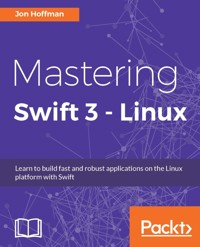
Swift is a modern, fast, and safe programming language created by Apple. Writing Swift is interactive and fun, the syntax is concise yet expressive, and the code runs lightning-fast. Swift’s move to open source has been embraced with open arms and has seen increased adoption in the Linux platform.
Our book will introduce you to the Swift language, further delving into all the key concepts you need to create applications for desktop, server, and embedded Linux platforms. We will teach you the best practices to design an application with Swift 3 via design patterns and Protocol-Oriented Programming.
Further on, you will learn how to catch and respond to errors within your application. When you have gained a strong knowledge of using Swift in Linux, we’ll show you how to build IoT and robotic projects using Swift on single board computers. By the end of the book, you will have a solid understanding of the Swift Language with Linux and will be able to create your own applications with ease.
Das E-Book können Sie in Legimi-Apps oder einer beliebigen App lesen, die das folgende Format unterstützen:
Seitenzahl: 517
Veröffentlichungsjahr: 2017
Ähnliche












Table of Contents
Mastering Swift 3 - Linux
Mastering Swift 3 - Linux
Copyright © 2017 Packt Publishing
All rights reserved. No part of this book may be reproduced, stored in a retrieval system, or transmitted in any form or by any means, without the prior written permission of the publisher, except in the case of brief quotations embedded in critical articles or reviews.
Every effort has been made in the preparation of this book to ensure the accuracy of the information presented. However, the information contained in this book is sold without warranty, either express or implied. Neither the author, nor Packt Publishing, and its dealers and distributors will be held liable for any damages caused or alleged to be caused directly or indirectly by this book.
Packt Publishing has endeavored to provide trademark information about all of the companies and products mentioned in this book by the appropriate use of capitals. However, Packt Publishing cannot guarantee the accuracy of this information.
First published: January 2017
Production reference: 1281216
Published by Packt Publishing Ltd.
Livery Place
35 Livery Street
Birmingham
B3 2PB, UK.
ISBN 978-1-78646-141-4
www.packtpub.com
Credits
Author
Jon Hoffman
Copy Editor
Safis Editing
Reviewers
Andrea Prearo
Doug Sparling
Project Coordinator
Shweta H Birwatkar
Commissioning Editor
Ashwin Nair
Proofreader
Safis Editing
Acquisition Editor
Smeet Thakkar
Indexer
Aishwarya Gangawane
Content Development Editor
Sumeet Sawant
Graphics
Disha Haria
Technical Editor
Egan Lobo
Production Coordinator
Nilesh Mohite
About the Author
Jon Hoffman has over 20 years of experience in the field of information technology. Over these 20 years, Jon has worked in the areas of system administration, network administration, network security, application development, and architecture. Currently, Jon works as a senior software engineer for Syn-Tech Systems.
Jon has developed extensively for the iOS platform since 2008. This includes several apps that he has published in the App Store, apps that he has written for third parties, and numerous enterprise applications. What really drives Jon is the challenges that the field of information technology provides and there is nothing more exhilarating to him than overcoming a challenge.
You can follow Jon on his blogs: http://masteringswift.blogspot.com and http://myroboticadventure.blogspot.com.
Some of Jon’s other interests are watching baseball (Go Sox) and basketball (Go Celtics). Jon also really enjoys Tae Kwon Do where he and his oldest daughter Kailey earned their black belts together early in 2014, Kim (his wife) earned her black belt in December 2014, and his youngest daughter is currently working towards her black belt.
I would like to thank my wonderful wife, Kim, without whose support, encouragement, patience, and understanding, this book would have never been written. I would also like to thank my two wonderful daughters, Kailey and Kara, who have both been my inspiration and driving force since the days they were born.
About the Reviewers
Andrea Prearo is a software engineer with over 15 years of experience.
He is originally from Italy, and after a decade of writing software in C/C++ and C#, he moved to the Bay Area in 2011 to start developing mobile apps.
In the last few years, he has been focusing on Swift, Objective-C, iOS, and microservices, with some short explorations of the Android platform.
Currently, he is a member of the iOS development team at Capital One, working on the company’s flagship mobile banking app.
His interests include reading books, watching movies, and hiking. From time to time, he also blogs about tech on Medium: https://medium.com/@andrea.prearo.
I would like to thank my wonderful wife, Nicole, for her never-ending support in all my endeavors.
Doug Sparling works as a technical architect and software developer for Andrews McMeel Universal, a publishing and syndication company in Kansas City, MO. At AMU, he uses Go for web services, Python for backend services, and Ruby on Rails and WordPress for website development, and Objective-C, Swift, and Java for native iOS and Android development. AMU’s sites include www.gocomics.com, www.uexpress.com, www.puzzlesociety.com, and dilbert.com.
He also was the co-author of a Perl book, Instant Perl Modules for McGraw-Hill and a reviewer for other Packt Publishing books, including Swift Data Structure and Algorithms, jQuery 2.0 Animation Techniques: Beginner’s Guide, and WordPress Web Application Development. Doug has also played various roles for Manning Publications as a reviewer, technical development editor, and proofer, working on books such as Go in Action, The Well-Grounded Rubyist 2nd Edition, iOS Development with Swift, and Programming for Musicians and Digital Artists.
www.PacktPub.com
For support files and downloads related to your book, please visit www.PacktPub.com.
Did you know that Packt offers eBook versions of every book published, with PDF and ePub files available? You can upgrade to the eBook version at www.PacktPub.com and as a print book customer, you are entitled to a discount on the eBook copy. Get in touch with us at [email protected] for more details.
At www.PacktPub.com, you can also read a collection of free technical articles, sign up for a range of free newsletters and receive exclusive discounts and offers on Packt books and eBooks.
https://www.packtpub.com/mapt
Get the most in-demand software skills with Mapt. Mapt gives you full access to all Packt books and video courses, as well as industry-leading tools to help you plan your personal development and advance your career.
Why subscribe?
Preface
In December 2015, Apple released Swift as an open source project on its GitHub page. With this release, Apple also released a version of Swift for Linux. Swift is a general-purpose programming language that takes a modern approach to development.
What this book covers
Chapter 1, Taking the First Steps with Swift, gives a brief introduction to the Swift language. We will also cover the basic Swift language syntax and discuss proper language styles.
Chapter 2, Learning About Variables, Constants, Strings, and Operators, shows how to use variables and constants in Swift. We will also look at the various data types and how to use operators in Swift.
Chapter 3, Using Swift Collections and the Tuple Type, looks at how we can use the Swift collection types to store related data. These collection types are the dictionary, array and set types.
Chapter 4, Control Flow and Functions, covers control flow and functions in Swift. It is essential to understand the concepts in this chapter before going on. Every application that we write, beyond the simple Hello World applications, will rely very heavily on the control flow statements and functions.
Chapter 5, Classes and Structures, dedicates itself to Swift's classes and structures. We'll look at what makes them similar and what makes them different. We'll also look at access controls and object-oriented design. We'll close this chapter out by looking at memory management in Swift.
Chapter 6, Using Protocols and Protocol Extensions, covers both protocols and protocol extensions in detail since protocols are very important to the Swift language. Having a solid understanding of them will help us write flexible and reusable code.
Chapter 7, Protocol-Oriented Design, covers the best practices of protocol-oriented Design with Swift. It will be a brief overview of what is covered in my Swift 3 Protocol-Oriented Programming book.
Chapter 8, Writing Safer Code with Error Handling, looks at Swift's error-handling features. This feature is really important for writing safe code. While we are not required to use this feature in our custom types however it does give us a uniform manner to handle and respond to the error. Apple has also started to use this error handling in their frameworks. It is recommended that we use error handling in our code.
Chapter 9, Custom Subscripting, discusses how we can use custom subscripts in our classes, structures, and enumerations. Subscripts in Swift can be used to access elements in a collection. We can also define custom subscripts for our classes, structures, and enumerations.
Chapter 10, Using Optional Types, explains what optional types really are, what the various ways to unwrap them are, and optional chaining. For a developer who is just learning Swift, optional types can be one of the most confusing items to learn.
Chapter 11, Working with Generics, explains how Swift implements generics. Generics allow us to write very flexible and reusable code that avoids duplication.
Chapter 12, Working with Closures, teaches us how to define and use closures in our code. Closures in Swift are similar to blocks in Objective-C except that they have a much cleaner and easier to use syntax. We will conclude this chapter with a section on how to avoid strong reference cycles with closures.
Chapter 13, Using C Libraries with Swift, explains how we can link and use standard C libraries with our Swift applications. This gives Swift developers access to all of the same libraries that Linux C developers have access to.
Chapter 14, Concurrency and Parallelism in Swift, shows how to use Grand Central Dispatch (GCD) to add concurrency and parallelism to our applications. Understanding and knowing how to add concurrency and parallelism to our apps can significantly enhance the user experience.
Chapter 15, Swift's Core Libraries, explains how to use the Swift core libraries, including reading/writing files, network primitives, and JSON parsing.
Chapter 16, Swift on Single Board Computers, shows how we can use Swift to develop IoT devices and robots using a single board computer.
Chapter 17, Swift Formatting and Style Guide, defines a style guide for the Swift language that can be used as a template for enterprise developers who need to create a style guide, since most enterprises have style guides for the various languages that they develop in.
Chapter 18, Adopting Design Patterns in Swift, shows you how to implement some of the more common design patterns in Swift. A design pattern identifies a common software development problem and provides a strategy for dealing with it.
What you need for this book
To follow along with the samples in this book, the reader will need a computer that has Ubuntu 14.04, 15.10, 16.04, or 16.10 installed. To follow along with the samples in Chapter 16, Swift on Single Board Computers, the reader will need a BeagleBone Black or Green single board computer and the additional components mentioned in the chapter.
Who this book is for
Swift is a modern, fast, and safe open source language created by Apple. This book is for Linux developers who are interested in learning how to use Swift to quickly create exciting applications for the desktop, server, and embedded Linux platforms. This book will be written for developers who learn best by working with code, as every topic discussed will be reinforced with code samples.
Reader feedback
Feedback from our readers is always welcome. Let us know what you think about this book-what you liked or disliked. Reader feedback is important for us as it helps us develop titles that you will really get the most out of. To send us general feedback, simply e-mail [email protected], and mention the book's title in the subject of your message. If there is a topic that you have expertise in and you are interested in either writing or contributing to a book, see our author guide at www.packtpub.com/authors.
Customer support
Now that you are the proud owner of a Packt book, we have a number of things to help you to get the most from your purchase.
Downloading the example code
You can download the example code files for this book from your account at http://www.packtpub.com. If you purchased this book elsewhere, you can visit http://www.packtpub.com/support and register to have the files e-mailed directly to you.
You can download the code files by following these steps:
Once the file is downloaded, please make sure that you unzip or extract the folder using the latest version of:
The code bundle for the book is also hosted on GitHub at https://github.com/PacktPublishing/Mastering-Swift-3-Linux. We also have other code bundles from our rich catalog of books and videos available at https://github.com/PacktPublishing/. Check them out!
Downloading the color images of this book
We also provide you with a PDF file that has color images of the screenshots/diagrams used in this book. The color images will help you better understand the changes in the output. You can download this file from https://www.packtpub.com/sites/default/files/downloads/MasteringSwift3Linux_ColorImages.pdf.
Errata
Although we have taken every care to ensure the accuracy of our content, mistakes do happen. If you find a mistake in one of our books-maybe a mistake in the text or the code-we would be grateful if you could report this to us. By doing so, you can save other readers from frustration and help us improve subsequent versions of this book. If you find any errata, please report them by visiting http://www.packtpub.com/submit-errata, selecting your book, clicking on the Errata Submission Form link, and entering the details of your errata. Once your errata are verified, your submission will be accepted and the errata will be uploaded to our website or added to any list of existing errata under the Errata section of that title.
To view the previously submitted errata, go to https://www.packtpub.com/books/content/support and enter the name of the book in the search field. The required information will appear under the Errata section.
Piracy
Piracy of copyrighted material on the Internet is an ongoing problem across all media. At Packt, we take the protection of our copyright and licenses very seriously. If you come across any illegal copies of our works in any form on the Internet, please provide us with the location address or website name immediately so that we can pursue a remedy.
Please contact us at [email protected] with a link to the suspected pirated material.
We appreciate your help in protecting our authors and our ability to bring you valuable content.
Questions
If you have a problem with any aspect of this book, you can contact us at [email protected], and we will do our best to address the problem.
Executing Swift code
In the next couple of sections, we will look at the various ways in which we can execute our Swift code. We could easily write a complete book on these tools; however, in this section, we will give a brief overview of each tool, so you will be aware of how to use them to execute your code or build your applications. After reading these sections, you should be able to build and execute the examples in this book, as well as your own applications.
Swift compiler
When we run our code using the swift command, or the Swift REPL tool, we are running the code as we would run a typical interpreted script such as a Bourne Again SHell (BASH) or Python script. This is really nice if we want to use Swift as a scripting language but if we want to build applications with Swift, we will need to compile our code into an executable form. To do this, we can use the Swift compiler.
Let's see how we would use the Swift compiler to build the Hello World example that we created earlier. If you recall from that example, we had to create a main.swift file. While using a main.swift file is not required for an application that only contains a single source file, it is required for applications that contain multiple source files. The Swift compiler will look for the main.swift and use it as the entry point for the application, similar to how a C compiler uses the main() function.
Tip
It is a good habit, when all of our code is contained in one file, to name that file main.swift.
To build the Hello World application that we created earlier, we would need to run the following command in the same directory that the main.swift file is in:
swiftc main.swiftThis command should only take a second or so to run. Once it is completed, we should have an executable file named main. If your application contains multiple files, you can list them one by one as follows:
swiftc main.swift file1.swift file2.swift file3.swiftIf you want to change the name of the output file, you can use the -o option as follows:
swiftc main.swift file1.swift file2.swift -o myexecutableThere are a number of command line options that you can use with the swift compiler. However, if you find that you are using a lot of command line options and making a complex compiler statement, you may want to look at the Swift Package Manager.
Editors for Swift
You can use pretty much any text editor such as VI, Emacs, or gedit to write your Swift code. It can be pretty painful at times to use these text editors to write code, especially when you are accustomed to using standard IDEs, which come with code completion. If you want to spend a little money, you could get an IDE (such as CLion) that comes with a Swift plugin, but there is one free code editor that works really well with Swift. That editor is Visual Studio Code from Microsoft.
Yes, Microsoft makes a free code editor that can run on Linux and can edit Swift files (are you as surprised as I was?). I was pretty skeptical at first, but once I started using it, I realized that it was the best Swift editor for Linux that I could find at the time I wrote this book. To download Visual Studio Code, you can go to https://code.visualstudio.com, and select the download link. Keep in mind that, when we use Visual Studio Code to write applications in Swift, it is nothing more than a code editor. We cannot run or debug our code from within Visual Studio Code.
Hopefully, as more developers use Swift on Linux, we will begin to see some good developer tools emerge.
Summary
In this chapter, we showed you how to start and use Playgrounds to experiment with Swift programming. We also covered the basic Swift language syntax and discussed proper language styles. The chapter concluded with two Hello World examples.
In the next chapter, we will see how to use variables and constants in Swift. We will also look at the various data types, and how to use operators in Swift.




