


40,99 €
Mehr erfahren.
- Herausgeber: John Wiley & Sons
- Kategorie: Fachliteratur
- Sprache: Englisch
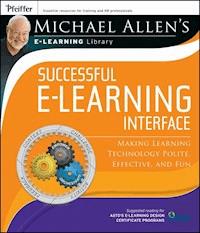
Michael Allen's e-Learning Library Most e-learning that is produced for classroom training is created using instructional models that were introduced more than thirty years ago. To update design solutions for today's online learners, Michael Allen's e- Learning Library offers a review of the basics of instructional design and then lifts the lid on some common misconceptions that arise from what people think they know about ISD. Michael Allen's e- Learning Library is designed to help use time and resources effectively and to build the best e-learning experiences possible. Filled with illustrative examples, the book is pragmatic and contains easy-to-apply solutions. Successful e-Learning Interface is the third book in the Michael Allen's e-Learning Library series. Using this hands-on resource will maximize your CEO impact--connect, empower, and orchestrate. You will understand how to connect with your learners, how to empower learners to make the most of e-learning's capabilities, and how to orchestrate learning events. Praise for Michael Allen's e-Learning Library "Once again Michael Allen has zeroed in on a critical, yet often overlooked, aspect of e-learning development. This book sheds light on the importance of learner interface design, and offers readers clear guidelines for designing interfaces that support the learner and increase impact. It will be a valuable asset for any e-learning developer who is committed to producing truly world-class e-learning." --David Holcombe, president and CEO, The eLearning Guild and publisher, Learning Solutions Magazine "With this easy-to-apply and practical book, Michael Allen raises the bar on creating exceptional e-learning experiences." --Lance Dublin, CEO and chief solution architect, Dublin Consulting "Michael Allen continues to be a strong voice in the e-learning industry. The topics addressed in this book are especially timely, helping the creators of training appeal to a new generation of learners while addressing the concerns of more mature learning audiences." --Jennifer Hofmann, president, InSync Training and author, The Synchronous Trainer's Survival Guide and Tailored Learning: Designing The Blend That Fits
Sie lesen das E-Book in den Legimi-Apps auf:
Seitenzahl: 276
Veröffentlichungsjahr: 2011
Ähnliche


















Contents
Acknowledgments
Foreword
Preface
Part One: The Need for Learner Interface Design Excellence
Challenges:
Challenge 1
Challenge 2
Challenge 3
Chapter 1: Design Magic
The Big Message
Learner Interface vs. User Interface
Design Goals
Interfacing the Mind
Chapter 2: Introducing the CEO of LID
Let the CEO Take Charge. Connect, Empower, and Orchestrate
The Language of Learning Event Design
CCAF to the Rescue
Chapter 3: CCAF
Describing Learning Events
Context
Challenge
Activity
Physical Activity
Cognitive Activity
Augmented Reality
Feedback
Part Two: Learner InterfaceDesign Guidelines
Chapter 4: C Is for Connect
Attention Versus Distraction
Functional Connection
Relevance and Personalization
Is This About Me?
When It’s About the Content
Relevance and Personalization
Humanization and Dramatic Impact
Humanization and Dramatic Impact
Authenticity and Situational Fidelity
Authenticity and Situational Fidelity
Summary
Chapter 5: E Is for Empower
Designing for Doers
Visual Clarity
Visual Clarity
Input and Control
No Control
Boundless Control
Input and Control
Summary
Chapter 6: O Is for Orchestrate
Orchestrating Learning Spaces
1. Performance-Based Learning Objectives
Performance-Based Learning Objectives
2. Challenge and Help
Viewing Challenge and Help Through CCAF
Performance-Relevant Input and Control
Summary
Part Three: Good and Bad Influences
Chapter 7: Fatal Attractions
Good and Bad Influences
Chapter 8: Doing the Right Things Versus Doing Things Right
Science Versus Craft
Guidelines Can Help
Miscellaneous Guidelines
M1. Differentiate Active and Inactive Elements
M2. Stay Put
M3. Avoid Erasing the Screen
M4. Use Interface Conventions Consistently
M5. Don’t Crowd the Screen
M6. Present Text Effectively
M7. Use a Small Color Palette Purposefully
M8. Use a Small Number of Fonts Purposefully
M9. Go on an Eye Candy Diet
M10. Feature Learning Activities, Not Navigation
M11. Maintain Focus
M12. Keep Navigation in Its Place
M13. Group Visual Elements
M14. Animate for a Purpose
M15. Use Contrast to Communicate More Clearly
M16. Make Text Legible
M17. Sound Off
M18. Invite Gestures—Static Invitations
M19. Invite Gestures—Dynamic Invitations
M20. Rollover and Play Alive
M21. Double Your Clicks; Double Your Frustration
M22. Minimize Drag-and-Drop Woes
M23. Consider Click-to-Place Instead of Drag-and-Drop
Procedural Guidelines
M24. Don’t Start from Scratch
M25. Let Others Judge
M26. Plan for More
Summary
Part Four: Examples
Chapter 9: Examples
Example 1. Corrective Lenses—Optics
EMPOWER
ORCHESTRATE
Example 2. Infant/Toddler Safety Hazards
EMPOWER
ORCHESTRATE
Example 3. Police Officer Training I
EMPOWER
ORCHESTRATE
Example 4. Police Officer Training II
EMPOWER
ORCHESTRATE
Example 5. Business Banking
EMPOWER
ORCHESTRATE
Example 6. Shoe Store Stockroom
EMPOWER
ORCHESTRATE
Example 7. Travel Agent Training
EMPOWER
ORCHESTRATE
UI vs. LI Challenge Answers
Challenge 1
Challenge 2
Challenge 3
Learner Interface Design Guidelines
Connect
Empower
Orchestrate
Miscellaneous Guidelines
Index
About Allen Interactions Inc.
About the Author
About this book
Why is this topic important?
Much is written about user interface design. You know, when to use click and double-click gestures, how to allow users to sort lists, how to provide a clear screen layout, and so forth. And much is written about instructional design: how to write instructional objectives; when to use drill-and-practice, tutorials, and simulations; how to use text and narration; and so forth. But little is written specifically about how to bring it all together to create fantastic e-learning experiences. This needed synthesis is learner interface design—the topic of this book.
What can you achieve with this book?
This book will help you use your time and resources effectively to build the best e-learning experiences possible within your constraints. As with the other books in this series, this book is geared toward pragmatic application. It’s direct and to the point: here’s how to connect with your learners, how to empower learners to make the most of e-learning’s capabilities, and how to orchestrate learning events for maximum impact: CEO—connect, empower, and orchestrate.
How is this book organized?
This book is divided into four parts. Part I describes the importance of excellent learner interface. Part II describes learner interface guidelines based on the CEO model: connect, empower, and orchestrate. Part III reviews common mistakes and provides guidelines to assist in focusing on the right things. Part IV provides examples of successful e-learning interfaces. The book also includes a series of challenge exercises and a reference guide of user interface design guidelines.
About the library series
After success with Authorware, Inc., and Macromedia, I felt that I had made a contribution to learning that would satisfy me through retirement. And retire Mary Ann and I did . . . for a few months.
But as my colleagues and I observed what happened with tools that made development of interactive learning systems so much easier to master, it was clear my job wasn’t done. Instead of wondrously varied instructional paradigms burgeoning forth, offering more learning fun and effectiveness to the benefit of people and organizations everywhere, we found dry, boring, pedantic presentation of content followed by post-tests. The very model of instruction that was drudgery without technology was being replicated and inflicted on ever-greater numbers of captive audiences.
Making technology easier to use provided the means, but not the guidance, necessary to use it well. To atone for this gross oversight on my part, I formed Allen Interactions in 1993 with a few of my closest and most talented friends in e-learning. Our mission was and is to help everyone and anyone produce better technology-enhanced learning experiences. We established multiple studios within our company so that these teams of artisans could build long-term relationships with each other and their clients. Studios develop great internal efficiencies and, most importantly, get to understand their clients’ organizations and performance needs intimately—sometimes better than clients understand them themselves.
Although our studios compete in the custom development arena, we also share our best practices openly and freely. We exhibit our applications as openly as clients allow, hoping they will stimulate critique and discussion so we can all do better and so that successful ideas can be broadly applied. We teach and mentor in-house organizations that aspire to create great learning applications. And, in close association with the American Society for Training and Development (ASTD), we offer certificate programs to help participants develop effective design and development skills.
This series of books is another way we are doing our best to help advance the field of technology-enhanced learning. I’ve not intentionally held back any secrets in putting forth the best practices our studios are continually enhancing.
This, the third book in the series, presents a lacking and needed synthesis of user interface (UI) design principles used generally in software applications and of specific interface needs required by learning events. Learner interface and UI conflict at times, and learner interface must take precedence over UI in these cases. We expose in this book a number of sources of design influence that authors must be particularly wary of, as they frequently nullify learning impact.
Six books are planned for this library, each to be focused on one major aspect of the process of designing and developing great e-learning applications. When the series is compiled, I hope it will be a useful tool for developing great and valuable learning experiences.
Michael Allen’s e-Learning Library
Volume 1Creating Successful e-Learning—A Rapid System for Getting It Right First Time, Every TimeVolume 2Designing Successful e-Learning—Forget What You Know About Instructional Design and DoSomething InterestingVolume 3Successful e-Learning Interface—Making Learning Technology Polite, Effective, and FunVolume 5Managing e-Learning Development—Creating Dramatic Successes Even with Outrageous Timelines,Budgets, and ExpectationsVolume 4Deploying e-Learning Successfully—Improving Performance Takes More Than Good InstructionVolume 6Evaluating e-Learning Success—Making Evaluation Inexpensive and e-Learning PricelessCopyright © 2011 by Michael W. Allen. All Rights Reserved.
Published by Pfeiffer
An Imprint of Wiley
989 Market Street, San Francisco, CA 94103-1741
www.pfeiffer.com
No part of this publication may be reproduced, stored in a retrieval system, or transmitted in any form or by any means, electronic, mechanical, photocopying, recording, scanning, or otherwise, except as permitted under Section 107 or 108 of the 1976 United States Copyright Act, without either the prior written permission of the Publisher, or authorization through payment of the appropriate per-copy fee to the Copyright Clearance Center, Inc., 222 Rosewood Drive, Danvers, MA 01923, 978-750-8400, fax 978-646-8600, or on the web at www.copyright.com. Requests to the Publisher for permission should be addressed to the Permissions Department, John Wiley & Sons, Inc., 111 River Street, Hoboken, NJ 07030, 201-748-6011, fax 201-748-6008, or online at http://www.wiley.com/go/permissions.
Limit of Liability/Disclaimer of Warranty: While the publisher and author have used their best efforts in preparing this book, they make no representations or warranties with respect to the accuracy or completeness of the contents of this book and specifically disclaim any implied warranties of merchantability or fitness for a particular purpose. No warranty may be created or extended by sales representatives or written sales materials. The advice and strategies contained herein may not be suitable for your situation. You should consult with a professional where appropriate. Neither the publisher nor author shall be liable for any loss of profit or any other commercial damages, including but not limited to special, incidental, consequential, or other damages.
Readers should be aware that Internet websites offered as citations and/or sources for further information may have changed or disappeared between the time this was written and when it is read.
For additional copies/bulk purchases of this book in the U.S. please contact 800-274-4434.
Pfeiffer books and products are available through most bookstores. To contact Pfeiffer directly call our Customer Care Department within the U.S. at 800-274-4434, outside the U.S. at 317-572-3985, fax 317-572-4002, or visit www.pfeiffer.com.
Pfeiffer also publishes its books in a variety of electronic formats. Some content that appears in print may not be available in electronic books.
Library of Congress Cataloging-in-Publication Data
Allen, Michael W.
Michael Allen’s e-learning library : successful e-learning interface : making learning technology polite, effective, and fun / Michael W. Allen.
p. cm.
Includes index.
ISBN 978-0-7879-8297-3 (pbk.); ISBN 978-1-118-03467-5 (ebk); ISBN 978-1-118-03684-6 (ebk);ISBN 978-1-118-03685-3 (ebk)
1. Instructional systems--Design. 2. Educational technology. 3. User interfaces (Computer systems) I. Title.
LB1028.38.A46 2011
371.3--dc22
2010048923
Acknowledgments
An attempt at synthesis and the generation of specific guidelines requires a broad spectrum of knowledge and even broader practical experience. So many principles that seem unarguably right prove to be deceptively damaging propositions in practice. I am particularly grateful to David Conner who, although his comments delayed me almost a full year, read my first draft and pointed out a huge discrepancy. He noted that, while I took pains to differentiate user interface from learner interface, I had then gone on to dwell almost entirely on user interface. That subject, he noted, had already been covered and did not need to be covered again. So I started over, aided by a considerable amount of work on his part to put me on the right path.
Later on, drawing from their rich and extensive experience in the field of e-learning, I was incomparably guided by Ethan Edwards, Paul Howe, Alex Watson, and Richard Sites. Marty Lipshutz, Nicole Wilder, Fred McGrath, and Michelle-Noelle Magallanez joined in as readers and very constructive critics. Ryan Smith, Steve Lee, Peter Lisowski, and Mary-Scott Hunter assisted the others and me with the challenging task of finding examples and obtaining permission to show them. Thanks to Teaching Strategies, Inc., Commission on Peace Officer Standards and Training (POST), Cooliris, Inc., Council on International Educational Exchange, Inc. (CIEE), DaimlerChrysler Corporation, Essilor of America, Inc., Expedia, Inc., Genesco, Inc., HSBC Holdings, PLC, Motorola, Inc., Mr. Wizard Studios, and Twin Cities Public Television, Inc.
So many exemplary projects fail to inspire and guide our field because their owners will not allow them to be seen publicly. I realize that e-learning done well is a treasured competitive advantage, but there is so much to be learned from sharing examples. So again, thanks very much to these organizations and the others who preferred not to be named, even though they allowed me to use snippets of their applications.
Special thanks to Amy Pahl, who coordinated everything and never lost her patience through endless interruptions imposed by other demands for my time and attention. Also thanks to Brendan Stern and Chris Palm for their graphic and layout expertise. And as always, special thanks to Nancy Olson at ASTD for her unfailing enthusiasm for developing this material and coordinating certificate programs based on it.
And finally, once again, I’m searching for words to adequately express appreciation for my family, whose support, tolerance, and encouragement are of greatest importance for the completion of each book. There are no adequate words, but thank you nonetheless. I do hope our combined contributions to these books result in better learning experiences and that those learning experiences lead to more fulfilling and happier lives somewhere, sometime, someplace.
For Ethan Edwards, with whom I’ve had the pleasure of working for many years. He has become perhaps the most trusted and credible industry spokesperson for quality e-learning experiences. Ethan’s creativity, insights, communication skills, and sense of humor continue to inspire me and our colleagues every day.
Foreword
“Design is not just what it looks like and feels like. Design is how it works.”
—Steve Jobs, CEO, Apple
Steve Jobs’ approach has tremendous application for the learning and development field. For learning to be most effective, the design of a course is as important as the content itself. In this third book in his e-learning library series, Michael Allen explains a critical difference between user interface design—the ease and usability of a course—and learner interface design, a focus on helping learners think, learn, and perform. This distinction provides an enlightening perspective for everyone in the field responsible for designing learning.
Throughout the book, Michael provides examples, models, and resources to illuminate the principles of a learner-centric approach to design. One of the approaches that Michael carries through this e-learning series is called the three Ms, and it is an extremely practical model for how we should approach the design of any kind of learning experience:
M1: Is it meaningful? Ask yourself: Will learners understand what they are being taught?
M2: Is it memorable? Ask yourself: Will they remember what they learned?
M3: Is it motivational? Ask yourself: Will learners be motivated to apply their learning?
Another relevant concept is the “CEO” approach: connect, empower, and orchestrate. As Michael describes them, “successful learning experiences connect with learners; empower them to explore, experiment, and react; and orchestrate the learning environment such that it provides critical feedback, help, and guidance.” How many of us had a great teacher in our past who was passionate about the subject, encouraged us to be excited, showed us how to apply what we learned, and helped us achieve success? He explains how we can apply this in design using the CEO concepts:
CONNECT: Connecting with learners is more than engaging them in the content and developing their skills; it’s also about inspiration, passion, and making the learning a personally rewarding experience.
EMPOWER: Learning comes so easily from doing things first-hand, so e-learning needs to provide both a transparent user interface and an effective learner interface that allows learners to do things (not just flip pages).
ORCHESTRATE: Experiences arise from an orchestration of multiple components, including input and control, help and direction, and consequences and feedback. Learner interface is the means of orchestrating these components for the purpose of skill development.
For those readers who like to know the key takeaways for each chapter right up-front, Michael provides those in a section at the beginning called Rapid Reader. These key concepts communicate what I consider to be the “bottom line” for each chapter. For example, the takeaways for Chapter 1 are:
User interface design is about efficiency. Don’t make me think.Learner interface design is about making people think, learn, and perform.Context is the foundation for interactive learning.I encourage you to share this book with your colleagues and team members, and make sure the concepts contained in it are part of your design process.
Like all of Michael’s books, I know you will find Successful e-Learning Interface thought-provoking and engaging and full of practical examples and guidelines to build effective learning experiences. Best wishes for success in your e-learning journey!
Tony Bingham
President and CEO
American Society for
Training and Development
www.astd.org
Preface
This library of books is intended to study selected topics of Michael Allen’s Guide to e-Learning in more detail than that core, overview book could possibly provide and to offer practical, specific guidelines for successful application. New thoughts, perspectives, and concepts were not expected or particularly welcome.
But just as great ideas tend to emerge at inconvenient times in e-learning application design and development (too late), some great ideas surfaced when my critical readers reviewed the first and second drafts of this book. These ideas led to my chucking the first drafts and starting over, centering, in fact, on these new ideas.
The first two drafts were actually based on a chapter that was omitted from the Guide because the publisher wanted to shorten the book to keep the price as low as possible. It was the right choice. But an important chapter on user interface design was omitted. You know, like avoiding red text on a blue background, providing intuitive ways for learners to order the steps of a sequence, and so on.
What I noted therein was the difference between user interface design (UID) and learner interface design (LID). While UID attempts to minimize the thinking necessary to interact with software, LID works to stimulate the learner’s thinking about the subject and skills being learned. UID guidelines present ways to make correct actions obvious to anyone, while LID guidelines present ways to avoid making correct actions obvious to anyone who lacks prerequisite knowledge or skills. UID emphasizes ease of use, while LID emphasizes making the process and learner level of effort commensurate with those that will be used and needed when actually performing learned tasks.
I declared the difference between UID and LID in the first drafts, but my critics pointed out that I devoted nearly all the book to UID topics. There are many excellent books on UID (I happen to particularly like and recommend Scott and Neil’s Designing Web Interfaces and Buxton’s Sketching User Experiences), but my readers pointed to the scarcity of credible LID guidelines. They noted their skepticism of research- or “evidence-based” guidelines, because they are so often over-generalized, given too much credence, and lead designers to dogmatically apply and defend principles that don’t fit the salient conditions. They wanted guidelines that can truly be trusted. They wanted suggestions for dealing with a wide variety of learners and content. They wanted examples from real-world successes.
So the book before you addresses LID much more than it addresses UID, although a UID guide redux survives in Chapter 8. The other chapters look at LID, using the structural foundations of interactive learning experiences—context, challenge, activity, and feedback—as organizers for the itemized and rather specific guidelines that have been effective in applications across significant varieties of content, time and time again. Chapter 9 provides a compendium of examples.
As always, it’s my hope that this material will prove helpful in your efforts to design, build, and provide outstanding learning experiences that help learners realize more of their potential. We continue to find better and easier ways to create such learning experiences, so the guidelines enumerated in this book are (as are all others) subject to continuing evolution. But I have no doubt that if you and I abide by these guidelines, our e-learning will be very successful.
January 15, 2011
MWA
Lesen Sie weiter in der vollständigen Ausgabe!
Lesen Sie weiter in der vollständigen Ausgabe!
Lesen Sie weiter in der vollständigen Ausgabe!
Lesen Sie weiter in der vollständigen Ausgabe!
Lesen Sie weiter in der vollständigen Ausgabe!
Lesen Sie weiter in der vollständigen Ausgabe!
Lesen Sie weiter in der vollständigen Ausgabe!
Lesen Sie weiter in der vollständigen Ausgabe!
Lesen Sie weiter in der vollständigen Ausgabe!
Lesen Sie weiter in der vollständigen Ausgabe!
Lesen Sie weiter in der vollständigen Ausgabe!
Lesen Sie weiter in der vollständigen Ausgabe!
Lesen Sie weiter in der vollständigen Ausgabe!
Lesen Sie weiter in der vollständigen Ausgabe!
Lesen Sie weiter in der vollständigen Ausgabe!
Lesen Sie weiter in der vollständigen Ausgabe!
Lesen Sie weiter in der vollständigen Ausgabe!
Lesen Sie weiter in der vollständigen Ausgabe!
Lesen Sie weiter in der vollständigen Ausgabe!




