


47,99 €
Mehr erfahren.
- Herausgeber: Packt Publishing
- Kategorie: Fachliteratur
- Sprache: Englisch
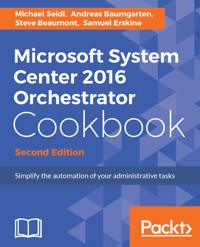
With Microsoft System Center 2016 Orchestrator Cookbook, you will start by learning how to efficiently install and secure System Center Orchestrator. You will then learn how you can create configuration files for SCO 2016. After initial installation and configuration, you will soon be planning and creating functional and fault-tolerant System Center runbooks to automate daily tasks and routine operations. Next you will delve into runbooks; you will learn how to create powerful and advanced runbooks such as Building your Runbook without a Dead End. You will also learn to create simple and advanced runbooks for your daily tasks. Towards the end of the book, you will learn to use SCO for other interesting tasks and also learn to maintain and perform SCO health checks.
By the end of the book, you will be able to automate your administrative tasks successfully with SCO.
Das E-Book können Sie in Legimi-Apps oder einer beliebigen App lesen, die das folgende Format unterstützen:
Seitenzahl: 181
Veröffentlichungsjahr: 2017
Ähnliche



















Microsoft System Center 2016 Orchestrator Cookbook
Second Edition
BIRMINGHAM - MUMBAI
Microsoft System Center 2016 Orchestrator Cookbook
Second Edition
Copyright © 2017 Packt Publishing
All rights reserved. No part of this book may be reproduced, stored in a retrieval system, or transmitted in any form or by any means, without the prior written permission of the publisher, except in the case of brief quotations embedded in critical articles or reviews.
Every effort has been made in the preparation of this book to ensure the accuracy of the information presented. However, the information contained in this book is sold without warranty, either express or implied. Neither the authors, nor Packt Publishing, and its dealers and distributors will be held liable for any damages caused or alleged to be caused directly or indirectly by this book.
Packt Publishing has endeavored to provide trademark information about all of the companies and products mentioned in this book by the appropriate use of capitals. However, Packt Publishing cannot guarantee the accuracy of this information.
First published: August 2013
Second edition: July 2017
Production reference: 1240717
ISBN 978-1-78646-046-2
www.packtpub.com
Credits
Authors
Michael Seidl
Andreas Baumgarten
Steve Beaumont
Samuel Erskine
Copy Editors
Juliana Nair
Yesha Gangani
Reviewer
Rafael Delgado
Project Coordinator
Judie Jose
Commissioning Editor
Vijin Boricha
Proofreader
Safis Editing
Acquisition Editor
Meeta Rajani
Indexer
Aishwarya Gangawane
Content Development Editor
Abhishek Jadhav
Graphics
Kirk D'Penha
Technical Editor
Mohd Riyan Khan
Production Coordinator
Aparna Bhagat
About the Authors
Michael Seidl is a senior consultant and team leader in service management and automation, working for Base-IT, a Gold Partner in Systems Management, located in Austria. He is a two-time System Center Cloud and Datacenter Management MVP and a well-certified Microsoft Engineer with MCSA and MCSE.
His experience as an IT consultant has been growing since 2001 and is mainly focused on SCDPM, SCO, SCSM, and PowerShell. Working with some of the biggest companies in Austria gives him the opportunity to work on great projects with complex requirements. Michael is focused on transforming IT departments through service management, systems management, cloud technologies, and automation.
Michael regularly shares his experience on the TechNet Forum. You can follow him on Twitter at @TechguyAt. His Facebook page is TechguyAT.
Andreas Baumgarten is a Microsoft MVP and works as an IT Architect with the German IT service provider H&D International Group. He has been working as an IT professional for more than 20 years. Microsoft technologies have always accompanied him, and he can also look back on more than 14 years' experience as a Microsoft Certified Trainer.
Since 2008, he has been responsible for the field of Microsoft System Center technology consulting and ever since has taken part in Microsoft System Center Service Manager (2010, 2012, 2012 R2 and 2016); additionally, he has participated in the Microsoft System Center Technology Adoption Program with H&D since many years.
With his deep inside-technology know-how and his broad experience across the Microsoft System Center product family and IT management, he now designs and develops private and hybrid cloud solutions for customers all over Germany and Europe.
In July 2017, he was awarded the Microsoft Most Valuable Professional (MVP) title for System Center Cloud and Datacenter Management for the sixth year in a row.
Steve Beaumont has worked for more years than he cares to admit within IT, starting with desktop support. He is now the Product Development Director of PowerONPlatforms and a Microsoft MVP within the Cloud and Datacenter Management area, where he helps organizations realize the benefits of the hybrid cloud. He is also a co-author of the Microsoft System Center 2012 Service Manager, Orchestrator and Operations Manager cookbooks.
His passion for everything about System Center, Azure and IT systems management reflects through all areas of his work, presentation and day-to-day life in the form of new and innovative solutions brought to market by PowerONPlatforms.
Samuel Erskine is a Systems Management Sr Technical Specialist, Trainer and Author , focused on System Center and MS Cloud technologies. Sam is the content designer and lead author of three Microsoft System Center Cookbooks and co-author of two System Center Unleashed books. He's also a Microsoft MCT , MVP and a regular speaker at community user groups and conferences worldwide.
About the Reviewer
Rafael Delgado is an IT professional with over 12 years of experience and is a cloud management engineer at PowerON. He is currently working across the delivery and development teams, implementing and designing innovative cloud and System Center suite solutions. He spent the majority of his IT career working in local government in a wide range of areas from service desk, desktop support, to third-line infrastructure management.This is the second book he has been a technical reviewer on, previously working on the Microsoft System Center 2016 Service Manager Cookbook.
Rafael is passionate about giving back to the IT community. He also writes a blog that focuses on all things System Center, PowerShell, Azure Automation, Power BI, and more. He is also the creator of the Service Manager and Configuration Manager Power BI dashboards, which can be found on the TechNet gallery. His Twitter handle is @Raf_Delgado.
www.PacktPub.com
For support files and downloads related to your book, please visit www.PacktPub.com.
Did you know that Packt offers eBook versions of every book published, with PDF and ePub files available? You can upgrade to the eBook version at www.PacktPub.com and as a print book customer, you are entitled to a discount on the eBook copy. Get in touch with us at [email protected] for more details.
At www.PacktPub.com, you can also read a collection of free technical articles, sign up for a range of free newsletters and receive exclusive discounts and offers on Packt books and eBooks.
https://www.packtpub.com/mapt
Get the most in-demand software skills with Mapt. Mapt gives you full access to all Packt books and video courses, as well as industry-leading tools to help you plan your personal development and advance your career.
Why subscribe?
Fully searchable across every book published by Packt
Copy and paste, print, and bookmark content
On demand and accessible via a web browser
Customer Feedback
Thanks for purchasing this Packt book. At Packt, quality is at the heart of our editorial process. To help us improve, please leave us an honest review on this book's Amazon page at https://www.amazon.com/dp/1786460467.
If you'd like to join our team of regular reviewers, you can e-mail us at [email protected]. We award our regular reviewers with free eBooks and videos in exchange for their valuable feedback. Help us be relentless in improving our products!
Table of Contents
Preface
What this book covers
What you need for this book
Who this book is for
Conventions
Reader feedback
Customer support
Downloading the example code
Downloading the color images of this book
Errata
Piracy
Questions
Unpacking System Center 2016 Orchestrator
Introduction
Understanding the Orchestrator architecture
Getting ready
How to do it…
How it works...
Planning the Orchestrator deployment
Getting ready
How to do it...
How it works...
There's more...
Installing a single server deployment
Getting ready
How to do it...
How it works...
There's more...
See also
Making the Orchestrator environment highly available
Getting ready
How to do it...
How it works...
See also
Deploying an additional Runbook Server
Getting ready
How to do it...
How it works...
See also
The Initial Configuration of SCO 2016
Introduction
Deploying an additional Runbook Designer
Getting ready
How to do it...
How it works...
See also
Registering an SCO Integration Pack
Getting ready
How to do it...
How it works...
There's more...
Deploying the IP to Designers and Runbook Servers
Getting ready
How to do it...
How it works…
There's more…
The initial Integration Pack configuration
Getting ready
How to do it...
How it works...
There's more…
See also
Creating and maintaining a security model for Orchestrator
Getting ready
Security model scenario
How to do it...
Preparing and organizing the environment
Configuring DCOM permissions
Designer and console delegation
Configuring AD IP Runbook permissions
Restricting options by Runbook Designer Integration Pack deployment
How it works...
There's more…
See also
Planning and Creating Runbooks
Introduction
Initial steps to consider before creating a Runbook
Getting ready
How to do it...
Identifying scenarios
Validating and agreeing
Optimizing and documenting
How it works...
Making Runbook scenarios automation ready
Getting ready
How to do it...
How it works...
Documenting Runbook designs
Getting ready
How to do it...
Scenario
How it works...
See also
Understanding the Orchestrator scenario building blocks
Getting ready
How to do it...
There's more...
A tour of the Runbook Designer
A tour of Runbook Tester
The Orchestration web console
Runbook Designer standards and primer
Getting ready
How to do it...
How to standardize your activity configuration
Check in and check out
Working with custom and databus parameters
How it works...
There's more...
Expanding parameter fields
See also
Creating a Runbook
Getting ready
How to do it...
Building an Ad-Hoc Runbook
Building a monitoring Runbook
How it works...
There's more…
Building Advanced Runbooks
Introduction
Creating a child Runbook
Getting ready
How to do it...
How it works...
There's more...
Using variables in different Runbook activities
See also
Building a looping Runbook
Getting ready
How to do it…
How it works…
See also
Implementing logging in your Runbook
Getting ready
How to do it…
How it works…
Simple logging
Enhanced logging
There is more…
Implementing error handling in your Runbooks
Getting ready
How to do it…
How it works…
Making your Runbooks highly available
Getting ready
How to do it...
High priority Runbook available on all Runbook Servers
Low priority Runbook is available on one Runbook Server
How it works...
There's more...
Promoting and demoting primary Runbook Servers
Simple Runbooks for Your Daily Tasks
Introduction
Active Directory – Deleting inactive computer accounts
Getting ready
How to do it...
How it works...
There's more...
Deleting obsolete user accounts in Active Directory
See also
SCOM – Activating maintenance mode for a server
Getting ready
How to do it…
How it works…
There's more…
See also
SCVMM – Removing an attached ISO from a VM
Getting ready
How to do it...
How it works...
There's more...
Logging events to Orchestrator
System Center 2016 Virtual Machine Manager Integration Pack
See also
ConfigMgr – Automating the update Installation process
Getting ready
How to do it...
How it works…
See also
SCSM – Raising priority, if an affected user is a VIP
Getting ready
How to do it…
How it works…
See also
Advanced Runbooks for Your Daily Tasks
Introduction
Active Directory – Sending an email to users if their password will expire soon
Getting ready
How to do it...
How it works...
See also
SCOM – Advanced alerting with SCO
Getting ready
How to do it…
Update DA Alerts Runbook
Send mail Runbook
Notify external helpline Runbook
Notify Helpdesk Runbook
Notify Business Owner Runbook
Notify SCOM-Alert
DA-Alert Runbook
Monitoring Alerts Runbook
How it works…
There is more…
Doing More with Orchestrator
Introduction
Starting an SCO Runbook using PowerShell
Getting ready
How to do it…
How it works…
There is more…
Starting an SCO Runbook with the Orchestration Console
Getting ready
How to do it…
How it works…
There is more…
Using SCOOSP to provide self service with SCO
Getting ready
How to do it...
How it works…
There is more…
Start a service
Manage you and your team
Dynamic questions
SCOOSP licensing
See also
Maintaining and health checking SCO
Getting ready
How to do it...
How it works…
There is more…
See also
Preface
System Center 2016 Orchestrator is an improved version of Opalis, an acquisition of a well-established product by Microsoft. The Opalis product was acquired by Microsoft in 2009 and has seen continual feature updates to its core functionality as well as alignment to the System Center 2016 product's feature offerings.
System Center 2016 Orchestrator (SCO) is a powerful and versatile process automation Information Technology (IT) tool set. SCO provides seamless interconnections between the multiple software products in use in typical IT management environments. This component of the System Center 2016 product uses a graphical workflow creation tool set, and a set of connectors between multiple vendor products known as Integration Packs (IPs) to address its objectives.
The installation and post-installation phases of SCO require you to plan and configure the product in a methodical sequence-based on your requirements. The aim of the book is to address the challenges faced by many first-time users of SCO on how to best plan, deploy, and, more importantly, automate the right processes in their respective organizations. The objective of the authors is to start the reader's journey of Orchestration by sharing valuable insights from real-world scenarios.
The book provides you with independent, task-oriented steps to achieve specific SCO objectives. The authors recommend that you read the first three chapters as a background for subsequent chapters if you are new to SCO and process automation software products. The book may be read in the order of interest, but where relevant, the authors refer to dependent recipes in other chapters.
What this book covers
Chapter 1, Unpacking System Center 2016 Orchestrator, provides the steps required to install and configure SCO. This chapter contains recipes on the two installation scenario types for SCO; single-server and multi-server deployments. The objective is to provide the reader with the steps required for installation of SCO in either scenario.
Chapter 2, The Initial Configuration of SCO 2016, covers the initial configuration tasks an SCO administrator would need to perform after successfully installing the product. The chapter also delves into deploying and installing Integration Packs.
Chapter 3, Planning and Creating Runbooks, delves into the workflow's (Runbooks) planning and designing process for SCO. The planning and designing of Runbooks is a prerequisite for successful value add automation using SCO. This chapter also provides a brief primer to the SCO.
Chapter 4, Building Advanced Runbooks, focuses on how to take your SCO Runbooks to the next level. Build a looping Runbook or see how to implement error handling and enable advanced logging.
Chapter 5, Simple Runbooks for Your Daily Tasks, covers Runbooks you will need for your Daily Business. We are going step by step through each Runbook, so you will see how to build and understand how these Runbooks work.
Chapter 6, Advanced Runbooks for Your Daily Tasks, discusses building advanced Runbooks in your daily business. Each Runbook is an advanced solution and will provide you a rich featured Runbook solution.
Chapter 7, Doing More with Orchestrator, provides you a lot of information on how to trigger your SCO Runbooks. One of the best solutions will be in using SCOOSP, a self service portal to trigger your Runbooks.
What you need for this book
In order to complete all the recipes in this book, you will need a minimum of one server configured with System Center 2016 Orchestrator and the relevant interconnecting technologies discussed. Here is the list of technologies the recipes depend on and their relevant versions used for this book:
Microsoft Active Directory (Windows Server 2008 R2 and above)
System Center 2016 Configuration Manager
System Center 2016 Operations Manager
System Center 2016 Virtual Machine Manager
System Center 2016 Service Manager
SCOOSP
The required software and deployment guides for System Center 2016 product can be found at the following official Microsoft website https://docs.microsoft.com/en-us/system-center/.
To download SCOOSP, go to http://bit.ly/SCOOSP_Cookbook.
The authors recommend using the online Microsoft resource, due to the frequency of updates to the product's supported requirements. Also, note that the dynamic nature of the internet may require you to search for updated links listed in this book.
Who this book is for
The target audience of this book is SCO administrators and process owners responsible for implementing the IT process automation in their respective organizations. The recipes in this book range from beginner level and touches on expert level SCO administration knowledge. The ultimate goal is to provide the reader with knowledge to start their SCO journey, enhance their existing skills, and more importantly to share real-world experience from seasoned technology implementers.
Reader feedback
Feedback from our readers is always welcome. Let us know what you think about this book-what you liked or disliked. Reader feedback is important for us as it helps us develop titles that you will really get the most out of. To send us general feedback, simply e-mail [email protected], and mention the book's title in the subject of your message. If there is a topic that you have expertise in and you are interested in either writing or contributing to a book, see our author guide at www.packtpub.com/authors.
Customer support
Now that you are the proud owner of a Packt book, we have a number of things to help you to get the most from your purchase.
Downloading the example code
You can download the example code files for this book from your account at http://www.packtpub.com. If you purchased this book elsewhere, you can visit http://www.packtpub.com/support and register to have the files e-mailed directly to you. You can download the code files by following these steps:
Log in or register to our website using your e-mail address and password.
Hover the mouse pointer on the
SUPPORT
tab at the top.
Click on
Code Downloads & Errata
.
Enter the name of the book in the
Search
box.
Select the book for which you're looking to download the code files.
Choose from the drop-down menu where you purchased this book from.
Click on
Code Download
.
Once the file is downloaded, please make sure that you unzip or extract the folder using the latest version of:
WinRAR / 7-Zip for Windows
Zipeg / iZip / UnRarX for Mac
7-Zip / PeaZip for Linux
The code bundle for the book is also hosted on GitHub at: https://github.com/PacktPublishing/Microsoft-System-Center-2016-Orchestrator-Cookbook-Second-Edition. We also have other code bundles from our rich catalog of books and videos available at: https://github.com/PacktPublishing/. Check them out!
Downloading the color images of this book
We also provide you with a PDF file that has color images of the screenshots/diagrams used in this book. The color images will help you better understand the changes in the output. You can download this file fromhttps://www.packtpub.com/sites/default/files/downloads/MicrosoftSystemCenter2016OrchestratorCookbookSecondEdition_ColorImages.pdf.




