


47,99 €
Mehr erfahren.
- Herausgeber: Packt Publishing
- Kategorie: Fachliteratur
- Sprache: Englisch
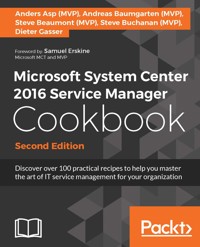
Keep your organization up to speed with the Microsoft System Center 2016 Service Manager Cookbook. Over 100 practical recipes for SCSM 2016 give you all the tools to master IT service management.
Das E-Book können Sie in Legimi-Apps oder einer beliebigen App lesen, die das folgende Format unterstützen:
Seitenzahl: 511
Veröffentlichungsjahr: 2017
Ähnliche

















Table of Contents
Microsoft System Center 2016 Service Manager Cookbook - Second Edition
Microsoft System Center 2016 Service Manager Cookbook - Second Edition
Copyright © 2017 Packt Publishing
All rights reserved. No part of this book may be reproduced, stored in a retrieval system, or transmitted in any form or by any means, without the prior written permission of the publisher, except in the case of brief quotations embedded in critical articles or reviews.
Every effort has been made in the preparation of this book to ensure the accuracy of the information presented. However, the information contained in this book is sold without warranty, either express or implied. Neither the authors, nor Packt Publishing, and its dealers and distributors will be held liable for any damages caused or alleged to be caused directly or indirectly by this book.
Packt Publishing has endeavored to provide trademark information about all of the companies and products mentioned in this book by the appropriate use of capitals. However, Packt Publishing cannot guarantee the accuracy of this information.
First published: October 2012
Second edition: February 2017
Production reference: 1200217
Published by Packt Publishing Ltd.
Livery Place
35 Livery Street
Birmingham
B3 2PB, UK.
ISBN 978-1-78646-489-7
www.packtpub.com
Credits
Authors
Anders Asp (MVP)
Andreas Baumgarten (MVP)
Steve Beaumont (MVP)
Steve Buchanan (MVP)
Dieter Gasser
Copy Editor
Safis Editing
Reviewers
Rafael Delgado
Samuel Erskine
Project Coordinator
Judie Jose
Acquisition Editor
Vinay Argekar
Proofreader
Safis Editing
Content Development Editor
Amedh Pohad
Indexer
Aishwarya Gangawane
Technical Editor
Mohit Hassija
Production Coordinator
Aparna Bhagat
Foreword
System Center Service Manager 2016 (SCSM 2016) is the latest revision of the Service Manager product line and Microsoft's full IT Service Management (ITSM) solution.
SCSM 2016 is the seamless connector and interface between the System Center products as well as being the gateway to modern service management in the cloud.
Service Manager helps IT organizations streamline Incident Management, Problem Management, Change Management, Release Management, Request Fulfillment, Self-Service, and reporting.
This release of System Center Service Manager (2016) proves that the product is alive and well. SCSM 2016 will officially be supported by Microsoft through to 2027. The product continues to be implemented worldwide with various configuration scenarios, ranging from traditional ITSM to business-scenario-driven automation and interfacing with multi-vendor cloud platforms.
SCSM 2016's many enhancements include better overall performance, stability of the data warehouse, faster workflows/groups and queues, faster console, improved connectors (AD/SCCM), and the all new HTML5 self-service portal. These enhancements and improvements show the commitment from the Microsoft Service Manager product team to the customer and the product's future.
This new edition of the Service Manager cookbook builds on the simplification of ITSM shared through the internationally bestselling Microsoft System Center 2012 Service Manager Cookbook. The authors (many of them Microsoft MVPs and technology consultants) set out to arm you with everything you need to become a Service Manager Rockstar and provide a rock solid ITSM solution to your organization.
This book is full of valuable insight and experiences from real-world Service Manager implementations. The book is written in the Packt style, which provides the reader with independent task-oriented steps to achieve specific SCSM objectives. The authors recommend that you read the first two chapters as a background for subsequent chapters, if you are new to SCSM and process-oriented software products. The book, however, may be read in your order of interest, but where relevant, the authors refer to dependent recipes in other chapters.
Samuel Erskine
Microsoft MCT and MVP
About the Authors
Anders Asp (MVP) is a Principal Consultant at Lumagate AB with focus on ITSM and automation in the hybrid cloud. He is very active in the community and can regularly be seen speaking at different events, teaching courses, blogging on his blog at www.scsm.se, or answering questions on different forums. For his work in the community, he was awarded the Microsoft MVP award in the Cloud and Datacenter area for the first time in 2012 and has since then been renewed as MVP every year.
Anders has been working with Service Manager since 2009, when the product was still in early beta, and has provided endless feedback to Microsoft and seen the product evolve to what it is today. Besides Service Manager, he is also very fond of the whole Microsoft Operations Management Suite and helps customers embrace the management capabilities it offers.
I wish to thank all my family and friends for always being supportive and encouraging! A special thanks to my two daughters for always putting a smile on my face and giving me the energy boost needed when things are though. Thanks Anna for being helpful when my planning isn’t on top. I would also like to thank all the co-authors for making this book possible.Last but not least, thanks to the Service Manager team and the whole Service Manager community.
Andreas Baumgarten (MVP) is a Microsoft MVP and works as an IT Architect with the German IT service provider H&D International Group. He has been working as an IT professional for more than 20 years. Microsoft technologies have always accompanied him, and he can also look back on more than 14 years' experience as a Microsoft Certified Trainer.
Since 2008, he has been responsible for the field of Microsoft System Center technology consulting and ever since has taken part in Microsoft System Center Service Manager (2010, 2012, 2012 R2 and 2016); additionally, he has participated in the Microsoft System Center Technology Adoption Program with H&D since many years.
With his deep inside-technology know-how and his broad experience across the Microsoft System Center product family and IT management, he now designs and develops private and hybrid cloud solutions for customers all over Germany and Europe.
In October 2016 he was awarded the Microsoft Most Valuable Professional (MVP) title for System Center Cloud and Datacenter Management for the fifth year in a row.
A special thanks goes to my very good friend Samuel Erskine for his help and review of my chapters. Thanks a lot buddy! I would like to thank my colleague Patrick Hersing from H&D International Group for his helping hand and support with some content of this book. The book was only possible due to the efforts of a great team. I would like to acknowledge and thank my co-authors Steve Buchanan, Anders Asp, Steve Beaumont and Dieter Gasser. It was a pleasure and great fun to work with you again!
Steve Beaumont (MVP) has worked for more years than he cares to admit within IT, starting with desktop support. He is now the Product Development Director of PowerONPlatforms and a Microsoft MVP within the Cloud and Datacenter Management area, where he helps organizations realize the benefits of the hybrid cloud. He is also a co-author of the Microsoft System Center 2012 Service Manager, Orchestrator, and Operations Manager cookbooks. Steve can also be found speaking at various events and blogging either at http://systemcenter.ninja or http://www.poweronplatforms.com/news-and-blogs/, where he covers all things System Center and Azure related to design, deployment, and optimization.
His passion for everything about System Center, Azure, and IT systems management reflects through all areas of his work, presentation, and day-to-day life in the form of new and innovative solutions brought to the market by PowerONPlatforms.
A special thanks goes to my very good friend Samuel Erskine for his help and review of my chapters. Thanks a lot buddy!
Steve Buchanan (MVP), MCSE, ITIL, is a regional solutions director with Concurrency, a five-time Microsoft Cloud and Data Center MVP, and author of several technical books focused on the System Center platform. Steve has been an IT Professional for 17+ years in various positions, ranging from infrastructure architect to IT manager. Steve is focused on digitally transforming IT departments through service management, systems management, and cloud technologies.
Steve has authored the following books:
Steve holds the following certifications: A +, Linux +, MCSA, MCITP: Server Administrator, MCSE: Private Cloud, and ITIL 2011 Foundation.
Steve stays active in the System Center community and enjoys blogging about his adventures in the world of IT at www.buchatech.com.
First and foremost, I give thanks to God for making all things possible. Thanks to my family, especially my wife and sons, for giving the time to work on opportunities like this. I would like to thank Sam Erskine for bringing me into this book. I also want to thank all of the other authors on the project, Andreas Baumgarten, Dieter Gasser, Anders Asp, and Steve Beaumont, for allowing me to be a part of this team. You guys are some of the best in this space! Also thanks to the Microsoft Service Manager product group team Rahul Gupta, Harsh Verma, and others, along with the SCSM community.
Dieter Gasser is an IT consultant and the management partner of itnetX AG, headquartered in Switzerland. He has a strong focus on the delivery and customization of Service Manager.
Dieter has been working in IT for more than 13 years, and has focused on Microsoft technologies. He started his career as an application and database developer, and later became the IT manager of an international manufacturing company.
In 2010, he entered the systems management and automation market. With both his technical and managerial backgrounds, he has focused on Service Manager. Together with his colleagues, he delivers data center management, automation, and cloud solutions based on Microsoft System Center to customers all across Switzerland.
I would like to thank Sam Erskine for making the first edition of this book possible, and to all my friends and my co-authors Andreas Baumgarten, Steve Buchanan, Anders Asp and Steve Beaumont for the great fun in working with you.
About the Reviewers
Rafael Delgado is an IT Professional with over 12 years’ experience and is a Cloud Management Engineer at PowerON. He is currently working across the delivery and development teams, implementing and designing innovative cloud and System Center suite solutions. He spent the majority of his IT career working in local government in a wide range of areas from service desk, desktop support to third-line infrastructure management.
Rafael is passionate about giving back to the IT community, you can find his blog at http://sysctr.info, focusing on all things System Center, PowerShell, Azure Automation, Power BI and more. He is also the creator of the Service Manager and Configuration Manager Power BI dashboards which can be found on the TechNet gallery https://gallery.technet.microsoft.com/Power-BI-SCCM-Dashboard-d1b7e688 / https://gallery.technet.microsoft.com/PowerON-Power-BI-SCSM-e1c02a22. His Twitter handle is @Raf_Delgado.
Samuel Erskine is a Microsoft MCT and MVP, and works as a service management and cloud consultant. He is an author, systems specialist, and trainer specializing in System Center and MS Cloud technologies. He is the content designer and lead author of three Microsoft System Center Cookbooks and co-author of two System Center Unleashed books.
www.PacktPub.com
For support files and downloads related to your book, please visit www.PacktPub.com.
Did you know that Packt offers eBook versions of every book published, with PDF and ePub files available? You can upgrade to the eBook version at www.PacktPub.com and as a print book customer, you are entitled to a discount on the eBook copy. Get in touch with us at [email protected] for more details.
At www.PacktPub.com, you can also read a collection of free technical articles, sign up for a range of free newsletters and receive exclusive discounts and offers on Packt books and eBooks.
https://www.packtpub.com/mapt
Get the most in-demand software skills with Mapt. Mapt gives you full access to all Packt books and video courses, as well as industry-leading tools to help you plan your personal development and advance your career.
Why subscribe?
Customer Feedback
Thanks for purchasing this Packt book. At Packt, quality is at the heart of our editorial process. To help us improve, please leave us an honest review on this book's Amazon page at https://www.amazon.com/dp/1786464896.
If you'd like to join our team of regular reviewers, you can e-mail us at [email protected]. We award our regular reviewers with free eBooks and videos in exchange for their valuable feedback. Help us be relentless in improving our products!
Preface
The Microsoft System Center 2016 Service Manager Cookbook - Second Edition is a collection of recipes from Service Manager experts brought to you from the field. This book sets out to guide the reader through all aspects of deploying, configuring, and maintaining a Service Manager environment. In this book you will find information that is needed to help you leverage the new features and functionality of the Service Manager 2016 version.
This book has value for beginners and experienced Service Manager administrators. A beginner can read chapter by chapter moving from no Service Manager to a fully functional environment or an experienced Service Manager administrator can go straight to chapters containing recipes that pertain to their need.
What this book covers
Chapter 1, ITSM and ITIL Frameworks and Processes, aims to provide a background into the creation of processes aligned with ITIL and MOF (Microsoft Operations Framework) principles and explains some of the key areas and how they relate to Service Manager 2016.
Chapter 2, Personalizing SCSM 2016 Administration, covers the initial process-dependent critical settings and tasks a Service Manager administrator would need to configure after successfully installing the product.
Chapter 3, Configuring Service Level Agreements (SLAs), delves into the Service-Level Agreement areas of Service Manager 2012 and provides you with recipes that simplify the implementation of this complex topic.
Chapter 4, Building the Configuration Management Database (CMDB), shows Service Manager Administrators are how to build the SCSM Configuration Management Database (CMDB). The recipes in this chapter include various options, from a manual approach right through to automating the importing of information from external systems.
Chapter 5, Deploying Service Request Fulfillment, provides recipes to configure the Service Catalog with different Service and Request Offerings in SCSM 2016.
Chapter 6, Deploying and Configuring the HTML 5 Self-Service Portal, teaches you the ins and outs of planning the new HTML5 portal, deploying the portal, overall configuration, and finally how to customize it to have the look and feel you want. After reading this chapter, you will be armed and ready to spin up the new HTML5 portal as a part of your Service Manager deployment.
Chapter 7, Working with Incident and Problem Management, contains recipes related to the Incident and Problem processes. This chapter contains things such as creating tasks, templates, how to configure the Exchange connector, and how to extend the incident class.
Chapter 8, Designing and Configuring Change Management and Release Management, covers the details of Change Management and Release Management in SCSM 2016.
Chapter 9, Implementing Security Roles, explains the details of Security Roles and how they can be used to control access to different objects in SCSM 2016.
Chapter 10, Working with the Data Warehouse and Reporting, walks you through the various options of using the Service Manager Data Warehouse to gain insight into the data stored in the Service Manager database.
Chapter 11, Extending SCSM with Advanced Personalization, is the chapter where you will be able to see how to perform more advanced customizations of Service Manager. This chapter contains recipes around installing and using the Authoring Tool in different ways, but it also includes recipes around how to manually edit the XML of management packs.
Chapter 12, Automating Service Manager 2016, teaches you how to work smart and efficient by automating things in Service Manager. This chapter covers different ways of automating Service Manager with the use of custom workflows, PowerShell, and Orchestrator.
Chapter 13, What's New in SCSM 2016 and Upgrading from SCSM 2012 R2, explains the new features of SCSM 2016 and walks you through the process of planning and performing an upgrade from SCSM 2012 R2.
Appendix A, Community Extensions and Third-party Commercial SCSM Solutions, contains useful community extensions and third-party solutions for SCSM 2016.
Appendix B, Useful Websites and Community Resources, lists some helpful websites and communities for System Center Service Manager.
What you need for this book
In order to complete all the recipes in this book, you will need a minimum of three servers configured with System Center Service Manager 2016 RTM, in the following configurations:
Server 1: System Center Service Manager 2016 management server hosting the CMDB and workflow role
Server 2: System Center Service Manager 2016 management server hosting the data warehouse role
Server 3: System Center Service Manager 2016 management server hosting the HTML5 self-service portal
The required software and deployment guides of System Center Service Manager 2016 can be found at the following official Microsoft website:
https://technet.microsoft.com/en-us/system-center-docs/sm/deploy/deploy-deploying-system-center-2016-service-manager
We recommend using the online Microsoft resource due to the frequency of updates to the products' supported requirements.
Who this book is for
The target audience of this book is SCSM administrators and process owners responsible for implementing ITSM processes in the scope of the product. The recipes in this book range from beginner-level to expert-level SCSM administration expertise. The ultimate goal is to provide you with knowledge to enhance your existing skills and, more importantly, to share real-world experience from seasoned technology implementers.
Sections
In this book, you will find several headings that appear frequently (Getting ready, How to do it, How it works, There's more, and See also).
To give clear instructions on how to complete a recipe, we use these sections as follows:
Getting ready
This section tells you what to expect in the recipe, and describes how to set up any software or any preliminary settings required for the recipe.
How to do it…
This section contains the steps required to follow the recipe.
How it works…
This section usually consists of a detailed explanation of what happened in the previous section.
There's more…
This section consists of additional information about the recipe in order to make the reader more knowledgeable about the recipe.
See also
This section provides helpful links to other useful information for the recipe.
Reader feedback
Feedback from our readers is always welcome. Let us know what you think about this book-what you liked or disliked. Reader feedback is important for us as it helps us develop titles that you will really get the most out of.
To send us general feedback, simply e-mail [email protected], and mention the book's title in the subject of your message.
If there is a topic that you have expertise in and you are interested in either writing or contributing to a book, see our author guide at www.packtpub.com/authors .
Customer support
Now that you are the proud owner of a Packt book, we have a number of things to help you to get the most from your purchase.
Downloading the example code
You can download the example code files for this book from your account at http://www.packtpub.com. If you purchased this book elsewhere, you can visit http://www.packtpub.com/support and register to have the files e-mailed directly to you.
You can download the code files by following these steps:
You can also download the code files by clicking on the Code Files button on the book's webpage at the Packt Publishing website. This page can be accessed by entering the book's name in the Search box. Please note that you need to be logged in to your Packt account.
Once the file is downloaded, please make sure that you unzip or extract the folder using the latest version of:
The code bundle for the book is also hosted on GitHub at https://github.com/PacktPublishing/Microsoft-System-Center-2016-Service-Manager-Cookbook-Second-Edition. We also have other code bundles from our rich catalog of books and videos available at https://github.com/PacktPublishing/. Check them out!
Downloading the color images of this book
We also provide you with a PDF file that has color images of the screenshots/diagrams used in this book. The color images will help you better understand the changes in the output. You can download this file from https://www.packtpub.com/sites/default/files/downloads/MicrosoftSystemCenter2016ServiceManagerCookbookSecondEdition_ColorImages.pdf.
Errata
Although we have taken every care to ensure the accuracy of our content, mistakes do happen. If you find a mistake in one of our books-maybe a mistake in the text or the code-we would be grateful if you could report this to us. By doing so, you can save other readers from frustration and help us improve subsequent versions of this book. If you find any errata, please report them by visiting http://www.packtpub.com/submit-errata, selecting your book, clicking on the Errata Submission Form link, and entering the details of your errata. Once your errata are verified, your submission will be accepted and the errata will be uploaded to our website or added to any list of existing errata under the Errata section of that title.
To view the previously submitted errata, go to https://www.packtpub.com/books/content/support and enter the name of the book in the search field. The required information will appear under the Errata section.
Piracy
Piracy of copyrighted material on the Internet is an ongoing problem across all media. At Packt, we take the protection of our copyright and licenses very seriously. If you come across any illegal copies of our works in any form on the Internet, please provide us with the location address or website name immediately so that we can pursue a remedy.
Please contact us at [email protected] with a link to the suspected pirated material.
We appreciate your help in protecting our authors and our ability to bring you valuable content.
Questions
If you have a problem with any aspect of this book, you can contact us at [email protected], and we will do our best to address the problem.
Chapter 1. ITSM and ITIL Frameworks and Processes
This chapter aims to provide a background into the creation of processes aligned with ITIL and Microsoft Operations Framework (MOF) principles and explains some of the key areas and how they relate to Service Manager; specifically, we will cover the following areas:
Introduction
System Center 2016 Service Manager (SCSM) is built on the principles of the Information Technology Infrastructure Library (ITIL©) and the operational principles of the Microsoft Operations Framework (MOF). This chapter discusses the operational execution of these principles in real-world implementations.
There are various books and online resources available to you on ITIL© and MOF. The authors recommend you review and research the principles of ITIL© and MOF in the areas in the scope of your SCSM implementation.
The goal of creating processes, regardless of the framework, is to move your organization or teams from using individual flexible approaches to using an agreed uniform policy-driven best practice approach to meet your objectives. This approach is usually described as process maturity.
ITIL© is commonly described as an industry-recognized process framework. MOF is the Microsoft standard for the execution of the processes typically using (but not limited to) Microsoft products.
Understanding ITSM frameworks
This recipe provides a summary analysis of the IT Service Management (ITSM) frameworks in general and what they mean to each organization.
Getting ready
A general understanding of the objectives of standards and frameworks is required for this recipe.
How to do it...
Plan to invest in one or more of the following:
How it works...
IT Service Management is a broad term used to describe a process-focused approach to IT management. The goal for most organizations is to implement a service-focused approach to delivering IT dependent services to the end customer.
The industry standard approach for achieving the ITSM objective is to use best-in-class standards as a guide. Examples of common industry frameworks include, but are not limited to, the following:
Frameworks are guides and can be compared to the rules of a game (for example, soccer). In a game, the rules provide a consistent approach but do not limit the individual or team strategy. Another critical factor is individual creativity, which, when championed, often leads to a strategic advantage.
ITSM frameworks work best for organizations when the adoption is personalized to the organizations specific strategies and internal capabilities.
ITIL© processes
This recipe provides a summary discussion of the current ITIL© V3 processes.
Getting ready
The authors recommend that you read the Understanding ITSM frameworks recipe.
How to do it...
Plan to do one or more of the following:
How it works...
ITIL© processes take a repeatable cyclic approach to ITSM organization underpinned by continual service improvements. The ITIL© goals are aimed at ensuring the following for the organization:
The official phases of ITIL© are as follows:
SCSM is a technology capability enabler of a subset of the ITIL© processes. It is important to follow the principle of People, Processes, and Products. SCSM is a product that complements your organizations agreed processes and needs people to implement, manage, and continually improve the overall IT service strategy.
ITIL© implementation is not mandatory for SCSM deployment, but an understanding of ITIL© is recommended.
See also
Appendix B, Useful Websites and Community Resources provides a list of useful websites for ITIL© and is highly recommended by the authors.
Creating an Asset Management process
This recipe will provide steps for creating a sample Asset Management process.
Getting ready
For this recipe, the authors recommend you read up on the difference between asset inventory and asset management as an organizational process.
How to do it...
Asset Management is a life cycle process, which tracks an IT asset with its associated financial data from when the asset is requested to when the asset is retired, as shown in the following figure:
;
An example of the steps for creating an Asset Management process is as follows:
How it works...
Asset Management begins and ends with people and ultimately can cost or add value to a business. A non-IT related analogy is the lessons from retail stock takes, which typically happen annually. The stock take is the best opportunity for a retail shop to get the most accurate figure for its profit or loss on stock. Two forms of lost revenues are as follows:
IT asset management is the stock take required for all your technological assets, and its resultant analysis for intelligent decision making to provide factual compliance measurements. The IT equivalent of the stock take process is referred to as audits for software and hardware. SCSM with partner extensions or in-house authoring provides 80 % of the Asset Management for the organization. People and process critically account for the high value of 20 percent.
There's more...
There are various tools (products) labeled as Asset Management tools. The true Asset Management tools should have the capability of tracking assets from order to decommissioning, and in some cases, recommissioning.
Asset Management is an end-to-end process, and the tools are enablers of successful implementation. Successful Asset Management organization programs recognize the full life cycle management of assets.
See also
See the Using the SCSM Authoring Tool and Extending Service Manager classes recipes in Chapter 11, Extending SCSM with Advanced Personalization, for advanced recipes on management pack authoring.
Creating a Configuration Management System (CMS) process
This recipe provides steps for creating a Configuration Management System process.
Getting ready
This recipe is focused on a Configuration Management System (CMS) process using SCSM. The CMS process differs from a Configuration Management Database (CMDB). A CMS combines one or more CMDBs. SCSM implements a CMS within its CMDB by merging data from multiple CMDBs including the following:
This recipe is focused on how you create a CMS process with SCSM using AD, ConfigMgr, and OpsMgr.
How to do it...
An example of the steps for creating a CMS process is as follows:
How it works...
SCSM addresses the technology requirements of a CMS process by providing a simplified and consistent framework for connecting multiple CMDBs. In the example, the three CMDBs provide information, which SCSM merges to provide a single view of the asset. Using a database server as our asset, here's an example:
SCSM presents a consolidated view of this information to the analyst and is dynamically refreshed by the owner of the data.
SCSM builds the ITIL© process on its CMDB, which is a dynamic CMS. The CMS approach ensures that the data accuracy and management is performed at the source (AD, ConfigMgr, OpsMgr, or another supported connector). This approach removes the risk of data inconsistency typical of other systems where the IT Service Management (ITSM) tool does not automatically synchronize with CMDBs in scope.
See also
Creating a Service Request Fulfilment process
This recipe provides guidance on creating an organization Service Request Fulfillment process.
Getting ready
Service Request Fulfillment is typically a process put in place to support a proactive approach to providing services to customers.
How to do it...
An example of the steps for creating a Service Request Fulfillment process is as follows:
How it works...
A Service Request Fulfillment process aims to address the proactive goals of ITSM. Some of the common objectives when establishing this process are as follows:
Service Requests are typically requests for services that do not require change management, but may or may not require approval. As an example, we can have a process for requesting access to a special printer or a request for premium software.
Creating an Incident and Problem Management process
This recipe discusses creating an Incident and Problem Management process.
Getting ready
In Incident Management, we focus on restoring a service to its known mode of operation before an unplanned interruption. Problem Management requires you to focus on understanding the actual cause of the interruption with the goal of providing a permanent resolution.
The ITIL© framework books and online resources discuss best practices for Incident and Problem Management processes. You must plan to review and understand Incident and Problem Management principles as a prerequisite to creating the processes.
How to do it...
An example of the steps for creating an Incident and Problem Management process is as follows.
Incident Management
Here are the example steps specific to an Incident Management process:
Problem Management
Here are the example steps specific to a Problem Management process:
How it works...
Incident Management is about getting services that people rely on back to an agreed operational state as soon as possible. An example of Incident Management is a customer who is unable to access their documents:
We issue the customer with a loan laptop and confirm access to their document.
The previous steps will resolve the incident, but we still have a problem. What is wrong with the customer's laptop?
The answer to the question is Problem Management. We use Problem Management to identify the true (root) cause of the issue. We can continue with our scenario from Incident Management:
The fix applied to all laptops in scope resolves the issue on the original laptop. We can close the problem, and also change the original status of the incident to closed. A final best practice will be to create a knowledge article about this known issue and its corresponding fix.
The previous examples illustrate how Incident Management and Problem Management work in practice.




