


34,79 €
Mehr erfahren.
- Herausgeber: Packt Publishing
- Kategorie: Fachliteratur
- Sprache: Englisch
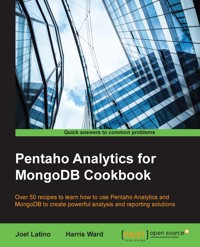
MongoDB is an open source, schemaless NoSQL database system. Pentaho as a famous open source Analysis tool provides high performance, high availability, and easy scalability for large sets of data. The variant features in Pentaho for MongoDB are designed to empower organizations to be more agile and scalable and also enables applications to have better flexibility, faster performance, and lower costs.
Whether you are brand new to online learning or a seasoned expert, this book will provide you with the skills you need to create turnkey analytic solutions that deliver insight and drive value for your organization.
The book will begin by taking you through Pentaho Data Integration and how it works with MongoDB. You will then be taken through the Kettle Thin JDBC Driver for enabling a Java application to interact with a database. This will be followed by exploration of a MongoDB collection using Pentaho Instant view and creating reports with MongoDB as a datasource using Pentaho Report Designer. The book will then teach you how to explore and visualize your data in Pentaho BI Server using Pentaho Analyzer. You will then learn how to create advanced dashboards with your data. The book concludes by highlighting contributions of the Pentaho Community.
Das E-Book können Sie in Legimi-Apps oder einer beliebigen App lesen, die das folgende Format unterstützen:
Seitenzahl: 202
Veröffentlichungsjahr: 2015
Ähnliche



















Table of Contents
Pentaho Analytics for MongoDB Cookbook
Pentaho Analytics for MongoDB Cookbook
Copyright © 2015 Packt Publishing
All rights reserved. No part of this book may be reproduced, stored in a retrieval system, or transmitted in any form or by any means, without the prior written permission of the publisher, except in the case of brief quotations embedded in critical articles or reviews.
Every effort has been made in the preparation of this book to ensure the accuracy of the information presented. However, the information contained in this book is sold without warranty, either express or implied. Neither the authors, nor Packt Publishing, and its dealers and distributors will be held liable for any damages caused or alleged to be caused directly or indirectly by this book.
Packt Publishing has endeavored to provide trademark information about all of the companies and products mentioned in this book by the appropriate use of capitals. However, Packt Publishing cannot guarantee the accuracy of this information.
First published: December 2015
Production reference: 1181215
Published by Packt Publishing Ltd.
Livery Place
35 Livery Street
Birmingham B3 2PB, UK.
ISBN 978-1-78355-327-3
www.packtpub.com
Credits
Authors
Joel Latino
Harris Ward
Reviewers
Rio Bastian
Mark Kromer
Commissioning Editor
Usha Iyer
Acquisition Editor
Nikhil Karkal
Content Development Editor
Anish Dhurat
Technical Editor
Menza Mathew
Copy Editor
Vikrant Phadke
Project Coordinator
Bijal Patel
Proofreader
Safis Editing
Indexer
Rekha Nair
Production Coordinator
Manu Joseph
Cover Work
Manu Joseph
About the Authors
Joel Latino was born in Ponte de Lima, Portugal, in 1989. He has been working in the IT industry since 2010, mostly as a software developer and BI developer.
He started his career at a Portuguese company and specialized in strategic planning, consulting, implementation, and maintenance of enterprise software that is fully adapted to its customers' needs.
He earned his graduate degree in informatics engineering from the School of Technology and Management of Viana do Castelo Polytechnic Institute.
In 2014, he moved to Edinburgh, Scotland, to work for Ivy Information Systems, a highly specialized open source BI company in the United Kingdom.
Joel mainly focuses on open source web technology, databases, and business intelligence, and is fascinated by mobile technologies. He is responsible for developing some plugins for Pentaho, such as Android and Apple push notification steps, and lot of other plugins under Ivy Information Systems.
I would like to thank my family for supporting me throughout my career and endeavors.
Harris Ward has been working in the IT sector since 2004, initially developing websites using LAMP and moving on to business intelligence in 2006. His first role was based in Germany on a product called InfoZoom, where he was introduced to the world of business intelligence. He later discovered open source business intelligence tools and dedicated the last 9 years to not only working on developing solutions, but also working to expand the Pentaho community with the help of other committed members.
Harris has worked as a Pentaho consultant over the past 7 years under Ambient BI. Later, he decided to form Ivy Information Systems Scotland, a company focused on delivering more advanced Pentaho solutions as well as developing a wide range of Pentaho plugins that you can find in the marketplace today.
About the Reviewers
Rio Bastian is a happy software engineer. He has worked on various IT projects. He is interested in business intelligence, data integration, web services (using WSO2 API or ESB), and tuning SQL and Java code. He has also been a Pentaho business intelligence trainer for several companies in Indonesia and Malaysia. Currently, Rio is working on developing one of Garuda Indonesia airline's e-commerce channel web service systems in PT. Aero Systems Indonesia.
In his spare time, he tries to share his experience in software development through his personal blog at altanovela.wordpress.com. You can reach him on Skype at rio.bastian or e-mail him at <[email protected]>.
Mark Kromer has been working in the database, analytics, and business intelligence industry for 20 years, with a focus on big data and NoSQL since 2011. As a product manager, he has been responsible for the Pentaho MongoDB Analytics product road map for Pentaho, the graph database strategy for DataStax, and the business intelligence road map for Microsoft's vertical solutions. Mark is currently a big data cloud architect and is a frequent contributor to the TDWI BI magazine, MSDNMagazine, and SQLServerMagazine. You can keep up with his speaking and writing schedule at http://www.kromerbigdata.com.
www.PacktPub.com
Support files, eBooks, discount offers, and more
For support files and downloads related to your book, please visit www.PacktPub.com.
Did you know that Packt offers eBook versions of every book published, with PDF and ePub files available? You can upgrade to the eBook version at www.PacktPub.com and as a print book customer, you are entitled to a discount on the eBook copy. Get in touch with us at <[email protected]> for more details.
At www.PacktPub.com, you can also read a collection of free technical articles, sign up for a range of free newsletters and receive exclusive discounts and offers on Packt books and eBooks.
https://www2.packtpub.com/books/subscription/packtlib
Do you need instant solutions to your IT questions? PacktLib is Packt's online digital book library. Here, you can search, access, and read Packt's entire library of books.
Why Subscribe?
Free Access for Packt account holders
If you have an account with Packt at www.PacktPub.com, you can use this to access PacktLib today and view 9 entirely free books. Simply use your login credentials for immediate access.
Preface
With an increasing interest in big data technologies, Pentaho, as a famous open source analysis tool, and MongoDB, the most famous NoSQL database, have gained special focus. The variety of features in Pentaho for MongoDB are end-to-end. This means from data storage in MongoDB clusters to visualization in a dashboard, in a report by e-mail, it's definitely a good change for the processes in enterprises. It's a powerful combination of scalable data storage, data transformation, and analysis.
Pentaho Analytics for MongoDB Cookbook explains the features of Pentaho for MongoDB in detail through clear and practical recipes that you can quickly apply to your solutions. Each chapter guides you through the different components of Pentaho: data integration, OLAP, reporting, dashboards, and analysis. This book is a guide to getting started with Pentaho and provides all of the practical information about the connectivity of Pentaho for MongoDB.
Pentaho Installation
Pentaho is a commercial open source product, which that means there are two versions available: Pentaho Community Edition (CE) and Pentaho Enterprise Edition (EE). To be able to cover all the recipes of this book, please choose Pentaho EE. You can download the trial version, available at http://www.pentaho.com. In this book, it is mentioned if a specific feature is available in Pentaho CE. You can get that version from http://community.pentaho.com.
Now, we will explain the installation for Pentaho EE:
What this book covers
Chapter 1, PDI and MongoDB, introduces Pentaho Data Integration (PDI), which is an ETL tool for extracting, loading, and transforming data from different data sources.
Chapter 2, The Thin Kettle JDBC Driver, teaches you about the JDBC driver for querying Pentaho transformations that connect to various data sources.
Chapter 3, Pentaho Instaview, shows you how to create a quick analysis over MongoDB.
Chapter 4, A MongoDB OLAP Schema, explains how to create and publish Pentaho OLAP schemas from MongoDB.
Chapter 5, Pentaho Reporting, focuses on the creation of printable reports using the Pentaho Report Designer tool. This report can be exported in several formats.
Chapter 6, The Pentaho BI Server, covers the main Pentaho EE plugins for web visualization: Pentaho Analyzer and Pentaho Dashboards Designer.
Chapter 7, Pentaho Dashboards, focuses on the creation of complex dashboards using the open source suite CTools.
Chapter 8, Pentaho Community Contributions, explains the functionality of some contributions from the Pentaho community for MongoDB in Pentaho Data Integration.
What you need for this book
In this book, the software that we need to perform the recipes is:
This book provides the source code and some source data for the recipes. Both types of files are available as free downloads from http://www.packtpub.com/support.
Who this book is for
This book is primarily intended for MongoDB professionals who are looking for analysis using Pentaho. This can be done to perform business analysis by Pentaho consultants, Pentaho architects, and developers who want to be able to deliver solutions using Pentaho and MongoDB. It is assumed that they already have experience of defining business requirements and knowledge of MongoDB.
Sections
In this book, you will find several headings that appear frequently (Getting ready, How to do it, How it works, There's more, and See also).
To give clear instructions on how to complete a recipe, we use these sections as follows.
Getting ready
This section tells you what to expect in the recipe, and describes how to set up any software or any preliminary settings required for the recipe.
How to do it…
This section contains the steps required to follow the recipe.
How it works…
This section usually consists of a detailed explanation of what happened in the previous section.
There's more…
This section consists of additional information about the recipe in order to make the reader more knowledgeable about the recipe.
See also
This section provides helpful links to other useful information for the recipe.
Conventions
In this book, you will find a number of styles of text that distinguish between different kinds of information. Here are some examples of these styles, and an explanation of their meaning.
A block of code is set as follows:
Any command-line input or output is written as follows:
New terms and important words are shown in bold. Words that you see on the screen, for example, in menus or dialog boxes, appear in the text like this: "Set the Step Name property to Select Customers."
Note
Warnings or important notes appear in a box like this.
Tip
Tips and tricks appear like this.
Reader feedback
Feedback from our readers is always welcome. Let us know what you think about this book—what you liked or may have disliked. Reader feedback is important for us to develop titles that you really get the most out of.
To send us general feedback, simply send an e-mail to <[email protected]>, and mention the book title via the subject of your message.
If there is a topic that you have expertise in and you are interested in either writing or contributing to a book, see our author guide on www.packtpub.com/authors.
Customer support
Now that you are the proud owner of a Packt book, we have a number of things to help you to get the most from your purchase.
Downloading the example code
You can download the example code files for all Packt books you have purchased from your account at http://www.packtpub.com. If you purchased this book elsewhere, you can visit http://www.packtpub.com/support and register to have the files e-mailed directly to you.
Errata
Although we have taken every care to ensure the accuracy of our content, mistakes do happen. If you find a mistake in one of our books—maybe a mistake in the text or the code—we would be grateful if you would report this to us. By doing so, you can save other readers from frustration and help us improve subsequent versions of this book. If you find any errata, please report them by visiting http://www.packtpub.com/submit-errata, selecting your book, clicking on the erratasubmissionform link, and entering the details of your errata. Once your errata are verified, your submission will be accepted and the errata will be uploaded on our website, or added to any list of existing errata, under the Errata section of that title. Any existing errata can be viewed by selecting your title from http://www.packtpub.com/support.
Piracy
Piracy of copyright material on the Internet is an ongoing problem across all media. At Packt, we take the protection of our copyright and licenses very seriously. If you come across any illegal copies of our works, in any form, on the Internet, please provide us with the location address or website name immediately so that we can pursue a remedy.
Please contact us at <[email protected]> with a link to the suspected pirated material.
We appreciate your help in protecting our authors, and our ability to bring you valuable content.
Questions
You can contact us at <[email protected]> if you are having a problem with any aspect of the book, and we will do our best to address it.
Chapter 1. PDI and MongoDB
In this chapter, we will cover these recipes:
Introduction
Migrating data from an RDBMS to a NoSQL database, such as MongoDB, isn't an easy task, especially when your RBDMS has a lot of tables. It can be a time consuming issue, and in most cases, using a manual process is like developing a bespoke solution.
Pentaho Data Integration (or PDI, also known as Kettle) is an Extract, Transform, and Load (ETL) tool that can be used as a solution for this problem. PDI provides a graphical drag-and-drop development environment called Spoon. Primarily, PDI is used to create data warehouses. However, it can also be used for other scenarios, such as migrating data between two databases, exporting data to files with different formats (flat, CSV, JSON, XML, and so on), loading data into databases from many different types of source data, data cleaning, integrating applications, and so on.
The following recipes will focus on the main operations that you need to know to work with PDI and MongoDB.
Learning basic operations with Pentaho Data Integration
The following recipe is aimed at showing you the basic building blocks that you can use for the rest of the recipes in this chapter. We recommend that you work through this simple recipe before you tackle any of the others. If you want, PDI also contains a large selection of sample transformations for you to open, edit, and test. These can be found in the sample directory of PDI.
Getting ready
Before you can begin this recipe, you will need to make sure that the JAVA_HOME environment variable is set properly. By default, PDI tries to guess the value of the JAVA_HOME environment variable. Note that for this book, we are using Java 1.7. As soon as this is done, you're ready to launch Spoon, the graphical development environment for PDI. To start Spoon, you can use the appropriate scripts located at the PDI home folder. To start Spoon in Windows, you will have to execute the spoon.bat script in the home folder of PDI. For Linux or Mac, you will have to execute the spoon.sh bash script instead.
How to do it…
First, we need configure Spoon to be able to create transformations and/or jobs. To acclimatize to the tool, perform the following steps:




