


52,99 €
Mehr erfahren.
- Herausgeber: John Wiley & Sons
- Kategorie: Fachliteratur
- Sprache: Englisch
The classic guide to instructional design, fully updated for the new ways we learn Rapid Instructional Design is the industry standard guide to creating effective instructional materials, providing no-nonsense practicality rather than theory-driven text. Beginning with a look at what "instructional design" really means, readers are guided step-by-step through the ADDIE model to explore techniques for analysis, design, development, intervention, and evaluation. This new third edition has been updated to cover new applications, technologies, and concepts, and includes many new templates, real-life examples, and additional instructor materials. Instruction delivery has expanded rapidly in the nine years since the second edition's publication, and this update covers all the major advances in the field. The major instructional models are expanded to apply to e-learning, MOOCs, mobile learning, and social network-based learning. Informal learning and communities of practice are examined, as well. Instructional design is the systematic process by which instructional materials are designed, developed, and delivered. Designers must determine the learner's current state and needs, define the end goals of the instruction, and create an intervention to assist in the transition. This book is a complete guide to the process, helping readers design efficient, effective materials. * Learn the ins and outs of the ADDIE model * Discover shortcuts for rapid design * Design for e-learning, Millennials, and MOOCs * Investigate methods for emerging avenues of instruction This book does exactly what a well-designed course should do, providing relevant guidance for anyone who wants to know how to apply good instructional design. Eminently practical and fully up-to-date, Rapid Instructional Design is the one-stop guide to more effective instruction.
Sie lesen das E-Book in den Legimi-Apps auf:
Seitenzahl: 883
Veröffentlichungsjahr: 2015
Ähnliche



















Table of Contents
Title Page
Copyright
Tool List
Preface for the Third Edition
Introduction
PURPOSE
AUDIENCES
SPECIAL ELEMENTS
ORGANIZATION OF THE BOOK
Chapter 1: What Is This Instructional Design Stuff Anyway?
WHY INSTRUCTIONAL DESIGN?
WHAT IS INSTRUCTIONAL DESIGN?
A FEW DEFINITIONS
ADVANTAGES OF INSTRUCTIONAL DESIGN
DISADVANTAGES OF INSTRUCTIONAL DESIGN
Chapter 2: Before You Do Anything: Pre-Instructional Design Activities
ORGANIZATIONAL NEEDS
PERFORMANCE ASSESSMENT
ASSESSING TRAINING NEEDS
CHOOSING NEEDS TO ADDRESS
THE NEEDS ASSESSMENT REPORT
QUICK AND DIRTY COST/BENEFIT ANALYSIS
TRAINING NEEDS ANALYSIS
Chapter 3: Do You Know What You Need to Do? Analysis
DATA-COLLECTION METHODS
WHY ANALYZE?
TYPES OF ANALYSIS
COMPUTER-AIDED ANALYSIS
Chapter 4: How to Do It: Design
MAKE THE RIGHT DECISION NOW
DELIVERY DECISION
OBJECTIVES
DESIGN DOCUMENTS
COURSE DESCRIPTIONS
GATHERING CONTENT
ADDING STRUCTURE: THE INSTRUCTIONAL PLAN
TRAINEE EVALUATION (TEST QUESTIONS AND TESTS)
HINTS FOR DESIGNING IN VARIOUS FORMATS
Chapter 5: Doing It Right: Development
END PRODUCTS OF DEVELOPMENT
THE FACILITATOR GUIDE AS AN END PRODUCT
SCRIPTS AND STORYBOARDS
PARTICIPANT PACKAGES AND OTHER PRINT MATERIALS
OTHER MEDIA
HINTS FOR DEVELOPING MATERIAL
Chapter 6: Getting It Where It Does the Most Good: Implementation
BETA TESTS AND PILOTS
REVIEWS REVISITED
COMMON IMPLEMENTATION ISSUES
OTHER INSTRUCTOR-LED CLASSROOM IMPLEMENTATION NEEDS
HINTS FOR IMPLEMENTATION
FIELD TRIPS
Chapter 7: Did It Do Any Good? Evaluation
WHY EVALUATION?
THE KEY TO GOOD EVALUATION
TYPES OF EVALUATION
EVALUATION OF SELF-INSTRUCTION PROGRAMS
REVISIONS: WHAT TO DO WITH WHAT YOU'VE LEARNED
HINTS FOR EVALUATING
Chapter 8: Doing It Faster: More Rapid Design Shortcuts
SOFTWARE FOR INSTRUCTIONAL DESIGN
ANALYSIS SOFTWARE
TEST DEVELOPMENT SOFTWARE
MISCELLANEOUS SOFTWARE
RAPID PROTOTYPING
LEARNING OBJECTS/GRANULAR TRAINING
PUBLIC COURSES
OFF-THE-SHELF PROGRAMS
TECHNOLOGY VENDORS
PERFORMANCE SUPPORT–BASED “TRAINING”
PROBLEM-BASED LEARNING (PBL)
TRAINING MANAGEMENT SYSTEMS/LEARNING MANAGEMENT SYSTEMS (LMS)/LEARNING CONTENT MANAGEMENT SYSTEMS (LCMS)
DIGITAL CAMERAS
WHAT DOES AN ID DO?
MISCELLANEOUS
Chapter 9: Asynchronous e-Learning Design
DEFINITIONS
CREATING AND IMPLEMENTING AN E-LEARNING SYSTEM
DETERMINING A COMPREHENSIVE E-LEARNING STRATEGY
DESIGNING AND DEVELOPING GOOD PROGRAMS
LEARNING MANAGEMENT SYSTEMS AND LEARNING CONTENT MANAGEMENT SYSTEMS
PREPARING THE ORGANIZATION GLOBALLY FOR E-LEARNING
SELF-DIRECTION AND E-LEARNING
PLANNING FOR A SMOOTH, SUCCESSFUL IMPLEMENTATION
CREATING AN EFFECTIVE MONITORING AND EVALUATION PLAN
ASYNCHRONOUS E-LEARNING DESIGN AND DEVELOPMENT
ANALYSIS
MATERIAL DEVELOPMENT
LEARNER EVALUATION
LEARNER INTERFACES
BETA TESTS AND PILOTS
SOFTWARE
REPURPOSING
EVALUATING ASYNCHRONOUS E-LEARNING PROGRAMS
SUMMARY
Chapter 10: Synchronous e-Learning Design
ADVANTAGES
DISADVANTAGES AND MISCONCEPTIONS
DESIGN CONSIDERATIONS FOR SYNCHRONOUS e-LEARNING
MINI-INTERACTIONS
REPURPOSING AND REDESIGNING SYNCHRONOUS E-LEARNING PROGRAMS
OTHER SYNCHRONOUS ACTIVITIES
MORE DETAILED FACILITATOR GUIDES
LEARNER GUIDE
GENERAL TECHNOLOGY CONSIDERATIONS
MEDIA
DESIGNING CONTINUING INTERACTIONS
AUDIENCE ANALYSIS
IMPLEMENTATION
ONLINE LEARNING: A SPECIAL TYPE OF E-LEARNING
WHAT THE LEARNERS SAY
Chapter 11: New Design Applications
FLIPPED CLASSROOMS
MOBILE LEARNING
VIRTUAL LEARNING ENVIRONMENTS
SOCIAL NETWORK–BASED LEARNING
Massive Open Online Courses (MOOCs)
COMMUNITIES OF PRACTICE
INFORMAL LEARNING
THE CLOUD
Glossary
Suggested Readings
Other Resources
About the Author
Index
End User License Agreement
Pages
vii
viii
ix
x
xi
xiii
xiv
xv
xvi
xvii
xviii
xix
xx
xxi
1
2
3
4
5
6
7
8
9
10
11
12
13
14
15
17
18
19
20
21
22
23
24
25
26
27
28
29
30
31
32
33
34
35
36
37
38
39
40
41
42
43
44
45
46
47
48
49
50
51
52
53
54
55
56
57
58
59
60
61
62
63
64
65
66
67
68
69
70
71
72
73
74
75
76
77
78
79
80
81
82
83
84
85
86
87
88
89
90
91
92
93
94
95
96
97
98
99
100
101
102
103
104
105
107
108
109
110
111
112
113
114
115
116
117
118
119
120
121
122
123
124
125
126
127
128
129
130
131
132
133
134
135
136
137
138
139
140
141
142
143
144
145
146
147
148
149
150
151
152
153
154
155
156
157
158
159
160
161
162
163
164
165
166
167
168
169
170
171
172
173
174
175
176
177
178
179
180
181
182
183
184
185
186
187
188
189
190
191
192
193
194
195
196
197
198
199
200
201
202
203
204
205
206
207
208
209
210
211
212
213
214
215
216
217
218
219
220
221
222
223
224
225
226
227
228
229
230
231
232
233
234
235
236
237
238
239
240
241
242
243
244
245
246
247
248
249
250
251
252
253
254
255
256
257
258
259
260
261
263
264
265
266
267
268
269
270
271
272
273
274
275
276
277
278
279
280
281
282
283
284
285
286
287
288
289
290
291
292
293
294
295
296
297
298
299
300
301
302
303
304
305
306
307
308
309
311
312
313
314
315
316
317
318
319
320
321
322
323
324
325
326
327
328
329
330
331
332
333
334
335
336
337
338
339
340
341
342
343
344
345
346
347
348
349
350
351
353
354
355
356
357
358
359
360
361
362
363
364
365
367
368
369
370
371
372
373
374
375
376
377
378
379
380
381
382
383
384
385
386
387
388
389
390
391
392
393
394
395
396
397
398
399
400
401
402
403
404
405
406
407
408
409
410
411
412
413
414
415
416
417
418
419
420
421
422
423
424
425
426
427
428
429
430
431
432
433
434
435
436
437
438
439
440
441
442
443
444
445
446
447
448
449
450
451
452
453
454
455
456
457
458
459
460
461
462
463
464
465
466
467
468
469
470
471
472
473
519
520
521
522
523
524
525
526
527
528
529
530
531
532
533
534
535
536
537
Guide
Cover
Table of Contents
Preface for the Third Edition
Introduction
Begin Reading
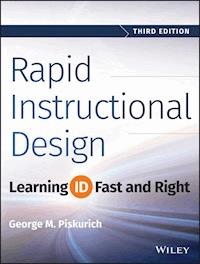
Rapid Instructional Design
Learning ID Fast and Right
THIRD EDITION
George M. Piskurich
Cover image: Abstract Speed Motion © iStock.com/nadia
Cover design: Wiley
This book is printed on acid-free paper.
Copyright © 2015 by John Wiley & Sons, Inc. All rights reserved
Published by John Wiley & Sons, Inc., Hoboken, New Jersey
Published simultaneously in Canada
No part of this publication may be reproduced, stored in a retrieval system, or transmitted in any form or by any means, electronic, mechanical, photocopying, recording, scanning, or otherwise, except as permitted under Section 107 or 108 of the 1976 United States Copyright Act, without either the prior written permission of the Publisher, or authorization through payment of the appropriate per-copy fee to the Copyright Clearance Center, 222 Rosewood Drive, Danvers, MA 01923, (978) 750-8400, fax (978) 646-8600, or on the web at www.copyright.com. Requests to the Publisher for permission should be addressed to the Permissions Department, John Wiley & Sons, Inc., 111 River Street, Hoboken, NJ 07030, (201) 748-6011, fax (201) 748-6008, or online at www.wiley.com/go/permissions.
Limit of Liability/Disclaimer of Warranty: While the publisher and author have used their best efforts in preparing this book, they make no representations or warranties with the respect to the accuracy or completeness of the contents of this book and specifically disclaim any implied warranties of merchantability or fitness for a particular purpose. No warranty may be created or extended by sales representatives or written sales materials. The advice and strategies contained herein may not be suitable for your situation. You should consult with a professional where appropriate. Neither the publisher nor the author shall be liable for damages arising herefrom.
For general information about our other products and services, please contact our Customer Care Department within the United States at (800) 762-2974, outside the United States at (317) 572-3993 or fax (317) 572-4002.
Wiley publishes in a variety of print and electronic formats and by print-on-demand. Some material included with standard print versions of this book may not be included in e-books or in print-on-demand. If this book refers to media such as a CD or DVD that is not included in the version you purchased, you may download this material at http://booksupport.wiley.com. For more information about Wiley products, visit www.wiley.com.
Library of Congress Cataloging-in-Publication Data is on file.
978-1-118-97397-4 (pbk.)
978-1-118-97414-8 (ebk.)
978-1-118-97413-1 (ebk.)
Tool List
Chapter 1
Checklist: Do I Need Instructional Design?
Chapter 2
Performance Assessment Questions
Training Needs Assessment Questions for Management
Training Needs Assessment Questions for Individual Contributors
Training Needs Assessment Template for Managers
Needs Assessment Instrument (Performance vs. Training)
Subject-Matter Expert Selection Form
Needs Consideration Questions
Selection Criteria Worksheet for Level 4 Evaluation
Outline Template for a Training Needs Assessment Report
Training Needs Assessment Report
Items to Consider When Calculating Training Costs
Some Average Costs for Training Resources and Time for Development
High-Level Assessment/Analysis Terminology
Training Needs Analysis Template
Complex Training Analysis Document
Program Analysis Report (Short)
Chapter 3
Observation Form
Job Analysis Template
Criticality Matrix Example
Job and Criticality Analysis Form
Task Analysis Form 1
Data That May Be Collected During a Job/Task Analysis
Task Analysis Form 2
Training Task Analysis Template
Learning Analysis Template
Audience Analysis Questions (for Managers/Initiators)
Audience Analysis Template
Top Audience Characteristics
Audience Analysis Report
Job Analysis Template
Chapter 4
Classroom Training
On-the-Job Training
Self-Instruction
Technology-Based Training
e-Learning (Instructor-Led or Self-Instruction)
Job Performance Aids
Selecting Delivery Method by Project Constraints
Final Criteria for Delivery Selection
Behavioral Verbs
Design Document Template
Simple Design Document Template
Complex Design Document Template
Formal Design Document
SME Roles in Instructional Design
Content Roadmap
Trainer Certification Checklist
Operations Department Final Checklist
Objective Checklist
Designing in Various Testing Formats
Questions
Test Question Critiquing List
Chapter 5
Sample Facilitator Guide
Facilitator Guide Development Job Aid
Checklist for Developing Print Material
Course Materials Reference List
ISD Quality Review
Checklist for Reviewing Facilitator Guides or Trainer Manuals
Checklist for DVD (Multimedia) Program Development
Hints for Better DVD (Multimedia) Program Development
e-Learning Design Hints
Video Shot List/Log
Video Production Checklist
Chapter 6
Running a Beta Test
Beta Test Questions
Beta Test/Pilot Review Checklist
Instructional Designer's Pilot Observation Tool
Pilot Observer Evaluation Sheet
Pilot Participant Survey
Pilot Presenter Evaluation
Instructor Feedback Observation Form
Faculty Strategy Plan Template
Instructor Checklist
Self-Instruction Facilitator Checklist
Conducting a Distributed Self-Instructional Implementation
Operating a Learning Center
Field Trip Checklist
Chapter 7
Reaction Instrument 1
Reaction Instrument 2
Reaction Instrument 3
Reaction Instrument 4
e-Learning Level 1 Evaluation Instrument
Transfer to Job Instrument 1
Transfer to Job Instrument 2
Transfer to Job Instrument 3
Level 3 Evaluation Instrument for Managers
Store Manager Questionnaire
Survey on Self-Instructional Packages
Course Maintenance Planning
Evaluation for Self-Instruction
Self-Instructional Learning Facilitator Survey
Blended Level 1 Evaluation
Chapter 8
Seven Rules for Good Instructional Design
Chapter 9
Questions to Consider When Analyzing Your Organization's Readiness for e-Learning
Preparing to Be an Asynchronous e-Learner Job Aid
e-Learning Self-Assessment
Self-Directed Learning Plan
Web-Based Training Layout
e-Learning Design Hints
Questions for e-learning System Development
Your Twenty Questions for e-Learning Checklist
Chapter 10
Facilitator Guide Template
Media Formats
Continuing Interaction Activity
Job Aid: General Virtual Facilitation Skills
Job Aid: Facilitating Virtual Interactions
Virtual Facilitator Self-Assessment
Tips for Interacting Successfully Online
A Self-Assessment of Personal Synchronous e-learning Characteristics
Synchronous Class Initiation Checklist
Online Decision Job Aid
Preface for the Third Edition
I find it kind of hard to believe that the first edition of this book came out in 2000, and the second edition in 2006. In those fourteen years, and even in the last six, so much has changed in the field of instructional design. Delivery systems that were the gold standard when the first edition was published have almost disappeared, others that were barely on the cutting edge are now not just normal everyday deliveries, but required knowledge for instructional design (ID), and still others that weren't even a ghost of a whisper when the second edition came out are now mainstream enough to be at least a possibility in the ID tool kit.
Yet, even with all these changes, the basics of instructional design remain. ISD and ADDIE have been challenged more times than I can count in those fourteen years by various methodologies and their associated acronyms that have appeared, flourished for a time, then died away as designers went back to what they knew worked. Today we have AGILE and SAM, both of which have very strong and useful conceptualizations going for them, but that are, in the end, based on the tried-and-true ISD concepts of analysis, design, development, implementation, and evaluation.
That being said, why a third edition of this book? Well, first, those prickly new delivery systems need to be addressed. They range from the somewhat simple concept of flipped classrooms to the mysteries of “the Cloud” and what it means to the designer. In between is the philosophical concept of “social network based learning,” and how you use it, control it (if that's possible, and if you really want to) and how to design for it. So this edition will discuss these concepts as they affect the designer, at least as much as we can, considering that they are so new that there hasn't been all that much practical application done with them yet.
Second, some of the templates and figures needed a bit of revision, as time and the discipline have passed them by. I'm afraid I went a bit overboard on this, as you'll find over twenty-five new templates, checklists, and figures in this edition, ranging from a checklist on how to design a field trip to a new blended learning evaluation instrument.
And finally, there was a need to correct some mistakes (as those who have been using the first and second editions have been telling me) and rectify some omissions, such as planning for communicating and marketing programs, and the important task of training facilitators to facilitate.
We also took the instructor's guide out and put it online, so the book is not quite as hefty (although it won't be as good a doorstop) and to make it easy for you to download and use the templates and such.
So here's hoping this edition continues the purpose of the previous two in helping to make you a better instructional designer, and doing that more effectively and efficiently, as any good instructional design should.
—George
Introduction
PURPOSE
The purpose of this book is to consider how to make both the learning and doing of instructional design faster. Proper instructional design is an absolutely critical, but very time-consuming, aspect of any training process, so finding techniques to do it right—but rapidly—is important, and the benefits of employing these techniques are pretty obvious.
This book covers all the basics of instructional design, from analysis to evaluation, and perhaps just a little more, but does so without the theory, with plenty of practical checklists, and with many hints on how to design better and more quickly in this age of technology-based training.
Some might say that in dealing with basic instructional design this book is treading on much furrowed ground. Although this might be the case, we will be using a somewhat different type of plow; and perhaps it is time to revisit that ground, particularly from a new perspective.
At a recent international training conference exposition, I took a tour of the various publishers' booths and asked for books on instructional design. There weren't many to choose from, and most of the ones I did find were based on this or that new theory of learning. It seems that the most utilized and recommended basic instructional design book is still Dick and Carey's (1990) The Systematic Design of Instruction, which, even in its third edition, is ten years old.
By no means am I suggesting that this book should or will replace Dick and Carey; the focus, audience, and tone are all very different. However, the intent is pretty much the same: to discuss the most effective methods for designing instruction, albeit in this case, how to design more rapidly.
Instructional design is a difficult topic to write about at best. It seems that no matter what you say or how you say it you'll miss the mark for someone. You'll be too theoretical for some, yet not theoretical enough for others; too simplistic in your explanations or not basic enough; too focused on the needs of the new designer, or the needs of experienced practitioners; and what about the “sometimes designer”; and so on.
Add to this quandary the concept of rapid instructional design with questions such as: What can you skip in the design process? What had you better not skip unless you truly know what you're doing? Can it be rapid and still be right?, and you're simply asking for more trouble. So what can I say except, “We're asking.”
AUDIENCES
The concept of rapid instructional design means different things to different people, and therefore there are a number of intended audiences for this book.
The first and perhaps foremost are those I term occasional designers. These are individuals who, because of their subject-matter expertise, are called on to train others from time to time, and not just to “do” the training, but to create it. For you, this book will present a basic instructional design methodology that will help you to create effective training. By “effective” we mean training that meets the needs of your trainees and of those who assigned you this task. The process will be rapid because we've left out the theory and provided numerous checklists to help you through the process.
The second audience is those individuals who, without really planning it or in most cases being prepared for it, have become training professionals. I've met many of you in my wanderings. Sometimes you're assigned to a training position for a year or two as part of your career development or because the company needs you there. Others have been excellent occasional trainers who for one reason or another find themselves permanently assigned to a training function, or who become personally responsible for all the training for their work groups.
What you all have in common is that you want to do a good job, but you need the right tools. This book will provide you with those tools—everything from analyzing your work group or company for training needs to evaluating programs to make sure those needs have been met—and all the design and development required in between. Once again, we'll do it rapidly, with minimal theory and maximum practical information in the form of hints for doing what needs to be done better and faster.
The third audience is comprised of those who need to know about instructional design but are not, and probably never will be, practitioners. This includes managers and administrators who must make decisions about what training their work groups require and how to do it most efficiently, human resources professionals who need to understand a bit about instructional design as part of their job responsibilities, and my sales colleagues in training and consulting organizations who are responsible for helping their clients understand what this instructional design “stuff” (particularly new technology training) is all about.
The final audience is seasoned practitioners who are looking for rapid methods for doing instructional design. We will not be exploring these concepts in detail in this book, but we will recognize and discuss them. We'll explore how they fit into the basic instructional design process, both as we encounter them, and in the last chapter.
SPECIAL ELEMENTS
To deal with these various audiences and their varied needs, this book has some special elements in it. One of the most obvious is the icons. There are two basic types of icons that you might see at the beginning of a section or sub-section. The first is a . This means that this area is not critical for an occasional designer. If you are a reader who is basically a subject-matter expert asked to design and teach a specific course, when you see the icon you can probably skip this section with no harm done. It's not that the concepts discussed in these sections are not important to instructional design, it's just that because you are designing a single course for which you are the expert, the topic has been decided on, and no one will teach it but you, doing everything in these sections would be overkill, or not particularly useful for you. Remember, we are affecting rapid instructional design here, so you should only do what you really need to do for your training situation.
This process is called situational instructional design, and we could fill the entire book with all the various instructional design situations and what you should do in each. However, for the sake of creating a book that might be read, instead of one that makes a great doorstop, we'll only deal with this one general situation as it relates to one of our chosen audiences. Once again, if you are a subject-matter expert, designing and instructing for a topic that has been assigned to you, you can skip the areas marked with a .
You'll also find areas marked with the icon without a slash. These are areas of special interest to you as an occasional designer. Most often they will be places where we'll tell you how you can shortcut the concept we are discussing, due to your particular situation.
The second type of icon is an . A means that the information following is a rapid design shortcut. This is mainly for readers who are seasoned practitioners, to help them find the rapid design aspects of the book without reading through a lot of what they already know. It does not mean that those readers who are in our other audiences should not read these pieces; there is almost always some useful information in a section for everyone. However, using the rapid techniques might not be the best approach for an inexperienced designer.
For our other audiences, you should be able to utilize just about everything in the book somewhere along the line in your instructional design processes.
A second special element, besides the icons, is the recommended resources. Each is what I consider to be the best book, magazine article, or website for further information on the topic. You'll find them in every chapter whenever I have a recommendation for a new topic or concept as it's introduced. These resources are mainly for those readers who need to know more, such as those of you who have just taken on full-time training or training management responsibilities. The full references are provided at the end of the book, within sections and alphabetical by title.
Now I don't want to start a big controversy with my recommendations, so please note that these are only my opinions, and only in relation to the specific audiences we just discussed. Please don't call, write, or e-mail asking why I didn't choose such and such, or how could I have missed so and so. I'll be more than glad to hear from you concerning nearly anything else in the book, or instructional design, or training in general.
Another special element is the hints at the end of some of the chapters. One of the difficulties in talking about instructional design is that sooner or later you get off on tangents, particularly when you begin to discuss delivery systems. As we wanted to make the basic information in this book as simple and straightforward as possible for the new or occasional designer, we took many of these “branches” and simply made bulleted lists for them, included in the hints area. Some of these lists are pretty extensive, particularly when discussing media formats, but don't forget that they are resources, not intended to be read as a list. Refer to them as required for your needs. Simply reading through them will not be particularly effective.
There is also a Glossary. The definitions there are a combination of ones that are more or less accepted and others that are simply practical. Some are mine; some are borrowed in part or whole from others. We'll note within a chapter when a certain usage might be more relevant for this book. However, the Glossary goes well beyond this to explore a number of possible terms and definitions. For example, we'll use “trainee” rather than “student” and “trainer” instead of “instructor” in most cases in this book, but you'll find all of these terms in the Glossary.
The Suggested Readings at the end of the book are exactly that, not references or a bibliography. They are divided by topical area to make it easier for you to use, although some books tend to spill over into a number of topics. They are alphabetized, not prioritized.
The Other Resources listing at the end of the book contains mostly websites that have information on the various topics and some pointers to periodicals or groups that can help you if you need to explore a concept in greater detail, or if you just like electronic communications better than print.
ORGANIZATION OF THE BOOK
The problem with organizing any instructional design book is that the instructional design process is not what it seems, or at least not what most people make it out to be. It is not a simple linear method that starts with analysis and moves on through stages to evaluation, even though that's what you see in most models. Instead, it's more like a connected circle with the end feeding back into the beginning, or even a web with all of the aspects interconnected and leading to parts of each other.
But because a book is linear, the organization of instructional design herein will be as well, using the tried-and-true five-component design model of analysis, design, development, implementation, and evaluation. We'll start with a basic introduction and some thoughts on why instructional design is important. Don't get this “why” confused with theory. I think it's important here and there to have a brief discussion of why you want to do certain aspects of instructional design, particularly the process as a whole; but we won't be looking at the theory behind the why, just the practical necessity.
Believe it or not this is a good place for the first of those rapid design hints we just discussed. Because instructional design is like a web, you don't have to complete all of one component before moving on to the next. For example, you may choose to begin developing some of your training material even as you're finishing the analysis component. You may need to do a little rewriting at the end, but the majority of what you do will be fine, and you won't have wasted time waiting for all the analysis data to be in before moving on.
Chapter 2 deals with what might be termed pre-design activities, that is, things that need to be done before you actually begin to design your program. This includes concepts such as training needs assessments, performance assessments, and cost/benefit analysis. If you're an occasional designer, most of Chapter 2 will be less important to you; whereas if you are newly in charge of a training function, the information here will be critical. Follow the icons and use your own situation as your guide.
Many experts would say that Chapter 3 is the real beginning of instructional design, the component known as analysis. Of course, just as many would say that Chapter 2 is the real beginning, as much of what we accomplish there feeds into analysis. Anyway, we'll look at the various types of analysis, what they are used for, and the methods for doing them. There are a number of them and all are important, although some will be more critical than others, depending on your particular situation.
Chapter 4 is a very long chapter because it deals with a number of critical design issues. We start with another analysis that determines what delivery system will be most effective for your training tasks and your organization. This in itself is controversial, as some designers balk at deciding on a delivery system before writing objectives and content. However, with all the technology variations that are available for delivering training today, and their associated cost in both dollars and time, we feel that a delivery decision is a critical early step in the design component.
We'll move from there to objectives, design documents, test questions, and instructional plans to complete the design component. This is actually a more-or-less random stopping point for Chapter 4. Some of these concepts could just as easily fit into the delivery component, while others interrelate so much that it is hard to tell where they go, but we had to stop somewhere.
Chapter 5 is the delivery component, which is concerned with the actual development of the training materials. We follow a lesson plan format here. Even though lesson plans are basically a classroom delivery product, they make a good outline for on-the-job training (OJT) and for technology-based training (TBT) as well, which covers most of the other major delivery systems. We discuss openings, motivation, activities, summaries, and some evaluation aspects.
Because development is the component during which you add media, the hints section is pretty formidable here. We cover ideas on everything from flip charts to satellite-mediated broadcasts, with plenty of attention on the technologies such as multimedia and net-based training. (Note: There is a lot of terminology flying around concerning the process of Internet, intranet, and web-based training. In this book, we will use the term net-based training to mean any type of training for which a computer network is the delivery system. This might include intranets, Internets, and webs. If there is a particular reason for focusing on one of these processes over the others it will be called out specifically.)
Chapter 6 is concerned with program implementation. However, it begins with information on pilots and beta testing. Once again, some would say that this material belongs with evaluation (Chapter 7) or even development, as—like many instructional design activities—it has a lot of connections to both. We chose the implementation connection, as this is the first time you'll actually see your training implemented. Chapter 6 continues with some general concerns; and the hints section contains ideas for various types of implementations.
Chapter 7 deals with evaluation, both evaluation of the trainees, which is discussed in various other chapters as well, and of the training program itself. Reasons for doing evaluations, what might be evaluated, and how to evaluate are covered, as well as evaluating self-instructional programs, which requires a somewhat different approach. Thoughts on revising programs and program materials end the chapter and bring us back full circle to analysis, which is the end product of evaluation.
The purpose of Chapter 8 is to provide you with a little more detail on a number of rapid design techniques. This chapter is more for the experienced designer, but the concepts may be interesting to all readers. These short discussions are not meant to make you an expert on these methods, but rather to supply you with enough information to decide whether they are useful for you, and with the suggested readings, to send you on your way to learning more about them.
Chapters 9 and 10 consider the design of two newer and widely used delivery systems, asynchronous and synchronous e-learning.
Chapter 11 considers some of the newer technology and delivery concepts that have come into use since the first edition was published.
As we noted earlier, instructional design, particularly rapid instructional design, is not an easy concept to discuss. It is highly situational, often depending on the level of knowledge of the designer, the organizational environment, the needs of the trainees, the responsibilities of the trainers, and other even less tangible things. We hope that this book will help you deal with these complexities and make your instructional designing the best, and fastest, it can be.
Chapter 1What Is This Instructional Design Stuff Anyway?
This chapter will help you to:
Discover why you need instructional design
Begin to see what instructional design is
Consider the advantages and disadvantages of instructional design
There is an old saying that if you don't know where you are going, any road will get you there. This is a fine philosophy if you are spending the summer between your junior and senior year “experiencing” Europe or if you have embarked on an Australian “walk-about,” but when you are developing training programs it leaves a lot to be desired.
One of the purposes of instructional design is to provide both an appropriate destination, and the right road to get you there, whenever you are responsible for creating a training program. Your destination is usually some form of learning that your trainees will accomplish, while the road is one of the many paths that instruction can follow to facilitate that learning.
Lesen Sie weiter in der vollständigen Ausgabe!
Lesen Sie weiter in der vollständigen Ausgabe!
Lesen Sie weiter in der vollständigen Ausgabe!
Lesen Sie weiter in der vollständigen Ausgabe!
Lesen Sie weiter in der vollständigen Ausgabe!
Lesen Sie weiter in der vollständigen Ausgabe!
Lesen Sie weiter in der vollständigen Ausgabe!
Lesen Sie weiter in der vollständigen Ausgabe!
Lesen Sie weiter in der vollständigen Ausgabe!
Lesen Sie weiter in der vollständigen Ausgabe!
Lesen Sie weiter in der vollständigen Ausgabe!
Lesen Sie weiter in der vollständigen Ausgabe!
Lesen Sie weiter in der vollständigen Ausgabe!
Lesen Sie weiter in der vollständigen Ausgabe!
Lesen Sie weiter in der vollständigen Ausgabe!
Lesen Sie weiter in der vollständigen Ausgabe!




