


6,99 €
Mehr erfahren.
- Herausgeber: BookRix
- Kategorie: Fachliteratur
- Sprache: Englisch
Tinkercad User’s Handbook for Absolute Beginners is a complete, confidence-building guide designed for anyone who has ever felt curious about 3D design, electronics, or digital creativity—but didn’t know where to begin.
This book was created specifically for beginners who want clear explanations, real understanding, and practical results without being overwhelmed by technical jargon or rushed instructions.
Whether you are a senior learner, a lifelong hobbyist, an educator, or someone simply curious about how modern digital design works, this handbook walks beside you step by step—at a pace that respects your learning style.
Inside, you’ll discover how Tinkercad transforms imagination into reality using a simple, visual, and intuitive approach. Starting from the very basics, the book gently introduces you to the Tinkercad interface, 3D design fundamentals, and essential tools before guiding you into real-world applications like 3D printing, electronics simulation, and Arduino projects. Every chapter builds logically on the last, ensuring you never feel lost or left behind .
What sets this guide apart is its hands-on, practical focus. You won’t just read about tools—you’ll use them. You’ll design real objects, simulate working circuits, and complete guided projects such as custom 3D models, LED systems, smart lamps, and printable everyday items. Clear explanations, thoughtful pacing, and real-world examples make complex concepts feel approachable and even enjoyable.
This handbook also goes beyond software instruction. It highlights the cognitive, emotional, and creative benefits of learning Tinkercad—improving spatial reasoning, sharpening problem-solving skills, boosting confidence with technology, and reigniting the joy of making something with your own hands. For seniors especially, the book emphasizes learning without pressure, proving that creativity and curiosity have no age limit .
You’ll also gain:
- A full introduction to 3D modeling fundamentals and precision design
- A clear, beginner-friendly approach to circuits and Arduino simulation
- Practical workflows for exporting designs for 3D printing and real-world use
- Time-saving shortcuts, troubleshooting help, and best practices
- Advanced pathways including Codeblocks, parametric design, and portfolio building
- Printable worksheets, glossaries, shortcuts, and project trackers for continued learning
If you’re ready to learn something meaningful, stay mentally engaged, and create with confidence in today’s digital world—this handbook belongs on your desk.
Buy a copy now.
Das E-Book können Sie in Legimi-Apps oder einer beliebigen App lesen, die das folgende Format unterstützen:
Veröffentlichungsjahr: 2026
Ähnliche



















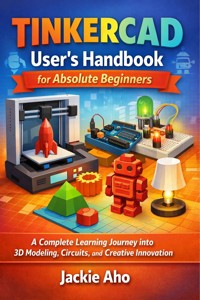
TINKERCAD User’s Handbook for Absolute Beginners
A Complete Learning Journey into 3D Modeling, Circuits, and Creative Innovation
Jackie Aho
Copyright Notice
© 2026. All rights reserved.
No part of this publication may be reproduced, distributed, or transmitted in any form or by any means — including photocopying, recording, or other electronic or mechanical methods — without the prior written permission of the publisher, except in the case of brief quotations embodied in critical reviews and certain other noncommercial uses permitted by copyright law.
This guide is published for educational and informational purposes only. While every effort has been made to ensure accuracy, the author and publisher assume no responsibility for errors or omissions, or for damages resulting from the use of information contained herein.
Tinkercad, Arduino, and other trademarks mentioned in this guide are the property of their respective owners. Their inclusion does not imply endorsement or affiliation.
Contents
INTRODUCTION
Why This Guide Exists
A New Kind of Creativity
Learning with Confidence: Why Seniors Excel at Tinkercad
The Role of Tinkercad in Today’s World
What You’ll Learn in This Book
How to Use This Handbook
The Joy of Digital Making
The Cognitive and Emotional Benefits of Learning Tinkercad
Chapter 1: Introduction to Tinkercad
What is Tinkercad?
Why Learn Tinkercad?
Overview of Tinkercad Interface
Creating and Managing Your Tinkercad Account
Getting Comfortable with the Workspace
Chapter 2: Understanding 3d Design Fundamentals
Introduction to 3D Geometry in Tinkercad
Basic Shapes and Their Manipulation
Grouping, Combining, and Hole Tools
Measurement and Precision Design
Project: Designing Your First 3D Object
Chapter 3: Mastering Tinkercad Tools and Features
The Workplane and Its Functions
Aligning, Mirroring, and Duplicating Objects
Importing and Exporting 3D Models
Using the Shape Generators and Custom Shapes
Tips and Tricks for Efficient Design
Chapter 4: Electronics Design in Tinkercad
Introduction to Tinkercad Circuits
Components and Their Symbols
Building Simple Circuits
Simulating Arduino Projects
Troubleshooting and Debugging Circuits
Chapter 5: Projects and Practical Applications
Beginner Project: LED Control System
Intermediate Project: Smart Lamp Design
Creative 3D Printing Project: Custom Phone Stand
Collaborative Projects in Classrooms
Documenting and Presenting Your Work
Chapter 6: Troubleshooting, Shortcuts, and Best Practices
Common Beginner Mistakes in 3D Design
Managing File Errors and Lost Projects
Keyboard Shortcuts and Workflow Hacks
Maintaining Design Consistency
Time-Saving Best Practices for Everyday Use
Chapter 7: Integrating Tinkercad with Real-World Technologies
Exporting for 3D Printing and Laser Cutting
Connecting Tinkercad with Arduino IDE
Using Tinkercad for STEM Education
Collaboration and Cloud Integration
Case Studies: Real Projects Made with Tinkercad
Chapter 8: Advanced Design Concepts and Future Learning
Exploring Codeblocks (Visual Coding in Tinkercad)
Parametric Design and Advanced Modeling Concepts
Combining 3D Design and Electronics
Moving Beyond Tinkercad
Building a Portfolio and Next Learning Steps
Appendix
Appendix A: Essential Tinkercad Shortcuts, Commands, and Interface Guide
Appendix B: Glossary of Key Terms and Concepts in 3D Design and Electronics
Appendix C: Sample Lesson Plans and Classroom Integration
Appendix D: Printable Worksheets, Checklists, and Project Trackers
Appendix E: Resource Library, Recommended Tools, and Continuing Education Opportunities
INTRODUCTION
“Creativity has no age; only curiosity keeps it alive.”
Technology has an incredible way of surprising us — it changes faster than we expect, yet it constantly invites us to rediscover the joy of learning. For many, the digital world once seemed like something meant only for the younger generation — fast-paced, ever-evolving, and somewhat intimidating. But over the past decade, a quiet revolution has been unfolding: one where people of all ages are learning to build, design, and create in digital spaces that were once reserved for engineers and tech enthusiasts. This revolution has a name — Tinkercad.
Tinkercad is not just another software program; it’s a creative playground built for everyone — from curious beginners to retired engineers, from teachers to grandparents wanting to understand how their grandchildren’s gadgets work. This handbook, Tinkercad User’s Handbook for Beginners, has been designed with you — the senior learner — at heart. It walks you through every button, shape, wire, and idea patiently and clearly, helping you see that technology can be learned at your own pace, in your own way, and for your own enjoyment.
Many older adults grew up in an era when hands-on creativity meant sketching, carpentry, embroidery, fixing radios, or assembling small household tools. Those same instincts of imagination and problem-solving are still alive — Tinkercad simply translates them into a digital canvas. Whether you are a retired architect who misses drafting, a hobbyist who loves tinkering, or simply someone who wants to understand what “3D printing” or “Arduino” means, this guide will serve as your bridge into the world of modern digital making.
Why This Guide Exists
Learning something new later in life can feel both exciting and challenging. Many seniors express hesitation about technology not because they lack the ability, but because they have not been properly guided with clarity, patience, and real-world context. Most manuals and tutorials assume prior knowledge, jump too quickly into technical jargon, or rely heavily on assumptions about modern digital habits. This book does the opposite.
This guide takes a gentle, story-based approach to learning Tinkercad. It speaks directly to you — someone who may prefer a slower, more detailed explanation, or who appreciates examples that relate to real experiences. You won’t be rushed through menus or shortcuts; instead, you’ll learn how and why each tool matters. The idea is not to memorize buttons but to understand how design works, so you can confidently explore and even teach others later.
The world is increasingly shaped by 3D modeling and digital design — from architecture and prosthetics to jewelry and robotics. But before anything is manufactured, it must first be imagined and modeled. Tinkercad gives you a space to do exactly that: it brings your ideas to life, allowing you to see them from every angle, test them, and even simulate how they work electronically. And the best part? You can do all this right from your web browser, without expensive equipment or years of training.
This handbook was created because learning shouldn’t stop at any age. Whether you’re sixty, seventy, or beyond, your curiosity deserves to be nourished. Seniors bring a unique advantage to digital design: experience, patience, and perspective — qualities that make learning deeper and more meaningful.
A New Kind of Creativity
For decades, creativity was something we expressed physically — through building, drawing, or crafting. Digital creativity now extends that same energy into a new realm. The screen isn’t a barrier; it’s a canvas. The mouse becomes your chisel; the keyboard your sketching tool. And the best part is that mistakes don’t waste material — they can be undone with a simple click.
In Tinkercad, you’ll be able to:
Design your own keychains, ornaments, or tools.
Create small models of furniture, houses, or inventions.
Simulate electrical circuits — blinking LEDs, running motors, or simple alarm systems.
Learn how modern designers and engineers visualize their ideas before they’re built.
What makes Tinkercad particularly special is its visual simplicity. Everything happens in colorful 3D — you drag shapes, align them, resize them, and snap them together. There’s no need to remember complicated commands or formulas. With each click and drag, you begin to see how digital geometry works, and soon, creating something becomes second nature.
Many seniors discover that using Tinkercad feels oddly familiar — it’s like working with clay or Lego bricks, but on a computer screen. You can shape, join, or hollow out objects. It’s a tactile experience in a digital world. And once you’ve learned the basics, you’ll be amazed by how intuitive it feels.
Learning with Confidence: Why Seniors Excel at Tinkercad
There’s a common myth that older adults find it difficult to adapt to new technologies. In reality, research has shown that senior learners thrive when they are given context, encouragement, and purpose. Unlike younger users who rush through features, seniors tend to be more methodical — and that’s exactly the mindset that Tinkercad rewards.
Tinkercad is not about speed. It’s about understanding. It allows you to think spatially, plan carefully, and see how your ideas evolve. You’ll be pleased to know that:
Tinkercad is
browser-based
, meaning there’s nothing to install or update.
The interface is
colorful, clean, and uncluttered
, perfect for easy visibility.
You can
zoom in and out
, move around, and explore from multiple angles without stress.
It’s completely
free
to use, so you can practice as much as you like.
Learning this tool engages both the creative and analytical sides of your brain. It’s an excellent mental exercise — improving spatial awareness, concentration, and logical thinking. Many senior users report that spending even 20 minutes a day on Tinkercad feels like doing “mental gymnastics” — in the best possible way.
Beyond personal growth, Tinkercad can also strengthen intergenerational connections. Imagine working on a small 3D project with your grandchildren, discussing shapes, colors, and design ideas together. It becomes a bonding activity that bridges age and experience, allowing you to share your wisdom while learning something modern.
The Role of Tinkercad in Today’s World
Before diving into the software itself, it’s helpful to understand where Tinkercad fits in the broader landscape of technology and design. Developed by Autodesk, a global leader in design software, Tinkercad was created to make 3D design and electronics accessible to everyone — not just professionals. Its clean interface and easy learning curve make it the first step for anyone interested in 3D printing, prototyping, or STEM education.
Tinkercad serves as an introduction to powerful professional tools like Fusion 360 and AutoCAD, which are widely used by engineers, architects, and designers. But unlike those, which can be complex, Tinkercad focuses on playful learning — making the world of engineering approachable.
You may wonder why 3D design matters at all for a senior learner. The answer is simple: understanding how modern design works gives you insight into how the world around you is created — from smartphone casings to furniture, car parts, and even medical devices. Learning Tinkercad is like learning the modern language of innovation.
Furthermore, it opens doors to hobbies and personal projects you can pursue independently:
Designing custom home tools or gadgets.
Creating personalized gifts using 3D printing services.
Visualizing renovations, furniture layouts, or garden plans.
Understanding how circuits and sensors power everyday devices.
For seniors curious about technology but tired of abstract explanations, Tinkercad offers hands-on, practical interaction — the best kind of learning there is.
What You’ll Learn in This Book
This handbook is structured to guide you step by step, from basic concepts to more advanced design and electronics simulation. Each chapter builds upon the previous one, reinforcing your confidence and introducing you to new possibilities at a comfortable pace.
Here’s what you can expect:
Chapter 1:
A gentle introduction to Tinkercad — what it is, why it exists, and how to navigate its interface.
Chapter 2:
The fundamentals of 3D design — mastering shapes, measurements, and geometry.
Chapter 3:
Exploring tools and features — learning the power behind each function.
Chapter 4:
Diving into electronics — simulating circuits and understanding how real-world devices work.
Chapter 5:
Building real projects — practical exercises that blend creativity with purpose.
Chapter 6:
Troubleshooting and tips — helping you fix mistakes and refine your workflow.
Chapter 7:
Connecting Tinkercad to the real world — integrating with 3D printing, Arduino, and educational projects.
Chapter 8:
Expanding your skills — exploring advanced design, coding, and future learning opportunities.
Each chapter contains:
Clear
step-by-step explanations
with visuals.
Pro Tips
for efficiency.
Quick Recaps
for memory retention.
And at the end, a
Sketch Illustration Prompt
that can be used to visualize concepts or inspire creative exploration.
How to Use This Handbook
Think of this guide not as a manual, but as a learning companion. You can move at your own rhythm. Each lesson is self-contained, so you can pause, practice, or repeat any section as needed.
Here’s how to make the most of it:
Start slowly:
Take time to read each explanation and try it immediately in Tinkercad.
Experiment freely:
There are no mistakes in digital design — only learning moments.
Take notes:
Write down ideas, observations, or new discoveries.
Ask questions:
If something doesn’t make sense, try to relate it to something you already understand (like woodworking, drawing, or assembling).
Celebrate progress:
Every new model or working circuit you build is a victory worth smiling about.
This guide encourages you to tinker — to explore, play, and imagine without fear of “doing it wrong.” The name “Tinkercad” itself comes from the word tinker — meaning to experiment with tools, materials, or ideas until something works. It’s a philosophy of continuous curiosity, not perfectionism.
The Joy of Digital Making
There’s something deeply satisfying about seeing an idea take shape in front of your eyes — even more so when you’re the one who brought it to life. In Tinkercad, the moment you align two shapes or watch your circuit light up, you experience that spark of creativity again — the same spark that drove inventors and craftsmen throughout history.
Digital making reintroduces seniors to hands-on problem-solving, just without the physical strain. No heavy tools, no materials to waste — just imagination and a bit of screen time. It’s an opportunity to rediscover the joy of creating while staying mentally active and connected to the modern world.
For retirees, hobbyists, or lifelong learners, Tinkercad becomes more than software — it becomes a window into how the next generation creates. It’s an empowering reminder that learning never really ends, and that the curiosity that fueled you as a child can still guide your hands today.
The Cognitive and Emotional Benefits of Learning Tinkercad
Learning Tinkercad does more than teach you 3D design. It’s also an exercise in mental agility and emotional fulfillment.Here are a few ways it enriches your mind and spirit:
1. Improves Spatial Reasoning
Understanding how objects fit together in 3D space trains your brain to visualize dimensions and structures — a skill that strengthens memory and mental clarity.
2. Encourages Problem-Solving
Designing a model involves small challenges: how to align parts, adjust measurements, or make pieces fit. Each solved puzzle sharpens logic and patience.
3. Boosts Confidence with Technology
Every successful project reminds you that technology is not exclusive to the young. It’s empowering to realize, “I can do this,” especially in a field that once felt out of reach.
4. Stimulates Creativity
Whether you design a flower pot, a miniature clock, or a model of your old house, you engage your creative muscles — sparking joy and self-expression.
5. Reduces Isolation
Many online Tinkercad communities welcome seniors who share their models and help one another. You can connect with others who are learning, exchange ideas, and stay socially active in a creative environment.
Chapter 1: Introduction to Tinkercad
Understanding the world of virtual design begins with knowing the tools that make imagination tangible.
What is Tinkercad?
History, purpose, and applications of Tinkercad in education and design.
🌟 The Beginning of a Digital Design Revolution
The story of Tinkercad begins with a simple but revolutionary idea: to make design and engineering accessible to everyone — regardless of age, background, or technical skill. In a world where complex Computer-Aided Design (CAD) software like AutoCAD, SolidWorks, or Fusion 360 dominated professional industries, there was a huge gap between professionals and everyday learners who wanted to understand how things are made. Tinkercad emerged as the bridge between those two worlds.
Tinkercad was created in 2011 by Kai Backman and Mikko Mononen, two Finnish designers who believed that anyone should be able to create 3D models without struggling through complicated commands. Their goal was to democratize design — to make 3D creation as simple as playing with building blocks. This mission resonated with educators, students, hobbyists, and innovators across the globe. The platform quickly gained attention for its simplicity, web-based access, and bright, intuitive interface.
In 2013, the tech giant Autodesk, known for creating professional tools like AutoCAD and Fusion 360, acquired Tinkercad. This acquisition ensured that Tinkercad would not only remain free but also benefit from the robust support, resources, and reliability of Autodesk’s ecosystem. Since then, Tinkercad has evolved into one of the most widely used entry-level design tools on the planet, serving millions of users in over 190 countries.
🧠 The Philosophy Behind Tinkercad
At its core, Tinkercad is more than just a software platform — it’s a philosophy of learning by doing. The name itself blends two concepts: “tinker,” meaning to experiment or play with ideas, and “CAD,” short for Computer-Aided Design. This combination perfectly captures what the platform offers — a space where you can explore, test, and build, without fear of failure.
Unlike traditional CAD programs that rely on complex tools, Tinkercad embraces visual design. Users drag, drop, and reshape colorful 3D objects on a simple grid. There’s no need to remember commands or formulas; creativity happens through interaction. The interface looks playful, yet behind that simplicity lies a powerful geometric engine that models 3D shapes with remarkable accuracy.
The philosophy extends beyond design—it’s about empowerment. Tinkercad’s creators wanted to remove the intimidation from technology and replace it with curiosity. Whether you are an engineer, artist, teacher, or retiree rediscovering creativity, the platform encourages exploration. You don’t need to be a computer expert; you just need the willingness to try.
🧩 How Tinkercad Works
Tinkercad operates entirely in your web browser — meaning no installations, no heavy software, and no complicated updates. You simply visit the Tinkercad website, sign in with an email or Google account, and start designing. Everything you build is stored in the cloud, accessible from any computer or tablet with an internet connection.
The platform revolves around three main environments:
3D Design Workspace:
This is where you create models using basic geometric shapes. You can scale, rotate, group, or subtract objects to form complex designs.
Circuits Workspace:
This space allows you to design and simulate
electronic circuits
, including components like LEDs, resistors, and even programmable Arduino boards. It’s a virtual electronics lab that lets you test ideas without physical hardware.
Codeblocks Workspace:
Here, users can explore
block-based coding
to create parametric designs — shapes that are generated using simple programming logic. It’s a fantastic way to blend creativity with computational thinking.
These three environments give Tinkercad its versatility. It’s not only a 3D modeling tool; it’s also a learning ecosystem that encourages experimentation across disciplines.
🧱 The Building Blocks of Imagination
In Tinkercad, everything begins with shapes. The platform’s design philosophy revolves around the idea that all complex models can be built from simple building blocks. Cubes, cylinders, spheres, cones, and other primitives form the foundation of every design.
Using operations like grouping, aligning, rotating, and scaling, you can transform these simple shapes into sophisticated objects — from jewelry and furniture to robots and architectural models. There’s no limit to what can be built, as long as you can imagine it.
For example:
Combine a few boxes and cylinders, and you’ve made a miniature house.
Add a torus (ring shape) to a cube, and suddenly you have a keychain.
Subtract one shape from another using the “hole” tool, and you can create engravings, containers, or hollow structures.
This modular approach teaches users the same fundamental concepts professional designers use, but in a much friendlier, visual format.
🏫 Tinkercad in Education
Since its inception, Tinkercad has become a cornerstone of digital education. Thousands of schools and universities around the world use it to teach STEM (Science, Technology, Engineering, and Mathematics). The platform’s appeal lies in its simplicity — students can focus on creativity rather than memorizing technical terms.
Teachers use Tinkercad to:
Introduce students to
engineering principles
through 3D modeling projects.
Demonstrate
electric circuit behavior
without needing physical components.
Encourage
problem-solving and design thinking
in classroom challenges.
Because everything runs in a browser, students can collaborate easily and submit projects online. Tinkercad’s built-in tutorials, classroom management features, and safety settings make it a perfect fit for both in-person and remote learning environments.




