


2,99 €
Mehr erfahren.
- Herausgeber: T.S. AVINI
- Kategorie: Fachliteratur
- Sprache: Englisch
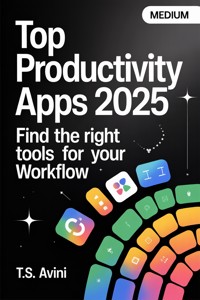
Step into the future of productivity with the definitive guide to the top apps that can transform your workflow in 2025! This book dives deep into the digital tools that are reshaping how we work, organize, and collaborate, ensuring you stay ahead in today's fast-paced world. Discover how these applications can boost your efficiency by helping you manage tasks, track time, and enhance communication, all through intuitive, user-friendly interfaces.
- Unearth the latest trends in AI and machine learning that are powering new productivity tools, allowing for smarter decision-making and effortless automation.
- Explore how to craft a personalized toolkit from a plethora of apps designed for task management, communication, collaboration, time tracking, and even health and well-being, to suit your unique workflow.
Don't miss out on unlocking the secrets to achieving more with less effort. Equip yourself with the right apps and strategies today, and take the first step towards mastering productivity in the digital age!
Das E-Book können Sie in Legimi-Apps oder einer beliebigen App lesen, die das folgende Format unterstützen:
Veröffentlichungsjahr: 2025
Ähnliche

















Top Productivity Apps 2025Find the Right Tools for Your Workflow
Top Productivity Apps 2025Find the Right Tools for Your Workflow
Top Productivity Apps 2025Find the Right Tools for Your Workflow
Table of Contents
Chapter 1: Introduction: Navigating the Digital Landscape of Productivity
Chapter 2: Understanding Your Workflow: Identifying Needs and Pain Points
Chapter 3: The Evolution of Productivity Apps: A Brief History
Chapter 4: Setting Criteria: What Makes an App Effective?
Chapter 5: Task Management: Staying on Top of Your To-Do List
Chapter 6: Time Tracking: Maximizing Efficiency Without Micromanaging
Chapter 7: Note-Taking and Documentation: Organize Your Thoughts
Chapter 8: Communication and Collaboration: Bridging the Digital Gap
Chapter 9: Project Management: Keeping Your Team Aligned
Chapter 10: Focus and Distraction Reduction: Tools to Enhance Concentration
Chapter 11: File Storage and Sharing: Ensuring Accessibility and Security
Chapter 12: Automation and Integration: Simplifying Complex Workflows
Chapter 13: Mind Mapping and Brainstorming: Visualizing Ideas
Chapter 14: Calendar and Scheduling: Mastering Your Agenda
Chapter 15: Health and Well-Being: Maintaining Balance in Productivity
Chapter 16: Cloud-Based Solutions: The Future of Mobile Productivity
Chapter 17: AI and Machine Learning: The Next Frontier in Productivity Tools
Chapter 18: Choosing the Right Platform: Mobile, Desktop, or Cross-Platform
Chapter 19: Case Studies: Success Stories Using Productivity Apps
Chapter 20: Conclusion: Crafting Your Personalized Productivity Toolkit
About the Author
Title Page
Table of Contents
Top Productivity Apps 2025Find the Right Tools for Your Workflow
Medium
by T.S. AVINI
Table of Contents
1. Introduction: Navigating the Digital Landscape of Productivity
2. Understanding Your Workflow: Identifying Needs and Pain Points
3. The Evolution of Productivity Apps: A Brief History
4. Setting Criteria: What Makes an App Effective?
5. Task Management: Staying on Top of Your To-Do List
6. Time Tracking: Maximizing Efficiency Without Micromanaging
7. Note-Taking and Documentation: Organize Your Thoughts
8. Communication and Collaboration: Bridging the Digital Gap
9. Project Management: Keeping Your Team Aligned
10. Focus and Distraction Reduction: Tools to Enhance Concentration
11. File Storage and Sharing: Ensuring Accessibility and Security
12. Automation and Integration: Simplifying Complex Workflows
13. Mind Mapping and Brainstorming: Visualizing Ideas
14. Calendar and Scheduling: Mastering Your Agenda
15. Health and Well-Being: Maintaining Balance in Productivity
16. Cloud-Based Solutions: The Future of Mobile Productivity
17. AI and Machine Learning: The Next Frontier in Productivity Tools
18. Choosing the Right Platform: Mobile, Desktop, or Cross-Platform
19. Case Studies: Success Stories Using Productivity Apps
20. Conclusion: Crafting Your Personalized Productivity Toolkit
Chapter 1: Introduction: Navigating the Digital Landscape of Productivity
In the sprawling expanse of the 21st century digital landscape, productivity has taken center stage as both an art and a science. Every individual, from busy professionals to stay-at-home parents, seeks ways to optimize their daily efficiency.
This quest has spurred an evolving ecosystem of productivity applications, each promising to save time, streamline workflows, and eradicate the chaos that often consumes our days. However, diving into this ocean of digital tools can quickly become overwhelming without a proper map. This introduction aims to equip you with the foundational knowledge needed to navigate the vast, and often turbulent, waters of productivity apps.
The modern world, characterized by its relentless pace and constant connectivity, demands a nuanced approach to time and task management. The sheer volume of information we juggle daily can be paralyzing.
Emails flood our inboxes, notifications from various applications vie for our attention, and the expectations from professional and personal fronts continue to rise. Amidst this, the goal remains clear: find a sense of balance, improve efficiency, and ultimately achieve the satisfaction of a productive day.
Believe it or not, Enter productivity apps—digital tools designed to help us regain control over our lives.
But with thousands of apps available, each with unique features and functionalities, selecting the right tool often feels like seeking a needle in a haystack. To make an informed choice, one must first understand the categories these apps fall into, their intended purposes, and, importantly, how they can integrate into individual workflows.
The world of productivity apps can broadly be divided into several categories: task management, note-taking, calendar scheduling, communication, focus enhancement, and automation tools. Each category serves a distinct function.
Task management apps like Todoist or Asana are designed to help you keep track of tasks, set deadlines, and prioritize what matters. Note-taking apps such as Evernote or Notion serve as digital repositories for your ideas, documents, and reminders, available at your fingertips whenever inspiration strikes or information is needed.
Calendar scheduling apps have advanced far beyond the days of simple date markers.
Apps like Google Calendar and Fantastical offer synchronized scheduling across devices, integration with other tools, and the ability to share your availability easily. Meanwhile, communication apps such as Slack or Microsoft Teams have revolutionized how we engage with colleagues and manage projects, offering platforms that centralize conversations and integrate with other productivity tools.
In real life, As the digital landscape grows, so too does the need to maintain focus amid distractions.
This has given rise to focus-enhancement apps like Forest or Freedom, which help users manage screen time and create an environment conducive to concentration.
Lastly, automation tools like Zapier and IFTTT link the disparate parts of our digital lives together, automating tasks and creating workflows that reduce manual effort and boost productivity.
They represent the seamless, frictionless future that digital productivity aspires to.
However, embracing these tools requires more than just downloading the latest trending app.
It involves understanding your unique needs and identifying the pain points in your current workflow. Are you constantly missing deadlines? Is email management consuming a disproportionate amount of your time? Do you struggle with maintaining focus throughout the day? Once you have clarity on where your productivity barriers lie, you can better determine which tools might offer the greatest benefit.
Believe it or not, Moreover, the integration of new apps into your routine necessitates an openness to change and adaptation.
We are creatures of habit, and altering the way we work can be challenging. It's essential to allow yourself a period of adjustment when adopting any new tool, involving trial, error, and a fair share of patience.
Another crucial aspect of this digital navigation is ensuring that your chosen apps communicate with one another.
Fragmentation in your toolset—where each app operates in isolation—can lead to inefficiencies rather than improvements. Seeking out applications that offer integration options, or using automation tools to connect disparate systems, can transform a collection of standalone apps into a cohesive productivity machine.
Security and privacy have also become significant considerations in the digital age. As we entrust more of our personal and professional information to these apps, ensuring they adhere to stringent security protocols is paramount.
Look for apps that offer end-to-end encryption and have transparent data policies. It's also wise to regularly update passwords and utilize two-factor authentication wherever possible.
In real life, In navigating this digital landscape, a key tenet is the notion that more apps don't necessarily equate to more productivity.
Instead, it's about finding the right apps that address your specific needs effectively. A streamlined, minimalist approach often yields better results than an overloaded one.
As we venture further into this book, we will explore top productivity apps as of 2025 across various categories.
The goal is to provide insight into not only the functionalities of each app but also practical guidance on what kind of user would benefit most from each tool. Whether you are a seasoned productivity enthusiast or a curious newcomer, this journey promises to arm you with the knowledge needed to elevate your digital efficiency and navigate the complexities of the modern work landscape with confidence.
In conclusion, the digital quest for productivity is ongoing, a dynamic blend of technology, personal reflection, and adaptation.
By understanding the digital productivity landscape and recognizing the importance of aligning tools with personal workflows, you can position yourself at the forefront of modern efficiency. Welcome to the future of productivity, where discipline meets technology and ensures that every moment counts.
Chapter 2: Understanding Your Workflow: Identifying Needs and Pain Points
Introduction
Picture yourself at your desk, a blank screen glaring back at you. Tasks are piling up, and despite your best efforts, productivity seems elusive.
You’re not alone—many professionals face similar challenges. The first step towards enhanced efficiency is understanding your workflow. By identifying your specific needs and pain points, you can align productivity tools to genuinely enhance your day-to-day operations.
Defining Workflow
At its core, a workflow is a sequence of processes through which a piece of work passes from initiation to completion.
This encompasses everything from planning and executing tasks to managing resources and time. Your workflow is uniquely yours, shaped by your industry, role, and personal working style.
Becoming aware of your workflow involves introspection and analysis.
Start by documenting your typical day. Note the patterns: When are you most productive? Which tasks consume the majority of your time? What triggers disruptions? By mapping these elements, you'll create a clearer picture of your workflow.
Recognizing Needs
Once you've mapped your workflow, it's time to pinpoint what you need from a productivity tool.
Needs vary significantly from person to person and depend on multiple factors, including your role, objectives, and the complexity of your tasks. Here’s a breakdown of categories to consider:.
1. **Task Management**: This is fundamental to most workflows.
Understand if you need a simple to-do list or a more complex project management system. Evaluate if you require features like task dependency, deadline tracking, or integration with other tools.
In real life, 2.
**Communication**: Efficient communication is crucial, especially in team settings. Consider whether your workflow would benefit from instant messaging, video conferencing, or email threading enhancements.




