


3,49 €
Mehr erfahren.
- Herausgeber: Raymond James
- Kategorie: Fachliteratur
- Sprache: Englisch
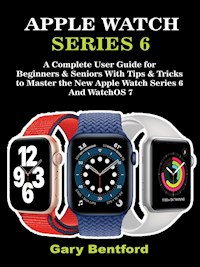
Discover the Amazing Features, Tips and Tricks of Apple Watch Series 6 in this Book!
The new Apple Watch series 6 is an improvement on the previous Apple Watch versions. While you might assume that you don't need the Apple Watch series 6, some added features like blood oxygen monitoring, brighter display, faster chip and more are major reasons you would want to give it a second thought.
The newest Apple Watch innovation can only be used with an iPhone, and while it offers an 'Always-on' display which helps to fix the Apple Watch from the top, it is always very hard to track.
Apple watch series 6 is slightly more efficient compared to series 5 because it works with an S6 processor which gives it
more prolonged battery life, thus making it about 20% faster than the previous generation. It also contains a 2.5x brighter screen in "always-on" mode, and a faster chip. It is easily noticed outdoors as a result of its brightness.
In this book, Gary Bentford has made everything well simplified and comprehensive for your proper understanding. Thus, here are some of the lessons you would find this user guide:
- Setting up and getting started;
- Turning On, Pairing, & Setting up your Apple Watch
- Features of Apple Watch Series 6
- Locking and unlocking Your Apple Watch
- How to check and measure blood oxygen level
- How to view activity and health reports of family members
- How to manage family member’s Apple Watch
- How to set up and make use of siri
- Cool tips and tricks,
- and more
Consider to scrolling up, and click to purchase your copy now
Das E-Book können Sie in Legimi-Apps oder einer beliebigen App lesen, die das folgende Format unterstützen:
Veröffentlichungsjahr: 2021
Ähnliche

















Apple Watch Series 6: A Complete User Guide for Beginners & Seniors With Tips & Tricks to Master the New Apple Watch Series 6 And WatchOS 7
Raymond James and Gary Bentford
Published by Gary Bentford, 2021.
While every precaution has been taken in the preparation of this book, the publisher assumes no responsibility for errors or omissions, or for damages resulting from the use of the information contained herein.
APPLE WATCH SERIES 6: A COMPLETE USER GUIDE FOR BEGINNERS & SENIORS WITH TIPS & TRICKS TO MASTER THE NEW APPLE WATCH SERIES 6 AND WATCHOS 7
First edition. February 21, 2021.
Copyright © 2021 Raymond James and Gary Bentford.
Written by Raymond James and Gary Bentford.
10 9 8 7 6 5 4 3 2 1
Also by Raymond James
Crock Pot Dump Recipes: Easy, Healthy & Delicious Crock pot meals For Busy Families
We Choose Never To Go Vegan: Top 93 Healthy & Delicious Low Carb Plant-Based Meals for Keto Vegans.
Healthy Vegan Soups & Stews: Burn Off Excess Fat in 10 Days with These Flavorful, Delicious Vegan Soups & Stews Recipes
Crock Pot Dump Recipes: 112 Healthy & Delicious Crock Pot Appetizers, Sandwiches, Soups & Super Snacks for Busy People On a Budget!
The Fatty Liver Diet:84 Nutritional Guide to Prevent And Eliminate Liver Diseases
The Renal Diet Cookbook: 120 Easy Kidney Friendly Recipes to Managing Chronic Kidney Disease
Apple Watch Series 6: A Complete User Guide for Beginners & Seniors With Tips & Tricks to Master the New Apple Watch Series 6 And WatchOS 7
Also by Gary Bentford
iPad 8th Generation User Guide: A Beginner and Seniors Manual to Hidden Features, Tips, Tricks and Mastery of the New Apple 10.2" iPad & iPadOS 14
Apple Watch Series 6: A Complete User Guide for Beginners & Seniors With Tips & Tricks to Master the New Apple Watch Series 6 And WatchOS 7
Apple Watch Series 6
A Complete User Guide for Beginners & Seniors With Tips & Tricks to Master the New Apple Watch Series 6 And WatchOS 7
GARY BENTFORD
Copyright © 2021 Gary Bentford
All rights reserved. No part of this publication may be reproduced, distributed, or transmitted in any form or by any means, including photocopying, recording, or other electronic or mechanical methods, without the prior written permission of the publisher, except in the case of brief quotations embodied in critical reviews and certain other noncommercial uses permitted by copyright law.
Contents
INTRODUCTION
What's new in Apple watch series 6
Chapter 1: Setting Up and Getting Started
Setting up
The Chronograph Pro Watch Face
The Home Screen Grid View
Turning On, Pairing, & Setting Up Your Apple Watch
How to Unpair Apple Watch
How to Pair More than One Apple Watch
How to Switch to a different Apple Watch
How to Pair Your Apple Watch with Your New iPhone
How to transfer Your Current Cellular Plan To A New Apple Watch
Chapter 2: Power and Battery
The Charger Setup
How to Access the Remaining Power & Save When the Battery is Low
How to Return to Normal Power Mode
How to Check the Time Since Last Charged
Chapter 3: Turning On & Waking Your Apple Watch
How to Wake Your Apple Watch Display
How to return Your Apple Watch Back to the Clock Face
How to Wake Your Apple Watch to Your Last Activity
Chapter 4: Locking & Unlocking Your Apple Watch
How to Unlock Your Apple Watch After Unlocking Your iPhone
How to Change the Passcode
How to Use the Passcode That Exceeds Four Digits
How to Switch Off Passcode on Apple Watch & iPhone
How to Change the Orientation & Language On Apple Watch
How to Switch Wrists Orientation
Chapter 5: Removing, Changing, and Fastening Apple Watch Bands
How to Remove and Change Your Apple Watch Bands
How to Fasten A Band
How to Stay Fit With Your Apple Watch
How to Start A Workout
How to view Trends on Your iPhone
Chapter 6: Important Health Information Tracking
How to Get Heart Health Notifications
How to Check your Blood Oxygen Levels
How to View Activity & Health Reports for Family Members
How to view an Activity Report
How to View Health Information
How to Add Health Details and Medical ID
Chapter 7: Staying Connected With Family Members
How to Stay connected with Apple Watch
How to Send A Message From Your Wrist
How to Use Your Apple Watch to Announce Your Arrival
How To Setup Apple Watch for A Family Member
How to Manage A Family Member's Apple Watch
How to Complete A Screen Time Set Up
Chapter 8: Getting Started With School Time
How to Setup a School Time
How to Change the Schooltime Schedule
How to View When Schooltime Was Unlocked
How to tell the Time On Apple Watch
How to Feel the Time on the Apple Watch
How to Setup Reminders On An Apple Watch of A Family Member
Chapter 9: Apps
How to Open Applications on the Apple Watch
How to Return to Home Screen
How to Open an App (From the Dock)
How to Select Apps to Show in the Dock
How to Remove App From the Dock
How to Organize Apps on Apple Watch
How to Remove An App from an Apple Watch
How to Check the Storage Used By Apps
How to Check Storage Used by Apps On your iPhone;
How to Get More Apps on Apple Watch
How to Install the Apps you Have on Your iPhone
How to Rearrange Control Center
Chapter 10: Airplane Mode Features
How to Turn On Airplane Mode on Apple Watch & iPhone
How to Use Flashlight on Apple Watch
How to Use Theater Mode On the Apple Watch
How to Wake your Apple Watch When Theater Mode is On
How to Turn On Silent Mode
How to Turn on Do Not Disturb
Chapter 11: Adjust Brightness, Text Size, Sounds, and Haptics
How to Adjust Brightness
How to Adjust the Text Size of your Apple Watch
How to Adjust Sounds On the Apple Watch
How to adjust Sounds on your iPhone
Chapter 12: Siri
How to Change Settings of the Voice Feedback
How to Change the Voice & Language Siri Uses
How to Make a Quick Call with Siri
How to Delete All Siri History
Chapter 13: Notifications
How to See Notifications Not Yet Responded to
How to Clear An Unread Notification
How to Turn Notifications Off on Apple Watch
How to Select the Way Notifications Are Delivered On the Apple Watch
How to Use Notification Grouping
How to Silent All Notifications On the Apple Watch
How to Turn Off Short-look Notifications When Your Apple Watch Is Locked
INTRODUCTION
The new Apple Watch series 6 is an improvement on the previous Apple Watch versions. While you might assume that you don't need the Apple Watch series 6, some added features like blood oxygen monitoring, brighter display, faster chip and more are major reasons you would want to give it a second thought.
The newest Apple Watch innovation can only be used with an iPhone, and while it offers an 'Always-on' display which helps to fix the Apple Watch from the top, it is always very hard to track.
Apple watch series 6 is slightly more efficient compared to series 5 because it works with an S6 processor which gives it a more prolonged battery life, thus making it about 20% faster than the previous generation. It also contains a 2.5x brighter screen in "always-on" mode, and a faster chip. It is easily noticed outdoors as a result of its brightness.
The series 6 consists of some new colors like red aluminum, Graphite stainless steel with dark polish.
Besides, when it comes to treadmill, the series 6 perform greatly, so you may actually go on errands outside, and then, your Apple Watch series 6 can actually get an idea of your running dynamics to give a better estimation indoors. And just like all other Apple watches I had tested in the past, it always shocks me how close it gets to the distance being recorded. Apple watches do well estimated running distances.
The Series 6 version of Apple Watch may seem like just an upgrade, but the new feature of blood oxygen monitoring is a plus and a yardstick to view it as an advantage over Apple watch series 5, 4, and 3.
Apart from the introduction of blood oxygen monitoring, it also consist of a brighter 'always-on' display, new colorful casing, and it charges faster and still retains its 18-hour battery life.
Its watchOS 7 software comes with Apple Watch sleep tracking, including new watch bands and watch faces. You can consider upgrading from Series 4 or 5 to Apple Watch series 6, which is a combination of refreshed accessories, software, and hardware.
The Apple Watch Series 6 continues to make waves and retains its edge over other competing devices. This makes it control over half of the entire market.




