


39,59 €
Mehr erfahren.
- Herausgeber: Packt Publishing
- Kategorie: Fachliteratur
- Sprache: Englisch
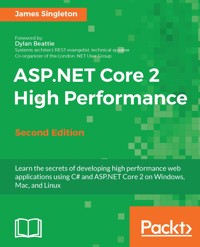
The ASP.NET Core 2 framework is used to develop high-performance and cross-platform web applications. It is built on .NET Core 2 and includes significantly more framework APIs than version 1.
This book addresses high-level performance improvement techniques. It starts by showing you how to locate and measure problems and then shows you how to solve some of the most common ones. Next, it shows you how to get started with ASP.NET Core 2 on Windows, Mac, Linux, and with Docker containers.
The book illustrates what problems can occur as latency increases when deploying to a cloud infrastructure. It also shows you how to optimize C# code and choose the best data structures for the job. It covers new features in C# 6 and 7, along with parallel programming and distributed architectures.
By the end of this book, you will be fixing latency issues and optimizing performance problems, but you will also know how this affects the complexity and maintenance of your application. Finally, we will explore a few highly advanced techniques for further optimization.
Das E-Book können Sie in Legimi-Apps oder einer beliebigen App lesen, die das folgende Format unterstützen:
Veröffentlichungsjahr: 2017
Ähnliche
















Second Edition
BIRMINGHAM - MUMBAI
ASP.NET Core 2 High Performance
Second Edition
Copyright © 2017 Packt Publishing
All rights reserved. No part of this book may be reproduced, stored in a retrieval system, or transmitted in any form or by any means, without the prior written permission of the publisher, except in the case of brief quotations embedded in critical articles or reviews.
Every effort has been made in the preparation of this book to ensure the accuracy of the information presented. However, the information contained in this book is sold without warranty, either express or implied. Neither the author, nor Packt Publishing, and its dealers and distributors will be held liable for any damages caused or alleged to be caused directly or indirectly by this book.
Packt Publishing has endeavored to provide trademark information about all of the companies and products mentioned in this book by the appropriate use of capitals. However, Packt Publishing cannot guarantee the accuracy of this information.
First published: June 2016
Second edition: October 2017
Production reference: 1061017
ISBN 978-1-78839-976-0
www.packtpub.com
Credits
Author
James Singleton
Copy Editor
Muktikant Garimella
Reviewer
Vidya Vrat Agarwal
Project Coordinator
Ulhas Kambali
Commissioning Editor
Merint Mathew
Proofreader
Safis Editing
Acquisition Editor
Aiswarya Narayanan
Indexer
Tejal Daruwale Soni
Content Development Editor
Vikas Tiwari
Production Coordinator
Shraddha Falebhai
Technical Editor
Madhunikita Sunil Chindarkar
Foreword
We live in the age of distributed systems. Computers have shrunk from room-sized industrial mainframes to embedded devices that are smaller than a thumbnail. However, at the same time, the software applications that we build, maintain, and use every day have grown beyond measure. We create distributed applications that run on clusters of virtual machines scattered all over the world, and billions of people rely on these systems, such as email, chat, social networks, productivity applications, and banking, every day. We're online 24 hours a day, seven days a week, and we're hooked on instant gratification. A generation ago, we'd happily wait until after the weekend for a cheque to clear, or allow 28 days for delivery. Today, we expect instant feedback, and why shouldn't we? The modern web is real-time, immediate, on-demand, and built on packets of data flashing around the world at the speed of light, and when it isn't, we notice. We've all had that sinking feeling... you know, when you've just put your credit card number into a page to buy some expensive concert tickets, and the site takes just a little too long to respond. Performance and responsiveness are a fundamental part of delivering a great user experience in the distributed age. However, for a working developer trying to ship your next feature on time, performance is often one of the most challenging requirements. How do you find the bottlenecks in your application performance? How do you measure the impact of those problems? How do you analyze them, design and test solutions and workarounds, and monitor them in production so that you can be confident that they won't happen again? This book has the answers. Inside, James Singleton presents a pragmatic, in-depth, and balanced discussion of modern performance optimization techniques, and how to apply them to your .NET and web applications. Starting from the premise that we should treat performance as a core feature of our systems, James shows how you can use profiling tools such as Glimpse, MiniProfiler, Fiddler, and Wireshark to track down the bottlenecks and bugs that cause your performance problems. He addresses the scientific principles behind effective performance tuning, monitoring, instrumentation, and the importance of using accurate and repeatable measurements when you make changes to a running system to try and improve performance.
This book goes on to discuss almost every aspect of modern application development: database tuning, hardware optimisations, compression algorithms, network protocols, and object-relational mappers. For each topic, James describes the symptoms of common performance problems, identifies the underlying causes of those symptoms, and then describes the patterns and tools that you can use to measure and fix these underlying causes in your own applications. There's an in-depth discussion of high-performance software patterns such as asynchronous methods and message queues, accompanied by real-world examples showing you how to implement these patterns in the latest versions of the .NET framework. Finally, James shows how you can not only load test your applications as a part of your release pipeline, but you can continuously monitor and measure your systems in production, letting you find and fix potential problems long before they start upsetting your end users.
When I worked with James here at Spotlight, he consistently demonstrated a remarkable breadth of knowledge, from ASP.NET to Arduinos and from Resharper to resistors. One day, he'd build reactive frontend interfaces in ASP.NET and JavaScript; the next day, he'd create build monitors by wiring microcontrollers into Star Wars toys, or working out how to connect the bathroom door lock to the intranet so that our bicycling employees could see from their desks when the office shower was free. After James moved on from Spotlight, I've been following his work with Cleanweb and Computing 4 Kids Education. He's one of those rare developers who really understands the social and environmental implications of technology; whether it's delivering great user interactions or just saving electricity, improving your systems' performance is a great way to delight your users. With this book, James has distilled years of hands-on lessons and experience into a truly excellent all-round reference for .NET developers who want to understand how to build responsive and scalable applications. It's a great resource for new developers who want to develop a holistic understanding of application performance, but the coverage of cutting-edge techniques and patterns means it's also ideal for more experienced developers who want to make sure they're not getting left behind. Buy it, read it, share it with your team, and let's make the web a better place.
Dylan Beattie Systems architect REST evangelist, technical speaker Co-organizer of the London .NET User Group
About the Author
James Singleton is a British software developer, engineer, and entrepreneur, who has been writing code since the days of the BBC Micro. His formal training is in electrical and electronic engineering, yet he has worked professionally in .NET software development for nearly a decade. He is active in the London start-up community and helps organize Cleanweb London events for environmentally conscious technologists. He runs Cleanweb Jobs (https://cleanwebjobs.com/), which aims to help get developers, engineers, managers, and data scientists into roles that can help tackle climate change and other environmental problems. He also does public speaking and has presented talks at many local user groups, including at the Hacker News London meet up. James holds a first class degree (with honors) in electronic engineering with computing, and has designed and built his own basic microprocessor on an FPGA, along with a custom instruction set to run on it. James contributes to, and is influenced by, many open source projects, and he regularly uses alternative technologies such as Python, Ruby, and Linux. He is enthusiastic about the direction that Microsoft is taking with .NET, and their embracing of open source practices. He is particularly interested in hardware, environmental, and digital rights projects, and is keen on security, compression, and algorithms. When not hacking on code, or writing for books and magazines, he enjoys walking, skiing, rock climbing, traveling, brewing, and craft beer. James has gained varied skills by working in many diverse industries and roles, from high performance stock exchanges to video encoding systems. He has worked as a business analyst, consultant, tester, developer, and technical architect. He has a wide range of knowledge, gained from big corporates to start-ups, and lots of places in between. He has first-hand experience of the best, and the worst, ways of building high-performance software. You can read his blog at https://unop.uk/.
About the Reviewer
Vidya Vrat Agarwal is a software technology enthusiast, Microsoft MVP, C# Corner MVP, TOGAF Certified Architect, Certified Scrum Master (CSM), and a published author. He has presented sessions at various technical conferences and code camps in India and the USA. He lives in Redmond, WA, with his wife, Rupali, and two daughters, Pearly and Arshika. He is passionate about .NET and works as Principal Architect, Systems, with T-Mobile USA. He blogs athttp://www.MyPassionFor.NETand can be followed on Twitter at @DotNetAuthor.
www.PacktPub.com
For support files and downloads related to your book, please visit www.PacktPub.com. Did you know that Packt offers eBook versions of every book published, with PDF and ePub files available? You can upgrade to the eBook version at www.PacktPub.comand as a print book customer, you are entitled to a discount on the eBook copy. Get in touch with us at [email protected] for more details. At www.PacktPub.com, you can also read a collection of free technical articles, sign up for a range of free newsletters and receive exclusive discounts and offers on Packt books and eBooks.
https://www.packtpub.com/mapt Get the most in-demand software skills with Mapt. Mapt gives you full access to all Packt books and video courses, as well as industry-leading tools to help you plan your personal development and advance your career.
Why subscribe?
Fully searchable across every book published by Packt
Copy and paste, print, and bookmark content
On demand and accessible via a web browser
Customer Feedback
Thanks for purchasing this Packt book. At Packt, quality is at the heart of our editorial process. To help us improve, please leave us an honest review on this book's Amazon page at https://www.amazon.com/dp/1788399765. If you'd like to join our team of regular reviewers, you can email us at [email protected]. We award our regular reviewers with free eBooks and videos in exchange for their valuable feedback. Help us be relentless in improving our products!
Table of Contents
Preface
What this book covers
What you need for this book
Who this book is for
Conventions
Reader feedback
Customer support
Downloading the example code
Errata
Piracy
Questions
What's New in ASP.NET Core 2?
What's new in Core 2
What's new in .NET Core 2
Performance improvements
What's new in ASP.NET Core 2
Performance improvements
Standards
New C# features
C# 6
String interpolation
Null conditional
Exception filters
Asynchronous availability
Expression bodies
C# 7
Literals
Tuples
Out variables
References
Patterns
More expression bodies
More asynchronous improvements
JavaScript
Summary
Why Performance Is a Feature
Performance as a feature
Common classes of performance problems
Language considerations
Types of performance problems
When performance matters
Slower is sometimes better
Why issues are missed
Measuring
The benefits of planning ahead
Understanding hardware
Storage access speeds
Scaling approach changes
Tools and costs
Tools
Looking at some alternative tools
The new .NET
Summary
Setting Up Your Environment
Windows
Visual Studio 2017
Installing VS
Installing .NET Core 2
Creating your first app
Mac
Visual Studio for Mac
Installing VS Mac
Installing .NET Core 2
Creating your first app
Visual Studio Code
Linux
Getting started with .NET Core on Linux
Installing .NET Core 2
Creating your first app
Containerization with Docker
Using ASP.NET Core 2 with Docker
Summary
Measuring Performance Bottlenecks
Tools
SQL
SQL Server Profiler
Executing a simple query
MiniProfiler
Application profiling
Glimpse
Using Glimpse
IDE
Monitoring HTTP
Browsers
Chrome
Firefox
Fiddler
Network
Microsoft Message Analyzer
Wireshark
Roll your own
Science
Repeatability
Only change one thing
Summary
Fixing Common Performance Problems
Latency
Asynchronous operations
Simple asynchronous tools
Background queuing
Hangfire
Select N+1 problems
Efficient paging
Static site generators
Pragmatic solutions with hardware
A desktop example
Web applications
Oversized images
Image resolution
Image format
Summary
Addressing Network Performance
Internet protocols
TCP/IP
Slow-start
HTTP
Headers
HTTP methods
Status codes
Encryption
Key exchange
Delay diagnostics
Performance tweaks
HTTP/2
WebSockets
Compression
Lossless compression algorithms
Bundling and minification
Bundling
Minification
Changes in ASP.NET Core
Image optimization
PNG
JPEG
Other image formats
Resizing images
Caching
Browser
Server
Proxy servers between you and your users
CDNs
Summary
Optimizing I/O Performance
Input/output
Categories of I/O
Disks
Virtual filesystems
Databases
APIs
Network diagnostics tools
Ping
Tracert
Nslookup
Build your own
Solutions
Batching API requests
Efficient DB operations
Database tuning
Reporting
Aggregates
Sampling
Inserting data
GUIDs
Advanced DB topics
Simulation and testing
Summary
Understanding Code Execution and Asynchronous Operations
Getting started with the core projects
.NET Core
ASP.NET Core
Kestrel
Data structures
Lists
Dictionaries
Collection benchmarks
Bloom filters
Hashing and checksums
Hashing benchmarks
Serialization
SIMD CPU instructions
Parallel programming
Task Parallel Library
Parallel LINQ
Parallel benchmarking
Parallel programming limitations
Multithreading and concurrency
Locking
Practices to avoid
Reflection
Regular expressions
String concatenation in tight loops
Dynamic typing
Synchronous operations
Exceptions
Summary
Learning Caching and Message Queuing
Why caching is hard
Web caching
Caching background
HTTP headers
Cache busting
Service workers
Service worker example
Web and proxy servers
IIS
Varnish
Working with a content delivery network
When not to cache
Application layer caching
Redis
Database result set caching
Message queuing
Coffee shop analogy
Message queuing styles
Common messaging patterns
Unicast
Pub/sub
RabbitMQ
Queuing frameworks and libraries
Summary
The Downsides of Performance-Enhancing Tools
Managing complexity
Understanding complexity
Complexity reduction
Frameworks
Architecture
Monolith versus microservices
Architecture comparison
Refactoring
A culture of high performance
A blameless culture
Intellectual dishonesty
Slow down to go faster
From the ground up
Shared values
The price of performance
Distributed debugging
Logging
Error logging
Application Insights
Integrated logging
Centralized logging
Statistics
Managing stale caches
Summary
Monitoring Performance Regressions
Profiling and measurement
Testing
Automated testing
Continuous integration
Slow testing
Fixing performance regressions
Load testing
Realism
Realistic environments
Realistic workloads
Feature switching
Experimenting for science
A/B testing
User interface testing
Web UI testing tools
Automating UI performance tests
Staying alert
DevOps
DevOps tooling
Provisioning
Monitoring
Hosting
Summary
The Way Ahead
Reviewing what we learned
Further reading
Going native
Processor architecture
Hardware is hard
Machine learning
Big data and MapReduce
Orleans
Custom transports
Advanced hashing
Library and framework support
The future
Summary
Preface
Microsoft has released the second major version of its open source and cross-platform web application framework, ASP.NET Core. This runs on top of .NET Core, which is also open and is now, likewise, at version 2. ASP.NET Core is primarily used with the C# programming language, but F# and VB.NET can also be used. You are no longer tied to using Windows with ASP.NET, and you can now develop on a Mac and deploy to Linux. The new platform also offers much higher performance.
Version 2 is what version 1 should have been, as the first stable release was not really production ready. Major changes were made very late in the release candidate stage. Thankfully, things have stabilized with the new tooling, and you can now use ASP.NET Core in earnest.
In today's world, a web application that only performs well on a developer's workstation and fails to deliver high performance in production is unacceptable. The way that web applications are now deployed at scale has changed, and development practices must adapt to take advantage of this. By reading this book, you'll learn about the modern way of making high-performance web applications, and how to do this with ASP.NET Core.
This is a high-level book that provides performance tips that are applicable to web application development with any programming stack. However, it focuses specifically on C# and ASP.NET Core. The reader should already know how to build a web app, though not necessarily in .NET Core.
This book addresses web application performance improvement techniques, from both a general standpoint (HTTP, HTTPS, HTTP/2, TCP/IP, database access, compression, I/O, asset optimization, caching, message queuing, and other concerns) and from a C#, ASP.NET Core, and .NET Core perspective. This includes delving into the details of the latest frameworks and demonstrating software design patterns that improve performance.
Common performance pitfalls will be highlighted, which can often occur unnoticed on developer workstations, along with strategies to detect and resolve these issues early. By understanding and addressing the challenges upfront, any nasty surprises can be avoided when it comes to live deployment.
Many performance improvements will be introduced, along with the trade-offs they entail. We will strike a balance between premature optimization and inefficient code by taking a scientific and evidence-based approach, focusing on the big problems, and avoiding changes that have little impact.
We assume that you understand the importance of the performance for web applications, but we will recap why it's crucial. However, you may not have had any specific or actionable advice, or much experience of performance problems occurring in the wild.
By reading this book, you'll understand what problems can occur when web applications are deployed at scale to distributed infrastructure, and you will know how to avoid or mitigate these issues. You will gain experience of how to write high-performance applications without having to learn about issues the hard way, possibly late at night.
You'll see what's new in ASP.NET Core, why it's been rebuilt from the ground up, and what this means for performance. You will understand the future of .NET Core and how you can now develop and deploy on Windows, macOS, and Linux. You'll appreciate the performance of new features in ASP.NET Core, including updates to the Razor view engine, and you will be aware of cross-platform tools such as Visual Studio Code.
What this book covers
Chapter 1, What's New in ASP.NET Core 2, summarizes the significant changes between ASP.NET Core 1.0 and ASP.NET Core 2.0. We will also go into the history of the project to show why it was such a moving target. We will take a look at some of the new features in C# 6.0 and C# 7.0 to see how they can make your life easier. We will also cover .NET Standard 2.0 and how this improves library portability.
Chapter 2, Why Performance Is a Feature, discusses the basic premise of this book and shows why you need to care about the performance of your software. Responsive applications are vital and it's not simply enough to have functionalities work; they also needs to be quick. Think of the last time you heard someone complaining about an app or website, and it's likely that they were unhappy with the performance. Poor performance doesn't only make users unhappy, it also affects your bottom line. There's good data to suggest that fast performance increases engagement and improves conversion rates, which is why it's rewarded by search engines.
Chapter 3, Setting Up Your Environment, shows how to get started with the latest tooling on your operating system of choice. It is no longer a case of having to use Visual Studio on Windows if you want to develop with .NET. We will cover VS 2017 and the new integrated tooling for .NET Core and ASP.NET Core. We will also cover Visual Studio for Mac (previously called Xamarin Studio) and the multi-platform VS Code editor (built using TypeScript and web technologies). We will show how to use Docker containers to make cross-platform development easy and consistent. We will also take a look at the dotnet command-line tooling.
Chapter 4, Measuring Performance Bottlenecks, shows that the only way you can solve performance problems is by carefully measuring your application. Without knowing where a problem lies, your chance of solving it is extremely slim, and you won't even know if you've improved matters or made things worse. We will highlight a few ways of manually monitoring performance and some helpful tools you can use for measuring statistics. You'll see how to gain insights into the database, application, HTTP, and network levels of your software, so you know what is going on internally. We'll also show you how to build your own basic timing code and cover the importance of taking a scientific approach to the results.
Chapter 5, Fixing Common Performance Problems, looks at some of the most frequent performance mistakes. We'll show how to fix simple issues across a range of different application areas—for example, how to optimize media with image resizing or encoding, select N+1 problems, and asynchronous background operations. We will also talk a little about using hardware to improve performance once you know where the bottlenecks lie. This approach buys you some time and allows you to fix things properly at a reasonable pace.
Chapter 6, Addressing Network Performance, digs into the networking layer that underpins all web applications. We'll show how remote resources can slow down your app, and we'll demonstrate what you can do about measuring and addressing these problems. We will look at internet protocols, including TCP/IP, HTTP, HTTP/2, and WebSockets, along with a primer on encryption and how all of these can alter the performance. We'll cover the compression of textual and image assets, including some exotic image formats. Finally, we will introduce caching at the browser, server, proxy, and Content Delivery Network (CDN) levels, showing some of the basics.
Chapter 7, Optimizing I/O Performance, focuses on input/output and how this can negatively affect performance. We will look at disks, databases, and remote APIs, many of which use the network, particularly if virtualized. We'll cover batching your requests and optimizing database usage with aggregates and sampling, aiming to reduce the data and time required. Due to networking's ubiquity in cloud environments, we'll spend considerable time on network diagnostics, including pinging, route tracing and looking up records in the domain name system. You'll learn how latency can be driven by physical distance, or geography, and how this can cause problems for your application. We'll also demonstrate how to build your own network information gathering tools using .NET.
Chapter 8, Understanding Code Execution and Asynchronous Operations, jumps into the intricacies of C# code and looks at how its execution can alter performance. We'll look at the various open source projects that make up ASP.NET Core and .NET Core, including Kestrel, a high-performance web server. We will examine the importance of choosing the correct data structures and see various examples of different options, such as lists and dictionaries. We'll also look at hashing and serialization, and perform some simple benchmarking. You will learn some techniques that can speed up your processing by parallelizing it, such as Single Instruction Multiple Data (SIMD) or parallel extensions programming with the Task Parallel Library (TPL) and Parallel LINQ (PLINQ). You'll also see some practices that are best to avoid due to their performance penalties, such as reflection and regular expressions.
Chapter 9, Learning Caching and Message Queuing, initially looks at caching, which is widely regarded to be difficult. You'll see how caching works from a HTTP perspective in browsers, web servers, proxies, and CDNs. You will learn about cache busting (or breaking) for forcing your changes and using the new JavaScript service workers in modern browsers for gaining a finer control over caching.
Additionally, we'll examine caching at the application and database levels within your infrastructure. We will see the benefits of in-memory caches such as Redis and how these can reduce the load on your database, lower latency, and increase the performance of your application.
We will investigate message queuing as a way to build a distributed and reliable system. We'll use an analogy to explain how asynchronous message passing systems work, and we'll show some common styles of message queuing, including unicast and publish/subscribe.
We will also show how message queuing can be useful to an internal caching layer by broadcasting cache invalidation data. You'll learn about message brokers, such as RabbitMQ, and various libraries for interacting with them from .NET.
Chapter 10, The Downsides of Performance-Enhancing Tools, concentrates on the negatives of the techniques that we have covered, as nothing comes for free. We'll discuss the virtues of the various methods for reducing complexity, using frameworks, and designing distributed architecture. We will also cover project culture and see how high performance is not simply about code but about people too.
We'll look into the possible solutions for tackling the problem of distributed debugging and see some available technologies for centrally managing application logging. We'll have a brief introduction to statistics to make sense of your performance metrics, and we'll touch upon managing caches.
Chapter 11, Monitoring Performance Regressions, again looks at measuring performance but, in this case, from an automation and Continuous Integration (CI) perspective. We'll reiterate the importance of monitoring and show how you can build this into your development workflow in order to make it routine and almost transparent. You will see how it is possible to automate almost any type of testing, from simple unit testing to integration testing and even complex browser User Interface (UI) testing.
We'll show how you can make your tests more realistic and useful by using techniques such as blue-green deployment and feature switching. You will discover how to perform A/B testing of two versions of a web page, with some very basic feature switching, and a few options for fun hardware to keep people engaged in the test results. We'll also cover DevOps practices and cloud hosting, both of which make CI easier to implement and complement it nicely.
Chapter 12, The Way Ahead, briefly sums up the lessons of the book and then takes a look at some advanced topics that you may want to read more about. We will also try to predict the future for the .NET Core platforms and give you some ideas to take further.
What you need for this book
You will need a development environment to follow the code examples in this book—Visual Studio 2017, Visual Studio Mac, or VS Code. You could also use your text editor of choice and the dotnet command-line tool. If you're using Visual Studio, then you should still install the latest .NET Core SDK to enable the tooling.
For some of the chapters, you will also need SQL Server 2016, although you could use 2017. However, you could also use Azure and run against a cloud database.
There are other tools that we will cover, but we will introduce these as they are used. The detailed software/hardware list is available along with the code files.
Who this book is for
This book is aimed at web application developers who want to increase the performance of their software and discover what requires consideration when hosting in the cloud. It will be most useful to ASP.NET and C# developers, but developers familiar with other open source platforms will also find much of it informative.
You should have some experience of working with a framework for web application development, and you should be looking to deploy applications that will perform well on live production environments. These could be virtual machines or hosted by a cloud service provider such as AWS or Azure.
Conventions
In this book, you will find a number of text styles that distinguish between different kinds of information. Here are some examples of these styles and an explanation of their meaning. Code words in text, database table names, folder names, filenames, file extensions, pathnames, dummy URLs, user input, and Twitter handles are shown as follows: "Theupdatecommand is different to theupgradecommand, but they are often used together."
A block of code is set as follows:
#import packages into the project from bs4 import BeautifulSoup from urllib.request import urlopen import pandas as pd
Any command-line input or output is written as follows:
sudo apt-get install docker-ce
New terms and important words are shown in bold. Words that you see on the screen, for example, in menus or dialog boxes, appear in the text like this: "Right-click on your web application project inSolution Explorerand selectManage NuGet Packages...to open the graphical package manager window."
Reader feedback
Feedback from our readers is always welcome. Let us know what you think about this book-what you liked or disliked. Reader feedback is important for us as it helps us develop titles that you will really get the most out of. To send us general feedback, simply email [email protected], and mention the book's title in the subject of your message. If there is a topic that you have expertise in and you are interested in either writing or contributing to a book, see our author guide at www.packtpub.com/authors.
Customer support
Now that you are the proud owner of a Packt book, we have a number of things to help you to get the most from your purchase.
Downloading the example code
You can download the example code files for this book from your account at http://www.packtpub.com. If you purchased this book elsewhere, you can visit http://www.packtpub.com/support and register to have the files emailed directly to you. You can download the code files by following these steps:
Log in or register to our website using your email address and password.
Hover the mouse pointer on the
SUPPORT
tab at the top.
Click on
Code Downloads & Errata
.
Enter the name of the book in the
Search
box.
Select the book for which you're looking to download the code files.
Choose from the drop-down menu where you purchased this book from.
Click on
Code Download
.
Once the file is downloaded, please make sure that you unzip or extract the folder using the latest version of:
WinRAR / 7-Zip for Windows
Zipeg / iZip / UnRarX for Mac
7-Zip / PeaZip for Linux
The code bundle for the book is also hosted on GitHub at https://github.com/PacktPublishing/ASPdotNET-High-Performance. We also have other code bundles from our rich catalog of books and videos available at https://github.com/PacktPublishing/. Check them out!
Errata
Although we have taken every care to ensure the accuracy of our content, mistakes do happen. If you find a mistake in one of our books-maybe a mistake in the text or the code-we would be grateful if you could report this to us. By doing so, you can save other readers from frustration and help us improve subsequent versions of this book. If you find any errata, please report them by visiting http://www.packtpub.com/submit-errata, selecting your book, clicking on the Errata Submission Form link, and entering the details of your errata. Once your errata are verified, your submission will be accepted and the errata will be uploaded to our website or added to any list of existing errata under the Errata section of that title. To view the previously submitted errata, go to https://www.packtpub.com/books/content/support and enter the name of the book in the search field. The required information will appear under the Errata section.
Piracy
Piracy of copyrighted material on the internet is an ongoing problem across all media. At Packt, we take the protection of our copyright and licenses very seriously. If you come across any illegal copies of our works in any form on the internet, please provide us with the location address or website name immediately so that we can pursue a remedy. Please contact us at [email protected] with a link to the suspected pirated material. We appreciate your help in protecting our authors and our ability to bring you valuable content.
Questions
If you have a problem with any aspect of this book, you can contact us at [email protected], and we will do our best to address the problem.
What's New in ASP.NET Core 2?
There are many things that have changed in version 2 of the ASP.NET Core framework. There have been a lot of improvements in some of its supporting technologies as well. Now is a great time to give it a try, as its code has been stabilized and the pace of change has settled down a bit.
There were significant differences between the original release candidate and version 1 of ASP.NET Core and further alterations between version 1 and version 2. Some of these changes have been controversial, particularly ones related to tooling; however, the scope of .NET Core has grown massively, and this is a good thing.
One of the high-profile differences between version 1 and version 2 is the change (some would say regression) from the new JavaScript Object Notation (JSON)-based project format back to the Extensible Markup Language (XML)-based csproj format. However, it is a simplified and stripped-down version, compared to the format used in the original .NET Framework.
There has been a move toward standardization between the different .NET Frameworks, and .NET Core 2 has a much larger API surface as a result. The interface specification, known as .NET Standard 2, covers the intersection between .NET Core, the .NET Framework, and Xamarin. There is also an effort to standardize Extensible Application Markup Language (XAML) into the XAML standard, which will work across Universal Windows Platform (UWP) and Xamarin.Forms apps.
C# and .NET can be used on a huge range of diverse platforms and in a large number of different use cases, from server-side web applications to mobile apps and even games (using game engines such as Unity 3D). In this book, we'll focus on web application programming and, in particular, on general ways to make web apps perform well. This means that we will also cover client-side web browser scripting with JavaScript and the performance implications involved.
This book is not just about C# and ASP.NET. It takes a holistic approach to performance and aims to educate you about a wide range of relevant topics. We don't have the space to take a deep dive into everything, so the idea here is to help you discover some useful tools, technologies, and techniques.
In this chapter, we will go through the changes between version 1 and version 2 of both .NET Core and ASP.NET Core. We will also look at some new features of the C# language. There have been many useful additions and a plethora of performance improvements too.
In this chapter, we will cover the following topics:
What's new in .NET Core 2.0
What's new in ASP.NET Core 2.0
Performance improvements
.NET Standard 2.0
New C# 6.0 features
New C# 7.0 features
JavaScript considerations
What's new in Core 2
There are two main products in the Core family. The first is .NET Core, which is a low-level framework that provides basic libraries. It can be used to write console applications, and it is also the foundation for higher level application frameworks.
The second is ASP.NET Core, which is a framework for building web applications that run on a server and service clients (usually web browsers). This was originally the only workload for .NET Core until it grew in scope to handle a more diverse range of scenarios.
We'll cover the differences in the newer versions separately for each of these frameworks. The changes in .NET Core will also apply to ASP.NET Core, unless you are running it on top of the .NET Framework, version 4.
What's new in .NET Core 2
The main focus of .NET Core 2 is the huge increase in scope. There are more than double the number of APIs included, and it supports .NET Standard 2 (covered later in this chapter). You can also reference .NET Framework assemblies with no recompilation required. This should just work as long as the assemblies only use APIs that have been implemented in .NET Core.
This means that more NuGet packages will work with .NET Core. Finding whether your favorite library was supported or not was always a challenge in the previous version. The author set up a repository listing package compatibility to help with this. You can find the ASP.NET Core Library and Framework Support (ANCLAFS) list at https://anclafs.com/ and https://github.com/jpsingleton/ANCLAFS. If you want to make a change, then please send a pull request. Hopefully, in future, all the packages will support Core, and this list will no longer be required.
There is now support in .NET Core for Visual Basic, and more Linux distributions. You can also perform live unit testing with Visual Studio 2017 (Enterprise Edition only), much like the old NCrunch extension. We'll talk more about tooling in Chapter 3, Setting Up Your Environment, where we will also cover containerization.
Performance improvements
Some of the more interesting changes in .NET Core 2.0 are performance improvements over the original .NET Framework. There have been tweaks to the implementations of many framework data structures. Some of the classes and methods that have seen speedy improvements or memory reduction include:
List<T>
Queue<T>
SortedSet<T>
ConcurrentQueue<T>
Lazy<T>
Enumerable.Concat()
Enumerable.OrderBy()
Enumerable.ToList()
Enumerable.ToArray()
DeflateStream
SHA256
BigInteger
BinaryFormatter
Regex
WebUtility.UrlDecode()
Encoding.UTF8.GetBytes()
Enum.Parse()
DateTime.ToString()
String.IndexOf()
String.StartsWith()
FileStream
Socket
NetworkStream
SslStream
ThreadPool
SpinLock
We won't go into specific benchmarks here because benchmarking is hard and the improvements you see will clearly depend on your usage. The thing to take away is that lots of work has been done to increase the performance of .NET Core. Many of these changes have come from the community, which shows one of the benefits of open source development. Some of these advances will probably work their way back to a future version of the regular .NET Framework too.
There have been improvements made to the RyuJIT Just In Time compiler for .NET Core 2 as well. As just one example, finally blocks are now almost as efficient as not using exception handling at all, which is beneficial in a normal situation where no exceptions are thrown. You now have no excuses not to liberally use try and using blocks, for example, by the checked arithmetic to avoid integer overflows.
What's new in ASP.NET Core 2
ASP.NET Core 2 takes advantage of all the improvements to .NET Core 2, if that is what you choose to run it on. It will also run on .NET Framework 4.7, but it's best to run it on .NET Core if you can. With the increase in scope and support of .NET Core 2, this should be less of a problem than it was previously.
.NET Core 2 includes a new metapackage, so you only need to reference one NuGet item to get all the things. However, it is still composed of individual packages, if you want to pick and choose. They haven't reverted to the bad old days of having one huge System.Web assembly. A new package-trimming feature ensures that if you don't use a package, then its binaries won't be included in your deployment, even if you use a metapackage to reference it.
There is also a sensible default for setting up a web host configuration. You don't need to add logging, Kestrel, and IIS individually anymore. Logging has also gotten simpler and, as it is built in, you have no excuses not to use it from the start.
A new feature is support for controllerless Razor Pages. This is exactly what it sounds like, and it allows you to write pages with just a Razor template. It is similar to the Web Pages product, not to be confused with Web Forms. There is talk of Web Forms making a comeback; if this happens, then hopefully, the abstraction will be thought out more and it won't carry so much state around with it.
There is a new authentication model that makes better use of dependency injection. ASP.NET Core Identity allows you to use OpenID and OAuth 2 and get access tokens for your APIs. You may also want to investigate the Identity Server 4 project that provides a lot of similar functionality.
A nice time saver is that you no longer need to emit anti-forgery tokens in forms (to prevent Cross-Site Request Forgery) with attributes to validate them on post methods. This is all done automatically for you, which should prevent you from forgetting to do this and leaving a security vulnerability.
Performance improvements
There have been additional increases to performance in ASP.NET Core that are not related to the improvements in .NET Core, which also help. The start-up time has been reduced by shipping binaries that have already been through the Just In Time compilation process.
Although not a new feature in ASP.NET Core 2, output caching is now available. In 1.0, only response caching was included, which simply sets the correct HTTP headers. In 1.1, an in-memory cache was added, and today, you can use local memory or a distributed cache kept in SQL Server or Redis.
Standards
Standards are important; that's why we have so many of them. The latest version of the .NET Standard is version 2, and .NET Core 2 implements this. A good way to think about .NET Standard is it's an interface that a class would implement. The interface will define an abstract API, but the concrete implementation of this API will be left to the classes that inherit from it. Another way to think about this is like the HTML5 standard that is supported by different web browsers.
Version 2 of the .NET Standard was defined by looking at the intersection of the .NET Framework and Mono. This standard was then implemented by .NET Core 2, which is why it contains more APIs than version 1. Version 4.6.1 of the .NET Framework also implements .NET Standard 2, and there is work to support the latest versions of the .NET Framework, UWP, and Xamarin (including Xamarin.Forms).
There is also the new XAML Standard that aims to find a common ground between Xamarin.Forms and UWP. Hopefully, it will include Windows Presentation Foundation (WPF) in future. As this is a book about web applications, we won't go into XAML and native user interfaces.
If you create libraries and packages that use these standards, then they will work on all the platforms that support them. As a developer who simply consumes libraries, you don't need to worry about these standards. It just means that you are more likely to be able to use the packages that you want on the platforms you are working with.
New C# features
It's not just the frameworks and libraries that have been worked on. The underlying language also had some nice new features added. We will focus on C# here as it is the most popular language for the Common Language Runtime (CLR). Other options include Visual Basic and the functional programming language F#.
C# is a great language to work with, especially when compared to a language such as JavaScript. Although JavaScript is great for many reasons (such as its ubiquity and the number of frameworks available), the elegance and design of the language is not one of them. We will cover JavaScript later in the book.
Many of these new features are just syntactic sugar, which means they don't add any new functionality. They simply provide a more succinct and easier-to-read way of writing code that does the same thing.
C# 6
Although the latest version of C# is 7, there are some very handy features in C# 6 that often go underused. Also, some of the new additions in 7 are improvements on features added in 6 and would not make much sense without any context. We will quickly cover a few features of C# 6 here, in case you are unaware of how useful they can be.




