


34,79 €
Mehr erfahren.
- Herausgeber: Packt Publishing
- Kategorie: Fachliteratur
- Sprache: Englisch
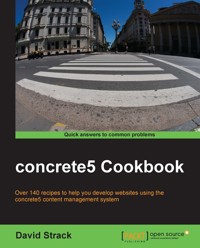
concrete5 is an increasingly popular open source content management system because of its incredible and easy-to-use interface. But, it also comes complete with a robust PHP framework, allowing web developers to create custom websites and applications with ease.
"concrete5 Cookbook" is a practical collection of solutions to tasks that both novice and experienced concrete5 developers face on a regular basis. Readers will learn multiple subjects, including full blueprints for developing an event calendar add-on and an image gallery block. Developers new to concrete5 will quickly learn how to customize concrete5 to their needs, and seasoned pros will find it an excellent quick reference for performing specific tasks.
"concrete5 Cookbook" will transform ordinary PHP developers into concrete5 experts capable of bending concrete5 to their will and unleashing the true power of this up-and-coming content management system. Throughout the course of over 140 recipes and 3 bonus project blueprint chapters, PHP developers will learn how to create custom blocks and dashboard interfaces as well as programmatically work with pages, files, users, permissions, and more. Discover the built-in Active Record support that makes working with databases simple and maintainable. Readers will also learn how to take advantage of the numerous helper classes included in concrete5, and will dive deep into the concrete5 MVC framework to create powerful custom websites and applications. Tie together all of the concepts learned in the recipes with 3 bonus chapters featuring complete blueprints to create a calendar add-on, an image gallery block type, and tips on how to sell your themes and add-ons for money!
"concrete5 Cookbook" is a complete collection of recipes to solve the most common (and some not-so-common) tasks that concrete5 developers will face on a regular basis.
Das E-Book können Sie in Legimi-Apps oder einer beliebigen App lesen, die das folgende Format unterstützen:
Seitenzahl: 303
Veröffentlichungsjahr: 2013
Ähnliche


















Table of Contents
concrete5 Cookbook
concrete5 Cookbook
Copyright © 2013 Packt Publishing
All rights reserved. No part of this book may be reproduced, stored in a retrieval system, or transmitted in any form or by any means, without the prior written permission of the publisher, except in the case of brief quotations embedded in critical articles or reviews.
Every effort has been made in the preparation of this book to ensure the accuracy of the information presented. However, the information contained in this book is sold without warranty, either express or implied. Neither the author, nor Packt Publishing, and its dealers and distributors will be held liable for any damages caused or alleged to be caused directly or indirectly by this book.
Packt Publishing has endeavored to provide trademark information about all of the companies and products mentioned in this book by the appropriate use of capitals. However, Packt Publishing cannot guarantee the accuracy of this information.
First published: July 2013
Production Reference: 1190713
Published by Packt Publishing Ltd.
Livery Place
35 Livery Street
Birmingham B3 2PB, UK.
ISBN 978-1-78216-454-8
www.packtpub.com
Cover Image by John M. Quick (<[email protected]>)
Credits
Author
David Strack
Reviewers
Remo Laubacher
Werner Nindl
Sharon L. Rivera
James Shannon
Acquisition Editor
Joanne Fitzpatrick
Lead Technical Editor
Balaji Naidu
Technical Editors
Dipika Gaonkar
Dennis John
Athira Laji
Mrunmayee Patil
Sonali S. Vernekar
Project Coordinator
Shiksha Chaturvedi
Proofreader
Ting Baker
Indexer
Monica Ajmera Mehta
Production Coordinator
Arvindkumar Gupta
Cover Work
Arvindkumar Gupta
About the Author
David Strack has been a software engineer for over 10 years. With a strong background in HTML, PHP, and JavaScript, he has developed websites for dozens of companies, large and small. David currently works for a small startup in California creating energy analytics software. He lives in Milwaukee, Wisconsin, with his wife, Sarah, and their crazy dog, Brewski. David can usually be found hacking away with JavaScript, designing mobile apps, watching pro football, and drinking craft beer.
Thanks to my fantastic wife, Sarah, for her patience and support while I wrote this book. Also, thanks to the multitude of editors and reviewers; this book would not have been possible without them.
About the Reviewers
Remo Laubacher grew up in Central Switzerland in a small village surrounded by mountains and natural beauty. He started working with computers a long time ago and then, after various computer-related projects, focused on ERP and Oracle development.
After completing his BSc in Business Administration, Remo became a partner at Ortic, his ERP and Oracle business, as well as a partner at mesch web consulting and design GmbH. At mesch—where he's responsible for all development-related topics—he discovered concrete5 as the perfect tool for their web-related projects and has since become a key member of the concrete5 community. You can find his latest publications on http://www.codeblog.ch/. He is also the author of three books published by Packt Publishing: concrete5 Beginner's Guide, concrete5 Beginner's Guide – Second Edition, and Creating concrete5 Themes.
Werner Nindl is an Oracle Hyperion consultant by day and a concrete5 web developer by night. As a consultant he has lived and worked in Europe, China, and the US. During his day job, Werner manages consulting programs for financial consolidation and reporting.
Intrigued by the capabilities of concrete5 he has started to convert his clients' websites to concrete5. Participating in the review of this book has helped him to plan for future enhancements; and he believes that he can implement those enhancements now at a much lower resource cost then previously planned.
I want to thank the publishers for the opportunity to participate. Above all, I want to compliment Remo on his tremendous insight and knowledge about concrete5.
Sharon L. Rivera has attained the expert level in Business Intelligence Reporting Development. She has worked with legacy systems, North America-wide intranets, and corporate teams in developing Business Intelligence solutions.
She currently acts as a consultant and business developer for independent businesses.
James Shannon has been actively developing with concrete5 since its early days. He's contributed to the core and built a number of concrete5-powered sites, but mostly uses it as a framework to build complex web applications. Additionally, he's released a handful of popular packages that augment the core functionality of concrete5. More generally, he's been developing websites for 15 years using a number of technologies.
James' professional expertise is in strategic project management and change management.
James grew up in Southern California and graduated from UC Berkeley. He collects certifications; the most recent being the one that allows him to fly planes, and one that helps him manage projects.
I'd like to thank the person most important to me, Julie Talone, and the one most important to her, Henry.
www.PacktPub.com
Support files, eBooks, discount offers and more
You might want to visit www.PacktPub.com for support files and downloads related to your book.
Did you know that Packt offers eBook versions of every book published, with PDF and ePub files available? You can upgrade to the eBook version at www.PacktPub.com and as a print book customer, you are entitled to a discount on the eBook copy. Get in touch with us at <[email protected]> for more details.
At www.PacktPub.com, you can also read a collection of free technical articles, sign up for a range of free newsletters and receive exclusive discounts and offers on Packt books and eBooks.
http://PacktLib.PacktPub.com
Do you need instant solutions to your IT questions? PacktLib is Packt's online digital book library. Here, you can access, read and search across Packt's entire library of books.
Why Subscribe?
Free Access for Packt account holders
If you have an account with Packt at www.PacktPub.com, you can use this to access PacktLib today and view nine entirely free books. Simply use your login credentials for immediate access.
Preface
concrete5 is an increasingly popular open source content management system. concrete5 sets itself apart from other CMS applications with its easy to use point-and-click interface and multitude of features. Web developers love concrete5 because it is very easy to customize and build additional features in a relatively short time. This book aims to explain a variety of common programming tasks for concrete5 developers in an easy to read recipe format.
What this book covers
Chapter 1, Pages and Page Types, helps us learn how to work with pages and page types using the concrete5 API.
Chapter 2, Working with Blocks, creates custom block types and integrates blocks in your own website.
Chapter 3, Files and File Sets, develops files store in concrete5's excellent file manager.
Chapter 4, Using the Core Helpers, discovers the plethora of core helper files that come included with concrete5.
Chapter 5, Working with Databases and Models, explores the backbone of custom concrete5 development by working through database access and learning how to use models.
Chapter 6, Creating CRUD Interfaces, works through a bunch of useful recipes and creates interfaces to manage custom data in concrete5.
Chapter 7, Working with Users and Permissions, takes advantage of concrete5's user and permission model in your own applications and websites.
Chapter 8, Working with Themes and Add-ons, helps us learn how to create custom themes and add-ons, further expanding your concrete5 development skills.
Chapter 9, System Events and Advanced Configuration, uncovers concrete5's powerful developer functionality using advanced configuration settings and by hooking into system events.
Appendix A, Blueprint – Creating an Image Gallery Add-on, starts from scratch and builds an add-on that displays images stored in the file manager.
Appendix B, Blueprint – Creating an Events Calendar Add-on, combines all of the knowledge learned in previous chapters to create a fully functioning calendar add-on, complete with a CRUD interface and custom block type.
Appendix C, Submitting an Add-on Package to the concrete5 Marketplace, helps us to learn about the process that developers must follow to get their add-ons included in the concrete5 marketplace.
What you need for this book
Readers will need a copy of concrete5 running on a development (not production) server. This will allow readers to experiment with many different elements of the concrete5 API without disrupting normal website operation.
Readers will also need a code editor that is capable of editing the PHP files. This can be something like an advanced editor such as Adobe Dreamweaver or a basic text editor, such as Vim.
Some chapters also deal with browsing and querying MySQL databases, so a query browsing tool is recommended. HeidiSQL (on Windows), Sequel Pro (on OS X), and MySQL Workbench (all platforms) are some great tools that provide advanced functionality while browsing databases.
Who this book is for
This book is for beginner to intermediate PHP developers who would like to get to know concrete5 better, or for concrete5 veterans who would like to have a handy desk reference of the concrete5 API.
Conventions
In this book, you will find a number of styles of text that distinguish between different kinds of information. Here are some examples of these styles, and an explanation of their meaning.
Code words in text are shown as follows: " The Left Sidebar page type, for example, would have a handle of left_sidebar."
A block of code is set as follows:
New terms and important words are shown in bold. Words that you see on the screen, in menus or dialog boxes for example, appear in the text like this: "clicking the Next button moves you to the next screen".
Note
Warnings or important notes appear in a box like this.
Tip
Tips and tricks appear like this.
Reader feedback
Feedback from our readers is always welcome. Let us know what you think about this book—what you liked or may have disliked. Reader feedback is important for us to develop titles that you really get the most out of.
To send us general feedback, simply send an e-mail to <[email protected]>, and mention the book title via the subject of your message.
If there is a topic that you have expertise in and you are interested in either writing or contributing to a book, see our author guide on www.packtpub.com/authors.
Customer support
Now that you are the proud owner of a Packt book, we have a number of things to help you to get the most from your purchase.
Downloading the example code
You can download the example code files for all Packt books you have purchased from your account at http://www.packtpub.com. If you purchased this book elsewhere, you can visit http://www.packtpub.com/support and register to have the files e-mailed directly to you.
Errata
Although we have taken every care to ensure the accuracy of our content, mistakes do happen. If you find a mistake in one of our books—maybe a mistake in the text or the code—we would be grateful if you would report this to us. By doing so, you can save other readers from frustration and help us improve subsequent versions of this book. If you find any errata, please report them by visiting http://www.packtpub.com/submit-errata, selecting your book, clicking on the erratasubmissionform link, and entering the details of your errata. Once your errata are verified, your submission will be accepted and the errata will be uploaded on our website, or added to any list of existing errata, under the Errata section of that title. Any existing errata can be viewed by selecting your title from http://www.packtpub.com/support.
Piracy
Piracy of copyright material on the Internet is an ongoing problem across all media. At Packt, we take the protection of our copyright and licenses very seriously. If you come across any illegal copies of our works, in any form, on the Internet, please provide us with the location address or website name immediately so that we can pursue a remedy.
Please contact us at <[email protected]> with a link to the suspected pirated material.
We appreciate your help in protecting our authors, and our ability to bring you valuable content.
Questions
You can contact us at <[email protected]> if you are having a problem with any aspect of the book, and we will do our best to address it.
Chapter 1. Pages and Page Types
In this chapter we will cover the following topics:
Introduction
At the center of almost any content management system is the concept of pages. concrete5 pages contain reusable portions of content called blocks. Blocks can contain anything from formatted text content that you enter yourself, to photo slideshows, to videos, to custom forms that you have developed that contain special functionality. concrete5 pages are extensions of the internal Collection object, which gets its name from the fact that it contains a collection of blocks that make up the page.
Since pages on a website usually contain repeating areas of information (perhaps a sidebar with some persistent widgets), concrete5 includes the concept of page types. Page types allow you to define different templates for creating new pages in concrete5. They are used to specify a default set of blocks, content, and special attributes that are added to new pages of that type, as well as to create different visual layouts through the concrete5 website.
A common page type would be Left Sidebar, which contains a list of links in the sidebar with an area to add blocks of content on the right. A normal concrete5 installation comes with a few default page types out of the box, including Left Sidebar and Full Width. In code, page types are referred to either by their unique numerical ID in the database, or more commonly, a human readable identifier called a handle. The Left Sidebar page type, for example, would have a handle of left_sidebar.
When adding pages to a concrete5 website through the user interface, you will likely notice that the first step is choosing a page type. Page types are also used by the Composer feature of concrete5, which can assist in creating several pages of the same type (such as blog posts).
There are two types of pages in concrete5, the first being a standard page that gets added to the sitemap and gets assigned a page type, and the second a single page, which is handled a bit differently and does not get assigned a page type. This chapter will deal with pages of the first type.
A note about the code in this chapter
Typically, you will write code that interacts with pages and page types in a block, a controller, or a model in your concrete5 application. For the purpose of these demonstrations, you can place the code anywhere where concrete5 lets you execute arbitrary PHP code.
A great place for this is to add a site_process.php or site_post.php file to your site's root /config directory. concrete5 will execute all of the code in that file once all of the core classes and libraries have been loaded (site_post gets executed before the current page has been loaded, site_process gets executed after the current page has been set). We will use classic PHP debugging techniques to verify that our code is working. Typically, we will dump the contents of a variable using PHP's var_dump or print_r functions followed by an exit command.
Because the debugging techniques used in this book can interrupt the regular functionality of a concrete5 website, it is recommended that you perform these exercises on a development copy of concrete5.
Be sure to comment out or remove the debugging code once you are finished, to resume the normal functionality of your concrete5 website.
Create a custom debugging function
To aid in the dumping of variables, we can create a simple debugging function that will wrap our output in <pre> tags and automatically exit for us.
Place the following code at the top of /config/site_post.php (create the file if it does not exist):
Tip
Downloading the example code
You can download the example code files for all Packt books you have purchased from your account at http://www.packtpub.com. If you purchased this book elsewhere, you can visit http://www.packtpub.com/support and register to have the files e-mailed directly to you.
Now, when we wish to inspect the contents of a variable or other object, we can simply call my_debug($variable), and get a nicely formatted, easy to read response.
Of course, you are more than welcome to use your own techniques for debugging variables.
Getting a Page object by its ID
In many situations, you will need to load a Page object using its unique numerical ID from the database. As mentioned earlier, pages are actually extensions of the Collection object, so you will actually be loading the page by its collection ID.
Getting ready
We will need to know the numerical ID




