


3,99 €
Mehr erfahren.
- Herausgeber: MarkHollis
- Kategorie: Lebensstil
- Sprache: Englisch
<p><b>Do you want to learn and understand the basics of the Cricut Maker 3 and Cricut Explore 3 machines? </b></p><p>If so, then this Cricut Maker 3 and Cricut Explore 3 Beginners Guide Book will get you started on your crafting journey. This comprehensive book will make understanding Cricut Maker 3 and Explore 3 cutting machines easy. You will find that managing your machines will be stressless, and you will get optimal performance. </p><p>This book includes answers to the most popular questions on the mind of new users of the Cricut Maker 3 and the Cricut Explore 3. It contains the fundamentals and beginner guides for handling the Cricut Maker 3 and Explore 3 machines, along with advanced tricks, tips and hacks that you will need on your crafting and designing journey. <br>This Cricut Maker 3 and Cricut Explore 3 Beginners Guide Book includes very detailed instructions on how to maximize the advantages of your Cricut machine. <br><em>In this Cricut guide, you will:<br></em></p><ul><li>Discover all you need to know about the Cricut Maker 3 and the Cricut Explore 3 machine.</li><li>You will find the pros and cons of each machine and their key differences.</li><li>Learn about the features of the Cricut Maker 3 and the Cricut Explore 3.</li><li>Discover the necessary tools, accessories, and supplies needed for your Cricut Maker 3 and the Cricut Explore 3. </li><li>Find how to setup both machines and setup Design Space for optimal use.</li><li>Learn how to make your first projects and designs with your cutting machine. </li><li>Discover tricks, tips and hacks on how to use your cutting mats. </li><li>Find a detailed Design Space guide.</li><li>Learn all you need to know about other designing software that will be useful for crafts and projects. </li><li>Discover a comprehensive Blade and Machine Tool guide for your Cricut Maker 3 and Explore 3 machines, exclusive tools, QuickSwap tools, blade care, etc. </li><li>Find the best laptops that can be used with the Cricut Explore 3 or Maker 3 cutting machines. </li><li>Discover the Print then Cut quick start guide.</li><li>Find how to make money with your Cricut with business ideas that you can look into. </li><li>Find a Cricut Vinyl guide, how to use iron to transfer HTV, how to weed your vinyl, plus tips and hacks. </li><li>Discover a very detailed troubleshooting guide for all the common problems that can be encountered on your machine. </li></ul><p>Whether you are a hobbyist or a professional crafter, you can master your Cricut cutting machine and earn some additional cash through a Cricut-associated business, or make beautiful gifts for your family and friends. This book will make your crafting dreams into a reality! </p><p><b>So, what are you waiting for? Click BUY NOW and grab this book today!</b></p><p><br><br></p>
Das E-Book können Sie in Legimi-Apps oder einer beliebigen App lesen, die das folgende Format unterstützen:
Veröffentlichungsjahr: 2021
Ähnliche



















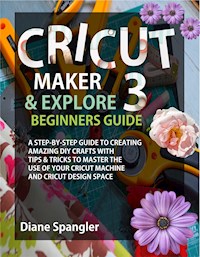
Cricut Maker 3 and Cricut Explore 3 Beginners Guide
A Step-by-Step Guide to Creating Amazing DIY Crafts with Tips & Tricks to Master the Use of Your Cricut Machine and Cricut Design Space
Diane Spangler
Copyright © 2021 Diane Spangler
All rights reserved. No part of this publication may be reproduced, distributed, or transmitted in any form or by any means, including photocopying, recording, or other electronic or mechanical methods, without the prior written permission of the publisher, except in the case of brief quotations embodied in critical reviews and certain other noncommercial uses permitted by copyright law.
Limit of Liability/Disclaimer of Warranty: While the publisher and author have used their best efforts in preparing this book, they make no representations or warranties with respect to the accuracy or completeness of the contents of this book and specifically disclaim any implied warranties of merchantability or fitness for a particular purpose. No warranty may be created or extended by sales representatives or written sales materials. The advice and strategies contained herein may not be suitable for your situation. You should consult with a professional where appropriate. Neither the publisher nor author shall be liable for any loss of profit or any other commercial damages, including but not limited to special, incidental, consequential, or other damages.
Contents
INTRODUCTION
CHAPTER ONE
What You Need to Know about the Cricut Explore 3 & Cricut Maker 3
Pros and Cons of the Cricut Explore 3
Pros and Cons of the Cricut Maker 3
Key Differences Between Cricut Explore 3 and Cricut Maker 3
Features of the Cricut Explore 3 and Maker 3
CHAPTER TWO
Unboxing the Cricut Maker 3
Unboxing the Cricut Explore 3
Tools, Accessories and Supplies for the Cricut Explore 3 and Maker 3
How to Set Up Your Cricut Machine
Cricut Maker 3 Set Up
Cricut Explore 3 Set Up
How to Set Up Your Machine in Design Space
Setup: Making Your First Test Project
How to Cut Lightweight and Heavyweight Materials
Tricks and Tips for Using Machine Mats
CHAPTER THREE
Pairing Your Cricut Machine Via Bluetooth
How to Reset Your Cricut Machine
Finding the Current Firmware Version of Your Cricut Machine
Troubleshooting Common Firmware Update Problems
Finding the Current Version of Cricut Design Space on Windows
Choosing Material Setting for Cricut Explore 3 or Maker 3
Creating a New Custom Material
CHAPTER FOUR
Cricut Design Space: Simple Guide
Inside Cricut's Design Space: The Canvas
Getting Started with the Canvas: The Left Menu
The Upload Tool
The Text Tool
The Shapes Tool
The Projects Tool
The Image Tool
The New+ Tool
The Templates Tool
Design Space Canvas: The Top Menu
The Undo Tool
The Redo Tool
The Deselect Tool
The Edit Tool
The Flip Tool
The Size Tool
How to Change Design Size in Design Space
The Rotate Tool
The X and Y Coordinates Tool
Design Space Canvas: The Layers Menu (The Right Menu)
1. Group
2. Ungroup
3. Delete
4. Duplicate
Cricut Design Space: How to Use Layer Attributes
Changing to Print, Score, Write or Cut in Design Space
Layer Menu: At the Base
The Weld Tool
The Slice Tool
Contour Tool
The Flatten Tool
Downloading, Installing and Uninstalling Cricut Design Space
How to Download and Install Cricut Design Space for Mac
How to Uninstall Cricut Design Space for Mac
How to Download and Install Cricut Design Space for Windows
How to Uninstall Cricut Design Space for Windows
How to Download and Install Cricut Design Space for Android
How to Uninstall Cricut Design Space for Android
How to Download and Install Cricut Design Space for iOS
How to Uninstall Cricut Design Space for iOS
What is Cricut Access
Cleaning Your Cricut Explore 3 and Maker 3 (Tips and Hacks)
CHAPTER FIVE
Blades for Cricut Explore 3 & Maker 3
Machine Tools for Cricut Explore 3 & Maker 3
Cricut Maker 3 Exclusive Blades and Tools
Cricut Maker 3 Quick Swap Tools
How to Change Your Blade?
Eight Best Laptops for Cricut
Which Computers are Cricut Compatible?
Mac
Windows
CHAPTER SIX
The Best Software to Use with Cricut
Adobe Photoshop
Adobe Illustrator
CorelDraw
Cricut Design Space
How to Print then Cut for Cricut Explore 3 and Maker 3
Print then Cut Quick Start Guide
CHAPTER SEVEN
Seven Tips to Making Money with Your Cricut
Business Ideas for Your Cricut
CHAPTER EIGHT
Cricut Vinyl Guide
Using Iron to Transfer Heat Transfer Vinyl
Weeding Iron-On Vinyl
Mirroring Your Image
Weeding Tips for Iron-On Vinyl
CHAPTER NINE
Troubleshooting Guide to Your Cricut Machine's Common Problems
Before You Start Troubleshooting
Cricut Machine Not Cutting my Material
Power Button is a Solid Red Light
Power Button Flashes Red Light
Print and Cut is Cutting Wrongly
Machine Not Registering Print and Cut Marks
My Material Tears When Removed from the Mat
My Mat is Losing Its Stickiness
Charges for Already Purchased Images or As a Cricut Access Subscriber
Glitchy Design Space
Easy Press: Vinyl Not Sticking Well
INTRODUCTION
The Cricut Explore 3 and Maker 3 are Cricut's latest averagely priced and flagship machines, respectively. They were designed by Cricut for serious-minded crafters that are in need of the best machines to create their crafts. The Cricut Explore 3 is the succeeding generation after the Cricut Explore Air 2, while the Cricut Maker 3 succeeds the Cricut Maker. Several of the materials, tools, and accessories are interchangeable between each cutting machine; definitely, any material, tool or accessory that works with the Cricut Explore 3 is compatible with the Cricut Maker 3 machine too.
The Cricut Explore 3 and Maker 3 are suitable for the expert and beginner that looks to improve on their crafting abilities. Both cutting machines offer enough room to accommodate growth and are very easy to use. These Cricut machines plus other Cricut accessories and tools will take your crafting to the next level with projects, such as apparels, bags, jewelry, gifts, stickers, cards, banners, Home decor, mugs, Infusible Ink t-shirt, wedding signs, paper flowers, fabric iron-on projects, and paper cutout shapes. In essence, if you can visualize your craft, then you can create it!
Both cutting machines connect to your iPhone, iPad, MacBook, and/or Android smartphone and demand the use of the Design space software. You can create or upload your own fonts and images in Design Space, and even get access to create a vast number of projects for free. In addition, you can gain access to more designs by subscribing to Cricut Access. A section of this book will introduce you to the Design Space Software and how to navigate through it while preparing you to take your creative abilities to the next level.
What's more? The Cricut Explore 3 and Maker 3 are both compatible with Smart Materials. Smart Materials have more rigid backing than normal materials and are somewhat wider, giving them the ability to be loaded into the machine without the need for a mat. The advantage here is that you can make a single continuous long cut that is up to 12 feet in length, making it suitable for large projects. Eliminating the need to keep reloading your mats if you were working with regular materials. Also, the cutting speed of both the Explore 3 and Maker 3 is considerably super-fast when working with Smart Materials.
This book has been written to get you started on your creative journey as a beginner, to help you hone your skills as an expert and to help you maximize any of these two cutting machines until you become proficient and confident about your individual creative process. Cheers!




