


3,49 €
Mehr erfahren.
- Herausgeber: MaryPrice
- Kategorie: Lebensstil
- Sprache: Englisch
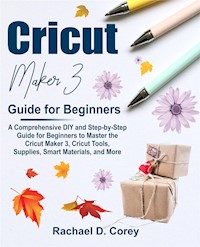
<p><b>Do you have a thing for beautiful crafts? Would you love to make
wonderful crafts with your new Cricut Maker 3 machine? Would you like to
take full advantage of the Cricut Maker 3?</b></p><p>If your answer to the
above questions is yes, then this book is for you. </p><p>This Cricut
maker 3 user guide is a book that cuts across-the-board in everything you
need to know about the Cricut maker 3 cutting machine, Cricut smart
materials, Cricut design space, Cricut tools, accessories, and more. This
book offers a simple step-by-step process that will lead you through the
entire process of setting up your Cricut maker 3, connecting your machine
to a smartphone or computer, taking your first cut, and an endless list of
material settings that will guide you in the creative
process. </p><p>I have tailored this book to help you achieve
significant results with precision cuts on all your projects, even as a
beginner. In this guide, you will find: </p><ul><li>The different
Cricut cutting machine there is.</li><li>All you need to know about the
Cricut maker 3 machine, its features, special tools, accessories and
materials.</li><li>How to make wonderful creative projects with the Cricut
maker 3. </li><li>All you need to know about Cricut smart materials,
their types, smart material tools, and more. </li><li>Learn how to
set up your Cricut maker 3.</li><li>How to create, edit, and delete custom
settings.</li><li>How to create a test cut.</li><li>All you need to know
about Cricut mats, their uses, and material
specifications. </li><li>The right way to clean your machine, inside,
outside, the rods, clamps, etc.</li><li>Learn how to care for your blades,
how to replace them and how to sharpen them. </li><li>A detailed FAQ
page, and much more! </li></ul><p>The value you will get from this
book is plentiful. With this book, you can start making those beautiful
crafts that you have always wanted to. Your imagination is your limit!
</p><p><b>Order Your Copy now and Start Crafting with your Cricut
Maker 3 Today.</b></p>
Das E-Book können Sie in Legimi-Apps oder einer beliebigen App lesen, die das folgende Format unterstützen:
Veröffentlichungsjahr: 2021
Ähnliche


















Cricut Maker 3 Guide for Beginners
A Comprehensive DIY and Step-by-Step Guide for Beginners to Master the Cricut Maker 3, Cricut Tools, Supplies, Smart Materials, and More
Rachael D. Corey
Copyright © 2021 Rachael D. Corey
All rights reserved. No part of this publication may be reproduced, distributed, or transmitted in any form or by any means, including photocopying, recording, or other electronic or mechanical methods, without the prior written permission of the publisher, except in the case of brief quotations embodied in critical reviews and certain other noncommercial uses permitted by copyright law.
Limit of Liability/Disclaimer of Warranty: While the publisher and author have used their best efforts in preparing this book, they make no representations or warranties with respect to the accuracy or completeness of the contents of this book and specifically disclaim any implied warranties of merchantability or fitness for a particular purpose. No warranty may be created or extended by sales representatives or written sales materials. The advice and strategies contained herein may not be suitable for your situation. You should consult with a professional where appropriate. Neither the publisher nor author shall be liable for any loss of profit or any other commercial damages, including but not limited to special, incidental, consequential, or other damages.
Contents
Introduction
Chapter 1
What is A Cricut Machine?
How the Cricut Maker 3 Works
The Cricut Machine Lineup
Cricut Explore Air 2
Cricut Explore 3
Cricut Maker
Cricut Maker 3
Cricut Joy
Older Models of Cricut Machines
Which Cricut Machine Should You Get?
Why You Should Choose the Cricut Maker 3
Chapter 2
Using the Cricut Design Space
Creating Designs with Design Space
What is Cricut Access?
Do You need a Computer to use a Cricut Machine?
Important Supplies Needed to Get Started?
Cricut Maker 3 Project Examples
Chapter 3
The Cricut Maker 3
What’s Special about the Cricut Maker 3
Features of the Cricut Maker 3
In the Cricut Maker 3 Box
Should I Upgrade to The Cricut Maker 3?
Where to Buy Cricut Maker 3?
Cricut Maker 3: What is New?
Cricut Maker 3: Cut Length?
Chapter 4
Cricut Smart Materials
Types of Cricut Smart Materials
Using a Cutting Mat with the Cricut Maker 3
Cricut Smart Material Tools
What Makes the Cricut Maker 3 Worth It?
Chapter 5
Setting up your Cricut Maker 3
Pairing Your Cricut Maker 3 with Bluetooth
Finding the Current Version of Cricut Design Space
Choosing material settings?
Cutting Customized Material Types
Examining a Test Cut
Creating Custom Material Settings
Editing or Deleting Custom Materials
Tips for creating custom settings
Chapter 6
Cricut Maker 3 Supplies, Tools, and Accessories
Cricut Fabrics
Cricut Felt
Cricut 2mm Chipboard
Cricut Iron-on
Premium Adhesive Vinyl (Removeable and Permanent)
Brayer and Remover Tool
Cricut Sewing Tool Kit
Fabric Grip Mat
Spatula and Scraper
Cricut Cutting Mats
Weeding Tool Kit
Premium Fine-Point Blade
Knife Blade
Scoring Wheel Combo Pack
Chapter 7
Cricut Cutting Materials
Chapter 8
Cricut Pens
Types of Cricut Pens and Markers
Chapter 9
Specific Blades for Different Materials
QuickSwap Blades & Tips
Changing the Blade of a Cricut Machine
Cricut Blades Care
Storing your Cricut Blades
Sharpening your Cricut blades
Chapter 10
Cleaning your Cricut Maker 3
Cleaning Inside your Cricut Maker 3
Cleaning the Clamps of the Cricut Maker 3
Cleaning the Rear Rods
Cleaning the Surface of Your Cricut Maker 3
Cleaning your Blades
Chapter 11
Cricut Vinyl
Premium Removable Vinyl
Heat Transfer Vinyl
Basic Vinyl
How to Cut and Apply Cricut Vinyl
Chapter 12
Cricut Maker 3 Machine Maintenance
Cleaning Your Cricut Mat
Deleting Old Projects
Calibrating your machine
Updating your Cricut Design Space
Updating your Machine's Firmware or Software
Cleaning your Machine
Chapter 13
Frequently Asked Questions (FAQs)
Conclusion
Introduction
The Cricut Maker 3 machine is an essential crafting and cutting tool and it is one of the most important tools in my craft toolkit. The Cricut Maker 3 can be used to make several crafts and these includes; stickers, greeting cards, custom t-shirts, and more.
In this book, i will explain what a Cricut machine is, the different types of Cricut machines, how to get started, how your Cricut cutting machine works and how they function. The Cricut Maker 3 is one of the best Cricut models you can use for your crafts.
Chapter 1
What is A Cricut Machine?
The Cricut machine is an electronic machine that can cut materials such as iron-on transfers, card stock, vinyl, paper, etc. into various designs. Few Cricut machines can also be used to cut materials like wood and leather. The Cricut machine can be used to cut anything that an x-acto knife and scissors to cut; the machine is fast and accurate in cutting materials.
A Cricut machine is also known as a craft plotter or a die-cutter machine. Additional cutting machine brands you will find, includes: The Brother ScanNCut and silhouette Cameo. You will find 3 kinds of new Cricut machines in the market presently, such as;
The Cricut Joy
The Cricut Maker 3
The Cricut Explore 3
Each of these Cricut machines have their own advantages and disadvantages.




