


9,99 €
Mehr erfahren.
- Herausgeber: Gabriele Iocco
- Kategorie: Lebensstil
- Sprache: Englisch
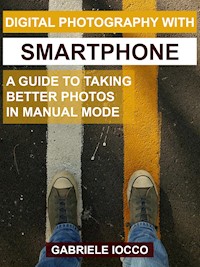
'Digital photography with smartphone' was created to guide the reader, through theoretical and practical information, towards the goal of taking quality photos in manual mode with their smartphone.
During the chapters the reader is stimulated to deepen the information contained in the guide and to use his creativity.
The many photos in the guide, belonging to various photographic genres, are all accompanied by shooting data, to better understand the photographic creation process.
An entire chapter is dedicated to post-production of RAW images with the Snapseed app owned by Google.
Das E-Book können Sie in Legimi-Apps oder einer beliebigen App lesen, die das folgende Format unterstützen:
Veröffentlichungsjahr: 2021
Ähnliche



















Gabriele Iocco
Tutti i diritti sono riservati. Ne è vietata la duplicazione e la copia anche parziale senza il consenso scritto dell'autore.
Tutte le foto presenti in questa guida sono state scattate con uno smartphone dall'autore.
Le immagini di esempio utilizzate per far comprendere meglio i vari concetti, sono state prese da siti internet citando le fonti.
Indice dei contenuti
Introduction
Guide to reading
1. Preliminary settings
2. The basics of photography
2.1 Rule of thirds
2.2 Exposure triangle
2.3 Exposure meter
2.4 Histogram
2.5 Dynamic range
2.6 Focus
2.7 White balance
3. JPG and Raw
3.1 RAW file development with Snapseed
4. Photographic scenes
5. Backup
6. Inside
6.1 Sensor
6.2 Digital noise
6.3 Focal distance
6.4 Lenses
6.5 AI Artificial intelligence
Conclusions
Index
The author
Contacts
Ringraziamenti
Introduction
My passion for photography was born when i was 12 years old, when my father gave me an analog SLR equipped with the classic 50 mm lens. As soon as i got it, i started thinking about how many photos i could take and wondering how i could make each shot special.
It was the mid-90s and, since at the time it was not easy to find manuals dedicated to SLR, my curiosity and desire to learn could be satisfied only by going to the photographer of the country where i lived that, during long afternoons that i still remember now, he patiently explained to me how best to use my camera in the most disparate situations and he revealed to me the meaning of the figures and acronyms reported on it.
As soon as i could put some money aside, i would buy a roll of film and start taking pictures, and i would go around the small provincial town where i lived and the surrounding countryside, looking for a subject or a glimpse of the landscape that was worth capturing. Once the phase of the 'shoot' was over, the waiting phase began: at the time, in fact, to see their printed photographs it was necessary to wait a week. In fact, i had to take the film to the photographer, who in turn had to send it to a photo development center, where the photos would be printed and then sent back to the photographer’s shop where, after a week of waiting, i could have them in my hands.
I confess that, because of the impossibility of obtaining a preview of the shots (which is now considered obvious thanks to digital), the results were not always in line with expectations.
Even today it is possible to use cameras equipped with roll with the substantial difference that, digitizing the negatives, you can get prints of your own photos in a few minutes.
But this is the era of smartphones, constantly evolving, practical and lightweight devices and their cameras give very satisfactory results, especially using manual mode to capture our shots.
Talking about photography with friends and acquaintances I have often been asked questions about the use of this mode, in which the application that manages the camera allows us to control the camera parameters and to set them according to our needs and our creativity.
From these conversations came the idea of writing this theoretical and practical guide that will lead you to the discovery of photography with smartphones. I hope it will be as clear as possible and I hope it will make you want to try to take your photos in manual mode: I can guarantee that, once you see the results, you will hardly go back.
Guide to reading
In the guide there are links that refer to internet pages where you can deepen the topics covered, to access it just click on the words highlighted in blue. In some cases there is more than one in-depth link: in this case the additional links are referred to as 'link1', link2', etc.
1. Preliminary settings
Each model of smartphone has its own customized software, which is developed by the parent company and has the task of managing the camera. Although user interfaces differ, the basic settings remain the same.
We now launch the "Camera" application and take a look at its settings.
There are two shooting modes:
Automatic modeIn this mode it is the camera itself that manages the various parameters such as ISO, WB and shutter time (which we will talk more about in Chapter 2)
Manual modeIn this case, we manage the parameters.
Depending on the model, to shoot in manual mode we will have to click either on Settings and then on Manual or directly on Pro.
Image 1
Xiaomi Mi Note 10
Screenshoot of the Camera app
Image 2
Huawei P30 Pro
Screenshoot of the Camera app
Image 3
Huawei P10 Plus
Screenshoot of the Camera app
Image 4
Sony Xperia XA2
Screenshoot of the Camera app
Image 5
LG G5, tap on 'Manual'




