


34,79 €
Mehr erfahren.
- Herausgeber: Packt Publishing
- Kategorie: Fachliteratur
- Sprache: Englisch
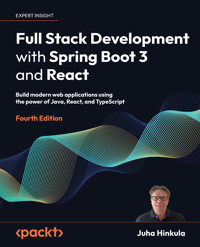
If you’re an existing Java developer who wants to go full stack or pick up another frontend framework, this book is your concise introduction to React. In this three-part build-along, you’ll create a robust Spring Boot backend, a React frontend, and then deploy them together.
This new edition is updated to Spring Boot 3 and includes expanded content on security and testing. For the first time ever, it also covers React development with the in-demand TypeScript.
You’ll explore the elements that go into creating a REST API and testing, securing, and deploying your applications. You’ll learn about custom Hooks, third-party components, and MUI.
By the end of this book, you'll be able to build a full stack application using the latest tools and modern best practices.
Das E-Book können Sie in Legimi-Apps oder einer beliebigen App lesen, die das folgende Format unterstützen:
Seitenzahl: 392
Veröffentlichungsjahr: 2023
Ähnliche
















Full Stack Development with Spring Boot 3 and React
Fourth Edition
Build modern web applications using the power of Java, React, and TypeScript
Juha Hinkula
BIRMINGHAM—MUMBAI
Full Stack Development with Spring Boot 3 and React
Fourth Edition
Copyright © 2023 Packt Publishing
All rights reserved. No part of this book may be reproduced, stored in a retrieval system, or transmitted in any form or by any means, without the prior written permission of the publisher, except in the case of brief quotations embedded in critical articles or reviews.
Every effort has been made in the preparation of this book to ensure the accuracy of the information presented. However, the information contained in this book is sold without warranty, either express or implied. Neither the author nor Packt Publishing or its dealers and distributors, will be held liable for any damages caused or alleged to have been caused directly or indirectly by this book.
Packt Publishing has endeavored to provide trademark information about all of the companies and products mentioned in this book by the appropriate use of capitals. However, Packt Publishing cannot guarantee the accuracy of this information.
Publishing Product Manager: Lucy Wan
Acquisition Editor – Peer Reviews: Tejas Mhasvekar
Project Editor: Amisha Vathare
Content Development Editors: Lucy Wan and Shazeen Iqbal
Copy Editor: Safis Editing
Technical Editor: Anjitha Murali
Proofreader: Safis Editing
Indexer: Subalakshmi Govindhan
Presentation Designer: Ganesh Bhadwalkar
Developer Relations Marketing Executive: Priyadarshini Sharma
First published: June 2018
Second edition: May 2019
Third edition: April 2022
Fourth edition: October 2023
Production reference: 1261023
Published by Packt Publishing Ltd.
Grosvenor House
11 St Paul’s Square
Birmingham
B3 1RB, UK.
ISBN 978-1-80512-246-3
www.packt.com
Contributors
About the author
Juha Hinkula is a software development lecturer at Haaga-Helia University of Applied Sciences in Finland. He received an MSc degree in Computer Science from the University of Helsinki and has over 17 years of industry experience in software development. Over the past few years, he has focused on modern full stack development. He is also a passionate mobile developer with Android-native technology, and he uses React Native.
I am really proud of the Packt editorial team for their outstanding work. Your constructive feedback and dedication have made this journey truly exceptional.
I would also like to give special thanks to my editor, Lucy Wan. Your ability to provide constructive feedback and offer suggestions for improvement has been invaluable.
I want to extend my gratitude to our technical reviewers, Dirk and Jose, for helping me grow as a writer and author. Your deep knowledge, attention to detail, and commitment to excellence have elevated my work beyond my expectations.
Finally, I want to thank my wife and daughter for the time and space you've given me for writing.
About the reviewers
Dirk Wichmann is a software architect who has been working in IT for more than 20 years. Professionally, he deals mainly with topics relating to security and architecture. He has worked for various companies across the fields of energy supply, water, logistics, healthcare, and security. As a senior IT specialist, Dirk’s knowledge naturally includes the modern technology stack (for instance, Docker, Keycloak, and Jenkins). He loves agile approaches and clean code, as well as domain-driven design.
Since the very beginning, Dirk has used Java and Spring in the development and design of software, but he is interested in all areas of the development process – backend, frontend, testing, operations, and so on. In recent years, he has focused increasingly on microservices with Spring/Spring Boot in the backend and React in the frontend.
Jose Galdamez has worked on full stack web app projects since the year 2000, across a variety of organizations in the public sector, private sector, and academia. While he has spent most of that time working with loosely typed languages like JavaScript, PHP, and Perl, he has come around more to utilizing strongly typed systems like TypeScript and Java. The bulk of his expertise lies in updating legacy systems to be more reliable, maintainable, scalable, and user-friendly. Jose currently works as a software engineer for Clarity Innovations.
This publication is the first on which Jose has had the chance to collaborate, and it is also one that he read and benefited from as a consumer, for his previous work.
I’d like to thank my wife and two children for being loving and patient with me while I spent evenings and weekends ensuring every last detail for this book was perfect. I would also like to recognize my employer, Clarity Innovations, for pushing me to exceed what I thought was possible as an engineer while being surrounded and cheered on by the best minds in the business.
Learn more on Discord
To join the Discord community for this book – where you can share feedback, ask the author questions, and learn about new releases – follow the QR code below:
https://packt.link/FullStackSpringBootReact4e
Contents
Preface
Who this book is for
What this book covers
To get the most out of this book
Get in touch
Part I: Backend Programming with Spring Boot
Setting Up the Environment and Tools – Backend
Technical requirements
Installing Eclipse
Understanding Gradle
Using Spring Initializr
Creating a project
Running the project
Spring Boot development tools
Logs and problem-solving
Installing MariaDB
Summary
Questions
Further reading
Understanding Dependency Injection
Technical requirements
Introducing dependency injection
Using dependency injection in Spring Boot
Summary
Questions
Further reading
Using JPA to Create and Access a Database
Technical requirements
Basics of ORM, JPA, and Hibernate
Creating the entity classes
Creating CRUD repositories
Adding relationships between tables
Setting up a MariaDB database
Summary
Questions
Further reading
Creating a RESTful Web Service with Spring Boot
Technical requirements
Basics of REST
Creating a RESTful web service with Spring Boot
Using Spring Data REST
Documenting a RESTful API
Summary
Questions
Further reading
Securing Your Backend
Technical requirements
Understanding Spring Security
Securing your backend with a JSON Web Token
Securing the login
Securing the other requests
Handling exceptions
Adding a CORS filter
Role-based security
Using OAuth2 with Spring Boot
Summary
Questions
Further reading
Testing Your Backend
Technical requirements
Testing in Spring Boot
Creating test cases
Testing with Gradle
Test-driven development
Summary
Questions
Further reading
Part II: Frontend Programming with React
Setting Up the Environment and Tools – Frontend
Technical requirements
Installing Node.js
Installing Visual Studio Code
VS Code extensions
Creating and running a React app
Modifying a React app
Debugging a React app
Summary
Questions
Further reading
Getting Started with React
Technical requirements
Creating React components
Examining our first React app
Useful ES6 features
Constants and variables
Arrow functions
Template literals
Object destructuring
Classes and inheritance
JSX and styling
Props and state
Props
State
Stateless components
Conditional rendering
React hooks
useState
Batching
useEffect
useRef
Custom hooks
The Context API
Handling lists with React
Handling events with React
Handling forms with React
Summary
Questions
Further reading
Introduction to TypeScript
Technical requirements
Understanding TypeScript
Common types
Functions
Using TypeScript features with React
State and props
Events
Creating a React app with TypeScript
Vite and TypeScript
Summary
Questions
Further reading
Consuming the REST API with React
Technical requirements
Promises
async and await
Using the fetch API
Using the Axios library
Practical examples
OpenWeather API
GitHub API
Handling race conditions
Using the React Query library
Summary
Questions
Further reading
Useful Third-Party Components for React
Technical requirements
Installing third-party React components
Working with AG Grid
Using the Material UI component library
Managing routing with React Router
Summary
Questions
Further reading
Part III: Full Stack Development
Setting Up the Frontend for Our Spring Boot RESTful Web Service
Technical requirements
Mocking up the UI
Preparing the Spring Boot backend
Creating the React project for the frontend
Summary
Questions
Further reading
Adding CRUD Functionalities
Technical requirements
Creating the list page
Fetching data from the backend
Using environment variables
Adding paging, filtering, and sorting
Adding the delete functionality
Displaying a toast message
Adding a confirmation dialog window
Adding the add functionality
Adding the edit functionality
Exporting the data to CSV
Summary
Questions
Further reading
Styling the Frontend with MUI
Technical requirements
Using the MUI Button component
Using the MUI Icon and IconButton components
Using the MUI TextField component
Summary
Questions
Further reading
Testing React Apps
Technical requirements
Using Jest
Using the React Testing Library
Using Vitest
Installing and configuring
Running our first test
Testing our Carlist component
Firing events in tests
End-to-end testing
Summary
Questions
Further reading
Securing Your Application
Technical requirements
Securing the backend
Securing the frontend
Creating a login component
Implementing REST API calls
Refactoring duplicate code
Displaying an error message
Logging out
Summary
Questions
Further reading
Deploying Your Application
Technical requirements
Deploying the backend with AWS
Deploying our MariaDB database
Deploying our Spring Boot application
Deploying the frontend with Netlify
Using Docker containers
Summary
Questions
Further reading
Other Books You May Enjoy
Index
Landmarks
Cover
Index
Preface
If you’re an existing Java developer who wants to go full stack or pick up another frontend framework, this book is your concise introduction to React. In this three-part build-along, you’ll create a robust Spring Boot backend, a React frontend, and then deploy them together.
This new edition is updated to Spring Boot 3 and includes expanded content on security and testing. For the first time ever, it also covers React development with the in-demand TypeScript.
You’ll explore the elements that go into creating a REST API and testing, securing, and deploying your applications. You’ll learn about custom Hooks, third-party components, and MUI.
By the end of this book, you’ll be able to build a full stack application using the latest tools and modern best practices.
Who this book is for
This book is for Java developers who have basic familiarity with Spring Boot but don’t know where to start when it comes to building full stack applications. Basic knowledge of JavaScript and HTML will help you to follow along.
You’ll also find this book useful if you’re a frontend developer with knowledge of JavaScript basics and looking to learn full stack development, or a full stack developer experienced in other technology stacks looking to learn a new one.
What this book covers
Part 1: Backend Programming with Spring Boot
Chapter 1, Setting Up the Environment and Tools – Backend, explains how to install the software needed in this book for backend development and how to create your first Spring Boot application.
Chapter 2, Understanding Dependency Injection, explains the basics of dependency injection and how it is achieved in Spring Boot.
Chapter 3, Using JPA to Create and Access a Database, introduces JPA and explains how to create and access databases with Spring Boot.
Chapter 4, Creating a RESTful Web Service with Spring Boot, explains how to create RESTful web services using Spring Data REST.
Chapter 5, Securing Your Backend, explains how to secure your backend using Spring Security and JWTs.
Chapter 6, Testing Your Backend, covers testing in Spring Boot. We will create a few unit and integration tests for our backend and learn about test-driven development.
Part 2: Frontend Programming with React
Chapter 7, Setting Up the Environment and Tools – Frontend, explains how to install the software needed in this book for frontend development.
Chapter 8, Getting Started with React, introduces the basics of the React library.
Chapter 9, Introduction to TypeScript, covers the basics of TypeScript and how to use it to create React apps.
Chapter 10, Consuming the REST API with React, shows how to use REST APIs with React using the Fetch API.
Chapter 11, Useful Third-Party Components for React, demonstrates some useful components that we’ll use in our frontend development.
Part 3: Full Stack Development
Chapter 12, Setting Up the Frontend for Our Spring Boot RESTful Web Service, explains how to set up the React app and Spring Boot backend for frontend development.
Chapter 13, Adding CRUD Functionalities, shows how to implement CRUD functionalities to the React frontend.
Chapter 14, Styling the Frontend with MUI, shows how to polish the user interface using the React MUI component library.
Chapter 15, Testing Your Frontend, explains the basics of React frontend testing.
Chapter 16, Securing Your Application, explains how to secure the frontend using JWTs.
Chapter 17, Deploying Your Application, demonstrates how to deploy an application with AWS and Netlify, and how to use Docker containers.
To get the most out of this book
You will need Spring Boot version 3.x in this book. All code examples are tested using Spring Boot 3.1 and React 18 on Windows. When installing any React libraries, you should check the latest installation command from their documentation and see whether there are any major changes related to the version used in this book.
The technical requirements for each chapter are stated at the start of the chapter.
If you are using the digital version of this book, we advise you to type the code yourself or access the code from the book’s GitHub repository at https://github.com/PacktPublishing/Full-Stack-Development-with-Spring-Boot-3-and-React-Fourth-Edition. Doing so will help you avoid any potential errors related to the copying and pasting of code.
Download the example code files
You can download the example code files for this book from GitHub at https://github.com/PacktPublishing/Full-Stack-Development-with-Spring-Boot-3-and-React-Fourth-Edition. If there’s an update to the code, it will be updated in the GitHub repository.
We also have other code bundles from our rich catalog of books and videos available at https://github.com/PacktPublishing/. Check them out!
Download the color images
We also provide a PDF file that has color images of the screenshots and diagrams used in this book. You can download it here: https://packt.link/gbp/9781805122463
Conventions used
There are a number of text conventions used throughout this book.
Code in text: Indicates code words in text, database table names, folder names, filenames, file extensions, pathnames, dummy URLs, user input, and Twitter handles. Here is an example: “Import Button into the AddCar.js file.”
A block of code is set as follows:
<dependency> <groupId>org.springframework.boot</groupId> <artifactId>spring-boot-starter-web</artifactId> </dependency>When we wish to draw your attention to a particular part of a code block, the relevant lines or items are set in bold:
publicclassCar { @Id@GeneratedValue(strategy=GenerationType.AUTO)privatelong id; private String brand, model, color, registerNumber; privateint year, price; }Any command-line input or output is written as follows:
npm install component_nameBold: Indicates a new term, an important word, or words that you see onscreen. For instance, words in menus or dialog boxes appear in bold. Here is an example: “You can select the Run menu and press Run as | Java Application.”
IMPORTANT NOTES
Appear like this.
TIPS
Appear like this.
Get in touch
Feedback from our readers is always welcome.
General feedback: If you have questions about any aspect of this book, email us at [email protected] and mention the book title in the subject of your message.
Errata: Although we have taken every care to ensure the accuracy of our content, mistakes do happen. If you have found a mistake in this book, we would be grateful if you would report this to us. Please visit www.packtpub.com/support/errata and fill in the form.
Piracy: If you come across any illegal copies of our works in any form on the internet, we would be grateful if you would provide us with the location address or website name. Please contact us at [email protected] with a link to the material.
If you are interested in becoming an author: If there is a topic that you have expertise in and you are interested in either writing or contributing to a book, please visit authors.packtpub.com.
Share your thoughts
Once you’ve read Full Stack Development with Spring Boot 3 and React, Fourth Edition, we’d love to hear your thoughts! Please click here to go straight to the Amazon review page for this book and share your feedback.
Your review is important to us and the tech community and will help us make sure we’re delivering excellent quality content.
Download a free PDF copy of this book
Thanks for purchasing this book!
Do you like to read on the go but are unable to carry your print books everywhere?
Is your eBook purchase not compatible with the device of your choice?
Don’t worry, now with every Packt book you get a DRM-free PDF version of that book at no cost.
Read anywhere, any place, on any device. Search, copy, and paste code from your favorite technical books directly into your application.
The perks don’t stop there, you can get exclusive access to discounts, newsletters, and great free content in your inbox daily
Follow these simple steps to get the benefits:
Scan the QR code or visit the link belowhttps://packt.link/free-ebook/9781805122463
Submit your proof of purchaseThat’s it! We’ll send your free PDF and other benefits to your email directlyPart I
Backend Programming with Spring Boot
3
Using JPA to Create and Access a Database
This chapter covers how to use Jakarta Persistence API (JPA) with Spring Boot and how to define a database by using entity classes. In the first phase, we will be using the H2 database. H2 is an in-memory SQL database that is good for fast development or demonstration purposes. In the second phase, we will move from H2 to MariaDB. This chapter also describes the creation of CRUD repositories and a one-to-many connection between database tables.
In this chapter, we will cover the following topics:
Basics of ORM, JPA, and HibernateCreating the entity classesCreating CRUD repositoriesAdding relationships between tablesSetting up the MariaDB databaseTechnical requirements
The Spring Boot application we created in previous chapters is required.
A MariaDB installation is necessary to create the database application: https://downloads.mariadb.org/. We went through the installation steps in Chapter 1.
The code for this chapter can be found at the following GitHub link: https://github.com/PacktPublishing/Full-Stack-Development-with-Spring-Boot-3-and-React-Fourth-Edition/tree/main/Chapter03.
Basics of ORM, JPA, and Hibernate
ORM and JPA are widely used techniques in software development for handling relational databases. You don’t have to write complex SQL queries; instead, you can work with objects, which is more natural for Java developers. In this way, ORM and JPA can speed up your development process by reducing the time you spend writing and debugging SQL code. Many JPA implementations can also generate a database schema automatically based on your Java entity classes. In brief:
Object-Relational Mapping (ORM) is a technique that allows you to fetch from and manipulate




