


23,99 €
Mehr erfahren.
- Herausgeber: Packt Publishing
- Kategorie: Fachliteratur
- Sprache: Englisch
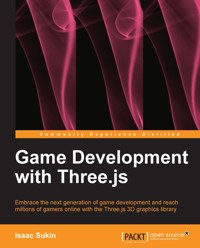
The advent of WebGL and its inclusion in many browsers enabled JavaScript programs running in a web browser to access the GPU without a plugin or extension. Three.js is a next generation high-level library that makes it possible to author complex 3D computer animations that display in the browser using nothing more than a simple text editor. The development of these new tools has opened up the world of real-time 3D computer animations to a far broader spectrum of developers.
Starting with how to build 3D games on the web using the Three.js graphics library, you will learn how to build 3D worlds with meshes, lighting, user interaction, physics, and more. Along the way, you'll learn how to build great online games through fun examples. Use this book as a guide to embrace the next generation of game development!
Moving on from the basics, you will learn how to use Three.js to build game worlds using its core components, including renderers, geometries, materials, lighting, cameras, and scenes. Following on from this, you will learn how to work with mouse and keyboard interactions, incorporate game physics, and import custom models and animations. You will also learn how to include effects like particles, sounds, and post-processing. You will start by building a 3D world, and then create a first person shooter game using it. You will then be shown how to imbue this FPS game with a “capture the flag” gameplay objective. With Game Development with Three.js, you will be able to build 3D games on the Web using the Three.js graphics library.
Das E-Book können Sie in Legimi-Apps oder einer beliebigen App lesen, die das folgende Format unterstützen:
Seitenzahl: 144
Veröffentlichungsjahr: 2013
Ähnliche


















Table of Contents
Game Development with Three.js
Game Development with Three.js
Copyright © 2013 Packt Publishing
All rights reserved. No part of this book may be reproduced, stored in a retrieval system, or transmitted in any form or by any means, without the prior written permission of the publisher, except in the case of brief quotations embedded in critical articles or reviews.
Every effort has been made in the preparation of this book to ensure the accuracy of the information presented. However, the information contained in this book is sold without warranty, either express or implied. Neither the author, nor Packt Publishing, and its dealers and distributors will be held liable for any damages caused or alleged to be caused directly or indirectly by this book.
Packt Publishing has endeavored to provide trademark information about all of the companies and products mentioned in this book by the appropriate use of capitals. However, Packt Publishing cannot guarantee the accuracy of this information.
First published: October 2013
Production Reference: 1171013
Published by Packt Publishing Ltd.
Livery Place
35 Livery Street
Birmingham B3 2PB, UK.
ISBN 978-1-78216-853-9
www.packtpub.com
Cover Image by Suresh Mogre (<[email protected]>)
Credits
Author
Isaac Sukin
Reviewers
Ian Langworth
Wenli Zhang
Acquisition Editor
Gregory Wild
Commissioning Editor
Govindan K
Technical Editors
Arwa Manasawala
Veena Pagare
Project Coordinator
Aboli Ambardekar
Proofreader
Jonathan Todd
Indexer
Mehreen Deshmukh
Production Coordinator
Arvindkumar Gupta
Cover Work
Arvindkumar Gupta
About the Author
Isaac Sukin has been building games since he was eight years old, when he discovered that Nerf Arena Blast came with a copy of Epic Games' Unreal Editor. At 16, he became co-leader of the Community Bonus Pack team, an international group of game developers for the Unreal Engine that won 49 awards over the next few years. He started learning to code around the same time by developing an open source Facebook-style statuses system that thousands of websites have adopted. Since then, he has been increasingly drawn to interactive JavaScript on the web. He created an open source 2D game engine in early 2012 and then dove into Three.js.
As of 2013, he is a senior, studying entrepreneurship and information management at the Wharton school at the University of Pennsylvania. He has worked for Twitter, First Round Capital, and Acquia among others, and was previously a freelance consultant and developer. He is also a founder of Dorm Room Fund, a student-run venture capital fund that invests in student-run startups. You can find him on GitHub and Twitter under the alias IceCreamYou or visit his website at www.isaacsukin.com.
He has previously published short stories and poetry, but this is his first book.
Thanks, Mom and Dad, for your love and support in exploring my passions. To Lauren and Sarah, I am so proud to have such amazing little sisters. I love you.
And a shout out to the CBP3 team! Thanks for a lot of fun over the years.
About the Reviewers
Ian Langworth is the co-founder and CTO of Artillery, which aims to bring console-quality games to the browser using HTML5, WebGL, and other cutting-edge browser technology. Prior to Artillery, he was the first engineering hire at Redbeacon (acquired by The Home Depot in 2012), and before that he was a software engineer at Google. He is the co-author of Perl Testing: A Developer's Notebook, O'Reilly, 2005.
Wenli Zhang is a graduate student at Digital Art Lab of Shanghai Jiao Tong University. She has sufficient experience in web design and programming and shows great interest in it. She's familiar with HTML, CSS, JavaScript, Three.js, jQuery, PHP, and so on. She's also interested in graphics rendering and image processing.
She originally learned Three.js for a game to demonstrate web audio during her internship in Intel corp. Owing to her knowledge in the field of computer graphics and previous experience with OpenGL, she learned Three.js quickly and developed a 3D Arcalands game within a week. After that, she used Three.js for several applications and found it efficient and easy to use.
She has also developed a jQuery plugin named jWebAudio (http://01org.github.io/jWebAudio/), which is a web audio library designed for games.
Her personal site is http://ovilia.github.com.
www.PacktPub.com
Support files, eBooks, discount offers and more
You might want to visit www.PacktPub.com for support files and downloads related to your book.
Did you know that Packt offers eBook versions of every book published, with PDF and ePub files available? You can upgrade to the eBook version at www.PacktPub.com and as a print book customer, you are entitled to a discount on the eBook copy. Get in touch with us at <[email protected]> for more details.
At www.PacktPub.com, you can also read a collection of free technical articles, sign up for a range of free newsletters and receive exclusive discounts and offers on Packt books and eBooks.
http://PacktLib.PacktPub.com
Do you need instant solutions to your IT questions? PacktLib is Packt's online digital book library. Here, you can access, read and search across Packt's entire library of books.
Why Subscribe?
Free Access for Packt account holders
If you have an account with Packt at www.PacktPub.com, you can use this to access PacktLib today and view nine entirely free books. Simply use your login credentials for immediate access.
Preface
Three.js is an easy-to-learn 3D graphics library for the web. This book explains the Three.js API and how to use it to build immersive online games. By the time you finish this book, you'll be able to reach millions of gamers through their web browsers, and you'll build exciting projects such as a first-person shooter along the way.
I've been building games for more than a decade. When I discovered Three.js, the first project I built was very similar to the first-person shooter game you'll build in Chapter 3, Exploring and Interacting. I was hooked by how quickly I could create fun games with no prior exposure to the library.
In Game Development with Three.js, I've tried to stay true to that exploratory spirit. I hope you have as much fun reading it as I had writing it.
What this book covers
Chapter 1, Hello, Three.js, describes what Three.js is and what it does, how to start writing code with it, and a basic scene.
Chapter 2, Building a World, explains the components of a Three.js scene including renderers, geometries, materials, and lighting for building a procedurally generated city.
Chapter 3, Exploring and Interacting, explains mouse and keyboard interaction, basic physics, and creating a first-person shooter game.
Chapter 4, Adding Detail, explains particle systems, sound, graphic effects, and managing external assets such as 3D models in addition to building a capture-the-flag game.
Chapter 5, Design and Development, describes game design for the web, including development processes, performance considerations, and the basics of networking.
What you need for this book
You will need a web browser. To fully experience all the features discussed in this book, use Chrome 22 or later or Firefox 22 or later. Internet Explorer 11 or later should also work. A text editor is also recommended, especially if you are not using Chrome, as discussed in Chapter 1, Hello, Three.js. You will need an Internet connection at certain points in the book such as when downloading the Three.js library (these points will be identified in the text).
Who this book is for
This book is for people interested in programming 3D games for the web. Basic familiarity with JavaScript syntax and a basic understanding of HTML and CSS is assumed. No prior exposure to Three.js is assumed. This book should be useful regardless of prior experience with game programming, whether you intend to build casual side projects or large-scale professional titles.
Reader feedback
Feedback from our readers is always welcome. Let us know what you think about this book—what you liked or may have disliked. Reader feedback is important for us to develop titles that you really get the most out of.
To send us general feedback, simply send an e-mail to <[email protected]>, and mention the book title via the subject of your message.
If there is a topic that you have expertise in and you are interested in either writing or contributing to a book, see our author guide on www.packtpub.com/authors.
Customer support
Now that you are the proud owner of a Packt book, we have a number of things to help you to get the most from your purchase.
Downloading the example code
You can download the example code files for all Packt books you have purchased from your account at http://www.packtpub.com. If you purchased this book elsewhere, you can visit http://www.packtpub.com/support and register to have the files e-mailed directly to you.
Downloading the color images of this book
We also provide you a PDF file that has color images of the screenshots/diagrams used in this book. The color images will help you better understand the changes in the output.You can download this file from http://www.packtpub.com/sites/default/files/downloads/8539OS_Images.pdf
Errata
Although we have taken every care to ensure the accuracy of our content, mistakes do happen. If you find a mistake in one of our books—maybe a mistake in the text or the code—we would be grateful if you would report this to us. By doing so, you can save other readers from frustration and help us improve subsequent versions of this book. If you find any errata, please report them by visiting http://www.packtpub.com/submit-errata, selecting your book, clicking on the erratasubmissionform link, and entering the details of your errata. Once your errata are verified, your submission will be accepted and the errata will be uploaded on our website, or added to any list of existing errata, under the Errata section of that title. Any existing errata can be viewed by selecting your title from http://www.packtpub.com/support.
Piracy
Piracy of copyright material on the Internet is an ongoing problem across all media. At Packt, we take the protection of our copyright and licenses very seriously. If you come across any illegal copies of our works, in any form, on the Internet, please provide us with the location address or website name immediately so that we can pursue a remedy.
Please contact us at <[email protected]> with a link to the suspected pirated material.
We appreciate your help in protecting our authors, and our ability to bring you valuable content.
Questions
You can contact us at <[email protected]> if you are having a problem with any aspect of the book, and we will do our best to address it.
Chapter 1. Hello, Three.js
This chapter will take you from zero to sixty with a new Three.js project. We'll cover what Three.js is, how to get started with writing code for it, and the components of a basic scene.
The wonderful world of Three.js
Three.js is a JavaScript library that simplifies displaying 3D graphics in web browsers. Artists, major brands, and many others are increasingly using Three.js to power immersive online experiences that can reach millions of people across many platforms. There are many inspiring demos of the technology at http://threejs.org/.
Three.js is usually used with a new technology called WebGL, a JavaScript API for rendering graphics without plugins. The API is based on OpenGL, a desktop graphics API (GL stands for graphics library). Because it uses the client's graphics processing unit to accelerate rendering, WebGL is fast! However, many mobile browsers as well as Internet Explorer 10 and below do not support WebGL. Luckily, Three.js supports rendering with the HTML5 Canvas API as well as other technologies such as Scalable Vector Graphics instead.
Note
You can find up-to-date information on browser support at http://caniuse.com/webgl.
Three.js is originally written and maintained by Ricardo Cabello, who is also known as Mr.Doob. The library is open source (MIT-licensed) and is available from its GitHub page, https://github.com/mrdoob/three.js. The documentation of Three.js is available online at http://threejs.org/docs/. When the documentation is insufficient, the best place to look is the examples folder of the project, which contains a large collection of examples demonstrating different features. You can browse the examples online at http://threejs.org/examples/. The source code in the src folder is also worth browsing if you need to know how a certain class works or what methods and properties it exposes. Developers respond to questions about Three.js on the Q&A site StackOverflow, so if you are confused about something, you can browse questions with the three.js tag or ask your own.
Tip
This book was written with Version r61 of the Three.js project. Certain parts of the API are still under development, but anything that is likely to change will be pointed out when it is introduced.
Let's code!
Because Three.js runs in web browsers, it can run on—and be developed on—many different platforms. In fact, we're going to build our first Three.js project directly in a browser!
Open up http://mrdoob.com/projects/htmleditor/. You should see HTML and JavaScript code overlaid on top of a spinning sphere-like shape, as shown in the following screenshot:
The online Three.js editor
This is the Hello, World program of Three.js—the minimum code required to get a spinning shape rendering in the browser. The preview will automatically update when you change any code, so go ahead and play with it and see what happens. For example, try changing THREE.MeshBasicMaterial to THREE.MeshNormalMaterial. What happens if you change IcosahedronGeometry to TorusKnotGeometry? Try fiddling with some numbers. Can you make the shape rotate faster or slower?
Been there, scene that
Let's dig deeper into our spinning-shape world and explain how it all works. You can follow along with this section in the online editor or type the code into a new HTML file.
First, there's the HTML template:
Nothing surprising here. We're basically just including Three.js and removing the browser's default page margins. The <canvas> element, onto which we'll render our scene, will be added into the DOM by our JavaScript.
Note
Instead of using the Three.js file from the GitHub CDN, you should download the latest Three.js build and include the local copy in your projects. The full Three.js script can be found in the build folder of the project or can be downloaded from https://raw.github.com/mrdoob/three.js/master/build/three.js. In production, you will want to use the minified version (three.min.js).
Now comes the fun part: telling Three.js to display something. First, let's declare the objects we'll need:




