


6,99 €
6,99 €
oder
-100%
Sammeln Sie Punkte in unserem Gutscheinprogramm und kaufen Sie E-Books und Hörbücher mit bis zu 100% Rabatt.
Mehr erfahren.
Mehr erfahren.
- Herausgeber: TechSavy Arena
- Kategorie: Wissenschaft und neue Technologien
- Sprache: Englisch
BONUS INSIDE: LIFETIME VIDEO COURSE
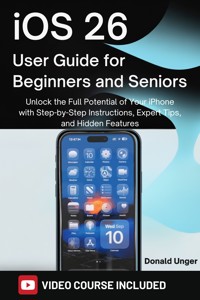
Unlock the Full Potential of Your iPhone with the "iOS 26 User Guide for Beginners and Seniors"
Are you ready to take your iPhone experience to the next level? With iOS 26, Apple has introduced incredible features that can transform the way you use your device. Whether you’re a beginner, senior, or simply looking to master the latest updates, this guide will show you exactly how to unlock all the hidden capabilities of iOS 26.
What Will You Discover Inside?
- Master Time-Saving Shortcuts: Learn secret shortcuts and automation tips to make your iPhone work for you, saving valuable time on daily tasks.
- Effortless Multitasking: Get hands-on with Split View and Slide Over to seamlessly use multiple apps at once and boost your productivity.
- Navigate the App Store with Ease: Explore the redesigned App Store and discover how to find, manage, and enjoy your favorite apps in a more efficient way.
- Enhanced Accessibility Features: Explore powerful accessibility settings designed specifically for seniors, making it easier than ever to enjoy your iPhone’s full potential.
- Boost Your iPhone’s Performance: Unlock hidden settings that can speed up your device and extend its battery life, ensuring your iPhone runs like new.
From basic settings to advanced customization, this guide covers everything you need to know to make the most of your device. iOS 26 User Guide for Beginners and Seniors is the ultimate resource for anyone wanting to master their iPhone quickly and easily.
This is your all-in-one solution to boost productivity, enhance security, and optimize performance. Don’t let your iPhone’s potential go untapped.
Buy your copy today and start exploring the features and shortcuts that will make your iPhone an even more powerful tool in your daily life.
Das E-Book können Sie in Legimi-Apps oder einer beliebigen App lesen, die das folgende Format unterstützen:
Veröffentlichungsjahr: 2025
0,0
Bewertungen werden von Nutzern von Legimi sowie anderen Partner-Webseiten vergeben.
Legimi prüft nicht, ob Rezensionen von Nutzern stammen, die den betreffenden Titel tatsächlich gekauft oder gelesen/gehört haben. Wir entfernen aber gefälschte Rezensionen.
Ähnliche















iOS 26 User Guide for Beginners and Seniors
Unlock the Full Potential of Your iPhone with Step-by-Step Instructions, Expert Tips, and Hidden Features
Donald Unger
Copyright © 2025 Donald Unger
All rights reserved. No part of this publication may be reproduced, distributed, or transmitted in any form or by any means, including photocopying, recording, or other electronic or mechanical methods, without the prior written permission of the publisher, except in the case of brief quotations embodied in critical reviews and certain other noncommercial uses permitted by copyright law.
Disclaimer
This publication is an independent guide and is not affiliated with, endorsed by, or authorized by Apple Inc. All references to iPhone and other trademarked products owned by Apple Inc. are used for identification purposes only and are the property of their respective owner. The author and publisher have no affiliation with Apple Inc.
Table of Contents
Introduction
Why This Guide is Perfect for Beginners and Seniors
How to Use This Guide
Setting Expectations: What You’ll Learn
Chapter 1: Getting Started with iOS 26
What’s New in iOS 26?
How to Install iOS 26 on Your iPhone
Setting Up Your iPhone for the First Time
Exploring the Home Screen and Basic Navigation
Chapter 2: Mastering iPhone Settings
Accessing and Customizing Settings
Personalizing Your iPhone
Adjusting Display and Text Size for Comfort
Setting Up Wi-Fi, Bluetooth, and Other Connections
Understanding Privacy and Security Settings
Chapter 3: Using Essential iPhone Apps
The Phone App: Making and Receiving Calls
Text Messaging with the Messages App
The Safari Browser: Browsing the Internet with Ease
The Mail App: Setting Up and Organizing Emails
Using the Calendar and Reminders
Chapter 4: Mastering the Camera and Photos App
Taking Photos and Videos with iOS 26
Using the New Camera Features in iOS 26
Editing Photos Like a Pro
Organizing and Sharing Your Photos and Videos
iCloud Photo Library: Syncing Your Photos Across Devices
Chapter 5: Communicating with iOS 26
Using FaceTime for Video Calls
Sending Messages with New Features (Sticker Packs, Emoji, etc.)
Organizing Group Chats and Conversations
Using iOS 26’s Live Text Feature to Interact with Text in Photos
Chapter 6: Navigating iOS 26’s New Features
The Liquid Glass Design and How to Use It
Apple Intelligence: Real-Time Translation and AI Assist
Personalizing Your iPhone with Widgets
Focus Mode: Customizing Notifications for Different Situations
Genmoji: Create Custom Emojis and Stickers
Chapter 7: iOS 26 Advanced Features for Power Users
Siri Shortcuts and Automation
Using the Files App to Organize Your Documents
Managing Battery Life and Power Settings
Exploring the New App Library
Hidden Features in iOS 26 You Need to Know About
Chapter 8: Managing iPhone Storage and Apps
How to Free Up Space on Your iPhone
Managing Installed Apps and Updates
Deleting and Reinstalling Apps
Using iCloud to Store Your Files
Troubleshooting App Performance
Chapter 9: Privacy and Security in iOS 26
Protecting Your Data with Face ID and Touch ID
Managing App Permissions and Privacy Settings
Using the Health App to Monitor Your Wellbeing
Understanding Encryption and Secure Communication
Preventing and Blocking Spam Calls and Messages
Chapter 10: Troubleshooting and Maintenance
Solving Common iOS 26 Issues
How to Perform a Hard Reset or Restart Your iPhone
Backing Up Your Data: iCloud and iTunes Methods
Restoring Your iPhone to Factory Settings
Getting Help from Apple Support
Chapter 11: Tips and Tricks for iOS 26 Users
Secret iOS 26 Shortcuts to Save Time
How to Use Split View and Slide Over for Multitasking
Navigating the New App Store Experience
iOS 26’s Enhanced Accessibility Features for Seniors
Maximizing Your iPhone’s Performance with Hidden Settings
Chapter 12: Maintaining Your iPhone Over Time
Regular Software Updates and Why They Matter
Battery Care: Extending Battery Life Long-Term
Cleaning and Caring for Your iPhone
Understanding iPhone Insurance and Repair Options
When to Upgrade: Signs You Might Need a New iPhone
Appendices
BONUS: VIDEO GUIDE
Introduction
When Apple announced the launch of iOS 26, excitement rippled through the global tech community. As the newest update to the iconic operating system for iPhones, iOS 26 brought with it a wealth of features that enhance the user experience, streamline functionality, and push the boundaries of what mobile technology can do. Whether you’re a seasoned iPhone user or someone just beginning to explore the world of Apple devices, iOS 26 presents a more intuitive, powerful, and visually stunning operating system that’s sure to make your device feel fresh again.
The Liquid Glass design is one of the most apparent improvements to iOS 26. This overhaul of the graphical user interface brings a more immersive experience, making everything from app icons to the status bar feel fluid and dynamic. This new design allows for a more visually pleasant experience that adapts as you use your device, offering smoother transitions, better responsiveness, and a more aesthetically pleasing interface.
In addition to visual changes, iOS 26 also introduces Apple Intelligence, which takes the power of artificial intelligence and integrates it deeply into the system. With features like Live Translation, you can now translate text and speech in real time across apps like Messages and FaceTime, a powerful tool for both casual conversations and business discussions.
For those of you who’ve come to rely on your iPhone for photography, iOS 26’s Camera App takes things to the next level. Enhanced with AI-driven features and a suite of editing tools, iOS 26 makes it easier than ever to take professional-quality photos with just a few taps. From smarter photo suggestions to advanced editing features, iOS 26 empowers users of all experience levels to capture, enhance, and share their memories in stunning detail.
But iOS 26 isn’t just about new features—it's about making those features more accessible to everyone. Whether you’re an experienced iPhone user or someone just getting started, iOS 26 is designed to be intuitive and easy to navigate. Features like Focus Mode, Advanced Siri Shortcuts, and Face ID improvements work seamlessly to simplify your day-to-day mobile experience while offering new tools to stay productive, organized, and secure.
This guide will take you through all of these features and more, helping you unlock the full potential of iOS 26. Whether you’re looking to master the basics or discover hidden gems that make your iPhone experience more efficient, this book will be your trusted companion as you navigate iOS 26.
Why This Guide is Perfect for Beginners and Seniors
Apple's iOS updates are often full of exciting new features, but with these innovations can come a sense of overwhelm. For those who are new to the iPhone or those who may not be as familiar with the latest technology, iOS 26 might seem like a lot to grasp at once. But that's where this guide comes in. Tailored specifically for beginners and seniors, it is designed to make the transition into iOS 26 seamless and enjoyable.
For beginners, this guide serves as a practical introduction to the iPhone and iOS 26. Every feature, from the most basic to the most advanced, will be explained in simple, easy-to-understand terms. You’ll learn not only how to use the device but also why certain features are valuable, and how they can enhance your daily life. iPhones are user-friendly, but there’s no denying that the operating system comes with a vast array of functions. By breaking down iOS 26 into digestible steps, this guide ensures you don’t get lost in the weeds. Whether you're setting up your iPhone for the first time, or you're looking to dive deeper into its features, you’ll find clear explanations and practical tips to help you along the way.
For seniors, the fast-paced world of modern smartphones can feel daunting. With iOS 26, Apple has introduced several accessibility features to make the iPhone easier to use for people of all ages and abilities. This guide not only covers these features in depth but also highlights tips and tricks to make everyday use more intuitive and comfortable. For example, adjusting text sizes, simplifying the interface, or using Siri to automate tasks can make the iPhone feel more personalized and manageable. The Accessibility section of this guide will walk you through how to tailor your iPhone to meet your unique needs, ensuring that it’s as easy to use as possible.
This guide is crafted with patience and clarity, ensuring that you can follow along at your own pace. The step-by-step approach allows you to progress through each chapter with confidence, building your knowledge as you go. You’ll find practical advice for navigating the device, troubleshooting common issues, and maximizing the efficiency of your iPhone, ensuring that it becomes a tool you can rely on day in and day out. Whether you are using the iPhone for communication, entertainment, or personal productivity, this guide will provide you with the necessary knowledge to harness the full power of iOS 26.
How to Use This Guide
This book is structured to help you quickly grasp the essentials of iOS 26 while also diving into more advanced features. Here's how you can make the most out of this guide:
1. Start with the Basics: If you're new to iPhones or iOS, start with the early chapters. These chapters cover the basic functions of the iPhone and its features, such as setting up the device, navigating the home screen, and understanding basic settings. This will lay a solid foundation for you to build on as you progress to more advanced topics.
2. Explore iOS 26’s Key Features: As you become comfortable with the basics, move on to the chapters dedicated to the standout features of iOS 26. These sections will teach you how to take full advantage of new features like Liquid Glass design, Apple Intelligence, and enhanced Camera tools. You’ll also learn how to customize settings, organize your apps, and make the most of the new tools iOS 26 offers.
3. Dive Into Advanced Topics: For those who already have some experience with iPhones or are looking to explore more advanced features, chapters on Advanced iOS 26 Features like Focus Mode, Siri Shortcuts, and AI-driven enhancements will help you unlock the full potential of your device. Each section will provide you with actionable insights and step-by-step instructions.
4. Use the Image Prompts and Visual Aids: Each chapter includes image prompts that will guide you in visualizing the steps described. Whether it’s a screenshot of a setting menu or a diagram explaining how to organize apps, the visual aids will complement the text, making it easier for you to follow along. We’ve carefully chosen which images to include to make the guide as interactive and user-friendly as possible.
5. Troubleshooting and Tips: As you explore the iPhone’s features, you'll likely encounter some issues along the way. This guide includes a troubleshooting section with solutions to common problems. We’ve also included tips and tricks throughout the book to help you become more efficient with your iPhone.
6. Read at Your Own Pace: The chapters are structured to be self-contained, so feel free to jump to the section that interests you most, or follow the chapters in order to build a comprehensive understanding of iOS 26. Whether you want to learn how to use the Camera App or you’re eager to explore the security features, the choice is yours.
Setting Expectations: What You’ll Learn
As you progress through this guide, you will gain a comprehensive understanding of iOS 26 and learn how to make the most of your iPhone. Here’s a brief outline of what you’ll learn:
1. Getting Started with iOS 26:
Set up your iPhone from scratch, understanding the Home Screen, and learning the basics of navigation.
Customize your iPhone for ease of use, including accessibility settings, screen preferences, and basic app setup.
2. Understanding Key Features of iOS 26:
Master new features such as Liquid Glass design, Live Translation, and Focus Mode.
Take advantage of the updated Camera App and Apple Intelligence, making it easier to organize, edit, and share your photos.
3. Personalizing Your iPhone:
Learn how to adjust settings to suit your needs, from font size to display options, and how to set up a personalized notification system.
Use widgets, shortcuts, and Siri to streamline your device’s functionality and speed up daily tasks.
4. Advanced Tips for Power Users:
Understand how to use Siri Shortcuts, iCloud, and iOS 26 automation to make your iPhone smarter and more efficient.
Explore advanced iPhone settings like app management, privacy and security, and managing iCloud storage.
5. Troubleshooting and Maintenance:
Learn common troubleshooting steps and how to keep your iPhone running smoothly with regular maintenance.
Discover tips to enhance battery life, improve app performance, and back up your data.
6. Exploring Hidden Features:
Uncover lesser-known tips and tricks, such as gesture shortcuts, advanced photo-editing tools, and hidden system features that will make your iPhone usage more efficient.




