


6,99 €
Mehr erfahren.
- Herausgeber: TechSavy Arena
- Kategorie: Wissenschaft und neue Technologien
- Sprache: Englisch
Unlock the Full Potential of Your iPhone 17 Pro with This Comprehensive User Guide!
Are you ready to master your iPhone 17 Pro? Whether you're a beginner, senior, or tech-savvy expert, this step-by-step guide is designed to help you navigate the powerful features of your device with ease. iPhone 17 Pro User Guide will not only teach you how to use your iPhone like a pro but also help you maximize its capabilities for everyday tasks and productivity.
Inside, you'll discover everything you need to know about your iPhone—from basic setup and essential settings to advanced features. Want to master Face ID, Siri, and Apple Pay? Or perhaps you're eager to explore iOS 26’s latest tools like Live Text, Focus Modes, and Widgets?
This guide covers it all.
- Unlock Hidden Features: Learn the best-kept secrets of the iPhone 17 Pro, including top shortcuts, game-changing camera tips, and advanced customization options to make your iPhone truly yours.
- Easy-to-Follow Instructions: Each chapter is designed with beginners in mind, so you won’t get lost in tech jargon. Whether you're setting up your phone for the first time, managing storage, or troubleshooting common problems, you’ll feel confident every step of the way.
- Stay Safe and Productive: With built-in features like Emergency SOS, Medical ID, and iCloud backup, you’ll learn how to keep your data safe, stay organized, and enhance your productivity. Plus, discover tips on how to make your iPhone more accessible with features designed for seniors, like VoiceOver, magnifier, and larger text.
By the end of this book, you’ll be fully equipped to maximize your iPhone 17 Pro’s potential and unlock its true power. Don’t wait—start mastering your iPhone today!
Das E-Book können Sie in Legimi-Apps oder einer beliebigen App lesen, die das folgende Format unterstützen:
Veröffentlichungsjahr: 2025
Ähnliche




















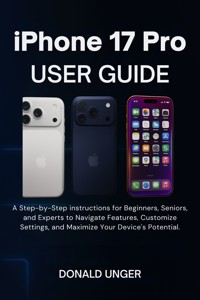
iPhone 17 Pro User Guide
A Step-by-Step instructions for Beginners, Seniors, and Experts to Navigate Features, Customize Settings, and Maximize Your Device's Potential.
Donald Unger
Copyright © 2025 Donald Unger
All rights reserved. No part of this publication may be reproduced, distributed, or transmitted in any form or by any means, including photocopying, recording, or other electronic or mechanical methods, without the prior written permission of the publisher, except in the case of brief quotations embodied in critical reviews and certain other noncommercial uses permitted by copyright law.
Disclaimer
This publication is an independent guide and is not affiliated with, endorsed by, or authorized by Apple Inc. All references to iPhone and other trademarked products owned by Apple Inc. are used for identification purposes only and are the property of their respective owner. The author and publisher have no affiliation with Apple Inc.
Table of Contents
Introduction
Who This Guide Is For
What’s New in iPhone 17 Pro and iOS 26
Quick Start vs. Deep Dive: How to Use This Book
Device Safety, Care, and Best Practices
Chapter 1: Quick Start Guide
Powering On and Initial Setup
Connecting to Wi-Fi and Cellular
Activating Apple ID and iCloud
Essential Settings to Configure First
Top 10 Things to Try on Day One
Chapter 2: Getting to Know Your Device
Physical Overview and Button Functions
Understanding the Dynamic Island
Navigating with Gestures and Touch
Using Control Center and Notification Center
Customizing the Home Screen
Chapter 3: Security & Privacy Essentials
Setting Up Face ID and Passcodes
Using Face ID for Unlocking and Payments
Managing Apple ID and Two-Factor Authentication
Managing Your Apple ID Settings
Privacy Settings You Should Know
Find My iPhone, Lost Mode & Remote Wipe
Using Lockdown Mode and App Permissions
Chapter 4: Personalization & Accessibility
Display, Text Size, and Color Adjustments
Ringtones, Sounds, and Vibration Settings
Accessibility Features for Seniors and Beginners
Customizing Wallpapers, Widgets, and Themes
Language, Keyboard, and Region Settings
Chapter 5: Communication Made Easy
Making and Receiving Calls
Using Messages and iMessage
Using iMessage for Richer Communication
Email Setup and Management
FaceTime and Video Calling
Live Voicemail, Call Screening & Spam Protection
Chapter 6: Internet & Connectivity
Safari Browsing Tips and Tricks
Managing Wi-Fi, Bluetooth, and AirDrop
Using Personal Hotspot and VPN
Exploring Wi-Fi 7 and Bluetooth 6
Sharing Content Across Apple Devices
Chapter 7: Camera & Photography Mastery
Triple-Lens System Overview
Taking Stunning Photos and Videos
Using Night Mode, Portrait, and Cinematic Features
Editing with Built-In Tools
Organizing and Backing Up Media
Chapter 8: Entertainment & Apps
Using Apple Music, Podcasts, and TV
Apple Podcasts: For the Best Podcasts on the Go
Apple TV: Streaming Movies and Shows
Downloading and Managing Apps
Playing Games and Using Game Mode
Streaming and Casting to Other Devices
Parental Controls and App Limits
Chapter 9: Apple Intelligence & Smart Features
What Is Apple Intelligence?
On-Device Machine Learning
Using AI for Summaries, Suggestions, and Translations
Smart Siri and Contextual Commands
On-Device AI vs. Cloud-Based Features
Automating Tasks with Shortcuts
Chapter 10: Productivity & Everyday Tools
Notes, Reminders, and Calendar
Managing Files with the Files App
Using Wallet, Apple Pay, and ID Cards
Health App and Fitness Tracking
Screen Time, Focus Modes & Digital Wellbeing
Chapter 11: Senior-Friendly Tips & Accessibility
VoiceOver, Magnifier, and Spoken Content
Simplified Navigation and Large Text
Hearing and Vision Enhancements
Emergency SOS and Medical ID Setup
Recommended Apps for Seniors
Chapter 12: Maintenance & Troubleshooting
Backing Up and Restoring Your iPhone
Software Updates and Storage Management
Common Issues and Quick Fixes
Resetting and Erasing Your Device
Battery Health and Charging Tips
Chapter 13: Resources & Support
Apple Support and Online Communities
Glossary of Common Terms
Legal Disclaimer and Copyright Notice
Staying Safe Online
Where to Learn More
Appendix
iOS 26 Feature Index
Comparison: iPhone 17 Pro vs. iPhone 16 Pro
Bonus: Top 25 Hidden Features You’ll Love
Introduction
The iPhone 17 Pro isn’t just a phone—it’s a cutting-edge device that can transform the way you live, work, and connect. With the latest advancements in mobile technology, Apple's iPhone 17 Pro promises a seamless, intuitive experience, packed with features designed to cater to every need, from photography and productivity to entertainment and connectivity.
But for many, unlocking the full potential of a powerful device like the iPhone 17 Pro can seem overwhelming. How do you make the most of its advanced features? How do you navigate through its powerful settings and options? And most importantly, how do you tailor this device to fit your life, whether you’re a beginner, a senior, or a tech enthusiast? That’s where this guide comes in.
In this iPhone 17 Pro User Guide, we’re here to help you navigate through the complexities of your device with ease. Whether you’re setting up your device for the first time, learning new iOS 26 features, or diving deep into advanced settings, this guide will provide you with clear, step-by-step instructions. By the time you finish this book, you’ll not only be familiar with your device but will be fully equipped to optimize it to your specific needs.
Each chapter is designed with one goal in mind: to help you unlock the true power of your iPhone 17 Pro. From the moment you turn it on, to mastering the incredible camera system, to utilizing advanced AI tools for smarter living, we will guide you through every feature, making sure you never miss a trick. If you’ve ever felt that a device has more potential than you’re currently using, then this guide is for you.
Who This Guide Is For
This guide is crafted for anyone who’s ready to dive into the world of iPhone 17 Pro—whether you’ve used an iPhone before or you’re exploring Apple’s ecosystem for the first time. We understand that everyone’s needs are different, so this guide is divided into easy-to-follow sections, each suited for a different level of experience.
Beginners
: If you’re unfamiliar with smartphones or new to the iPhone family, we’ll walk you through every step, from turning on your device to setting up essential functions. You’ll feel confident and capable as you explore the device at your own pace, without the pressure of technical jargon or complicated instructions.
Seniors
: We understand that technology can sometimes be a barrier for seniors, so we’ve specifically included sections that focus on accessibility features. Whether it’s increasing font sizes, adjusting touch sensitivity, or setting up emergency alerts, we’ll ensure you can make the most of your iPhone 17 Pro without feeling overwhelmed.
Experts:
If you’re already well-versed in iPhone functionality, this guide will still prove valuable. We’ll dive into more advanced features like the ProRAW camera settings, the advanced AI features in iOS 26, and ways to fully integrate the iPhone 17 Pro into your digital lifestyle. There’s always something new to learn, no matter your experience level.
What’s New in iPhone 17 Pro and iOS 26
The iPhone 17 Pro is packed with innovative features that will redefine how you interact with technology. Apple has once again pushed the boundaries, offering enhancements that make the iPhone experience even better than before. From the powerful A19 Pro chip to the stunning Super Retina XDR OLED display, the iPhone 17 Pro offers an unparalleled combination of speed, power, and design. It’s more than just a phone—it’s a tool that amplifies your productivity, creativity, and entertainment.
With iOS 26, Apple has introduced new features that take personalization and usability to new heights. The AI-powered Apple Intelligence helps automate tasks, suggest personalized actions, and make your device smarter with every use. Meanwhile, the iPhone 17 Pro’s new ProRAW camera system offers professional-grade photography capabilities, while the addition of Cinematic Mode elevates video recording to an entirely new level.
And let’s not forget iOS 26's privacy and security updates—ensuring that your personal information is kept safe and secure while giving you more control over what data you share with apps.
Quick Start vs. Deep Dive: How to Use This Book
We understand that not everyone wants to take a deep dive into every aspect of their iPhone 17 Pro right away. That’s why this book is structured in a way that allows you to approach it how you see fit—whether you prefer a quick start or a more comprehensive, in-depth look at every feature.
Quick Start
: If you want to get up and running quickly, the first chapter will help you set up your iPhone 17 Pro with ease. You’ll learn how to set up essential features, connect to Wi-Fi, and get started using your phone right away. You don’t need to be a tech expert to enjoy the iPhone 17 Pro’s amazing features, and this guide will show you how to make it all happen in the simplest way possible.
Deep Dive
: For those of you who want to really explore what your iPhone 17 Pro can do, this book also provides detailed, comprehensive sections that break down more advanced settings and features. You’ll uncover hidden functions, discover how to customize the device to suit your lifestyle, and even learn tips and tricks that will elevate your iPhone experience. Whether it's mastering the camera, understanding iOS 26’s full capabilities, or diving into productivity features, we’ve got you covered.
This guide is designed to cater to both types of readers. You can choose to take a fast, easy approach or dive deep into each function—whichever way suits you best.
Device Safety, Care, and Best Practices
While the iPhone 17 Pro is built to last, taking care of your device will ensure it continues to perform at its best for years to come. Apple’s sleek designs and advanced technology mean that you’re holding a powerful device in your hands, but it also requires care and attention to maintain its condition.
Proper cleaning, using a screen protector, and keeping your device in a safe, protective case are just the beginning. You should also follow best practices for battery management, software updates, and security features to ensure your device remains efficient and secure. We’ll walk you through the essential maintenance steps, provide you with tips to prolong battery life, and show you how to keep your iPhone 17 Pro looking and working like new.
Chapter 1: Quick Start Guide
Powering On and Initial Setup
The first time you pick up your iPhone 17 Pro, it’s like holding a piece of the future. The device feels sleek and responsive in your hands, and with just a press of the power button, it’s ready to start the setup process. But before you rush to explore all of the device’s capabilities, it’s important to get the basics out of the way.
To begin, you’ll need to power on your iPhone 17 Pro. Here’s how:
1. Press and Hold the Side Button
Find the side button on the right edge of the device. Press and hold this button for a few seconds. After a brief moment, you’ll see the Apple logo appear on the screen. This signifies that the device is powering up.
2. Set Your Language and Region
Once your iPhone powers up, the first screen you’ll see is a greeting in multiple languages. Select your preferred language from the list. After that, you’ll be prompted to choose your region. This is important for things like date formats, time zones, and the availability of certain services, so make sure to select your correct location.
3. Choose Your Wi-Fi Network
To proceed, you’ll need to connect to a Wi-Fi network. This will allow your iPhone to activate, download updates, and set up iCloud, among other tasks. From the list of available networks, choose your home Wi-Fi and enter your password. If you're on a cellular connection, you can skip this step, but Wi-Fi is recommended for faster setup.
4. Data & Privacy
You will then see a Data & Privacy screen, which explains how Apple uses your data. After reading through the information, tap Continue to proceed.
5. Face ID Setup
The iPhone 17 Pro includes Face ID, which allows you to unlock your phone and make payments with just a glance. You’ll be prompted to set up Face ID by positioning your face inside the frame shown on the screen. The phone will ask you to rotate your head in a circle, scanning your face from multiple angles. This process is quick and easy.
Connecting to Wi-Fi and Cellular
Now that your iPhone 17 Pro is powered on, it’s time to connect to the world. One of the first tasks is to ensure your device is properly connected to the internet, either via Wi-Fi or cellular data. Let’s take a look at how to set both up.
Connecting to Wi-Fi
1. Wi-Fi Selection
During the setup process, your iPhone will scan for available Wi-Fi networks and display them for you to choose from. If you didn’t set up Wi-Fi earlier, now is the time. Simply tap the network you want to connect to and enter the password when prompted.
2. Troubleshooting Wi-Fi Issues
If your Wi-Fi network doesn’t appear, or if you’re having trouble connecting, try these steps:
Ensure that Wi-Fi is turned on by going to Settings > Wi-Fi.
Restart your router.
Make sure your Wi-Fi network is working on other devices.
Forget and reconnect to the network by tapping the “i” icon next to the network name and selecting Forget This Network.
Cellular Setup
If you're using a cellular connection, ensure that your SIM card is properly inserted into the SIM tray, which can be found on the left side of the iPhone 17 Pro. Apple will automatically detect your carrier and prompt you to activate cellular service. Simply follow the on-screen instructions to complete activation. If you have a dual SIM, you’ll need to choose which number you want to use for your default voice and data services.




