


27,59 €
Mehr erfahren.
- Herausgeber: Packt Publishing
- Kategorie: Fachliteratur
- Sprache: Englisch
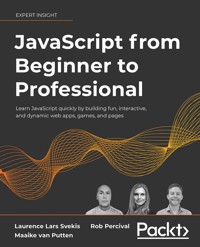
This book demonstrates the capabilities of JavaScript for web application development by combining theoretical learning with code exercises and fun projects that you can challenge yourself with. The guiding principle of the book is to show how straightforward JavaScript techniques can be used to make web apps ranging from dynamic websites to simple browser-based games.
JavaScript from Beginner to Professional focuses on key programming concepts and Document Object Model manipulations that are used to solve common problems in professional web applications. These include data validation, manipulating the appearance of web pages, working with asynchronous and concurrent code.
The book uses project-based learning to provide context for the theoretical components in a series of code examples that can be used as modules of an application, such as input validators, games, and simple animations. This will be supplemented with a brief crash course on HTML and CSS to illustrate how JavaScript components fit into a complete web application.
As you learn the concepts, you can try them in your own editor or browser console to get a solid understanding of how they work and what they do. By the end of this JavaScript book, you will feel confident writing core JavaScript code and be equipped to progress to more advanced libraries, frameworks, and environments such as React, Angular, and Node.js.
Das E-Book können Sie in Legimi-Apps oder einer beliebigen App lesen, die das folgende Format unterstützen:
Seitenzahl: 640
Veröffentlichungsjahr: 2021
Ähnliche


















JavaScript from Beginner to Professional
Learn JavaScript quickly by building fun, interactive, and dynamic web apps, games, and pages
Laurence Lars Svekis
Maaike van Putten
Rob Percival
BIRMINGHAM—MUMBAI
JavaScript from Beginner to Professional
Copyright © 2021 Packt Publishing
All rights reserved. No part of this book may be reproduced, stored in a retrieval system, or transmitted in any form or by any means, without the prior written permission of the publisher, except in the case of brief quotations embedded in critical articles or reviews.
Every effort has been made in the preparation of this book to ensure the accuracy of the information presented. However, the information contained in this book is sold without warranty, either express or implied. Neither the authors, nor Packt Publishing or its dealers and distributors, will be held liable for any damages caused or alleged to have been caused directly or indirectly by this book.
Packt Publishing has endeavored to provide trademark information about all of the companies and products mentioned in this book by the appropriate use of capitals. However, Packt Publishing cannot guarantee the accuracy of this information.
Producer: Tushar Gupta
Acquisition Editor – Peer Reviews: Divya Mudaliar
Project Editor: Namrata Katare
Content Development Editor: Edward Doxey
Copy Editor: Safis Editing
Technical Editor: Karan Sonawane
Proofreader: Safis Editing
Indexer: Sejal Dsilva
Presentation Designer: Pranit Padwal
First published: December 2021
Production reference: 3141022
Published by Packt Publishing Ltd.
Livery Place
35 Livery Street
Birmingham
B3 2PB, UK.
ISBN 978-1-80056-252-3
www.packt.com
Contributors
About the authors
Laurence Lars Svekis is an innovative technology expert with a wide range of expertise and real-world experience in web development, having worked on various web development projects, both large and small, since 1999. He has been a top course instructor since 2015, and has a passion for bringing ideas to life online. Teaching and helping others has been an amazing opportunity for him, as he enjoys sharing knowledge with others. He has an enthusiasm for education and a desire to help others experience the joy of application development and web design.
Thanks to Alexis and Sebastian for all their support.
Maaike van Putten is a software developer and trainer with a passion for software development and helping others get to the next level in their career. Some of her favorite languages are JavaScript, Java, and Python. She participates as a developer in software development projects and as a trainer in various topics, ranging from IT for dummies to advanced topics for senior software developers. Next to that, she loves to create online content for diverse platforms to help larger audiences.
Rob Percival is a highly regarded web developer and Udemy instructor with over 1.7 million students. Over 500,000 of them have taken Rob's Complete Web Developer Course 2.0, as well as his Android Developer and iOS Developer courses.
About the reviewer
Chris Minnick is a prolific author, blogger, trainer, speaker, and web developer. His company, WatzThis?, is dedicated to finding better ways to teach computer and programming skills to beginners.
Chris has been a full-stack developer for over 25 years and a trainer for over 10 years. He has taught web development, ReactJS, and advanced JavaScript at many of the world's largest companies, as well as at public libraries, co-working spaces, and meetups.
Minnick has authored and co-authored over a dozen technical books for adults and kids, including React JS Foundations, HTML and CSS for Dummies, Coding with JavaScript for Dummies, JavaScript for Kids, Adventures in Coding, and Writing Computer Code.
Join our book’s Discord space
Join the book’s Discord workspace for a monthly Ask me Anything session with the authors:
https://packt.link/JSBook
Contents
Preface
Who this book is for
What this book covers
To get the most out of this book
Get in touch
Getting Started with JavaScript
Why should you learn JavaScript?
Setting up your environment
Integrated Development Environment
Web browser
Extra tools
Online editor
How does the browser understand JavaScript?
Using the browser console
Practice exercise 1.1
Adding JavaScript to a web page
Directly in HTML
Practice exercise 1.2
Linking an external file to our web page
Practice exercise 1.3
Writing JavaScript code
Formatting code
Indentations and whitespace
Semicolons
Code comments
Practice exercise 1.4
Prompt
Random numbers
Chapter project
Creating an HTML file and a linked JavaScript file
Self-check quiz
Summary
JavaScript Essentials
Variables
Declaring variables
let, var, and const
Naming variables
Primitive data types
String
Escape characters
Number
BigInt
Boolean
Symbol
Undefined
null
Analyzing and modifying data types
Working out the type of a variable
Converting data types
Practice exercise 2.1
Operators
Arithmetic operators
Addition
Subtraction
Multiplication
Division
Exponentiation
Modulus
Unary operators: increment and decrement
Combining the operators
Practice exercise 2.3
Assignment operators
Practice exercise 2.4
Comparison operators
Equal
Not equal
Greater than and smaller than
Logical operators
And
Or
Not
Chapter project
Miles-to-kilometers converter
BMI calculator
Self-check quiz
Summary
JavaScript Multiple Values
Arrays and their properties
Creating arrays
Accessing elements
Overwriting elements
Built-in length property
Practice exercise 3.1
Array methods
Adding and replacing elements
Deleting elements
Finding elements
Sorting
Reversing
Practice exercise 3.2
Multidimensional arrays
Practice exercise 3.3
Objects in JavaScript
Updating objects
Practice exercise 3.4
Working with objects and arrays
Objects in objects
Arrays in objects
Objects in arrays
Objects in arrays in objects
Practice exercise 3.5
Chapter projects
Manipulating an array
Company product catalog
Self-check quiz
Summary
Logic Statements
if and if else statements
Practice exercise 4.1
else if statements
Practice exercise 4.2
Conditional ternary operators
Practice exercise 4.3
switch statements
The default case
Practice exercise 4.4
Combining cases
Practice exercise 4.5
Chapter projects
Evaluating a number game
Friend checker game
Rock Paper Scissors game
Self-check quiz
Summary
Loops
while loops
Practice exercise 5.1
do while loops
Practice exercise 5.2
for loops
Practice exercise 5.3
Nested loops
Practice exercise 5.4
Loops and arrays
Practice exercise 5.5
for of loop
Practice exercise 5.6
Loops and objects
for in loop
Practice exercise 5.7
Looping over objects by converting to an array
break and continue
break
continue
Practice exercise 5.8
break, continue, and nested loops
break and continue and labeled blocks
Chapter project
Math multiplication table
Self-check quiz
Summary
Functions
Basic functions
Invoking functions
Writing functions
Naming functions
Practice exercise 6.1
Practice exercise 6.2
Parameters and arguments
Practice exercise 6.3
Default or unsuitable parameters
Special functions and operators
Arrow functions
Spread operator
Rest parameter
Returning function values
Practice exercise 6.4
Returning with arrow functions
Variable scope in functions
Local variables in functions
let versus var variables
const scope
Global variables
Immediately invoked function expression
Practice exercise 6.5
Recursive functions
Practice exercise 6.6
Nested functions
Practice exercise 6.7
Anonymous functions
Practice exercise 6.8
Function callbacks
Chapter projects
Create a recursive function
Set timeout order
Self-check quiz
Summary
Classes
Object-oriented programming
Classes and objects
Classes
Constructors
Practice exercise 7.1
Methods
Practice exercise 7.2
Properties
Getters and setters
Inheritance
Prototypes
Practice exercise 7.3
Chapter projects
Employee tracking app
Menu items price calculator
Self-check quiz
Summary
Built-In JavaScript Methods
Introduction to built-in JavaScript methods
Global methods
Decoding and encoding URIs
decodeUri() and encodeUri()
decodeUriComponent() and encodeUriComponent()
Encoding with escape() and unescape()
Practice exercise 8.1
Parsing numbers
Making integers with parseInt()
Making floats with parseFloat()
Executing JavaScript with eval()
Array methods
Performing a certain action for every item
Filtering an array
Checking a condition for all elements
Replacing part of an array with another part of the array
Mapping the values of an array
Finding the last occurrence in an array
Practice exercise 8.2
Practice exercise 8.3
String methods
Combining strings
Converting a string to an array
Converting an array to a string
Working with index and positions
Creating substrings
Replacing parts of the string
Uppercase and lowercase
The start and end of a string
Practice exercise 8.4
Practice exercise 8.5
Number methods
Checking if something is (not) a number
Checking if something is finite
Checking if something is an integer
Specifying a number of decimals
Specifying precision
Math methods
Finding the highest and lowest number
Square root and raising to the power of
Turning decimals into integers
Exponent and logarithm
Practice exercise 8.6
Date methods
Creating dates
Methods to get and set the elements of a date
Parsing dates
Converting a date to a string
Practice exercise 8.7
Chapter projects
Word scrambler
Countdown timer
Self-check quiz
Summary
The Document Object Model
HTML crash course
HTML elements
HTML attributes
The BOM
Practice exercise 9.1
Window history object
Window navigator object
Window location object
Practice exercise 9.2
The DOM
Additional DOM properties
Selecting page elements
Practice exercise 9.3
Chapter project
Manipulating HTML elements with JavaScript
Self-check quiz
Summary
Dynamic Element Manipulation Using the DOM
Basic DOM traversing
Practice exercise 10.1
Selecting elements as objects
Changing innerText
Changing innerHTML
Accessing elements in the DOM
Accessing elements by ID
Practice exercise 10.2
Accessing elements by tag name
Practice exercise 10.3
Accessing elements by class name
Practice exercise 10.4
Accessing elements with a CSS selector
Using querySelector()
Using querySelectorAll()
Element click handler
This and the DOM
Practice exercise 10.7
Manipulating element style
Changing the classes of an element
Adding classes to elements
Removing classes from elements
Toggling classes
Manipulating attributes
Practice exercise 10.8
Event listeners on elements
Practice exercise 10.9
Creating new elements
Practice exercise 10.10
Chapter projects
Collapsible accordion component
Interactive voting system
Hangman game
Self-check quiz
Summary
Interactive Content and Event Listeners
Introducing interactive content
Specifying events
Specifying events with HTML
Specifying events with JavaScript
Practice exercise 11.1
Specifying events with event listeners
Practice exercise 11.2
The onload event handler
Practice exercise 11.3
Mouse event handlers
Practice exercise 11.4
The event target property
Practice exercise 11.5
DOM event flow
Practice exercise 11.6
onchange and onblur
Practice exercise 11.7
Key event handler
Practice exercise 11.8
Drag and drop elements
Practice exercise 11.9
Form submission
Practice exercise 11.10
Animating elements
Practice exercise 11.11
Chapter projects
Build your own analytics
Star rating system
Mouse position tracker
Box clicker speed test game
Self-check quiz
Summary
Intermediate JavaScript
Regular expressions
Specifying multiple options for words
Character options
Groups
Practical regex
Searching and replacing strings
Email validation
Functions and the arguments object
Practice exercise 12.3
JavaScript hoisting
Using strict mode
Debugging
Breakpoints
Practice exercise 12.4
Error handling
Practice exercise 12.5
Using cookies
Practice exercise 12.6
Local storage
Practice exercise 12.7
JSON
Practice exercise 12.8
Parsing JSON
Practice exercise 12.9
Practice exercise 12.9 answers
Chapter projects
Email extractor
Form validator
Simple math quiz
Self-check quiz
Summary
Concurrency
Introducing concurrency
Callbacks
Practice exercise 13.1
Promises
Practice exercise 13.2
async and await
Practice exercise 13.3
Event loop
Call stack and callback queue
Chapter project
Password checker
Self-check quiz
Summary
HTML5, Canvas, and JavaScript
Introducing HTML5 with JavaScript
Local file reader
Uploading files
Reading files
Practice exercise 14.1
Getting position data with GeoLocation
HTML5 canvas
Practice exercise 14.2
Dynamic canvas
Adding lines and circles to the canvas
Practice exercise 14.3
Adding text to the canvas
Practice exercise 14.4
Adding and uploading images to the canvas
Practice exercise 14.5
Adding animations to the canvas
Practice exercise 14.6
Drawing on canvas with a mouse
Practice exercise 14.7
Saving dynamic images
Media on the page
Digital accessibility in HTML
Chapter projects
Create a Matrix effect
Countdown clock
Online paint app
Self-check quiz
Summary
Next Steps
Libraries and frameworks
Libraries
jQuery
D3
Underscore
React
Frameworks
Vue.js
Angular
Learning the backend
APIs
AJAX
Practice exercise 15.1
Node.js
Using the Express Node.js framework
Next steps
Chapter projects
Working with JSON
List-making project
Self-check quiz
Summary
Appendix – Practice Exercise, Project, and Self-Check Quiz Answers
Chapter 1, Getting Started with JavaScript
Practice exercises
Projects
Creating an HTML file and a linked JavaScript file
Self-check quiz
Chapter 2, JavaScript Essentials
Practice exercises
Projects
Miles-to-kilometers converter
BMI calculator
Self-check quiz
Chapter 3, JavaScript Multiple Values
Practice exercises
Projects
Manipulating an array
Company product catalog
Self-check quiz
Chapter 4, Logic Statements
Practice exercises
Projects
Evaluating a number game answers
Friend checker game answers
Rock paper scissors game answers
Self-check quiz
Chapter 5, Loops
Practice exercises
Project
Math multiplication table
Self-check quiz
Chapter 6, Functions
Practice exercises
Projects
Create a recursive function
Set timeout order
Self-check quiz
Chapter 7, Classes
Practice exercises
Projects
Employee tracking app
Menu items price calculator
Self-check quiz
Chapter 8, Built-In JavaScript Methods
Practice exercises
Projects
Word scrambler
Countdown timer
Self-check quiz
Chapter 9, The Document Object Model
Practice exercises
Projects
Manipulating HTML elements with JavaScript
Self-check quiz
Chapter 10, Dynamic Element Manipulation Using the DOM
Practice exercises
Projects
Collapsible accordion component
Interactive voting system
Hangman game
Self-check quiz
Chapter 11, Interactive Content and Event Listeners
Practice exercises
Projects
Build your own analytics
Star rater system
Mouse position tracker
Box clicker speed test game
Self-check quiz
Chapter 12, Intermediate JavaScript
Practice exercises
Projects
Email extractor
Form validator
Simple math quiz
Self-check quiz
Chapter 13, Concurrency
Practice exercises
Projects
Password checker
Self-check quiz
Chapter 14, HTML5, Canvas, and JavaScript
Practice exercises
Projects
Create a Matrix effect
Countdown clock
Online paint app
Self-check quiz
Chapter 15, Next Steps
Practice exercises
Projects
Working with JSON
List-making project
Self-check quiz
Other Books You May Enjoy
Index
Landmarks
Cover
Index
Preface
JavaScript is an amazing multi-functional language that is used a lot for web development (among other things). Any interaction that happens on web pages is JavaScript in action. In fact, all modern browsers understand JavaScript—and soon you will understand it too.
This book deals with everything you need to know to create JavaScript applications and use JavaScript on web pages. By the time you finish this book, you'll be capable of creating interactive web pages, dynamic applications, and a lot more as you progress on your professional JavaScript journey!
Who this book is for
To get started with this book, you don't need any JavaScript experience. However, if you do have some coding experience, you're likely to go through the book and exercises with a bit more ease. Basic familiarity with HTML and CSS would be of benefit. If you're a first-time programmer, we are honored to welcome you to the world of programming in this book. It may seem difficult in the beginning, but we'll guide you right through it.
What this book covers
Chapter 1, Getting Started with JavaScript, covers some fundamentals of the JavaScript language that you'll have to know to understand the rest of the book.
Chapter 2, JavaScript Essentials, deals with essentials such as variables, data types, and operators.
Chapter 3, JavaScript Multiple Values, covers how to store multiple values in one variable using arrays and objects.
Chapter 4, Logic Statements, is where the real fun starts: we are going to use logic statements to make decisions for us!
Chapter 5, Loops, accounts for situations when it is necessary to repeat a block of code, which is what we use loops for. We are using different types of loops, such as the for and the while loop.
Chapter 6, Functions, introduces a very useful block for repeating code snippets: functions! This enables us to invoke a specified code block at any time in our script to do something for us. This will help you to not repeat yourself, which is one of the fundamental principles of writing clean code.
Chapter 7, Classes, continues with building blocks of JavaScript that help us to structure our application better. We have already seen how to create objects, and with classes we learn how to create a template for objects that we can reuse anytime we need that particular type of object.
Chapter 8, Built-In JavaScript Methods, deals with some great built-in functionality. Functions are something we can write ourselves, but we'll find ourselves using the built-in JavaScript functions often whenever we need to do common tasks, such as checking whether something is a number or not.
Chapter 9, The Document Object Model, dives into the browser object model and document object model (DOM). This is going to enrich the way we can use JavaScript by a lot. We'll learn what the DOM is, and how we can affect it with JavaScript and change our websites by doing so.
Chapter 10, Dynamic Element Manipulation Using the DOM, demonstrates how to manipulate the elements of the DOM dynamically, which will enable you to create modern user experiences. We can change our website as a response to user behavior such as clicking on a button.
Chapter 11, Interactive Content and Event Listeners, takes our responses to the user to the next level. For example, we are going to learn how to respond to events such as the cursor leaving an input box and the mouse of the user moving.
Chapter 12, Intermediate JavaScript, deals with topics that you'll need to write intermediate JavaScript code, such as regular expressions, recursion, and debugging, to boost the performance of your code.
Chapter 13, Concurrency, introduces the topic of concurrency and asynchronous programming, which will allow our code to do multiple things at the same time and be truly flexible.
Chapter 14, HTML5, Canvas, and JavaScript, focuses on HTML5 and JavaScript. We'll have seen a lot of both HTML and JavaScript in the previous chapters, but here we'll be focusing on the HTML5-specific features, such as the canvas element.
Chapter 15, Next Steps, explores the next steps you could take after you've gotten all the fundamental features of JavaScript down and you are able to write nifty programs using JavaScript. We'll take a look at some of the famous JavaScript libraries and development frameworks, such as Angular, React, and Vue, and we'll have a look at Node.js to see how the backend can be written in JavaScript.
To get the most out of this book
Previous coding experience will help, but is definitely not required. If you have a computer with a text editor (such as Notepad or TextEdit, not Word!) and a browser, you can get started with this book. We encourage you to engage with the exercises and projects, and experiment continually while you go through the chapters, to ensure you are comfortable with each concept before moving on.
Download the example code files
The code bundle for the book is hosted on GitHub at https://github.com/PacktPublishing/JavaScript-from-Beginner-to-Professional. We also have other code bundles from our rich catalog of books and videos available at https://github.com/PacktPublishing/. Check them out!
Download the color images
We also provide a PDF file that has color images of the screenshots/diagrams used in this book. You can download it here: https://static.packt-cdn.com/downloads/9781800562523_ColorImages.pdf.
Conventions used
There are a number of text conventions used throughout this book.
CodeInText: Indicates code words in text, database table names, folder names, filenames, file extensions, pathnames, dummy URLs, user input, and Twitter handles. For example; "We also need to let the browser know what kind of document we're working on with the <!DOCTYPE> declaration."
A block of code is set as follows:
<html><scripttype"text/javascript"> alert("Hi there!");</script></html>Any command-line input or output is written as follows:
console.log("Hello world!")Bold: Indicates a new term, an important word, or words that you see on the screen, for example, in menus or dialog boxes, also appear in the text like this. For example: "If you right-click and select Inspect on macOS systems, you will see a screen appear, similar to the one in the following screenshot."
Warnings or important notes appear like this.
Tips and tricks appear like this.
Get in touch
Feedback from our readers is always welcome.
General feedback: Email [email protected], and mention the book's title in the subject of your message. If you have questions about any aspect of this book, please email us at [email protected].
Errata: Although we have taken every care to ensure the accuracy of our content, mistakes do happen. If you have found a mistake in this book we would be grateful if you would report this to us. Please visit, http://www.packtpub.com/submit-errata, selecting your book, clicking on the Errata Submission Form link, and entering the details.
Piracy: If you come across any illegal copies of our works in any form on the Internet, we would be grateful if you would provide us with the location address or website name. Please contact us at [email protected] with a link to the material.
If you are interested in becoming an author: If there is a topic that you have expertise in and you are interested in either writing or contributing to a book, please visit http://authors.packtpub.com.
Share Your Thoughts
Once you've read JavaScript from Beginner to Professional, we'd love to hear your thoughts! Please click here to go straight to the Amazon review page for this book and share your feedback.
Your review is important to us and the tech community and will help us make sure we're delivering excellent quality content.
Download a free PDF copy of this book
Thanks for purchasing this book!
Do you like to read on the go but are unable to carry your print books everywhere? Is your eBook purchase not compatible with the device of your choice?
Don’t worry, now with every Packt book you get a DRM-free PDF version of that book at no cost.
Read anywhere, any place, on any device. Search, copy, and paste code from your favorite technical books directly into your application.
The perks don’t stop there, you can get exclusive access to discounts, newsletters, and great free content in your inbox daily
Follow these simple steps to get the benefits:
Scan the QR code or visit the link belowhttps://packt.link/free-ebook/9781800562523
Submit your proof of purchaseThat’s it! We’ll send your free PDF and other benefits to your email directlyJoin our book’s Discord space
Join the book’s Discord workspace for a monthly Ask me Anything session with the authors:
https://packt.link/JSBook




