


34,79 €
Mehr erfahren.
- Herausgeber: Packt Publishing
- Kategorie: Fachliteratur
- Sprache: Englisch
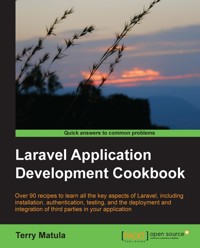
When creating a web application, there are many PHP frameworks from which to choose. Some are very easy to set up, and some have a much steeper learning curve. Laravel offers both paths. You can do a quick installation and have your app up-and-running in no time, or you can use Laravel's extensibility to create an advanced and fully-featured app.Laravel Application Development Cookbook provides you with working code examples for many of the common problems that web developers face. In the process, it will also allow both new and existing Laravel users to expand their knowledge of the framework.This book will walk you through all aspects of Laravel development. It begins with basic set up and installation procedures, and continues through more advanced use cases. You will also learn about all the helpful features that Laravel provides to make your development quick and easy. For more advanced needs, you will also see how to utilize Laravel's authentication features and how to create a RESTful API.In the Laravel Application Development Cookbook, you will learn everything you need to know about a great PHP framework, with working code that will get you up-and-running in no time.
Das E-Book können Sie in Legimi-Apps oder einer beliebigen App lesen, die das folgende Format unterstützen:
Seitenzahl: 266
Veröffentlichungsjahr: 2013
Ähnliche


















Table of Contents
Laravel Application Development Cookbook
Laravel Application Development Cookbook
Copyright © 2013 Packt Publishing
All rights reserved. No part of this book may be reproduced, stored in a retrieval system, or transmitted in any form or by any means, without the prior written permission of the publisher, except in the case of brief quotations embedded in critical articles or reviews.
Every effort has been made in the preparation of this book to ensure the accuracy of the information presented. However, the information contained in this book is sold without warranty, either express or implied. Neither the author, nor Packt Publishing, and its dealers and distributors will be held liable for any damages caused or alleged to be caused directly or indirectly by this book.
Packt Publishing has endeavored to provide trademark information about all of the companies and products mentioned in this book by the appropriate use of capitals. However, Packt Publishing cannot guarantee the accuracy of this information.
First published: October 2013
Production Reference: 1211013
Published by Packt Publishing Ltd.
Livery Place
35 Livery Street
Birmingham B3 2PB, UK.
ISBN 978-1-78216-282-7
www.packtpub.com
Cover Image by Sujay Gawand (<[email protected]>)
Credits
Author
Terry Matula
Reviewers
Jason Lewis
Elan Marikit
Acquisition Editors
Mary Jasmine Nadar
Saleem Ahmed
Lead Technical Editor
Dayan Hyames
Technical Editors
Aparna Kumari
Sharvari Baet
Nadeem N. Bagban
Project Coordinator
Leena Purkait
Proofreaders
Stephen Copestake
Paul Hindle
Indexer
Tejal R. Soni
Production Coordinator
Nilesh R. Mohite
Cover Work
Nilesh R. Mohite
About the Author
Terry Matula is a web developer and Laravel advocate based in Austin, TX.
He's been a passionate computer enthusiast since he first played Oregon Trail on an Apple //e. He started programming in BASIC at a young age, making simple Scott Adams-like games on a Commodore Vic-20. Since then, he's worked as a developer using Flash/ActionScript, ASP.NET, PHP, and numerous PHP frameworks, with Laravel being his favorite by far.
He blogs web development tips and tricks at his website http://terrymatula.com
I'd like to thank Taylor Otwell for creating such a wonderful framework, and everyone in the Laravel community for being the most helpful and supportive group of people I've seen in the web development community. I'd also like to thank my beautiful wife Michelle for her continued encouragement and support, even when I was working 18 hour days to finish this book. Finally, I'd like to thank my son Evan, for keeping me grounded and being a shining light in my life.
About the Reviewers
Jason Lewis is a web developer and designer hailing from The Land Down Under (Australia). He's been using web technologies to develop websites for the past 7 years and is currently a huge Laravel evangelist. During the day, Jason is a professional firefighter, while at night he works hard on code and helps others learn to code. He's always willing to help and loves to write articles that guide others.
Elan Marikit is a software engineer with experience in many technologies, including PHP, JavaScript, MySQL, Linux, FreeBSD, and others. Elan has considerable experience in developing complex web-driven applications using an MVC-based framework such as CodeIgniter and Laravel. He is a Zend Certified Engineer for PHP 5.3 and is currently working in a Singapore-based startup company that builds scalable online travel portals with a focus in Southeast Asia.
www.PacktPub.com
Support files, eBooks, discount offers and more
You might want to visit www.PacktPub.com for support files and downloads related to your book.
Did you know that Packt offers eBook versions of every book published, with PDF and ePub files available? You can upgrade to the eBook version at www.PacktPub.com and as a print book customer, you are entitled to a discount on the eBook copy. Get in touch with us at <[email protected]> for more details.
At www.PacktPub.com, you can also read a collection of free technical articles, sign up for a range of free newsletters and receive exclusive discounts and offers on Packt books and eBooks.
http://PacktLib.PacktPub.com
Do you need instant solutions to your IT questions? PacktLib is Packt's online digital book library. Here, you can access, read and search across Packt's entire library of books.
Why Subscribe?
Free Access for Packt account holders
If you have an account with Packt at www.PacktPub.com, you can use this to access PacktLib today and view nine entirely free books. Simply use your login credentials for immediate access.
Preface
Laravel has become one of the fastest growing PHP frameworks ever. With its expressive syntax and excellent documentation, it's easy to get a fully functioning web application up-and-running in very little time. Additionally, the use of modern PHP features makes Version 4 of Laravel very easy to customize to our own needs and also makes it easy for us to create a highly complex site if need be. It's a perfect blend of the simple and advanced.
This book covers merely a fraction of all that Laravel is capable of. Think of it more as a starting point, with code examples to get things working. Then customize them, add to them, or combine them to create your own applications. The possibilities are endless.
One of the best things about Laravel is the community. If you're ever stuck on a problem and doing a Google search isn't helping, there are always people willing to help out. You can find helpful community members on IRC (#laravel on Freenode) or the forums (http://forums.laravel.io) or you can contact the many Laravel users on Twitter.
Happy Laravel-ing!
What this book covers
Chapter 1, Setting Up and Installing Laravel, covers various ways to get Laravel up-and-running.
Chapter 2, Using Forms and Gathering Input, shows many ways to use forms in Laravel. It covers using Laravel's form class as well as some basic validation.
Chapter 3, Authenticating Your Application, demonstrates how to authenticate users. We'll see how to use OAuth, OpenId, and various social networks for authentication.
Chapter 4, Storing and Using Data, covers all things data, including how to use data sources other than a MySQL database.
Chapter 5, Using Controllers and Routes for URLs and APIs, introduces various routing methods in Laravel and how to make a basic API.
Chapter 6, Displaying Your Views, demonstrates how views work in Laravel. We'll also incorporate the Twig templating system and Twitter Bootstrap.
Chapter 7, Creating and Using Composer Packages, explains how to use packages in our app as well as how to create our own package.
Chapter 8, Using Ajax and jQuery, provides different examples of how to use jQuery in Laravel and how to make asynchronous requests.
Chapter 9, Using Security and Sessions Effectively, covers topics about securing our application and how to use sessions and cookies.
Chapter 10, Testing and Debugging Your App, shows how to include unit testing in our app with PHPUnit and Codeception.
Chapter 11, Deploying and Integrating Third-party Services into Your Application, introduces a number of third-party services and how we can include them in our application.
What you need for this book
This book basically requires a working LAMP stack (Linux, Apache, MySQL, and PHP). The web server is Apache 2, which can be found at http://httpd.apache.org. The recommended database server is MySQL 5.6, which can be downloaded from http://dev.mysql.com/downloads/mysql. The recommended minimum PHP version is 5.4, which is found at http://php.net/downloads.php.
For an all-in-one solution, there is also a WAMP server (http://www.wampserver.com/en) or XAMMP (http://www.apachefriends.org/en/xampp.html) for Windows or MAMP (http://www.mamp.info/en/mamp-pro) for Mac OS X.
Who this book is for
This book is designed for people with an intermediate knowledge of PHP. It would also be helpful to know the basics of another PHP framework or Version 3 of Laravel. Some knowledge of the MVC structure and object-oriented programming would also be beneficial.
Reader feedback
Feedback from our readers is always welcome. Let us know what you think about this book—what you liked or may have disliked. Reader feedback is important for us to develop titles that you really get the most out of.
To send us general feedback, simply send an e-mail to <[email protected]>, and mention the book title via the subject of your message.
If there is a topic that you have expertise in and you are interested in either writing or contributing to a book, see our author guide on www.packtpub.com/authors.
Customer support
Now that you are the proud owner of a Packt book, we have a number of things to help you to get the most from your purchase.
Downloading the example code
You can download the example code files for all Packt books you have purchased from your account at http://www.packtpub.com. If you purchased this book elsewhere, you can visit http://www.packtpub.com/support and register to have the files e-mailed directly to you.
Errata
Although we have taken every care to ensure the accuracy of our content, mistakes do happen. If you find a mistake in one of our books—maybe a mistake in the text or the code—we would be grateful if you would report this to us. By doing so, you can save other readers from frustration and help us improve subsequent versions of this book. If you find any errata, please report them by visiting http://www.packtpub.com/submit-errata, selecting your book, clicking on the erratasubmissionform link, and entering the details of your errata. Once your errata are verified, your submission will be accepted and the errata will be uploaded on our website, or added to any list of existing errata, under the Errata section of that title. Any existing errata can be viewed by selecting your title from http://www.packtpub.com/support.
Piracy
Piracy of copyright material on the Internet is an ongoing problem across all media. At Packt, we take the protection of our copyright and licenses very seriously. If you come across any illegal copies of our works, in any form, on the Internet, please provide us with the location address or website name immediately so that we can pursue a remedy.
Please contact us at <[email protected]> with a link to the suspected pirated material.
We appreciate your help in protecting our authors, and our ability to bring you valuable content.
Questions
You can contact us at <[email protected]> if you are having a problem with any aspect of the book, and we will do our best to address it.
Chapter 1. Setting Up and Installing Laravel
In this chapter, we will cover:
Introduction
In this chapter, we'll learn how to get Laravel up-and-running with ease and make sure it's simple to update when any core changes are made. We'll also get our development and coding environment set up to be very efficient so we can focus on writing great code and not have to worry about issues not related to our applications. Finally, we'll look at some ways to get Laravel to automatically do some work for us so we'll be able to extend our application in very little time.
Setting up a virtual host and development environment in Apache
When developing our Laravel app, we'll need a web server to run everything. In PHP 5.4 and up, we can use the built-in web server, but if we need some more functionality, we'll need a full web stack. In this recipe, we'll be using an Apache server on Windows, but any OS with Apache will be similar.
Getting ready
This recipe requires a recent version of WAMP server, available at http://wampserver.com, though the basic principle applies to any Apache configuration on Windows.
How to do it...
To complete this recipe, follow these steps:
How it works...
First, in the Apache config file httpd.conf, we uncomment the line to allow the file to include the vhosts configuration files. You can include the code directly in the httpd.conf file, but this method keeps things more organized.
In the httpd-vhosts.conf file, we add our VirtualHost code. DocumentRoot tells the server where the files are located and ServerName is the base URL that the server will look for. Since we only want to use this for our local development, we make sure to only allow access to the localhost with the IP 127.0.0.1.
In the hosts file, we need to tell Windows which IP to use for the myapp.dev URL. After restarting Apache and our browser, we should be able to go to http://myapp.dev and view our application.
There's more...
While this recipe is specific to Windows and WAMP, the same idea can be applied to most Apache installations. The only difference will be the location of the httpd.conf file (in Linux Ubuntu, it's in /etc/apache2) and the path to the public directory for DocumentRoot (in Ubuntu, it might be something like /var/www/myapp/public). The hosts file for Linux and Mac OS X will be located in /etc/hosts.
Creating "clean" URLs
When installing Laravel, the default URL we will use is http://{your-server}/public. If we decide to remove /public, we can use Apache's mod_rewrite to change the URL.
Getting ready
For this recipe, we just need a fresh installation of Laravel and everything running on a properly configured Apache server.
How to do it...
To complete this recipe, follow these steps:
How it works...
This simple bit of code will take anything we add in the URL and direct it to the public directory. That way, we don't need to manually type in /public.
There's more...
If we decide to move this application to a production environment, this is not the best way to accomplish the task. In that case, we would just move our files outside the web root and make /public our root directory.
Configuring Laravel
After installing Laravel, it's pretty much ready to go without much need for configuration. However, there are a few settings we want to make sure to update.
Getting ready
For this recipe, we need a regular installation of Laravel.
How to do it...
To complete this recipe, follow these steps:
How it works...
Most of the configuration will happen in the /app/config/app.php file. While setting the URL isn't required, and Laravel does a great job figuring it out without setting it, it's always good to remove any work from the framework that we can. Next, we set our location. If we choose to provide localization in our app, this setting will be our default. Then, we set our application key, since it's best to not keep the default.
Next, we set which database driver we'll be using. Laravel comes with four drivers out of the box: mysql, sqlite, sqlsrv (MS SQL Server), and pgsql (Postgres).
Finally, our app/storage directory will be used for keeping any temporary data, such as sessions or cache, if we choose. To allow this, we need to make sure the app can write to the directory.
There's more...
For an easy way to create a secure application key, remove the default key and leave it empty. Then, in your command line, navigate to your application root directory and type:
That will create a unique and secure key and automatically save it in your configuration file.
Using Laravel with Sublime Text 2
One of the most popular text editors used for coding is Sublime Text. Sublime has many features that make coding fun, and with plugins, we can add in Laravel-specific features to help with our app.
Getting ready
Sublime Text 2 is a popular code editor that is very extensible and makes writing code effortless. An evaluation version can be downloaded fromhttp://www.sublimetext.com/2.
We also need to have the Package Control package installed and enabled in Sublime, and that can be found at http://wbond.net/sublime_packages/package_control/installation.
How to do it...
For this recipe, follow these steps:
How it works...
The Laravel snippets in Sublime Text 2 greatly simplify writing common code, and it includes pretty much everything we'll need for application development. For example, when creating a route, simply start typing Route and a list will pop up allowing us to choose which route we want, which then automatically completes the rest of the code we need.
There's more...
Installing the Laravel-Blade package is helpful if we use the Blade template system that comes with Laravel. It recognizes Blade code in the files and will automatically highlight the syntax.
Setting up your IDE to autocomplete Laravel's namespaces
Most IDEs (Integrated Development Environment) have some form of code completion as part of the program. To get




