


39,59 €
Mehr erfahren.
- Herausgeber: Packt Publishing
- Kategorie: Fachliteratur
- Sprache: Englisch
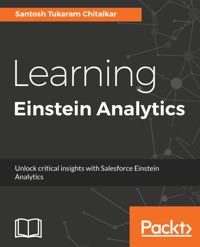
Salesforce Einstein analytics aka Wave Analytics is a cloud-based platform which connects data from the multiple sources and explores it to uncover insights. It empowers sales reps, marketers, and analysts with the insights to make customer interactions smarter, without building mathematical models. You will learn to create app, lenses, dashboards and share dashboards with other users.
This book starts off with explaining you fundamental concepts like lenses, step, measures and sets you up with Einstein Analytics platform. We then move on to creating an app and here you will learn to create datasets, dashboards and different ways to import data into Analytics. Moving on we look at Einstein for sales, services, and marketing individually. Here you will learn to manage your pipeline, understand important business drivers and visualize trends. You will also learn features related to data monitoring tools and embedding dashboards with lightning, visualforce page and mobile devices. Further, you will learn advanced features pertaining to recent advancements in Einstein which include machine learning constructs and getting predictions for events. By the end of this book, you will become proficient in the Einstein analytics, getting insights faster and understanding your customer in a better way.
Das E-Book können Sie in Legimi-Apps oder einer beliebigen App lesen, die das folgende Format unterstützen:
Seitenzahl: 161
Veröffentlichungsjahr: 2018
Ähnliche


















Learning Einstein Analytics
Copyright © 2018 Packt Publishing
All rights reserved. No part of this book may be reproduced, stored in a retrieval system, or transmitted in any form or by any means, without the prior written permission of the publisher, except in the case of brief quotations embedded in critical articles or reviews.
Every effort has been made in the preparation of this book to ensure the accuracy of the information presented. However, the information contained in this book is sold without warranty, either express or implied. Neither the author, nor Packt Publishing or its dealers and distributors, will be held liable for any damages caused or alleged to have been caused directly or indirectly by this book.
Packt Publishing has endeavored to provide trademark information about all of the companies and products mentioned in this book by the appropriate use of capitals. However, Packt Publishing cannot guarantee the accuracy of this information.
Commissioning Editor: Richa TripathiAcquisition Editor: Karan SadawanaContent Development Editor: Zeeyan PinheiroTechnical Editor: Vibhuti GawdeCopy Editor: Safis EditingProject Coordinator: Vaidehi SawantProofreader: Safis EditingIndexer: Francy PuthiryGraphics: Jason MonteiroProduction Coordinator: Arvindkumar Gupta
First published: January 2018
Production reference: 1250118
Published by Packt Publishing Ltd. Livery Place 35 Livery Street Birmingham B3 2PB, UK.
ISBN 978-1-78847-576-1
www.packtpub.com
Mapt is an online digital library that gives you full access to over 5,000 books and videos, as well as industry leading tools to help you plan your personal development and advance your career. For more information, please visit our website.
Why subscribe?
Spend less time learning and more time coding with practical eBooks and Videos from over 4,000 industry professionals
Improve your learning with Skill Plans built especially for you
Get a free eBook or video every month
Mapt is fully searchable
Copy and paste, print, and bookmark content
PacktPub.com
Did you know that Packt offers eBook versions of every book published, with PDF and ePub files available? You can upgrade to the eBook version at www.PacktPub.com and as a print book customer, you are entitled to a discount on the eBook copy. Get in touch with us at [email protected] for more details.
At www.PacktPub.com, you can also read a collection of free technical articles, sign up for a range of free newsletters, and receive exclusive discounts and offers on Packt books and eBooks.
Contributors
About the author
Santosh Tukaram Chitalkar has been working on the Salesforce platform for over five years. He currently works for Capgemini as a Salesforce consultant. During his time at Capgemini, he has worked on various Salesforce projects, which include the implementation of sales SFO, inline Visualforce pages for sales and service assets, and renewal processes.
He has also developed products for AppExchange such as FieldRecon. In his free time, he loves writing about Salesforce Einstein Analytics on his blog Pinakin Technology.
About the reviewer
Abhishek Tripathi has more than 5 years of experience with the Salesforce platform. He is a Salesforce certified application architect and has 16 Salesforce certifications. He is a technical blogger, posting tips and tricks for Salesforce to help others in the Salesforce community.
Abhishek has worked with some giants with Salesforce, such as PwC US, Coca-Cola, Tquila (acquired by Accenture), and Accenture.
Packt is searching for authors like you
If you're interested in becoming an author for Packt, please visit authors.packtpub.com and apply today. We have worked with thousands of developers and tech professionals, just like you, to help them share their insight with the global tech community. You can make a general application, apply for a specific hot topic that we are recruiting an author for, or submit your own idea.
Table of Contents
Contributors
About the author
About the reviewer
Packt is searching for authors like you
Preface
Who this book is for
What this book covers
To get the most out of this book
Download the example code files
Download the color images
Conventions used
Get in touch
Reviews
Getting Started with Einstein Analytics
Einstein Analytics
Introduction to Einstein Analytics
Terminologies in Einstein Analytics
Concepts - terminologies
Datasets
Measures
Dimensions
Dates
Dataset builder
Lenses
Visualizations
Dashboards
Designers
Dashboard JSON
Explorer
Apps
Transformation
SAQL
Predicate
Metadata files
Dataflow
Dataflow jobs
Summary
Setting Up Einstein Analytics
The Einstein platform setup process
Enabling Analytics
User types
Creating permission sets
Assigning a Einstein Analytics permission set to users
Einstein limits
Summary
Say Hello to Einstein
Data preparation
Creating your first dataset
Updating datasets
Creating your first dashboard
Creating lenses
Creating your first lens
Adding lenses to dashboards
Creating a Bar chart
The Donut charts
Compare Table
Stacked Bar chart
Dashboard customization
Creating your first Einstein Analytics application
Set Smart Notification
Keyboard shortcuts for Wave dashboards and lenses
Summary
Diving Deep into Einstein Analytics
Quota, dataflow, and data manager
Creating a quota dataset
Dataflows in Einstein Analytics
Dataflow
Transformations
augment
sfdcDigest
sfdcRegister
Required permissions
Configuring a dataflow
Running a dataflow
Scheduling the dataflow
Einstein dashboards
Differences between Wave Dashboard Designer and Classic Designer
Creating a dashboard using Wave Dashboard Designer
The General option under LAYOUT settings
Displaying the top 10 opportunities in the Bar chart
Donut charts for the top five opportunity owners
Adding numbers for KPI
Closed Won and Closed Lost opportunity amounts
Listing widgets by Opportunity Type, Role Name, and Opportunity Owner
Owner Role Name and Opportunity Owner lists
The Range filter widget
What is faceting?
Connecting datasources
Setting initial values to filters
Creating a dashboard using Classic Designer
Creating your first chart in Classic Designer
Donut charts for Opportunities by Industry
Funnel chart for Opportunities by Stage
Converting your dashboard to a Wave Dashboard Designer
Summary
Einstein for Sales
Executive dashboard for a sales team
Expected revenue KPIs
Actual revenue earned
The static step
Bindings in Einstein
Selection binding
Data selection functions
Data serialization functions
Result binding
Formatting derived measures or fields
Funnel charts for Opportunities by Stage
Sales Cloud Einstein
Setting up Sales Cloud Einstein
Creating a permission set
Assigning permission sets to users
The Sales Analytics Apps license
Creating a Sales Analytics App
Summary
Einstein at Your Service
Service dashboards
Customer service dashboard – VP
Dashboards and lenses
Creating list filters
Static steps for country
Map chart for BillingCountry
Fine-tuning maps using map properties
The BillingCountry and BillingState tables
Connecting static steps as filters to the map and table
Adding key matrics to the dashboard using a Number widget
The Timeline chart for case count by AccountSources
Broadcast faceting
Optimizing dashboard performance
Einstein custom actions
What is a Salesforce action?
Summary
Security and Sharing in Einstein Analytics
Einstein Security
Salesforce data security
Sharing mechanism in Einstein
Mass-sharing the application
Row-level security
Security predicates for the record owner
Summary
Recipe in Einstein
Dataset recipe
What is a data recipe?
Creating a recipe
Running a recipe
Adding data
The column profile option
The ATTRIBUTES tab
The NAVIGATOR tab
Additional transformation suggestions
The bucket field
The formula field
The scheduling recipe
Exporting datasets using datasetUtils
Summary
Embedding Einstein Dashboards
Embedding dashboards
Embedding dashboards on the detail page in Salesforce Classic
Embedding the dashboard in Lightning
Lightning page attributes in embedding a dashboard
Embedding the dashboard in Visualforce Pages
Embedding dashboards to websites and web applications
Embedding and sharing dashboards in communities
Enabling Communities
Enabling Analytics for Communities
Embedding dashboards using Community Builder or Visualforce Pages
The Enable sharing with Communities option
Summary
Advanced Technologies in Einstein Analytics
Salesforce Analytics Query Language
Using SAQL
Using foreach in SAQL
Using grouping in SAQL
Using filters in SAQL
Using functions in SAQL
Extended metadata in Analytics
Downloading the XMD for the dataset
Configuring XMD
Uploading XMD in the dataset
Dashboard JSON in Analytics
Summary
Machine Learning and Deep Learning
AI in Einstein Analytics
Machine learning
Deep learning
Natural-language processing
Einstein Intent
Einstein Sentiment
Summary
Other Books You May Enjoy
Leave a review - let other readers know what you think
Preface
Einstein Analytics, formally known as Wave Analytics, is a cloud-based platform that connects data from multiple sources and explores it to uncover insights. It empowers sales representatives, marketers, and analysts with insights to make customer interactions smarter; without building mathematical models. You will learn how to create applications, lenses, and dashboards, and how to share those dashboards with other users.
This book starts off by explaining the fundamental concepts, such as lenses, steps, and measures; it then sets you up with the Einstein Analytics platform. The book then moves on to creating an application—you will learn how to create datasets and dashboards, and the different ways of importing data into Analytics. Moving on, we look at Einstein for sales, services, and marketing, individually. Here, you will learn to manage your pipeline, understand important business drivers, and visualize trends. You will also learn features related to data monitoring tools and embedding dashboards with Lightning, Visualforce page, and mobile devices. Further, you will learn advanced features pertaining to the recent advancements in Einstein, which include machine learning constructs and getting predictions for events. By the end of this book, you will be proficient in Einstein Analytics, getting insights faster and understanding your customers in a better way.
Who this book is for
This book is for beginners who want to explore this AI-powered business intelligence software by Salesforce. Prior knowledge of the Salesforce platform is required.
What this book covers
Chapter 1, Getting Started with Einstein Analytics, gives an overview of Einstein Analytics. It also covers the concepts and terminologies used in Einstein Analytics. We will sign up to Salesforce special developer edition in this chapter.
Chapter 2, Setting Up Einstein Analytics, covers creating and understanding users and user types. We are going to learn how to create and assign permission sets.
Chapter 3, Say Hello to Einstein, covers building your first lenses and dashboards.
Chapter 4, Diving Deep into Einstein Analytics, covers creating a simple summary dashboard and understanding quota, dataflow, and dataflow scheduling. This chapter also explains Classic Designer Dashboard and Wave Designer Dashboard. In addition, it will cover faceting and declarative binding.
Chapter 5, Einstein for Sales, explains how to create an executive dashboard. While creating dashboards, you will learn about creating static steps, selection, and result binding.
Chapter 6, Einstein at Your Service, covers creating a service dashboard. While creating a dashboard, you will learn about the dashboard inspector and connecting your static step with dashboard components.
Chapter 7, Security and Sharing in Einstein Analytics, is an important chapter as it covers security and sharing in Einstein Analytics. This chapter covers Salesforce data access, data sharing, and data security, while also taking you through adding row-level security to a dataset.
Chapter 8, Recipe in Einstein, covers how to create a recipe. When working with data, there are times when we realize that we have added a lot of unnecessary fields and data, and we need to remove them. We also need to add new fields to the same dataset if we have missed a required field or, if we need to add a new one in the future. This is called data preparation and it is easier with Einstein Analytics.
Chapter 9, Embedding Einstein Dashboards, is all about Einstein Analytics providing the flexibility to embed dashboards within other Salesforce environments. It covers all the different methods of embedding dashboards and adding filters to embedded dashboards.
Chapter 10, Advanced Technologies in Einstein Analytics, covers advanced technologies or methods in Einstein Analytics. This chapter also covers the use of JSON, XMD, and SAQL for working on complex solutions.
Chapter 11, Machine Learning and Deep Learning, gives an overview of machine learning, deep learning, and NLP. You will also see the implementation of all these technologies in Einstein Analytics: Einstein Language and Einstein Sentiment.
To get the most out of this book
Learning Einstein Analytics is for all Salesforce CRM techies who wish to learn this platform. We have written this book keeping beginners in mind, but it is important that you are familiar with Salesforce CRM. Basic concepts and admin knowledge of Salesforce is required.
Einstein Analytics is a cloud-based platform; hence, you only need a system with a good internet connection to get started with this book. The first two chapters of this book explain the basic concepts and terminologies of Einstein Analytics and its setup. In Chapter 3, Say Hello to Einstein, Chapter 4, Diving deep into Einstein Analytics, Chapter 5, Einstein for Sales, and Chapter 6, Einstein at Your Service, the book explains the platform in detail and uses hands-on tutorials to explain how it works. We have taken a few business requirements from a hypothetical organization called Anutosh Infotech and we'll be building sales and service dashboards for that organization. While creating these dashboards, we will go through every relevant concept, feature, and implementation. The last five chapters explain how to build a complex solution in Einstein Analytics and give an overview of the advanced technologies and features provided by the Einstein platform.
Download the example code files
You can download the example code files for this book from your account at www.packtpub.com. If you purchased this book elsewhere, you can visit www.packtpub.com/support and register to have the files emailed directly to you.
You can download the code files by following these steps:
Log in or register at
www.packtpub.com
.
Select the
SUPPORT
tab.
Click on
Code Downloads & Errata
.
Enter the name of the book in the
Search
box and follow the onscreen instructions.
Once the file is downloaded, please make sure that you unzip or extract the folder using the latest version of:
WinRAR/7-Zip for Windows
Zipeg/iZip/UnRarX for Mac
7-Zip/PeaZip for Linux
The code bundle for the book is also hosted on GitHub athttps://github.com/PacktPublishing/Learning-Einstein-Analytics. We also have other code bundles from our rich catalog of books and videos available athttps://github.com/PacktPublishing/. Check them out!
Download the color images
We also provide a PDF file that has color images of the screenshots/diagrams used in this book. You can download it here: http://www.packtpub.com/sites/default/files/downloads/LearningEinsteinAnalytics_ColorImages.pdf.
Conventions used
There are a number of text conventions used throughout this book.
CodeInText: Indicates code words in text, database table names, folder names, filenames, file extensions, pathnames, dummy URLs, user input, and Twitter handles. Here is an example: "Create a report on an account, export it to a CSV file named Account_data.csv, and save it to your local drive."
A block of code is set as follows:
[ "Account.BillingCountry",
"{{column(Static_Country_1.selection, [\"value\"]).asObject()}}",
"in"
],
When we wish to draw your attention to a particular part of a code block, the relevant lines or items are set in bold:
[default]exten => s,1,Dial(Zap/1|30)exten => s,2,Voicemail(u100)
exten => s,102,Voicemail(b100)
exten => i,1,Voicemail(s0)
Bold: Indicates a new term, an important word, or words that you see onscreen. For example, words in menus or dialog boxes appear in the text like this. Here is an example: "Click on Enable Analytics, as shown in the following screenshot."
Get in touch
Feedback from our readers is always welcome.
General feedback: Email [email protected] and mention the book title in the subject of your message. If you have questions about any aspect of this book, please email us at [email protected].
Errata: Although we have taken every care to ensure the accuracy of our content, mistakes do happen. If you have found a mistake in this book, we would be grateful if you would report this to us. Please visit www.packtpub.com/submit-errata, selecting your book, clicking on the Errata Submission Form link, and entering the details.
Piracy: If you come across any illegal copies of our works in any form on the Internet, we would be grateful if you would provide us with the location address or website name. Please contact us at [email protected] with a link to the material.
If you are interested in becoming an author: If there is a topic that you have expertise in and you are interested in either writing or contributing to a book, please visit authors.packtpub.com.
Reviews
Please leave a review. Once you have read and used this book, why not leave a review on the site that you purchased it from? Potential readers can then see and use your unbiased opinion to make purchase decisions, we at Packt can understand what you think about our products, and our authors can see your feedback on their book. Thank you!
For more information about Packt, please visit packtpub.com.
Getting Started with Einstein Analytics
The evolution of technology has increased to a new level in the last five years and Customer Relationship Management (CRM) is an integral part of it. CRM has helped companies manage and analyze customer interactions and data throughout the customer life cycle, with the goal of improving business relationships with customers. But the analysis of data, managing it, and making business decisions based on that customer data is becoming more and more challenging because of the social media, internet, and technology.




