


19,99 €
Mehr erfahren.
- Herausgeber: John Wiley & Sons
- Kategorie: Fachliteratur
- Sprache: Englisch
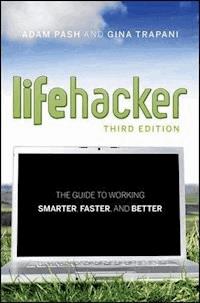
A new edition, packed with even more clever tricks and methods that make everyday life easier Lifehackers redefine personal productivity with creative and clever methods for making life easier and more enjoyable. This new edition of a perennial bestseller boasts new and exciting tips, tricks, and methods that strike a perfect balance between current technology and common sense solutions for getting things done. Exploring the many ways technology has changed since the previous edition, this new edition has been updated to reflect the latest and greatest in technological and personal productivity. The new "hacks" run the gamut of working with the latest Windows and Mac operating systems for both Windows and Apple, getting more done with smartphones and their operating systems, and dealing with the evolution of the web. Even the most tried-and-true hacks have been updated to reflect the contemporary tech world and the tools it provides us. Technology is supposed to make our lives easier by helping us work more efficiently. Lifehacker: The Guide to Working Smarter, Faster, and Better, Third Edition is your guide to making that happen!
Sie lesen das E-Book in den Legimi-Apps auf:
Seitenzahl: 631
Veröffentlichungsjahr: 2011
Ähnliche


















Table of Contents
Cover
Chapter 1: Control Your Email
Hack 1: Empty Your Inbox (and Keep It Empty)
Hack 2: Decrease Your Response Time
Hack 3: Craft Effective Messages
Hack 4: Highlight Messages Sent Directly to You
Hack 5: Use Disposable Email Addresses
Hack 6: Master Message Search
Hack 7: Future-Proof Your Email Address
Hack 8: Consolidate Multiple Email Addresses with Gmail
Hack 9: Script and Automate Repetitive Replies
Hack 10: Filter Low-Priority Messages
References
Chapter 2: Organize Your Data
Hack 11: Organize Your Documents Folder
Hack 12: Instantly Retrieve Files Stored on Your Computer
Hack 13: Overhaul Your Filing Cabinet
Hack 14: Instantly Recall Any Number of Different Passwords
Hack 15: Securely Track Your Passwords
Hack 16: Tag Your Bookmarks
Hack 17: Organize Your Digital Photos
Hack 18: Corral Media Across Folders and Drives
Hack 19: Create Saved Search Folders
Hack 20: Create a Password-Protected Disk on Your PC
Hack 21: Create a Password-Protected Disk on Your Mac
Hack 22: Encrypt Your Entire Windows Operating System
Hack 23: Set Up 2-Step Verification for Your Google Account
Hack 24: Design Your Own Planner
References
Chapter 3: Trick Yourself into Getting Done
Hack 25: Make Your To-Do List Doable
Hack 26: Set Up a Morning Dash
Hack 27: Map Your Time
Hack 28: Quick-Log Your Workday
Hack 29: Dash Through Tasks with a Timer
Hack 30: Form New Habits with Jerry Seinfeld’s Chain
Hack 31: Control Your Workday
Hack 32: Turn Tasks into Game Play
References
Chapter 4: Clear Your Mind
Hack 33: Send Reminders to Your Future Self
Hack 34: Take Great Notes
Hack 35: Organize Your Life with Remember the Milk
Hack 36: Organize Your Life in Text Files
Hack 37: Set Up a Ubiquitous Note-Taking Inbox Across Devices
References
Chapter 5: Firewall Your Attention
Hack 39: Limit Visits to Time-Wasting Websites
Hack 40: Permanently Block Time-Wasting Websites
Hack 41: Reduce Email Interruptions
Hack 42: Split Your Work Among Multiple Desktops
Hack 43: Build a No-Fly Zone
Hack 44: Set Up Communication Quiet Hours
Hack 45: Clear Your Desktop
Hack 46: Make Your House a Usable Home
Hack 47: Sentence Stuff to Death Row
Hack 48: Drown Out Distracting Sounds with Pink Noise
References
Chapter 6: Streamline Common Tasks
Hack 49: Search the Web in Three Keystrokes
Hack 50: Command Your Windows PC from the Keyboard
Hack 51: Command Your Mac from the Keyboard
Hack 52: Reduce Repetitive Typing with Texter for Windows
Hack 53: Reduce Repetitive Typing with TextExpander for Mac
Hack 54: Automatically Fill in Repetitive Web Forms
Hack 55: Batch-Resize Photos
Hack 56: Bypass Free Site Registration with BugMeNot
Hack 57: Speed Up Web Pages on a Slow Internet Connection
Hack 58: Securely Save Website Passwords
Hack 59: Become a Scheduling Black Belt with Google Calendar
References
Chapter 7: Automate Repetitive Tasks
Hack 60: Set Up an Automated, Bulletproof File Back Up Solution
Hack 62: Automatically Clean Up Your PC
Hack 63: Automatically Clean Up Your Mac
Hack 64: Automatically Reboot and Launch Applications
Hack 65: Make Google Search Results Automatically Come to You
Hack 66: Automatically Download Music, Movies, and More
References
Chapter 8: Get Your Data to Go
Hack 67: Access Your Most Important Files Anywhere with Dropbox
Hack 68: Manage Your Documents in a Web-Based Office Suite
Hack 69: Carry Your Life on a Flash Drive
Hack 70: Create a Virtual Private Network (VPN) with Hamachi
Hack 71: Run a Home Web Server
Hack 72: Run Full-Fledged Webapps from Your Home Computer
Hack 73: Build Your Personal Wikipedia
Hack 74: Remotely Control Your Home Computer
Hack 75: Give Your Home Computer a Web Address
Hack 76: Optimize Your Laptop
References
Chapter 9: Work Smarter on Your Smart Phone
Hack 77: Speed Up Your Touchscreen Typing
Hack 78: Break Down the Barrier Between Your Computer and Mobile Phone
Hack 79: Remote Control Your Computer with Your Phone
Hack 80: Automate Android Functions with Tasker
Hack 81: Set Up One Phone Number to Rule Them All
Hack 82: Augment Reality with Your Phone
Hack 83: Remember Where You’ve Been Using Location Awareness
Hack 84: Command Your Phone with Your Voice
Hack 85: Use Your Camera Phone as a Scanner
Hack 86: Make Your “Dumbphone” Smarter via Text Message
Hack 88: Develop Your (Digital) Photographic Memory
Hack 89: Send and Receive Money on Your Mobile Phone with PayPal
Chapter 10: Master the Web
Hack 90: Google Like a Pro
Hack 91: Subscribe to Websites with RSS
Hack 92: Quickly Search Within Specific Websites from the Address Bar
Hack 93: Extend Your Web Browser
Hack 94: Supercharge Your Firefox Downloads with DownThemAll!
Hack 95: Get 10 Useful Bookmarklets
Hack 96: Find Reusable Media Online
Hack 97: Get Your Data on a Map
Hack 98: Set Multiple Sites as Your Home Page
Hack 99: Access Unavailable Websites via Google
Hack 100: Have a Say in What Google Says About You
Hack 101: Clear Your Web Browsing Tracks
Reference
Chapter 11: Hone Your Computer Survival Skills
Hack 102: Rescue Your PC from Malware
Hack 103: Protect Your PC from Malware
Hack 104: Clean Up Your Startup
Hack 105: Undo System Configuration Changes
Hack 106: Truly Delete Data from Your Hard Drive
Hack 107: Compare and Merge Files and Folders with WinMerge
Hack 108: Firewall Your Windows PC
Hack 109: Firewall Your Mac
Hack 110: Speed Up Windows with a Thumb Drive
Hack 111: Free Up Hard-Drive Space
Hack 112: Resurrect Deleted Files
Hack 113: Hot Image Your PC for Instant Restoration
Hack 114: Hot Image Your Mac for Instant Restoration
Hack 115: Recover Files from an Unbootable PC
Reference
Chapter 12: Manage Multiple Computers
Hack 116: Share Windows Files
Hack 117: Share Mac Files
Hack 118: Keep Your Web Browser in Sync Across Computers
Hack 119: Share a Single Printer Between Computers
Hack 120: Optimize Your Dual Monitors
Hack 121: Control Multiple Computers with a Single Keyboard and Mouse
Reference
Introduction
Chapter 1
Control Your Email
Do you wish you received less email? Sure you do. Do you want to live without the convenience of electronic mail? Of course you don’t. The greatest double-edged sword in productivity technology, email both empowers and overwhelms its users. But the most successful professionals know how to control their email instead of letting it run their workday.
On one hand, email enables anyone with an Internet-connected device to send information great distances at the press of a button. On the other, you have 1,762 unread messages sitting in your inbox, and you don’t know when you’ll have time to get through them all. Ding! Another one just arrived.
Before email became ubiquitous, to send a letter, a person had to commit the information to paper, stuff and address the envelope, affix postage, and drop it in the mailbox. Days or weeks later, the message arrived on the recipient’s desk. Today, email offers the same type of text-based communication, just faster and easier, complete with a cute little envelope icon. But the same ways you deal with arriving postal mail don’t work for electronic mail. Incoming messages are incoming messages. But email’s effect on workers is vastly different from paper mail for one fundamental reason: volume. The speed, convenience, and low cost of sending email has increased the number of transmissions to levels that turn the postal service green with envy: Reports estimate 294 billion emails are sent daily. Approximately 80% of that email is spam, but that still leaves roughly 50 billion legitimate emails every day.
This virtually free and instantaneous message transmission is great for the sender but not for the recipient. The cost and inconvenience of sending postal mail acts as a filter: when that envelope appears in the recipient’s mailbox, she can trust that the message is important enough to the sender to warrant the investment.
Electronic mail, however, shifts that burden. With the volume of electronic mail sent each day, the onus is on the recipient — not the sender — to sort through the avalanche of received messages. Email overload is such a common malady in the information age that experts estimate it costs companies billions of dollars a year in worker productivity losses.
Some companies and users resort to extreme tactics to combat email overload:
In 2004, Stanford professor Lawrence Lessig declared “email bankruptcy” when faced with the thousands of unread messages dating back two years that had accumulated in his inbox. Instead of attempting to open them all — a task he said would have been impossible — he sent an automated apology to his contacts and asked that they resend their unanswered message only if it were still important.1 A web search for the term “email bankruptcy” shows that several others followed suit, publicly announcing their email bankruptcy on their websites.Overwhelmed by the effort that writing lengthy responses requires, designer Mike Davidson instituted a personal policy that any message he writes will be fewer than five sentences. Recipients who wonder about the brevity can get more information about the policy, which he includes in his message signature.2One cellular company designated a weekly email-free day. Employees refrain from sending or checking email (except from customers) every Friday. Workers report that the freedom from the distraction and interruption once a week helps them accomplish a lot more.3Anyone who’s spent hours processing a backlog of email can understand why you’d employ such tactics. It’s so easy to let email take the reins of your workday. All you have to do is leave your email software open while you work. Each time it notifies you that a new message has arrived, stop what you’re doing, no matter how important it is or how involved you are, and switch to your inbox. Scan the new message. If it’s an emergency, deal with it right away. If not, switch back to the task at hand. Try to remember where you were before that message arrived. At the end of the day, wonder how all those read messages accumulated in your inbox, what you’re supposed to do about them again, and where the day went.
This is how most people operate. But there is a better way.
You can reduce the amount of time you spend fiddling with email to less than 30 minutes per day. You can empty your inbox and enjoy the feeling that you’re completely caught up every workday. You can process your messages in bunches, in between other tasks, when your mind is free and clear. You can hear “Thanks for getting back to me so quickly” from your boss and co-workers more and more often. You can elicit the response you need in shorter exchanges. You can keep your inbox free of a festering pile of unfulfilled obligations. You can become known as responsive — and therefore responsible — engaged, and reliable around the office simply by being on top of your email. Soon, wealth, fame, and fortune will ensue.
You can control your email without declaring bankruptcy or refraining from using it just because it’s a certain day of the week. Small changes and better habits practiced every day can get the constant influx of communication working for you instead of against you. This chapter provides practical strategies for getting your email under control and keeping it there.
NOTE For updates, links, references, and additional tips and tools regarding the hacks in this book, visit . (Append the chapter number — , for example — to go directly to a specific chapter’s updates.)
Lesen Sie weiter in der vollständigen Ausgabe!
Lesen Sie weiter in der vollständigen Ausgabe!
Lesen Sie weiter in der vollständigen Ausgabe!
Lesen Sie weiter in der vollständigen Ausgabe!
Lesen Sie weiter in der vollständigen Ausgabe!
Lesen Sie weiter in der vollständigen Ausgabe!
Lesen Sie weiter in der vollständigen Ausgabe!
Lesen Sie weiter in der vollständigen Ausgabe!
Lesen Sie weiter in der vollständigen Ausgabe!
Lesen Sie weiter in der vollständigen Ausgabe!
Lesen Sie weiter in der vollständigen Ausgabe!
Lesen Sie weiter in der vollständigen Ausgabe!
Lesen Sie weiter in der vollständigen Ausgabe!




