


26,39 €
Mehr erfahren.
- Herausgeber: Packt Publishing
- Kategorie: Fachliteratur
- Sprache: Englisch
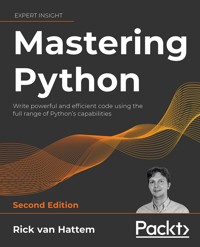
Even if you find writing Python code easy, writing code that is efficient, maintainable, and reusable is not so straightforward. Many of Python’s capabilities are underutilized even by more experienced programmers. Mastering Python, Second Edition, is an authoritative guide to understanding advanced Python programming so you can write the highest quality code. This new edition has been extensively revised and updated with exercises, four new chapters and updates up to Python 3.10.
Revisit important basics, including Pythonic style and syntax and functional programming. Avoid common mistakes made by programmers of all experience levels. Make smart decisions about the best testing and debugging tools to use, optimize your code’s performance across multiple machines and Python versions, and deploy often-forgotten Python features to your advantage. Get fully up to speed with asyncio and stretch the language even further by accessing C functions with simple Python calls. Finally, turn your new-and-improved code into packages and share them with the wider Python community.
If you are a Python programmer wanting to improve your code quality and readability, this Python book will make you confident in writing high-quality scripts and taking on bigger challenges
Das E-Book können Sie in Legimi-Apps oder einer beliebigen App lesen, die das folgende Format unterstützen:
Seitenzahl: 952
Veröffentlichungsjahr: 2022
Ähnliche

















Mastering Python
Second Edition
Write powerful and efficient code using the full range of Python’s capabilities
Rick van Hattem
BIRMINGHAM—MUMBAI
“Python” and the Python Logo are trademarks of the Python Software Foundation.
Mastering Python
Second Edition
Copyright © 2022 Packt Publishing
All rights reserved. No part of this book may be reproduced, stored in a retrieval system, or transmitted in any form or by any means, without the prior written permission of the publisher, except in the case of brief quotations embedded in critical articles or reviews.
Every effort has been made in the preparation of this book to ensure the accuracy of the information presented. However, the information contained in this book is sold without warranty, either express or implied. Neither the author, nor Packt Publishing or its dealers and distributors, will be held liable for any damages caused or alleged to have been caused directly or indirectly by this book.
Packt Publishing has endeavored to provide trademark information about all of the companies and products mentioned in this book by the appropriate use of capitals. However, Packt Publishing cannot guarantee the accuracy of this information.
Senior Publishing Product Manager: Dr. Shailesh Jain
Contracting Acquisition Editor: Ben Renow-Clarke
Acquisition Editor – Peer Reviews: Suresh Jain
Project Editor: Janice Gonsalves
Content Development Editor: Lucy Wan, Joanne Lovell
Copy Editor: Safis Editing
Technical Editor: Aditya Sawant
Proofreader: Safis Editing
Indexer: Tejal Daruwale Soni
Presentation Designer: Ganesh Bhadwalkar
First published: April 2016
Second edition: May 2022
Production reference: 1120522
Published by Packt Publishing Ltd.
Livery Place
35 Livery Street
Birmingham
B3 2PB, UK.
ISBN 978-1-80020-772-1
www.packt.com
Contributors
About the author
Rick van Hattem is an entrepreneur who has founded and sold several successful start-ups. His expertise is in designing and scaling system architectures to many millions of users and/or large amounts of data that need to be accessed in real time. He’s been programming for well over 25 years and has over 20 years of experience with Python. Rick has done consulting for many companies including (Y-Combinator) start-ups, banks, and airports. One of the start-ups he founded, Fashiolista.com, was one of the largest social networks for fashion in the world, featuring millions of users. He also wrote Mastering Python, First Edition, and he was one of the technical reviewers for PostgreSQL Server Programming, Second Edition.
For my wife, who is always there for me. For my sister, who always goes above and beyond to help. For my mother, who raised me to be inquisitive. And for my sweet children, who pique my curiosity and allow me to learn every day.
About the reviewer
Alexander Afanasyev is a software engineer with about 15 years of diverse experience in a variety of different domains and roles. Currently, Alexander is an independent contractor pursuing ideas in the space of computer vision, NLP, and building advanced data collections systems in the cyber and physical threat intelligence domains. Outside of daily work, he is an active contributor to Stack Overflow and GitHub. Previously, Alexander helped review the Selenium Testing Cookbook and Advanced Natural Language Processing with Transformers books by Packt Publishing.
I would like to thank the author of the book for the incredibly hard work and comprehensive content; the wonderful team of editors and coordinators with excellent communication skills; and my family, who was and always are supportive of my ideas and my work.
Join our community on Discord
Join our community’s Discord space for discussions with the author and other readers: https://discord.gg/QMzJenHuJf
Contents
Preface
Who this book is for
What this book covers
To get the most out of this book
Get in touch
Getting Started – One Environment per Project
Virtual environments
Why virtual environments are a good idea
Using venv and virtualenv
Creating a venv
Activating a venv/virtualenv
Installing packages
Using pyenv
Using Anaconda
Getting started with Anaconda Navigator
Getting started with conda
Managing dependencies
Using pip and a requirements.txt file
Version specifiers
Installing through source control repositories
Additional dependencies using extras
Conditional dependencies using environment markers
Automatic project management using poetry
Creating a new poetry project
Adding dependencies
Upgrading dependencies
Running commands
Automatic dependency tracking using pipenv
Updating your packages
Deploying to production
Running cron commands
Exercises
Reading the Python Enhancement Proposals (PEPs)
Combining pyenv and poetry or pipenv
Converting an existing project to a poetry project
Summary
Interactive Python Interpreters
The Python interpreter
Modifying the interpreter
Enabling and enhancing autocompletion
Alternative interpreters
bpython
Rewinding your session
Reloading modules
ptpython
IPython and Jupyter
Basic interpreter usage
Saving and loading sessions
Regular Python prompt/doctest mode
Introspection and help
Autocompletion
Jupyter
Installing Jupyter
IPython summary
Exercises
Summary
Pythonic Syntax and Common Pitfalls
A brief history of Python
Code style – What is Pythonic code?
Whitespace instead of braces
Formatting strings – printf, str.format, or f-strings?
Simple formatting
Named variables
Arbitrary expressions
PEP 20, the Zen of Python
Beautiful is better than ugly
Explicit is better than implicit
Simple is better than complex
Flat is better than nested
Sparse is better than dense
Readability counts
Practicality beats purity
Errors should never pass silently
In the face of ambiguity, refuse the temptation to guess
One obvious way to do it
Hard to explain, easy to explain
Namespaces are one honking great idea
Explaining PEP 8
Duck typing
Differences between value and identity comparisons
Loops
Maximum line length
Verifying code quality, pep8, pyflakes, and more
Recent additions to the Python syntax
PEP 572: Assignment expressions/the walrus operator
PEP 634: Structural pattern matching, the switch statement
Common pitfalls
Scope matters!
Global variables
Mutable function default arguments
Class properties
Overwriting and/or creating extra built-ins
Modifying while iterating
Catching and storing exceptions
Late binding and closures
Circular imports
Import collisions
Summary
Pythonic Design Patterns
Time complexity – The big O notation
Core collections
list – A mutable list of items
dict – A map of items
set – Like a dict without values
tuple – The immutable list
Pythonic patterns using advanced collections
Smart data storage with type hinting using dataclasses
Combining multiple scopes with ChainMap
Default dictionary values using defaultdict
enum – A group of constants
Sorting collections using heapq
Searching through sorted collections using bisect
Global instances using Borg or Singleton patterns
No need for getters and setters with properties
Dict union operators
Exercises
Summary
Functional Programming – Readability Versus Brevity
Functional programming
Purely functional
Functional programming and Python
Advantages of functional programming
list, set, and dict comprehensions
Basic list comprehensions
set comprehensions
dict comprehensions
Comprehension pitfalls
lambda functions
The Y combinator
functools
partial – Prefill function arguments
reduce – Combining pairs into a single result
Implementing a factorial function
Processing trees
Reducing in the other direction
itertools
accumulate – reduce with intermediate results
chain – Combining multiple results
compress – Selecting items using a list of Booleans
dropwhile/takewhile – Selecting items using a function
count – Infinite range with decimal steps
groupby – Grouping your sorted iterable
Exercises
Summary
Decorators – Enabling Code Reuse by Decorating
Decorating functions
Generic function decorators
The importance of functools.wraps
Chaining or nesting decorators
Registering functions using decorators
Memoization using decorators
Decorators with (optional) arguments
Creating decorators using classes
Decorating class functions
Skipping the instance – classmethod and staticmethod
Properties – Smart descriptor usage
Decorating classes
Singletons – Classes with a single instance
Total ordering – Making classes sortable
Useful decorators
Single dispatch – Polymorphism in Python
contextmanager — with statements made easy
Validation, type checks, and conversions
Useless warnings – How to ignore them safely
Exercises
Summary
Generators and Coroutines – Infinity, One Step at a Time
Generators
Creating generators
Creating infinite generators
Generators wrapping iterables
Generator comprehensions
Class-based generators and iterators
Generator examples
Breaking an iterable up into chunks/groups
itertools.islice – Slicing iterables
itertools.chain – Concatenating multiple iterables
itertools.tee – Using an output multiple times
contextlib.contextmanager – Creating context managers
Coroutines
A basic example
Priming
Closing and throwing exceptions
Mixing generators and coroutines
Using the state
Exercises
Summary
Metaclasses – Making Classes (Not Instances) Smarter
Dynamically creating classes
A basic metaclass
Arguments to metaclasses
Accessing metaclass attributes through classes
Abstract classes using collections.abc
Internal workings of the abstract classes
Custom type checks
Automatically registering plugin systems
Importing plugins on-demand
Importing plugins through configuration
Importing plugins through the filesystem
Dataclasses
Order of operations when instantiating classes
Finding the metaclass
Preparing the namespace
Executing the class body
Creating the class object (not instance)
Executing the class decorators
Creating the class instance
Example
Storing class attributes in definition order
The classic solution without metaclasses
Using metaclasses to get a sorted namespace
Exercises
Summary
Documentation – How to Use Sphinx and reStructuredText
Type hinting
Basic example
Custom types
Generics
Type checking
Python type interface files
Type hinting conclusion
reStructuredText and Markdown
Getting started with reStructuredText
Getting started with Markdown
Inline markup
Headers
Headers with reStructuredText
Headers with Markdown
Lists
Enumerated lists
Bulleted lists
Option lists
Definition lists (reST only)
Nested lists
Links, references, and labels
Images
Images with reStructuredText
Images with Markdown
Substitutions
Blocks, code, math, comments, and quotes
Conclusion
The Sphinx documentation generator
Getting started with Sphinx
Using sphinx-quickstart
Using sphinx-apidoc
Sphinx directives
Sphinx roles
Documenting code
Documenting a class with the Sphinx style
Documenting a class with the Google style
Documenting a class with the NumPy style
Which style to choose
Exercises
Summary
Testing and Logging – Preparing for Bugs
Using documentation as tests with doctest
A simple doctest example
Writing doctests
Testing with documentation
The doctest flags
True and False versus 1 and 0
Normalizing whitespace
Ellipsis
Doctest quirks
Testing dictionaries
Testing floating-point numbers
Times and durations
Testing with py.test
The difference between the unittest and py.test output
The difference between unittest and py.test tests
Simplifying assertions
Parameterizing tests
Automatic arguments using fixtures
Print statements and logging
Plugins
Mock objects
Using unittest.mock
Using py.test monkeypatch
Testing multiple environments with tox
Getting started with tox
The tox.ini config file
Running tox
Logging
Configuration
Basic logging configuration
Dictionary configuration
JSON configuration
ini file configuration
The network configuration
Logger
Usage
Formatting
Modern formatting using f-strings and str.format
Logging pitfalls
Debugging loggers
Exercises
Summary
Debugging – Solving the Bugs
Non-interactive debugging
Inspecting your script using trace
Debugging using logging
Showing the call stack without exceptions
Handling crashes using faulthandler
Interactive debugging
Console on demand
Debugging using Python debugger (pdb)
Breakpoints
Catching exceptions
Aliases
commands
Debugging with IPython
Debugging with Jupyter
Other debuggers
Debugging services
Exercises
Summary
Performance – Tracking and Reducing Your Memory and CPU Usage
What is performance?
Measuring CPU performance and execution time
Timeit – comparing code snippet performance
cProfile – Finding the slowest components
First profiling run
Calibrating your profiler
Selective profiling using decorators
Using profile statistics
Line profiler – Tracking performance per line
Improving execution time
Using the right algorithm
Global interpreter lock
try versus if
Lists versus generators
String concatenation
Addition versus generators
Map versus generators and list comprehensions
Caching
Lazy imports
Using slots
Using optimized libraries
Just-in-time compiling
Converting parts of your code to C
Memory usage
tracemalloc
Memory Profiler
Memory leaks
Circular references
Analyzing memory usage using the garbage collector
Weak references
Weakref limitations and pitfalls
Reducing memory usage
Generators versus lists
Recreating collections versus removing items
Using slots
Performance monitoring
Exercises
Summary
asyncio – Multithreading without Threads
Introduction to asyncio
Backward compatibility and async/await statements
Python 3.4
Python 3.5
Python 3.7
A basic example of parallel execution
asyncio concepts
Coroutines, Futures, and Tasks
Event loops
Executors
Asynchronous examples
Processes
Interactive processes
Echo client and server
Asynchronous file operations
Creating async generators to support async for
Asynchronous constructors and destructors
Debugging asyncio
Forgetting to await a coroutine
Slow blocking functions
Forgetting to check the results or exiting early
Exiting before all tasks are done
Exercises
Summary
Multiprocessing – When a Single CPU Core Is Not Enough
The Global Interpreter Lock (GIL)
The use of multiple threads
Why do we need the GIL?
Why do we still have the GIL?
Multiple threads and processes
Basic examples
concurrent.futures
threading
multiprocessing
Cleanly exiting long-running threads and processes
Batch processing using concurrent.futures
Batch processing using multiprocessing
Sharing data between threads and processes
Shared memory between processes
Thread safety
Deadlocks
Thread-local variables
Processes, threads, or a single thread?
threading versus concurrent.futures
multiprocessing versus concurrent.futures
Hyper-threading versus physical CPU cores
Remote processes
Distributed processing using multiprocessing
Distributed processing using Dask
Installing Dask
Basic example
Running a single thread
Distributed execution across multiple machines
Distributed processing using ipyparallel
ipython_config.py
ipython_kernel_config.py
ipcontroller_config.py
ipengine_config.py
ipcluster_config.py
Summary
Scientific Python and Plotting
Installing the packages
Arrays and matrices
NumPy – Fast arrays and matrices
Numba – Faster Python on CPU or GPU
SciPy – Mathematical algorithms and NumPy utilities
Sparse matrices
Pandas – Real-world data analysis
Input and output options
Pivoting and grouping
Merging
Rolling or expanding windows
Statsmodels – Statistical models on top of Pandas
xarray – Labeled arrays and datasets
STUMPY – Finding patterns in time series
Mathematics and precise calculations
gmpy2 – Fast and precise calculations
Sage – An alternative to Mathematica/Maple/MATLAB
mpmath – Convenient, precise calculations
SymPy – Symbolic mathematics
Patsy – Describing statistical models
Plotting, graphing, and charting
Matplotlib
Seaborn
Yellowbrick
Plotly
Bokeh
Datashader
Exercises
Summary
Artificial Intelligence
Introduction to artificial intelligence
Types of AI
Installing the packages
Image processing
scikit-image
Installing scikit-image
Edge detection
Face detection
scikit-image overview
OpenCV
Installing OpenCV for Python
Edge detection
Object detection
OpenCV versus scikit-image
Natural language processing
NLTK – Natural Language Toolkit
spaCy – Natural language processing with Cython
Gensim – Topic modeling for humans
Machine learning
Types of machine learning
Supervised learning
Reinforcement learning
Unsupervised learning
Combinations of learning methods
Deep learning
Artificial neural networks and deep learning
Tensors
PyTorch – Fast (deep) neural networks
PyTorch Lightning and PyTorch Ignite – High-level PyTorch APIs
Skorch – Mixing PyTorch and scikit-learn
TensorFlow/Keras – Fast (deep) neural networks
TensorFlow versus PyTorch
Evolutionary algorithms
Support-vector machines
Bayesian networks
Versatile AI libraries and utilities
scikit-learn – Machine learning in Python
Supervised learning
Unsupervised learning
auto-sklearn – Automatic scikit-learn
mlxtend – Machine learning extensions
scikit-lego – scikit-learn utilities
XGBoost – eXtreme Gradient Boosting
Featuretools – Feature detection and prediction
Snorkel – Improving your ML data automatically
TPOT – Optimizing ML models using genetic programming
Exercises
Summary
Extensions in C/C++, System Calls, and C/C++ Libraries
Setting up tooling
Do you need C/C++ modules?
Windows
OS X
Linux/Unix
Calling C/C++ with ctypes
Platform-specific libraries
Windows
Linux/Unix
OS X
Making it easy
Calling functions and native types
Complex data structures
Arrays
Gotchas with memory management
CFFI
Complex data structures
Arrays
ABI or API?
CFFI or ctypes?
Native C/C++ extensions
A basic example
C is not Python – Size matters
The example explained
static
PyObject*
Parsing arguments
C is not Python – Errors are silent or lethal
Calling Python from C – Handling complex types
Exercises
Summary
Packaging – Creating Your Own Libraries or Applications
Introduction to packages
Types of packages
Wheels – The new eggs
Source packages
Package tools
Package versioning
Building packages
Packaging using pyproject.toml
Creating a basic package
Installing packages for development
Adding code and data
Adding executable commands
Managing dependencies
Building the package
Building C/C++ extensions
Packaging using setuptools with setup.py or setup.cfg
Creating a basic package
Installing the package for development
Adding packages
Adding package data
Managing dependencies
Adding executable commands
Building the package
Publishing packages
Adding URLs
PyPI trove classifiers
Uploading to PyPI
C/C++ extensions
Regular C/C++ extensions
Cython extensions
Testing
unittest
py.test
Exercises
Summary
Other Books You May Enjoy
Index
Landmarks
Cover
Index
Preface
Python is a language that is easy to learn and anyone can get started with a “Hello, World!” script within minutes. Mastering Python, however, is a completely different question.
Every programming problem has multiple possible solutions and choosing the Pythonic (idiomatic Python) solution is not always obvious; it can also change with time. This book will not only illustrate a range of different and new techniques but also explain where and when a method should be applied. To quote The Zen of Python by Tim Peters:
“There should be one—and preferably only one—obvious way to do it. Although that way may not be obvious at first unless you’re Dutch.”
Even though it does not always help, the author of this book is actually Dutch.
This book is not a beginner’s guide to Python. It is a book that can teach you about the more advanced techniques possible within Python, such as asyncio. It even includes Python 3.10 features, such as structural pattern matching (Python’s switch statement), in great detail.
As a Python programmer with many years of experience, I will attempt to rationalize the choices made in this book with relevant background information. These rationalizations are in no way strict guidelines, however, as several of these cases boil down to personal style in the end. Just know that they stem from experience and are, in many cases, the solutions recommended by the Python community.
Some of the references in this book might not be obvious to you if you are not a fan of Monty Python. This book regularly uses spam and eggs instead of foo and bar in code samples because the Python programming language was named after Monty Python. To provide some background information about spam and eggs, I would recommend you watch the Spam sketch from Monty Python. It is positively silly.
Who this book is for
This book is meant for programmers who are already experienced in Python and want to learn more about the advanced features that Python offers. With the depth of this book, I can guarantee that almost anyone can learn something new here if they wish.
If you only know the basics of Python, however, don’t worry. The book starts off relatively slow and builds to the more advanced subjects, so you should be fine.
What this book covers
Chapter 1, Getting Started – One Environment per Project, demonstrates several options for managing Python versions, virtual environments, and package dependencies.
Chapter 2, Interactive Python Interpreters, explores Python interpreter options. Python’s default interpreter is perfectly functional, but better alternatives are available. With a few modifications or a replacement, you can get auto-completion, syntax highlighting, and graphical output.
Chapter 3, Pythonic Syntax and Common Pitfalls, discusses Pythonic coding, which is the art of writing beautiful and readable Python code. This chapter is not the holy grail, but it is filled with tips and best practices to achieve something along those lines.
Chapter 4, Pythonic Design Patterns, continues on the theme of Chapter 3. Writing Pythonic code is not just about code style, but also about using the right design patterns and data structures. This chapter tells you about the data structures available and their performance characteristics.
Chapter 5, Functional Programming – Readability Versus Brevity, covers functional programming. Functional programming is considered a bit of a black art by some, but when applied correctly it can be a really powerful tool that makes code reuse trivial. It is probably as close to the underlying mathematics as you can get within programming.
Chapter 6, Decorators – Enabling Code Reuse by Decorating, discusses decorators, an amazing tool for reusing a method. With decorators, you can wrap functions and classes with some other function to modify their parameters and return values – an extremely useful tool.
Chapter 7, Generators and Coroutines – Infinity, One Step at a Time, discusses generators. Lists and tuples are fantastic if you already know that you are going to use every element, but the faster alternative is to only calculate the elements you actually need. That is what a generator does for you: generate items on demand.
Chapter 8, Metaclasses – Making Classes (not Instances) Smarter, explores metaclasses, the classes that make other classes. It is a magic you rarely need, but it does have practical uses cases such as plugin systems.
Chapter 9, Documentation – How to Use Sphinx and reStructuredText, gives you some documentation-related tips. Writing documentation might not be the favorite activity for most programmers, but it is useful. This chapter shows you how to make that easier by using Sphinx and reStructuredText to generate large portions automatically.
Chapter 10, Testing and Logging – Preparing for Bugs, covers how to implement tests and logging to prevent and detect bugs. Bugs are inevitable and by using logging, we can trace the cause. Often, bugs can be prevented by using tests.
Chapter 11, Debugging – Solving the Bugs, builds on Chapter 10. The previous chapter helped us find the bugs; now we need to solve them. Debuggers can be a huge help when hunting down difficult bugs, and this chapter shows you several debugging options.
Chapter 12, Performance – Tracking and Reducing Your Memory and CPU Usage, discusses the performance of your code. A common problem programmers have is trying to optimize code that does not need it, a fun but generally futile exercise. This chapter helps you find the code that needs to be optimized.
Chapter 13, asyncio – Multithreading without Threads, covers asyncio. Waiting for external resources such as network resources is the most common bottleneck for applications. With asyncio, we can stop waiting for those bottlenecks and switch to another task instead.
Chapter 14, Multiprocessing – When a Single CPU Core Is Not Enough, discusses performance from a different perspective. With multiprocessing, we can use multiple processors (even remotely) in parallel. When your processor is the bottleneck, this can help a lot.
Chapter 15, Scientific Python and Plotting, covers the most important libraries for scientific computing. Python has become the language of choice for scientific purposes.
Chapter 16, Artificial Intelligence, shows many AI algorithms and the libraries available for implementing them. In addition to being the language of choice for scientific purposes, most AI libraries are currently being built using Python as well.
Chapter 17, Extensions in C/C++, System Calls, and C/C++ Libraries, shows you how to use existing C/C++ libraries from Python, which not only allows reuse but can also speed up execution greatly. Python is a wonderful language, but it is often not the fastest solution.
Chapter 18, Packaging – Creating Your Own Libraries or Applications, will help you package your code into a fully functioning Python package that others can use. After building your wonderful new library, you might want to share it with the world.
To get the most out of this book
Depending on your level of experience you should start reading from the beginning, or gloss over the chapters to skip to sections that are interesting for you. This book is suitable for intermediate to expert level Python programmers, but not all sections will be equally useful for everyone.
As an example, the first two chapters are about setting up your environment and Python interpreter and seem like chapters you can skip entirely as an advanced or expert Python programmer, but I would advise against fully skipping them, as a few useful utilities and libraries are covered which you might not be familiar with.
The chapters of this book do build on each other to a certain degree, but there is no strict reading order and you can easily cherry-pick the parts you wish to read. If there is a reference to an earlier chapter, it is clearly indicated.
The most up-to-date version of the code samples can always be found at https://github.com/mastering-python/code_2.
The code in this repository is automatically tested and, if you have any suggestions, pull requests are always welcome.
Most chapters of this book also include exercises at the end that will allow you to test what you have learned. Since there are always multiple solutions to problems, you, and every other reader of this book, can submit and compare your solutions on GitHub: https://github.com/mastering-python/exercises
You are encouraged to create a pull request with your solution to the problems. And you can learn from others here as well, of course.
Download the example code files
The code bundle for the book is hosted on GitHub at https://github.com/mastering-python/code_2and pull requests with improvements are welcome. We also have other code bundles from our rich catalog of books and videos available at https://github.com/PacktPublishing/. Check them out!
Download the color images
We also provide a PDF file that has color images of the screenshots/diagrams used in this book. You can download it here: https://static.packt-cdn.com/downloads/9781800207721_ColorImages.pdf.
Conventions used
There are a number of text conventions used throughout this book.
While this book largely adheres to the PEP8 styling conventions, there are a few concessions made due to the space limitations of a book format. Simply put, code samples that span multiple pages are hard to read, so some parts use less whitespace than you would usually expect. The full version of the code is available on GitHub and is automatically tested to be PEP8-compliant.
CodeInText: Indicates code words in text, database table names, folder names, filenames, file extensions, pathnames, dummy URLs, user input, and Twitter handles. For example: “The itertools.chain() generator is one of the simplest yet one of the most useful generators in the Python library.”
A block of code is set as follows:
from . import base classA(base.Plugin):passWhen we wish to draw your attention to a particular part of a code block, the relevant lines or items are set in bold:
:show-inheritance: :private-members: :special-members: :inherited-members:Any command-line input or output is written as follows:
$ pip3 install -U mypyBold: Indicates a new term, an important word, or words that you see on the screen, for example, in menus or dialog boxes. For example: “Sometimes interactive interpreters are referred to as REPL. This stands for Read-Eval-Print-Loop.”
Warnings or important notes appear like this.
Tips and tricks appear like this.
Get in touch
Feedback from our readers is always welcome.
General feedback: Email [email protected], and mention the book’s title in the subject of your message. If you have questions about any aspect of this book, please email us at [email protected].
Errata: Although we have taken every care to ensure the accuracy of our content, mistakes do happen. If you have found a mistake in this book, we would be grateful if you would report this to us. Please visit http://www.packtpub.com/submit-errata, selecting your book, clicking on the Errata Submission Form link, and entering the details.
Piracy: If you come across any illegal copies of our works in any form on the Internet, we would be grateful if you would provide us with the location address or website name. Please contact us at [email protected] with a link to the material.
If you are interested in becoming an author: If there is a topic that you have expertise in and you are interested in either writing or contributing to a book, please visit http://authors.packtpub.com.
Share your thoughts
Once you’ve read Mastering Python, Second Edition, we’d love to hear your thoughts! Please click here to go straight to the Amazon review page for this book and share your feedback.
Your review is important to us and the tech community and will help us make sure we’re delivering excellent quality content.




